No-Code Enterprise Software Advanced Professional Website Template
Warehouse is a no-code warehouse management system (WMS) landing page template built for operations teams ready to ditch spreadsheets. It uses a dark Carbon Fiber color system, a live Stats/Metrics header, and a Hub and Spoke anchor navigation structure to walk prospects through every fulfillment module, then drives them toward a free app download.
by Rocket studio
Quick summary
Warehouse is a single-page, anchor-nav template for a no-code WMS platform. It opens with an animated live-metrics dashboard, then guides visitors through six operational modules: Inbound, Storage, Picking, Packing, Shipping, and Analytics. The design runs dark and data-forward, reserving electric teal only for numbers that move and buttons that matter.
Who this template is for
This template is built for operations-focused teams who need to communicate a technical product without writing lengthy documentation. It speaks directly to the people evaluating new warehouse software.
- Third-party logistics (3PL) operators currently running fulfillment on spreadsheets
- Direct-to-consumer (DTC) brands scaling past informal storage setups
- Mid-market distributors looking to replace legacy WMS software without a six-figure upgrade cost
What problem this template solves
Most warehouse software landing pages bury the product under stock photography and vague promises. Ops managers arrive with specific objections and leave without answers. This template flips that pattern.
- It shows the actual product interface before asking for anything from the visitor
- It pairs hard specs with cropped user interface screenshots so every objection gets addressed in sequence
- It removes the gap between "can it do what I need" and "it already does more than I have"
What you get with this template
You get a fully structured, single-page layout that reads like a technical datasheet and converts like a product demo. Every section is pre-designed and logically sequenced.
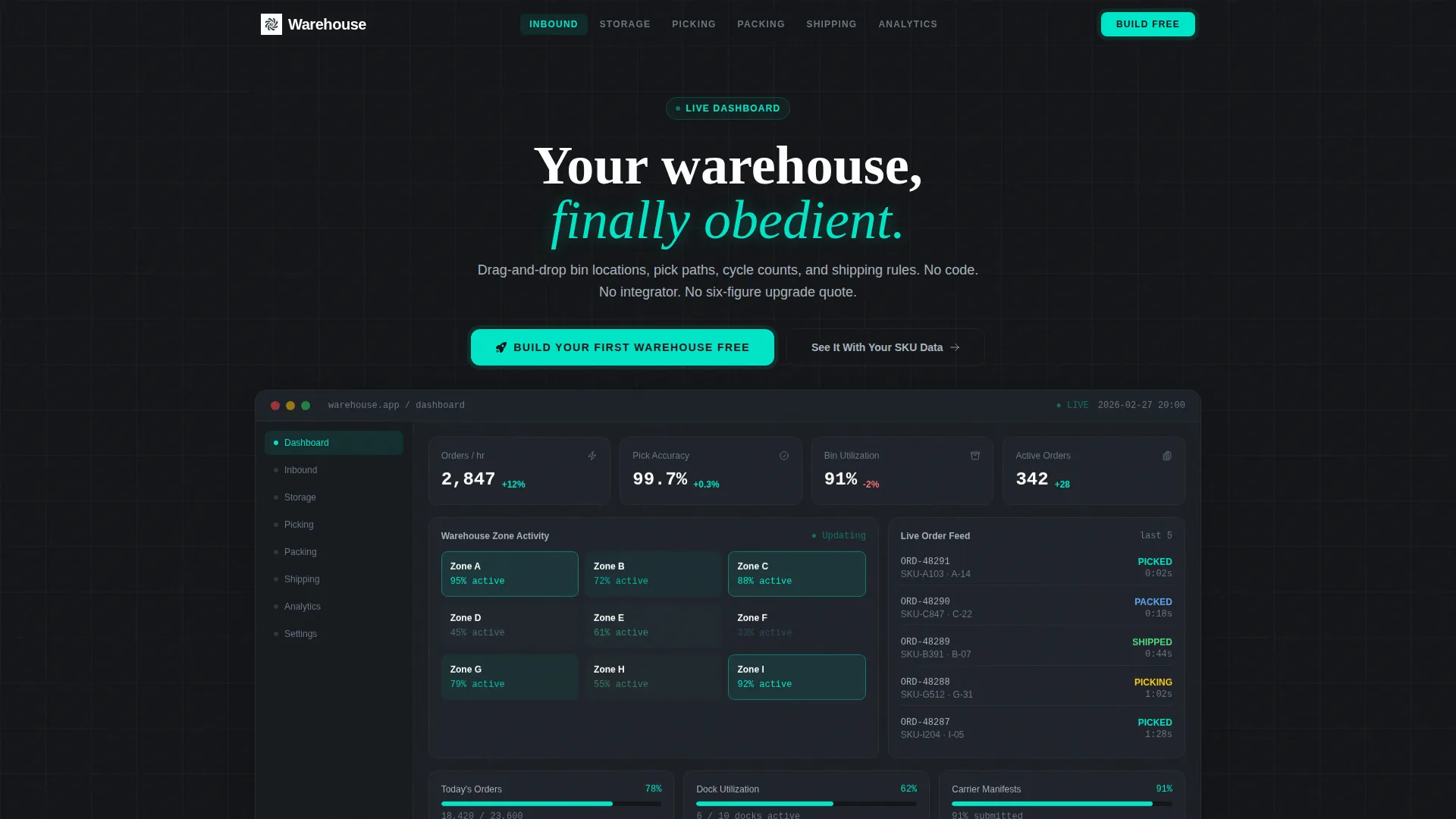
- A full-viewport animated header dashboard showing live order velocity, pick accuracy, bin utilization, and a heat-mapped warehouse zone minimap
- Six anchor-nav spokes (Inbound, Storage, Picking, Packing, Shipping, Analytics), each with a user interface screenshot paired against hard operational specs
- A two-step app download flow (platform selection then magic-link email) and a secondary sandbox demo path
Feature list
This template includes six primary feature areas, each reflecting a distinct module in the WMS workflow.
Animated Live-Metrics Header
The header renders a full-viewport mock of the WMS interface. On load, numbers animate upward showing order velocity at 2,847 orders per hour, pick accuracy at 99.7%, and bin utilization at 91%. A zone minimap pulses with teal data indicators color-coded by activity heat.
Hub and Spoke Anchor Navigation
A pinned top navigation bar links directly to six module sections: Inbound, Storage, Picking, Packing, Shipping, and Analytics. Visitors jump to the module most relevant to their current pain point without scrolling past unrelated content.
Spec Sheet Module Sections
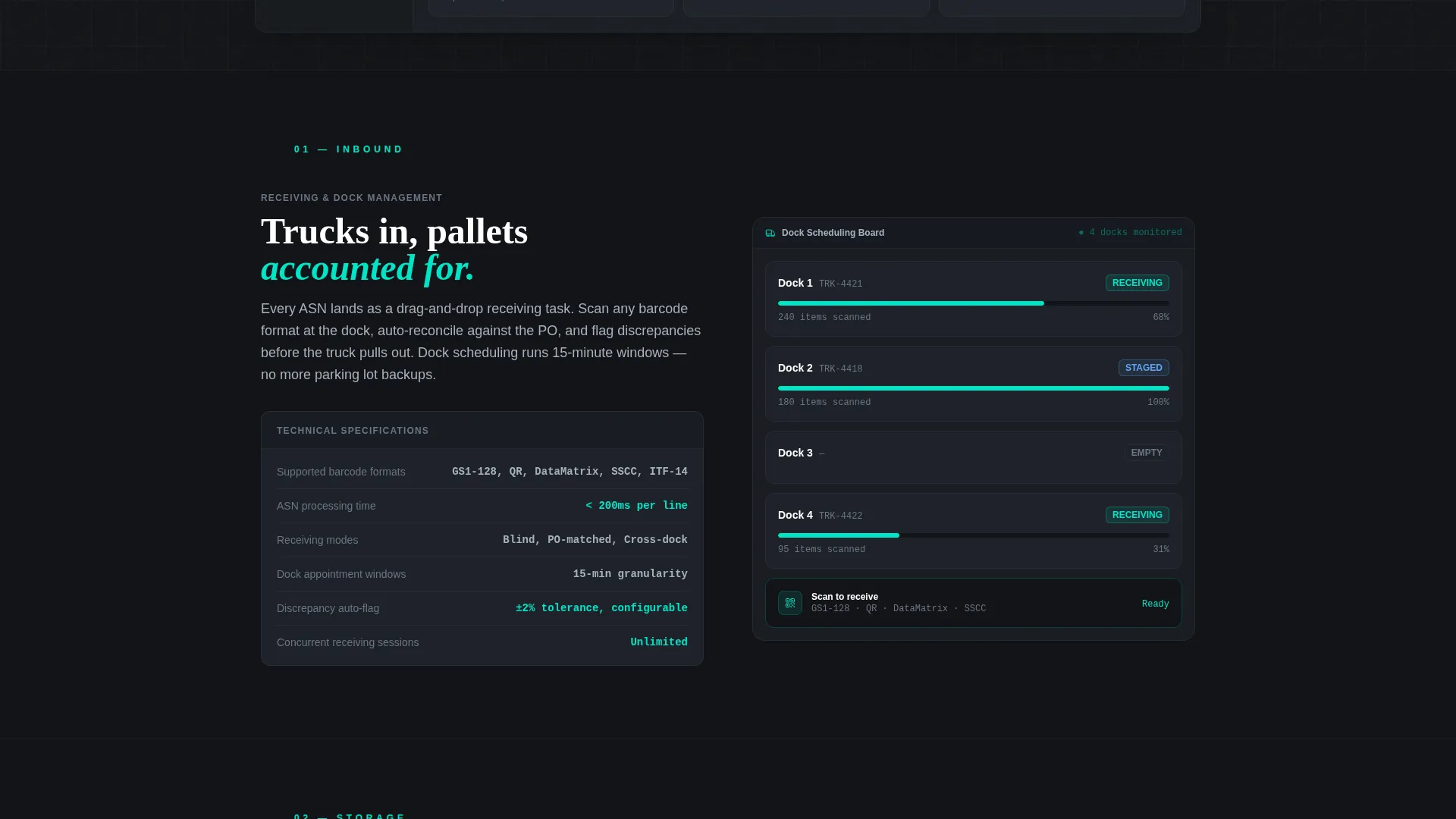
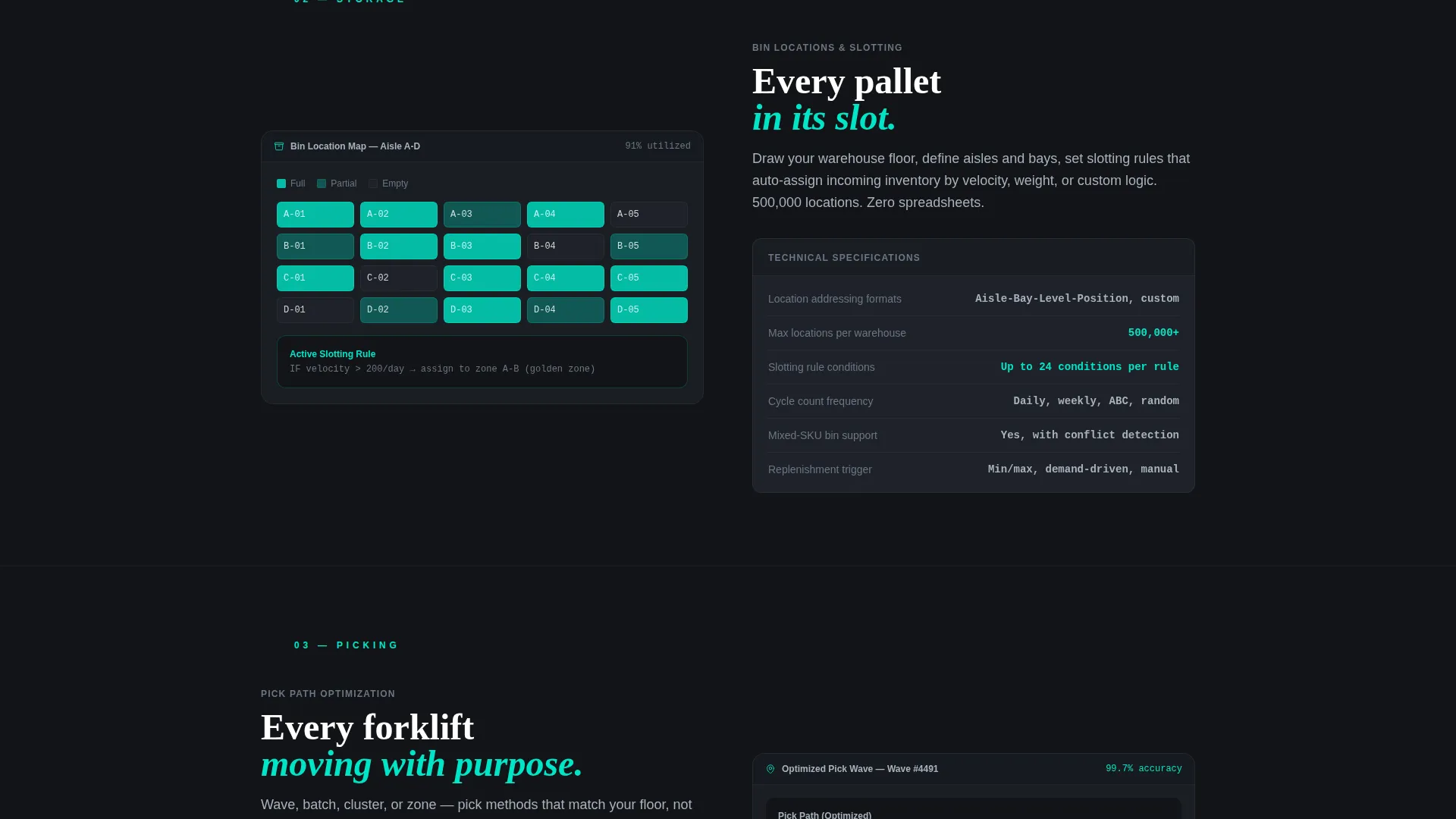
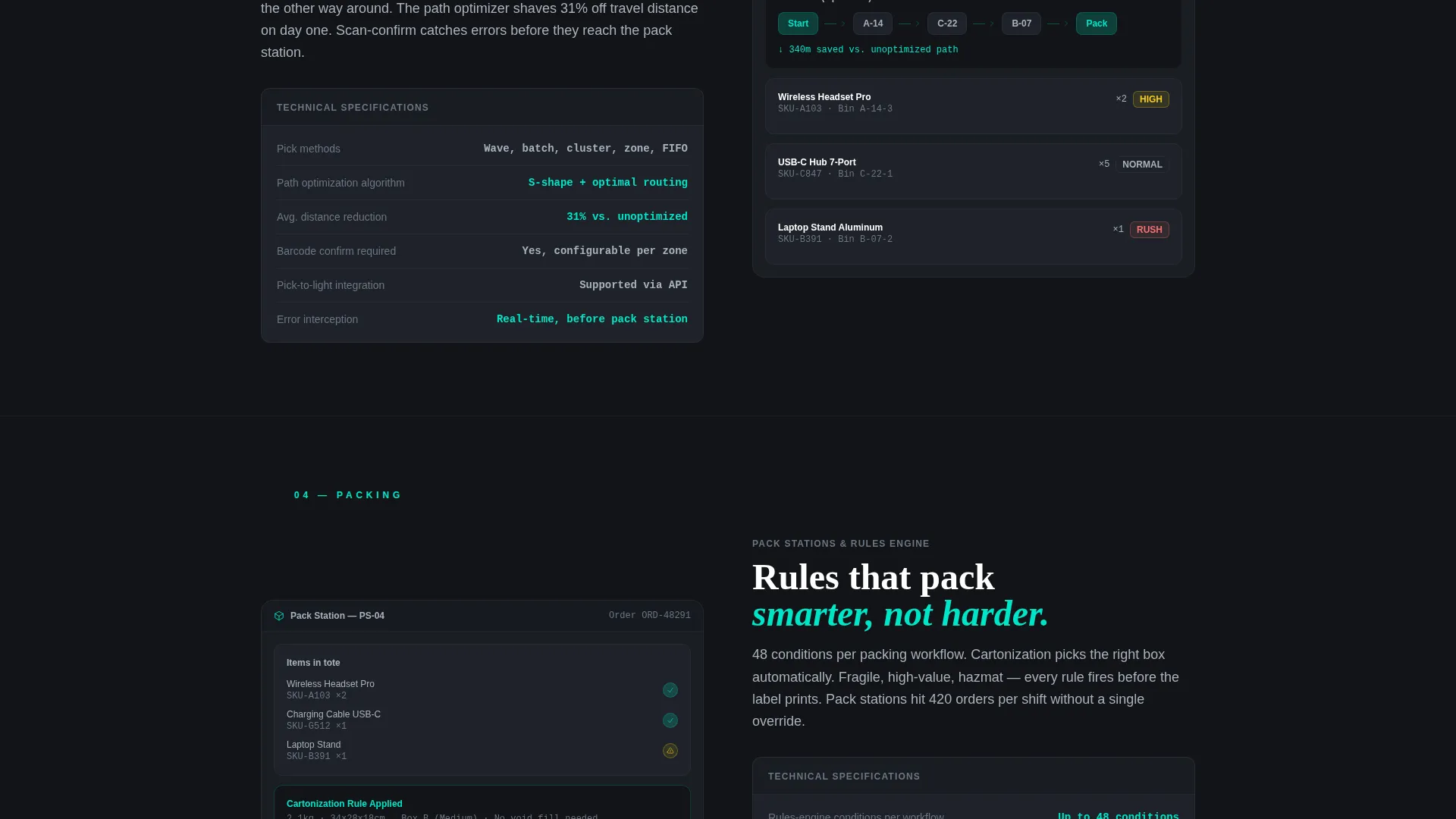
Each spoke section pairs a cropped user interface screenshot with hard technical specifications. Details include supported barcode formats, rules-engine conditions per workflow, concurrent user limits, and other data points an operations manager would need before committing.
Sticky App Download Bar
After the visitor scrolls past the second spoke section, a sticky call-to-action bar activates. It reinforces the primary action "Build Your First Warehouse Free" and remains visible throughout the rest of the page without blocking content.
Two-Step Download Flow
The primary call-to-action opens a focused two-step modal: first, select a platform (iOS, Android, or Desktop); second, enter an email to receive a magic link. The flow is short enough to complete without hesitation.
Sandbox Demo Path
A secondary call-to-action labeled "See It With Your SKU Data" links to a pre-loaded sandbox demo. This lets skeptical visitors explore the platform using sample inventory before committing to the download.
Page sections overview
| Section | Purpose |
|---|---|
| Live Metrics Header | Show animated WMS dashboard on load |
| Anchor Nav Bar | Pin module links to top on scroll |
| Inbound Module | Cover receiving and putaway specs |
| Storage Module | Show bin locations and utilization data |
| Picking Module | Detail pick paths and accuracy metrics |
| Packing Module | Present packing rules and workflow specs |
| Shipping Module | Explain shipping rules and carrier logic |
| Analytics Module | Display reporting and data visibility |
| Primary call to action Section | Drive app download with two-step flow |
| Sandbox Demo call to action | Offer SKU-data demo as secondary path |
Design & branding system
The visual identity follows a Dashboard Pro theme built on a Carbon Fiber color system. Every design choice reinforces the feeling of a live operations environment where only actionable information gets highlighted.
- Deep carbon black (#121417) and gunmetal panel gray (#1E2229) form all backgrounds, keeping the focus on data
- Brushed aluminum (#A8B2BD) carries all body text and labels, while electric teal (#00E5C7) is reserved strictly for live data points, active states, and primary call-to-action buttons
- No lifestyle photography or illustrations appear anywhere; the product interface is the only visual hero, rendered at native resolution
Mobile & speed optimization
The template is structured to remain usable across screen sizes without sacrificing the data-dense layout that makes it credible to technical buyers.
- The anchor navigation collapses cleanly on smaller screens so module links remain reachable without cluttering the viewport
- Animated metrics and the zone minimap are designed to load as the interface hero, keeping the heaviest visual element purposeful rather than decorative
How this template helps you convert
The conversion strategy is built around showing the product working before asking the visitor to commit to anything. Every section earns the next step.
- The animated metrics header creates immediate credibility by surfacing real-looking operational numbers the moment the page loads, reducing bounce before a single word is read.
- The spec sheet layout answers the sequence of objections an ops manager would raise, moving them from "can it do what I need" to "it already does more than I have" by the time they reach the call-to-action.
- The two-path conversion structure (app download or sandbox demo) lets cautious buyers self-select into a lower-commitment option, keeping both ready-to-act and still-evaluating visitors moving forward.
Other information about this template
This template is categorized under Technology, within the No-Code Enterprise Software subcategory, and targets the No-Code WMS niche specifically. It is designed as a Hub and Spoke landing page with a Spec Sheet creative direction and a Stats/Metrics header concept. The theme is Dashboard Pro and the color system is Carbon Fiber. The primary landing page direction is App Download.
- The template is suitable for SaaS founders, product marketers, and no-code platform teams who want a high-credibility product page without custom development
- The Spec Sheet architecture is especially effective for technical buyers who distrust marketing copy and respond better to tangible specs and interface screenshots
- The intersection of No-Code WMS, no-code enterprise software, and the technology category makes this template well-suited for any team positioning a self-serve operations platform
Theme
Dashboard Pro
Creative direction
Spec Sheet
Color system
Carbon Fiber
Style
Hub & Spoke (Anchor Nav)
Direction
App Download
Page Sections
Animated Live-metrics Dashboard Header
Hub and Spoke Anchor Navigation
Spec Sheet Module Layouts
Sticky App Download Bar
Two-step Download and Demo Flow
Related questions
Who is this landing page template designed for?
Does the template include the actual WMS software?
Can I customize the module sections and specifications?
What is the primary call-to-action on this template?
What makes this template different from a generic SaaS landing page?



