Architecture Firm Software Specialist Professional Website Template
Waypoint is a Hub & Spoke anchor-nav landing page template built for architecture firm route optimization platforms. It pairs a cockpit-dark Void & Violet visual system with high-energy GSAP animations, a three-step lead capture form, and five spoke sections that guide operations managers from problem awareness straight to a free route mapping call to action.
by Rocket studio
Quick summary
Waypoint is a single-page, anchor-nav landing page template designed for B2B software platforms that help architecture firms cut wasted distance across multi-site project portfolios. The design fuses a cockpit-dark interface with kinetic data visualization, converting visitors through a progressive three-step form and a secondary PDF download path.
Who this template is for
This template is built for teams selling route optimization software to the architecture, engineering, and construction (AEC) industry. It speaks directly to the people who feel every wasted mile in their operating budget.
- Operations managers juggling five to fifteen active job sites across a metro area and frustrated by manual route planning
- Firm principals watching vehicle costs erode already-thin project margins
- Project architects losing billable hours to unoptimized windshield time between client meetings, permit offices, and job sites
What problem this template solves
Route planning across a sprawling multi-project portfolio is not just inconvenient; it is expensive. The complexity of optimizing routes increases with the number of waypoints, and the limitations of existing tools often make it difficult to find the most efficient path. Logistics managers also worry about implementation friction when evaluating new software, so every element of this template is designed to reduce doubt and accelerate a decision.
- Operations teams driving thousands of unnecessary miles each quarter because routing is done manually or through basic mapping apps
- Principals who lack a clear, visual way to show clients and staff the real cost of unoptimized site visits
- Software vendors who need a landing page that passes a five-second test and moves visitors toward a demo or sign-up without distraction
What you get with this template
Waypoint delivers a fully structured, section-led landing page template with high-interactivity animations and a purpose-built lead generation flow. Every section is designed to add urgency through data, then offer a clear next step.
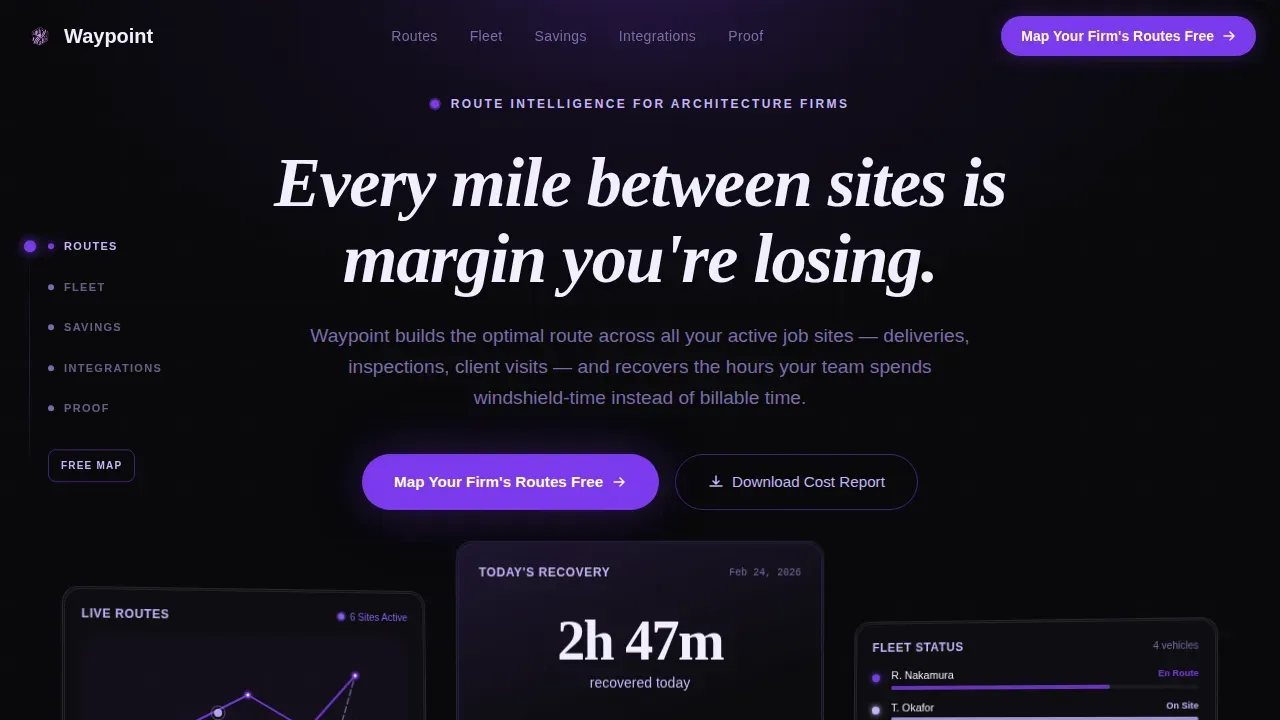
- A hero section with three angled dark-glass panel cards, a typewriter headline, and GSAP entrance animations that load with immediate visual impact
- Five spoke sections (Routes, Fleet, Savings, Integrations, Proof) anchored by a left-rail hub navigation with a violet tracer-line scroll mechanic
- A three-step progressive lead capture form and a secondary email-gated PDF download as a lower-commitment conversion path
Feature list
This template packages several carefully considered features into a single coherent page. Each feature serves the mission of turning an operations manager's visit into a qualified lead request.
Anchor Hub Navigation with Tracer Line
A persistent left-rail hub anchors five spoke labels: Routes, Fleet, Savings, Integrations, and Proof. Clicking any waypoint label fires a smooth scroll with a violet tracer line that visually connects the nav dot to the destination section. This gives users clear directional control without ever leaving the page.
Dark Glass Panel Hero Bento
Three angled, semi-transparent cards float against the void-black background in the hero. Each panel reflects a different data layer: a live route map with violet polylines between pin-dropped job sites, a time-saved dashboard displaying recovered hours, and a fleet view with vehicle dots pulsing along optimized paths. The typewriter headline sets the tone immediately, designed to pass a five-second visitor test.
Self-Drawing Route Map Animation
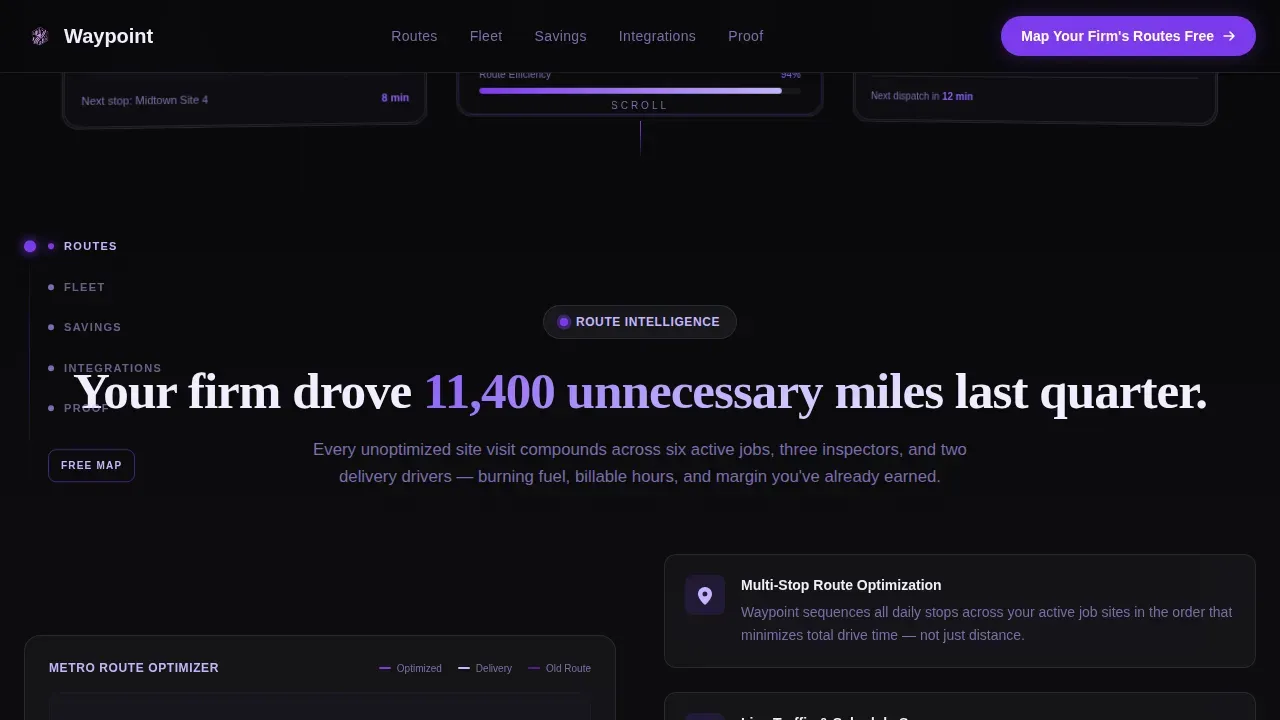
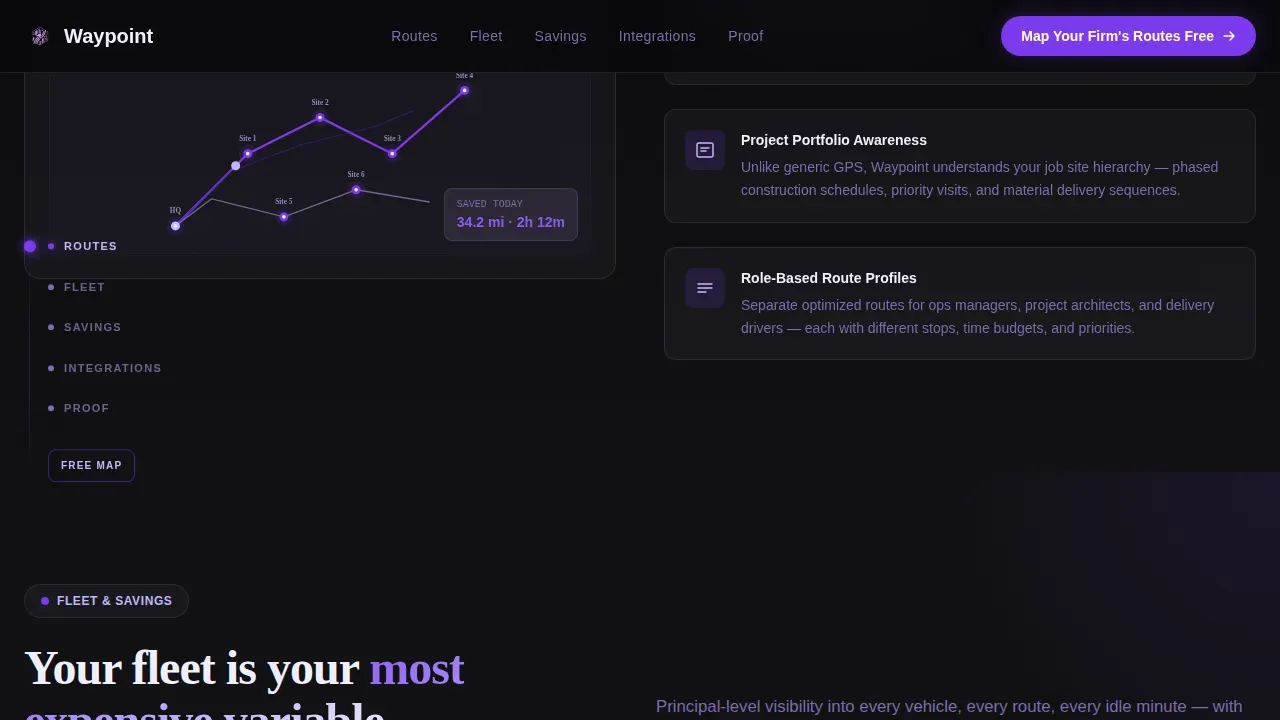
The Routes section features an SVG route map that draws itself on scroll, visually tracing the path between each site location. The animation opens with a provocative stat to ground the viewer in real project data before revealing how the platform responds. This approach illustrates route planning value more clearly than static content.
Animated Savings Counter Dashboard
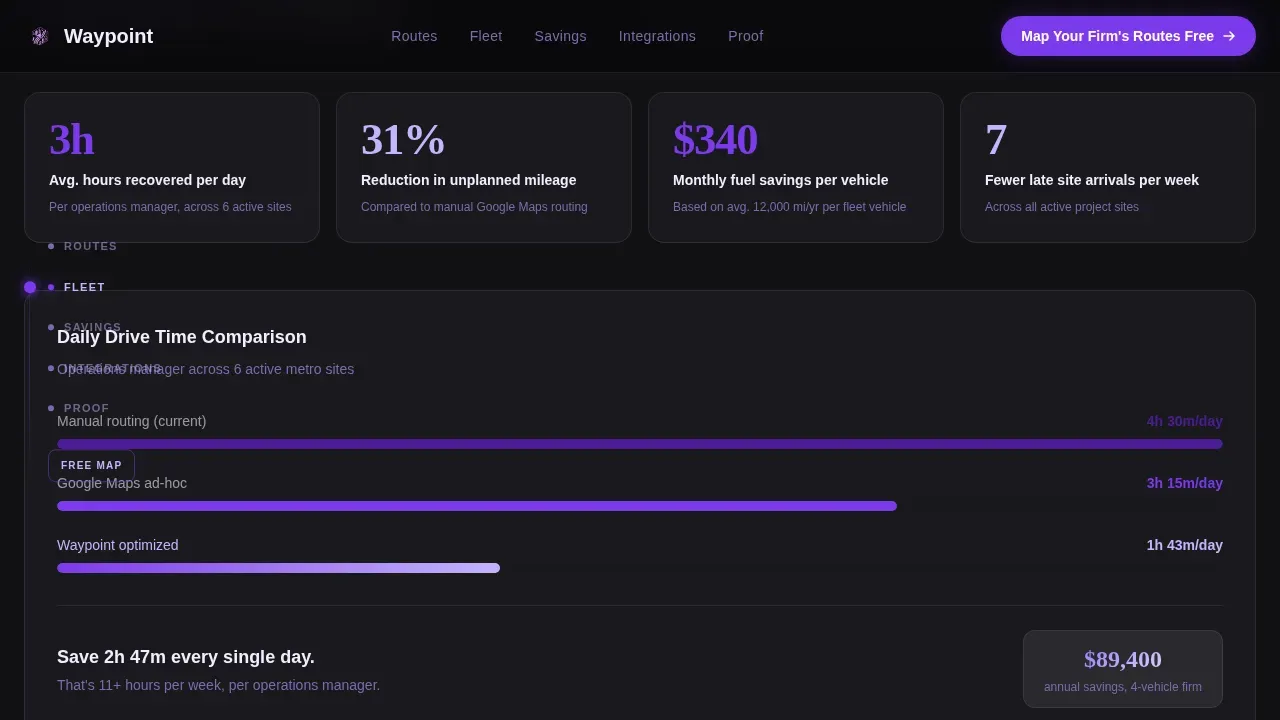
The Fleet and Savings section uses count-up number animations to show time recovered and distance eliminated in real time. Quantifiable metrics, for example hours saved per day or miles reduced per quarter, are surfaced as the user scrolls. Testimonial cards then slide in like dealt architectural drawings, with named roles and firm-specific data points.
Three-Step Progressive Lead Form
The lead capture form is a structured three-step sequence. Step one requests the number of active job sites and metro area. Step two asks for fleet size and current routing method via dropdown. Step three collects name, firm, and email. Reducing the number of fields per step lowers sign-up friction and improves conversion rates for operations-focused buyers. Note that a secondary path offers a downloadable PDF gated behind email only, catching visitors not yet ready to commit.
Integrations Logo Grid
The Integrations section displays AEC software logos connected by animated lines, reinforcing technical credibility. This section signals to buyers that the platform can integrate with tools already in their workflow, without requiring them to search for confirmation elsewhere on the page.
Page sections overview
| Section | Purpose |
|---|---|
| Hero Dark Glass | Establish pain point, showcase live route data, launch typewriter headline |
| Routes Stat Block | Open with "11,400 unnecessary miles" stat, animate self-drawing route map |
| Fleet Savings Dashboard | Count-up metrics reveal recovered hours, distance, and vehicle cost reductions |
| Integrations Logo Grid | Animated logo connections signal compatibility with existing AEC tools |
| Proof Testimonials | Dealt-card testimonials with firm names, roles, and specific time-saved data |
| Footer Single Row | Linear single-row footer on void background with minimal nav and call to action |
Design & branding system
The visual identity follows a Dynamic Motion theme built around a Void & Violet color system. The palette is designed to feel like a cockpit display at cruising altitude: dark enough that the data glows, with violet accents pulsing like waypoints on a flight map.
- Core colors: absolute void black (#09090B) for backgrounds, deep orbital violet (#7C3AED) for all interactive elements and active nav states, phosphor lilac (#C4B5FD) for secondary labels and route lines, and clinical glass white (#F0EEFF) for card surfaces and text
- Typography: Plus Jakarta Sans for user interface copy and Fraunces as a display serif for headlines, creating architectural contrast between data precision and expressive hierarchy
- Motion style: GSAP ScrollTrigger drives all entrance animations, self-drawing SVG paths trace route lines, count-up numbers tick upward on scroll entry, and hover states are enabled across all interactive elements
Mobile & speed optimization
The template is desktop-first by design, matching the workstation context of operations managers who do their route planning work at a screen with full data visibility. Mobile is supported with a solid responsive layout. Note that performance is treated as a conversion factor throughout the build.
- Server components handle all static content delivery, while client components are scoped to animations and interactive elements only, keeping the server response lean
- The default animation layer uses GSAP with ScrollTrigger, set to activate only when elements enter the viewport, avoiding unnecessary processing on load
- Note that fast loading is critical for lead generation pages; the template structure keeps heavy animation assets client-side and static content on the server to reduce initial load weight
How this template helps you convert
A high-converting landing page for route optimization software must balance emotional urgency with technical credibility. Waypoint is structured to do both, moving visitors from awareness to action across a clear sequence of escalating proof points.
- The hero section creates immediate context with three data-rich glass panels and a provocative typewriter headline, establishing the cost of inaction before any scroll occurs. The anchor nav then gives users open, frictionless access to every section from the first moment they arrive.
- Each spoke section opens with a stat-led hook, then delivers a visual response: a self-drawing route map, an animated savings counter, or a dealt-card testimonial. Specific metrics, for example "2h 47m recovered today," make the value concrete and measurable for skeptical buyers.
- The three-step form and the secondary PDF download create two distinct conversion paths. Visitors ready to act can request a free route map. Those who need more ground-level proof can download the PDF in exchange for an email, keeping them in the funnel without pressure.
Other information about this template
This template is the Waypoint intelligent route optimization landing page template, purpose-built for AEC software vendors who need a page that matches the sophistication of their product. Note the following additional context for buyers evaluating this template.
- Route optimization calculations typically consider travel time as the primary factor, but also account for distance, the number of turns, and other factors such as traffic and service windows. The template's data display sections are designed to surface these variables clearly.
- AI-powered route optimization tools can rearrange waypoints to create routes in a more efficient order, handling more than 25 waypoints beyond the limits of standard mapping APIs. The template's Integrations section is structured to communicate this capability to technical buyers.
- For teams building on top of an API, note that waypoint optimization requires the optimizeWaypointOrder field set to true in a ComputeRoutes request. The response returns optimized waypoint order via the optimizedIntermediateWaypointIndex field. For routes with more than 25 place IDs, the GMPRO API can address the Traveling Salesman Problem at scale. The maximum supported is 98 waypoints using latitude and longitude coordinates.
- Dynamic re-routing support allows routes to be adjusted based on live data, weather, or delays, which is a key constraint management feature for firms with unpredictable site schedules.
- The template supports constraint-aware route planning, including service windows and vehicle capacity rules, making it relevant for firms with structured delivery and inspection schedules.
- Photos, firm logos, and named testimonials are all included as placeholder content in the Proof section, ready to edit and replace with real client data.
- The template file is structured for clean handoff, with organized layers, editable components, and clear section labels so developers and designers can open and navigate it without additional onboarding.
Theme
Dynamic Motion
Creative direction
Launch Energy
Color system
Void & Violet
Style
Hub & Spoke (Anchor Nav)
Direction
Lead Generation
Page Sections
Anchor Hub Nav with Violet Tracer
Dark Glass Panel Hero Bento
Self-drawing SVG Route Map
Animated Savings Counter Dashboard
Three-step Progressive Lead Form
Dealt-card Testimonial Section
Related questions
Who is this landing page template designed for?
What sections are included in the template?
Can I edit the lead capture form steps?
How does the secondary conversion path work?
Are the animations included and ready to use?



