Travel Digital Presence Professional Website Template
Waypoint is a bento grid landing page template built for travel tech platforms that turn raw research into instant itineraries. It pairs a live terminal API animation with a glassmorphic dashboard layout, guiding visitors through a two-step app download flow. Dark, data-dense, and visually electric, it speaks directly to solo backpackers, couples, and remote workers ready to move.
by Rocket studio
Quick summary
Waypoint is a single-page bento grid template designed for AI-powered travel platforms. It opens with an animated terminal code block, flows into a live-data dashboard, and closes with a two-step app download call to action. The visual style channels a dark, backlit airport departure board. Every section activates on scroll, making the product feel like it boots up around the visitor.
Who this template is for
This template is built for founders and product teams launching a travel tech application that needs to earn trust fast and convert visitors to downloads. It is especially well suited for teams whose product does the heavy lifting before the user even signs up.
- Solo travel app teams targeting backpackers planning multi-month Southeast Asia routes
- Travel platforms serving couples hunting shoulder-season deals to emerging destinations
- Remote work and digital nomad tools that surface real-time housing and flight data
What problem this template solves
Most travel landing pages look like blogs. They tell visitors what the product does instead of showing it working. By the time a visitor reaches the call to action, they have read a lot and seen nothing. Waypoint solves this by front-loading live product demonstration through an animated terminal, a fare heatmap card, and a ticking trip counter.
- Visitors scroll through a working product preview before any download request appears
- The two-step call to action flow reduces friction by asking only for a destination vibe, then a phone number
- Scroll-activated bento tiles build momentum and hold attention across the full page
What you get with this template
You get a fully structured, single-page bento grid layout ready to customize for your travel platform. Every section is pre-built with layout logic, animation behavior, and content hierarchy already in place.
- Hero section with a styled terminal API block and animated JSON line-by-line response reveal
- Bento dashboard with fare heatmap card, itinerary screen recording tile, and live trip counter
- Two-step app download call to action with SMS flow and desktop QR code bento tile
Feature list
This template includes a focused set of purpose-built components drawn directly from the source brief. Each one serves the core goal of showing the product working before asking for a download.
Animated Terminal Hero Block
The hero drops a styled code snippet dead center. It displays a real-looking API call and reveals a structured JSON response line by line beneath it. Returned destinations appear as live hyperlinks with flight costs, daily spend estimates, and visa status indicators. A blinking cursor keeps the animation feeling alive.
Bento Grid Dashboard Layout
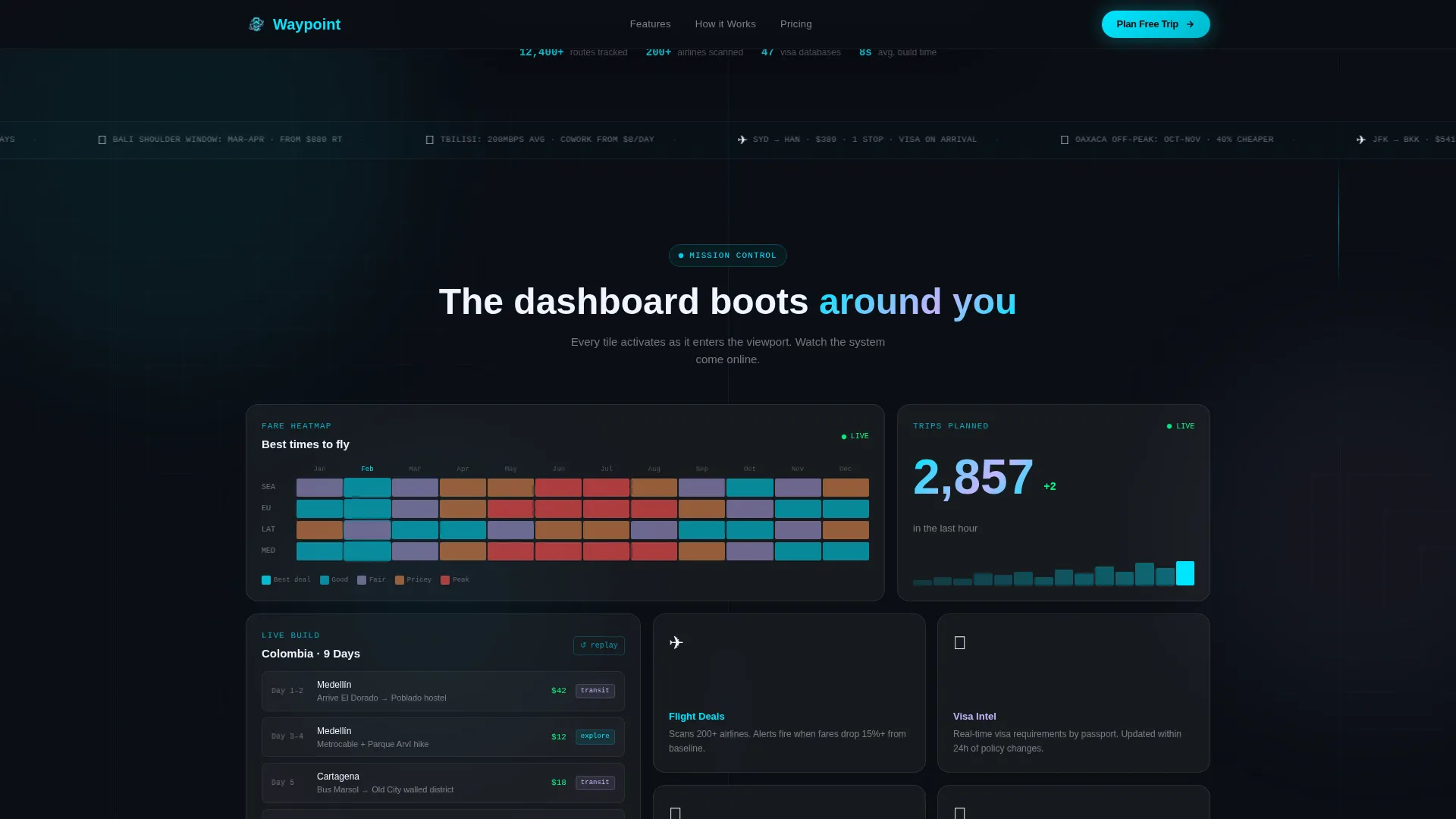
Below the hero, a bento grid populates like a mission control dashboard coming online. Each card activates with a scale-and-fade as it enters the viewport. Cards include a live fare heatmap, a 14-second itinerary screen recording mock, and a real-time trip counter ticking upward. The layout works across desktop and mobile without sacrificing the information-dense feel.
Two-Step App Download Flow
The primary call to action triggers a two-step modal. Step one asks the visitor to choose a destination vibe: beach, city, mountains, or surprise me. Step two collects a phone number for an SMS download link. This sequence reduces cognitive load and keeps the conversion path short and intentional.
QR Code Download Tile
Desktop visitors see a dedicated bento tile in the lower-right position containing a scannable QR code. This gives visitors already reaching for their phone a direct path to download without navigating away from the page.
Scroll-Activated Tile Reveals
Every bento card uses an Intersection Observer pattern to trigger a subtle scale-and-fade animation as it enters the viewport. The effect creates the sensation that the dashboard is turning on around the visitor, module by module, as they scroll.
Sticky Mobile Call to Action Bar
On mobile, the primary call to action anchors itself in a sticky bottom bar that stays visible throughout the scroll. Visitors never have to hunt for the download prompt, regardless of where they are on the page.
Page sections overview
| Section | Purpose |
|---|---|
| Terminal Hero Block | Demonstrates the API with an animated JSON reveal |
| Bento Dashboard Grid | Shows fare heatmap, itinerary mock, and live trip counter |
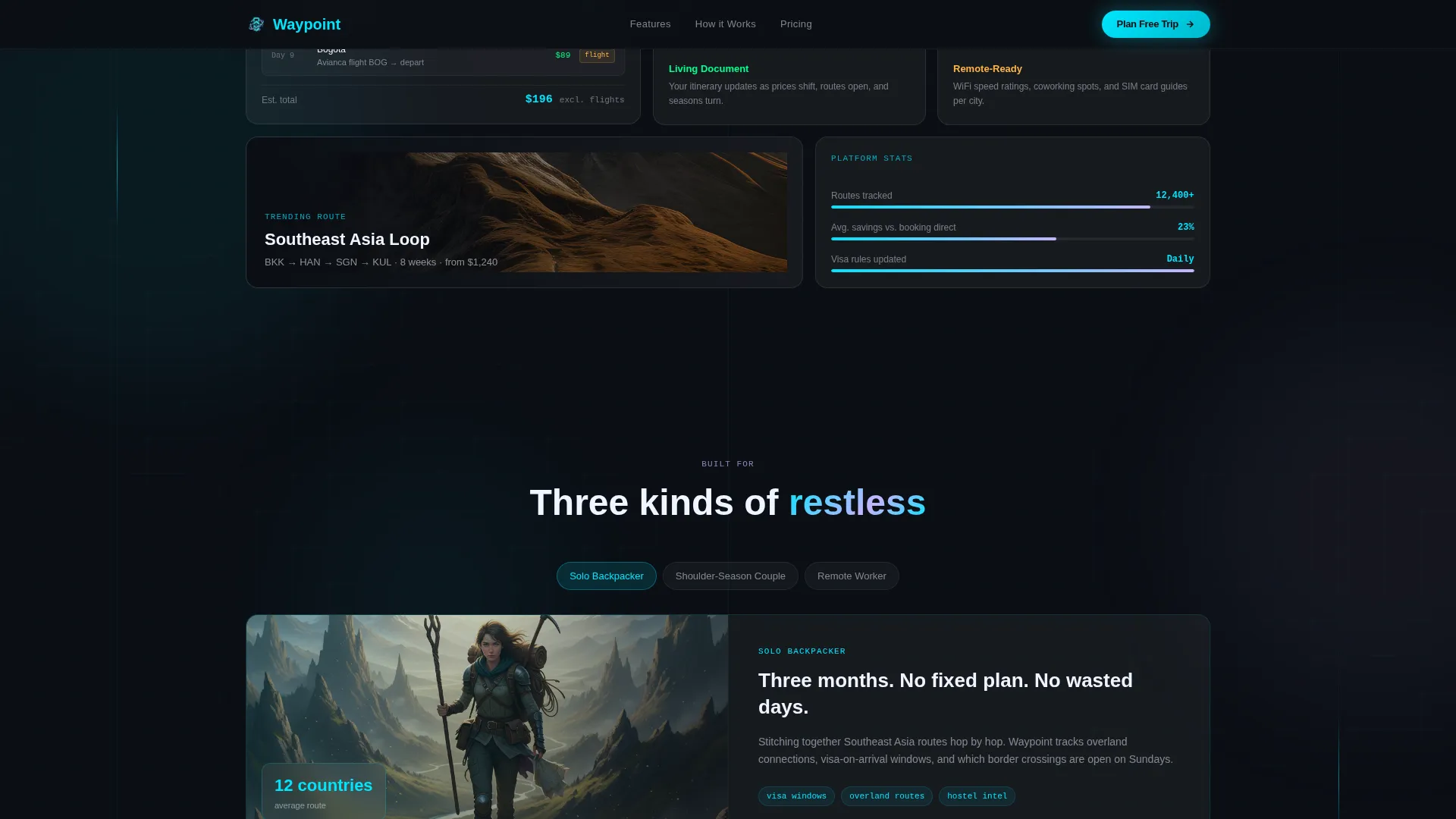
| Who It's For Cards | Three asymmetric cards covering each target audience type |
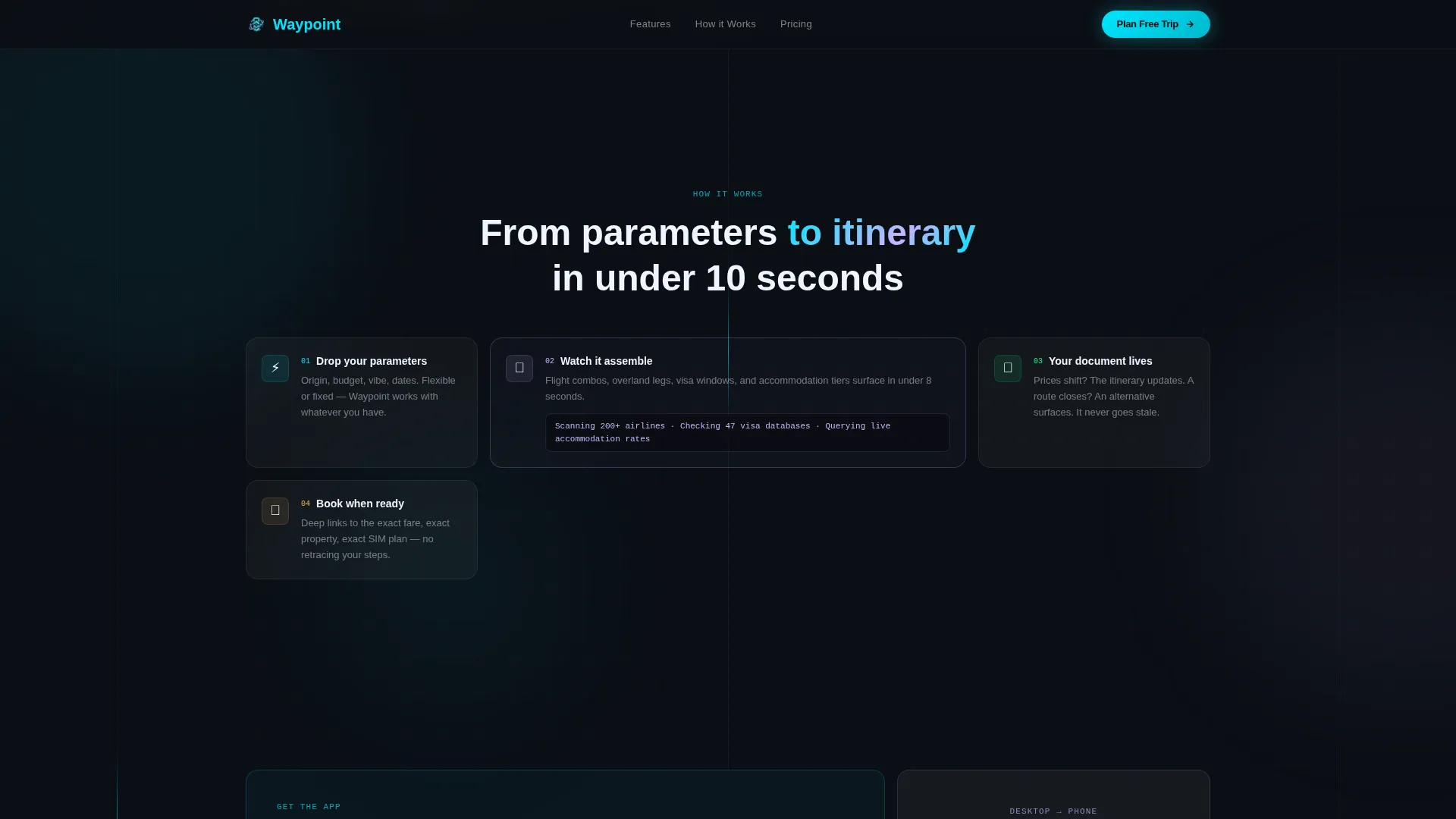
| How It Works Bento | Process explanation in bento-style tiles, not a linear timeline |
| App Download Call to Action | Two-step modal flow plus QR code tile for desktop visitors |
| Footer | Horizontal flow layout closing the page |
Design & branding system
The visual identity runs on a Glassmorphic color system built to feel like a backlit airport departure board at 5 AM. Every element is dark, information-dense, and purposefully glowing. Bento cards float on a deep space black canvas with frosted glass borders that shift opacity on hover.
- Base layer: deep space black (#0B0E14) with frosted glass panels at 12% white opacity
- Electric cyan (#00E5FF) drives interactive states, live data indicators, and the terminal glow
- Soft lavender (#C4B5FD) accents tags and badges; typography pairs DM Sans for interface copy with JetBrains Mono for all terminal and code elements
Mobile & speed optimization
The template is built mobile-first. The sticky call to action bar ensures the download prompt is always reachable on smaller screens without disrupting the scroll experience. Animations are handled through CSS and Intersection Observer to keep the experience smooth across devices.
- Sticky bottom call to action bar on mobile keeps the download path visible at all times
- Scroll-activated tile reveals use CSS animations and Intersection Observer for efficiency
- Bento grid adapts from a multi-column desktop layout to a single-column mobile flow
How this template helps you convert
The page earns the download before asking for it. Visitors experience the product working across multiple sections before any call to action appears. By the time the download prompt arrives, the visitor has already seen three itineraries assemble themselves.
- The animated terminal hero immediately signals that this is a product, not a blog, setting a high-trust first impression before the visitor scrolls
- The bento dashboard tiles, including live fare data and the ticking trip counter, sustain momentum and demonstrate real-time value across the mid-page scroll
- The two-step call to action modal lowers the barrier to entry by starting with a fun vibe selection before requesting any personal information
Other information about this template
This template is categorized under Travel Digital Presence within the Technology category. It is built specifically for the travel landing page niche, where showing beats telling and speed of comprehension drives conversion.
- Template style: Bento Grid with Startup Velocity theme
- Creative direction: Launch Energy, with high-animation scroll reveals and a dashboard boot-up feel
- Header concept: Code Snippet, using JetBrains Mono and a typed JSON response animation
- Localization: English language, USD currency, and US date format
- The template is designed for a single-page, section-led layout with a clear linear conversion path from hero to download

Theme
Startup Velocity
Creative direction
Launch Energy
Color system
Glassmorphic
Style
Bento Grid
Direction
App Download
Page Sections
Animated Terminal Hero Block
Bento Grid Dashboard Layout
Two-step App Download Modal
Desktop QR Code Bento Tile
Scroll-activated Tile Reveals
Sticky Mobile Call to Action Bar
Related questions
What kind of product is this template designed for?
Can I customize the destinations shown in the terminal animation?
How does the two-step app download flow work?
Is the bento grid layout suitable for mobile screens?
What typography does this template use?



