Micro-SaaS & Developer Tools Professional Website Template
Webhookstream is a dark-themed, dashboard-style developer landing page built for webhook testing and inspection tools. It captures the focused intensity of real-time HTTP debugging with a glass-panel user interface mockup, a live-stream data grid, and a zero-friction email capture form. Designed for backend engineers and DevOps teams who need to see exactly what arrives at their endpoint.
by Rocket studio
Quick summary
Webhookstream is a single-page lead generation landing page for a webhook inspection and replay tool. The design follows a Problem to Solution arc, opening with common debugging pain points before revealing a live-capture dashboard. A glass-panel user interface mockup, sortable data grid, and instant sandbox endpoint work together to show real value before asking for anything.
Who this template is for
This template is built for developer-tool founders and micro-SaaS teams who need a high-converting landing page fast. It speaks directly to technical buyers in precise, no-fluff language.
- Backend engineers who debug payment callbacks, webhook retries, and third-party API payloads in production
- DevOps teams building CI/CD pipelines that trigger on repository events and need clear request visibility
- Startup founders and CTOs connecting multiple external services who need to verify exactly what each endpoint receives
What problem this template solves
Webhook debugging is painful without the right visibility. Payloads drop silently, retry logic is hard to test, and production environments rarely offer useful logging. Most developers resort to console hacks or disposable tunnel tools that lose data the moment the session ends.
- No way to inspect raw headers, full payloads, or retry sequences in a structured view
- Building handler code blind, without seeing a single real request first
- Zero confidence that a third-party service is sending what its documentation claims
What you get with this template
You get a complete, ready-to-customize landing page that mirrors the experience of the product it sells. Every design decision is intentional and audience-specific.
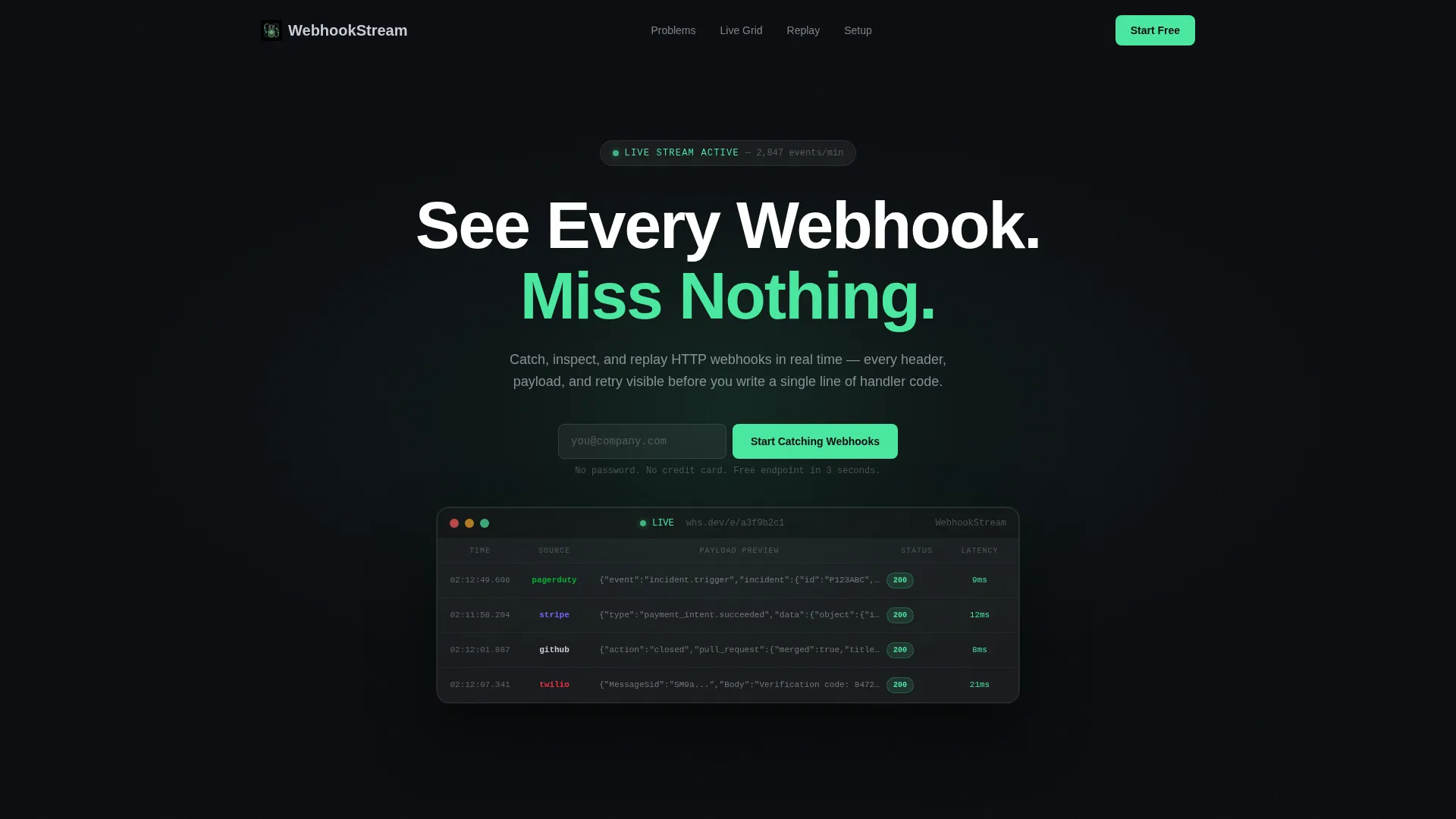
- A dark full-bleed header with a radial glow effect and a floating glass-panel user interface mockup showing live POST requests
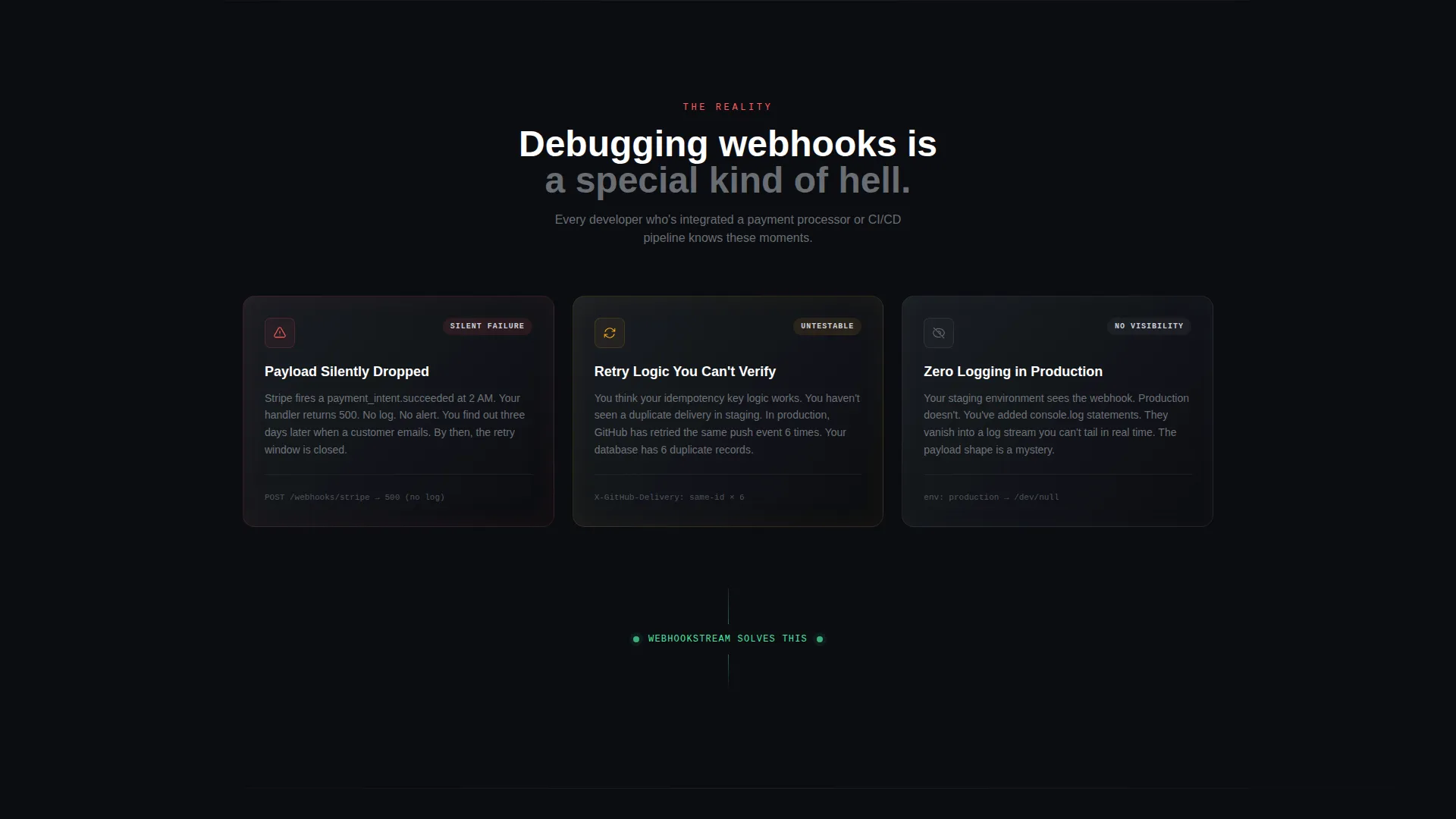
- A problem section with three dark cards highlighting real debugging failures, followed by a solution-focused data grid and replay panel
- A zero-friction lead capture form with a single email field plus a live sandbox endpoint visitors can test immediately from their terminal
Feature list
This template includes a focused set of design and layout features drawn directly from the source brief.
Live-Stream user interface Mockup in Header
The header displays a glass-paneled mockup of a live webhook stream. Three stacked POST requests show green 200 status pills, timestamps, source labels, and truncated JSON previews. The frosted border catches light at the edges, making the product the visual centrepiece.
Problem-to-Solution Scroll Arc
The page opens with a pain section: three dark cards with red-amber status icons describing silent payload drops, untestable retry logic, and missing production logs. As the visitor scrolls, the narrative shifts into solution territory with progressively richer user interface panels.
Sortable Webhook Data Grid
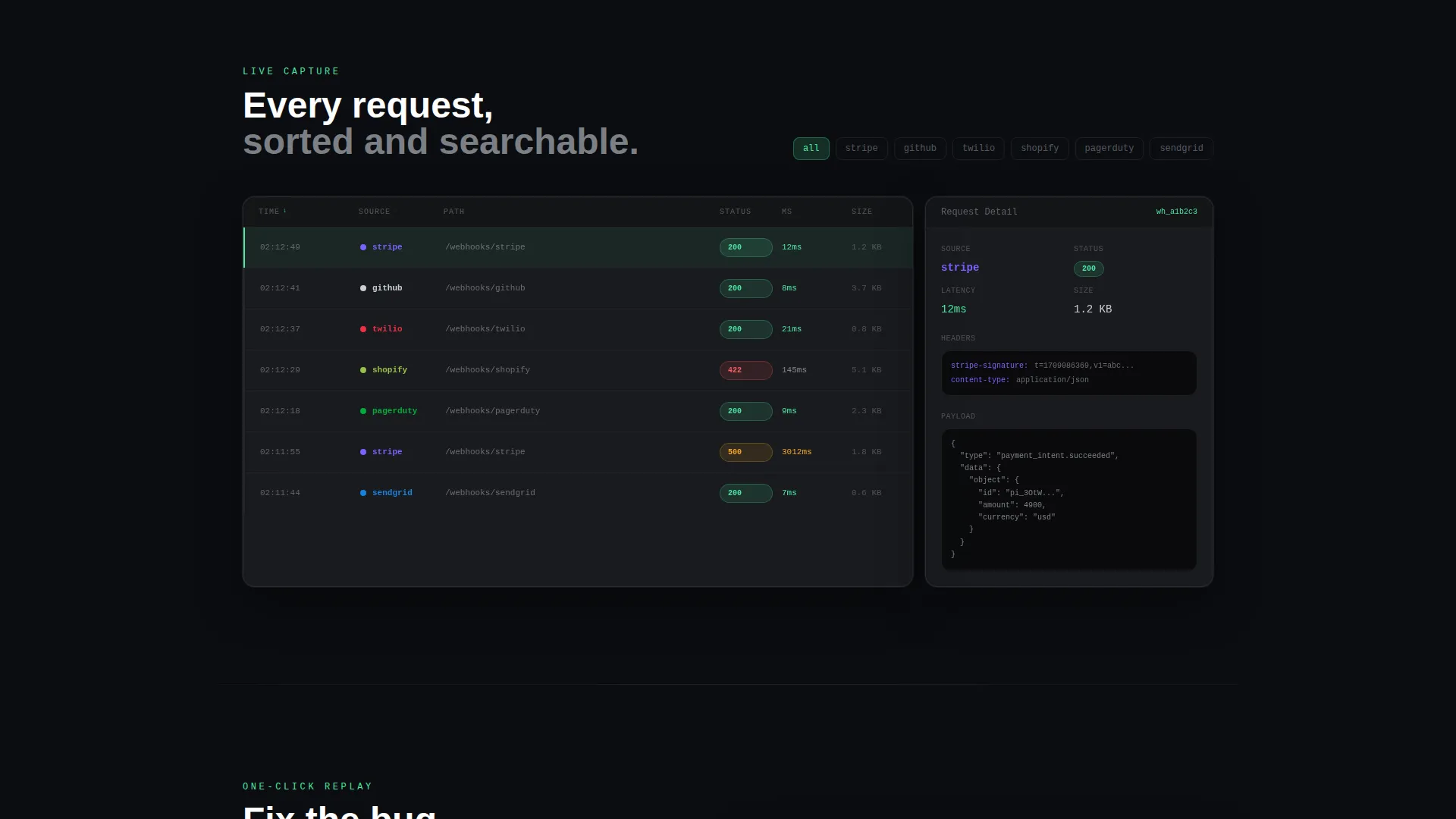
A full-width interactive data grid displays captured webhook requests. Columns are sortable by source, status code, and timestamp, giving buyers an immediate sense of the inspection depth the tool provides.
One-Click Replay Panel
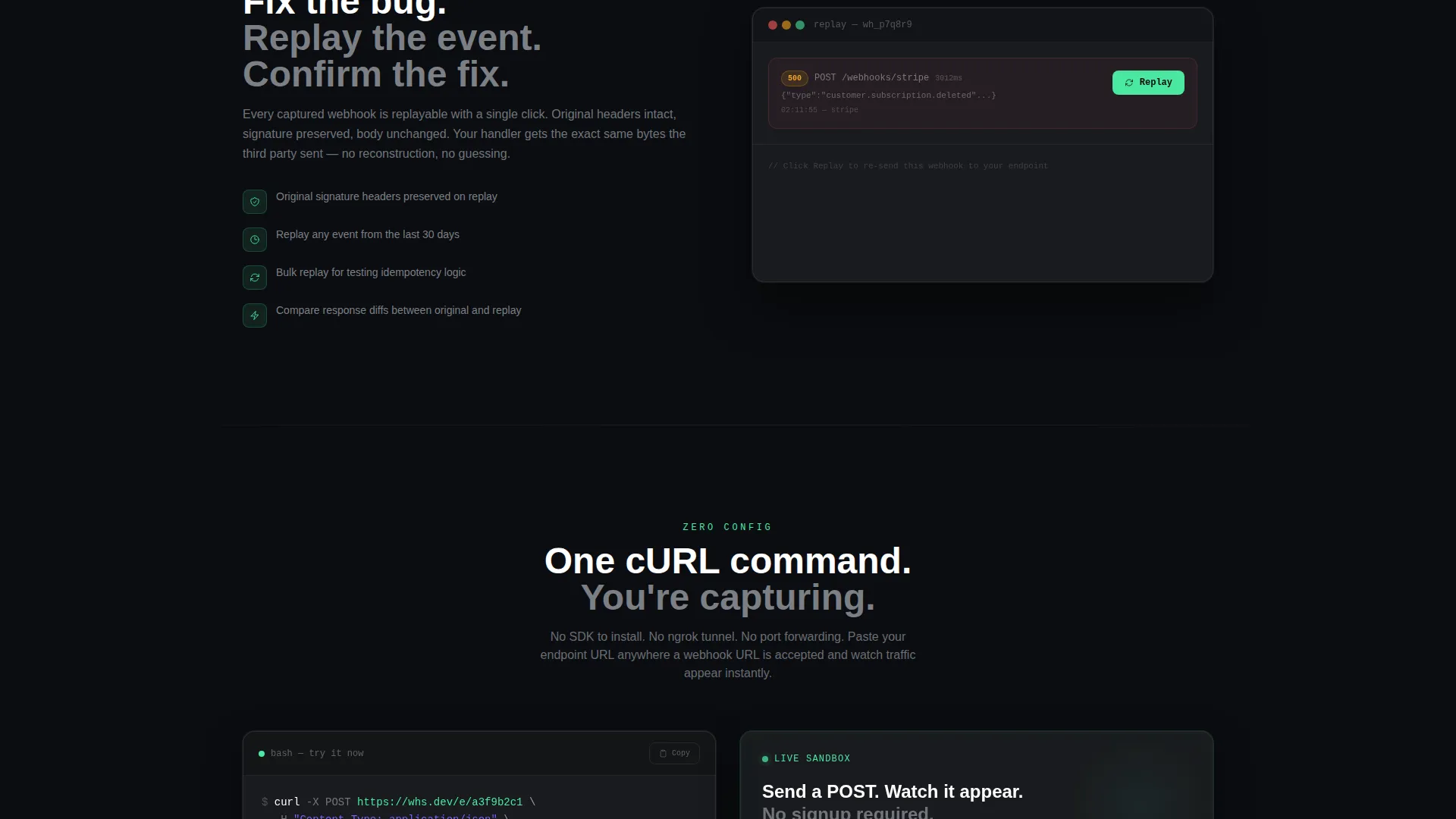
A dedicated replay section demonstrates re-delivery with a single click. This visual communicates the tool's active control capability without requiring any explanation beyond the layout itself.
Zero-Friction Lead Capture
The primary call-to-action is a single email field with a "Get Free Endpoint" button. No password, no company name. The form appears in the header and repeats as a sticky bottom bar after the first scroll.
Live Sandbox cURL Prompt
A secondary conversion path presents a live sandbox endpoint with the prompt "Send a POST to this URL and watch it appear below." Visitors can test from their terminal immediately, proving value before any sign-up is required.
Page sections overview
| Section | Purpose |
|---|---|
| Dark Hero Header | Introduce the product with a live-stream user interface mockup and primary call to action |
| Pain Point Cards | Surface three common webhook debugging failures with status icons |
| Webhook Data Grid | Show full-width captured request table sortable by source and status |
| Replay Panel | Demonstrate one-click webhook re-delivery and active control |
| cURL Integration Block | Present single-command setup with a live sandbox endpoint prompt |
| Sticky call to action Bar | Repeat the email capture form as a persistent bottom conversion bar |
Design & branding system
The visual identity follows a Tech Glass theme built on a Monochrome Steel color system. The palette is intentionally restrained, with the electric accent color reserved for moments of signal and action.
- Core colors: void black (#0B0D11) for backgrounds, brushed gunmetal (#1E2228) for panels, panel glass (white at 6% opacity) for frosted surfaces, and cool chrome (#C9CED6) for body text
- Single accent: electric green (#4AE8A0) used exclusively for live-state indicators, success badges, and all call-to-action surfaces
- Typography: monospaced fonts for all data and code elements, geometric sans-serif for headings and body copy; 1px rgba white border strokes on all glass panel edges
Mobile & speed optimization
The layout is structured to remain legible and functional on smaller screens without sacrificing the visual weight that makes the dark theme effective.
- Stacked card layout on mobile ensures the problem section and data grid remain readable at narrow viewport widths
- The sticky bottom call to action bar is designed to stay accessible during scroll, keeping the conversion path visible on touch devices
How this template helps you convert
The page is engineered around reducing hesitation. Every section either removes doubt or delivers a small proof point before asking for commitment.
- The sandbox cURL prompt lets visitors test the product directly from their terminal before they see a sign-up form, creating genuine confidence in the tool
- The sticky email capture bar stays visible throughout the scroll, so the call to action is always one tap away without interrupting the narrative
Other information about this template
This template is part of the Micro-SaaS and Developer Tools category inside the Technology segment. It is purpose-built for teams launching or marketing webhook inspection and HTTP request capture products.
- The template style is Dashboard and Data Grid, making it well-suited to other real-time monitoring or event-stream tools beyond webhook testing
- The Tech Glass theme and Monochrome Steel color system can be adapted to related developer tools such as API explorers, log viewers, or pipeline monitors
- The creative direction follows a Problem to Solution Arc, a proven narrative structure for developer-focused products where showing the pain before the fix builds credibility
- This template supports a Lead Generation landing page objective, with two conversion paths built in: email capture and sandbox engagement
Theme
Tech Glass
Creative direction
Problem→Solution Arc
Color system
Monochrome Steel
Style
Dashboard/Data Grid
Direction
Lead Generation
Page Sections
Live-stream Webhook User Interface Mockup
Problem-to-solution Scroll Arc
Sortable Webhook Data Grid
One-click Replay Panel
Zero-friction Email Capture
Live Sandbox Curl Prompt
Related questions
Can I customize the color scheme or swap out the accent color?
Do I need a live backend connected to use this template?
Is this template suitable for developer tools beyond webhook testing?
How does the zero-friction lead capture form work?
What skill level is needed to edit and deploy this template?



