Quality Childcare Landing Page Template
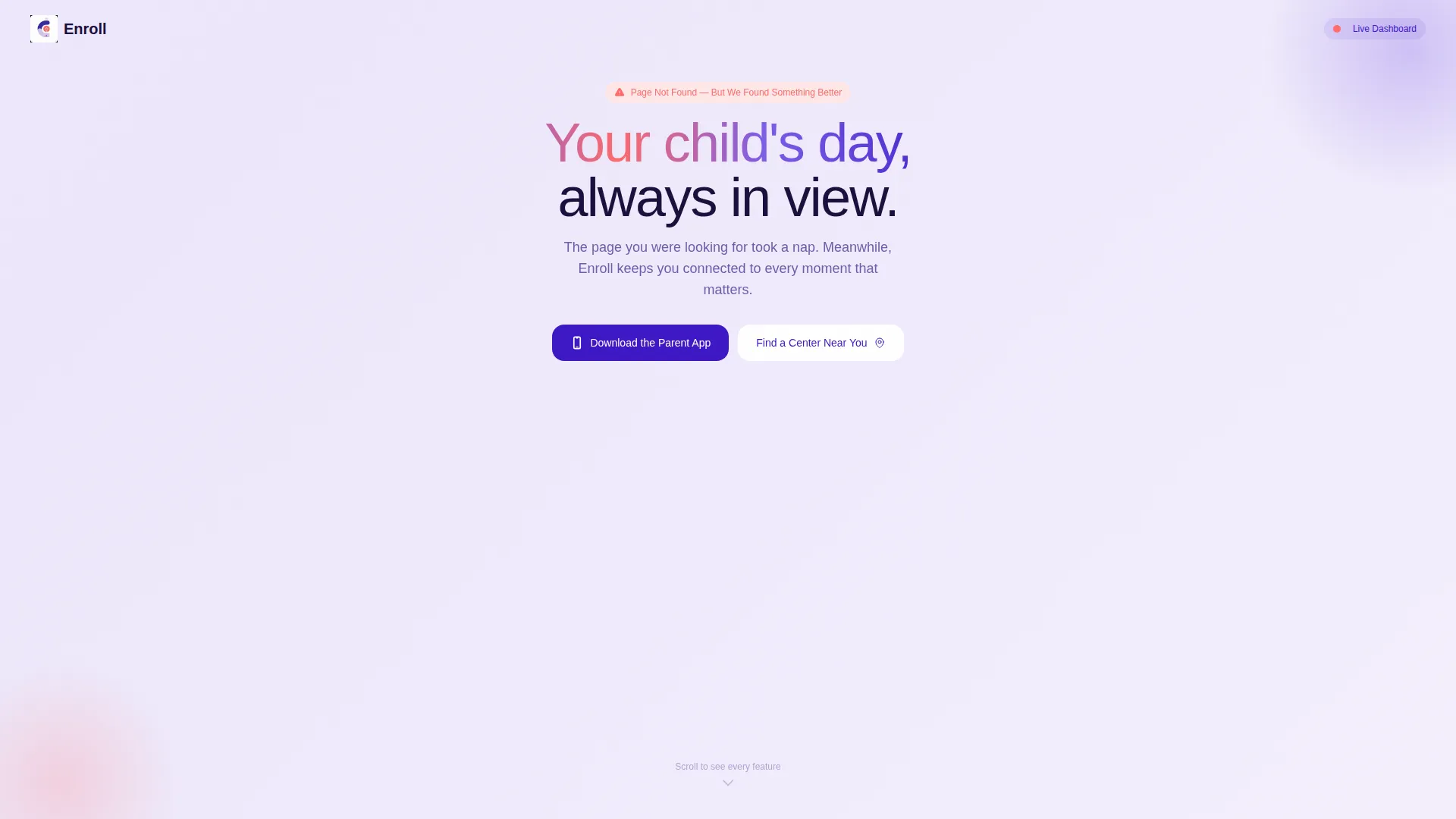
Enroll is a bento grid landing page template built for daycare and preschool apps that need to turn a 404 error page into a product discovery moment. Powered by an Electric Indigo color system and a Dashboard Pro theme, it showcases app features through live-style dashboard tiles, a sticky app download bar, and a ZIP code field for finding nearby centers.
by Rocket studio
Quick summary
Enroll transforms a dead-end 404 error page into a confident product tour. The bento grid layout displays live-style dashboard tiles, each highlighting a key app capability. A sticky bottom bar keeps the "Download the Parent App" call to action always visible. The design feels like a premium parenting app, warm but precise, built to earn the tap.
Who this template is for
This template is built for daycare operators, preschool app makers, and early childhood care brands that want a 404 error page that works harder than a simple "page not found" message. It suits teams who want every accidental visit to become a meaningful touchpoint.
- App developers and product teams launching a daycare or preschool parent app
- Childcare center operators who want to promote their app even on broken links
- Early childhood brands looking for a polished, confidence-building landing page
What problem this template solves
Parents who land on a broken link are already in a hurry. A generic error page sends them away. This template solves that drop-off by pivoting the 404 moment into a guided feature walkthrough, keeping the visitor engaged just long enough to see the app's value and tap the download link.
- Broken pages lose trust instantly; this template reframes the error as a product preview
- Parents need quick reassurance; the dashboard tile layout delivers feature proof at a glance
- Generic 404 pages waste traffic; this layout redirects attention toward a clear app download action
What you get with this template
You get a fully structured single-page bento grid layout designed around the 404 error concept. Every section is purpose-built to showcase app capabilities while guiding the visitor toward one of two actions: downloading the parent app or finding a nearby center.
- A stats and metrics header bento grid with live-style tiles showing nap times, meals, mood, and attendance
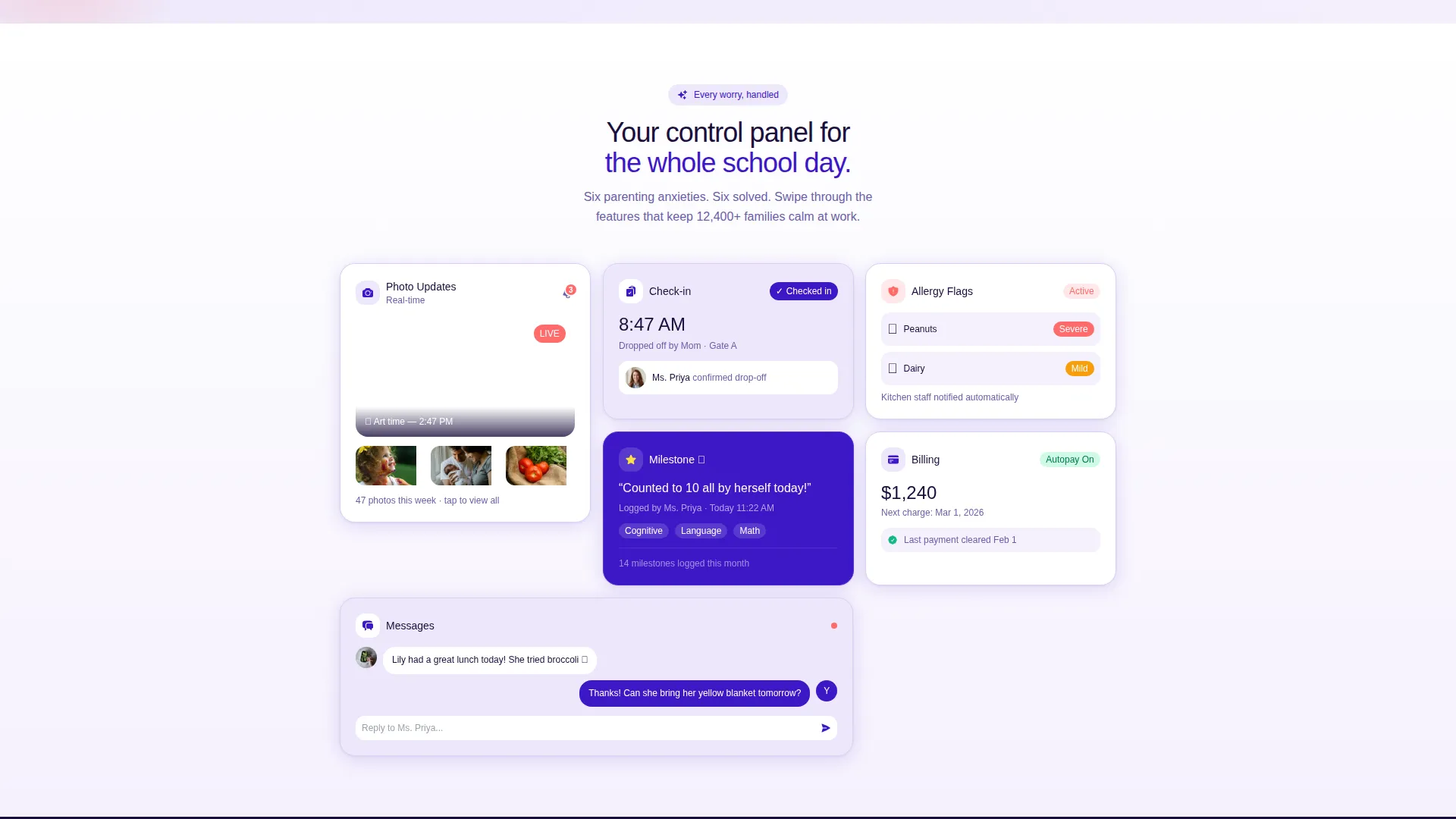
- Spec Sheet feature cards for attendance tracking, photo updates, allergy flags, milestone logs, and billing autopay
- A sticky bottom bar with "Download the Parent App," App Store and Google Play badges, and a ZIP code field
Feature list
This template is built around a focused set of visual and structural features that all serve the same goal: turning a lost page visit into a confident app download moment.
Bento Grid Dashboard Header
The header section presents a frozen-mid-update stats dashboard. Tiles display entries like "Nap: 1h 12m," "Meals: 2 of 3," "Mood: 😊," and "Next Activity: Outdoor Play." One tile carries the playful "404: Oops, this room is empty!" message, reframing the error state as a familiar dashboard moment rather than a broken dead end.
Spec Sheet Feature Cards
Below the header, each bento cell acts as a feature card for the app. Cards show micro-screenshots paired with a single stat or capability label, covering attendance tracking, real-time photo updates, allergy flags, developmental milestone logs, and billing autopay. Scrolling feels like swiping through a control panel you already trust.
Sticky App Download Bar
A bottom bar remains anchored as the visitor scrolls. It carries the primary call to action "Download the Parent App" alongside paired App Store and Google Play badges. This keeps the conversion path visible at every point in the page.
ZIP Code Center Finder
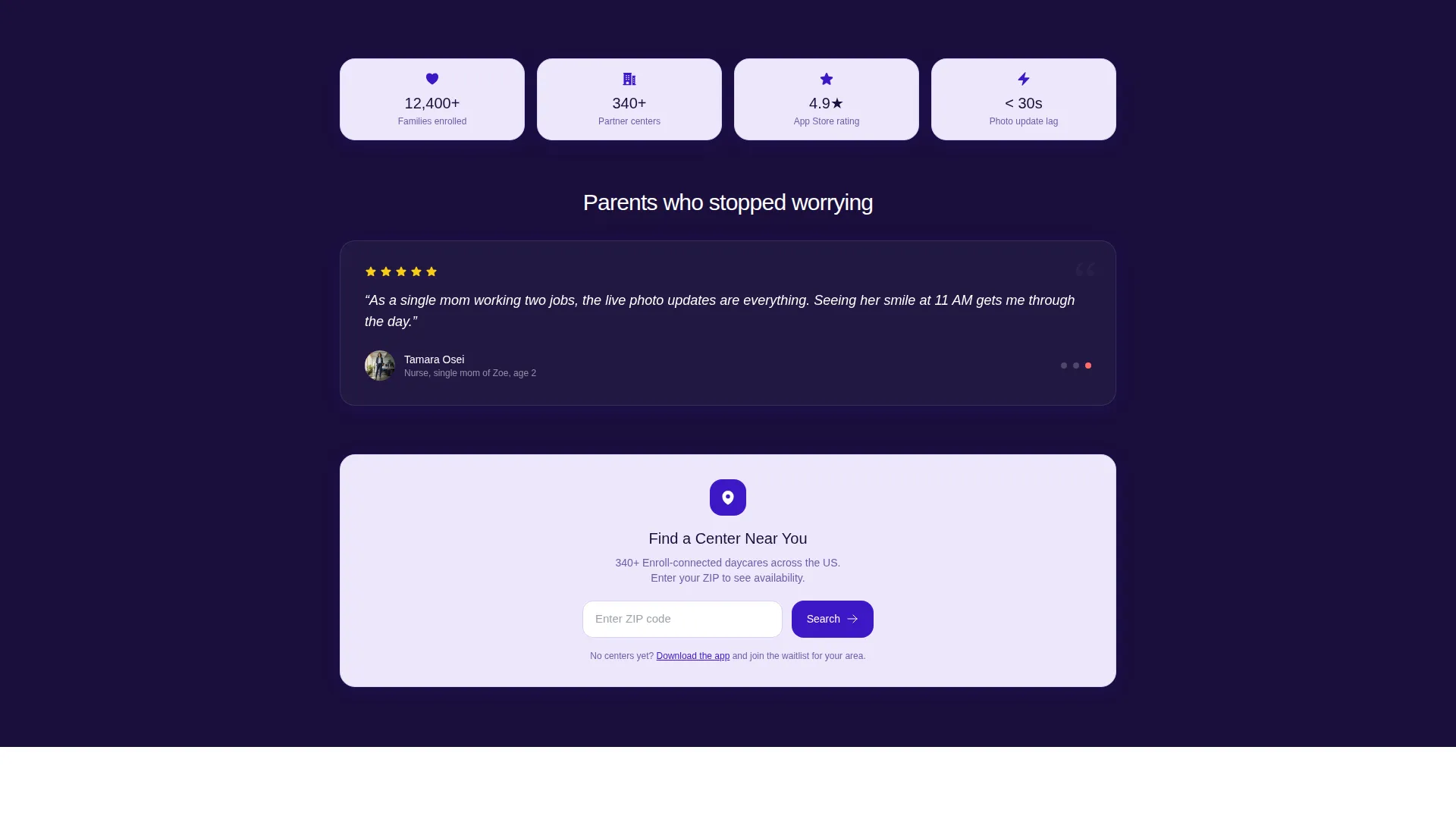
A secondary conversion path sits alongside the sticky bar. A single ZIP code input field lets visitors search for a participating center near them. It gives hesitant users a lower-commitment next step without pulling focus from the app download action.
Electric Indigo Color System
The palette uses deep app-shell indigo, soft lavender card surfaces, crisp white negative space, and a coral accent for alerts and interactive elements. The result feels like a premium parenting app: precise and warm without being pastel or patronizing.
Dashboard Pro Visual Theme
The Dashboard Pro theme gives every tile a structured, data-driven feel. Cards sit slightly askew in the bento grid, adding a sense of live activity. The rounded sans-serif typography keeps the tone approachable while the layout stays clean and scannable.
Page sections overview
| Section | Purpose |
|---|---|
| Stats Dashboard Header | Introduces 404 context through live-style bento tiles |
| Error State Tile | Reframes broken page as a playful dashboard moment |
| Attendance Feature Card | Highlights real-time child check-in tracking |
| Photo Updates Card | Shows real-time photo sharing capability |
| Allergy Flags Card | Communicates health and dietary alert feature |
| Milestone Logs Card | Displays developmental progress tracking feature |
| Billing Autopay Card | Presents automated payment management feature |
| Sticky Download Bar | Anchors primary app download call to action |
| ZIP Code Finder | Offers secondary path to locate nearby centers |
Design & branding system
The Electric Indigo color system gives this template a polished, app-native feel that parents recognize instantly on their phones. It avoids the soft pastels common in childcare design and leans into the confident glow of a well-built mobile product.
- Deep indigo (#3D17C6) forms the app shell and primary structural color
- Soft lavender (#EDE7FB) surfaces each bento card for a clean, readable contrast against white space
- Coral (#FF6B6B) highlights alerts, calls to action, and interactive ping indicators throughout the layout
Mobile & speed optimization
The bento grid layout is built to feel native on a phone screen, which matters because the target audience is parents checking in during a busy workday. Every tile and card is sized and spaced for easy thumb navigation without crowding.
- Card-based bento structure adapts naturally to narrow mobile viewports
- Sticky bottom bar stays accessible on scroll, keeping the download action always within reach
- Minimal decorative overhead keeps the visual load focused on the dashboard tiles and feature cards
How this template helps you convert
The entire page is engineered around a single insight: a parent who lands here by accident can become an app user within seconds if the page earns their attention quickly. The layout does this through sequenced visual proof and a frictionless action path.
- The 404 dashboard header immediately reframes confusion as curiosity, giving the visitor a reason to keep scrolling rather than hitting the back button
- The Spec Sheet feature cards build quiet confidence by showing exactly what the app tracks, removing the need for a visitor to imagine the product's value
- The sticky download bar with App Store and Google Play badges eliminates navigation friction at the moment a visitor is ready to act
Other information about this template
This template is categorized under Technology, specifically within the Daycare and Preschool website templates subcategory, and targets the 404 error page niche for childcare apps. It is a single landing page delivered in the Bento Grid template style, following the Dashboard Pro theme with a Spec Sheet creative direction and a Stats and Metrics header concept. The landing page direction is App Download. It carries an intersection match score of 13, reflecting a tightly focused niche use case.
- Template style: Bento Grid, with a Dashboard Pro theme
- Creative direction: Spec Sheet with a Stats and Metrics header concept
- Primary call to action: "Download the Parent App" with App Store and Google Play badges
- Secondary call to action: "Find a Center Near You" with a ZIP code input field
- Niche: Daycare and Preschool 404 Error Page under the Technology category

Theme
Dashboard Pro
Creative direction
Spec Sheet
Color system
Electric Indigo
Style
Bento Grid
Direction
App Download
Page Sections
Bento Grid Dashboard Header
Spec Sheet Feature Cards
Sticky App Download Bar
ZIP Code Center Finder
Electric Indigo Color System
Dashboard Pro Visual Theme
Related questions
Is this a multi-page template or a single landing page?
Can I use this template if my daycare app does not yet have a 404 page?
What calls to action does this template include?
Does the template include all the feature cards shown in the preview?
Who is the intended end user of the app this template promotes?



