Wilderness School Landing Page Template
Wilds is a hub and spoke landing page template built for wilderness schools that need to earn deep parental trust before asking for a commitment. It uses a persona-selector header, FAQ-driven content spokes, and a gated resource download to guide parents, students, and educators through every hard question, in the order they actually ask them.
by Rocket studio
Quick summary
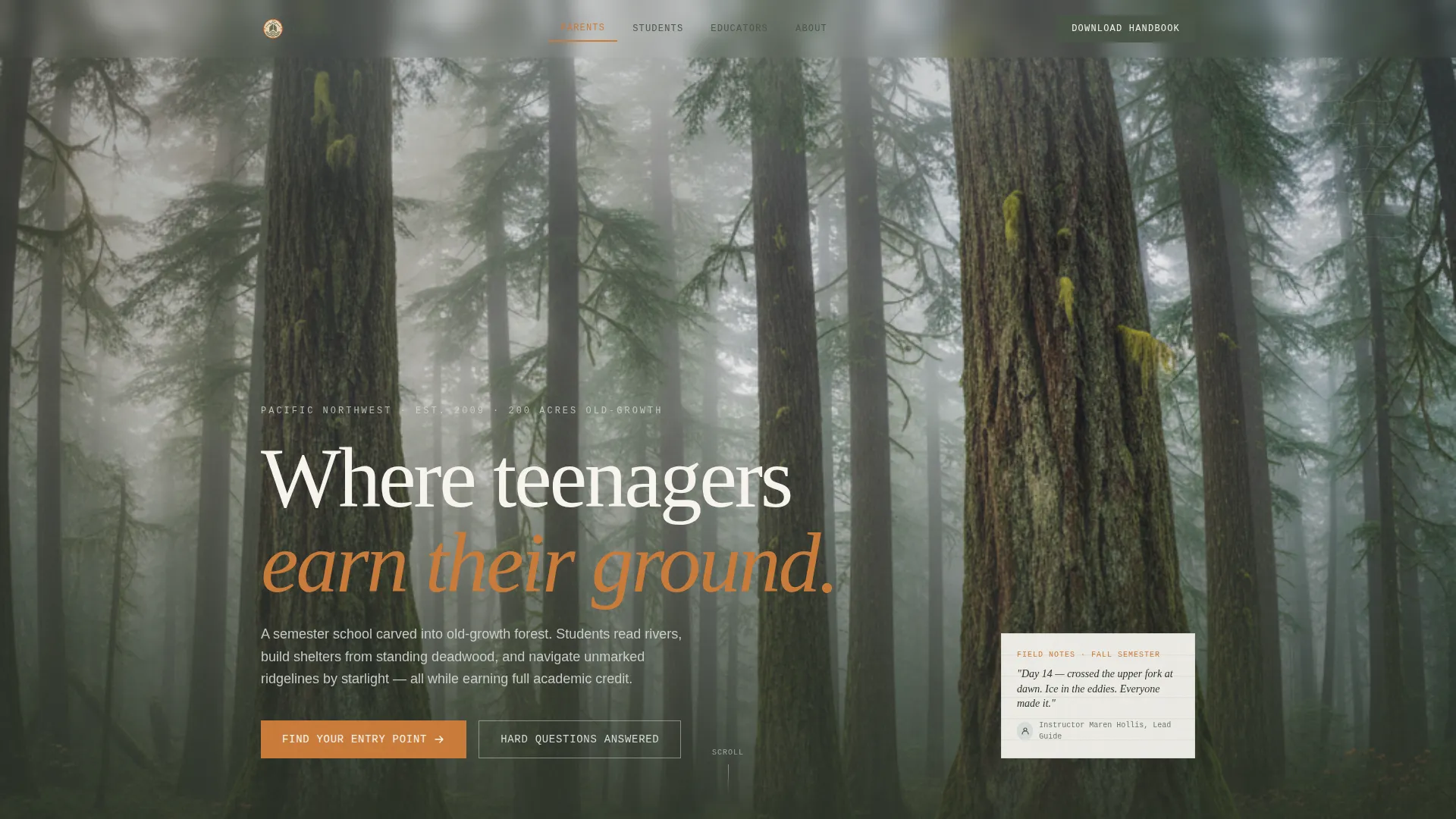
Wilds is a single-page, anchor-navigated landing page template designed for outdoor and adventure education programs. It opens with a three-card persona selector and unfolds into distinct content spokes, one for each audience type. Every spoke is built around real, hard questions, answered with layered depth before a download prompt ever appears.
Who this template is for
This template was built for wilderness schools, outdoor semester programs, and adventure-based therapeutic education providers. It speaks directly to the people who evaluate these programs most carefully.
- Parents of teenagers who are weighing a wilderness semester and need clear, honest answers before they trust any program.
- Homeschool co-op leaders and school counselors searching for accredited outdoor alternatives that feel credible and transparent.
- Program directors and admissions staff who need a page that does the heavy lifting of trust-building without a dedicated sales team.
What problem this template solves
Most wilderness school pages lead with scenery and inspiration. They bury the hard information, accreditation details, emergency protocols, instructor ratios, deep in a PDF no one downloads. This template reverses that order entirely.
- Visitors arrive skeptical and leave feeling informed, because the page answers the scary questions before it asks for anything.
- The hub and spoke structure means a parent, a student, and an educator can each find their own path through the page without reading content meant for someone else.
- The gated download appears only after a visitor has engaged with at least one FAQ spoke, so the conversion moment feels earned rather than forced.
What you get with this template
You get a fully structured, single-page layout built around the specific decision journey of wilderness school families. Every section has a clear job and a clear audience.
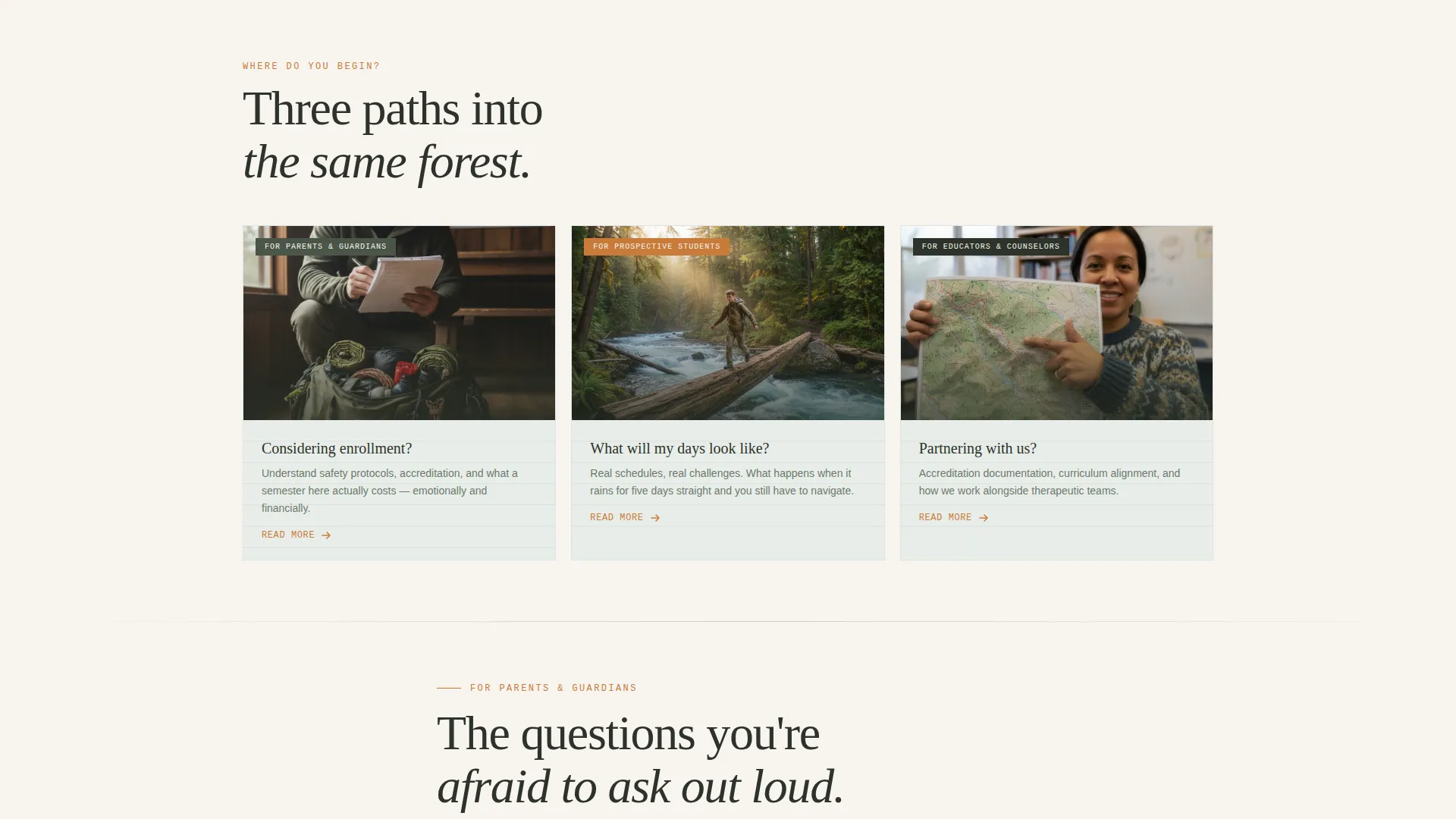
- A persona-selector header with three photographic entry cards, each routing a different visitor type to their own content spoke via anchor navigation.
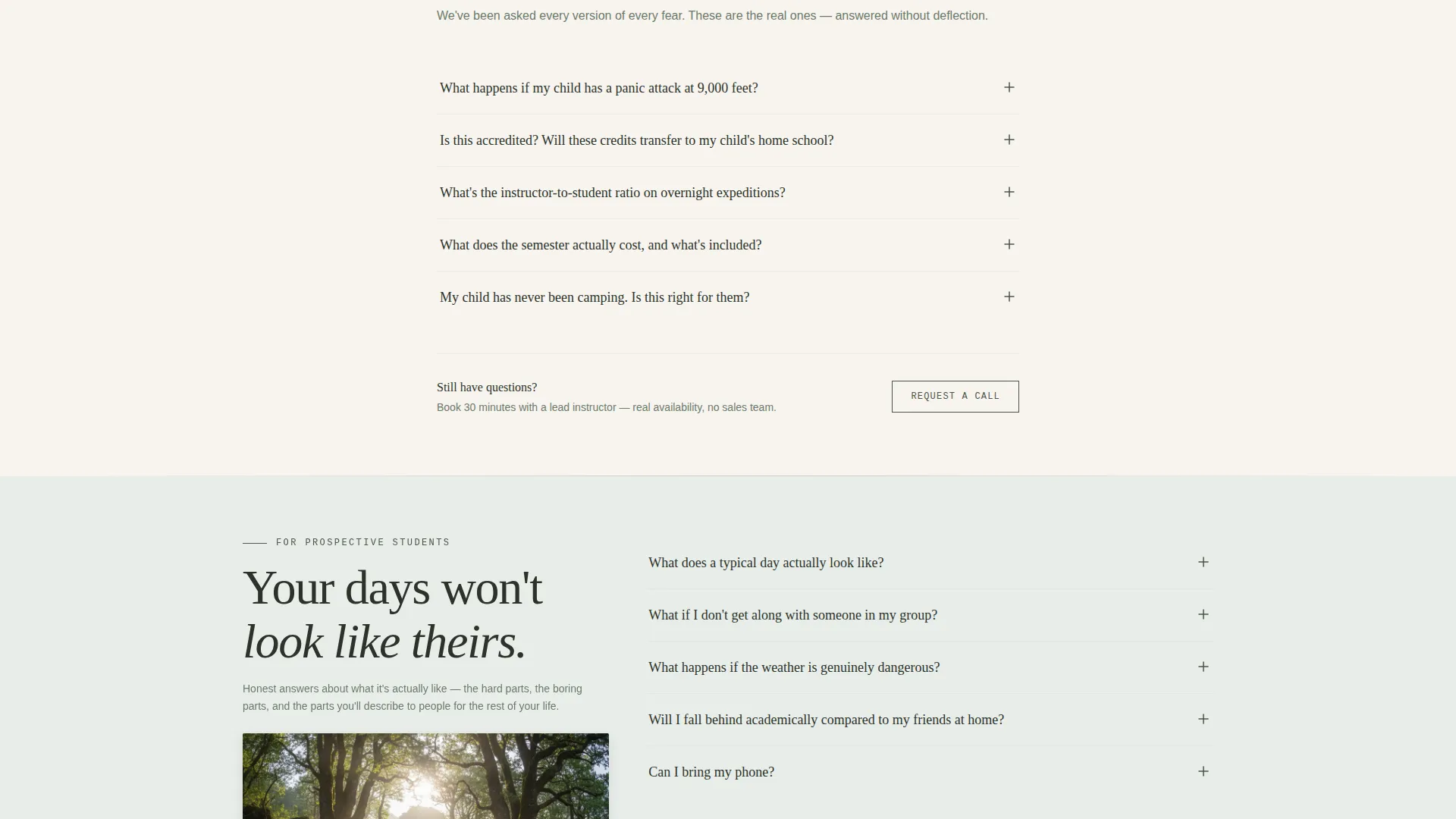
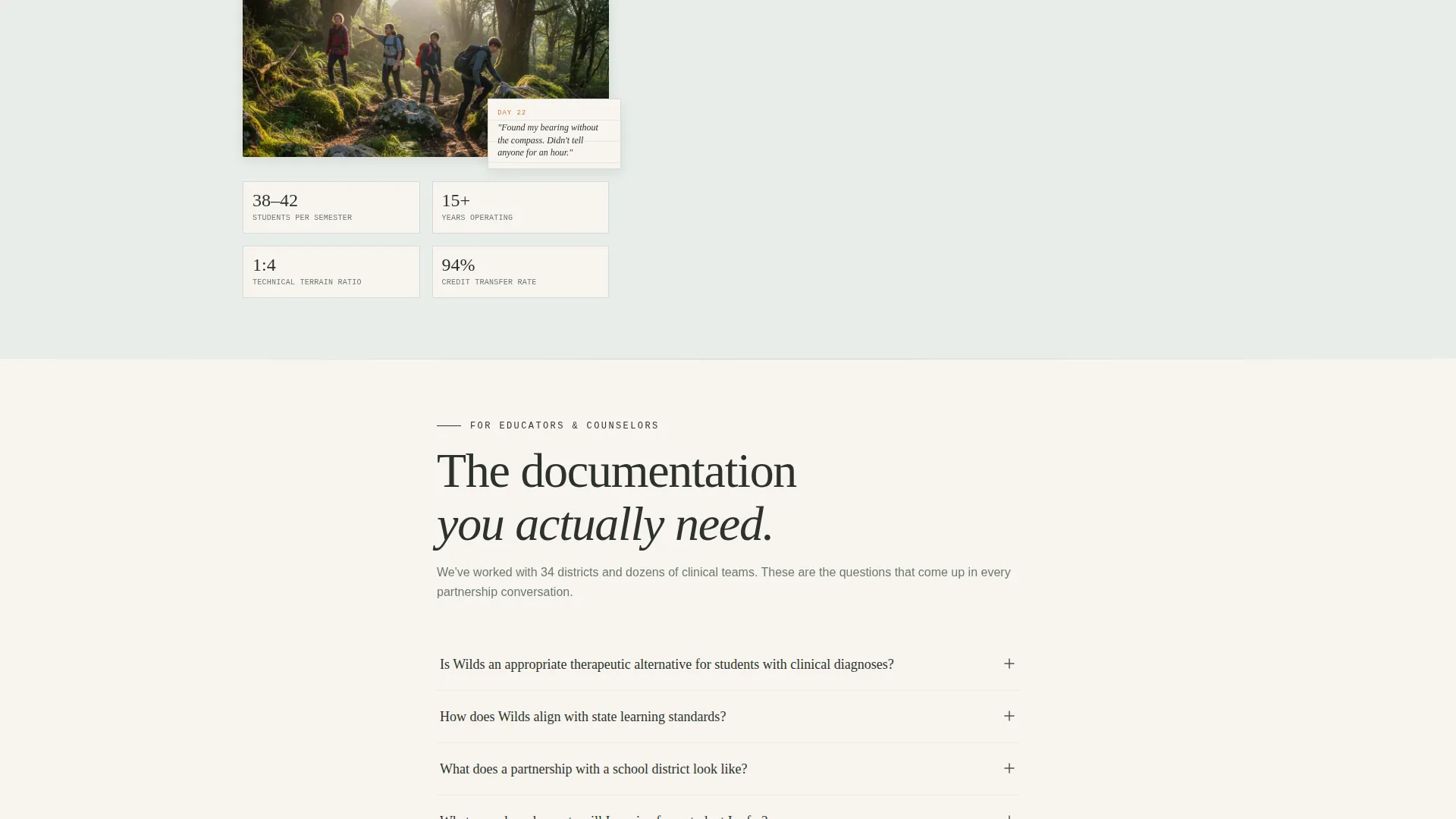
- Three audience-specific spokes built as cascading FAQ sections, each with a short confident answer up front and a click-to-reveal layer for deeper detail such as staff credentials, incident protocols, or curriculum documents.
- Two conversion paths: a gated "Download the Parent Handbook" form that appears inline after FAQ engagement, and a "Request a Call with an Instructor" option featuring a calendar embed showing real availability.
Feature list
This template is purpose-built for high-consideration enrollment decisions. Each feature below reflects a deliberate design and content choice from the source brief.
Three-Card Persona Selector Header
The header presents three photographic cards side by side. Each card represents a different visitor: a parent packing gear, a teenager crossing a log bridge, and an educator with a topo map. A single question on each card, "Considering enrollment?", "What will my days look like?", and "Partnering with us?", anchors the visitor to the right spoke instantly.
FAQ-Driven Audience Spokes
Each spoke is a cascade of real questions that parents, students, and educators actually ask. Answers open with a short, confident sentence. A click-to-reveal layer then surfaces supporting depth: staff credentials, incident protocols, or downloadable curriculum documents. The flow feels like a conversation, not a brochure.
Layered Answer Architecture
Every FAQ answer has two tiers. The first tier is a direct, reassuring sentence visible immediately. The second tier unfolds on click to provide institutional proof, the kind of detail that converts a skeptical parent into a confident applicant.
Inline Gated Resource Download
The "Download the Parent Handbook" prompt appears inline within the page after a visitor has engaged with at least one FAQ spoke. It asks only for a first name and email address. The timing is intentional: the visitor has already had their hardest questions answered before the form appears.
Calendar-Embedded Call Request
A secondary conversion path lets visitors request a direct call with an instructor. A calendar embed displays real availability windows, removing ambiguity and making the next step feel concrete and human.
Anchor Navigation Hub Structure
The page uses a hub and spoke model with anchor navigation. Visitors can jump between audience-specific sections from anywhere on the page. This keeps the experience focused and prevents information overload without hiding relevant content.
Page sections overview
| Section | Purpose |
|---|---|
| Persona Selector Header | Routes each visitor type to their relevant spoke |
| Parent FAQ Spoke | Answers enrollment, safety, and accreditation questions |
| Student FAQ Spoke | Addresses daily life, challenges, and experience questions |
| Educator FAQ Spoke | Covers partnerships, curriculum, and institutional details |
| Parent Handbook Download | Captures first name and email after FAQ engagement |
| Instructor Call Request | Offers a calendar-based direct conversation booking |
Design & branding system
The visual identity follows an Institutional Authority theme rendered through a Soft Mist color palette. Every color choice is drawn from the Pacific Northwest landscape and carries a specific role in the layout.
- Morning fog gray (#D6DCD9) and birch parchment (#F7F4EF) form the page's calm, readable base, evoking a weathered national park interpretive sign.
- Lichen-covered bark (#4A5548) grounds body text and structural elements, communicating depth and permanence without feeling heavy.
- Muted trail-blaze orange (#C97B3A) is reserved strictly for navigation highlights and active states, providing clear wayfinding without disrupting the subdued, trustworthy atmosphere.
Mobile & speed optimization
The template is structured to stay readable and navigable on smaller screens without sacrificing the layered FAQ experience that makes it useful.
- The three-card persona selector stacks vertically on mobile, keeping each card fully legible and tappable without horizontal scrolling.
- Expandable FAQ answers work as tap-to-reveal on touch devices, preserving the layered answer architecture across screen sizes.
How this template helps you convert
Conversion in a high-consideration enrollment context is not about urgency tactics. It is about building enough trust that the next step feels obvious. This template is engineered around that principle.
- The persona selector ensures every visitor sees content built for their specific concerns first, reducing friction and bounce before a single question is answered.
- The FAQ-driven spoke structure earns trust incrementally by answering the hardest questions, emergency protocols, accreditation, instructor ratios, before the page asks for anything in return.
- The gated handbook download and the calendar call request appear at the natural end of each trust arc, so the visitor is already emotionally ready to take action when the prompt arrives.
Other information about this template
This template is a strong fit for any outdoor and adventure education program that operates in a high-scrutiny enrollment environment. It is also well suited to therapeutic wilderness programs, accredited outdoor semester providers, and experiential learning initiatives that need to address parent anxiety transparently.
- The field journal aesthetic, handwriting-weight typography, muted earth tones, and a pressed-specimen visual language, communicates program authenticity without relying on stock photography clichés.
- The hub and spoke anchor navigation model means the page can grow with the program: new audience spokes or resource sections can be added without disrupting the existing layout logic.
- This template is designed for use on platforms that support custom landing page builds with embed and form components for the calendar and gated download functionality.
Theme
Institutional Authority
Creative direction
FAQ-Driven
Color system
Soft Mist
Style
Hub & Spoke (Anchor Nav)
Direction
Content/Resource
Page Sections
Three-card Persona Selector Header
Faq-driven Audience Spokes
Inline Gated Resource Download
Calendar-embedded Call Request
Anchor Navigation Hub Structure
Related questions
Can I customize the persona selector cards for my own audience types?
How does the gated Parent Handbook download work?
Is this template a good fit for a therapeutic wilderness program?
Can I add more than three audience spokes to the page?
Does the calendar section support a third-party scheduling tool?



