Workflow — Intelligent Automation Platform Landing Page Template
The Automate Data Command Workflow Automation Landing Page Template is a scroll-reveal, single-page layout built for Make (formerly Integromat) getting-started guides. It uses a glassmorphic dark aesthetic, animated scenario canvas visuals, and a progressive disclosure structure to guide operations managers, solo founders, and marketing teams toward building their first automated workflow without writing a line of code.
by Rocket studio
Quick summary
This template is a scroll-reveal landing page designed to introduce Make's visual workflow automation platform. It presents automation as inevitable rather than intimidating, disclosing platform capabilities layer by layer as the visitor scrolls. A single primary call-to-action drives every conversion moment, and the Data Command visual identity keeps the experience feeling like mission control, not a generic SaaS brochure.
Who this template is for
This template is built for teams and individuals who need to pitch or explain workflow automation without relying on engineering support. It works equally well as a standalone promotional page or as a guided onboarding resource inside a Make workspace.
- Operations managers who spend hours on manual processes and want a convincing case to automate their team's core tasks
- Solo founders stitching together sales, billing, and communication tools at odd hours who need a clear, low-friction entry point to automation
- Marketing teams that need every new lead to trigger a chain of necessary actions across multiple tools without waiting on developers
What problem this template solves
Most workflow automation tools look complex at first glance. The platform's power becomes a barrier rather than a benefit. Visitors leave before they ever click "sign up." This template solves that abandonment problem by making the platform feel learnable in a single scroll session.
- The progressive disclosure structure reveals one layer of automation capability per scroll section, so the visitor never feels overwhelmed by the full scope at once
- The absence of form fields removes the most common friction point, letting the page focus entirely on earning the click through clarity and proof
- Role-based use-case rows let each visitor type, whether marketer, founder, or ops lead, recognize themselves in a concrete scenario before committing
What you get with this template
You get a complete, production-ready landing page layout that translates a complex automation platform into a confident, skimmable pitch. Every section is purposefully ordered to build trust and push toward a single conversion action.
- A hero section with an animated scenario canvas and headline, a six-step how-it-works build animation, frosted stat cards, a role-based use-case matrix, an ecosystem depth section, and a dark-themed footer
- A glassmorphic visual system using void black, electric indigo, and signal cyan, with DM Sans for interface copy and Fraunces for display moments
- Two call to action placements, one below the hero animation and one anchored at the bottom, both pointing toward the same single action with no competing links
Feature list
This section covers the key features built into the Automate Data Command template. Each feature is grounded directly in the template brief.
Animated Scenario Canvas Hero
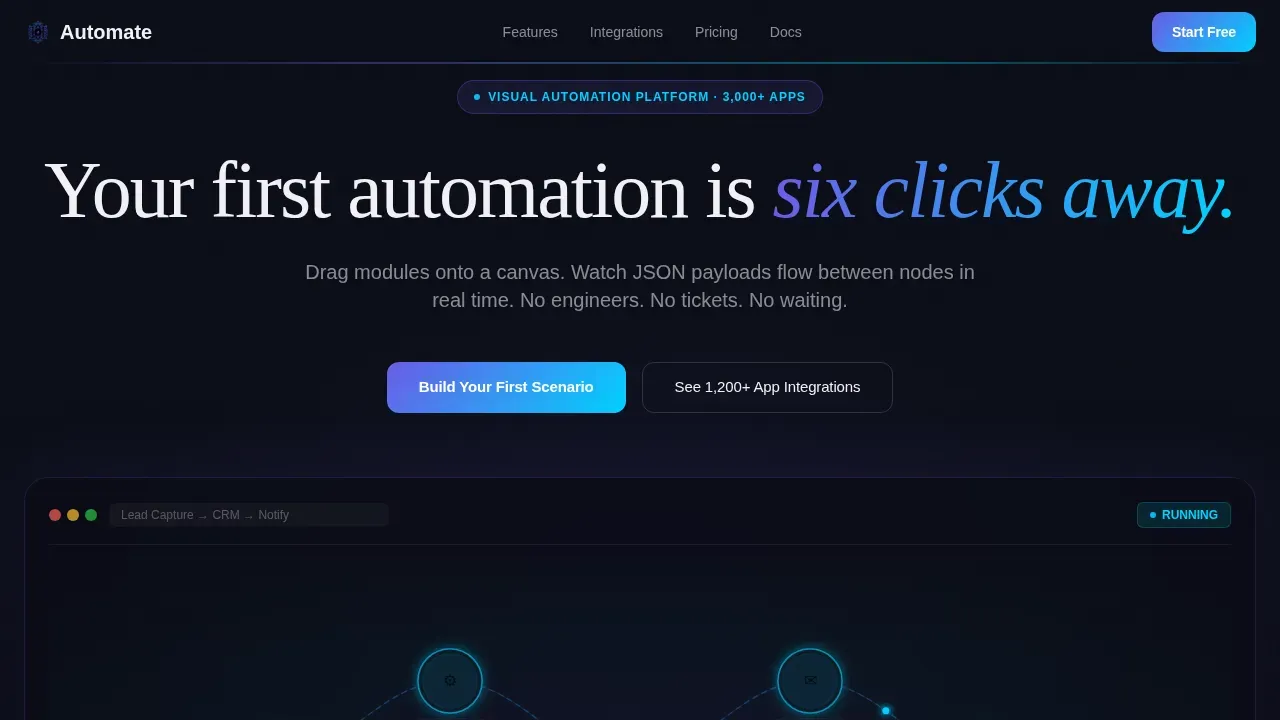
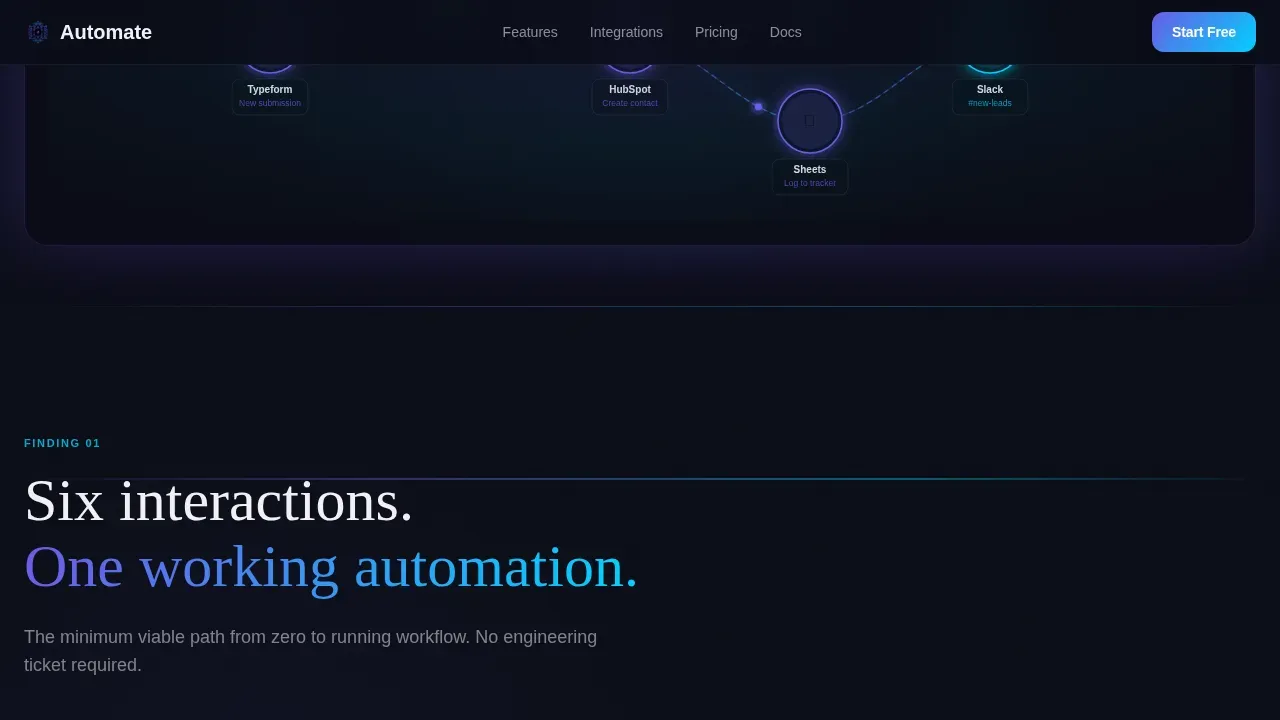
The hero section renders a living Make scenario canvas at center frame. Nodes connect via animated data pulses traveling along curved paths. Each node emits a soft indigo glow against the void black background. The headline "Your first automation is six clicks away" fades in over the animation, and the glow intensifies on scroll, creating the sensation that the system is powering up in response to visitor attention. This visual approach communicates what workflow automation actually looks like before a single word of explanation is read.
Scroll-Triggered Progressive Disclosure
The template uses scroll-reveal animation throughout. Each section materializes as it enters the viewport, presenting one layer of platform capability at a time. This structure mirrors an intelligence briefing format: every scroll earns the next insight. The result is a page that rewards patience and builds confidence gradually, which is critical when selling complex workflows to non-technical users.
Frosted Stat Cards
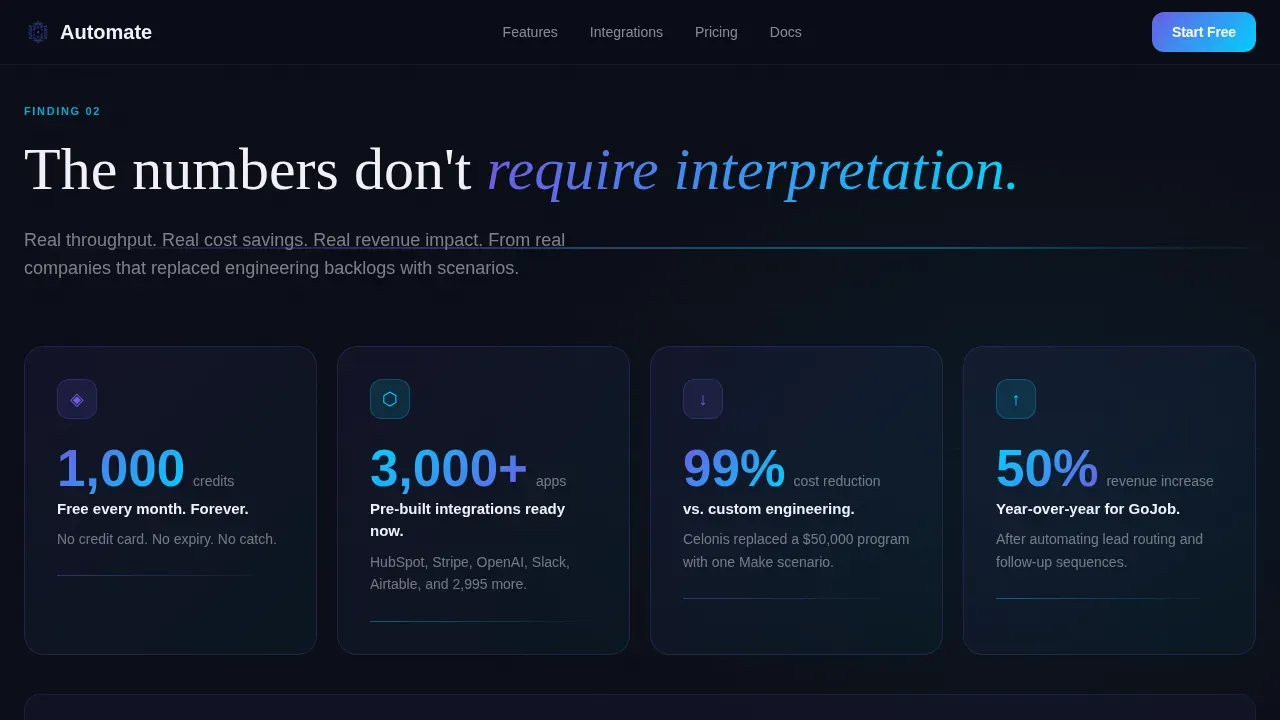
Section three surfaces real platform data inside frosted glass cards that materialize on scroll. Cards display figures like 14,000 operations per month on the free tier. The glassmorphic card design, white at 12% opacity over the dark background, makes each stat feel like a readout from a mission control interface. This social proof format is specific and quantified, which research supports as far more persuasive than generic claims.
Role-Based Use-Case Matrix
Section four presents a scrollable matrix organized by role: marketer, founder, and ops lead. Each row reveals on scroll like classified data being declassified. This layout lets every visitor type identify a concrete automation scenario that matches their actual job. The matrix covers examples from lead nurturing and follow ups for marketers, to sales pipeline management for founders, to approval process automation for ops teams.
Dual Single-Action call to action Structure
The template places its primary call-to-action, "Build Your First Scenario," in exactly two positions: once below the hero animation and once anchored after the final scroll reveal. A secondary ghost button, "See 1,200+ App Integrations," gives hesitant visitors a low-commitment next step. No form fields appear anywhere on the page. Landing pages with a single focused call to action consistently convert better than pages with multiple competing actions, and this template is built around that principle.
Ecosystem Depth Section
Section five showcases the breadth of app integrations available on the platform. This section exists specifically for visitors who need proof of ecosystem depth before they trust the tool. It presents the platform's connection to thousands of apps as a concrete capability, supporting the decision making process for technical-adjacent users who want to know whether their existing tools are supported before they sign up.
Page sections overview
| Section | Purpose |
|---|---|
| Hero Canvas Animation | Introduce the platform with a live-feeling scenario canvas and headline |
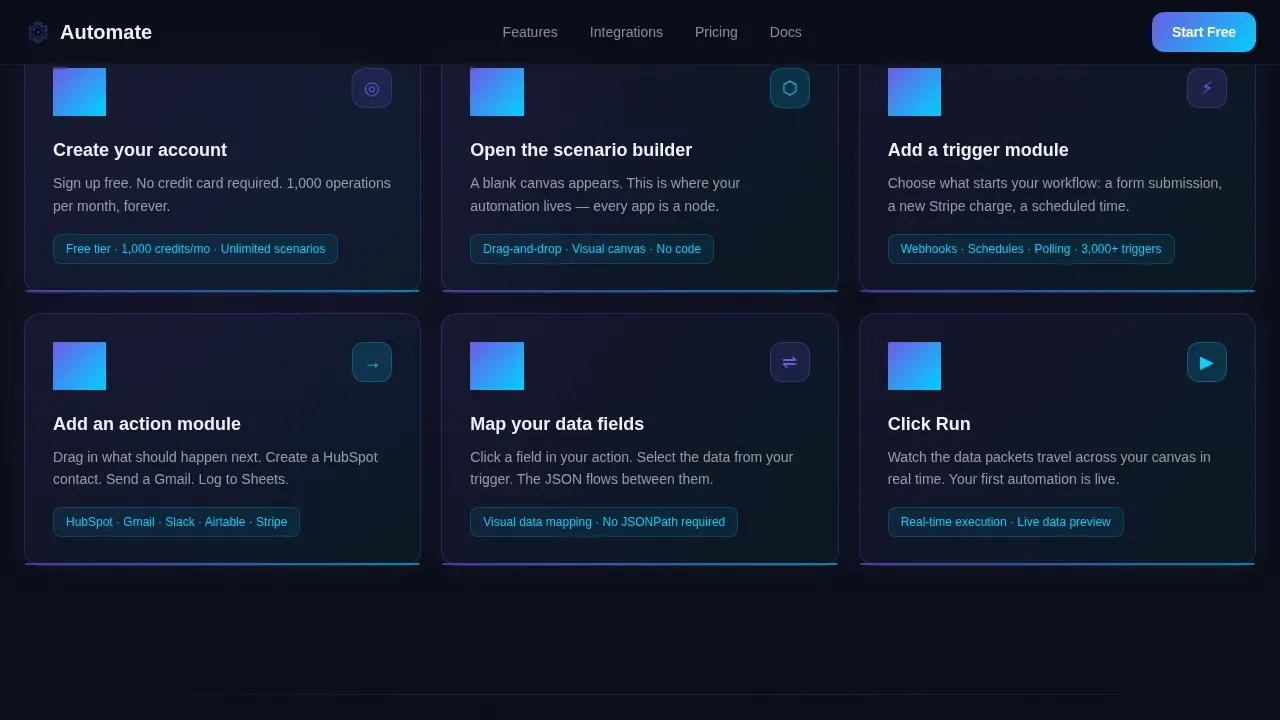
| How It Works | Walk through the six-step scenario build process with step animation |
| Stats and Proof | Surface key throughput data in frosted glass cards on scroll |
| Use-Case Matrix | Match role-based automation examples to marketer, founder, and ops lead |
| Ecosystem Depth | Demonstrate integration breadth with app showcase and secondary call to action |
| Dark Theme Footer | Close the page with Vercel horizontal flow pattern in dark theme |
Design & branding system
The visual identity follows a Data Command theme. The palette is built to feel like a mission control interface at 3 AM, dark enough that glowing elements feel genuinely alive.
- Core colors are void black (#0B0D17) for backgrounds, frosted panel white at 12% opacity (#FFFFFF1F) for glass cards, electric indigo (#6C5CE7) for active node glows and connection lines, and signal cyan (#00D2FF) for data-in-motion accents
- Typography pairs DM Sans for all interface and body copy with Fraunces for serif display moments, creating contrast between technical clarity and editorial weight
- Indigo-to-cyan gradients are reserved exclusively for interactive states and progress indicators, keeping the palette disciplined and every glowing element meaningful
Mobile & speed optimization
The template is designed desktop-first because the scenario canvas and node metaphor are inherently screen-native experiences. The layout remains fully responsive for mobile visitors.
- Scroll-triggered animations use GPU-accelerated transforms and Intersection Observer for scroll reveals, keeping motion smooth without heavy resource overhead
- The page carries no form fields and no top-level navigation, which removes common sources of layout complexity and keeps the rendered page lean
- A single focused call to action reduces interactive element count, which supports faster rendering and simpler mobile tap targets
How this template helps you convert
This template is engineered around one outcome: getting the visitor to click "Build Your First Scenario." Every design and content decision supports that single goal.
- The progressive disclosure structure builds confidence incrementally. Visitors do not see the full complexity of workflow automation at once. They see one capability at a time, and each section makes the platform feel more learnable, not more overwhelming. AI-powered workflows feel accessible when introduced gradually rather than all at once.
- The role-based use-case matrix removes the need for visitors to imagine how automation applies to their work. They see their own job title, their own pain points, and a specific scenario with the necessary actions already mapped out. This specificity is what moves a skeptical visitor from curiosity to commitment.
- Quantified social proof in the frosted stat cards gives the page credibility without requiring external testimonials. Real throughput figures and platform scale data answer the unspoken question every visitor carries: "Is this platform actually powerful enough for my needs?" Once that question is answered, the call to action is the obvious next step.
Other information about this template
This template belongs to the Documentation and Support category under the Make (Integromat) Getting Started Guide niche. It is classified as a scroll-reveal progressive template using a Click-Through landing page direction and an Industry Report creative direction.
- The template supports workflow automation use cases across human resources, sales, marketing, and operations, including onboarding flows, time off request form routing, lead scoring, lead nurturing sequences, content creation pipelines, and approval process chains
- It is compatible with automation settings that involve conditional logic, multi-step decision making, and data from multiple data sources, making it suitable for both simple automations and complex workflows
- Managers building resources for their team can use this template to present ai automation and ai powered workflows to stakeholders who may be skeptical, using the progressive disclosure structure to build the case layer by layer
- The template is designed to support ai workflow explanations across departments including human resources, finance, and IT, with examples that address manual tasks like CSV exports, welcome email triggers, and follow ups after a form submission
- AI agents and ai interprets concepts can be introduced inside the use-case matrix rows, keeping abstract artificial intelligence ideas grounded in concrete role-specific examples
- Teams managing project management processes can use the matrix to illustrate how automated workflows reduce manual work across a company and improve team efficiency over time
- Visitors coming from social media platforms or long form content will land on a page that immediately addresses what the platform does, with above-the-fold messaging that addresses time savings and reduced errors before any scroll occurs
- The template is structured to support google workspace integrations and google drive connection examples inside the ecosystem depth section, as well as closing deals automation scenarios inside the sales-focused matrix row
- Quality control for the template's own conversion performance is built into the single-call to action structure: landing pages with one focused action convert measurably better than those with multiple competing paths
- More templates in this series can be built using the same Data Command visual system, with google workspace, top candidates tracking, incoming requests routing, and other workflow topics handled by extending the use-case matrix rows
- Robotic process automation concepts can be referenced in the how-it-works section to give technically curious visitors context for where Make sits relative to enterprise automation tools
- The template also supports business processes related to sales pipeline management, allowing users to see how ai workflow automation connects lead scoring, follow ups, and closing deals inside a single scenario
Theme
Data Command
Creative direction
Industry Report
Color system
Glassmorphic
Style
Scroll Reveal (Progressive)
Direction
Click-Through
Page Sections
Animated Scenario Canvas Hero
Scroll-triggered Progressive Disclosure
Frosted Glassmorphic Stat Cards
Role-based Use-case Matrix
Dual Single-action Call to Action Placement
Ecosystem Depth Integration Showcase
Related questions
Do I need coding skills to use this template?
Can I adapt the use-case matrix for my specific industry?
Is this template suitable for teams presenting automation to internal stakeholders?
How many call to action buttons does this template include?
What visual style does this template use?



