Wrench - Powerful Handyman Landing Page Template
Wrench is a Bold Brutalist handyman service booking landing page built for on-demand repair apps. It opens with a brutalist cost estimator, drives visitors through an animated comparison table, and closes with a dual app download call to action. The template targets apartment renters, busy homeowners, and property managers who need fast, transparent repair booking.
by Rocket studio
Quick summary
Wrench is a single-page landing page template built for handyman service booking apps. It leads with a live cost estimator, walks visitors through a brutalist comparison table, and converts skeptics into app downloads with transparent pricing and a 90-second booking promise. The design is raw, confident, and built to move fast.
Who this template is for
This template is built for teams launching or marketing an on-demand handyman service booking app. It speaks directly to audiences who are frustrated by slow, unclear repair options.
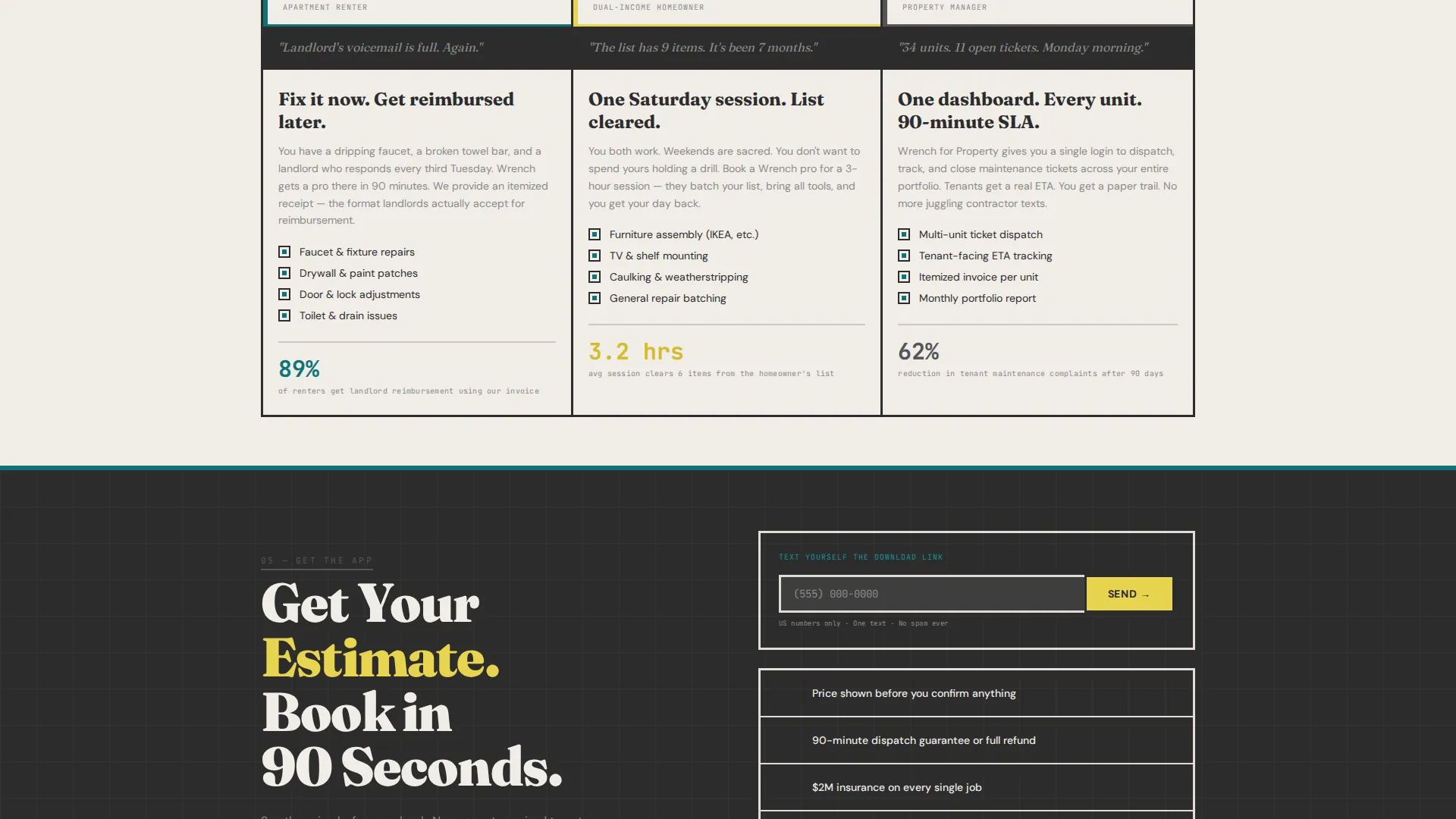
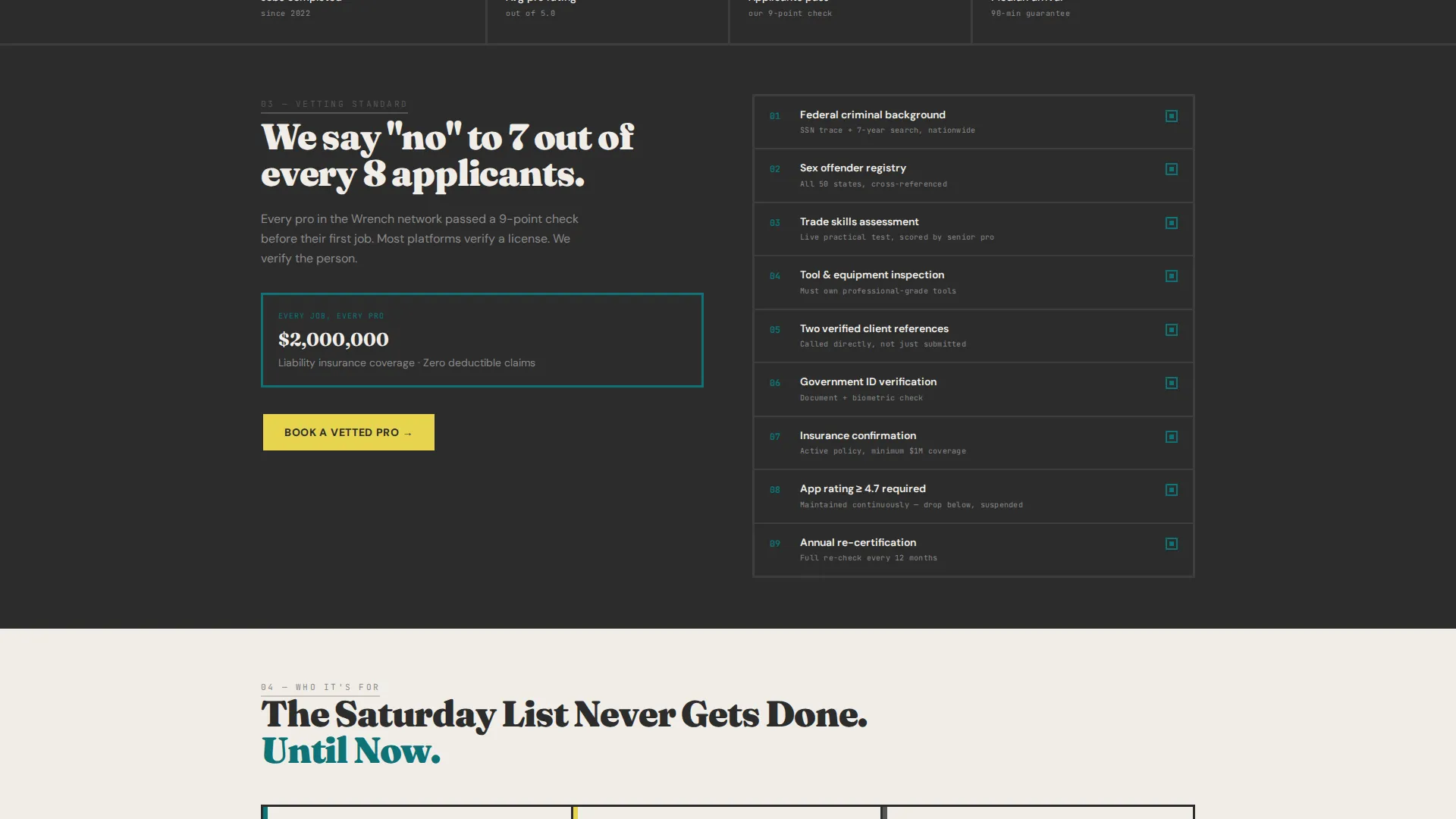
- Apartment renters who cannot wait on a landlord and need same-day help
- Dual-income homeowners with no free weekends to handle the backlog
- Property managers tracking maintenance tickets across multiple rental units
What problem this template solves
Finding a reliable handyman fast is harder than it should be. Most people waste time searching, texting friends, or scrolling listings with no sense of what the job will cost. This template removes that friction.
- Visitors get a price estimate before they are asked to do anything
- The comparison table shows why the app beats calling a friend, searching listings, hiring a contractor, or going DIY
- The download call to action appears only after trust is already built through transparent data
What you get with this template
The template delivers a complete single-page layout purpose-built for handyman app downloads. Every section earns the next click before asking for a commitment.
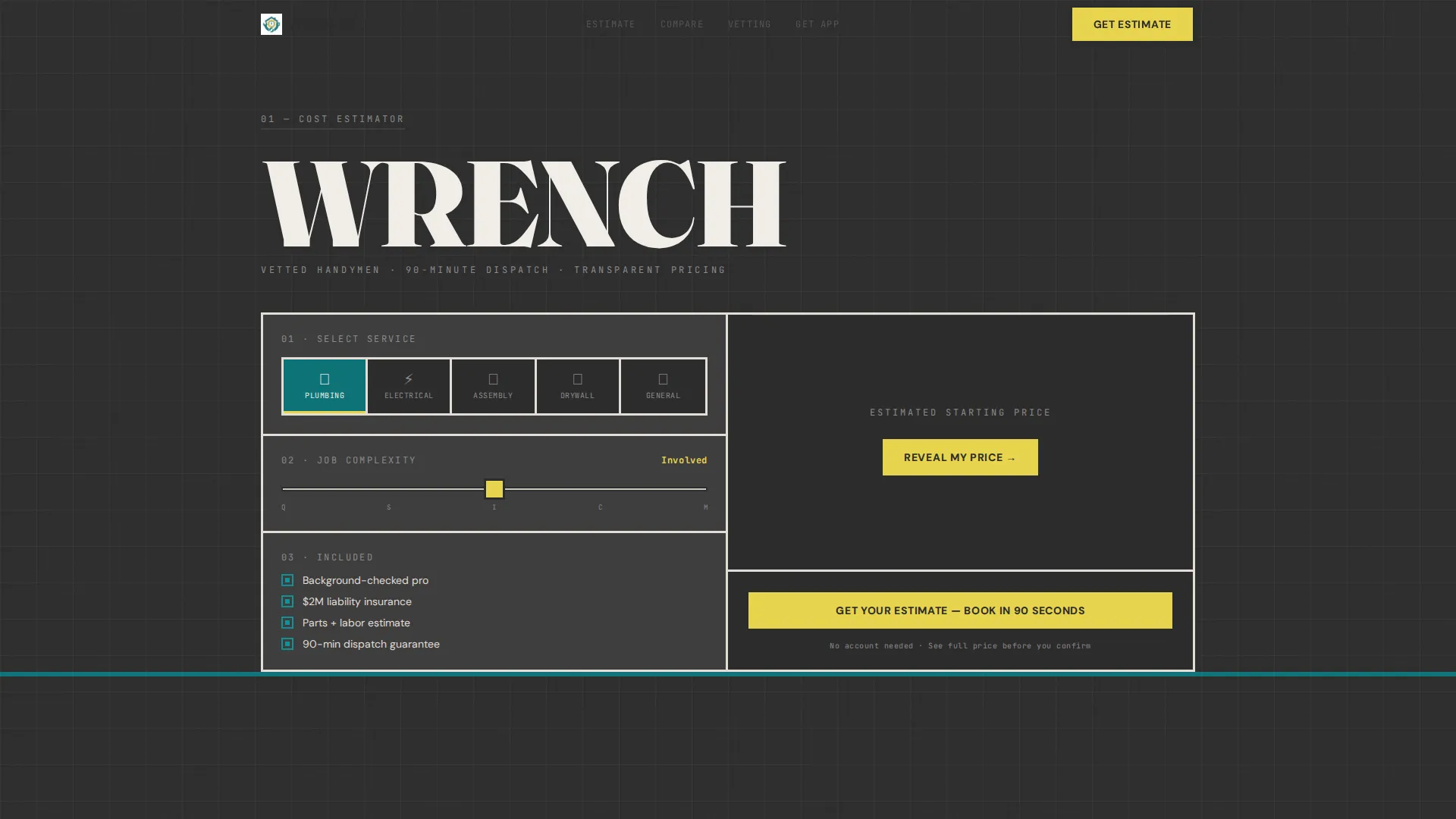
- A brutalist cost estimator at the top with service category selectors and a square footage slider
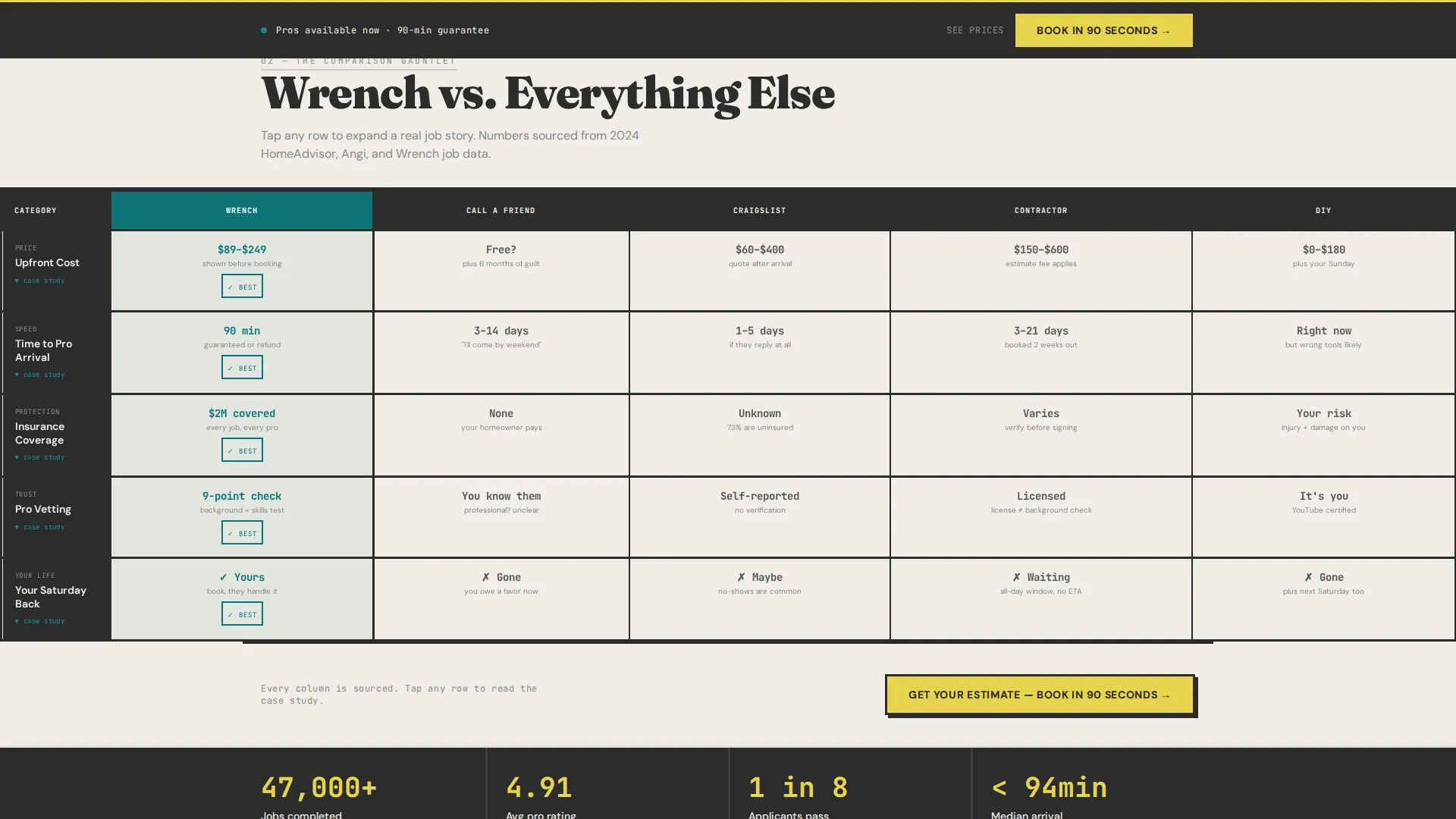
- An animated comparison table gauntlet stacking the app against four alternatives across price, wait time, insurance, and weekend freedom
- Dual app download buttons, a sticky bottom bar call to action, and a text-yourself-the-link secondary conversion path
Feature list
This landing page is built around five core capabilities pulled directly from the template brief.
Brutalist Cost Estimator Header
The page opens with a thick-bordered input block estimator. Visitors select a service category such as plumbing, electrical, assembly, or general repair, then drag a slider to set job complexity or square footage. The estimated price renders in oversized monospace type that ticks upward like a mechanical counter, giving visitors a confident, invoice-style number before they read a single line of marketing copy.
Animated Comparison Table
The scroll experience is driven by a series of brutalist grid comparison tables. Each table measures the app against calling a friend, searching listings, hiring a traditional contractor, and going DIY. Columns are thick-ruled and cells are oversized. As the visitor scrolls, individual cells animate in with a stamped-on-concrete motion that keeps the pace deliberate and readable.
Expandable Micro-Case-Study Cells
Every cell in the comparison table is interactive. Tapping any cell expands a micro-case-study panel showing real job photos shot under fluorescent light. These panels are raw and unfiltered, reinforcing the app's credibility without relying on stock photography or posed testimonials.
Progressive Emotional Comparison Rows
The comparison rows are ordered by emotional weight. Price comes first, then wait time, then insurance coverage, and finally the last row labeled "Your Saturday back." This sequencing moves the visitor from rational cost evaluation to emotional recognition, making the final row land with real personal meaning.
Dual App Download Call to Action
The primary call to action reads "Get Your Estimate, Book in 90 Seconds." App Store and Google Play badges are rendered in teal-on-charcoal brutalist style. The call to action appears first inside the estimator after the price reveals, then anchors every comparison table as a sticky bottom bar throughout the scroll.
Text-Yourself Download Link
A secondary conversion path lets visitors send themselves the app download link by entering only a phone number. One field, one tap. This lowers the barrier for visitors who are browsing on desktop or who want to return later from their phone.
Page sections overview
| Section | Purpose |
|---|---|
| Cost Estimator Header | Opens the page and delivers a transparent price estimate before any marketing copy |
| Service Category Selector | Lets visitors tap a job type to personalize the estimator output |
| Complexity Slider | Sets square footage or job difficulty to refine the price display |
| Price Reveal Display | Shows the estimated cost in oversized mono type with a ticking counter animation |
| Comparison Table Block | Stacks the app against four alternatives across four progressive comparison rows |
| Expandable Cell Panels | Reveal micro-case-study content and job photos when any table cell is tapped |
| Primary call to action Bar | Delivers the "Get Your Estimate, Book in 90 Seconds" call to action with app badges |
| Sticky Bottom Bar | Keeps the app download call to action visible throughout the entire scroll |
| Text Link Field | Captures a phone number and sends the download link as a secondary conversion path |
Design & branding system
The visual identity follows a Bold Brutalist theme built around the Teal Catalyst color system. The palette feels like a freshly painted industrial loft with one bold accent wall pulling the eye across the room.
- Deep workshop teal (#0D7377) and poured-concrete charcoal (#2C2C2C) form the structural base of all layouts
- Raw drywall off-white (#F0EDE8) provides breathing room against the heavy dark tones
- High-vis safety yellow (#E8D44D) is reserved exclusively for buttons and interactive price highlights, keeping the accent sharp and meaningful
Mobile & speed optimization
The template is designed with mobile-first interaction in mind. Every interactive element is sized for thumb use, and the sticky bottom bar keeps the download call to action reachable at any scroll depth.
- The estimator input blocks, service category tap targets, and slider are all built for one-handed mobile use
- The text-yourself download link field removes the copy-paste step for visitors on desktop who want to switch to mobile
- The sticky bottom bar ensures the primary call to action is never more than one visible tap away
How this template helps you convert
Wrench converts by earning trust before asking for anything. The page never leads with a pitch; it leads with a price.
- The cost estimator gives visitors a specific, honest number upfront, which turns skepticism into curiosity and curiosity into scroll momentum through the comparison tables.
- The progressive comparison rows move from rational price logic to emotional payoff, so by the time a visitor reaches "Your Saturday back," the download decision already feels obvious.
- The dual call-to-action placement, appearing inside the estimator and again as a persistent sticky bar, means the download button is always present without feeling aggressive.
Other information about this template
This template is a strong fit for mobile-first handyman service booking apps competing in markets where speed, price transparency, and trust are the main purchase barriers. It is designed to work as a standalone app download landing page.
- The no-stock-photo direction keeps the page credible for audiences who distrust overly polished service marketing
- The template style is a Comparison Table layout, making it well suited for any on-demand service app that benefits from direct side-by-side positioning
- The Bold Brutalist theme and Teal Catalyst palette are cohesive and strong enough to carry the page without supporting brand assets
- The layout supports handyman service verticals including plumbing, electrical work, furniture assembly, drywall repair, and general home maintenance
Theme
Bold Brutalist
Creative direction
Interactive Explorer
Color system
Teal Catalyst
Style
Comparison Table
Direction
App Download
Page Sections
Brutalist Cost Estimator with Live Price Display
Animated Comparison Table Gauntlet
Expandable Micro-case-study Cells
Progressive Emotional Row Sequencing
Dual App Download Call to Action
Text-yourself Download Link Field
Related questions
What is the Wrench landing page template used for?
Can I customize the service categories in the cost estimator?
Does the comparison table work on mobile devices?
Do I need to supply my own photography for the case-study panels?
Is this template suitable for property management companies?



