Expert Accounting Firm Software Cost Estimator Website Template
Ledger is a dashboard-style accounting firm landing page template built for project management tools. It combines a dark, terminal-inspired visual system with an interactive engagement capacity calculator, a data-grid hero section, and a lead generation flow designed to convert managing partners and senior accountants into demo requests.
by Rocket studio
Quick summary
Ledger is a single-page, lead generation landing page template for accounting firm project management software. It opens with a live-feeling product screenshot, drops visitors into an interactive capacity calculator, and escalates through grid, timeline, and heatmap sections before presenting a demo request form. The design runs on a dark, phosphor-tinted palette built for accountants who think in rows and columns.
Who this template is for
This template was designed for software teams and agencies building or marketing accounting firm project management tools. It speaks directly to the daily pressures inside CPA firms and positions the product as a command center for busy seasons.
- Managing partners who track forty or more open client engagements during filing season
- Senior accountants and operations managers who lose hours chasing status updates across email threads
- Product and marketing teams launching accounting firm software and needing a high-converting lead generation page
What problem this template solves
Accounting firms running filing seasons on spreadsheets, email chains, or nothing at all face a constant risk of dropped deliverables and missed deadlines. A generic software landing page does not communicate that pain. This template speaks the language of tax season before asking for anything.
- Visitors do not connect with abstract feature lists; this template shows them their own bottleneck data first
- Demo request forms feel like cold asks without proof of value; the calculator makes the next step feel logical
- Most accounting software pages look like SaaS templates; this one looks like the product itself
What you get with this template
You get a fully designed, single-page landing page template built around a Dashboard Pro theme and an Acid Digital color system. Every section is structured to move a skeptical accounting professional from curiosity to a demo request.
- A full-width product screenshot header showing a live-data-style engagement grid with status states, team avatars, and glowing deadline indicators
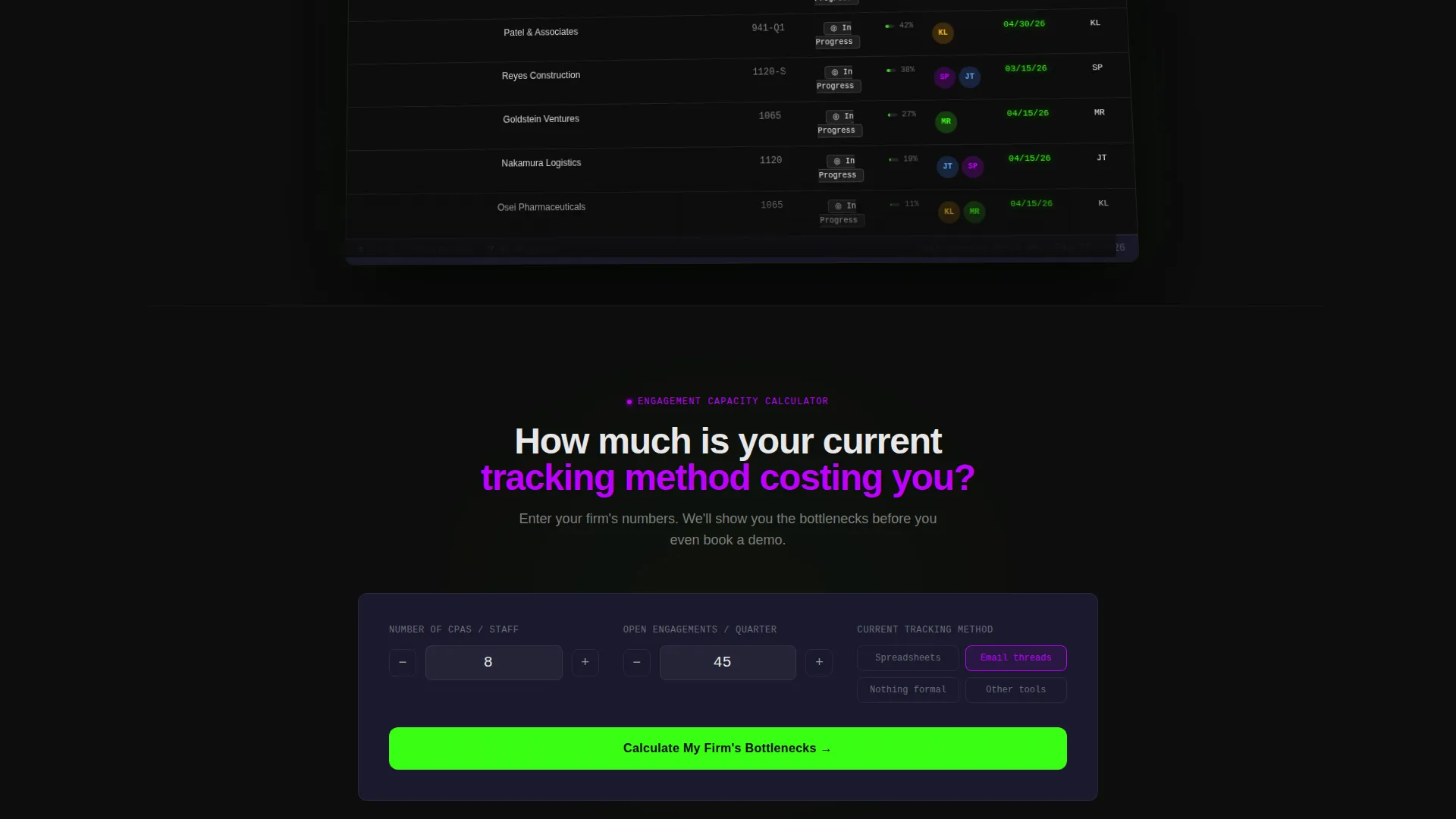
- An interactive engagement capacity calculator that renders a simulated mini-dashboard with projected bottlenecks, hours lost, and a utilization score
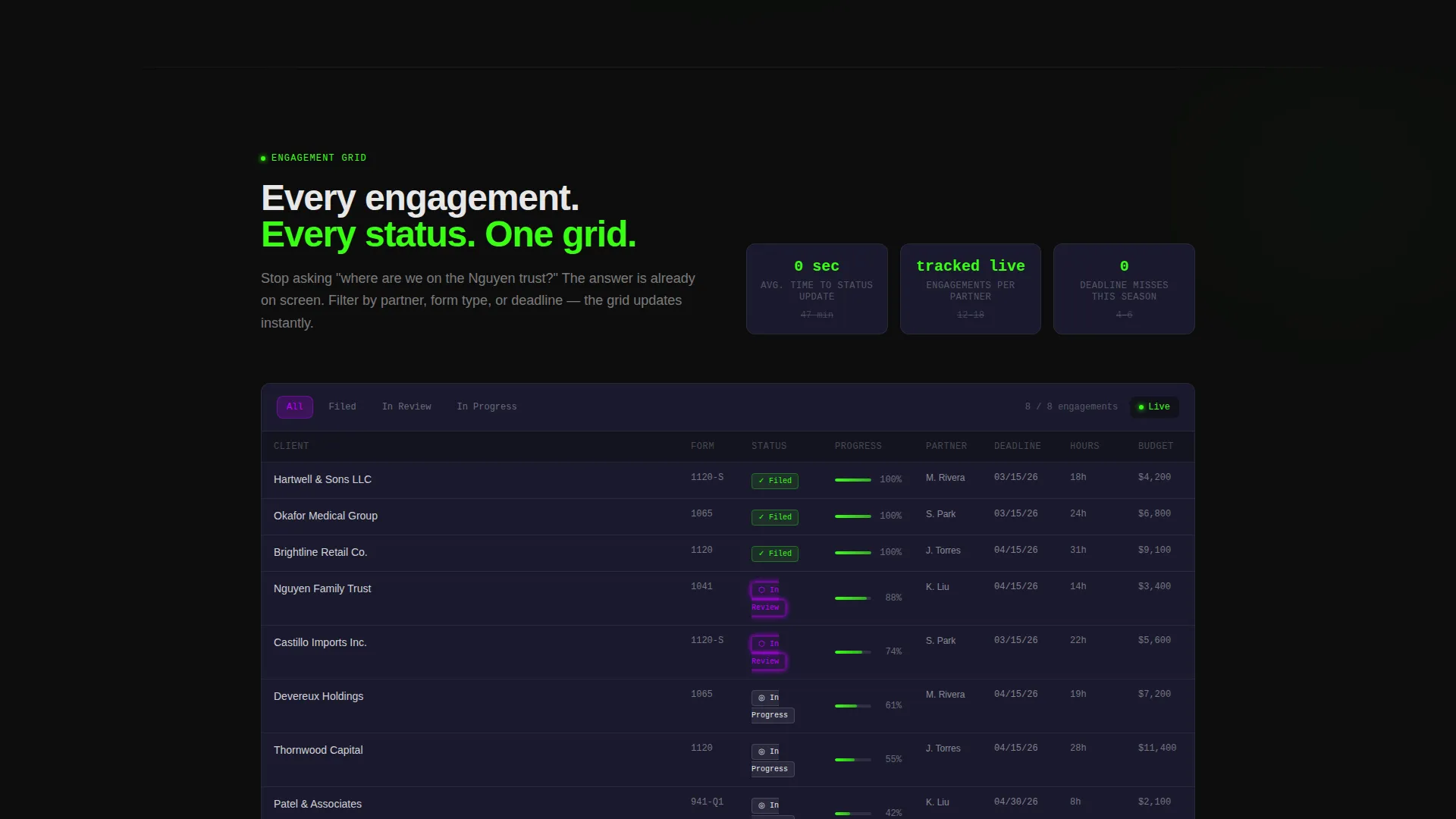
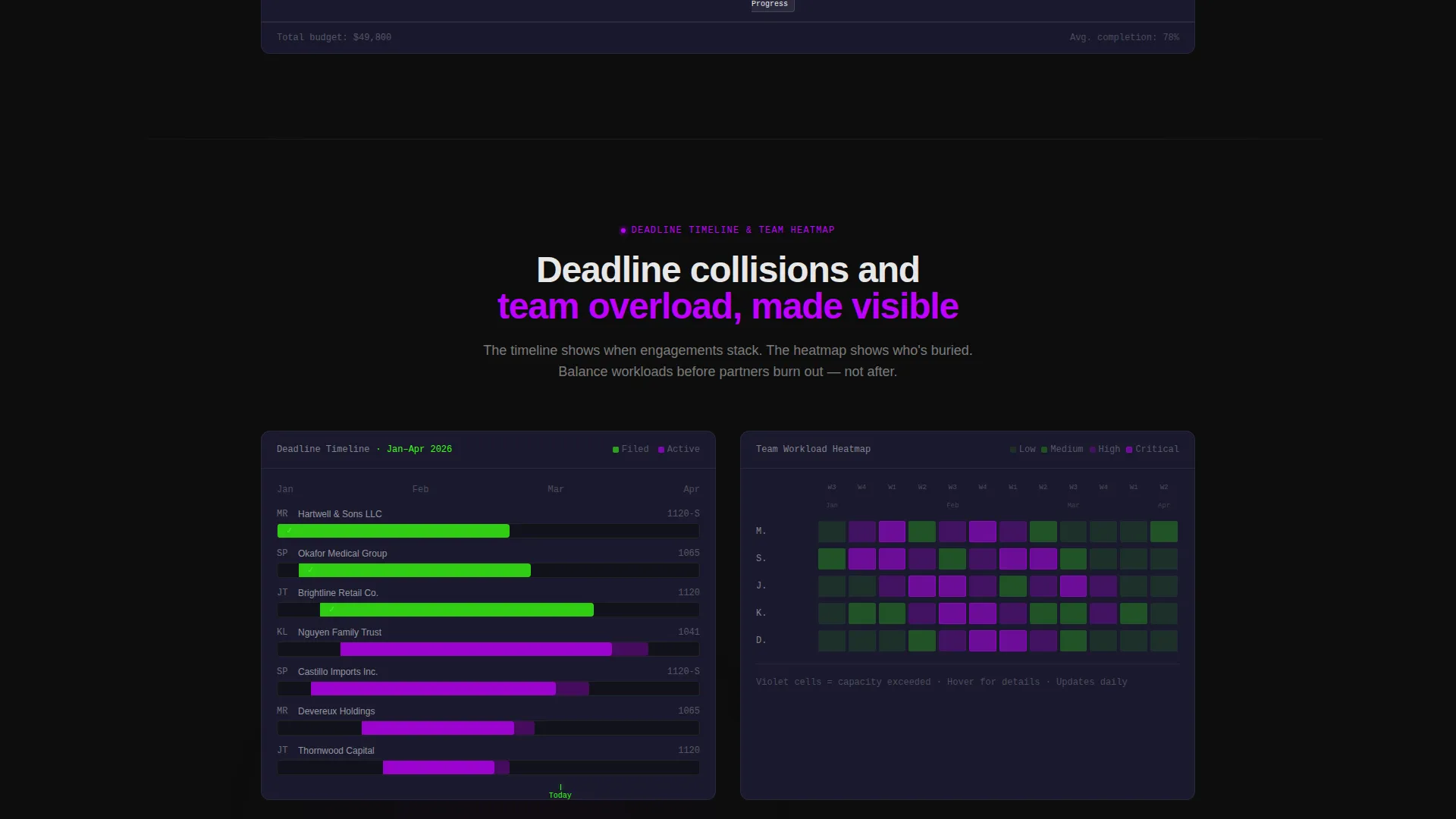
- A progressive scroll narrative covering grid view, timeline view, and team heatmap sections, each shown as a screenshot with recognizable accounting data
Feature list
This template delivers purpose-built components for accounting firm software marketing. Each section earns its place in the conversion flow.
Interactive Capacity Calculator
Before the page asks for anything, it gives something. Visitors input staff count, engagements per quarter, and current tracking method. The calculator instantly renders a simulated mini-dashboard with projected bottlenecks, estimated hours lost to status chasing, and a utilization score. By the time they finish, the demo request feels like their own idea.
Product Screenshot Hero Section
The header uses a full-width, pixel-perfect dashboard screenshot mid-tax-season. It shows twelve client engagements across multiple states: three filed in phosphor green, two in-review pulsing in electric violet, and the rest in progress with completion percentages. Deadline dates within 48 hours glow phosphor green. The screenshot floats on a void-black background with a soft shadow and slight Z-axis rotation.
Progressive Scroll Product Story
Each scroll section below the calculator deepens the product narrative. Grid view covers engagement tracking, timeline view covers deadline management, and team heatmap covers workload balancing. Each section uses a live-feeling screenshot with data accountants recognize: 1040s, 1120s, and quarterly 941 payroll forms are represented as real engagement types.
Dual Conversion Path Design
The primary call to action is "See Your Firm's Dashboard," placed after the calculator output and as a sticky button in the navigation. The form captures firm name, number of CPAs, current project tracking method, and work email, in that order from least to most personal. A secondary path offers a gated PDF download, "Download the Tax Season Workflow Template," for visitors not ready to request a demo.
Sticky Navigation with Primary call to action
The navigation bar stays fixed as visitors scroll, keeping the primary call-to-action button visible at all times. This means a visitor who gets convinced mid-scroll by the heatmap section does not have to scroll back to the top to act.
Dark Terminal Visual System
The Acid Digital color system runs through every component. Void black and interface gray form the background range. Phosphor green marks live data and success states. Electric violet activates on hover states and active filters. Data-white keeps every number and label crisp against the dark field, giving the page the feel of a Bloomberg terminal crossed with a developer environment.
Page sections overview
| Section | Purpose |
|---|---|
| Sticky Navigation Bar | Keeps primary call to action always visible while scrolling |
| Product Screenshot Hero | Shows the dashboard mid-season with live status states |
| Capacity Calculator Block | Lets visitors simulate their own firm's bottleneck data |
| Grid View Section | Demonstrates engagement tracking with real form types |
| Timeline View Section | Shows deadline management across filing periods |
| Team Heatmap Section | Illustrates workload balancing across assigned staff |
| Primary Demo Form | Captures firm name, CPA count, tracking method, and email |
| Secondary Gated Download | Offers a PDF workflow template for undecided visitors |
Design & branding system
The template uses the Acid Digital color system on a Dashboard Pro theme. The result feels like a Bloomberg terminal crossed with a developer's environment: dark, luminous, and readable at a glance.
- Core palette: void black (#0D0D0D) and interface gray (#1A1A2E) for backgrounds; terminal phosphor green (#39FF14) for live data and success states; electric violet (#BF00FF) for hover states and active filters; data-white (#E8E8E8) for all text and cell content
- Visual motion: the product screenshot floats above the background with a soft shadow and a slight Z-axis rotation, giving it depth without animation complexity
- Data density is intentional: grid lines, avatar initials, completion percentages, and glowing deadline dates all reinforce the "everything organized" feeling the template is designed to deliver
Mobile & speed optimization
The template is structured for a clean, responsive layout that adapts the dense data-grid aesthetic to smaller viewports without losing the dark-terminal atmosphere.
- The calculator input and simulated output resize to a single-column flow on smaller screens
- Screenshot sections scale responsively so engagement data and status indicators remain readable on mobile displays
- The sticky navigation call to action button remains accessible across all screen sizes
How this template helps you convert
The conversion strategy in this template is built around proof before ask. Visitors experience the product value before they ever see a form field.
- The capacity calculator delivers personalized, simulated data first, so the demo request that follows feels like a logical continuation rather than a cold sales moment.
- The four-field lead form is ordered from least personal to most personal: firm name, CPA count, tracking method, and then work email, lowering the psychological barrier at each step.
- The secondary gated PDF download captures visitors who are not ready to demo, giving the marketing team a second touchpoint without losing the lead entirely.
Other information about this template
This template is built on the Dashboard Pro theme using the Acid Digital color system and is categorized under Technology, specifically Accounting Firm Software and Accounting Firm Project Management tools. It is a single landing page, not a multi-page website.
- Template style: Dashboard and Data Grid layout with a Calculator/Tool First creative direction
- Header concept: Product Screenshot with a full-width, floating dashboard capture
- Lead generation direction: dual-path conversion with primary demo form and secondary PDF gated offer
- The template is designed for marketing teams positioning accounting firm project management software to CPA firms, small to mid-size practices, and operations-focused accounting leadership

Theme
Dashboard Pro
Creative direction
Calculator/Tool First
Color system
Acid Digital
Style
Dashboard/Data Grid
Direction
Lead Generation
Page Sections
Interactive Engagement Capacity Calculator
Product Screenshot Hero with Live Data States
Progressive Scroll Product Story
Dual-path Lead Generation Flow
Sticky Navigation with Persistent Call to Action
Acid Digital Dark Terminal Palette
Related questions
What type of product is this template designed to market?
Can I edit the calculator inputs and simulated output data?
Is this a multi-page website or a single landing page?
Does the template include both a demo form and a secondary lead capture option?
How does the sticky navigation support conversions?



