Customs & Trade Directory Website Template
Zoneops is a dashboard-style foreign trade zone operator landing page built for logistics VPs, compliance directors, and CFOs. It leads with a live-styled zone management interface showing $4.1M in deferred duties, a 98.7% CBP compliance rate, and real commodity savings comparisons. Every section earns the next scroll before asking for a single thing.
by Rocket studio
Quick summary
Zoneops is a single-page, data-command landing page for a foreign trade zone (FTZ) operator. It opens with a full-viewport dashboard mock showing live zone metrics, then walks through duty elimination math, compliance data, and activation timelines. The page ends with a persistent "Calculate Your Duty Exposure" call to action that routes visitors to a consultation booking flow.
Who this template is for
This template is built for FTZ operators and bonded warehouse networks that sell to mid-market manufacturers and automotive suppliers. It speaks directly to the professionals who control import cost decisions.
- Logistics VPs and compliance directors who need Harmonized Tariff Schedule (HTS) classification data and U.S. Customs and Border Protection (CBP) audit pass rates on the same screen
- CFOs who need to see the savings in dollars before they will book a call
- FTZ service providers that want a credible, data-forward landing page to replace a generic brochure
What problem this template solves
High-volume importers often pay millions in duties on goods that move through the supply chain without ever formally entering U.S. commerce. The problem is not just cost, it is the inability to prove the savings case internally. This template solves both.
- Duty exposure is invisible until someone builds the side-by-side comparison; this template builds it on scroll
- Compliance credibility is hard to communicate without data; the template surfaces audit pass rates and reconciliation timelines immediately
- Most FTZ pages look like legal documents; Zoneops looks like the control system your prospect already trusts
What you get with this template
You get a complete, single-page landing page structured around a logical savings narrative. Every section is designed to remove a specific objection before it forms.
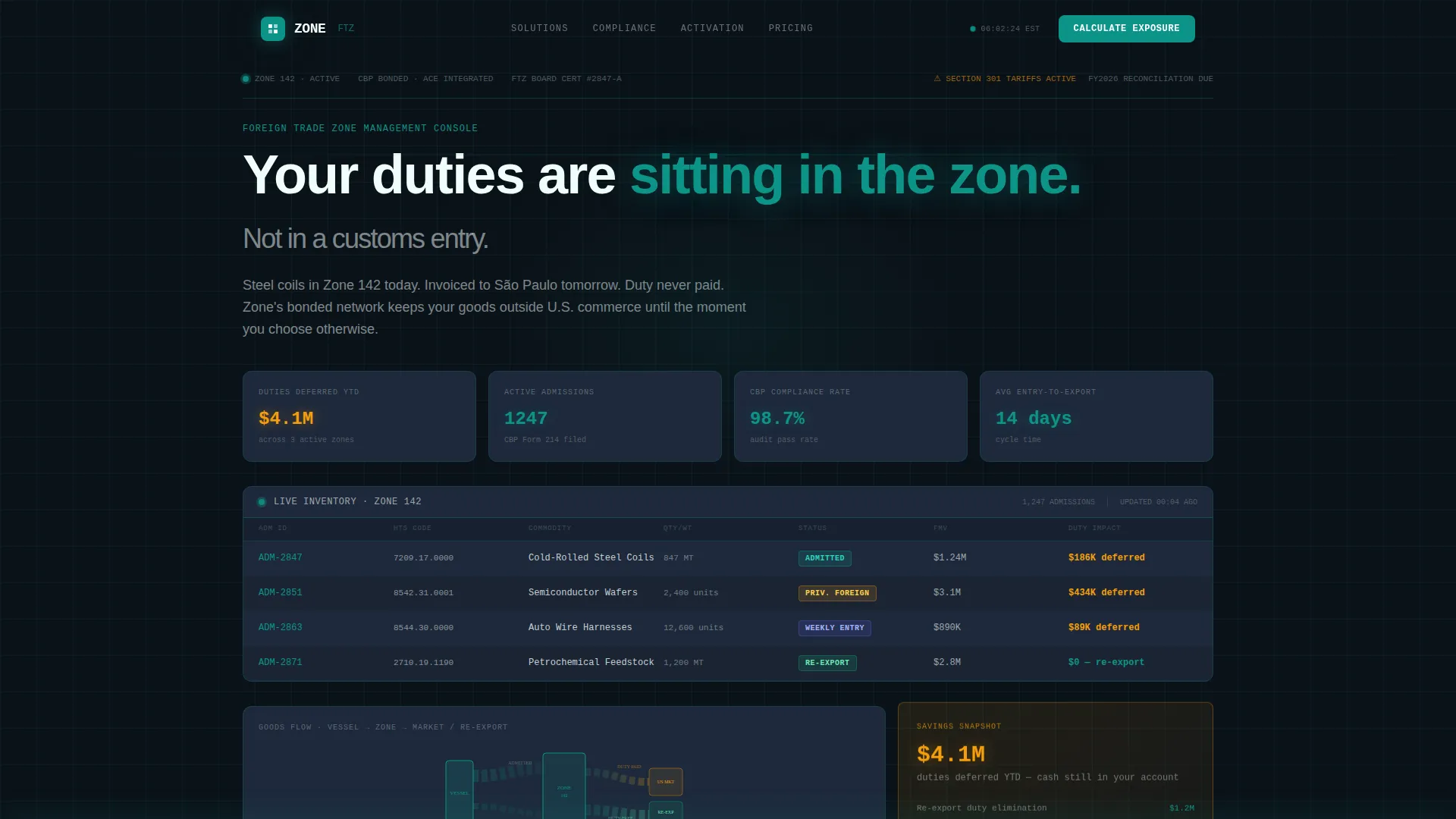
- A full-viewport dashboard hero with animated metrics, HTS-coded inventory cards, zone status badges, and a Sankey diagram tracing goods flow from vessel to zone to re-export
- Three scroll-triggered data panels covering duty elimination math, a compliance grid, and a zone activation timeline
- A persistent call-to-action bar that appears at 40% scroll depth and routes visitors to a qualification page with no form on the landing page itself
Feature list
This template includes a set of purpose-built components matched to how FTZ buyers actually evaluate a service provider.
Live-Styled Dashboard Hero
The header renders as a full-viewport zone management interface. It displays $4.1M in duties deferred year-to-date, 1,247 active admissions, a 98.7% CBP compliance rate, and a 14-day average entry-to-export cycle. Numbers animate with count-up sequences on load and a status indicator pulses green to reinforce operational uptime.
Duty Elimination Math Panel
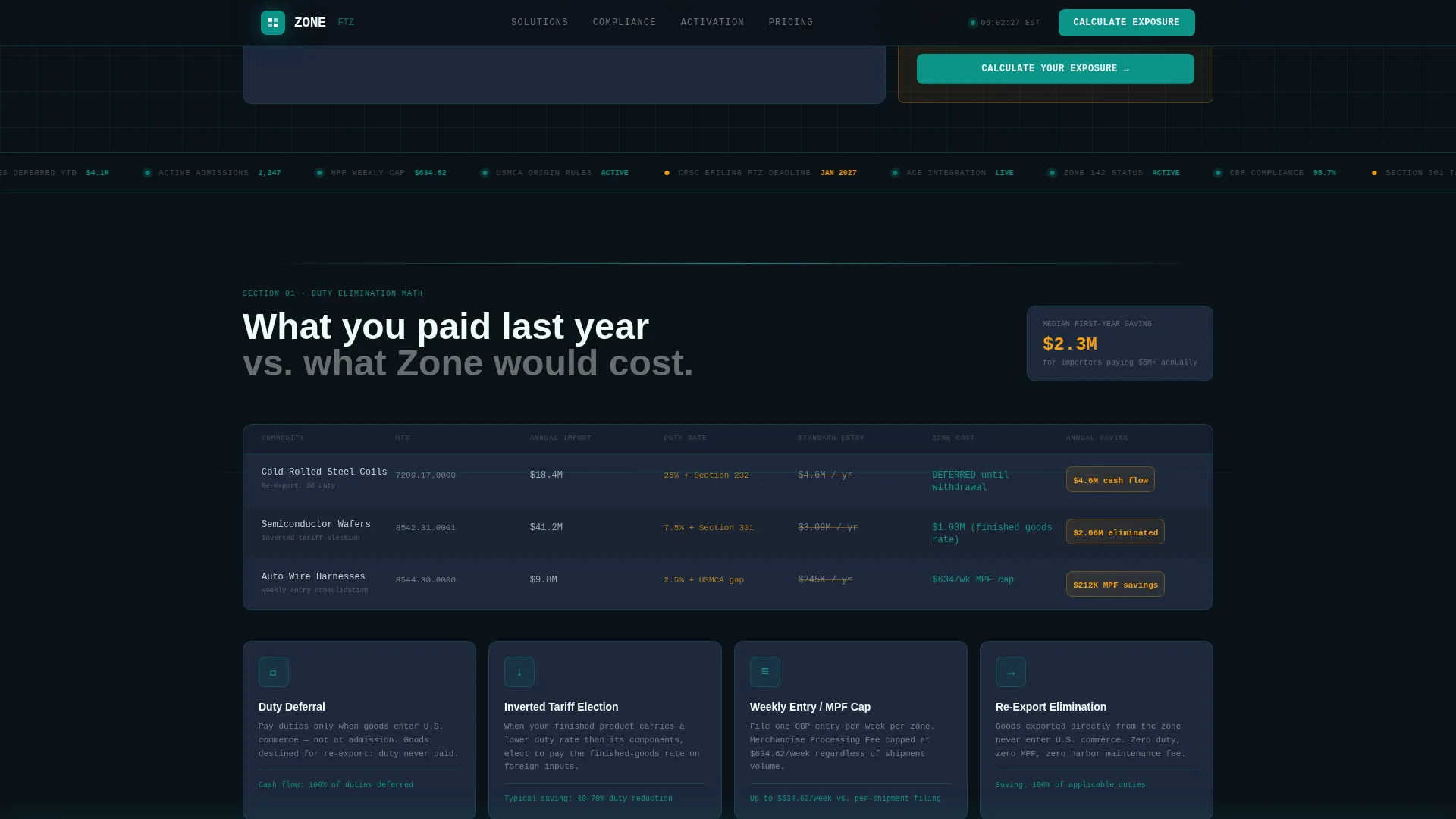
This section presents a side-by-side cost comparison between standard customs entry and zone-deferred entry. Commodity examples include cold-rolled steel, semiconductor wafers, and automotive wire harnesses. The format makes the savings case concrete and category-specific before the first call to action appears.
Compliance Grid Section
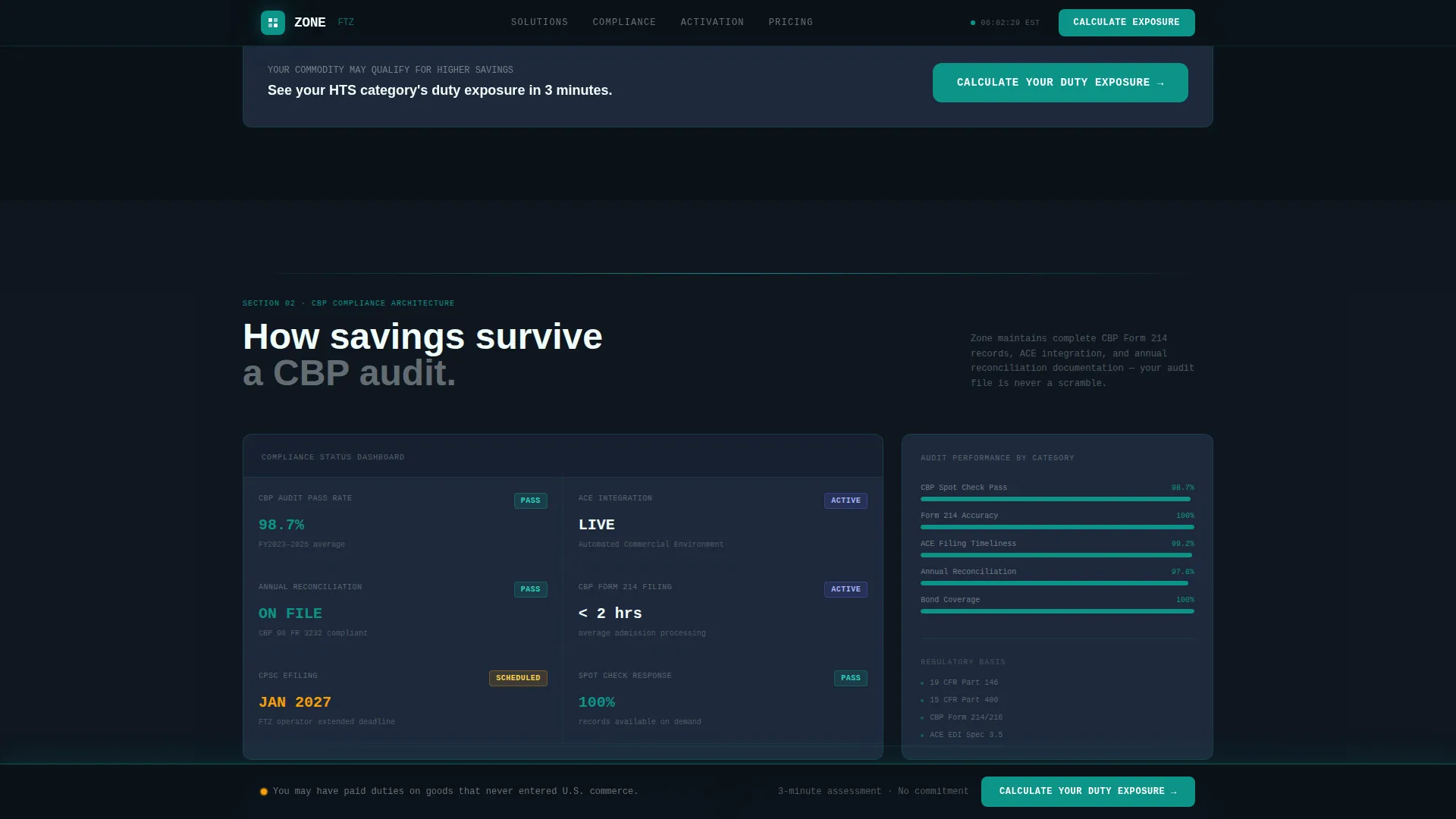
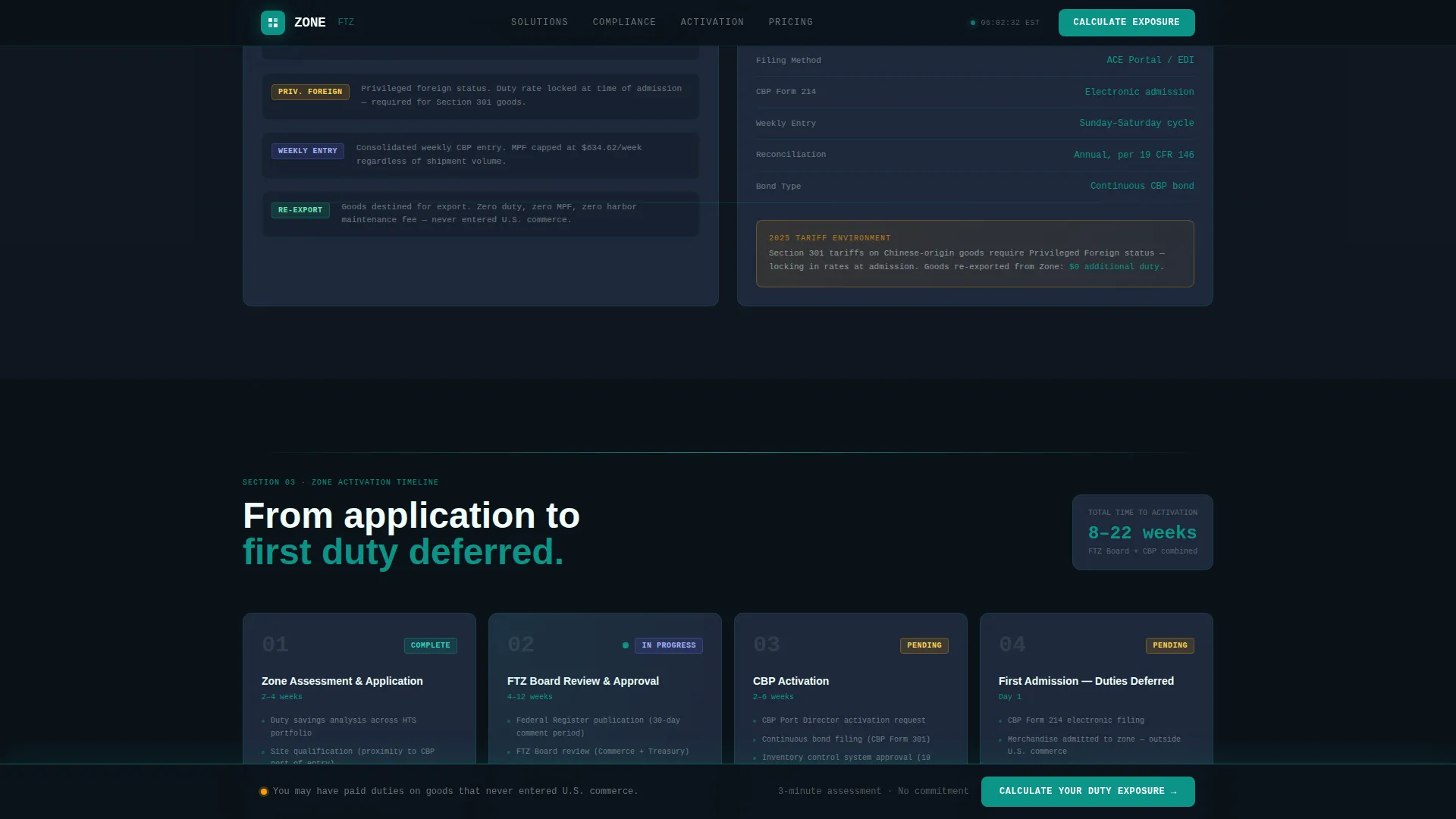
A structured data panel displays CBP audit pass rates, Automated Commercial Environment (ACE) integration specifications, annual reconciliation timelines, and the zone status badge system (Admitted, Privileged Foreign, Weekly Entry). This section answers the compliance director's checklist without requiring a conversation.
Zone Activation Timeline
An asymmetric bento-style layout traces the full activation path from Foreign-Trade Zones Board application through CBP activation to first admission. The visual sequence answers the "how fast" question that naturally follows the savings math.
Persistent Call-to-Action Bar
After 40% scroll depth, a bottom bar locks into view with the "Calculate Your Duty Exposure" prompt in command teal. The bar persists through the remainder of the page, ensuring the conversion path is always one click away without interrupting the data narrative.
Sankey Flow Diagram
A miniature Sankey SVG inside the dashboard hero traces the physical journey of goods from vessel arrival to zone storage to re-export. It is the only decorative element on the page, and it is also functional, it communicates the FTZ model instantly to someone who has never worked with a bonded zone.
Page sections overview
| Section | Purpose |
|---|---|
| Dashboard Hero | Display live zone metrics and goods flow to establish operational credibility instantly |
| Duty Elimination Panel | Side-by-side commodity cost comparison to make the savings case undeniable |
| Compliance Grid | Surface CBP audit rates, ACE specs, and reconciliation data for compliance buyers |
| Zone Activation Timeline | Show the FTZ Board to first admission path to answer the speed question |
| Call-to-Action Panel | Drive clicks to the consultation booking page with a persistent bottom bar |
| Footer | Linear single-row footer for navigation and legal links |
Design & branding system
The visual identity follows a Data Command theme. The palette is built around a logistics control tower at night, dark interfaces lit by teal telemetry, with every color carrying a functional meaning.
- Core palette: deep operations black (#0B1219) for the base, command teal (#0D9488) for active states and primary actions, slate panel gray (#1E293B) for card surfaces, signal white (#F0FDFA) for typography and data readouts, and accent amber (#F59E0B) for savings callouts and alerts
- Typography: JetBrains Mono for HTS codes, data points, and metric labels; Plus Jakarta Sans for body copy and headings
- Animation system: count-up number sequences on load, clip-path scroll reveals, pulsing status dots, GSAP ScrollTrigger stagger on data panels, and the Sankey SVG goods-flow diagram
Mobile & speed optimization
The template is built desktop-first because logistics operations teams work on large monitors, but it scales responsively for mobile use cases.
- Responsive layout supports CFO quick-checks on mobile without breaking the data grid structure
- Server Components handle all static content rendering; Client Components are scoped only to animated and interactive elements
- Interactive features include the persistent call-to-action bar, FAQ accordion, and hover state transitions on all data panels
How this template helps you convert
This template is structured so that the visitor has already seen their commodity category saving six figures before they encounter the first call to action.
- The dashboard hero establishes credibility with real metrics in the first five seconds, so the visitor trusts the numbers before they read a single claim
- The duty math and compliance panels remove the two primary objections, "is this real?" and "can we pass an audit?", using data, not prose
- The persistent call-to-action bar activates only after the savings case has been built, so the click happens from conviction rather than curiosity
Other information about this template
Zoneops is categorized under Logistics and Supply Chain, specifically the Customs and Trade niche, with an intersection focus on Foreign Trade Zone Operator services. It is localized for the United States market using USD currency formatting and MM/DD/YYYY date display.
- The template uses the Teal Catalyst color system and the Spec Sheet creative direction, with a Dashboard Preview header concept and a Click-Through landing page direction
- The qualification page linked from the call to action asks for annual import value, top three HTS categories, and current entry type, no form appears on this landing page
- The page references real operational figures: $4.1M in duties deferred year-to-date, 1,247 active admissions, and a 14-day average entry-to-export cycle, all drawn from the source brief
Theme
Data Command
Creative direction
Spec Sheet
Color system
Teal Catalyst
Style
Dashboard/Data Grid
Direction
Click-Through
Page Sections
Live-styled Dashboard Hero
Duty Elimination Math Panel
Compliance Grid Section
Sankey Goods-flow Diagram
Zone Activation Timeline
Persistent Call-to-action Bar
Related questions
Does this template include the consultation booking page?
Can I update the duty savings figures and commodity examples?
Is there a form on the landing page itself?
How does the persistent call-to-action bar work?
Who is this template best suited for?