
AI integration embeds intelligence into daily business workflows. Start with clean data, choose systems that match real needs, connect AI to existing tools, and measure what changes. Validation before building prevents the most expensive mistakes.
AI integration is the practice of embedding artificial intelligence into business systems so they can automate tasks, surface insights, and support better decisions. According to McKinsey, companies that adopt AI early can increase cash flow by up to 20%, making strategic AI integration one of the highest-leverage investments a modern team can make.
AI integration defined: AI integration is the process of connecting artificial intelligence capabilities to existing business workflows and data pipelines so that intelligence becomes part of daily operations, not a separate tool.
Why AI Integration Matters for Growth
AI integration delivers measurable growth when it is embedded into operations, not bolted on as an afterthought. Businesses that connect AI systems to their existing data flows see faster decisions, lower operational costs, and improved customer experiences within months.
Most businesses already have massive piles of raw data. Sales logs. Website clicks. Customer data. Support tickets. The issue is not volume. The issue is meaning. AI systems can process vast datasets and extract meaningful insights from them fast enough to support better day-to-day decisions.
With the right AI systems, teams can spot patterns, understand customer behavior, and respond at the right moment. Key performance benchmarks teams track when measuring AI integration success.
Start With the Right Data Quality Foundation
Strong AI integration begins with clean, organized data, not with choosing a tool. Poor data quality breaks machine learning models, produces unreliable predictions, and erodes team trust in AI outputs faster than any other factor. In practice, high-quality data is essential to AI performance, not just model accuracy.
Data often lives inside data silos or outdated spreadsheets. Some teams still rely on legacy systems and disparate systems that barely communicate. Internal data assets often need to be connected through data lakes before AI deployment. The integration process begins by connecting existing systems and addressing siloed data issues.
Teams need to address:
- Organized, consistently labeled data
- Clean data flows with clear ownership
- Elimination of siloed data across departments
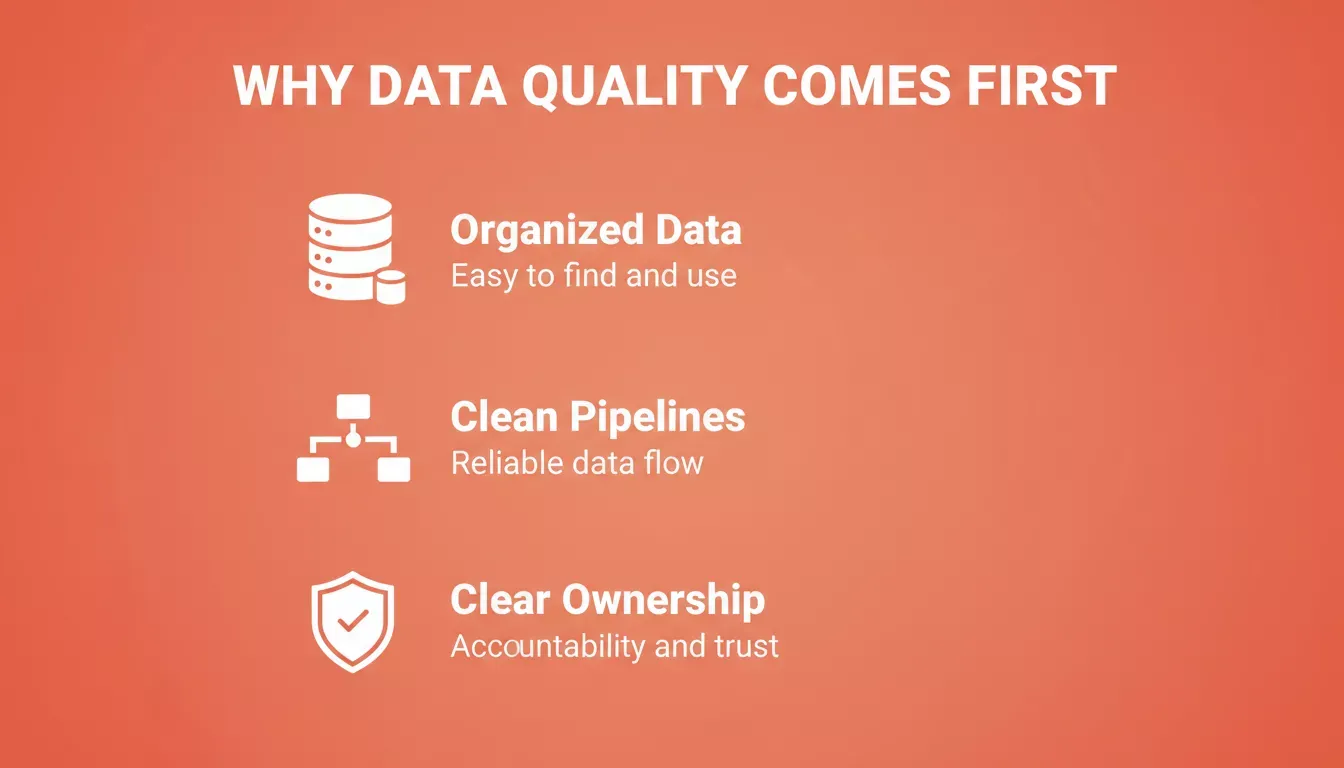
The three prerequisites every team must address before any AI system goes live.
Choose AI Systems That Match Real Needs
Effective AI integration starts with integrating AI around real use cases, and different AI technologies should match specific business needs. Not every company needs advanced computer vision or research-grade models. Some just need help with repetitive tasks.
Smart AI integration begins with:
- Virtual assistants for support teams
- Natural language processing (NLP) for chat and email routing
- Predictive analytics for demand planning
These tools put artificial intelligence ai to practical use by handling routine work so humans can focus on thinking. Machine learning models improve over time, learning from user behavior, user interactions, and external data.
AI Integration vs. Automation: Key Differences
| Dimension | Traditional Automation | AI Integration |
|---|---|---|
| Logic | Rule-based, fixed | Learns and adapts from data |
| Handles exceptions | Breaks on edge cases | Improves with exposure |
| Setup complexity | Low, scripted | Higher upfront, lower ongoing |
| Best for | Repetitive, predictable tasks | Variable, data-rich workflows |
| Example | Auto-send invoice on trigger | Predict churn before it happens |
Want to build an AI-powered internal tool or dashboard without a developer? Rocket's Build pillar generates production-ready apps from a plain-language description in minutes.
Machine Learning Turns Data Into Action
Machine learning is central to effective AI integration. It helps systems spot patterns, predict outcomes, and adapt to change as new data arrives.
How it's being used across industries:
- Retail teams use machine learning algorithms to optimize inventory management, ensuring shelves are stocked efficiently and demand is met without waste.
- Manufacturers leverage predictive maintenance to prevent equipment breakdowns before they occur, saving time and costs.
- Logistics companies apply AI-enhanced route optimization to cut delivery times and reduce fuel consumption.
- Marketing teams analyze customer satisfaction data to shape smarter campaigns that improve customer retention.
Gartner research consistently shows that organizations embedding machine learning into core business processes outperform peers on revenue growth, cost reduction, and customer satisfaction, with the performance gap widening each year as models accumulate more training data.
Use Generative AI Carefully
Generative AI changes how content, design, and support work across teams. It helps speed up everyday tasks without adding pressure.
It can:
- Write copy for emails and pages
- Draft internal messages
- Summarize long reports
But solid AI integration always includes guardrails. Teams must protect sensitive data and maintain data security at every step. Access rules matter. Monitoring matters. Risk management matters. Ethical concerns such as bias and fairness must be addressed to support responsible AI use and trust.
Regulatory considerations: AI integration in regulated industries must account for GDPR, HIPAA, and sector-specific AI governance frameworks. Building compliance into the integration process from the start is far less costly than retrofitting it later.
Connect AI With Existing Systems
Many businesses fail to integrate AI because they try to replace everything at once. Growth usually comes from AI enablement that connects AI to existing CRM, ERP, and HR platforms through modular architecture instead of replacing everything at once. These systems already store valuable data and support daily work.
This approach supports:
- Clean AI workflows that fit into daily routines
- Faster adoption because teams feel familiar with the tools
- Lower costs by avoiding unnecessary replacements
Such systems should let teams swap models without full rewrites as needs change.
Even outdated infrastructure can support AI when connected properly. With the right links in place, data starts moving, insights appear faster, and decisions improve.
For teams building internal tools that connect to existing data sources like Airtable, Notion, or Supabase, Rocket's app builder handles the integration layer automatically.
AI Integration Workflow
- Identify the specific business goal AI should support
- Audit data quality, clean, labeled, and accessible data is a prerequisite
- Select AI systems matched to the goal, not the most impressive technology
- Connect AI to existing CRM, ERP, or operational systems, because AI integration work typically moves from wiring models into current workflows to preparing them for production use
- Deploy in a controlled environment and monitor outputs closely, including output quality, reliability, and drift
- Measure against defined metrics, iterate, then scale what works
By 2026, the goal is to move from experimental pilots to enterprise-wide operational scale, not to leave AI stuck in testing.
AI in Daily Business Operations
Here is where AI integration helps enhance efficiency and shows real, measurable value across departments:
| Area | AI Use Case | Business Impact |
|---|---|---|
| Support | NLP chatbots | Faster replies, lower ticket volume |
| Sales | Predictive analytics on the pipeline | Better forecasts, shorter cycles |
| Operations | Automate repetitive tasks like data entry | Lower costs, fewer errors |
| HR | Resume screening and scoring | Faster hiring, reduced bias |
| IT | Predictive maintenance | Fewer outages, lower downtime cost |
| Marketing | Customer behavior analysis | More relevant campaigns, higher conversion |
| Finance | Anomaly detection in transactions | Faster fraud identification |
When implementing AI, the biggest gains often come from rethinking job design, since technology itself typically drives only about 20% of the value.
Small changes stack up quickly. When AI fits naturally into daily work, results feel steady rather than forced.
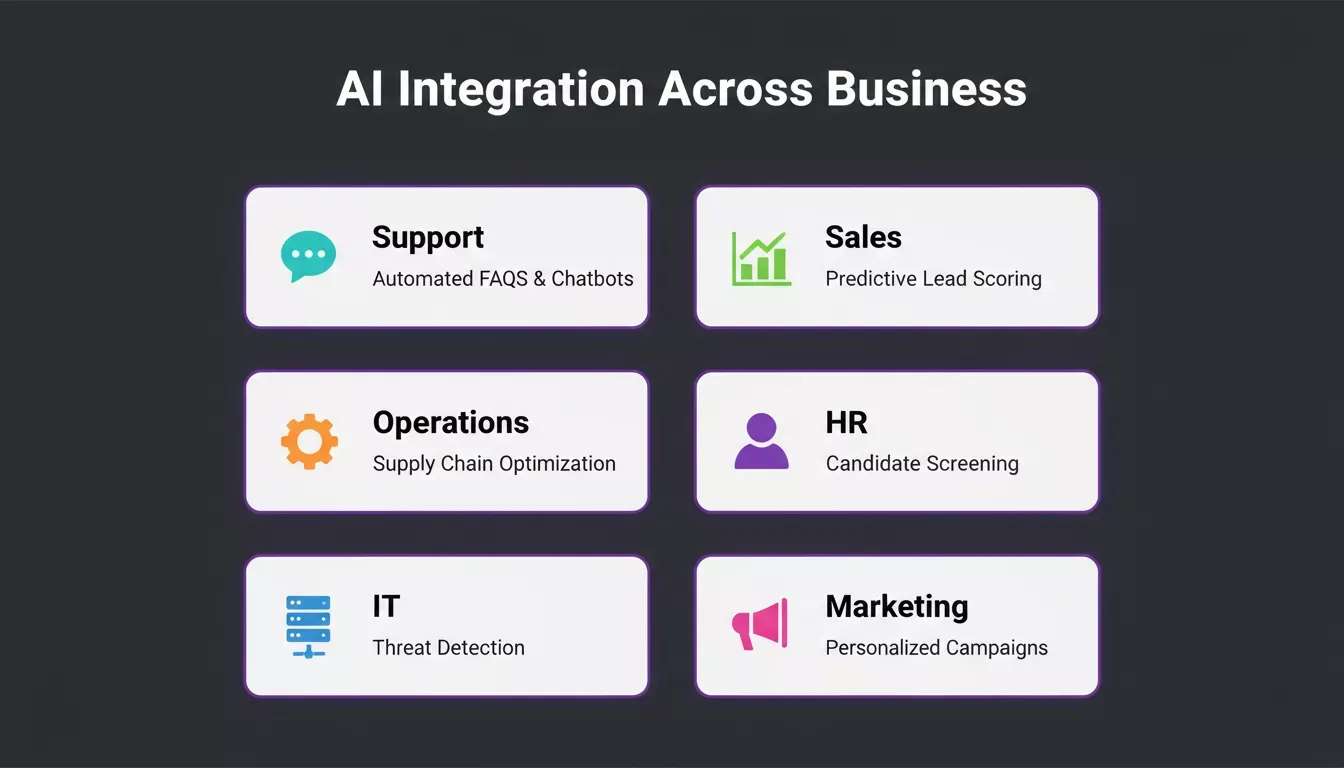
AI integration delivers value across every department when matched to the right use case.
Teams building customer-facing products that leverage these workflows can explore how AI is changing product development to understand what production-grade AI products actually look like in practice.
How Rocket Approaches AI Integration
Most AI tools solve one part of the problem. They build what you tell them to build, or they answer a question, or they monitor a dashboard. The context you carry between them is your problem.
Rocket.new is the world's first Vibe Solutioning platform, where the thinking, the building, and the monitoring happen in the same place, connected by shared context. 1.5 million people have tried Rocket across 180 countries, from solopreneurs to enterprise teams.
Rocket ships with three core pillars directly relevant to AI integration strategy:
Solve: Validate Before You Build
**Solve takes any business question and delivers a complete, structured analytical report within 60 to 90 minutes.** It runs thousands of queries across 150+ sources simultaneously, surfaces conflicting signals explicitly, and exports as PDF or PowerPoint.
Teams use Solve to validate AI integration decisions before committing budget or engineering time. The output becomes the foundation for everything that follows and does not disappear after export. Learn more about how Solve turns business questions into decisions.
Build: Production-Grade AI Products
Rocket's Build pillar generates production-ready web apps in Next.js and mobile apps in Flutter from a plain-language description, Figma file, or existing GitHub repository. Every build ships with SEO-ready structure, WCAG accessibility compliance, and GDPR coverage by default.
Sign up takes about 30 seconds via Google, Apple, or email, with no credit card required. Source code is downloadable or connectable directly to GitHub.
What teams build with Rocket:
- AI-powered SaaS products and internal dashboards
- Customer portals and onboarding systems
- Compliance and governance tools
- Sales enablement platforms and investor data rooms
- Mobile apps submitted directly to the App Store and Google Play
Most apps generate in one to three minutes. The design is intentional, with considered typography and real visual hierarchy, nothing that reads as AI-made.
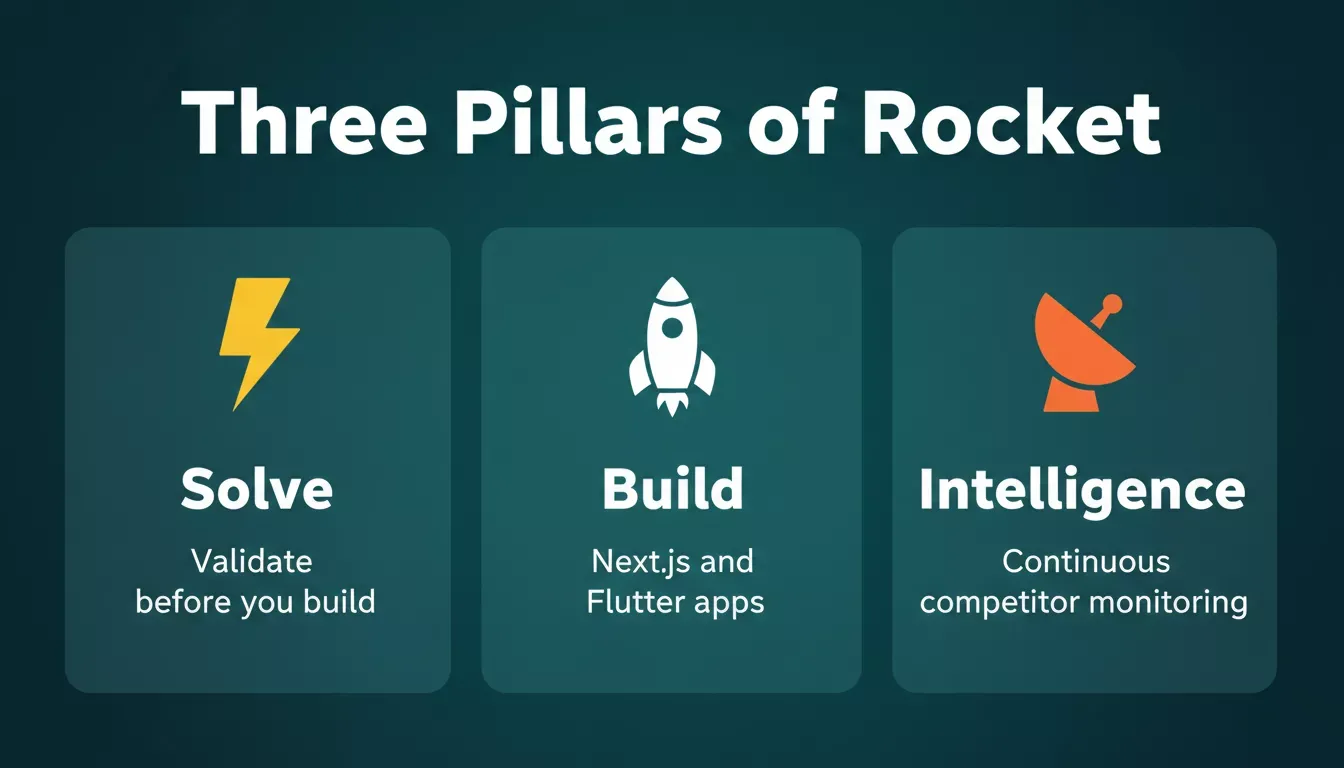
Rocket's three-pillar architecture covers the complete arc from validation to building to ongoing market monitoring.
Intelligence: Monitor What Matters After Launch
Rocket's Intelligence pillar runs continuous competitive monitoring across every public platform a competitor operates on. It covers website changes, pricing updates, social activity, job postings, customer reviews, press coverage, and advertising shifts.
It delivers daily, weekly, or monthly briefs with structured interpretation, not just raw alerts. The key distinction is that Intelligence tells you what a competitor's move means for your business, not just that it happened. Explore how Intelligence informs pricing decisions to see this in practice.
Rocket vs. Traditional No-Code Builders
| Capability | Traditional No-Code | Rocket |
|---|---|---|
| Pre-build research | Starts from blank prompt | Solve validates the idea before building |
| Build output | Templates, generic layouts | Production-grade Next.js and Flutter |
| Post-launch intelligence | None | Continuous competitor monitoring |
| Context across tasks | Resets each session | Shared compound context that compounds |
| Mobile distribution | Web preview only | App Store and Google Play submission |
| Compliance defaults | Manual, add-on | WCAG, GDPR, SEO built-in |
Measure What Matters
Growth needs proof. Without tracking the right signals, AI work turns into guesswork.
Teams should track:
- Model accuracy: This shows how well AI results hold up over time. Stable accuracy means the system continues learning correctly from data.
- Cost savings: Measure reduced manual effort, lower operational spend, or fewer errors. These numbers justify AI investments.
- Time saved on repetitive tasks: Track how much time teams gain when routine work shifts to AI. This often shows value faster than revenue metrics.
- Impact on customer experience: Review response times, satisfaction scores, repeat interactions, and customer retention. Small changes here matter a lot.
- Decision speed: Faster decisions often signal better data access and clearer insights, especially when choices depend on real-time data processing.
According to IBM's Institute for Business Value, organizations that successfully implement AI see operational efficiency gains of 15 to 40% within the first year of deployment, confirming that the integration of AI is a direct driver of competitive advantage.
Good data analysis turns these signals into actionable insights instead of raw numbers. Those insights guide strategic planning and help teams decide where to scale next. This feedback loop strengthens data-driven decision-making over time.
Common AI Integration Mistakes to Avoid
Some mistakes recur. They slow progress and create doubt around AI efforts.
- Ignoring data quality: AI systems learn from what they receive. Messy inputs lead to weak results and loss of trust.
- Overloading teams with tools: Too many platforms confuse users. Fewer, well-chosen tools work better.
- Skipping training: When teams do not understand how AI works, adoption drops fast.
- Forgetting human resources input: HR teams help manage change, roles, and expectations. Leaving them out creates friction.
- Building before validating: Starting with execution before confirming the problem is real is the most expensive mistake in AI integration.
- Ignoring compliance from day one: GDPR, HIPAA, and sector-specific AI regulations are not retrofit problems. They need to be designed in.
- Using federated governance poorly: It can centralize policy while letting individual business units make local risk decisions.
Successful AI integration depends on governance and trust, not just tools. That trust comes from clarity, not pressure.
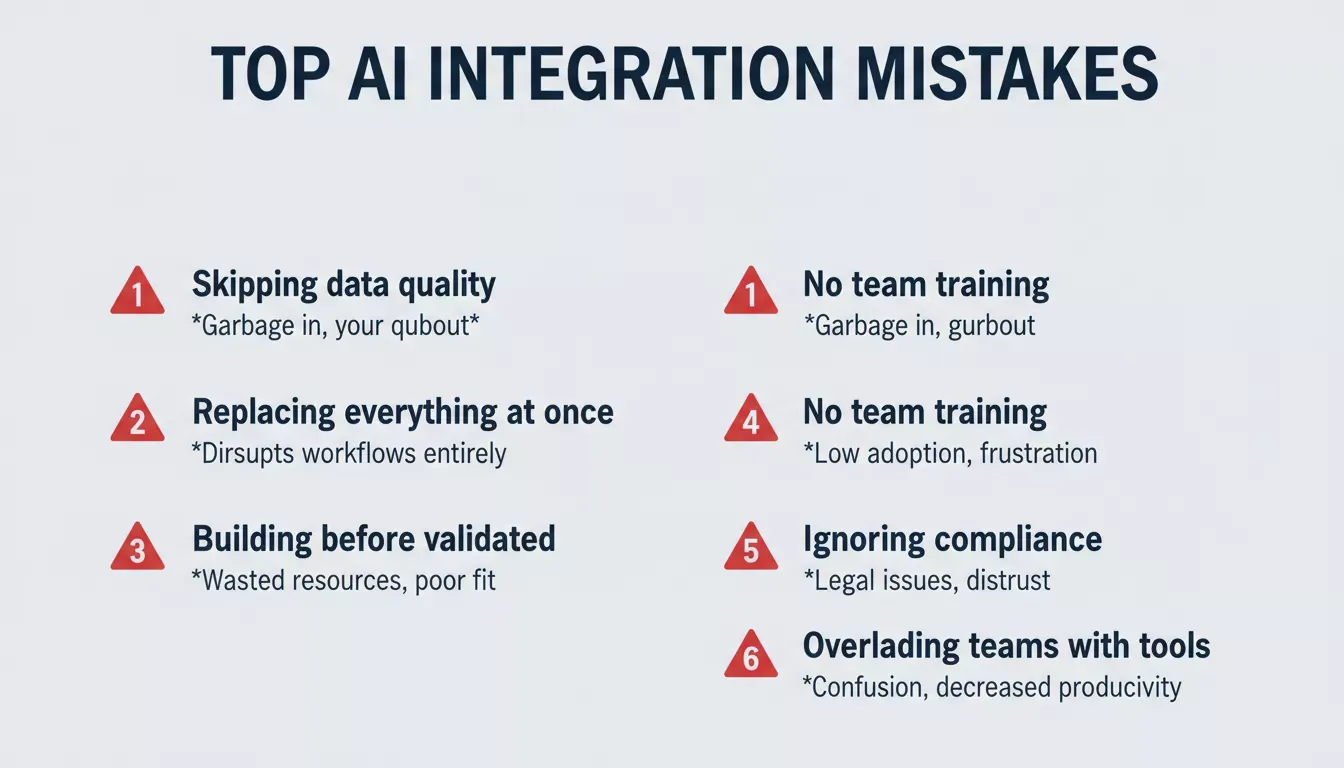
The six most common AI integration mistakes that slow teams down and erode trust in AI systems.
Teams looking to avoid these pitfalls from day one can explore how to automate product development using AI for a structured approach that keeps validation and compliance front and center.
AI Integration and Business Transformation
AI integration supports real business transformation when it is built into long-term operating models and stays tied to clear goals. Not vanity projects. Not hype-driven experiments.
The real impact shows up in small, steady shifts. Decision-making processes become clearer. Workflows move faster. Customer touchpoints feel more responsive and less forced. AI algorithms help teams make faster predictions and better decisions across those workflows.
Over time, these improvements stack up. Teams trust the systems more. Leaders rely on data instead of guesswork. Customers notice consistency without needing an explanation.
Understanding “what AI integration means,“ is the first step. Applying it with the right tools, the right data foundation, the right validation process, and strong data science capabilities is what separates teams that grow from teams that stall.
Rocket is built for teams that want to validate ideas before building them, ship production-grade products without a full engineering team, and monitor their market continuously after launch. 1.5 million people have tried Rocket.new across 180 countries.
Table of contents
- -Why AI Integration Matters for Growth
- -Start With the Right Data Quality Foundation
- -Choose AI Systems That Match Real Needs
- -AI Integration vs. Automation: Key Differences
- -Machine Learning Turns Data Into Action
- -Use Generative AI Carefully
- -Connect AI With Existing Systems
- -AI Integration Workflow
- -AI in Daily Business Operations
- -How Rocket Approaches AI Integration
- -Solve: Validate Before You Build
- -Build: Production-Grade AI Products
- -Intelligence: Monitor What Matters After Launch
- -Rocket vs. Traditional No-Code Builders
- -Measure What Matters
- -Common AI Integration Mistakes to Avoid
- -AI Integration and Business Transformation