
The right AI prompt examples turn vague AI replies into precise, usable output. This blog covers proven prompts for writing, coding, research, and app-building so you can test each one right now.
What separates a useful AI reply from a generic one?
The prompt.
Most people type a question and hope for the best. Those who get consistent results know how to frame the instruction. This guide walks you through AI prompt examples that work. Each one is organized by task type and comes with a ready-to-use template you can copy and test immediately.
In 2025, 56% of metro adults in India already used generative AI, according to a Forrester survey reported by CIOL. More people rely on these tools every day, yet many still miss clear outcomes because their prompts lack structure.
Why Prompting Matters (Even if AI is Smart)
AI models work best with deliberate, well-structured input. Prompt engineering shapes that input so the output is useful rather than generic.
The same AI model can produce a mediocre paragraph or a publication-ready draft, depending entirely on how the prompt is written. The model has not changed. The framing has.
Three things separate high-performing prompts from low-performing ones:
- Specificity: The more precise the instruction, the less the AI has to guess.
- Context: Background information anchors the output to your actual situation.
- Format guidance: Telling the AI what shape the answer should take removes unnecessary back-and-forth.
What Makes a Good Prompt?
A good prompt gives the AI a clear map rather than a vague hint. It saves time and produces output you can actually use.
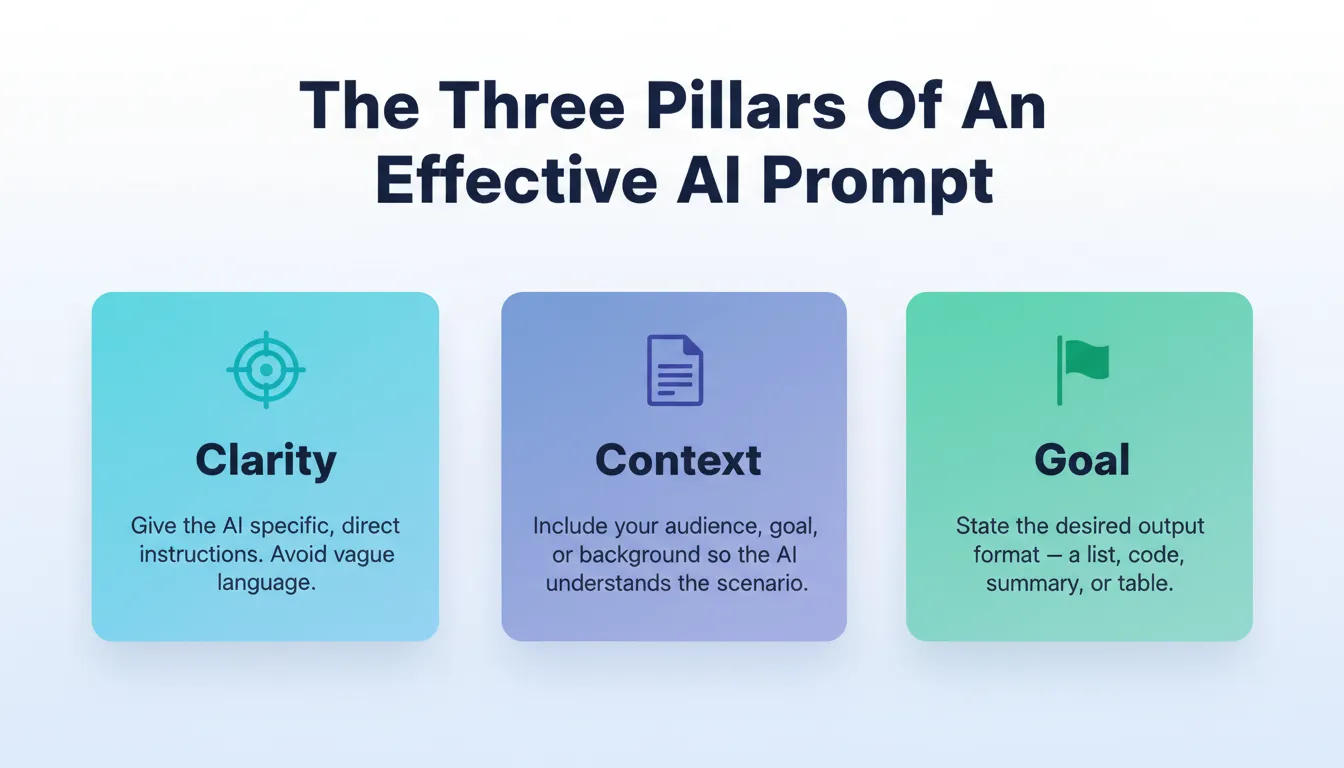
- Clear instructions: Tell the AI exactly what you want. Ambiguity leads to generic answers. Instead of "Write about social media," try: "Write three bullet points on social media marketing tips for small businesses."
- Context: Provide background so the AI understands the scenario. Mention your audience, product, or style if relevant.
- Goal-oriented phrasing: Phrase your prompt around the desired outcome. Whether it is a summary, a code snippet, or a list of ideas, making the goal obvious helps the AI deliver what you need.
Good prompts turn generic AI responses into something tailored and useful.
What Makes a Bad Prompt?
Understanding what breaks a prompt is just as important as knowing what makes one work. These are the most common failure patterns:
| Mistake | Bad Example | Better Version |
|---|---|---|
| Too vague | "Write something about marketing" | "Write a 200-word intro to email marketing for SaaS founders" |
| No audience | "Explain machine learning" | "Explain machine learning to a non-technical HR manager" |
| No format | "Give me ideas" | "Give me 5 bullet-point ideas for a LinkedIn post about remote work" |
| Too many tasks | "Write a blog, summary, and social posts" | One task per prompt; iterate from there |
| Missing constraints | "Write a product description" | "Write a 100-word product description for a standing desk, professional tone" |
Fixing these patterns will improve output quality before you even change the content of the prompt.
Simple AI Prompt Examples
Sometimes you just need AI to get things done quickly. These prompts work across many systems and focus the AI on delivering output you can actually use.
Content Writing Prompts
Use these when you want AI to handle words and ideas clearly:
- Write a short introduction to social media marketing that highlights time management tips.
- Summarize this paragraph into three bullet points.
- Create marketing emails for new subscribers to a fitness newsletter.
Try This Prompt Now
"Write a 150-word email welcoming new subscribers to a fitness newsletter. Use a friendly tone, mention one actionable tip, and end with a clear CTA."
Code Output Prompts
These work well for Python functions, SQL queries, or code snippets:
- Generate Python code to sort a list of names alphabetically.
- Write a Python function that finds the largest number in a list.
- Create SQL queries to list daily counts of user activity.
Try This Prompt Now
"Write a Python function that accepts a list of integers and returns the top three largest values, sorted in descending order."
Design and Presentation Prompts
Use these when you need structure, visuals, or talking points:
- List AI-generated image ideas for an eco travel blog.
- Write talking points for a webinar on renewable energy in simple terms.
Simple, structured prompts save time, reduce confusion, and get results you can use right away.
Prompt Examples for Complex Tasks
Some tasks are not small or quick. They need more thought and structure. Include context and clear goals in these prompts. Give AI enough guidance to produce useful output without endless back-and-forth.
For a deeper look at writing instructions that scale, explore this practical guide to natural language prompts.
Examples
- Write a lesson plan for a 60-minute class on natural language processing basics. Great for teachers or trainers who want a ready-to-go structure.
- Create a blog outline about climate change with three sections and a call to action. Helps break down a big topic into manageable, clear parts.
- Generate a paragraph explaining machine learning in plain language for beginners. Perfect for simplifying complex concepts for your audience.
Longer prompts give AI the context it needs to handle bigger tasks. With well-structured instructions, even complex outputs become clear, organized, and ready to use.
Try This Prompt Now
"Create a 60-minute lesson plan on natural language processing for beginners. Include a 10-minute intro, three 15-minute activity blocks, and a 5-minute recap. Add one discussion question per block."
Prompt Structure Made Simple
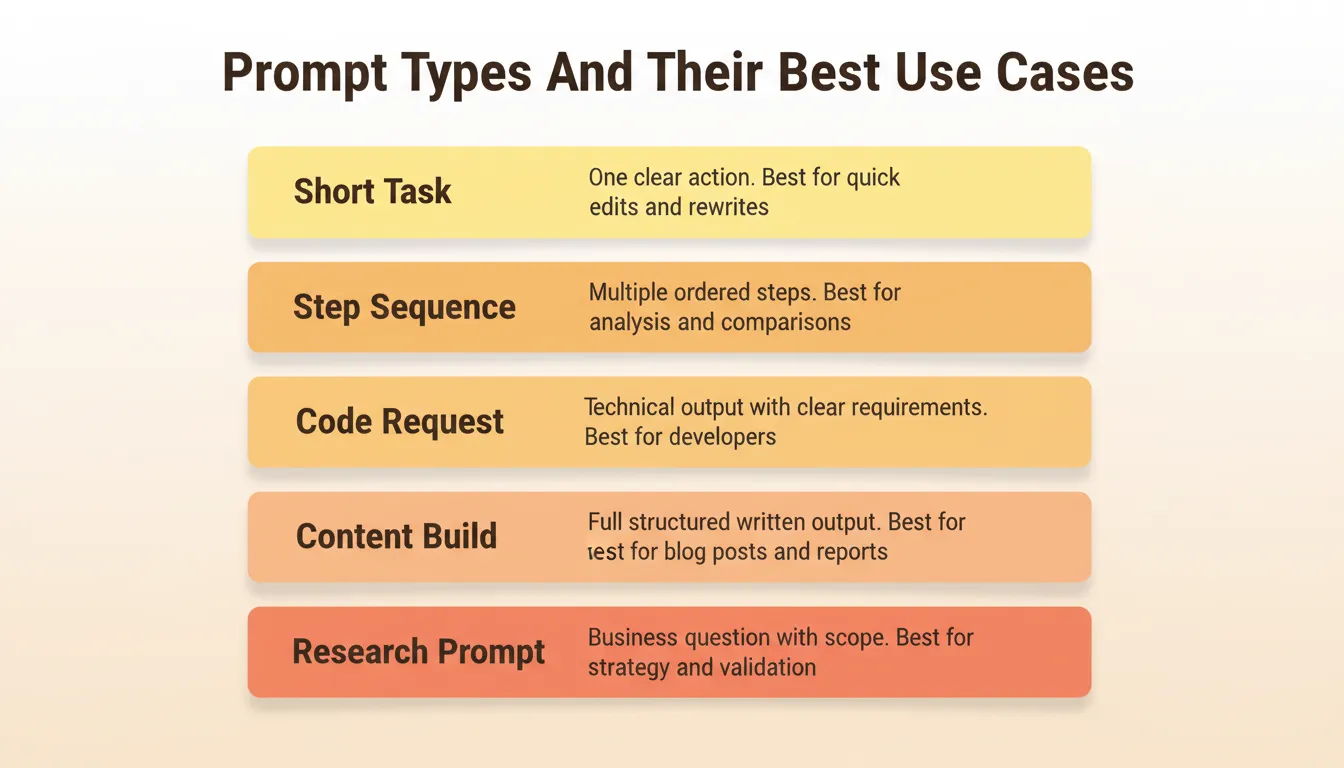
Not all prompts are created equal. Breaking prompts into clear types makes AI prompt engineering easier and more predictable. Use this table to pick the right prompt type for your task:
| Prompt Type | What It Asks For | Example Task | Best For |
|---|---|---|---|
| Short task | One clear action | Summarize this text | Quick edits, rewrites |
| Step sequence | Multiple ordered instructions | First list benefits, then compare options | Analysis, comparisons |
| Code request | Technical output with clear requirements | Create Python code for... | Developers, automation |
| Content build | Full structured written output | Write a 500-word article | Blog posts, reports |
| Research prompt | Business question with scope | What is the market size for X in Y region? | Strategy, validation |
Using the right prompt type helps AI know what you want. It also reduces back-and-forth tweaks. Think of it as picking the right tool for the job.
Prompts for Better AI-Generated Content
Generative AI will not just read your mind. Clear context and structure make a significant difference. Well-crafted prompts help AI focus on exactly what you need. They save time and avoid trial-and-error.
Example Prompts
- Generate ideas for social media posts about renewable energy. Perfect for content creators who need fresh ideas fast.
- Write a list of interview questions for a junior developer role. Helps recruiters or managers save time on prep.
- Explain the solar system as if speaking to high school students. Makes complex topics simple and engaging.
- Produce three variations of a product description for a coffee mug. Great for marketing teams experimenting with different styles.
These prompts guide AI toward specific, usable outputs. Provide context, structure the task, and let AI do the heavy lifting.
Try This Prompt Now
"Write three short social media captions (under 100 words each) promoting renewable energy. Make each suitable for LinkedIn (professional), Instagram (visual/emotional), and Twitter (punchy/witty)."
Community Insight: What Real Users Say
Some users share their honest experience with prompting and tools on Reddit (third-party opinion, not a verified case study):
"Basically, I use GPT to first create a very extensive PRD, and then feed that into Rocket.new. It does a solid job analyzing everything, and then generates a to-do list... It's definitely not perfect, but for rapid prototyping or just spinning up an MVP, it feels like a big productivity boost."
Research Prompts with Solve
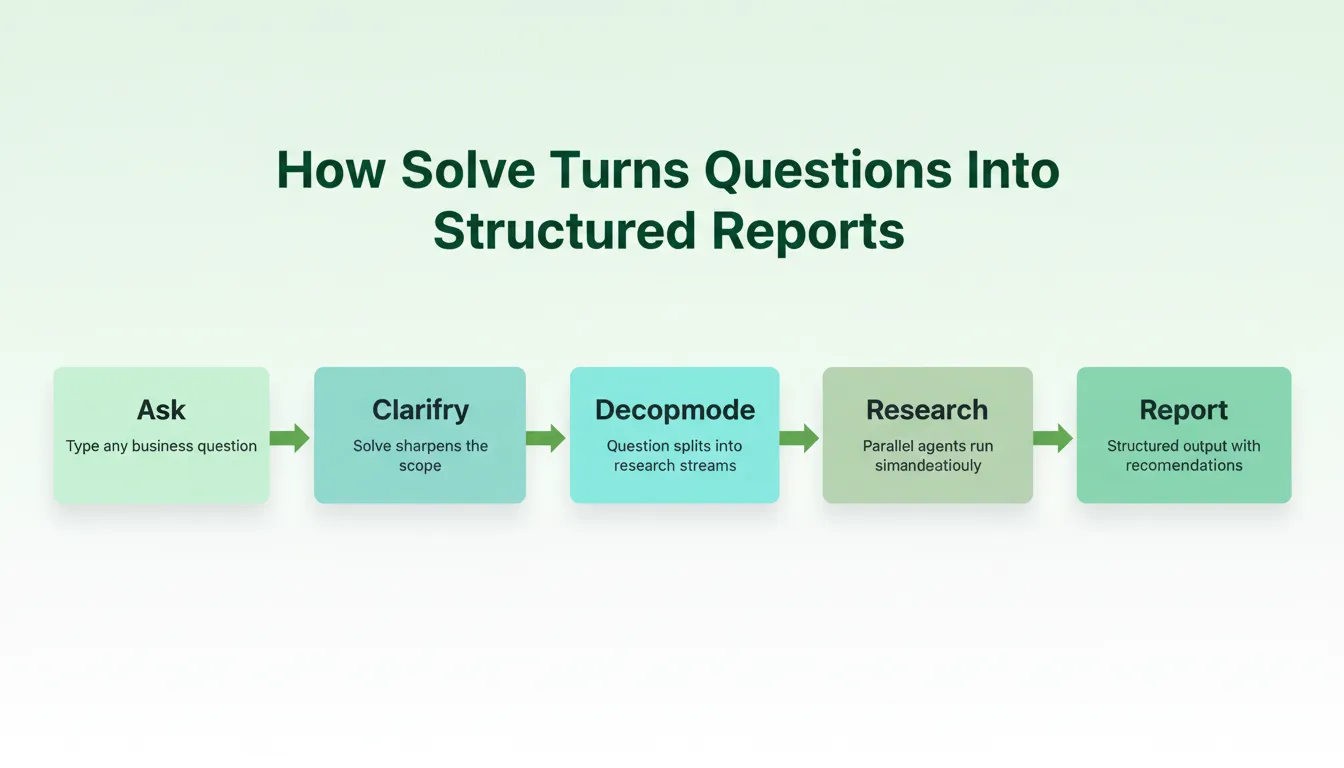
Prompt engineering does not stop at content and code. Some of the highest-leverage ai prompt examples are research prompts. These are structured questions that produce strategic output rather than text or code.
Rocket's Solve pillar is built for exactly this. You describe a business question and Solve returns a structured, evidence-backed report with data, insights, and actionable recommendations. No manual searching, no copy-pasting from tabs.
Solve has two modes. Light Solve provides fast, conversational research and is available on all plans. Full Solve delivers deeper, board-ready analysis that typically takes around 45 minutes. It is available on Rocket and Booster plans. Rocket routes each query automatically based on the prompt.
How Solve Compares to Search and Chatbots
| Search | Chatbot | Solve | |
|---|---|---|---|
| What you get | Links | Summary from training data | Structured multi-source report |
| Research effort | You do the work | None, but shallow | Done for you, in depth |
| Live data | Yes, unstructured | No | Yes, synthesized |
| Output format | Ten blue links | Paragraph answer | Executive summary, analysis, evidence, recommendations |
| Follow-up | New search | Some memory | Builds on full conversation and project context |
Solve Prompt Examples
- "What is the total addressable market for AI-powered scheduling tools in the US SMB segment?"
- "Run a competitive teardown of the top three project management SaaS tools: features, pricing, and positioning gaps."
- "Generate a PRD for a task management app targeting remote teams, including user stories and acceptance criteria."
- "What pricing model should a bootstrapped SaaS use when entering a market dominated by freemium players?"
Starting with Solve before Build means your app is grounded in real market data, not assumptions. The Solve output that validated the direction becomes the foundation of the Build task. Nothing is re-explained. Everything compounds.
How Rocket Fits into This Prompt World
1.5 million people have tried Rocket across 180 countries. They range from solopreneurs validating their first idea to enterprise teams running strategy and execution on the same platform. Rocket is the vibe solutioning platform that combines strategic research, AI app building, and competitive intelligence into a single product.
Rocket is organized around seven pillars:
Solve: Research Before You Build
Solve turns complex business questions into structured, evidence-backed reports. Ask a strategic question about market sizing, competitive analysis, pricing strategy, or product direction. Solve returns a report you can export as a PDF, HTML, or PowerPoint file.
Example Solve prompt: "Validate the demand for a B2B invoicing tool targeting freelancers in Southeast Asia."
Build: From Prompt to Production App
Describe what you want in plain language, and Build generates production-ready code in 1 to 3 minutes. No terminal, no boilerplate. Rocket produces:
- Next.js web apps: SaaS dashboards, internal tools, marketplaces, customer portals
- Flutter mobile apps: iOS and Android apps ready for App Store and Google Play submission
- Landing pages and e-commerce stores: with custom domains, Stripe payments, and one-click deployment
Every build ships with SEO-ready structure, WCAG accessibility compliance, and GDPR coverage by default. Generated code is downloadable or connected to GitHub via two-way sync.
Example Build prompt: "Build a task management app where users can create projects, add tasks with due dates, mark tasks as complete, and filter by project. Include a clean dashboard view."
Intelligence: Monitor Competitors Continuously
Intelligence watches competitors across multiple signal pillars. These include product changes, hiring velocity, pricing shifts, social media activity, and press coverage. It delivers structured Intel cards to a live dashboard. Set it up once and it runs automatically.
Example Intelligence prompt: "Track [Competitor Name] and alert me when they change pricing, launch a new feature, or make a key hire."
The Other Four Pillars
Beyond the core three, Rocket ships four additional pillars:
- Redesign: Point Rocket at any live website URL and use eight slash commands to reimagine it. Options range from a full makeover to a mobile-first rebuild to a heatmap-driven conversion fix.
- Context: Add files, research, and decisions to a project once. Every task that follows already knows everything.
- Collaborate: Shared workspaces with three-level role-based access (Admin, Creator, Viewer), inline comments, and unified billing.
- Support: Rocket's Success team steps in inside the platform when the AI reaches its limit, with user permission.
The seven pillars share context and feed into each other. A Solve report on market gaps informs the Build prompt for your MVP. An Intelligence signal about a competitor's new feature triggers a Solve analysis and then a Build update.
How a Prompt Becomes a Working App
The journey from a rough idea to a live product follows a clear path when you use structured ai prompt examples. Here is how that flow works in practice:
Tips for Better Prompt Engineering in Practice
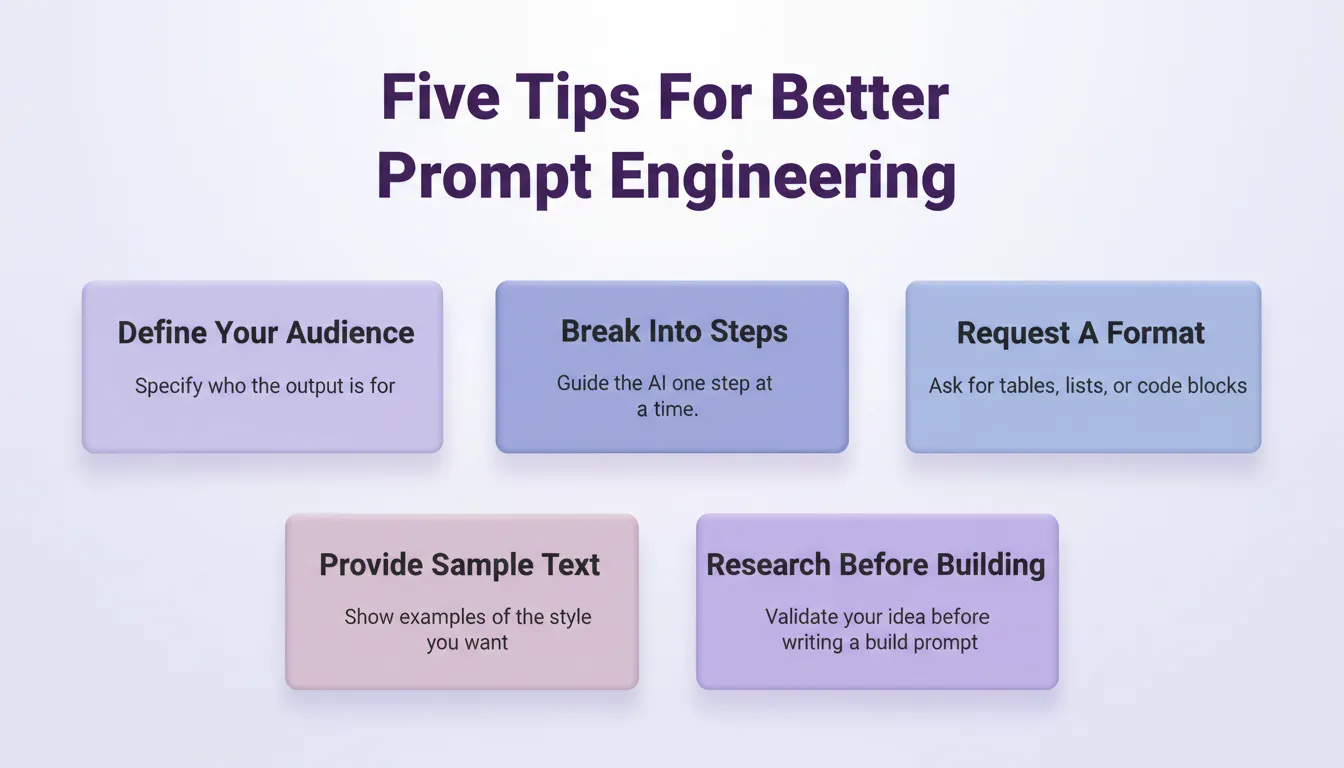
Getting good results from AI is not just about typing something and hoping it works. A few deliberate tweaks make a significant difference.
- Add context about the target audience: Tell the AI who the output is for. A prompt for beginners will differ from one for experts.
- Break tasks into smaller steps in the prompt: Guide the AI step by step instead of asking for everything at once. This keeps output organized.
- Ask the AI to format the output: Use tables, bullet points, or numbered lists to make results easy to read and use.
- Provide training data or sample text: Giving examples of the style or tone you want helps the AI match your expectations.
- Scope research prompts before building prompts: Run a Solve task to validate your idea before writing your Build prompt. Research-informed builds produce better first versions.
Following these tips makes prompts cleaner and output more precise. It also reduces unnecessary back-and-forth. Less guessing, more doing.
Want to see these principles applied to building real apps? Check out best prompts for app building for hands-on examples.
Start Prompting Smarter
Good ai prompt examples are the difference between an AI that guesses and one that delivers. Clarity, context, and goal-oriented phrasing consistently produce useful output. This applies whether you are writing content, generating Python code, validating a market with Solve, or building a Next.js web app in Build.
As AI tools grow more capable, the quality of your prompts will matter more, not less. Builders who learn to scope instructions precisely will ship faster, iterate smarter, and build products grounded in real thinking rather than guesswork.
You have the prompts. Now test them. Sign up for Rocket.new and run your first Solve or Build task in under five minutes.
Table of contents
- -Why Prompting Matters (Even if AI is Smart)
- -What Makes a Good Prompt?
- -What Makes a Bad Prompt?
- -Simple AI Prompt Examples
- -Content Writing Prompts
- -Code Output Prompts
- -Design and Presentation Prompts
- -Prompt Examples for Complex Tasks
- -Examples
- -Prompt Structure Made Simple
- -Prompts for Better AI-Generated Content
- -Example Prompts
- -Community Insight: What Real Users Say
- -Research Prompts with Solve
- -How Solve Compares to Search and Chatbots
- -Solve Prompt Examples
- -How Rocket Fits into This Prompt World
- -Solve: Research Before You Build
- -Build: From Prompt to Production App
- -Intelligence: Monitor Competitors Continuously
- -The Other Four Pillars
- -How a Prompt Becomes a Working App
- -Tips for Better Prompt Engineering in Practice
- -Start Prompting Smarter