The right AI prompts to design a survey platform replace weeks of development with hours of iteration, covering form logic, branching rules, data storage, analytics, and distribution in a single build session.
What separates a survey form from a survey platform?
Building a custom survey tool no longer requires a dev team. The right AI prompts can generate form layouts, branching logic, dashboards, and sharing controls in minutes.
The survey software market is growing at 13.38% CAGR, according to Mordor Intelligence. This growth is driven by a simple shift: product teams describe what they want and let AI build it.
This blog gives you 15 production-tested prompts, the structural framework behind them, and the iteration strategy to ship a survey platform that rivals tools built over months.
Who Should Use These Prompts?
These prompts are built for three types of builders:
-
Product managers and founders who need a custom survey tool but cannot justify a full development sprint
-
Researchers and operations teams who want branded, logic-driven surveys that export directly into their data stack
-
Agencies and consultants who build survey platforms as client deliverables and need repeatable, production-ready output
If you have hit the limits of off-the-shelf survey tools, such as response caps, locked branching logic, or no white-labeling, these prompts give you a path to owning the full platform.
Why Prompt Specificity Shapes Your Survey Tool
The gap between a good survey platform and a mediocre one almost always comes down to prompt quality. Vague instructions produce generic forms. Specific prompts that define question types, conditional paths, data storage, and result visualizations produce tools that feel custom-built.
Vague prompts like "build me a survey app" skip the decisions that matter. The AI guesses at question types, skip logic, mobile responsiveness, and data export formats. It usually guesses wrong. Specific prompts front-load the product thinking. When you describe the survey's purpose, target audience, question flow, and result format, the AI output matches a proper product spec.
The best prompts mirror how designers think. They name screens explicitly, set layout constraints, and define what happens after a respondent submits. Prompt specificity also compounds. A strong initial prompt means every follow-up refinement starts from a better baseline, saving dozens of iteration cycles.
What a Complete Survey Platform Includes
Before writing a single prompt, know the building blocks of a production-grade survey tool. A recent comparison of leading tools found that top platforms consistently share five structural pillars.
-
Form builder and question engine. Input types like multiple choice, rating scales, open text, and matrix grids, plus drag-and-drop ordering and mobile-responsive layouts.
-
Conditional branching logic. The system routes respondents based on previous answers, skipping irrelevant sections and keeping completion rates high.
-
Response collection and storage. Submissions need a database, timestamps, respondent metadata, and compliance-ready data handling like GDPR consent tracking.
-
Analytics and dashboards. Real-time result visualization, exportable reports, and cross-tabulation turn raw responses into actionable patterns.
-
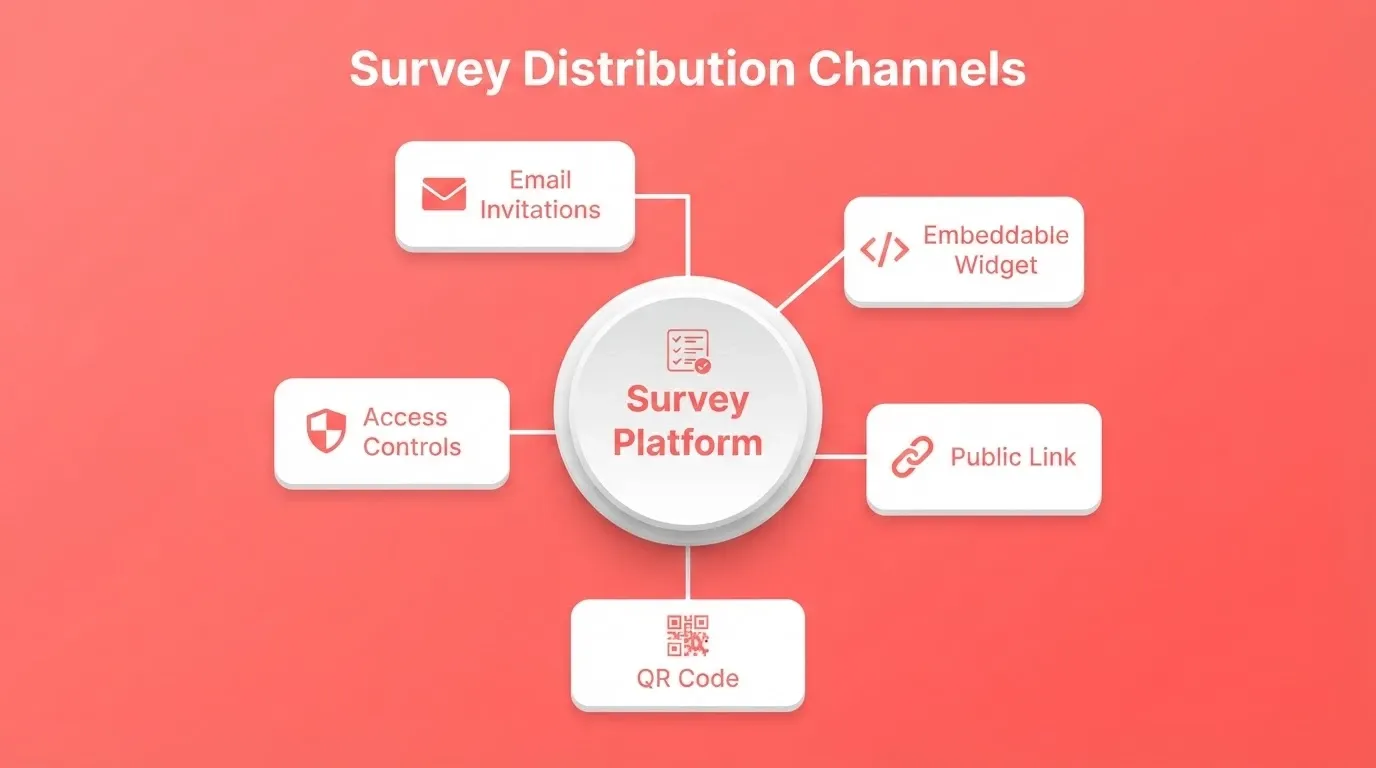
Sharing and distribution controls. Email invitations, embeddable widgets, public links, QR codes, and access permissions determine who sees the survey and how results get shared.
When your prompts address all five pillars, the AI generates a platform, not a standalone form.
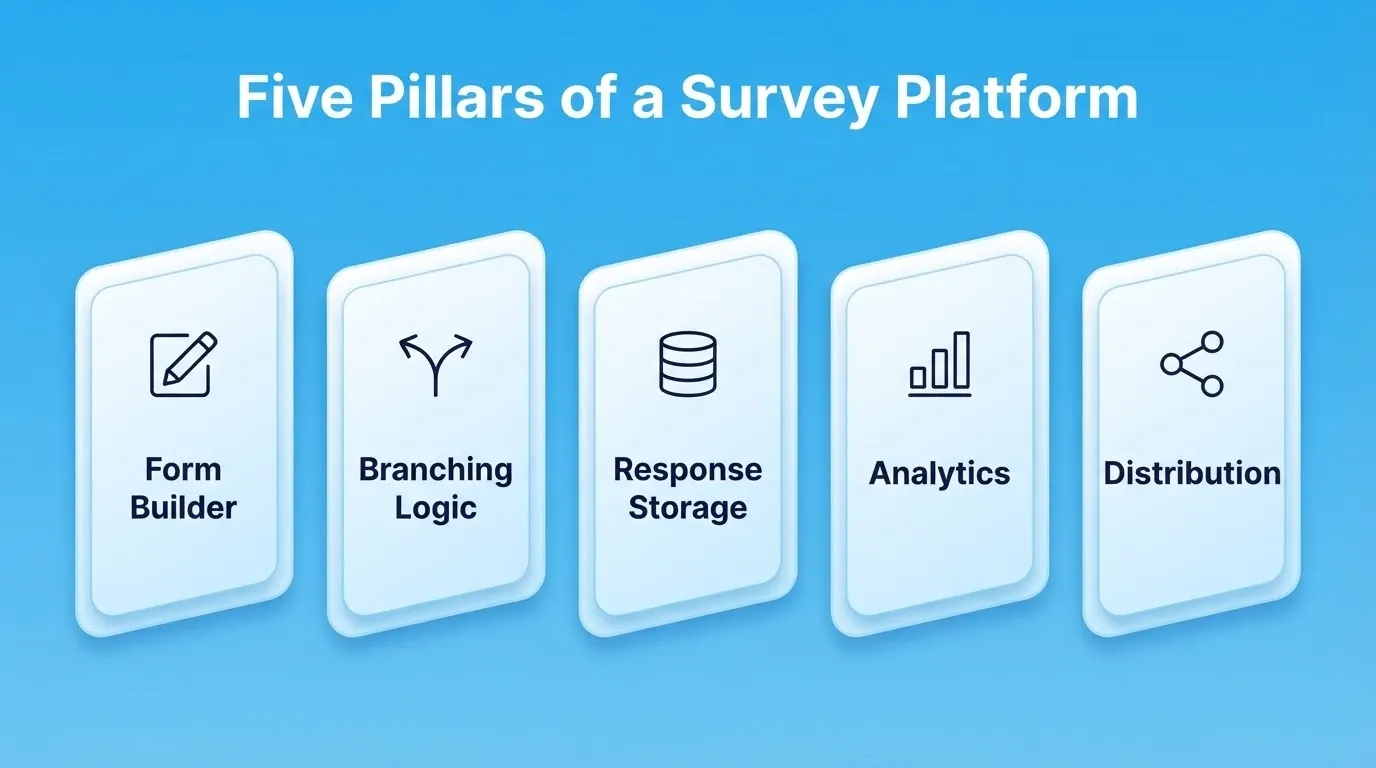
The diagram below maps how these five layers connect and feed into each other.
Survey Platform Architecture: How the Five Pillars Connect
How to Prompt for Form Layout and Question Types
This is where most survey platform builds begin. The form layer determines what respondents see first. Getting it right in the initial prompt saves significant redesign time later.
Prompt 1: Multi-question intake form
"Build a survey platform with a multi-page intake form. Page 1 collects respondent name, email, and role from a dropdown. Page 2 presents 8 Likert-scale questions about workplace satisfaction. Page 3 has 2 open-text fields for comments. Add a progress bar at the top and a mobile-responsive layout."
This prompt works because it names every screen and specifies question types. It also sets a UX element that most generic prompts miss.
Prompt 2: Question type variety
"Add a question type selector to the survey builder that supports: multiple choice, checkbox grids, star ratings (1-5), Net Promoter Score (0-10), dropdown menus, date pickers, and file upload fields. Each type should show a live preview as the creator configures it."
Naming each question type prevents the AI from defaulting to just text inputs and radio buttons.
Prompt 3: Drag-and-drop reordering
"Add drag-and-drop functionality so survey creators can reorder questions, duplicate them, or move them between pages. Include an undo button for the last 5 actions."
Reordering and undo separate a usable builder from a prototype. Prompting for them early means the AI builds them into the core architecture. Teams notice this difference when building forms with Rocket.
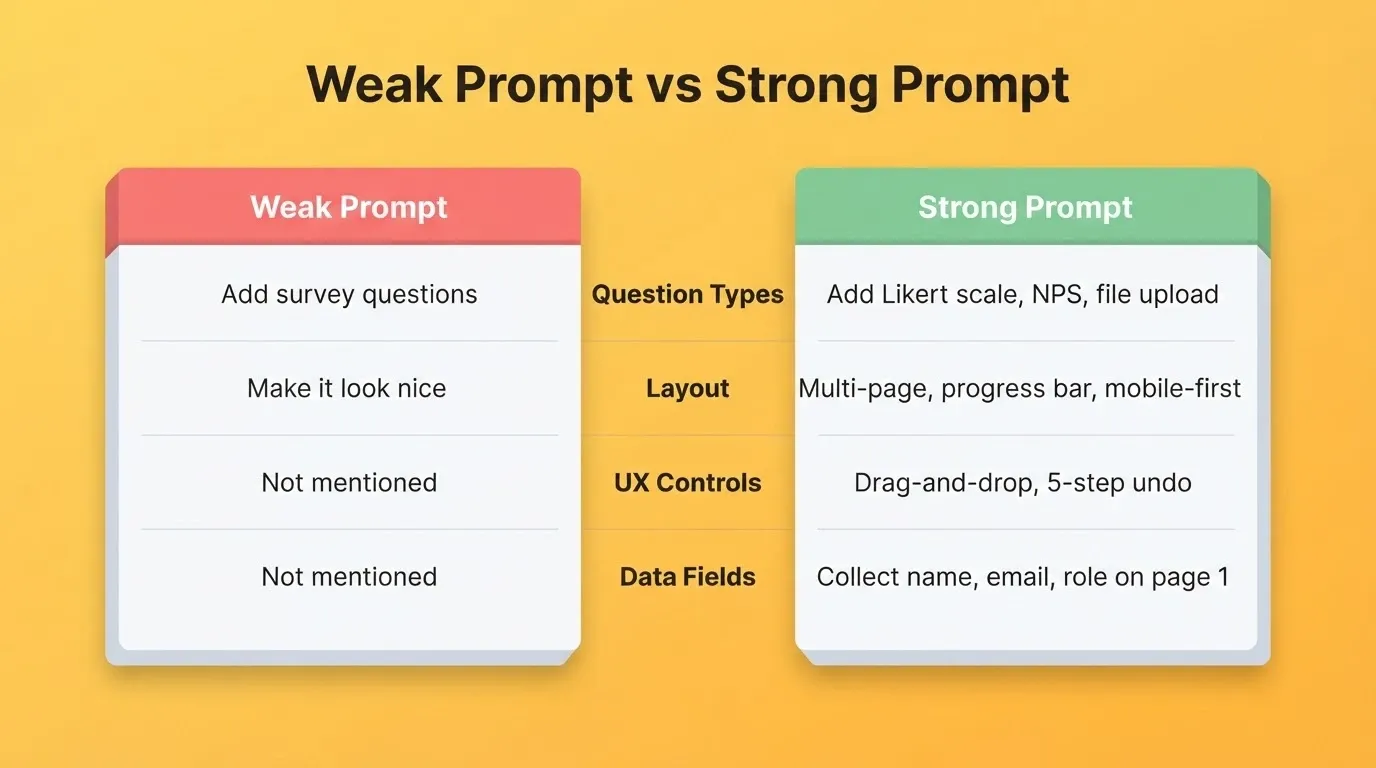
Prompt quality: what changes between a weak and strong form prompt
| Prompt Element | Weak Version | Strong Version |
|---|---|---|
| Question types | "Add survey questions" | "Add Likert scale, NPS (0-10), and file upload question types" |
| Layout | "Make it look nice" | "Multi-page layout with progress bar, mobile-responsive" |
| UX controls | Not mentioned | "Drag-and-drop reorder with 5-step undo" |
| Data collection | Not mentioned | "Collect name, email, role on page 1" |
| Preview | Not mentioned | "Show live preview as creator configures each question type" |
What Prompts Work Best for Conditional Branching?
Branching logic turns a static questionnaire into a responsive conversation. These prompts tell the AI exactly how to route respondents based on their answers.
Prompt 4: Basic skip logic
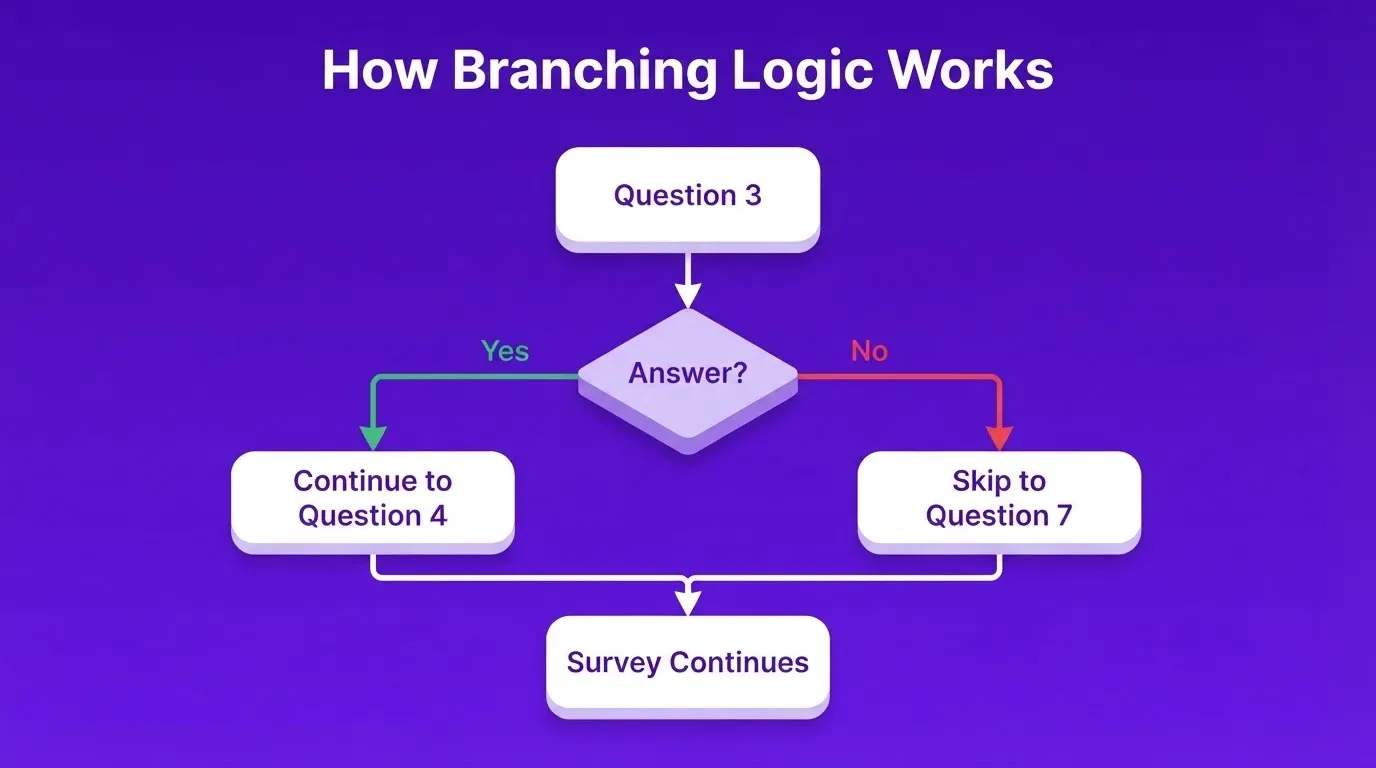
"Add skip logic so that if a respondent selects 'No' on question 3, they skip directly to question 7. If they select 'Yes,' they continue to question 4. Show a visual logic map in the survey builder so creators can see every path."
The visual logic map is what makes this prompt effective. Without it, the AI builds logic that works but stays invisible to the survey creator.
Prompt 5: Multi-condition branching
"Create branching rules that combine multiple conditions. If a respondent is in the 'Manager' role AND rates satisfaction below 3, route them to a follow-up section about leadership support. Display active branches as colored paths in the builder."
Combining conditions tests whether the AI can handle AND/OR logic, not just single-answer routing.
Prompt 6: Calculated piping
"Pipe the respondent's name and their answer from question 2 into the text of question 5. For example: 'You mentioned [answer to Q2], [name]. Can you tell us more about that experience?'"
Piping makes surveys feel personal. It lifts completion rates because respondents see their own words reflected back. This signals that the platform is actually listening.
How to Prompt for Response Collection and Storage
Once surveys go live, every response needs somewhere to go. These prompts handle the backend: databases, timestamps, and compliance.
Prompt 7: Structured data storage
"Store every survey response in a PostgreSQL database with columns for respondent ID, submission timestamp, completion status (partial or full), IP address (with option to anonymize), and a JSON field for all question-answer pairs."
Specifying PostgreSQL and the exact column structure prevents the AI from using a flat-file approach that breaks at scale. When building with Rocket, the Supabase connector handles PostgreSQL backend setup automatically. Schema, auth, and queries are managed without manual configuration.
Prompt 8: Real-time response tracking
"Build a live response tracker that shows total submissions, completion rate, average time to complete, and drop-off points by question. Update these metrics every 10 seconds without requiring a page refresh."
The 10-second refresh interval and drop-off tracking separate a monitoring dashboard from a simple counter.
Prompt 9: GDPR consent management
"Add a consent screen before the survey starts. Respondents must check a box confirming they agree to data processing under GDPR. Store consent status, timestamp, and IP address separately from survey responses. Include a data deletion request button in the respondent's confirmation email."
Compliance prompts are easy to forget, but they save legal headaches later. Rocket ships every build with GDPR coverage, SEO-ready structure, and WCAG accessibility compliance by default. These are the baseline, not optional extras.
Prompt 9B: Connect survey responses to your data stack
"After each survey submission, write the response data to a connected Airtable base with columns matching the survey question IDs. Also send a summary notification to a Slack channel with the respondent's name, completion time, and NPS score."
This prompt unlocks the integration layer. Rocket supports 25+ connectors including Airtable, Notion, Supabase, and Mailchimp. Authenticate once and they flow into every build.
Which Prompts Build the Best Analytics Dashboards?
Analytics are where survey data becomes useful. Zapier's review of survey apps found that analysis capabilities are a top differentiator between basic and advanced tools. These prompts build that capability directly into your platform.
Prompt 10: Results dashboard
"Create a dashboard that shows responses as bar charts for multiple-choice questions, word clouds for open-text fields, and a gauge chart for NPS scores. Add date range filters, respondent segment filters, and a CSV export button."
Specifying the chart type per question type gives the AI a clear mapping. Otherwise, it defaults to generic tables.
Prompt 11: Cross-tabulation
"Add a cross-tab feature where creators can compare responses from two questions side by side. For example, show satisfaction ratings broken down by department. Display results as a heatmap with color intensity tied to response frequency."
Cross-tabulation is where most simple survey tools stop. Prompting for it from the start means the database schema accounts for relational queries.
Prompt 12: Automated report generation
"Generate a PDF report that summarizes all responses with charts, highlights statistically significant patterns, and includes a written executive summary. Allow creators to schedule this report weekly or after reaching a response threshold."
For teams building AI prompts for form builders, the analytics layer is where the most iteration happens. Start with the dashboard prompt and refine from there.
| Prompt Focus | Generic Prompts Produce | Specific Prompts Produce |
|---|---|---|
| Charts | Basic table of responses | Bar, gauge, word cloud per question type |
| Filtering | No filters | Date range, segment, and question-level filters |
| Export | Copy-paste only | Scheduled PDF with executive summary |
| Comparison | Single-question view | Cross-tab heatmaps with relational analysis |
How to Prompt for Sharing and Distribution
A survey that nobody sees collects zero data. These final prompts handle the distribution layer: how surveys reach respondents and who controls access.
Prompt 13: Multi-channel distribution
"Add sharing options that include: a public link, an embeddable iframe widget, email invitations with personalized subject lines, and a QR code generator. Track which channel each response came from."
Channel attribution is the key detail here. Knowing where responses originate lets creators double down on what works.
Prompt 14: Access controls and permissions
"Create a team permission system with three roles: Admin (full access), Editor (can modify surveys but not delete), and Viewer (read-only access to results). Add password protection as an option for public survey links."
Role-based access is standard in enterprise tools. However, it rarely appears in AI-generated survey apps unless explicitly prompted.
Prompt 15: Branded survey templates
"Build a template system where creators can save survey designs as reusable templates. Include a template gallery with at least 10 pre-built options for customer feedback, employee engagement, event registration, product research, and market analysis."
Starting from a template library cuts creation time significantly. A good template captures not just questions but also branching logic, styling, and distribution defaults.
How to Iterate After Your First Generation
Most builders stop after the first prompt. However, the teams who ship the best survey platforms treat the first generation as a foundation, not a finished product.
After Prompt 1 (form layout): Test the form as a respondent. Check mobile layout, progress bar visibility, and dropdown behavior. Then refine with: "Fix the mobile layout so the progress bar stays visible on scroll and the dropdown does not overflow the screen."
After Prompts 4 to 6 (branching logic): Walk every path manually. Trigger each condition and verify the routing. Refine with: "The skip logic from question 3 is not triggering when 'No' is selected on mobile. Fix the condition check."
After Prompt 10 (dashboard): Add real test data before evaluating the charts. Refine with: "The word cloud is rendering too small on the results dashboard. Increase the minimum font size to 14px and add a hover tooltip showing the exact word count."
After Prompt 15 (templates): Test the save-as-template flow with a complete survey. Refine with: "When saving a survey as a template, also save the branching logic rules and the distribution settings, not just the question structure."
Rocket applies each change in context. So you never re-explain what already exists. This is what makes iterative prompting faster than traditional development.
Survey Platform Prompts by Industry
The same five-pillar structure applies across industries. However, the question types, branching rules, and analytics differ. Here are starting prompts for three common use cases.
Customer experience (CX) survey platform:
"Build a customer experience survey platform for a SaaS company. Include a post-onboarding survey (5 questions, NPS plus open text), a quarterly satisfaction survey (8 Likert-scale questions), and a churn exit survey (3 branching questions based on cancellation reason). Connect responses to a Supabase database and show a live CX dashboard with NPS trend, CSAT average, and top churn reasons."
Employee engagement platform:
"Build an anonymous employee engagement survey platform. Include pulse surveys (weekly, 3 questions), quarterly engagement surveys (15 questions with department branching), and a manager effectiveness survey (10 questions, visible only to HR). Add role-based access: HR Admin sees all data, Managers see team-level aggregates only, and Employees see company-wide benchmarks."
Market research platform:
"Build a market research survey platform for a product team. Include screener surveys (5 qualification questions with skip logic), concept testing surveys (image upload plus rating scale), and competitive analysis surveys (matrix grid questions). Add a respondent panel management system where creators can tag, filter, and re-invite past respondents."
Common Mistakes When Prompting for Survey Platforms
Mistake 1: Prompting for features before structure. Asking for "add an NPS question" before defining the database schema means the AI builds the question without a place to store the answer. Always prompt for data storage (Prompt 7) before adding question types.
Mistake 2: Skipping the visual logic map. Branching logic that works but cannot be seen is branching logic that breaks silently. Always include "show a visual logic map" in any branching prompt.
Mistake 3: Treating compliance as optional. GDPR consent, data deletion, and IP anonymization are not features to add later. Prompt for them before you launch.
Mistake 4: Not testing on mobile. Survey completion rates drop sharply on poorly formatted mobile layouts. After every major prompt, test the form on a mobile device simulator before moving to the next layer.
Mistake 5: Building analytics before you have data. An analytics dashboard built on empty tables is hard to evaluate. Add test responses before prompting for charts and visualizations.
How Rocket Builds Survey Platforms from These Prompts
Every prompt in this guide is designed to work with an AI app builder. Rocket's Build feature generates production-ready Next.js applications from natural language. You get Supabase database integration, authentication, and a live preview in one to three minutes.
Context carries forward. When you ask for analytics dashboards in Prompt 10, Rocket already knows about the form structure from Prompt 1 and the branching logic from Prompt 4. Nothing is re-explained. Every prompt compounds on the last.
25+ integrations built in. Rocket connects Supabase, Airtable, Notion, Mailchimp, Typeform, Tally, and more. Authenticate once and they flow into every build. For survey platforms collecting personal data, Rocket ships GDPR coverage, WCAG accessibility compliance, and SEO-ready structure as the baseline.
Production-ready from the first generation. Web apps are built in Next.js. Mobile apps are built in Flutter. Both are ready to deploy with one click, connect to a custom domain, or submit to the App Store and Google Play.
1.5 million people have tried Rocket across 180 countries, from solopreneurs shipping MVPs to enterprise teams building internal research infrastructure.
Ship Your Survey Platform Faster
The distance between a generic survey form and a custom survey platform comes down to well-structured prompts. Each one in this guide targets a specific layer: form design, conditional logic, data storage, analytics, and distribution.
As AI app builders continue to close the gap between description and deployment, the teams who ship the best tools will be the ones who ask the most precise questions. Prompt quality is product quality.
Describe your survey platform to Rocket and get a working Next.js application with database, dashboards, and one-click deployment in minutes. Start building at Rocket.new.
Table of contents
- -Who Should Use These Prompts?
- -Why Prompt Specificity Shapes Your Survey Tool
- -What a Complete Survey Platform Includes
- -How to Prompt for Form Layout and Question Types
- -Prompt quality: what changes between a weak and strong form prompt
- -What Prompts Work Best for Conditional Branching?
- -How to Prompt for Response Collection and Storage
- -Which Prompts Build the Best Analytics Dashboards?
- -How to Prompt for Sharing and Distribution
- -How to Iterate After Your First Generation
- -Survey Platform Prompts by Industry
- -Common Mistakes When Prompting for Survey Platforms
- -How Rocket Builds Survey Platforms from These Prompts
- -Ship Your Survey Platform Faster