
Which AI tool actually helps you build faster in 2026? Choose based on ease, flexibility, and workflow fit. Modern platforms enable natural language development, reflecting growing adoption among developers using AI.
How do you choose the right AI tool to build a web app fast in 2026?
Focus on ease of use, flexibility, and how well the tool fits your workflow. The best platforms today let you build real products using natural language, without heavy coding.
In fact, according to a Stack Overflow Developer Survey, a majority of developers are already using or planning to use AI tools in their workflow.
So yes, things have changed fast. Let’s break it down in a simple way.
Why AI App Builders are Everywhere in 2026?
So, what’s going on with all these AI app builder platforms?
A few years ago, building web apps meant long hours of writing code, debugging, and managing servers. Now, AI-powered app builders let you describe your idea in plain English and get a working app in minutes.
That shift is huge.
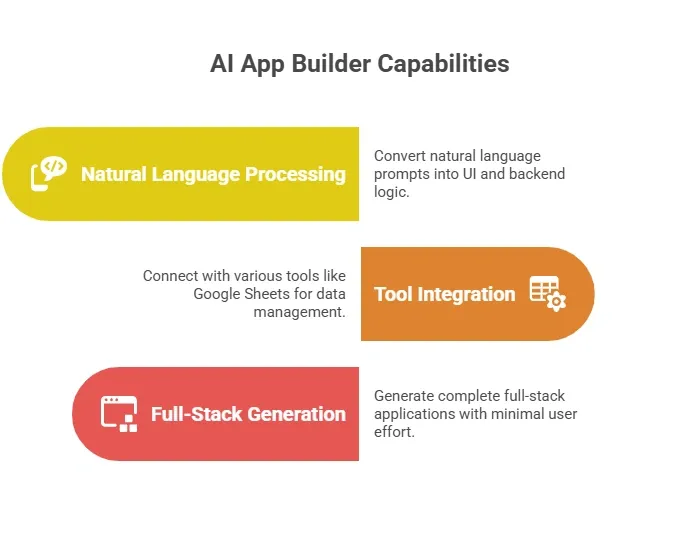
And this is why the best AI app builder tools are becoming the go-to choice for founders, creators, and even professional developers.
What Makes the Best AI Tool in 2026?
Let’s keep this simple. When you’re picking the best AI tool, you’re really asking:
“Can this help me go from idea to working app quickly?”
Here are the key features to look at.
1. Natural Language First Experience
Most modern AI app builder platforms work with natural language descriptions.
You type something like:
“Build a client portal with login and a dashboard.”
And the AI builder creates it.
That’s powerful.
The best AI tools understand plain language descriptions and turn them into real interface elements. Some even refine results with AI assistance and suggestions.
2. Speed of Building Apps
Speed matters. Some tools help you create simple apps in minutes. Others support complex web applications with deeper backend logic.
Look for:
- Fast first version generation
- Ability to update using natural language prompts
- Real-time previews of your working app
This is where AI capabilities and AI acceleration really show.
3. Flexibility and Code Control
Not everyone wants to stay inside a no-code box.
Good app builders offer:
- Code export
- Access to underlying code
- A built-in code editor
This is helpful if you later want to scale or bring in development teams. Also, tools that enable code ownership give you more long-term freedom.
4. Built-in Features vs External Tools
Some AI app builder platforms come with built-in hosting, databases, and authentication.
Others rely on external tools.
So ask yourself:
Do you want everything in one place, or do you prefer plugging into your existing workflow?
Comparing AI App Builders Quickly
Here’s a simple table to help you think clearly:
| Feature | Basic App Builders | Advanced AI App Builders |
|---|---|---|
| Setup | Fast | Very fast with AI agent |
| Coding Required | Minimal | Optional |
| Customization | Limited | High |
| Backend Logic | Basic | Advanced |
| Code Export | Rare | Available |
| Use Cases | simple web apps | complex systems |
This should give you a quick idea of what fits your needs.
Types of Apps You Can Build
So, what can you actually create with an AI app generator today?
Quite a lot, honestly. Modern app builders are no longer limited to small experiments. They can help you build real, usable web apps that solve actual problems.
Here are some common types of apps you can build:
- Client portals for businesses: Create secure spaces where users can log in, track progress, manage data, or interact with your services.
- Internal tools for teams: Build dashboards, admin panels, and workflow systems to manage operations inside your team.
- Dashboards connected to Google Sheets: Turn your Google Sheets data into visual dashboards for tracking metrics, reports, or analytics.
- Simple apps for quick ideas: Test concepts fast by building simple apps without spending weeks on development.
- Native mobile apps (in some cases): Some platforms even allow you to extend your web apps into native mobile apps for a wider reach.
Some tools also support enterprise internal tools with enterprise-grade security, making them suitable for larger businesses.
So yes, you’re not just building prototypes anymore. You’re building real, working products.
Pricing: Free Plans vs Paid Plans
Let’s talk money. Most platforms offer a free plan or free tier to get started. This usually includes limited AI credits and basic features.
Then come the paid plans.
Paid plans start at different levels depending on:
- AI usage
- Access to advanced AI features
- Custom domains
- Private projects
If you're serious about app development, you’ll likely move to paid plans soon.
Rocket.new: A Smart Pick for Building Web Apps Fast
Now let’s talk about something that actually fits this whole idea of choosing the right tool.
Rocket.new is an AI app builder built for speed and simplicity. If your goal is to create web apps quickly without getting stuck in writing code, this kind of platform makes a lot of sense. It focuses on turning natural language prompts into a working app, which is exactly what most creators and founders need in 2026.
It feels less like traditional app development and more like working with an AI assistant that understands what you want and builds it with you.
Why Rocket.new Works Well
Rocket.new focuses on a few things that really matter:
- Fast app development
- Clean user interface
- Built-in stripe and backend setup
- AI driven app generation
These are the key features that help you go from idea to execution without overthinking.
Top Features
Here are some standout key features that make it a strong choice among app builders:
- Prompt to App Creation: Builds apps directly from single prompts
- Figma Import: Converts design files into live, editable layouts
- AI-Powered Backend: Automatically handles logic, data, and workflows
- Custom Domain Support: Publishes projects with a branded domain
- Code Export: Allows developers to extend or customize later
- Live Preview: Shows instant updates while editing
Build a Web App Just with a Prompt
This is where things get interesting. Instead of going through a long development process, you can just write a prompt in plain English, like:
“Create a client portal with login, dashboard, and payment integration.”
And the platform will:
- Generate layouts
- Set up backend logic
- Connect user flows
- Deliver a working app
That’s the kind of AI workflow people are moving towards.
You can quickly build your first version, test it, and improve it without needing a development team. This approach works well for simple web apps and, if needed, for more complex logic.
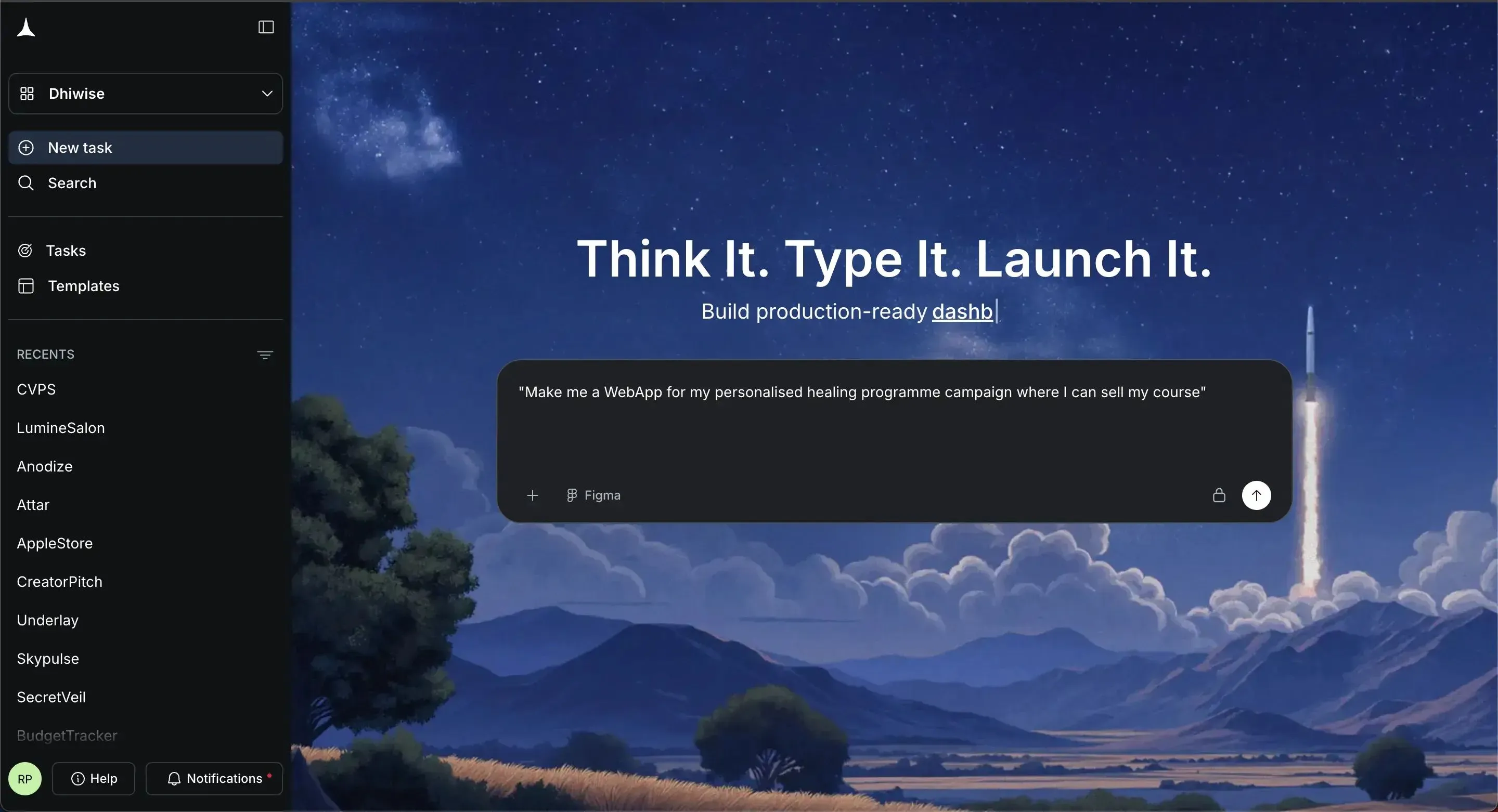
Prompt → AI Builder → Working App
That’s exactly why tools like this stand out when you’re choosing the best AI app.
How to Choose the Right Tool for You?
So, how do you actually decide which AI app builder fits you best?
It really comes down to clarity. Instead of getting distracted by features, start by understanding what you actually need from your app builders.
Here are a few simple questions to guide you:
-
Do you want to avoid writing code completely?
Some tools are fully no-code, while others give you optional control with a code editor.
-
Do you need complex logic or just simple apps?
Not every project needs deep backend logic. Choose based on your actual use case.
-
Do you plan to scale later?
If yes, look for tools that support code export and give access to the underlying code.
Once you have clarity, match your needs with features:
- Go for flexibility if you want control over your app and future growth
- Choose speed if your goal is to quickly launch a working app using AI generated output
- Look for strong AI capabilities if you want better results from natural language prompts
Also, keep these practical factors in mind:
- Learning curve of the platform
- Support for API keys or own api keys
- Ability to run in a local environment or use local models
At the end of the day, the right tool is the one that fits your workflow and helps you move faster without confusion.
Common Mistakes to Avoid
Let’s keep this real.
A lot of people pick the wrong AI app builder, not because the tool is bad, but because they choose without thinking about their actual needs.
Here are some common mistakes:
-
Picking tools that are too complex
You don’t need heavy features if you’re building simple apps.
-
Ignoring limits of the free plan
Many platforms look great until you hit limits on AI credits or features.
-
Choosing based on hype instead of use case
Just because a tool is trending doesn’t mean it fits your workflow.
Try to stay practical. Focus on what helps you build a working app quickly, test your idea, and improve step by step.
Choosing the Right Tool
Many people struggle with app development because traditional methods take time, technical skills, and often require full development teams. That slows down ideas before they turn into real web apps. Now things are changing. Modern app builders powered by generative AI remove that barrier. You can create web apps using natural language, with AI assistance handling much of the heavy lifting, which makes the process faster and more practical.
The best AI tool depends on your goals. Some tools are great for simple web apps, while others support complex web applications with deeper control. Platforms like Rocket.new naturally stand out here, as they help you move from idea to a working app quickly without getting stuck in complexity. Choosing the best AI tool to create a web app in 2026 means finding the right balance between speed, flexibility, and long-term control. Start small, test fast, and improve as you go.
Table of contents
- -Why AI App Builders are Everywhere in 2026?
- -What Makes the Best AI Tool in 2026?
- -1. Natural Language First Experience
- -2. Speed of Building Apps
- -3. Flexibility and Code Control
- -4. Built-in Features vs External Tools
- -Comparing AI App Builders Quickly
- -Types of Apps You Can Build
- -Pricing: Free Plans vs Paid Plans
- -Rocket.new: A Smart Pick for Building Web Apps Fast
- -Why Rocket.new Works Well
- -Top Features
- -Build a Web App Just with a Prompt
- -How to Choose the Right Tool for You?
- -Common Mistakes to Avoid
- -Choosing the Right Tool