
Rocket is an AI iPhone application creator that turns a plain-language prompt into a production-ready Flutter app in 1 to 3 minutes. Free plan available, no credit card needed. Covers research, building, and competitor monitoring in one platform.
Rocket is an AI-powered iPhone application creator that turns a plain-language description into a production-ready iOS app built on Flutter, with native-performance output, no coding required, and a free account you can create in about 30 seconds.
This guide covers every stage of the process: choosing the right tool, designing and building your app, publishing to the Apple App Store, and keeping it maintained.
Key facts at a glance:
- Apps generate in 1 to 3 minutes
- Free plan: 20 credits, no credit card required
- Paid plans start at $25/month
- Apple Developer account required for App Store submission: $99/year
- Google Play Developer account: $25 one-time fee
- Rocket apps are built with Flutter and submitted to both iOS and Android stores from a single codebase
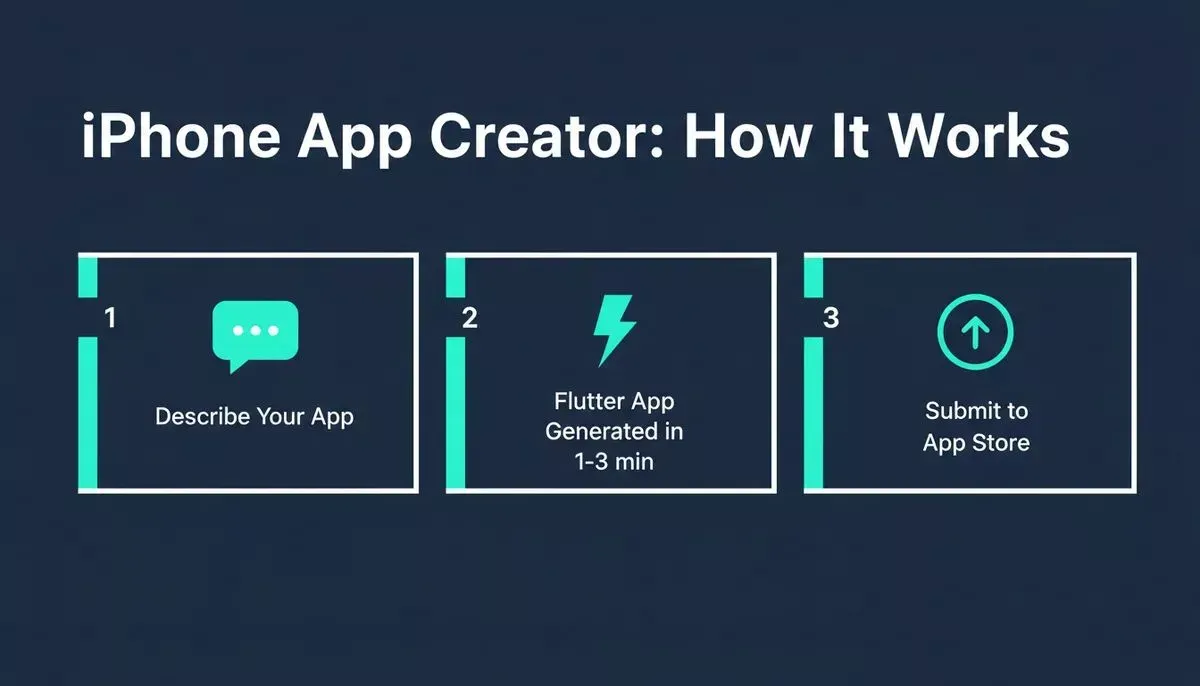
Three steps from idea to App Store using Rocket's AI-powered iPhone application creator.
What is an iPhone Application Creator?
An iPhone application creator is a platform that lets you design, build, and publish a real iOS app without writing code from scratch. Rocket is a vibe solutioning platform, meaning it covers the full arc from idea validation (Solve), to app building (Build), to ongoing competitor monitoring (Intelligence), all in one shared-context workspace.
The Build pillar is where iPhone apps are made. Describe your app in plain language, and Rocket generates a complete Flutter codebase, including UI, navigation, logic, dark/light theming, fluid animations, and production-ready architecture, in 1 to 3 minutes. The result is not a prototype: it is a deployable app ready for App Store submission.
How App Development Works Today
App development has changed a lot over the years. Not long ago, building an iOS app meant hiring developers, managing timelines, and writing large amounts of code. Today, the experience feels much more welcoming.
Rocket generates Flutter mobile apps. Flutter is Google's cross-platform framework that compiles to native-performance binaries for both iOS and Android. This means your app behaves and performs like a platform-native app, follows Apple design patterns, and feels natural across Apple devices, while also running on Android from the same codebase.
So instead of worrying about coding structure, creators focus on ideas, layout, and content. A no-code app builder helps users create apps that run smoothly on iOS devices, including iPhone and iPad, with steps that feel logical and guided.
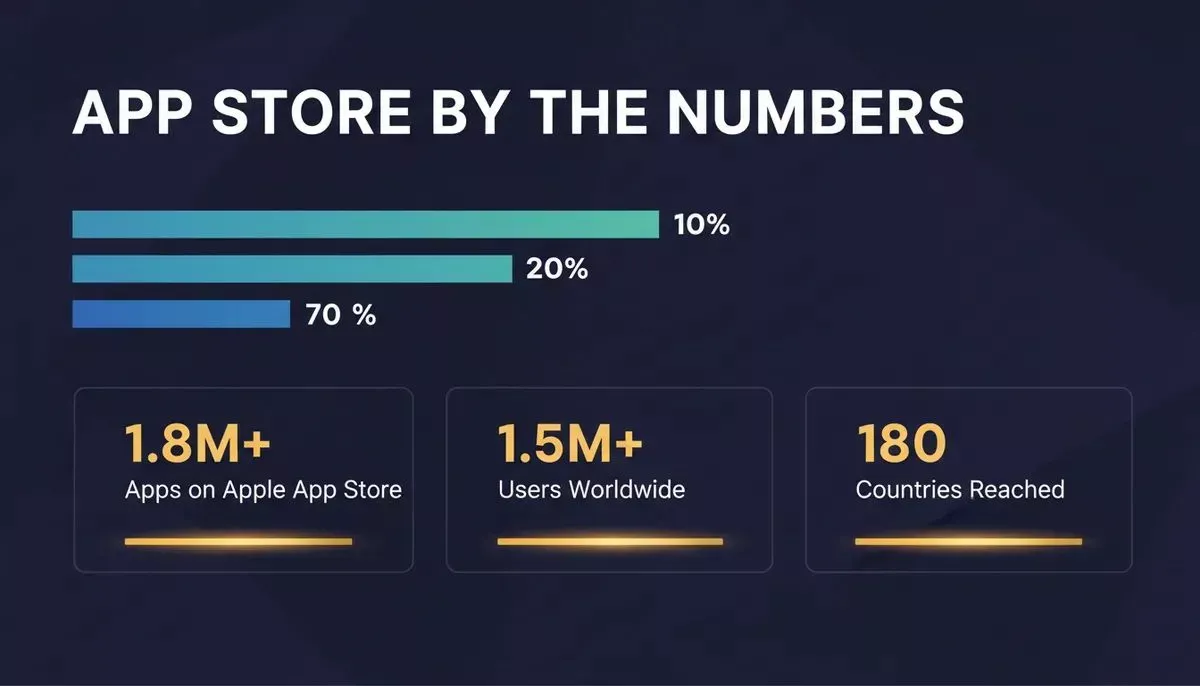
Key data points behind the iOS app ecosystem and Rocket's global reach.
The iOS ecosystem continues to grow. There are over 1.8 million apps available on the Apple App Store today. Rocket itself has been used by 1.5 million people across 180 countries, from solo founders to enterprise teams. That steady growth pushes better tools forward and makes it easier than ever to build your own app that reaches iPhone users at the right moment.
Benefits of Using an App Maker
Using an app maker simplifies the entire app-creation process. It reduces friction, saves time, and keeps attention focused on building something useful rather than on fighting technical barriers.
- Faster app creation: An app maker enables creators to move from idea to launch faster than traditional development, helping their app reach the app store sooner. Rocket generates most apps in 1 to 3 minutes.
- Reduced coding effort: With less coding required, creators can build confidently without advanced coding skills while still delivering native-performance Flutter output.
- Cross-platform reach: Rocket apps are built with Flutter and submitted to both the Apple App Store and Google Play from a single codebase, with no duplicative work.
- Business-friendly tools: A business app can include features such as push notifications, payments (Stripe, PayPal, Razorpay), and user management via Supabase to support growth and engagement.
- Easier updates and maintenance: Visual edits, chat-based changes, and full version history make it easy to stay compatible with new iOS versions and store requirements.
Over time, app makers help iOS apps stand out from other apps in the store while keeping development stress low. The right iPhone app creator removes the barrier between having an idea and shipping a real product.
Choosing the Right Development Tool
Choosing the right iOS app builder sets the tone for the entire project. Some tools focus only on iOS, while others support Android devices as well. Rocket's Flutter output covers both from a single build.
After that, customization options become important. Rocket allows creators to customize layouts, colors, fonts, and workflows through chat, visual editing, or direct code access, so the app feels personal rather than copied. Support also matters more than many expect.
Rocket includes a built-in Advisor Agent that diagnoses root causes and resolves error loops automatically, plus a human Success team that steps in inside the platform when the AI reaches its limit.
Comparing iPhone Application Creator Options
| Feature | Traditional Development | No-Code Creator | Rocket (AI + Flutter) |
|---|---|---|---|
| Coding required | Yes (Swift/UIKit) | No | No (optional) |
| Time to first build | Weeks to months | Days to weeks | 1 to 3 minutes |
| iOS + Android from one codebase | Separate build needed | Varies | Yes (Flutter) |
| Native-performance output | Yes | Varies | Yes |
| Backend included | Separate setup | Limited | Yes (Supabase) |
| Pricing to start | High | Low to medium | Free (20 credits) |
| App Store guidance | Manual | Varies | Step-by-step built-in |
Validate Your Idea Before You Build
One of the most common mistakes in app development is building the wrong thing fast. Rocket's Solve pillar addresses this directly.
Before writing a single line of code, use Solve to ask a business question such as "Is there demand for a fitness booking app in my city?" and get a structured, evidence-backed research report in minutes. That report flows directly into your Build task through Rocket's shared context architecture: the research becomes the foundation of the app, not a separate document you have to re-explain.
This research-to-build flow is what separates Rocket from tools that start from a blank prompt. You can learn more about how Rocket approaches building smarter apps with AI before committing to a single line of code.
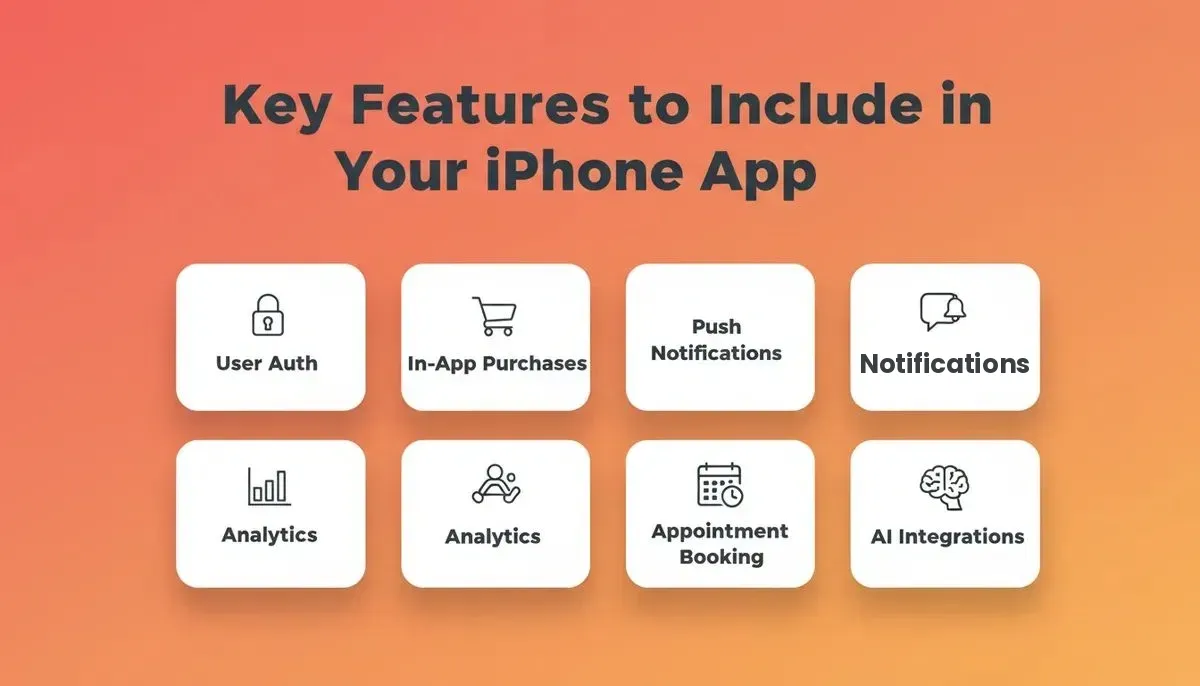
Rocket's Solve pillar validates your idea before the Build pillar generates the app.
Features to Include in Your App
Features shape how users experience an app every day. Picking the right ones keeps the iPhone app creator workflow useful without making it feel crowded.
- User profiles and authentication: Supabase auth handles sign-up, login, and social sign-in (Google, Apple), scaffolded automatically from chat.
- Appointment booking: Integrate Cal.com or Calendly directly from the Rocket connector library to enable in-app scheduling.
- Push notifications: Keep users informed about updates, reminders, and new content. Rocket supports iOS push notifications via Supabase.
- In-app purchases: Enable monetization through Stripe subscriptions, upgrades, and digital products, wired up from a single prompt.
- AI integrations: Add OpenAI, Anthropic, Gemini, or Perplexity-powered features such as chatbots and content generation directly from chat.
When features are added thoughtfully, apps feel smooth and welcoming, which matters a lot for iOS users browsing the App Store. Rocket's 25+ integrations authenticate once and flow into every build automatically.
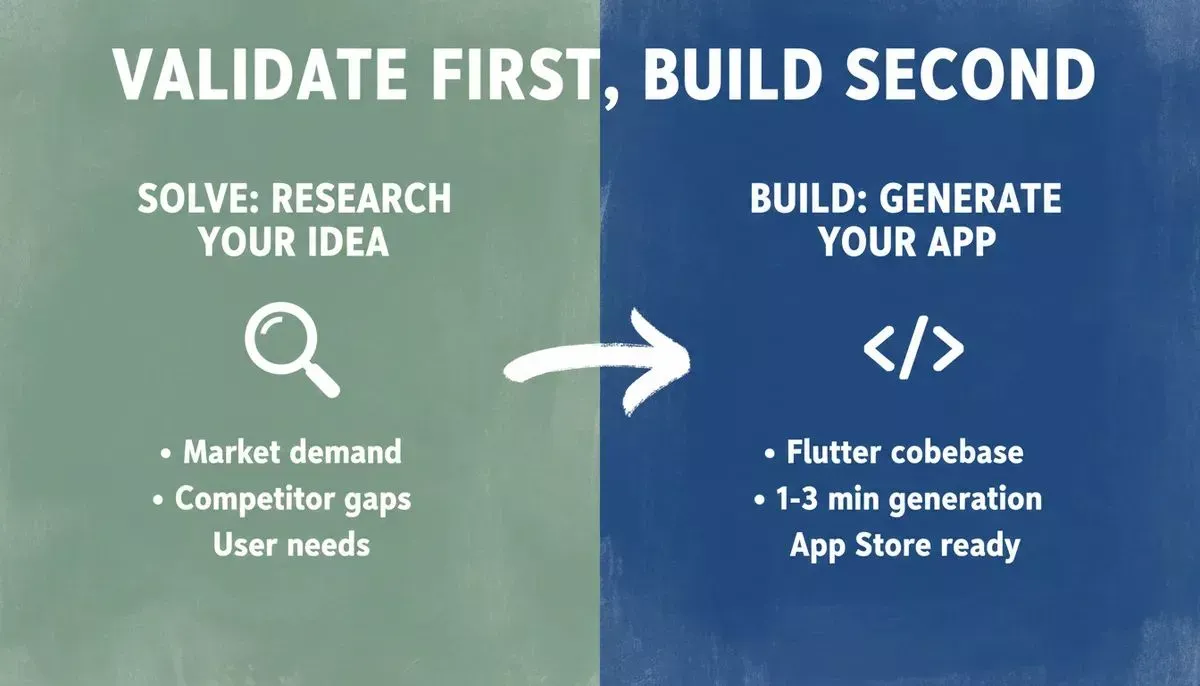
The six most impactful features to include when building an iPhone app with Rocket.
Designing Your App
Design shapes the first impression almost instantly. Clean layouts, readable text, and simple navigation matter a lot for iPhone users.
Rocket generates Flutter apps with real design systems, including considered typography, real visual hierarchy, dark/light theming, fluid navigation, and staggered animations. The output does not read as AI-made. Creators can further customize fonts, colors, and design tokens globally through the Theme panel, without touching code.
Apps scale properly across iPhone, iPad, and other Apple devices. The result feels consistent and familiar, which builds trust over time. For teams who already have designs ready, Rocket also supports converting Figma designs directly into production iOS apps.
Building Your App
From Idea to App Store: The Workflow
Building mobile apps feels far less intimidating with Rocket's three iteration modes. Instead of writing long blocks of code, creators describe changes in plain language through Chat, click elements directly in Visual Edit mode, or open the full Flutter source in the Code editor.
Preview tools render your app in a device simulator, allowing testing across iOS screen sizes before submission. Rocket's Advisor Agent monitors for errors during generation and resolves them automatically, so the first version is as clean as possible. Even though Flutter code runs behind the scenes, creators do not need deep development skills.
Publishing Your App
Publishing is when an app becomes visible to the world. Rocket guides creators through each step so nothing feels confusing.
Three distribution options are available:
- Web Preview (free, instant): Share a browser-accessible link immediately, with no developer account needed. Best for demos and stakeholder reviews.
- Android APK (included with paid plan): Download and sideload on Android devices for testing before public release.
- App Stores (public release): Submit to the Apple App Store ($99/year Apple Developer account) or Google Play Store ($25 one-time). Rocket generates the signed build; you upload it through App Store Connect or Play Console.
Apple's review process typically takes days to weeks. Apps must meet strict privacy, security, and design standards per Apple's review guidelines. Rocket's default output ships with WCAG accessibility compliance, GDPR coverage, and SEO-ready structure as built-in defaults, not optional extras.
With clear guidance, publishing feels organized instead of overwhelming. Teams looking to understand the full deployment process for iPhone apps can follow Rocket's step-by-step guide.
App Maintenance and Support
Apps need ongoing care to stay useful. Updates are required to keep up with new iOS versions and user expectations.
Rocket's full version history and one-click rollback mean creators can iterate without risk, as nothing built is ever gone. Maintenance changes go through the same Chat, Visual Edit, or Code workflow used during initial development.
The built-in analytics dashboard tracks visitors, conversions, and Core Web Vitals after launch, surfacing performance issues automatically. Rocket's Intelligence pillar adds another layer: it monitors competitor apps across every public platform continuously, so creators know when rivals ship new features and can respond before users notice.
User Engagement and Retention
Keeping users active takes planning and consistency. Effective engagement strategies for an iPhone application creator project include push notifications, personalized content, in-app rewards, and regular feature updates.
Rocket's integrations, including Mixpanel for analytics, Mailchimp for email campaigns, and Twilio for SMS, connect directly into the build from a single prompt. Apps that prioritize user experience from day one see stronger retention rates over time.
For teams building apps that need to grow an audience, Rocket's approach to building mobile-native apps covers the patterns that drive long-term engagement.
Advanced Features and Security
Security plays a big role in modern app building. Users expect their data to stay protected.
Rocket's Supabase integration scaffolds secure authentication, encrypted storage, row-level security, and edge functions automatically. Environment variables are stored at the server level and never exposed in client code. These measures support trust and meet platform policies.
Some teams also use Rocket's AI integrations (OpenAI, Anthropic, Gemini, Perplexity) to add AI-powered features such as chatbots, content generation, and visual search directly into their iPhone app from chat.
Pricing: What Does It Cost?
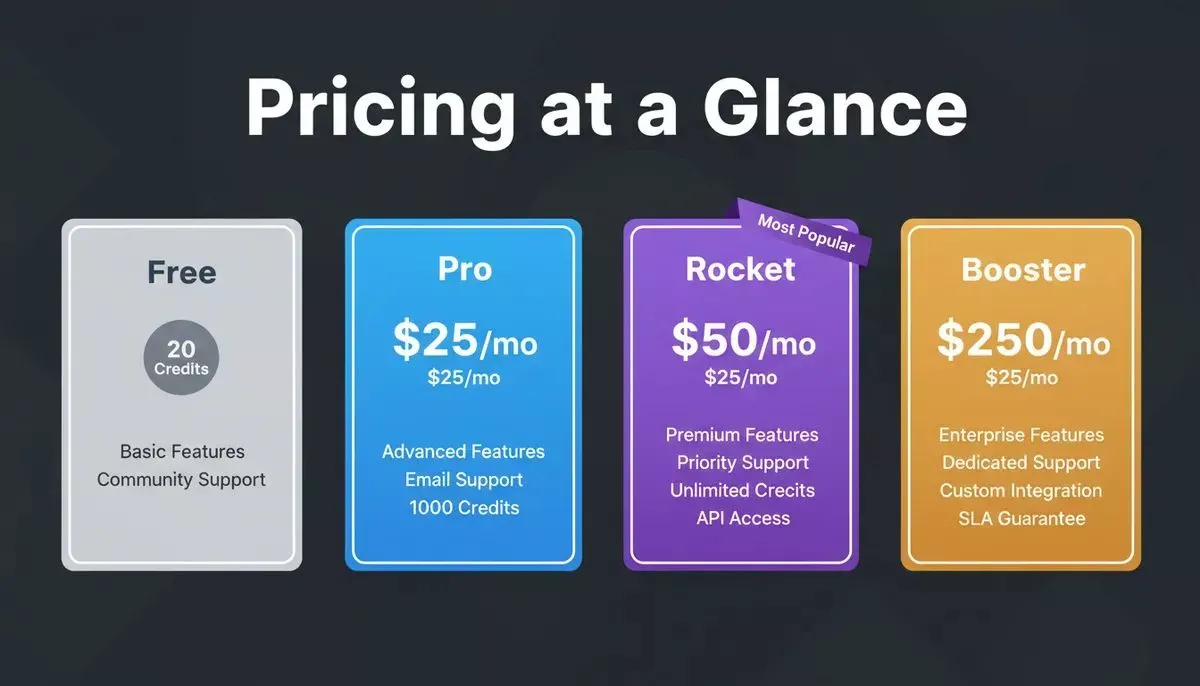
Rocket's four pricing tiers, from a free starting plan to a full-suite Booster plan.
| Plan | Price | Credits | Includes |
|---|---|---|---|
| Free | $0 | 20 one-time | Build web apps, mobile apps, and landing pages |
| Pro | $25/month | 100/month | Build all types |
| Rocket | $50/month | 250/month | Build + Solve + Intelligence |
| Booster | $250/month | 1,500/month | Full suite + SSO + premium support |
No credit card is required to start. The Free plan gives you 20 credits with no time limit, enough to generate and preview a complete mobile app. Annual billing saves 20% across all paid plans. Unused subscription credits roll over month to month on all paid plans.
Coding Experience and Skills
Coding experience varies widely among creators. Some come from technical backgrounds, while others are complete beginners. Rocket supports both.
Beginners can build apps without coding knowledge using Chat and Visual Edit. Advanced users can access the full Flutter source code, download it for local development, or sync with GitHub for two-way version control. This flexibility allows teams of any skill level to build and ship without pressure.
As a result, coding becomes optional rather than a barrier for anyone using a quality iPhone app creator platform.
Rocket Mobile: Build From Your iPhone
The Rocket mobile app (available on iOS) brings the full platform to your phone. Manage tasks, review and solve research reports, and make quick edits from anywhere, then pick it up instantly on desktop when you need the full editor. Changes sync in real time between mobile and web.
This seamless web-to-mobile handoff is a genuine differentiator: most AI builders are desktop-only. Rocket lets you move your app forward from wherever ideas actually happen.
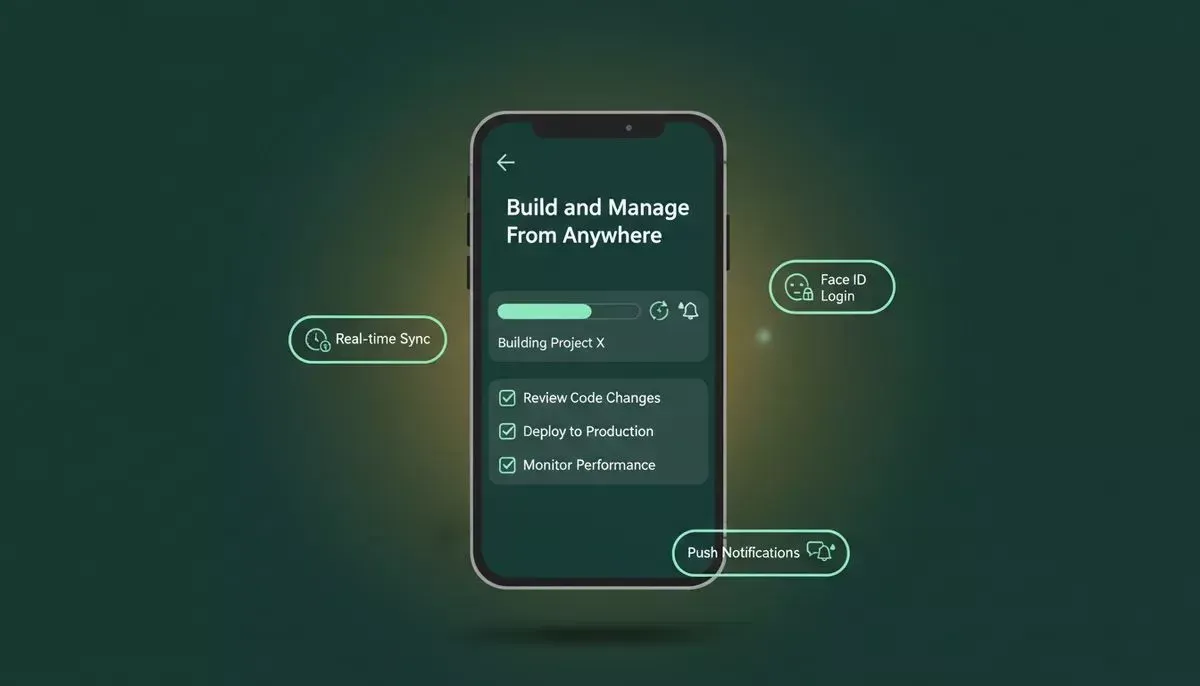
The Rocket mobile app lets you manage builds, review Solve reports, and sync in real time from iOS.
- Full task management: Create, review, and update Build and Solve tasks directly from your phone.
- Real-time sync: Every change made on mobile is immediately reflected in the web version.
- Live build updates: Receive push notifications when a build completes or needs attention.
- Secure access: Face ID / Touch ID login, automatic saving, and biometric enrollment after first sign-in.
Choosing the Right iPhone Application Creator
Choosing the right iPhone application creator makes app building feel practical and achievable. The right choice saves time, reduces frustration, and keeps the focus on creating value for users.
For teams that want to validate ideas before writing code, monitor what competitors are shipping, and iterate from research to launch inside one shared workspace, Rocket's three-pillar architecture (Solve, Build, Intelligence) is built for exactly that. The platform has been used by 1.5 million people across 180 countries, from solo founders to enterprise teams.
Start Building Your iPhone App Today
If you are ready to build your next iOS app without the complexity of traditional development, Rocket.new is the platform built for exactly that. Sign up in about 30 seconds, no credit card required, and go from idea to a store-ready Flutter app faster than you thought possible.
Table of contents
- -What is an iPhone Application Creator?
- -How App Development Works Today
- -Benefits of Using an App Maker
- -Choosing the Right Development Tool
- -Comparing iPhone Application Creator Options
- -Validate Your Idea Before You Build
- -Features to Include in Your App
- -Designing Your App
- -Building Your App
- -From Idea to App Store: The Workflow
- -Publishing Your App
- -App Maintenance and Support
- -User Engagement and Retention
- -Advanced Features and Security
- -Pricing: What Does It Cost?
- -Coding Experience and Skills
- -Rocket Mobile: Build From Your iPhone
- -Choosing the Right iPhone Application Creator
- -Start Building Your iPhone App Today