
What makes the best no-code mobile app builder stand out? Teams need a fast reliable builder that supports real logic, shortens work cycles, and allows non-coders to craft capable mobile apps with confidence and clarity.
Teams feel pressure to move faster as deadlines shift and AI speeds up daily work.
During that rush, a strong no-code app builder helps you create without getting buried in long code. People who know how apps function want more than simple tools. They need support for deeper workflows and real logic.
So what actually helps you move quickly and still build with confidence?
That leads to one clear question. How do you choose the best no-code mobile app builder for real-day-to-day work?
With the right fit, teams shape mobile and web apps faster and with far less friction.
The Shift Toward Faster App Building
Teams didn’t switch to no-code apps overnight. The shift grew slowly.
First prototypes. Then internal tools.
Then customer-facing mobile apps. Over time, people stopped seeing no-code as a shortcut and started treating it as a serious method for building powerful apps. Something practical. Something reliable.
AI added more fuel to this change. It makes it easier to build web apps, adjust backend logic, and experiment with new ideas quickly. A good no code tool lets teams work in shorter bursts while still controlling the app's functionality. It also helps reduce repetitive writing code, freeing space for higher-value decisions.
Why Experienced Teams Lean Toward No Code Platforms
Teams with technical depth still lean on no-code platforms because they remove friction. They offer shared visibility. They allow product managers, engineers, and designers to collaborate without stepping on each other’s toes. And they support multiple platforms within a single workflow.
Even advanced users feel comfortable building no code apps because they can still drop in complex logic. And when it’s time to publish native mobile apps or progressive web apps, the process stays clean.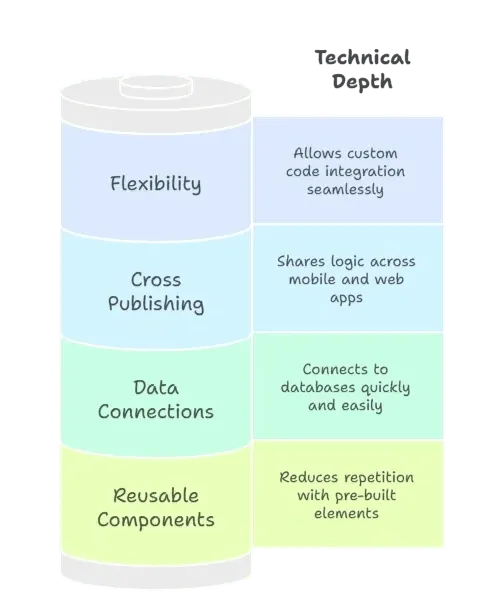
Comparing Different No Code App Builders
Teams compare platforms based on speed, data handling, and control. Some platforms shine with customer-facing mobile apps. Others focus on internal tool workflows. Some lean into progressive web app builds, while others push native mobile.
Below is a straightforward comparison:
| Platform Type | Best For | AI Use | Publishing | Strength |
|---|---|---|---|---|
| Mobile-first | native mobile apps | Medium–High | app stores | High flexibility |
| Web-focused | internal tool | Medium | Browsers | Simple iterations |
| Hybrid | mobile or web app | High | multiple platforms | Strong depth |
People reviewing code app builders often check how well each one handles complex logic, scalable apps, and backend logic. They also compare how many no code platforms support custom apps at enterprise scale. And although most no code builders cover basic functions, the finer details make a difference.
When AI Changes the Game
AI shifts the workflow noticeably. Teams expect no code app builders to support ai powered apps without extra effort. They want natural instructions. They want rapid prototypes. And they want the freedom to refine flows later with custom code.
When AI takes care of repetitive wiring, teams focus on meaningful parts. They adjust data. They refine advanced features. They improve flows that matter to users. A strong no code app builder makes this feel natural.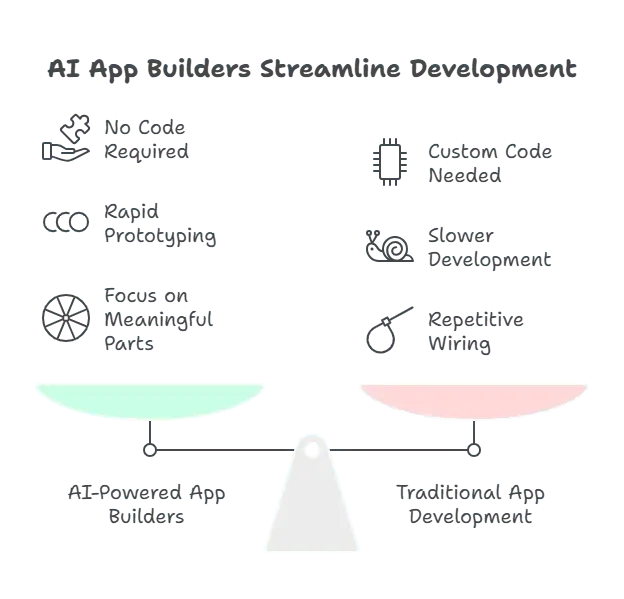
Real-World Impact on Team Dynamics
Adopting a no code platform shifts how teams behave day to day. The changes feel small at first, then suddenly the pace picks up. People move faster. Ideas move faster. Even decisions move faster. Different roles begin collaborating in ways that felt unusual before but quickly become the new normal.
Teams start noticing things like:
- More hands-on updates: internal tools get refreshed without waiting for a development cycle.
- Faster shaping of app ideas: product leads sketch flows, try screens, and refine directly.
- Clearer split of responsibilities: developers stay focused on backend systems, performance, and data.
- Earlier visibility: stakeholders see working drafts instead of wireframes.
- Shared ownership: the app's functionality becomes a team-level activity rather than an isolated task.
Mobile apps for customers, web apps for internal processes, and progressive web apps for small pilot launches all start living inside the same workflow. This creates a rhythm that removes friction and builds confidence across the team.
Workflow Rhythm With No Code Tools
Work feels lighter when teams have shared control. Designers adjust screens. Developers add custom code blocks. Product owners tweak logic. Everyone works in the same space.
Some benefits show up quickly:
- Faster Iterations: build apps without waiting
- Clear Logic: visual programming language maps flows cleanly
- Data Ownership: platforms help manage data without friction
Once teams settle in, no code apps become normal parts of production rather than side experiments.
Community Insight
A member on Reddit shared a relatable note:
“Our team moved half our internal tools to no code platforms because speed beat everything else.”Source:
This thought mirrors how many experienced teams view modern no code platforms today.
Handling Complex Logic Without Losing Clarity
Not every platform handles complex logic well. Some shine in UI but fall short in advanced logic. Others handle data beautifully but complicate screen workflows. Teams should check two things early: how much full control they gain and how the platform behaves as complexity rises.
Many no code app builders support visual logic, but only a few maintain stability over time. Companies building an enterprise app or enterprise grade apps need room for growth. They also need clear paths to integrate custom apps with internal systems.
AI-Based Development and Its Ripple Effects
AI allows teams to experiment quickly. When platforms support build ai powered apps, people can sketch ideas with words, then refine with structure. Teams no longer worry about writing code for minor flows. They save that energy for priority tasks.
AI also helps teams build apps that react to user behavior. Whether the project includes mobile apps or web apps, AI-driven suggestions create momentum. People feel more confident trying new patterns.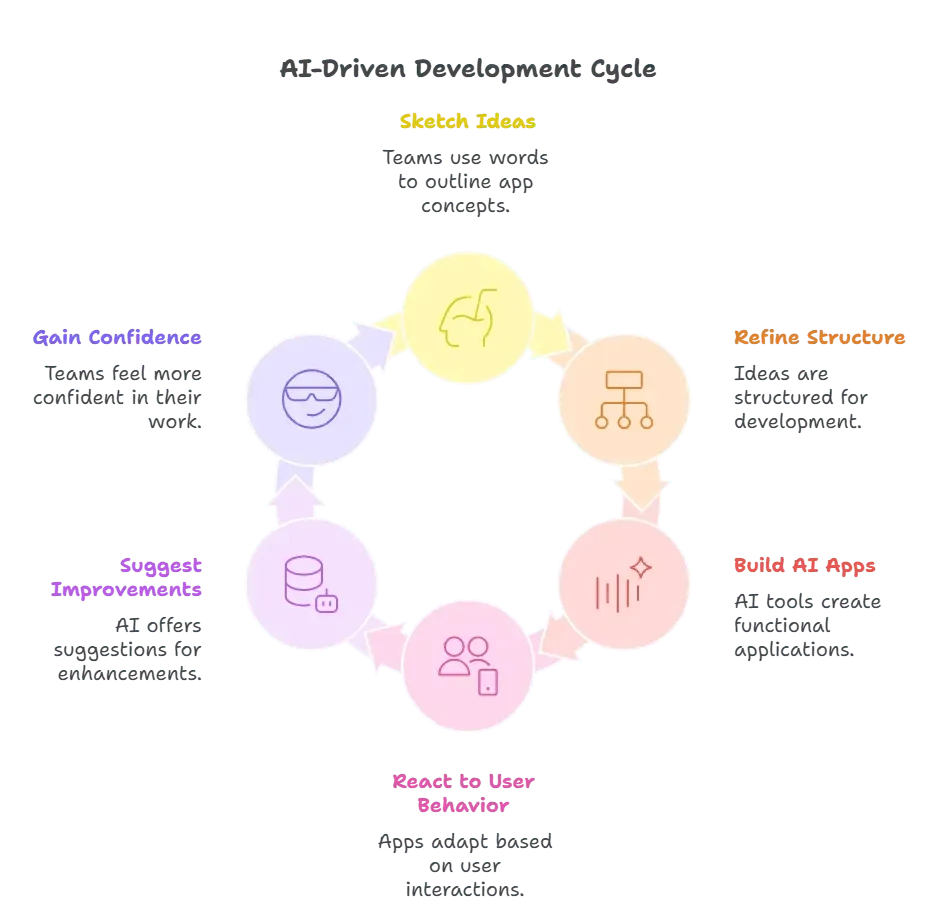
Why Web Apps Still Matter
Web apps remain part of most strategies. They’re easy to maintain, fast to update, and ideal for internal tool needs. A no code platform that supports both web apps and native mobile apps lets teams reuse logic and reduce maintenance.
Many start with a simple web app. Then they expand into native mobile. Sometimes a progressive web app serves as a safe pilot before going all-in. This flexible flow reduces risk.
Data Flows: From Google Sheets to Deeper Systems
Teams love using google sheets for early builds. It keeps the barrier low. As apps grow, systems shift to databases or APIs. A good platform makes this transition smooth.
People expect:
- Flexible Connections: easy data migration
- Reliable Sync: stable connections to external sources
- Clarity: good visibility into the app's data
When data stays clean, no code apps feel durable even as teams scale.
How it works on Rocket.new?
Rocket.new stands out for its speed and clarity. Teams often use it when they want to create simple apps, internal tools, or prototypes powered by AI. Rocket supports mobile or web app builds in one consistent flow. It helps people turn an app idea into a working build without dragging through heavy steps.
Features
- Fast Build Speed: builds apps at pace
- AI Logic Blocks: strong support for ai powered apps
- Flexible Publishing: push to app stores or browser
- Data Layer: tools to manage data neatly
- Reusable Elements: strong library of pre built components
Professional Standards Inside No Code Workflows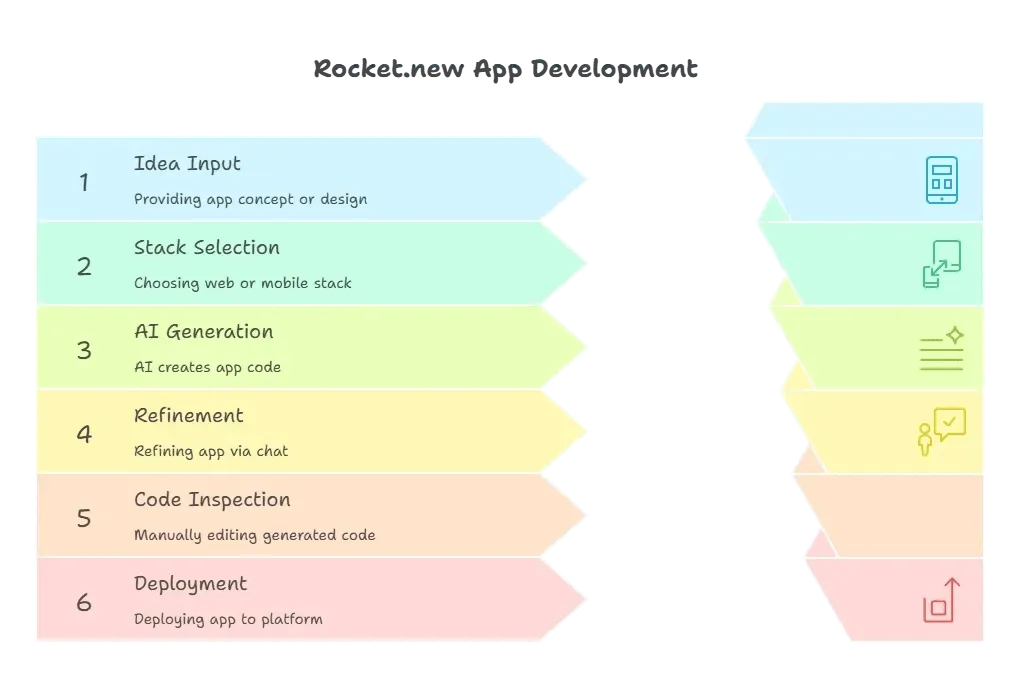
Even seasoned developers see value in no code tools. They test code app builders for stability, explore low code platforms for flexibility, and compare other app builders to understand trade-offs. People care about complete control. They check how the platform handles custom code. They test app creators for reliability. And they watch how each tool performs with complex logic at scale.
Most no code builders work for simple apps, but only some maintain strength as needs grow. This difference often influences long-term decisions.
Choosing the Best No-Code Mobile App Builder
Teams want no code apps that behave like production systems. They want an app builder that respects their experience, supports complexity, and moves quickly. A strong no code platform meets technical depth without forcing unnecessary writing code. It helps teams build apps that grow with them. And with AI shaping workflows, the best no code mobile app builder offers the flexibility and speed modern teams expect.
Table of contents
- -The Shift Toward Faster App Building
- -Why Experienced Teams Lean Toward No Code Platforms
- -Comparing Different No Code App Builders
- -When AI Changes the Game
- -Real-World Impact on Team Dynamics
- -Workflow Rhythm With No Code Tools
- -Community Insight
- -Handling Complex Logic Without Losing Clarity
- -AI-Based Development and Its Ripple Effects
- -Why Web Apps Still Matter
- -Data Flows: From Google Sheets to Deeper Systems
- -How it works on Rocket.new?
- -Professional Standards Inside No Code WorkflowsRocket.new Workflow.webp (3).png
- -Choosing the Best No-Code Mobile App Builder