
What security mistakes put applications at risk? This blog explores common developer errors such as weak authentication, poor validation, and insecure storage, along with practical steps to prevent vulnerabilities and protect users.
Why do many apps still get hacked despite careful development?
Many problems stem from minor coding or configuration mistakes that gradually weaken an app’s security. When those mistakes pile up, hackers find easy entry points.
Statistics show how serious the issue is. Around 62% of organizations reported a mobile app breach in the past year, even though most teams believed their apps were safe.
That is why understanding common app security mistakes matters for anyone working in software development.
In this blog, we will walk through the most frequent problems developers face and simple ways to avoid them.
Why App Security Matters in Modern Software Development?
Every modern app connects to the internet, servers, APIs, and databases. That connection increases the attack surface. A larger attack surface means more entry points for hackers.
Many software applications handle large amounts of data. This can include login credentials, payment details, and other sensitive data. When these systems are not properly protected, attackers may gain unauthorized access.
Cybersecurity experts say vulnerabilities are still one of the biggest reasons attacks succeed. Some reports show attacks targeting vulnerabilities have increased by 124% in recent years.
For development teams building mobile or web apps, strong application security practices help reduce risks. It also protects user trust and prevents reputational damage.
So let’s look at the mistakes that often create problems.
Common App Security Mistakes Developers Should Avoid
App security problems rarely come from complex hacking techniques. In many cases, attackers exploit simple security mistakes during software development.
Small issues like weak passwords, poor input validation, or improper access control can create serious vulnerabilities. By understanding these common app security mistakes early, developers can build more secure apps and reduce cybersecurity risks.
Then continue with your sections:
1. Weak Password Protection
One of the most common security mistakes is poor password handling.
Many apps allow weak passwords like “123456” or “password”. That makes it easy for hackers to break into user accounts through brute-force attacks.
Weak password policies also create security concerns in systems with weak login protection.
Better practices include:
- Require stronger passwords
- Store passwords using encryption or hashing
- Add multi factor authentication
When authentication is stronger, attackers have a harder time gaining unauthorized access.
2. Poor Input Validation
Another frequent mistake appears when apps fail to validate user input.
If developers do not properly validate input, attackers can inject malicious code into forms or API requests.
Common examples include:
- SQL injection
- cross site scripting
These attacks manipulate server-side logic and databases. They can expose sensitive information or even modify stored data.
Developers should rely on:
- Strict input validation
- Safe libraries
- Parameterized queries
This simple step can block many attacks targeting web apps and mobile systems.
3. Storing Sensitive Data Without Encryption
Apps store large amounts of data, including passwords, tokens, and personal details. When teams skip proper encryption, attackers can read that data easily after a breach.
Weak encryption methods can also create serious security flaws.
Good practices include:
- Encrypt data before storing it
- Protect server databases
- Secure mobile storage
Encryption protects both sensitive data and sensitive information from unauthorized access.
4. Poor Access Control
Access control mistakes happen when systems allow users to access features they should not. For example, an attacker might manipulate a request and view another user’s account details.
This issue appears often in web application APIs and server endpoints.
To reduce this risk, developers should:
- Follow the least privilege model
- Restrict system permissions
- Log and monitor suspicious activity
These security measures help block unauthorized access before attackers can damage the system.
5. Leaving Active Backdoor Accounts
Temporary accounts often appear during testing. Some teams forget to remove these active backdoor accounts before launching the app.
Hackers actively search for these hidden accounts. Once found, they can access internal systems without needing passwords.
A simple audit of user accounts during the development process can prevent this mistake.
These examples show how small security mistakes can create serious risks in an app. Weak passwords, poor input validation, missing encryption, and loose access control often become entry points for attackers.
By carefully reviewing these areas during development, developers can reduce vulnerabilities and build more secure mobile and web applications that better protect user data.
Common App Security Mistakes and Fixes
Many apps face security risks due to small development mistakes. The table below highlights some common issues and simple ways to fix them.
| Security Mistake | Risk | Simple Fix |
|---|---|---|
| Weak passwords | Account takeover | Enforce strong passwords and multi factor authentication |
| Poor input validation | SQL injection or cross site scripting | Validate input and use parameterized queries |
| Unencrypted data | Data leaks | Encrypt data and secure server storage |
| Broken access control | Unauthorized access | Apply least privilege rules |
| Backdoor accounts | Hidden system entry | Remove test accounts before release |
These common security mistakes appear in many mobile and web systems.
Ignoring Third-Party Code Risks
Modern apps depend on many external libraries and frameworks. Using third party code can speed up development, but it also introduces new security risks.
Some libraries contain known vulnerabilities. Others may include hidden malicious components.
Open libraries also expose code publicly. That allows attackers to study the system and look for ways to exploit weaknesses.
Security practices here include:
- Audit open source code dependencies
- Update outdated packages
- Review third party code before deployment
These steps help reduce threats in the software development lifecycle.
Poor Error Handling
Another mistake developers often overlook is exposing detailed error messages.
When systems display full error logs, they may reveal:
- Server paths
- Database queries
- Authentication logic
These clues help hackers understand the system and prepare attacks.
A safer approach is to show simple, user-friendly error messages in the user interface while logging detailed errors on the server. This keeps helpful debugging information away from attackers.
Lack of Regular Security Testing
Many teams focus heavily on features and design. Testing security sometimes comes later. Skipping penetration testing can leave hidden vulnerabilities in production systems.
Penetration testing allows experts to simulate cyber attacks and identify weaknesses. Regular testing improves overall security posture.
Tools used for this include:
- Automated scanning tools
- Manual penetration testing
- Vulnerability scanners
Testing should be part of the software development lifecycle, not something done after launch.
Community Insight
One Reddit user shared this observation in a cybersecurity discussion:
“I've seen too many talented developers who build great software but know very little about secure coding. SQL injection is widely known, yet it still shows up everywhere.”
This comment highlights a real problem. Many developers are excellent at building features but have limited exposure to cybersecurity practices.
Building Better App Security Habits
Avoiding security mistakes requires more than tools.
Development teams should follow structured practices like:
- Threat modeling during design
- Secure coding guidelines
- Strong authentication and encryption
- Monitoring suspicious activity
- Building an incident response plan
These habits reduce security vulnerabilities and strengthen overall data security. Security should be part of the entire software development workflow.
Rocket Powered Development With Rocket.new
Rocket.new is a vibe solutioning platform that helps developers create apps, layouts, and working code using simple prompts. It supports faster development while helping teams maintain a structured and secure development process.
Building apps quickly often increases the risk of security mistakes. Platforms like Rocket.new help teams move faster while maintaining structure.
Rocket.new generates applications, layouts, and code from simple prompts. When teams build a mobile or web app, the platform helps reduce development complexity while supporting safer workflows.
Key Features
- Prompt to App Creation: Builds apps directly from single prompts
- Figma Import: Converts design files into live, editable layouts
- AI-Powered Backend: Automatically handles logic, data, and workflows
- Custom Domain Support: Publishes projects with a branded domain
- Code Export: Allows developers to extend or customize later
- Live Preview: Shows instant updates while editing
These features simplify software development and help developers focus on building a secure system.
Building Apps Securely With Rocket.new
Security should always be part of the development process. Platforms like Rocket.new help teams structure their projects more effectively, reducing the likelihood of common development mistakes.
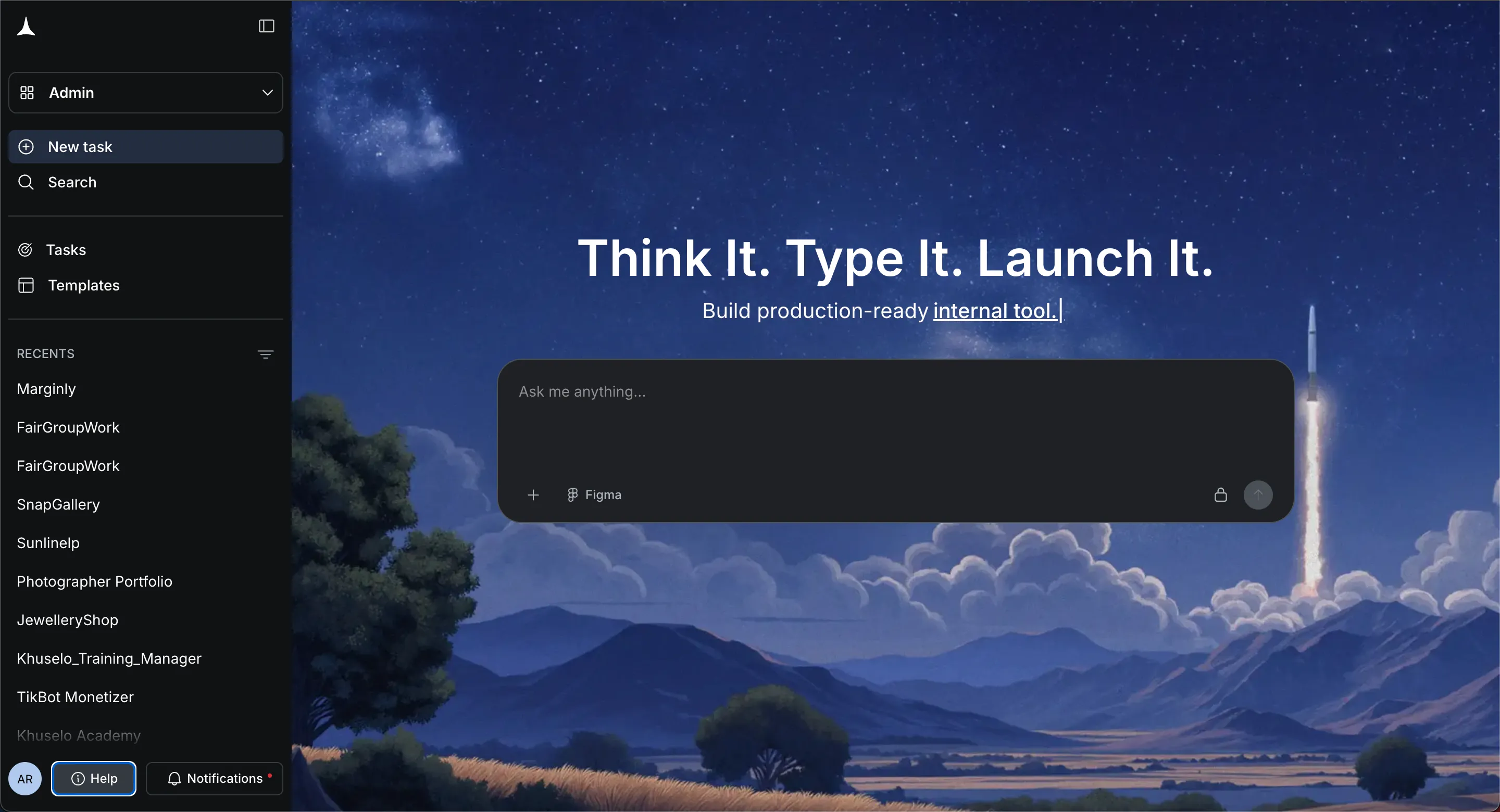
Developers can quickly build app components while maintaining better control over code structure, data handling, and server connections. This helps reduce vulnerabilities that attackers may exploit.
Rocket.new also supports faster testing and iteration. Teams can review app logic, fix security flaws, and improve authentication or encryption practices before launching the app.
By simplifying the development workflow, Rocket.new allows developers to focus more on strong application security, better data protection, and safer user account management.
Fixing Common App Security Mistakes
Many apps are vulnerable to attacks due to small coding errors. Weak passwords, poor input validation, exposed error messages, and unsafe third-party code can create vulnerabilities in a system. These issues allow hackers to steal data, access accounts, and damage applications. When security is ignored during development, the risk of cyber attacks increases.
The solution is to build security into the development process from the start. Strong coding practices, encryption, secure authentication, penetration testing, and proper monitoring help reduce these risks. Understanding common app security mistakes helps developers avoid simple errors, protect user data, and build safer software systems.
Table of contents
- -Why App Security Matters in Modern Software Development?
- -Common App Security Mistakes Developers Should Avoid
- -1. Weak Password Protection
- -2. Poor Input Validation
- -3. Storing Sensitive Data Without Encryption
- -4. Poor Access Control
- -5. Leaving Active Backdoor Accounts
- -Common App Security Mistakes and Fixes
- -Ignoring Third-Party Code Risks
- -Poor Error Handling
- -Lack of Regular Security Testing
- -Community Insight
- -Building Better App Security Habits
- -Rocket Powered Development With Rocket.new
- -Key Features
- -Building Apps Securely With Rocket.new
- -Fixing Common App Security Mistakes