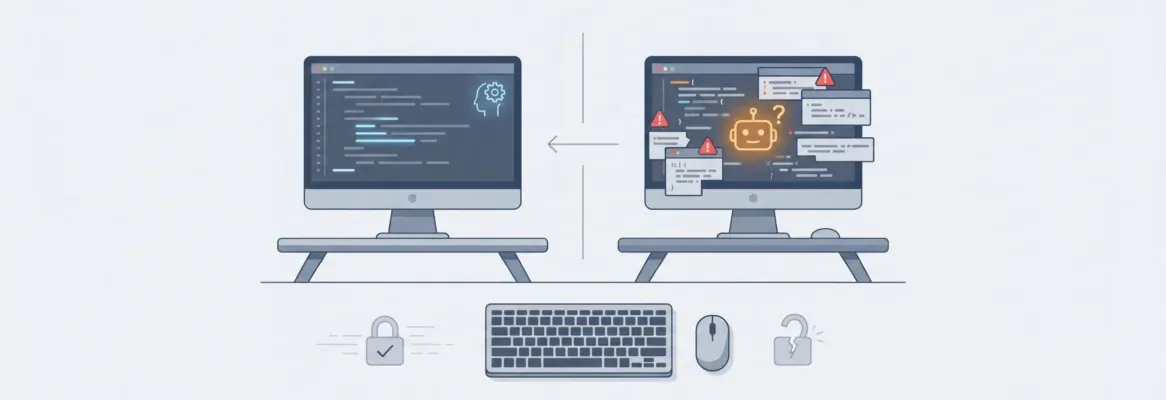
Curious about pitfalls in vibe coding? Developers overlook hidden errors, trust AI outputs blindly, skip testing, ignore fundamentals, and struggle debugging; careful validation and balanced practices help prevent larger issues.
What are the common vibe coding mistakes developers should avoid?
The fast pace and comfort of vibe coding can hide small gaps that later turn into big problems, and that's exactly what we are gonna talk about in this blog.
A recent GitHub survey shows that 92% of developers use AI-assisted tools, yet many still report issues with accuracy and debugging. That means while vibe coding works, it also comes with risks if you’re not careful.
Let’s break down the common coding mistakes and how you can avoid them.
What is Vibe Coding, Really?
Before jumping into mistakes, let’s get clear on what vibe coding actually means. It’s not some complex concept.
It’s a relaxed and intuitive way of building things where speed and flow matter more than perfection at the start.
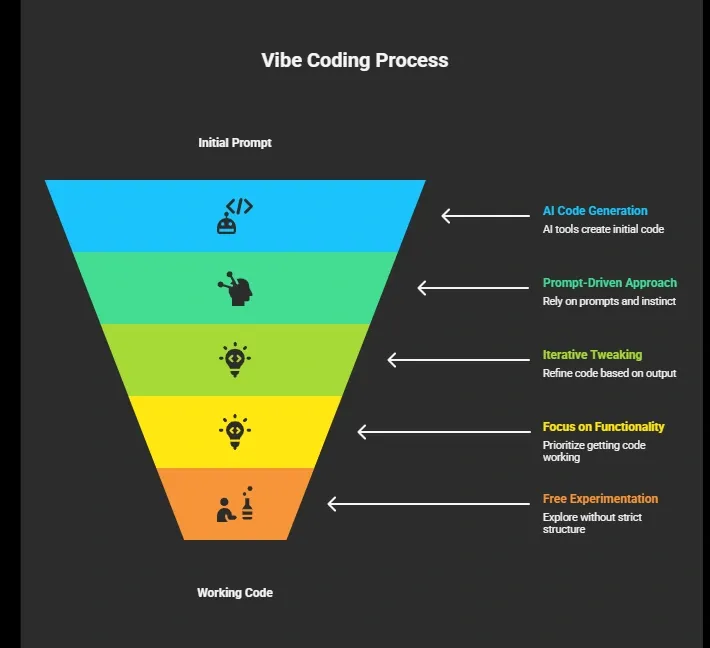
It’s fast. It’s fun. And it works surprisingly well, especially for quick builds and ideas.
👉Worth a Quick Read: What is Vibe Coding: A Simple Guide for Developers Today
But here’s the catch. That same freedom can lead to sloppy code, poor structure, and hidden bugs if you’re not careful. So while vibe coding feels smooth in the moment, it still needs a bit of control to avoid problems later.
Common Vibe Coding Mistakes You Might Run Into
When you’re in the flow of vibe coding, it’s easy to move fast and miss small things. That speed feels great, but it often leads to common vibe issues such as messy code, weak structure, and overreliance on AI-generated output. These are the kind of coding mistakes that don’t show up immediately but start causing trouble later.
So before we break them down one by one, just know this. The most common vibe coding mistakes stem from rushing, using vague prompts, and not paying attention to details such as testing, structure, and error handling. The good part is that once you spot these patterns, it becomes much easier to avoid them.
1. Relying Too Much on AI Without Understanding
So, this is one of the biggest vibe coding mistakes. It usually starts with convenience and quickly turns into confusion if you’re not paying attention.
What typically happens:
- You use an AI assistant or AI agent and paste a single prompt
- You accept the output without questioning it
- The code looks clean, so you assume it’s correct
- You skip understanding the underlying logic
- You rely heavily on AI-generated code without reviewing it
At first, everything feels smooth. But the problem shows up later.
When you don’t understand the actual code, debugging becomes painful. You end up in long, frustrating sessions trying to fix something you never fully understood.
And since AI is not a mind reader, it won’t automatically know what your full project needs unless you give clear instructions.
Fix:
- Take time to read the output carefully
- Break down the code step by step
- Ask follow up prompts to clarify confusing parts
- Treat it as a learning process, not just a way to generate code
Vibe coding works best when you stay involved. Let AI help you, but don’t switch off your thinking.
2. Writing Vague Prompts
Let’s be real. A bad prompt gives bad results.
A lot of developers use vague prompts like “build a login system” or “create UI.” That leads to messy or incomplete code.
Your vibe coding experience depends heavily on how you communicate. Think of it this way. AI needs a clear context. Without it, even the best vibe coding tool struggles.
Fix:
Instead of one vague request, break it down:
- Define structure
- Mention tech stack
- Describe user flow
- Specify UI elements like rounded corners or bold sans serif font
This makes your generate code results much better.
3. Ignoring Error Handling
Now this one hurts later. During vibe coding, you just want things to work. So you skip error handling. But when real users start interacting, things break. No checks. No fallback. No logs.
This is one of those coding mistakes that quietly damages your app.
Fix:
Always include basic error handling:
- API failures
- Form validation
- Edge cases
Even if the code works now, future you will thank you.
4. Not Testing Frequently
You built something cool. It works. You move on. Then later, everything breaks, Why? You didn’t test constantly.
Many developers skip unit tests during vibe coding. It feels slow. But skipping tests leads to unstable functional apps.
Fix:
- Add small unit tests
- Test features step by step
- Validate inputs and outputs
This keeps your development process smooth.
5. Creating Technical Debt Without Realizing
Here comes the dangerous one: technical-debt-vibe coding. You keep stacking quick fixes. No structure. No cleanup.
Soon, your existing project becomes hard to manage. Even experienced developers fall into this trap when they rush.
Fix:
Pause and review your code. Clean it. Refactor small parts.
Think long-term, not just quick wins.
6. Poor Security Practices
This one can cost real damage.
Many vibe coder setups ignore:
- user authentication
- secure user data
- API keys safety
When you rely on AI-generated output, you might expose sensitive data unknowingly.
Fix:
- Store secrets in environment variables
- Add proper user authentication
- Never hardcode keys in your code
Security is not optional.
7. Overusing AI Generated Code Without Editing
Yes, AI-generated output is fast. But raw output is rarely perfect. If you keep stacking unedited AI-generated code, your app becomes messy.
This affects code quality and readability.
Fix:
Review everything. Edit it. Simplify it. Make it yours.
Avoid blindly copying from Stack Overflow or AI.
8. Ignoring Existing Code Structure
This one happens a lot when you’re working fast. You open an existing project, add new features, and move on without thinking about structure.
What typically happens:
- You paste new code into an existing project
- There’s no alignment with the existing code style
- Naming conventions don’t match
- File structure starts getting messy
- Small inconsistencies turn into bigger bugs
At first, it may not feel like a big deal. But over time, this creates confusion and makes the project harder to manage.
Fix:
- Respect the existing code structure
- Match naming, formatting, and patterns
- Keep consistency across files
Clean structure keeps your development process smooth. A little attention here saves a lot of time later.
9. Skipping Version Control
Working without version control might feel fast in the moment. But it’s risky and stressful once things go wrong.
What typically happens:
- You keep changing code without saving versions
- There’s no backup when something breaks
- You can’t track what changes caused the issue
- Fixing errors becomes guesswork
One small mistake can break everything. And without a history, you’re stuck trying to fix it manually.
Fix:
- Use Git or any version control system
- Save checkpoints regularly
- Track changes and updates
Version control gives you confidence. You can experiment freely without worrying about losing your work.
10. Building Without a Clear Flow
It’s tempting to jump straight into building a full app. The excitement is real, especially during vibe coding.
What typically happens:
- You start adding features randomly
- There’s no defined user flow
- Pages feel disconnected
- The product becomes confusing to use
Without a clear direction, even simple ideas can turn messy.
Fix:
Sketch a basic flow before you start:
- login page
- dashboard
- feature pages
This gives your code a clear path.
Even simple planning makes a big difference. It keeps your build clean and your app easy to understand.
Quick Breakdown
Sometimes you don’t need long explanations. A quick snapshot can help you spot issues faster while vibe coding. Here’s a simple breakdown of common mistakes and how to fix them.
| Mistake | What Happens | Fix |
|---|---|---|
| Vague prompts | Bad output | Use clear instructions |
| No testing | Bugs later | Test constantly |
| Ignoring security | Data risk | Secure user data |
| No structure | Messy code | Follow patterns |
| Blind AI use | Confusion | Understand code |
Keep this table in mind while building. It’s a quick way to catch problems early and stay on track without slowing down your flow.
Real Community Insight
Here’s something a developer shared on LinkedIn:
“AI writes code faster than humans can read it.” Linkedin
This line hits hard because it captures the real issue. Speed is not the problem. Understanding is. When AI generated code moves faster than you can process it, mistakes slip in easily. That’s how simple builds turn into slow debugging later.
Rocket.new and Smarter Vibe Coding
Rocket.new is not just limited to vibe coding. It’s more like a complete vibe solutioning platform. Instead of just helping you generate code, it guides how you think, structure, and build your app from start to finish.
Tools like Rocket.new naturally reduce those risks. With better structure, guided flow, and built-in support, there are fewer chances of running into messy code, broken logic, or frustrating sessions.
If you’re serious about avoiding these common vibe issues, tools like Rocket.new can help.
Rocket.new is built for smooth app creation with structured workflows. It helps you move from idea to working product without chaos.
Top Features
- Prompt to App Creation: Builds apps directly from single prompts
- Figma Import: Converts design files into live, editable layouts
- Reusable Components: Speeds up building with ready-to-use elements
- Command-based actions: Use / and @ to run actions and quickly scope edits.
- Custom Domain Support: Publishes projects with a branded domain
- Live Preview: Shows instant updates while editing
- AI-Powered Backend: Automatically handles logic, data, and workflows
- Code Export: Allows developers to extend or customize later
Use Cases
1. Structured App Building
Helps you create functional apps with a clear flow, so you don’t end up with messy code or a broken user flow. This reduces common coding mistakes right from the start.
2. Prompt-Guided Development
Instead of relying on a single random prompt, it helps you give clear, step-by-step instructions. That means better output and fewer issues caused by vague prompts.
3. Built-in Code Review Support
You don’t have to blindly trust AI-generated code. With integrated code review, you can catch errors early and improve your code quality without extra effort.
4. Safer Feature Development
Handles basics like user authentication, api keys, and secure user data properly. This lowers the risk of security-related code mistakes.
5. Organized Iteration Process
Instead of jumping randomly while vibe coding, it gives you a structured iteration process. This helps you avoid chaos and reduces long frustrating sessions later.
It’s not about stopping vibe coding. It’s about doing it with a bit more control. Tools like this help you stay in the flow while quietly avoiding the mistakes that usually slow you down later.
Smarter Vibe Coding Approach
Developers often rush through vibe coding and fall into repeated coding mistakes. They rely too heavily on AI-generated output, skip testing, and ignore structure, leading to messy code and slow debugging later. The fix is simple. Slow down a bit, use better prompts, review your code, and add tests. Keeping your development process clean makes a big difference.
Avoiding common vibe coding mistakes is not about stopping vibe coding. It’s about doing it smarter. Keep the flow, but stay aware of what you’re building. That balance helps you move fast while still creating solid software development outcomes.
Table of contents
- -What is Vibe Coding, Really?
- -Common Vibe Coding Mistakes You Might Run Into
- -1. Relying Too Much on AI Without Understanding
- -2. Writing Vague Prompts
- -3. Ignoring Error Handling
- -4. Not Testing Frequently
- -5. Creating Technical Debt Without Realizing
- -6. Poor Security Practices
- -7. Overusing AI Generated Code Without Editing
- -8. Ignoring Existing Code Structure
- -9. Skipping Version Control
- -10. Building Without a Clear Flow
- -Quick Breakdown
- -Real Community Insight
- -Rocket.new and Smarter Vibe Coding
- -Top Features
- -Use Cases
- -Smarter Vibe Coding Approach