
What helps a conversational app builder create smoother early chats? Strong openings guide users, set clarity, and support confidence during initial chats. Early moments shape trust and influence return rates, underscoring the importance of thoughtful flow design.
What actually makes a user journey feel smooth in a conversation-based app?
Recent data suggests that early impressions matter more than ever. According to a 2025 report on mobile app usage, roughly 25% of users abandon an app after just one use. That means one in four people who try your app may never return.
So those first few talking moments count a lot. They shape trust, guide learning and speaking, and often decide whether a user stays or leaves.
Why User Journeys Still Break in Conversational Experiences
Even well-planned flows can fall apart once real users begin talking with the app. Someone might start a lesson full of energy, try a simple speaking task, ask for a vocabulary example, and suddenly the app replies in a way that misses the point.
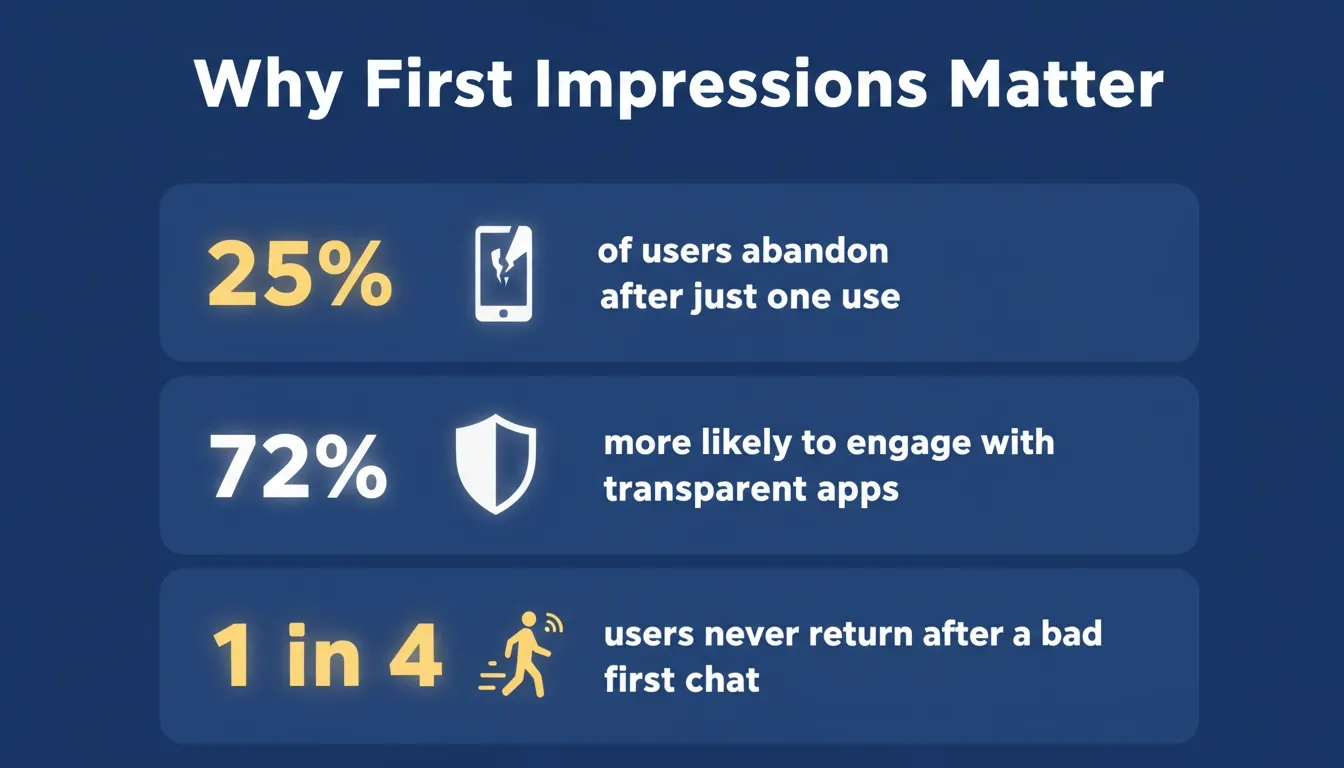 Data insight: Early conversation quality directly drives whether users return or leave for good.
The conversation slips. A moment that should feel helpful turns into frustration.
A big reason is misalignment between design and real interaction. A flow may look perfect on paper, but once users start speaking, listening, and testing grammar patterns, gaps emerge. The timing may feel off. The wording might sound stiff. The context may reset too quickly.
Language apps show this more than others. A learner might want more practice or slower audio. When the app pushes ahead instead of adapting, the entire learning rhythm falls apart. People sense those issues instantly.
Understanding how a conversational AI agent handles intent and context is the first step toward closing that gap between design and real interaction.
Designing Flows That Feel Natural
A good conversation feels like a story with short beats. One point leads to the next. Nothing feels forced. That same rhythm helps a learning app stay steady.
This is why designers lean on plain language and small UI components that guide users gently. Simple buttons, short audio cues, and quick prompts keep things easy to follow. Short steps build momentum. A learner should never wonder what to tap next.
Security sits quietly in the back of all this. Users want data to be securely handled and expect clear security practices. When the app explains these choices in simple words, trust rises.
Voice notes, short video clips, and friendly phrases also help the flow. People respond to warmth. They move through lessons more comfortably when the app feels like a guide rather than a script.
Teams building these flows benefit from studying how AI transforms UX design. The same principles that make interfaces intuitive apply directly to conversation design.
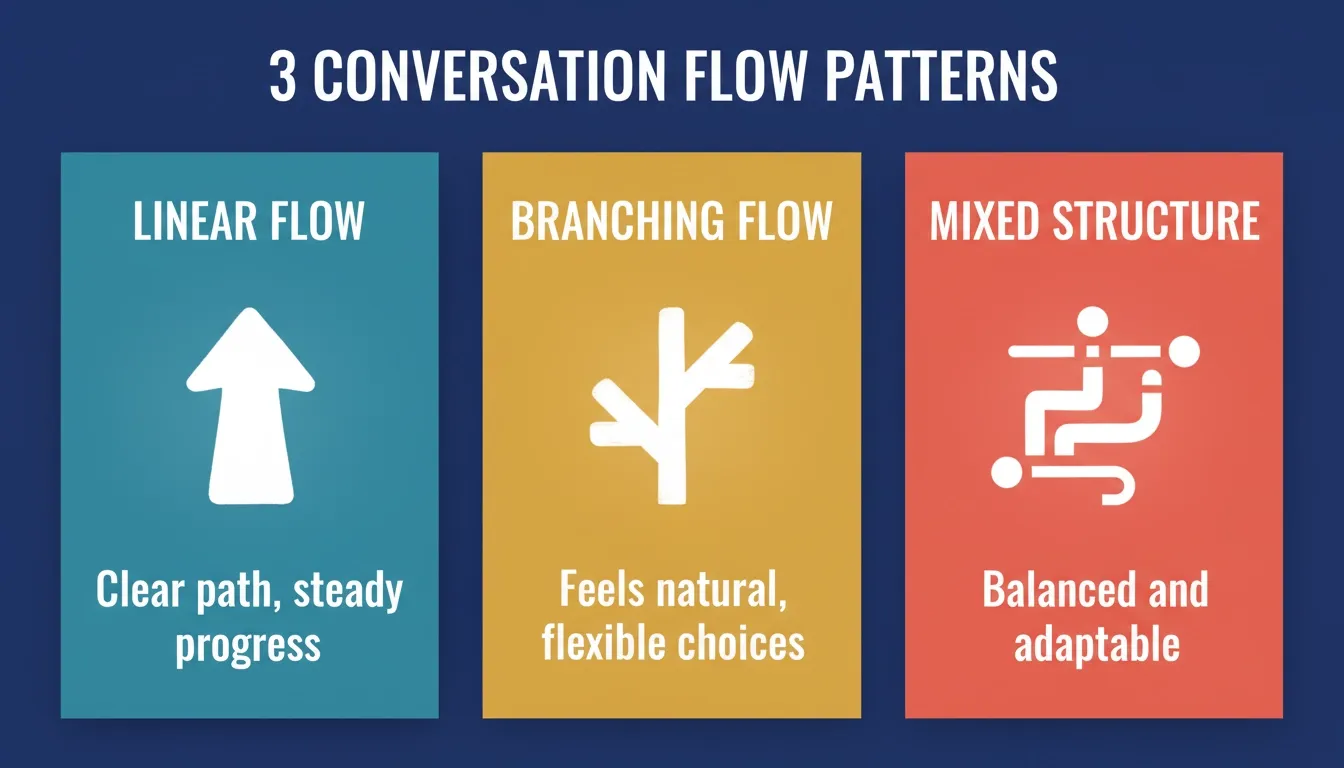 Three core conversation patterns every builder should understand before designing their flow.
Conversation Patterns Compared
| Pattern | Strength | Trade-off |
|---|---|---|
| Linear guided flow | Clear and steady path | Limited flexibility for advanced users |
| Open branching flow | Feels like talking naturally | Harder to keep context clean |
| Mixed structure | Balanced and flexible | Needs more planning and content |
Bringing AI Into the Journey Without Losing Control
AI shows up everywhere now, and people expect it to help with speaking tasks, vocabulary practice, and feedback. But AI works best when it supports the flow instead of taking over. When AI features stay predictable, users stay confident.
The best approach is to anchor each AI response to a clear user intention. If a learner struggles with pronunciation, the AI should give gentle correction and maybe offer one more audio example. If they ask about a new language concept, the AI should provide context rather than shifting to a different lesson.
Grounding prompts in natural language is what keeps AI responses on track. Teams that invest in natural language prompt design see noticeably fewer moments where the AI breaks the conversational rhythm.
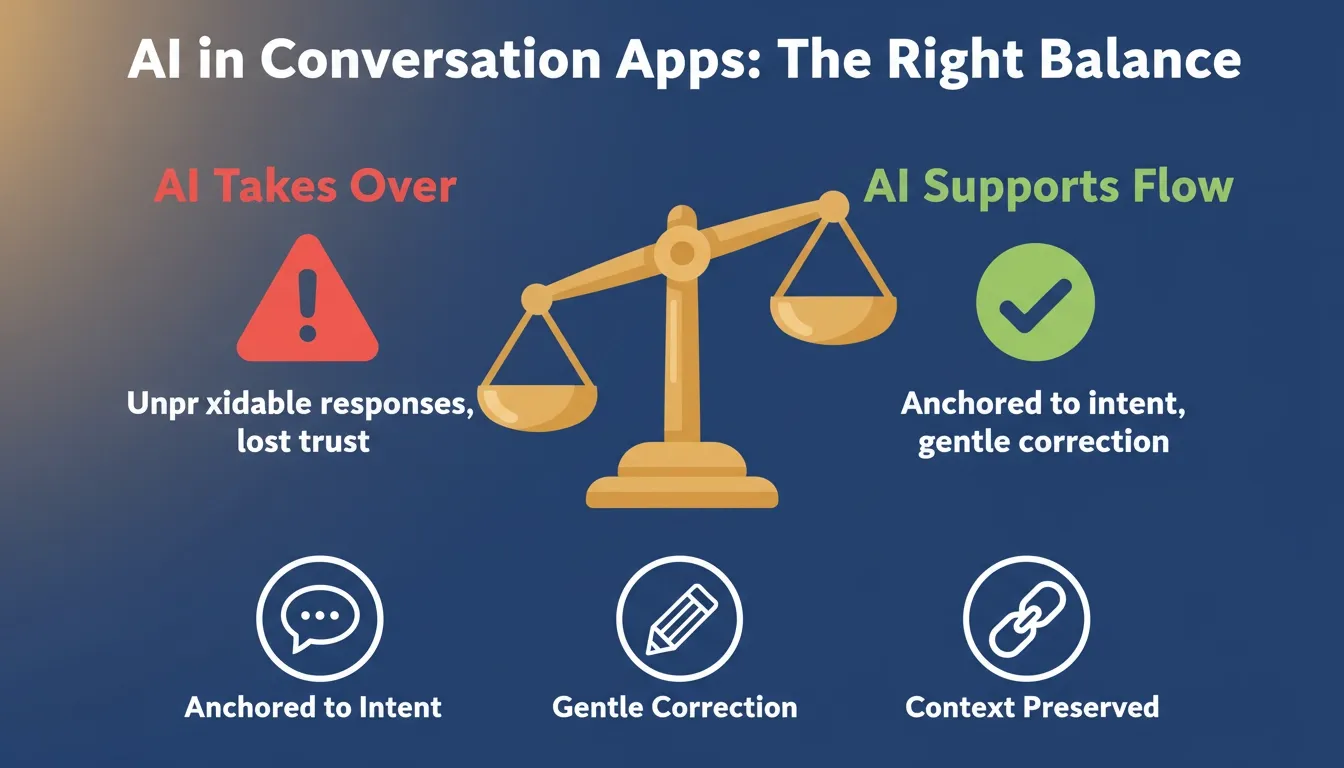 The right AI balance keeps users confident. Too much AI control breaks trust; too little misses the opportunity.
Making the Experience Feel Like Talking With Real People
Users want to feel heard. When an app responds with patience, the whole interaction calms down. It feels more like talking with real people and less like wrestling with software.
A learner may repeat the same words or want another audio sample. When the app listens, responds with care, and offers small hints, the experience becomes steady and reassuring. Warmth in tone is not cosmetic. It directly affects whether users return.
Community elements help too. Some platforms connect language partners so learners can talk, share ideas, compare notes, or ask questions. This sense of community encourages consistent practice and helps users understand tricky grammar or vocabulary.
Review cards, friendly feedback, and short progress markers guide the path without interrupting conversation.
Community Insight
A helpful point came from a Reddit discussion about conversational UI in learning apps. One practitioner wrote:
"Teams often overestimate how much users remember from earlier steps. The conversation should guide them, not rush them."
Data, Privacy, and Trust
Trust decides how open a user feels during practice. People speak more, write more, and ask more questions when they know how the app manages their data. They want simple words to explain storage, access, and the type of protection used.
Some apps include a small info card that explains what data is stored, how long it stays, and how it is used in the lesson. This transparency encourages natural communication. Users often say they feel more comfortable trying new speaking tasks after reading these details.
According to Statista, 72% of users say they are more likely to engage with an app that clearly explains how their data is used. Clear privacy communication is not just ethical. It is a retention strategy.
Building Room for Practice, Growth, and Feedback
A conversation-driven lesson thrives on repetition. People need listening tasks, quick speaking checks, grammar hints, and writing practice. When the app responds in a warm tone, learners stay comfortable. When it offers small corrections instead of sharp warnings, users stay confident.
A simple practice cycle looks like this: a learner listens to a short audio clip, repeats the phrase, gets a corrected version, reviews vocabulary cards, and completes a short writing task. All of these steps form a complete loop that strengthens skills.
Tone matters. People want encouragement, not pressure. A friendly voice or message helps them stay focused through each lesson.
Teams who want to move fast without sacrificing quality often turn to a no-code app builder for startups to prototype and iterate on these practice loops before committing to full development.
Real-World Workflow Changes for Development Teams
Most teams reshape their internal workflow once they commit to conversation-driven experiences. They reorganize content libraries, refine code paths, adjust platform rules, and map out more consistent transitions.
For example, a company building a long language course might reorder lessons so listening tasks match speaking prompts. They match vocabulary steps to earlier context. They test every interaction to see which responses confuse users. These changes make the journey feel smoother for learners over time.
Teams building eLearning or training apps can see a real-world example of this in action by studying how to build an eLearning platform. The same conversation design principles apply directly.
How Rocket Supports More Confident Conversation Journeys
Rocket is a vibe solutioning platform that gives teams a place to build thoughtful, flexible conversation flows. It helps designers create lesson steps, control context, refine writing tasks, and test audio responses. Many small teams use it to build quick prototypes, while bigger teams use it to manage complex multi-step courses.
Features verified from official Rocket documentation:
- Prompt-based full-stack app generation: Describe your idea and Rocket instantly produces a working frontend, backend, and integrations.
- Figma-to-code conversion: Upload Figma designs and turn them into responsive, production-ready code.
- Built-in backend and authentication: Get databases, user auth, APIs, and core security set up automatically.
- Cross-platform output: Build once and generate web, iOS, and Android apps from the same project.
- One-click deployment with hosting: Deploy your app instantly and connect custom domains with ease.
- Full code export and ownership: Download all generated code for manual edits and long-term control.
- 25+ integrations: Connect Stripe, Supabase, OpenAI, Anthropic, Notion, Airtable, and more. Authenticate once and they flow into every build.
People often point out that Rocket strikes a balance between guidance and flexibility. You can get a full app running quickly, then shape it until it feels just right.
Stronger Journeys With a Conversational App Builder
A thoughtful journey matters. When teams build conversations that feel natural, protect user data, and stay responsive, users feel supported. They learn with confidence. They talk more. They explore new skills without feeling rushed.
A conversational app builder brings these parts together and helps teams shape a steady experience from the first step to the last.
Ready to build your own conversational app? Start building on Rocket.new and go from idea to a working, deployed app without writing a single line of code.
Table of contents
- -Why User Journeys Still Break in Conversational Experiences
- -Designing Flows That Feel Natural
- -Conversation Patterns Compared
- -Bringing AI Into the Journey Without Losing Control
- -Making the Experience Feel Like Talking With Real People
- -Community Insight
- -Data, Privacy, and Trust
- -Building Room for Practice, Growth, and Feedback
- -Real-World Workflow Changes for Development Teams
- -How Rocket Supports More Confident Conversation Journeys
- -Stronger Journeys With a Conversational App Builder