
A low-code application builder replaces repetitive coding with AI generation and visual tools, so teams ship faster without losing technical control. Rocket.new adds market research and competitor intelligence on top.
A low-code application builder is a development platform that replaces manual coding for UI, data modeling, and deployment with visual tools and AI generation, while preserving the ability to add custom code where needed.
This guide covers how low-code development works, where it fits, and how Rocket, a vibe solutioning platform that combines market research, AI app generation, and competitive intelligence, puts these principles into practice.
When Does Manual Coding Lose Its Efficiency?
The habit is hard to break. Writing every line feels natural. But when a project grows fast, that habit becomes the bottleneck.
Low-code platforms don't remove the developer. They remove the clutter.
Instead of writing 200 lines for a form, you describe what you want, and the AI generates it. The backend handles structure. The front end adjusts automatically.
What changes in your focus:
- You stop building the same screens over and over.
- You stop chasing CSS issues across breakpoints.
- You start shaping architecture, not pixels.
That shift feels strange at first. But after a few hours, you notice the difference. You build apps faster, review less, and actually enjoy the workflow. The learning curve flattens quickly, especially compared to traditional frameworks, where even simple apps require significant setup time.
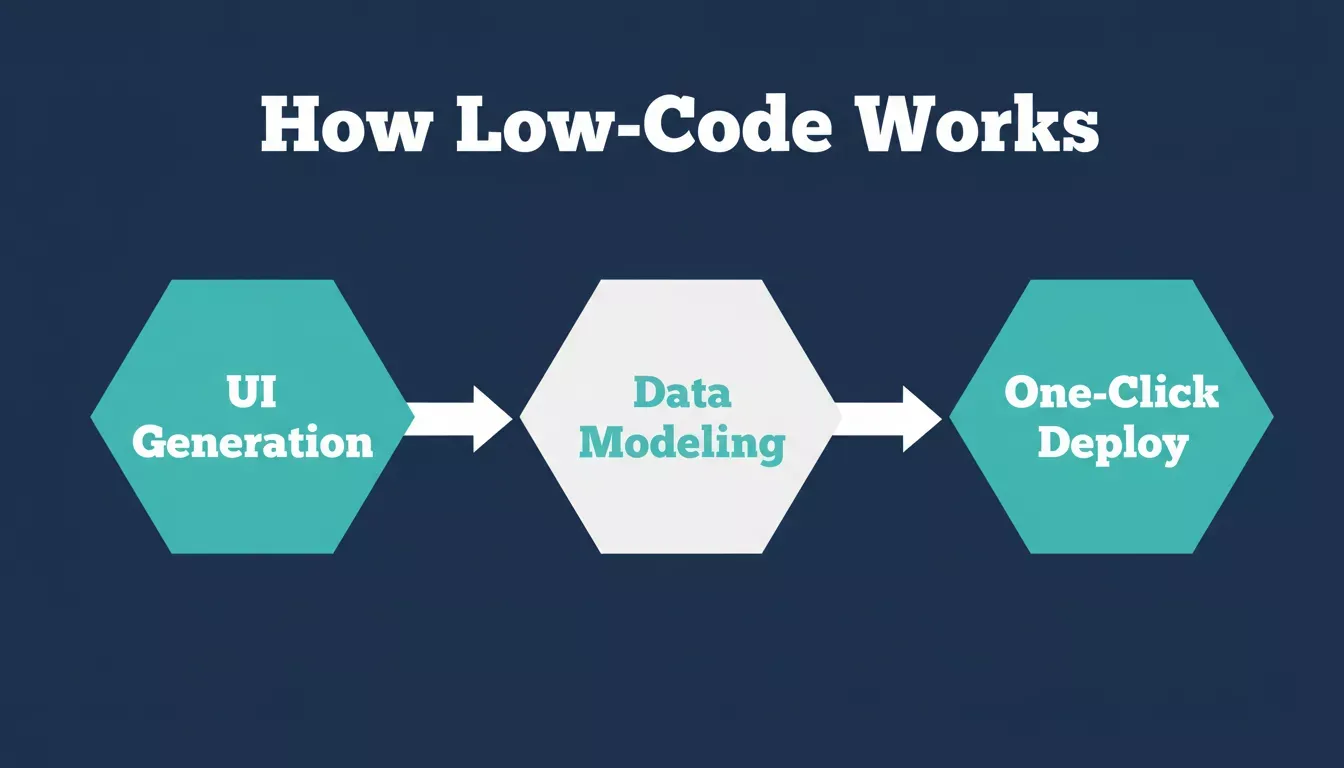
The three core pillars that make low-code development faster than traditional coding.
What's Happening Behind the Builder?
A low-code tool is not just a pretty editor. It's a structured system that hides the complexity you don't need to touch every day.
Here's what typically changes between traditional development and low-code development.
| Stage | Traditional Development | Low Code Development |
|---|---|---|
| UI | Manual HTML and CSS | AI-generated layouts with drag and drop widgets |
| Data | SQL scripts and schema | Visual data modeling and connector-based integration |
| Logic | Hand-coded functions | AI-generated logic with custom code hooks |
| Testing | Local setup and CLI | Built-in preview and simulation |
| Deployment | Manual build scripts | One-click deploy to web apps or native mobile apps |
It's still in development. You still write code where it matters. The rest becomes an AI-generated structure you can inspect and modify.
The low-code application platform market is one of the fastest-growing segments in enterprise software, driven by demand for faster delivery cycles and reduced developer dependency.
Why the Flow Feels Different
After a few days, something shifts. You realize you're designing flow, not fighting syntax.
You describe a feature using natural language prompts. The AI writes the code. You preview it instantly. You don't lose control. You lose friction.
- You focus on data models instead of wiring every endpoint manually.
- You handle API calls and data integration through connectors, not boilerplate.
- You stop running setup commands ten times a day.
That's why a low-code application builder fits even in advanced teams. It makes the repetitive parts faster while keeping your brain on the complex logic that matters. Newer low-code tools go further by combining drag-and-drop capabilities with AI generation, so you're never stuck choosing between speed and control.
The Blend of Low Code and No Code
Some teams assume no-code app builder tools are for beginners. That's not the full story. Modern teams combine low-code and no-code platforms to create a flexible workflow.
Here's how it works:
- Business users build simple apps visually without writing a line of code.
- Developers extend functionality using custom code hooks and their own code where precision matters.
- Designers adjust the user interface directly through visual editing.
This shared space lets everyone participate. The developer isn't left fixing forms. The business team doesn't wait months for a sprint slot.
Research confirms that organizations using low-code development platforms report significantly faster time-to-market for digital products. Teams that adopt low-code practices also report shorter feedback cycles and fewer handoff delays between design and engineering.
One concern teams raise is vendor lock-in. The best low-code platforms address this by exporting clean, production-ready code you actually own, so you're never trapped in a proprietary system.
Reusability Becomes Second Nature
After building a few apps, you notice patterns repeating: login screens, dashboards, input forms. You don't want to rebuild them each time.
That's where reusable components and pre-built components become your foundation. Production-ready templates become your starting point. You can build apps faster because you're not starting from zero each time, and with Rocket.new, templates consume zero credits to start from.
You start thinking modularly:
- One base template.
- Multiple app outputs, including web apps, mobile apps, and progressive web apps.
- Shared logic and reusable components across projects.
- Unified updates across connected projects.
When you update one template, it improves every connected project. That's how teams scale without drowning in maintenance. With the right drag and drop builder, you can manage unlimited apps from a single component library, making it practical to build and maintain custom apps at scale.
How Low Code Changes Team Dynamics
The change happens after adopting low-code platforms: meetings shrink, feedback gets faster, and teams talk less about blockers and more about results.
- Developers and business users work on the same canvas.
- Designers see live layouts, not static mockups.
- Analysts watch real data flow during testing.
That shared visibility builds confidence. Internal tools that used to take weeks start appearing in days. Business processes that once required external tools or third-party apps can now be automated directly inside your own platform.
For teams building at scale, workflow automation is where low-code delivers the most compounding value. You can build task management systems, project management dashboards, and customer portals without writing a single backend route. Release cycles tighten, and the review process becomes clearer as everyone works from the same live preview.
The Practical Limits
Let's be honest. Low code is not a magic fix.
If you're building a 3D game engine, a blockchain node, or a custom AI model from scratch, you'll still need to write code manually.
But for most workflows, including dashboards, client portals, data systems, SaaS products, and mobile apps, a low code app builder works perfectly. The key is knowing when to use it:
- When your app needs structure, not custom rendering pipelines.
- When your team needs speed over deep optimization.
- When iteration and feedback cycles matter more than bespoke performance tuning.
- When you need to build internal tools or business apps without hiring a full engineering team.
You don't lose technical depth. You choose where to apply it. Tools like the SAP Build Apps platform and the Salesforce Lightning App Builder show how enterprise software teams are already embedding low-code development into their core workflows.
"I stopped hand-coding every UI after trying low code for a week. I still control logic and APIs, but now I spend time on structure instead of styling."
Read the full LinkedIn discussion here
Who Is Low Code For?
Low-code development isn't one-size-fits-all. Here's how different roles benefit:
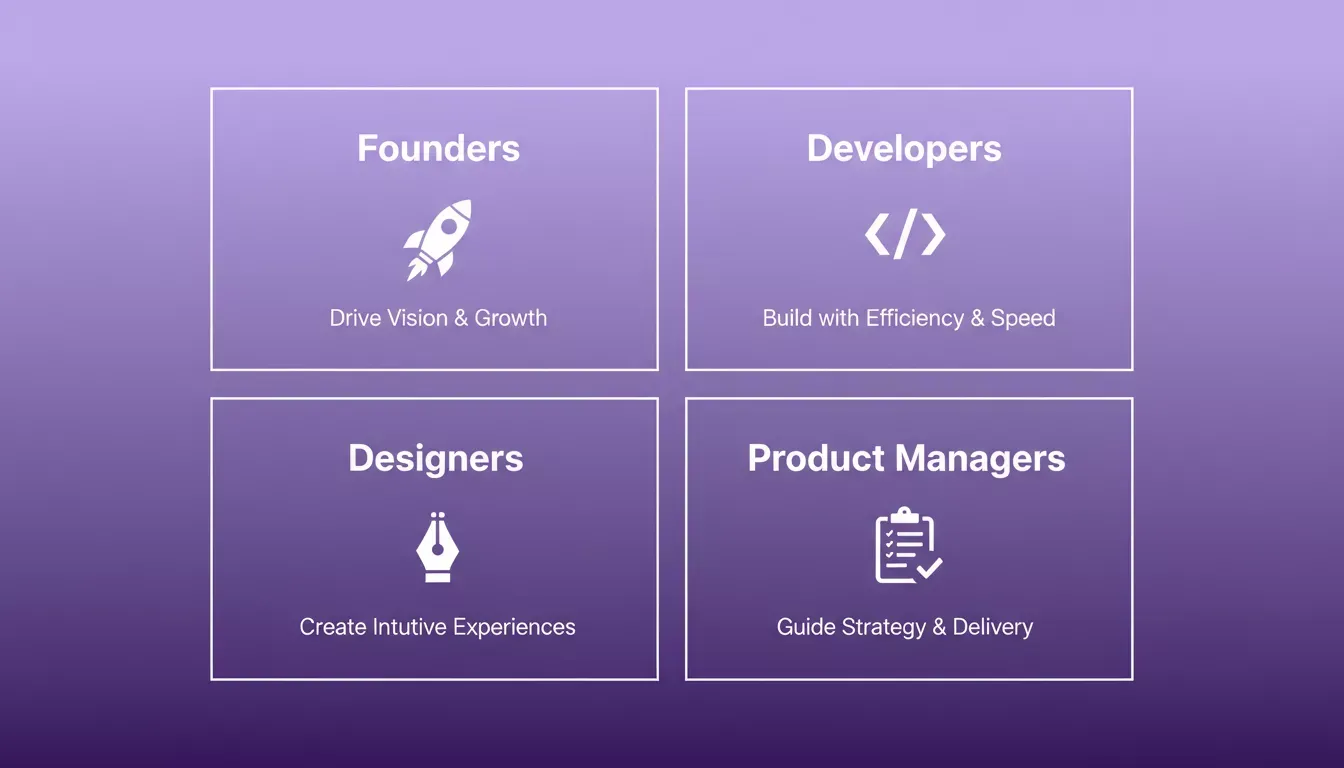
Low-code platforms serve every role differently, from founders shipping MVPs to designers converting Figma files directly into working apps.
| Role | How Low Code Helps |
|---|---|
| Founders | Validate and ship MVPs in days, not months, without a full engineering team |
| Developers | Eliminate repetitive scaffolding and focus on complex logic and architecture |
| Product Managers | Build and test prototypes directly, reducing handoff cycles with engineering |
| Designers | Convert Figma designs into working apps without waiting for a developer |
| Marketers | Launch high-converting pages and lead-gen tools independently |
| Enterprise Teams | Standardize internal tooling across departments with shared templates |
Power users and enterprise teams benefit most from platforms that offer enterprise plans with advanced customization options, role-based access, and the ability to invite users with granular permissions. For teams managing complex business processes, the ability to connect to existing apps and transform data across systems is critical.
If you're a founder or solo builder, the guide on building an app with AI in minutes walks through exactly how to get from idea to deployed product without a team.
Rocket: A Three-Pillar Platform Built for Builders
Rocket is a vibe solutioning platform, not just a low-code app builder. It combines three capabilities that most platforms treat as separate products.
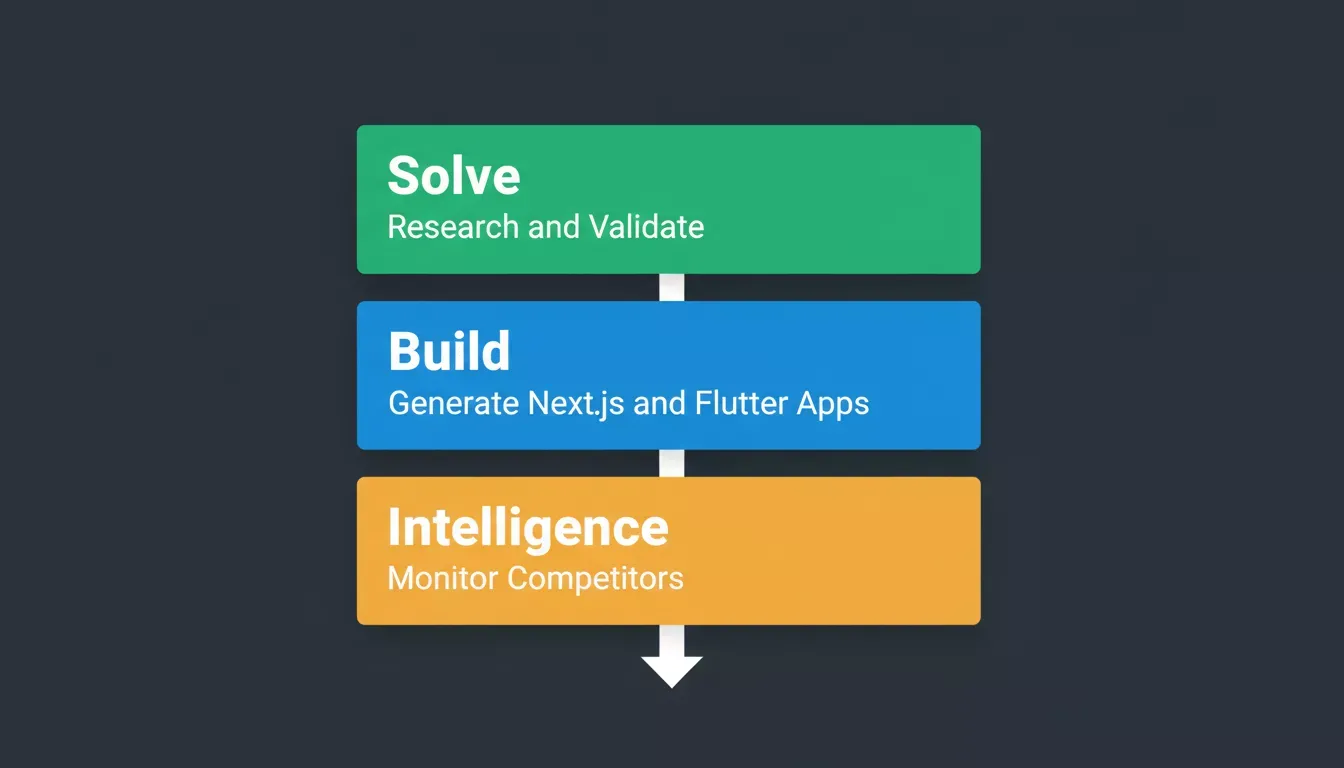
Rocket.new's three pillars work as one unified system: research before you build, generate production code, then monitor the market after you ship.
Solve research markets, validate ideas, and generate structured competitive analysis before you write a single line of code. Solve turns business questions into evidence-backed reports with market data, competitor teardowns, and strategic recommendations.
Build is Rocket's AI app generator. It generates production-ready Next.js web apps and Flutter mobile apps from natural language prompts, Figma designs, templates, screenshots, or existing apps imported from GitHub. The AI writes the user interface, navigation, logic, and backend scaffolding. You refine through chat or Visual Edit.
Intelligence monitors 50,000+ companies across nine signal types including product launches, hiring patterns, pricing changes, ad spend shifts, and G2 reviews. Intelligence delivers structured Intel cards framed to your role and strategic context.
These three pillars share a single credit balance and a unified project context, so research findings from Solve flow directly into Build prompts, and competitor signals from Intelligence inform your next product decision.
What Rocket Generates
When you describe an app in Rocket's Build, it produces:
- Next.js (TypeScript) for production-ready web apps
- Flutter for native mobile apps on iOS and Android
- Full user interface, navigation, authentication scaffolding, and backend logic, with no HTML or CSS required
- Scalable apps ready for the Apple App Store, Google Play, or direct web deployment
Starting Points
You don't have to start from a text prompt. Rocket supports multiple entry points:
- From an idea: describe what you want using natural language prompts
- From a Figma design: import frames and convert them to production code
- From a template: pick a production-ready starting point (zero credits consumed)
- From a screenshot or attachment: upload an image, PDF, or CSV and Rocket builds from it
- From existing apps: import a Next.js TypeScript codebase from GitHub and continue building with AI
Connectors: Real Integrations, All From Chat
Rocket connects to 26+ third-party services from a single chat prompt, with no API setup required:
Every connector in Rocket.new is wired up from chat. No API keys to configure manually, no boilerplate to write.
- Payments: Stripe, Razorpay
- Own database and file storage: Supabase (database, auth, storage, edge functions)
- Data sources: Google Sheets, Airtable, Directus, Strapi
- AI: OpenAI, Anthropic (Claude), Google Gemini, Perplexity, ElevenLabs
- Productivity: Google Workspace, Notion, Linear, Jira, Confluence
- Email and messaging: Resend, SendGrid, Brevo, Mailchimp, Twilio
- Analytics: Google Analytics (GA4), Mixpanel
- CRM: HubSpot
- Forms: Typeform, Tally, Calendly
- REST API imports: Postman, cURL, Swagger
For teams building data-heavy apps, the AI app builder with database integration guide covers how Supabase and Google Sheets connect in practice.
Plans and Pricing
| Plan | Price | Credits | What's Included |
|---|---|---|---|
| Free plan | $0 | 20 (one-time) | Build production-ready web and mobile apps |
| Pro | $25/mo | 100/month | Full Build access |
| Rocket | $50/mo | 250/month | Build + Solve research + Intelligence monitoring |
| Booster | $250/mo | 1,500/month | Full suite + SSO, data localisation, premium support |
The free plan lets you build and deploy production-ready apps with no credit card required. Solve (market research) and Intelligence (competitor monitoring) require the Rocket plan or higher. Enterprise features, including SSO, data localisation, and premium support, are available on the Booster plan.
How to Build an App with Rocket in Six Steps
Here is how to build a production-ready app with Rocket.new from idea to deployment:
- Describe your app. Open Rocket and type what you want to build using natural language prompts. Rocket's prompt intelligence scores your input and asks clarifying questions before starting.
- AI generates the first version. Rocket's AI app generator writes the full user interface, navigation, logic, and backend scaffolding. Web apps are generated in Next.js; mobile apps in Flutter.
- Refine through chat or Visual Edit. Describe changes in the chat to update any part of the app. Or click any element in the preview to edit text, style, spacing, or images directly with the drag and drop builder.
- Connect your data and integrations. Link Supabase for your own database and file storage, Stripe for payments, Google Sheets for spreadsheet data, or any of 26+ connectors from the Connectors panel, all from chat with no REST API setup required.
- Preview and test. Use the built-in live preview to navigate your app directly, test flows, and check responsiveness across screen sizes before deploying.
- Deploy to web or mobile. Publish your web app to a live URL with one click. For mobile, generate an Android APK for direct install, submit to Google Play, or submit to the Apple App Store.
You can see Build in action with a live walkthrough before creating an account.
When to Use Low Code Tools
Low-code tools make sense when:
- You need to build internal tools, admin panels, or business apps without a full engineering team.
- You're creating mobile apps or progressive web apps that don't require custom rendering pipelines.
- You want to build custom apps for project management, task management, or customer portals.
- You need to connect to third-party apps, transform data, or automate business processes.
- You want to ship scalable apps and invite users without managing infrastructure.
They're less ideal for real-time multiplayer systems with sub-10ms latency requirements, complex 3D rendering, or custom hardware interactions such as barcode scanning pipelines built on proprietary SDKs.
For everything else, a low code application builder just works better. Explore how low-code development platforms help teams scale apps to see which approach fits your workflow.
Broader Perspective
Software development always moves toward simplicity. Frameworks once replaced manual HTML. Managed cloud replaced bare-metal servers. Now, AI-powered low-code platforms replace the need for repetitive scaffolding.
Low-code platforms make collaboration possible across roles. They let teams build apps, test ideas, and deploy faster. The mix of low-code and no-code platforms bridges the gap between engineering and operations. Developer communities around tools like these are growing rapidly, sharing pre-built apps, reusable components, and patterns that make building custom apps even faster.
It's not about losing control. It's about spending your energy where it counts.
The Real Value of a Low-Code Application Builder
Low code isn't a shortcut. It's a smarter process.
A low-code application builder gives experienced professionals a way to focus on creativity and logic, not setup and syntax. It brings visual clarity to complex projects and shortens delivery time without lowering standards. Whether you're building simple apps for internal teams or enterprise-grade features for paying customers, the right platform gives you all the tools you need without forcing you to write code for every interaction.
Rocket captures that balance across all three pillars: Solve helps you build the right thing, Build's AI app generator creates production-ready Next.js and Flutter apps from your descriptions, and Intelligence keeps you ahead of the market after you ship.
Fewer delays. More results. That's what simplification really means.
Ready to stop rebuilding the same screens and start shipping faster?
Rocket gives developers, founders, and product teams a full-featured low code application builder with AI generation, real data integrations, and one-click deployment, plus market research and competitive intelligence built in. Whether you're building internal tools, SaaS products, or mobile apps, Rocket handles the repetitive work so you can focus on what matters.
Start building for free on Rocket.new and see the difference in your first session.
Table of contents
- -When Does Manual Coding Lose Its Efficiency?
- -What's Happening Behind the Builder?
- -Why the Flow Feels Different
- -The Blend of Low Code and No Code
- -Reusability Becomes Second Nature
- -How Low Code Changes Team Dynamics
- -The Practical Limits
- -Who Is Low Code For?
- -Rocket: A Three-Pillar Platform Built for Builders
- -What Rocket Generates
- -Starting Points
- -Connectors: Real Integrations, All From Chat
- -Plans and Pricing
- -How to Build an App with Rocket in Six Steps
- -When to Use Low Code Tools
- -Broader Perspective
- -The Real Value of a Low-Code Application Builder