

Tired of losing hours on invoicing? Learn how the right invoicing software can save time, reduce errors, efficiently track payments, and help small business owners get paid faster.
How much time goes into chasing invoices, sending reminders, and fixing mistakes?
Many small business owners spend about 14.4 hours per month manually processing invoices before considering cash flow and growth. That’s almost two full workdays lost on paperwork alone, according to recent research on SMB invoicing.
With the right invoicing software, tasks like creating professional invoices, sending them, and tracking payments get a whole lot easier. This sets the stage for better time management, more reliable cash flow, and less stress over late payments.
This blog helps small business owners discover ways to save time, reduce stress, and expedite payments, making daily work smoother and more manageable.
Why Small Business Owners Need Invoicing Software?
Running a small business means juggling a lot.
From clients to cash flow, paperwork is just the tip of the iceberg. Invoicing software steps in like a friendly assistant who never sleeps. It helps small business owners create professional invoices, send them automatically, and track payments with ease.
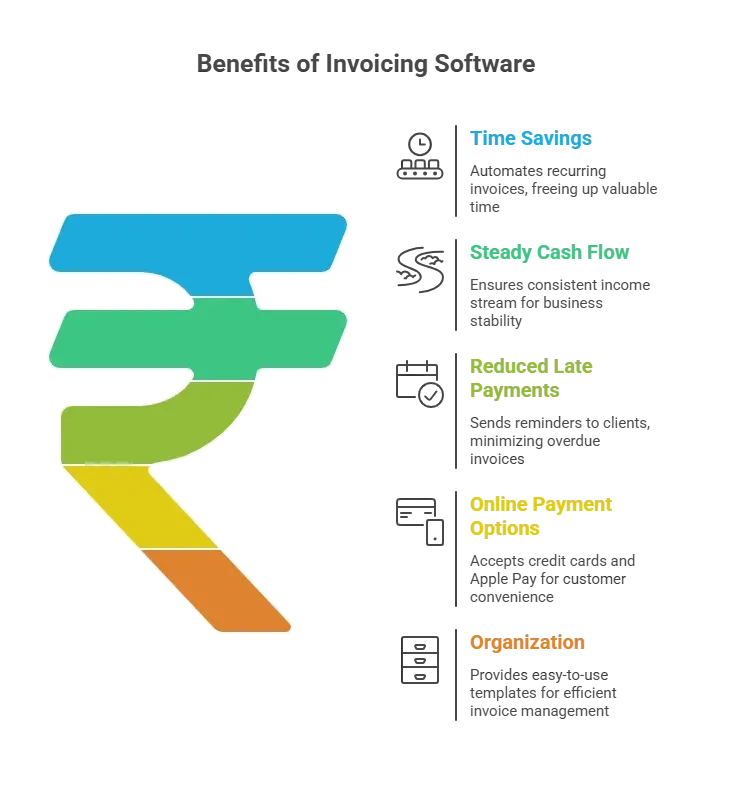
Invoicing software handles the busywork so small business owners can focus on growing their business.
How Invoice Software Saves Time?
Manual invoicing can be painful. Writing out each invoice, calculating totals, tracking due dates, and following up with customers takes hours.
With the right invoicing software, all this happens automatically.
1. Automated Recurring Invoices
Recurring invoices can be set up in just a few clicks.
Once scheduled, the system generates and sends them on time. No more remembering monthly billing or missing payments. Features such as scheduling recurring invoices and billing make this even smoother.
2. Payment Reminders
Late payments are annoying.
Good invoicing software sends automatic payment reminders to customers, reducing back-and-forth. This keeps cash flow steady without requiring you to become a full-time reminder person.
3. Accept Payments Online
Instead of waiting for checks or cash, businesses can accept credit cards, Apple Pay, and bank transfers. Accepting online payments speeds up payment and reduces outstanding invoices. Additionally, professional invoices now include payment gateways, allowing customers to pay in just a few clicks.
4. Professional Invoice Templates
Creating professional invoices manually is slow.
Invoice software offers professional invoice templates that are easy to customize. Small business owners can add logos, custom fields, and payment terms without breaking a sweat. Free invoicing software often includes these as well.
5. Expense Tracking
Good invoicing software doubles as accounting software.
Expense tracking, purchase orders, and taxes are built-in. This means all business finances are in one place. QuickBooks Online, Zoho Invoice, and Square Invoices are popular options for small business owners.
With these features, invoicing software reduces hours of work to minutes, allowing small business owners to focus on clients, growth, and what they enjoy.
Time Saved With Invoice Software
Here’s a quick look at how much time invoicing software can save compared to doing everything manually.
| Task | Manual Process | With Invoice Software |
|---|---|---|
| Create Invoice | 15 min | 2 min |
| Send Invoice | 10 min | 1 min |
| Track Payment | 20 min | Automatic |
| Follow Up | 30 min | Auto reminder |
| Total Time | 75 min | 3 min |
As you can see, what once took over an hour now takes minutes. Time saved can be used for growing the business or, you know, grabbing a coffee.
Recurring Billing and Subscription Services
Managing subscriptions can be tricky for small businesses, especially when clients have different billing cycles. Invoicing software makes recurring billing simple and stress-free.
How it helps:
- Schedule recurring invoices in just a few clicks, so customers are billed automatically each month.
- Reduce missed payments and awkward follow-ups to keep cash flow steady.
- Handle multiple clients with different plans without extra effort.
- Recurring billing features save time and simplify accounting.
With invoicing software, subscription management becomes almost hands-free, allowing small business owners to focus on delivering great service rather than chasing payments.
Community Insight
Many small business owners report that switching to automated systems has transformed their workflows.
"Switching to an online invoicing system cut my billing time in half. I now get paid faster and can focus on clients rather than chasing checks." LinkedIn
This shows that even a few simple changes, such as using invoicing software, can save hours, reduce stress, and allow small business owners to focus on growing their business rather than on paperwork.
Rocket.new: Build Powerful Web Apps and Streamline Invoicing
Rocket.new isn’t just about sending invoices; it’s about building web apps that fit your business perfectly.
Small business owners and freelancers can create apps in minutes that manage payments, subscriptions, and invoices without breaking a sweat.
With Rocket.new, getting paid faster and staying organized become part of the app itself, not a separate headache.
Top Features:
- Professional invoice templates ready to use in your app.
- Accept payments online, including Apple Pay and credit card payments.
- Schedule recurring invoices for subscription-based services.
- Automatic payment reminders to keep your cash flow steady.
- Free account options to start building apps with no monthly fees.
- Custom web app functionality to match your business needs exactly.
Example: Invoice - Automated Billing Landing Page Template A focused, evidence-led landing page for a SaaS billing and invoicing platform. The template uses a card-grid feature matrix to compare capabilities row by row against competing tools. A pinned navigation call to action and a gated PDF download create two clear conversion paths. The design is monochrome steel with a single signal-green accent reserved for action states.
The Invoice - Automated Billing Landing Page Template is for technical and operational founders who have outgrown their current billing setup. It speaks directly to the people most likely to run a migration audit.
Series A CTOs moving off a basic billing provider toward a purpose-built invoicing platform Finance operations leads currently stitching together spreadsheets and automation tools to manage recurring charges
Bootstrapped SaaS founders who have just hit the compliance requirements of their first enterprise contract
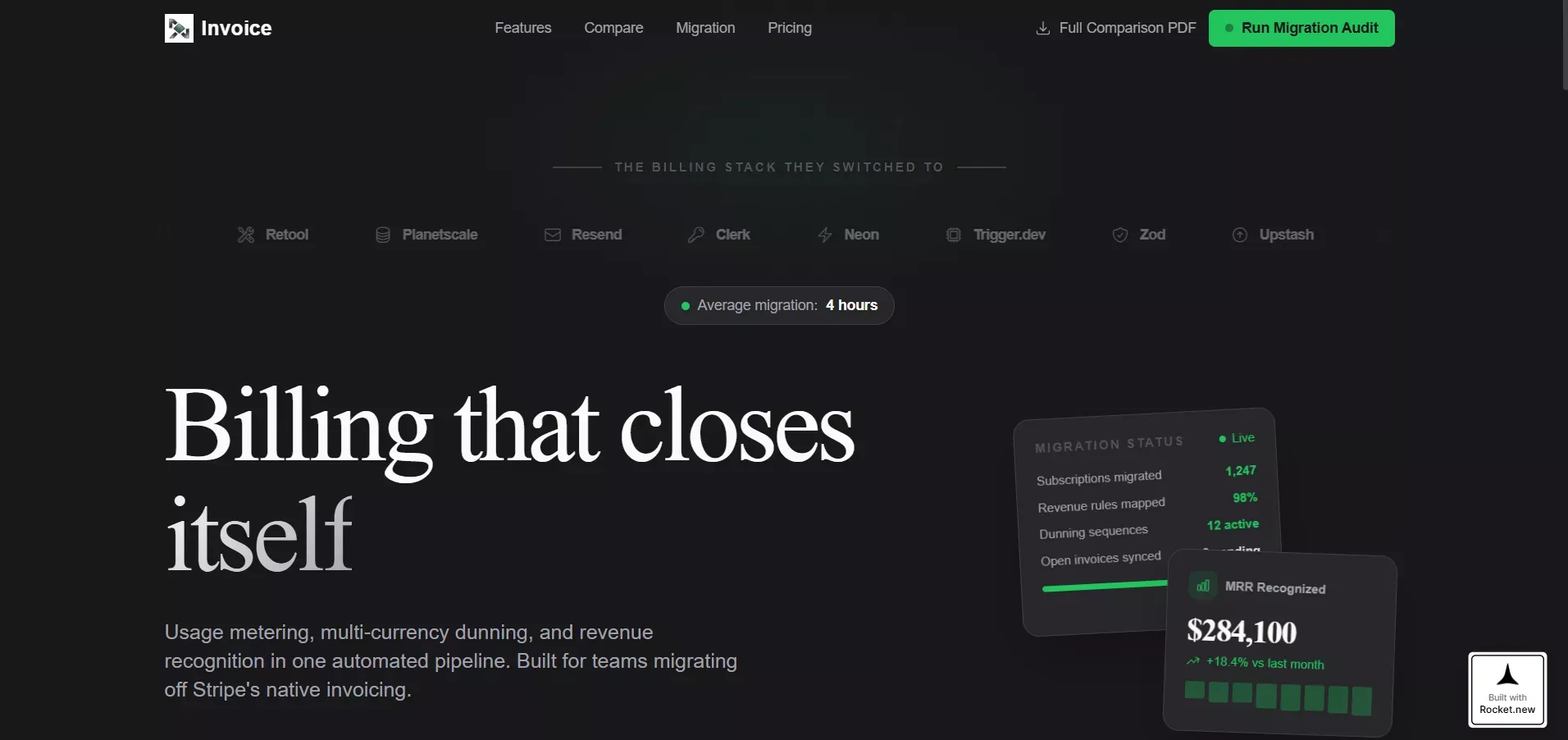
This template shows how Rocket.new can help users build a web app that’s professional, automated, and easy to manage, perfect for small business owners, freelancers, or anyone looking to take control of payments and invoicing in one app.
Invoice Software For Small Business: Saving Time and Stress
Small business owners often spend hours managing slow payments, messy bookkeeping, and manual invoicing, which makes cash flow management stressful.
Invoicing software offers a simple solution. Features like automated invoicing, recurring billing, professional templates, and integrated payment gateways streamline the process, saving time and reducing errors.
Businesses can reduce late payments, maintain steady cash flow, and focus on growth. Beyond efficiency, invoice software keeps operations organized, lowers stress, and ensures professional invoices are easy to manage. With these tools, getting paid on time becomes smooth, reliable, and hassle-free.
Table of contents
- -Why Small Business Owners Need Invoicing Software?
- -How Invoice Software Saves Time?
- -Time Saved With Invoice Software
- -Recurring Billing and Subscription Services
- -Community Insight
- -Rocket.new: Build Powerful Web Apps and Streamline Invoicing
- -Invoice Software For Small Business: Saving Time and Stress

