
More creators now build apps on mobile devices than ever before. This blog covers the full workflow, from visual prototyping to publishing on Android and iOS, using modern no-code and AI-powered tools that work directly from your phone.
What changes when you build apps on mobile instead of a desktop?
More people now start projects directly on mobile devices. According to Statista's mobile app usage data, mobile app downloads and consumer spending continue to climb year over year, reflecting a real shift in how creators build and launch products.
This shift changes how fast ideas move, encourages smaller experiments, and gives creators the freedom to try things without committing days to setup.
This blog walks through the full mobile-first creation workflow, from shaping early screens to publishing on the Google Play Store and Apple App Store, so you can build apps on mobile with confidence.
Why Creators Are Choosing Mobile-First Development
For years, building an app meant a desk, a large monitor, and a set of heavyweight tools. You opened an IDE, installed packages, and configured environments before writing a single line of logic. It worked, but it rarely felt natural.
As mobile devices gained processing power and better screens, something shifted. Building directly on the device you already carry everywhere started to make sense. You open it in seconds, test ideas the moment they form, and interact with the interface the same way your users will.
The gap between mobile development and traditional desktop workflows has closed significantly. Visual builders let you drag components instead of writing boilerplate. AI-powered tools generate working code from plain-language descriptions. You can test interactions immediately, rather than waiting for a build to compile.
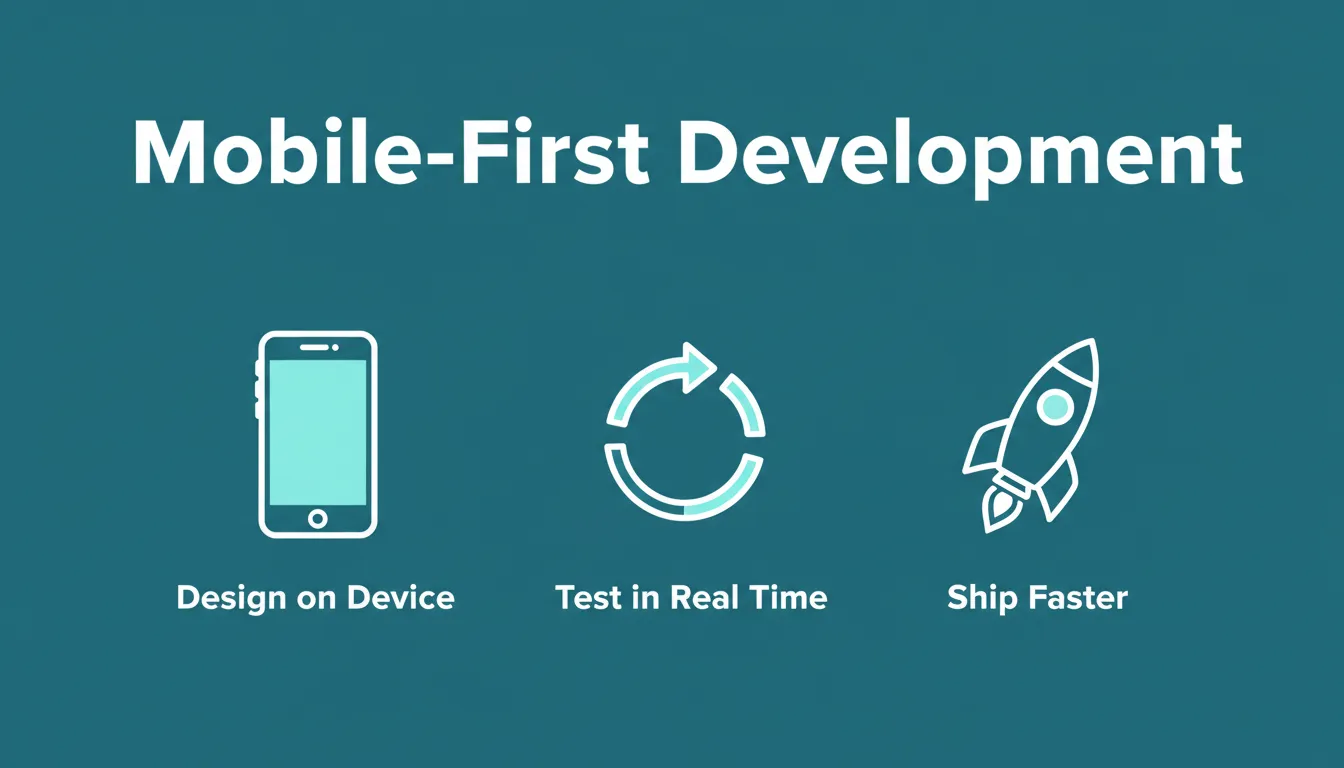
Mobile-first development compresses the distance between idea and working app. Design, test, and ship from a single device.
What "Mobile-First" Actually Means in Practice
Mobile-first development does not mean you are limited to simple apps. It means you start on the device your users will hold and design, test, and iterate from that perspective from day one.
In practice, this looks like:
- Designing for small screens first, then scaling up rather than shrinking down
- Testing interactions on real hardware rather than emulators
- Iterating in short cycles, changing one thing, testing it, and moving forward
- Publishing test builds quickly to gather real feedback before committing to a direction
Creators who build apps on mobile this way consistently ship faster and with fewer revisions. The feedback loop is tighter, and decisions are grounded in how the app actually feels in hand.
The Core Methods for Building Apps on Mobile Today
Visual-First Prototyping
The most common starting point for mobile-first creators is a visual designer. You drag components onto a canvas, adjust spacing, and watch screens come together without touching code.
This approach removes the friction between having an idea and seeing it. Rather than thinking about syntax or architecture, you focus on what the user sees and how the app responds. Because changes happen in real time, you catch problems early, before they become expensive to fix.
A button placed where users cannot reach it, a navigation flow that requires too many taps, a screen that feels cluttered on a small display, all of these surface during visual prototyping. This is also the foundation of vibe coding for mobile app development, where you describe what you want and AI handles the structure.
AI-Assisted Building
AI has changed what is possible when you build apps on mobile without a development team. Describe what you want in plain language, including the type of app, the key screens, and the core features, and the AI generates a working, deployable product.
This is not a wireframe. It is functional code with real navigation, real data handling, and real design decisions. The best AI app builders generate mobile apps in Flutter, which means a single codebase runs on both Android and iOS with production-quality theming, fluid navigation, and staggered animations. The first thing you see is not a sketch. It is a working app you can interact with.
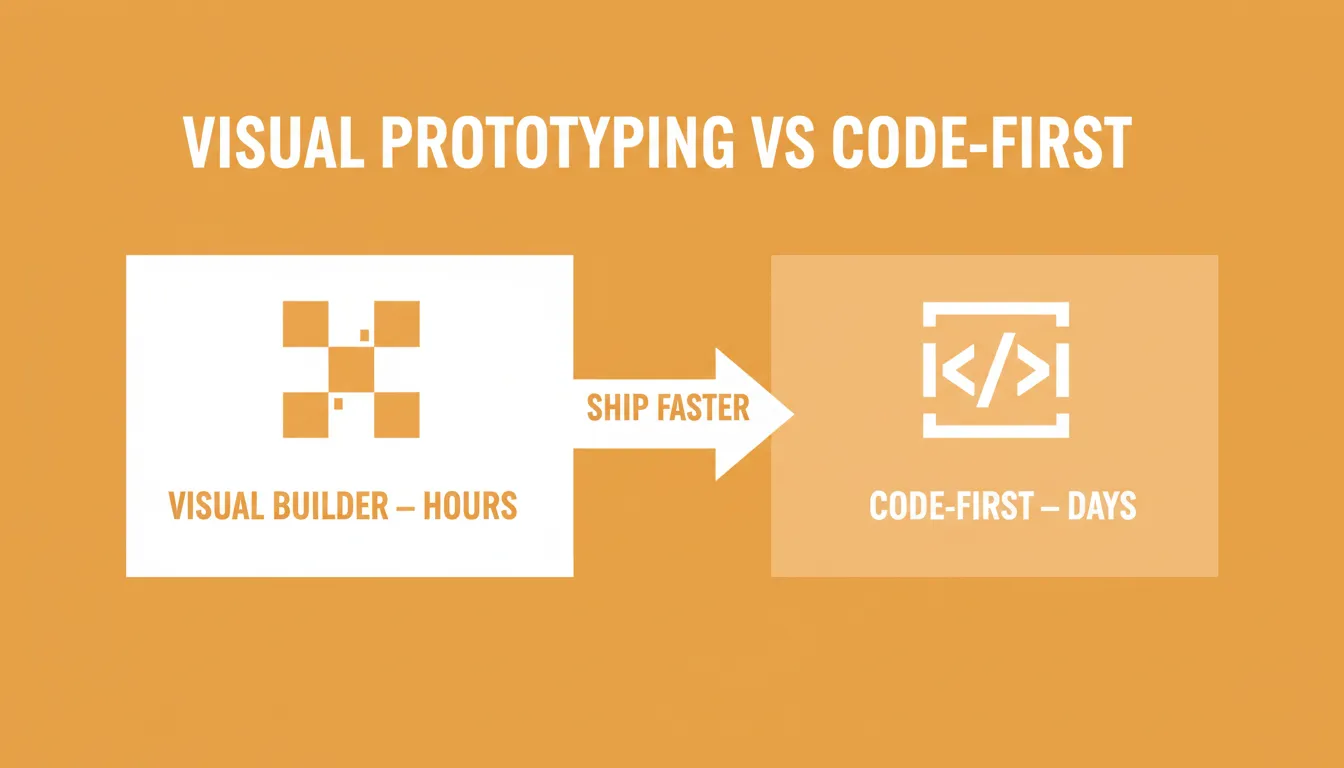
Visual prototyping and AI-assisted building cut the time from idea to working screen from days to hours.
Code-Assisted Building
Visual tools and AI handle most of the work. Even so, there is still room for code when you need precise control.
Most modern mobile app builders let you insert custom logic, tweak specific interactions, or modify generated code directly, without leaving the mobile environment. This hybrid approach means you are not locked into what the visual editor can do. When you need a specific behavior, you can write it.
The result is a workflow that scales with your skill level. Beginners build entirely visually. Experienced developers use the generated code as a starting point and refine from there. For a deeper look at this process, the step-by-step guide to building a mobile app with AI covers each stage in detail.
Connected Data Sources
A static prototype is a demo. A connected prototype is a product.
Modern mobile app builders let you connect Google Sheets, SQL databases, REST APIs, and services like Supabase in a few steps. The moment your app receives real data, it stops being a mockup and starts behaving like the thing you are actually building. You see how data flows through your screens, catch structural problems early, and understand what your users will actually experience before you commit to a direction.
Traditional Development vs. Mobile-First Workflow
| Aspect | Traditional Development | Mobile-First Workflow |
|---|---|---|
| Setup | IDE installation, package configuration, local environment | Install an app builder, describe your idea, generate |
| First output | Blank file or boilerplate | Working app with UI, navigation, and logic |
| Testing | Emulator or separate test device | Direct interaction on the same device |
| Data connection | Manual API configuration | Connect Sheets, Supabase, or REST APIs in minutes |
| Publishing | Build pipeline, signing, manual upload | Generate APK or App Store bundle from the builder |
| Iteration speed | Hours per change cycle | Minutes per change cycle |
| Skill requirement | Programming knowledge required | Accessible to non-technical creators |
For complex systems with large teams, traditional development remains the right approach. That said, for early-stage products, internal tools, MVPs, and solo projects, the mobile-first workflow ships faster and with significantly less overhead.
Mobile App Development Workflow: From Idea to Published App
The complete mobile-first development loop: from description to published app, with real-device testing and user feedback built into every cycle.
Publishing Your Mobile App: Three Paths
Once your app is ready, you have three distribution options. Each one serves a different stage of development.
Web Preview
The fastest way to share your app. No installation required, as anyone with a link can interact with it in a browser. This is the right choice for early feedback, stakeholder reviews, and user testing before you commit to a store submission. Updates are automatic every time you relaunch.
APK Download
Generate a signed APK file and sideload it onto Android devices. This gives testers the real native experience rather than a browser approximation. Use this path when you need to test hardware-specific behavior, performance on real devices, or interactions that do not translate well to a web preview.
App Store Submission
When you are ready for a public audience, you have two options. The Google Play Store requires a Google Play Developer account with a one-time $25 registration fee. Your builder generates a signed AAB bundle that you upload to the Play Console. The Apple App Store requires an Apple Developer account at $99 per year. Your builder generates the build, which you submit through App Store Connect. Apple's review process typically takes a few days to a few weeks.
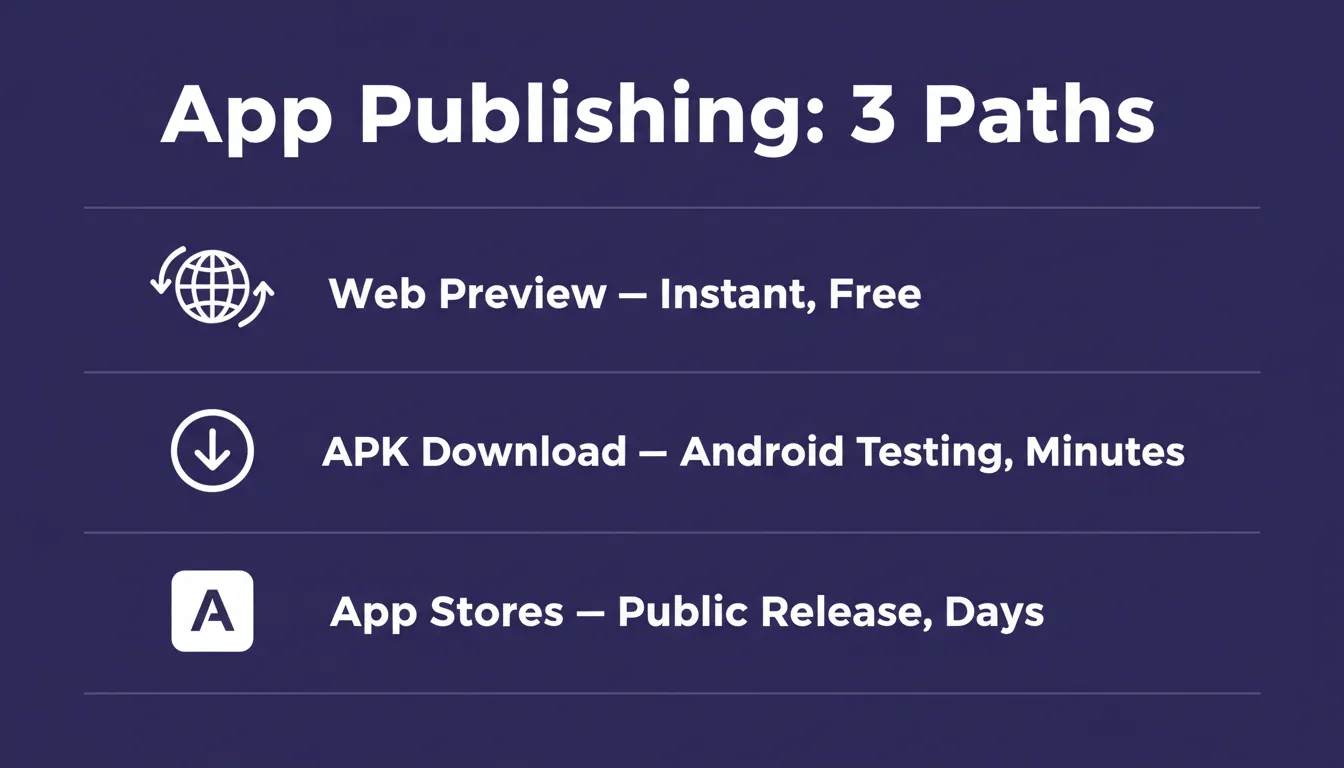
Three publishing paths serve different stages: instant sharing, real-device testing, and public release.
| Distribution Method | Speed | Audience | Cost |
|---|---|---|---|
| Web Preview | Instant | Anyone with a link | Free |
| APK Download | Minutes to build | Android testers | Included with paid plans |
| Google Play Store | Days (review) | Public Android users | $25 one-time |
| Apple App Store | Days to weeks (review) | Public iOS users | $99/year |
Real Use Cases: Who Builds Apps on Mobile and Why
Solo Founders Validating Ideas
A founder with a product hypothesis does not need a development team to test it. They describe the app, generate a working prototype, share it with potential users, and gather feedback, all before writing a business plan or raising money. The mobile-first workflow compresses the validation cycle from weeks to days.
Small Teams Building Internal Tools
Operations, sales, and customer success teams regularly need lightweight apps to manage workflows, whether that means tracking requests, logging interactions, or monitoring dashboards. A team member describes the tool, connects it to their existing data in Airtable, Google Sheets, or Supabase, and deploys it in an afternoon. The app runs on every team member's phone without any installation overhead.
Agencies Prototyping for Clients
Design and product agencies use mobile-first builders to show clients working prototypes instead of static mockups. The client interacts with the actual app on their phone, which means feedback is specific and actionable. Revisions happen in the room, not over a two-week email chain.
Developers Accelerating Early Stages
Experienced developers use AI-powered mobile builders to handle the scaffolding, including the boilerplate, the navigation structure, and the basic screens, so they can focus on the logic that actually differentiates their product. The generated Flutter code is production-grade and serves as a solid starting point. To understand why Rocket uses Flutter specifically, see why Rocket generates mobile apps in Flutter.
How to Choose the Right Mobile App Builder
Not every mobile app builder is the same. Here is what to evaluate before committing to one.
Output quality is the most important factor. Some builders produce wireframe-quality output, while others generate production-grade apps with real design systems, proper typography, dark and light theming, and fluid navigation. An app that looks AI-generated loses user trust immediately.
Framework and portability matter for long-term ownership. Flutter is the right framework for mobile apps that need to run on both Android and iOS from a single codebase. If a builder generates code you cannot export and own, you are renting your product rather than building it.
Data connections determine whether your app can do real work. Evaluate whether the builder connects to the services you already use, such as Supabase, Google Sheets, REST APIs, Stripe for payments, and authentication providers.
Publishing support separates builders that stop at prototypes from those that take you to production. Does the builder generate a signed AAB for Google Play and a proper build for App Store Connect, or does it stop at a web preview?
Iteration model determines how you change things after the first generation. The best builders give you three modes: natural language chat for broad changes, visual editing for specific elements, and direct code access for precise control, all without re-explaining what already exists.
Comparing Mobile App Development Approaches
| Approach | Time to First Working App | Skill Required | Cost | Best For |
|---|---|---|---|---|
| Native iOS (Swift) | Weeks | Advanced | High | Complex apps, large teams |
| Native Android (Kotlin) | Weeks | Advanced | High | Complex apps, large teams |
| React Native (manual) | Days to weeks | Intermediate | Medium | Cross-platform developer teams |
| Flutter (manual) | Days to weeks | Intermediate | Medium | Cross-platform, production quality |
| AI-generated Flutter | Hours to days | None to low | Low | MVPs, internal tools, solo founders |
| No-code visual builder | Hours | None | Low to medium | Simple apps, prototypes |
The AI-generated Flutter approach sits in a category of its own: production-quality output, accessible to non-technical creators, at a fraction of the time and cost of manual development.
Practical Habits for Faster Mobile App Development
These are the patterns that separate creators who ship from creators who prototype indefinitely.
Start with one feature that matters. Not the full product, but the one interaction that proves the core value. Build that first, test it, then expand.
Name your screens explicitly. When describing your app, name each screen clearly: "a home feed screen," "a profile editing screen," "a settings screen." Specific prompts produce specific results.
Connect real data early. A prototype with real data reveals problems a static mockup never will. Connect your data source as soon as the basic screens are working.
Test on multiple devices. Screen sizes vary significantly across Android devices. What looks right on one device may break on another, so test early and test broadly.
Separate design from functionality in iterations. When you want to change how something looks, make that change alone. When you want to change how something works, make that change alone. Mixing the two in a single iteration makes it harder to isolate what caused a problem.
Gather feedback before you think you are ready. The instinct to polish before sharing leads to building things nobody asked for. Share early. A rough working prototype generates more useful feedback than a polished one.
When to Move From Mobile-First to Full Code
Mobile-first tools are the right starting point. They are not always the right ending point.
Move to a traditional development environment when the app requires complex backend logic the builder cannot handle, when you need integrations with enterprise systems that require custom API work, or when the team has grown to a size where a shared codebase and version control are necessary.
The mobile-first stage is not wasted when you make this transition. It gives you a working reference implementation, a validated architecture, and a clear picture of what the product needs to do. Teams that prototype on mobile first and then hand off to developers consistently report fewer revisions and faster final delivery.
Rocket and Its Role in Mobile App Development
Rocket generates production-grade Flutter mobile apps from plain-language descriptions. You describe the app type, key screens, and core features. Rocket then plans the architecture, writes the code, and shows a live preview. Most apps generate in one to three minutes.
The output is not a wireframe. It ships with real design systems, dark and light theming, fluid navigation, staggered animations, and domain-specific data density. Every mobile app also ships with SEO-ready structure, WCAG accessibility compliance, and GDPR coverage by default.
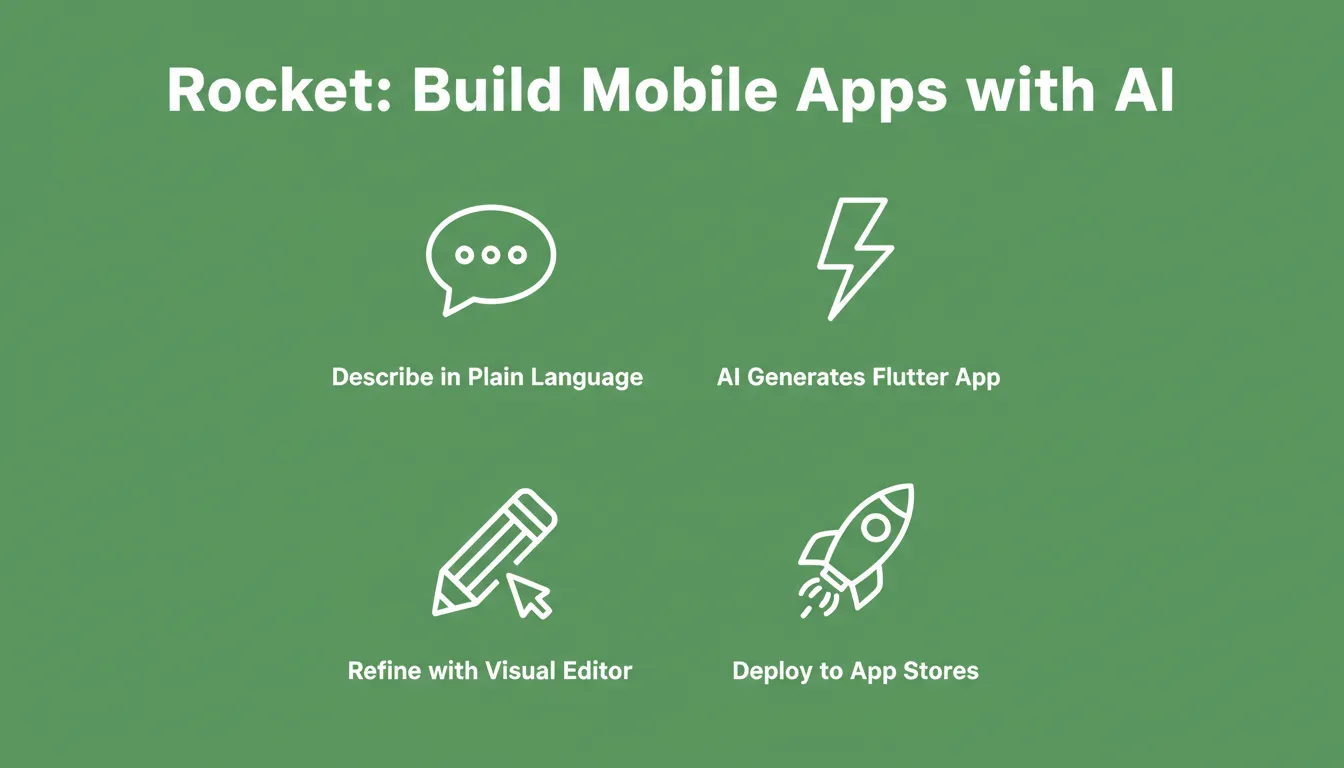
Rocket's four-step mobile workflow: describe in plain language, generate a Flutter app, refine with the visual editor, and deploy to app stores.
After the first generation, you refine through three modes: Chat for natural language instructions, Visual Edit to click any element and change it, and Code for direct access to the Flutter source. There is no change limit, and Rocket applies every change in context, with no need to re-explain what already exists.
For publishing, Rocket generates a signed APK for Android testing and a signed AAB bundle for Google Play submission. Apple App Store builds are also supported. You can also share an instant web preview link before committing to a store submission.
Rocket connects to 25+ integrations, including Stripe, Supabase, Google Analytics, Airtable, Notion, Linear, and Mailchimp, all authenticated once and flowing into every build. Built-in analytics track visitors, conversions, accessibility, and Core Web Vitals after launch.
1.5 million people have tried Rocket across 180 countries. You can explore how it handles building on mobile from your phone, or see how vibe coding applies to mobile development before you start.
Rocket Pricing
| Plan | Monthly Price | Credits Included | Best For |
|---|---|---|---|
| Free | $0 | 20 credits | Light, exploratory, and personal use |
| Pro | $25/month | 100 credits/month | Production-ready builds, frequent use |
| Rocket | $50/month | 250 credits/month | Individuals and teams, full suite |
| Booster | $250/month | 1,500 credits/month | Power users and fast-moving teams |
All plans include unlimited team members. Credits never expire, and additional credits can be purchased as needed. Intelligence monitoring costs $100 per month per competitor tracked. Annual billing saves 20%.
When Rocket Works Best
Rocket tends to be the right fit when you want:
- Quick prototypes without heavy setup
- A clean visual workspace with full code access
- A single Flutter codebase for both Android and iOS
- Smooth data connections to Supabase, Google Sheets, or REST APIs
- A direct path to Google Play and App Store submission
Build Apps on Mobile: The Workflow That Fits How You Actually Work
The decision to build apps on mobile is no longer a compromise. It is a deliberate choice made by creators who want to test ideas faster, ship products earlier, and stay closer to the experience their users will have. As AI app builders continue to close the quality gap with manually written code, the case for starting on mobile grows stronger with every release cycle.
Traditional development remains the right approach for complex systems and large teams. For the majority of apps being built today, including MVPs, internal tools, solo projects, and early-stage products, the mobile-first workflow is faster, more accessible, and produces better early-stage results. Rocket generates production-grade Flutter apps from plain-language descriptions, with full App Store publishing support built in. Start building for free today.
Table of contents
- -Why Creators Are Choosing Mobile-First Development
- -What "Mobile-First" Actually Means in Practice
- -The Core Methods for Building Apps on Mobile Today
- -Visual-First Prototyping
- -AI-Assisted Building
- -Code-Assisted Building
- -Connected Data Sources
- -Traditional Development vs. Mobile-First Workflow
- -Mobile App Development Workflow: From Idea to Published App
- -Publishing Your Mobile App: Three Paths
- -Web Preview
- -APK Download
- -App Store Submission
- -Real Use Cases: Who Builds Apps on Mobile and Why
- -Solo Founders Validating Ideas
- -Small Teams Building Internal Tools
- -Agencies Prototyping for Clients
- -Developers Accelerating Early Stages
- -How to Choose the Right Mobile App Builder
- -Comparing Mobile App Development Approaches
- -Practical Habits for Faster Mobile App Development
- -When to Move From Mobile-First to Full Code
- -Rocket and Its Role in Mobile App Development
- -Rocket Pricing
- -When Rocket Works Best
- -Build Apps on Mobile: The Workflow That Fits How You Actually Work