
How can an app stay usable without internet? Offline-first design stores data locally, lets users read and write without connectivity, then syncs updates with the server when the network returns.
How do you build an app that works offline?
It is simple. You design it so the app works with local data first, then syncs later when the network is back. That idea is called offline first, and it is quickly becoming a standard pattern for modern apps.
Many users deal with weak or unstable connections. A Google research report notes that 53% of mobile users abandon a site that takes longer than 3 seconds to load. Slow or unreliable connections can break user flows.
That is why offline first apps matter. They keep apps usable even without internet access. The user can read content, write data, and interact normally. The app syncs later with the remote server when network connectivity returns.
So let’s break down how offline-first apps work, what features they need, and how developers structure them.
What are Offline First Apps?
Before building anything, it helps to understand what offline first apps actually do.
Traditional apps depend heavily on network calls. The moment the internet connection drops, the app stops working. Data cannot be loaded. Users get errors. That creates frustration.
Offline-first apps solve this problem by flipping the flow. Instead of waiting for the network, the app reads from local storage or a local database first. The app treats the device as the primary local data source.
Then the system syncs with a network data source when the connection becomes available.
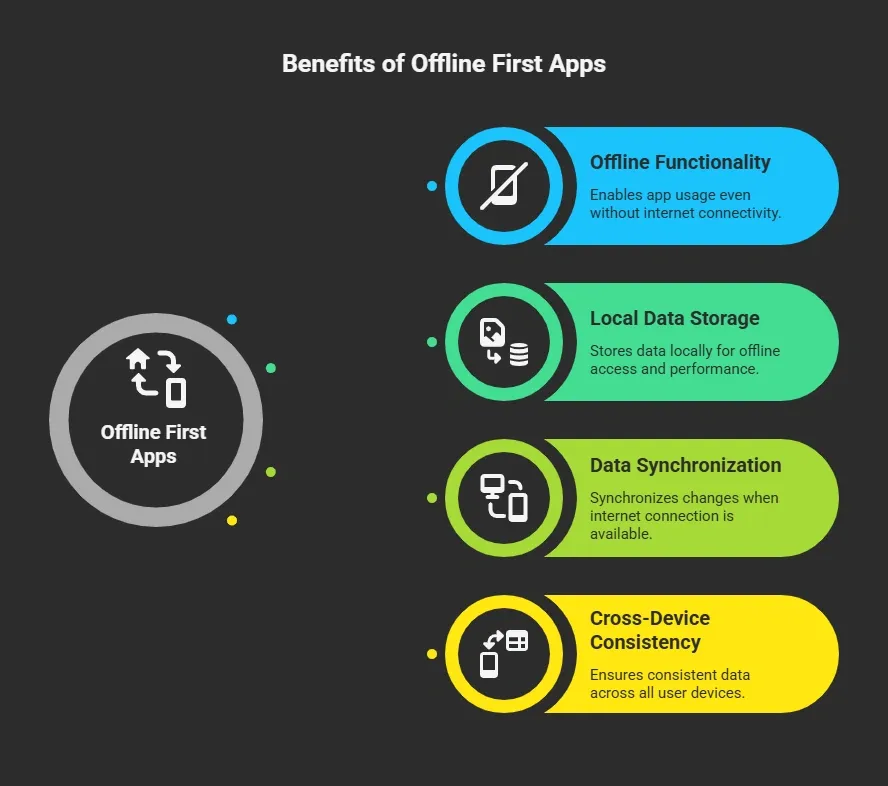
The idea sounds simple. The underlying structure is more detailed. That structure is called offline first architecture.
Core Principles of Offline First Architecture
Designing an offline-first architecture means organizing how the app handles data sources, storage, and syncing.
A good offline-first design focuses on three ideas:
- local storage
- reliable sync
- clear conflict resolution
Let’s walk through these parts.
Local Data Comes First
In offline-first apps, data is read from the local database. The app keeps local data inside device storage using tools like:
- SQLite
- room database
- file based local storage
- embedded relational databases
The app uses this local data source to read and fetch data instantly. Because the data is stored locally, the app remains fast even without a stable internet connection.
This also means the app can work offline and still support normal user interactions.
The Role of Network Data Sources
Even though offline-first apps prioritize local data, they still rely on network data source systems.
These usually include:
- APIs
- cloud services
- a backend server
The network data source becomes responsible for:
- updating global records
- sharing updates across devices
- storing permanent records
The network data source also handles network requests and returns fresh data when the connection is restored.
Designing the Data Layer
One of the most important pieces in offline-first architecture is the data layer. The data layer manages how data sources interact.
This includes:
- local data source
- network data source
- caching systems
- synchronization logic
The data layer controls data flow between the app and storage systems.
Typical flow in offline first apps looks like this:
| Step | What Happens |
|---|---|
| 1 | App reads cached data from local database |
| 2 | User updates or write data locally |
| 3 | Changes stored as local data |
| 4 | Sync operations send updates to network data source |
| 5 | Server returns fresh data |
| 6 | Local records update to keep data consistency |
This approach reduces dependence on constant internet connection. It also lowers server load because many reads occur locally.
Managing Local Storage and Data Sources
Another major part of offline-first apps is managing different data sources. You typically work with two types.
Local Data Source
The local data source contains:
- cached data
- pending updates
- user logs
- offline edits
This data lives in the local database and remains stored locally. Apps rely on this local data source for most reading data tasks. This helps the app stay responsive.
Network Data Source
The network data source handles communication with the cloud.
This includes:
- network operations
- sending updates
- fetching data
- downloading fresh data
The app selects the data source based on network status. When the connection drops, the system stays with the local data source.
When network availability returns, the app runs sync operations.
Data Synchronization and Sync Logic
The biggest challenge in offline-first systems is syncing changes. Users may edit data while offline. Later, the app must push those updates to the network data source.
This process uses a sync layer or sync engine.
The sync engine manages:
- data synchronization
- sync logic
- synchronization mechanism
During sync operations, the app compares the local data with server data. Then it pushes write operations to the network data source.
Some systems sync automatically. Others trigger syncing when the internet connection returns. A clean synchronization mechanism keeps data consistency across devices.
Handling Conflict Resolution
One tricky part of offline first apps is conflict resolution. Conflicts happen when two devices update the same record while working offline.
For example, a user edits a note on their phone in offline mode, while the same note is edited on another device with an internet connection. When sync operations begin, the system must decide which version should stay.
Common conflict resolution strategies include:
- Last Write Wins: This is one of the most widely used methods. The system checks timestamps and keeps the newest update. In simple terms, the most recent change replaces the older one.
- Write Wins Logic: Some systems rely on write wins rules where the latest write operations overwrite previous updates. This works well for simple records that do not need merging.
- Merge Conflicts: Instead of replacing data, the system merges both updates. This approach is useful when different parts of the record were edited separately.
- User Decision: In some cases, the app shows both versions to the user and lets them choose which update should stay.
A clear conflict-resolution strategy ensures data consistency, prevents data loss, and helps apps maintain the same data across devices after syncing.
Handling Network Status and Offline Mode
Apps must detect network reliability and network connectivity. When network access drops, the app switches to offline mode.
During offline mode, the system relies on:
- local storage
- locally stored data
- queued write operations
Once network connectivity returns, the sync logic runs again. Monitoring network status also helps avoid unnecessary network request calls.
Designing the User Experience
Users do not care about architecture. They care about whether the app works. That means offline first apps must feel natural.
Good offline first design focuses on:
- fast loading
- clear status messages
- reliable core functionality
Apps should still remain usable without internet. Many mobile apps also let users create and edit content offline.
This is especially useful on mobile devices, where connections may drop frequently. Handling offline scenarios well leads to a better smooth user experience.
Building an Offline First App: Key Steps
Building offline first apps requires a clear structure. The goal is simple. The app should rely on local data first, then connect to the network data source when the connection becomes available.
A step-by-step approach helps developers properly organize data sources, syncing systems, and storage layers.
Step 1: Design Offline First Architecture
Start with offline first architecture planning.
Define:
- local database
- network data source
- data layer
This structure decides how data sources interact.
Step 2: Store Local Data
The app should save data locally using a database. This allows the app to read data without needing an internet connection.
Step 3: Add Cached Data
Apps store cached data to quickly load content. Users see information immediately while the app updates fresh data in the background.
Step 4: Create Sync Logic
Develop a sync layer that handles data synchronization.
This includes:
- sync operations
- update queues
- retry logic
Step 5: Handle Conflict Resolution
Use conflict-resolution rules such as last-write-wins or write-wins to manage edits across different devices.
Step 6: Monitor Network Status
Detect network status and automatically switch between the local and network data sources. This helps the app continue working during unstable network connectivity.
A structured process like this helps developers build offline-first apps that stay reliable, keep local data up to date, and handle syncing without breaking the user experience.
Community Insight
Developers often discuss offline first apps in online communities. Here is a real comment from Reddit about the value of offline-first architecture.
“Offline first is the only way our field apps work. Workers are in remote areas with no signal for hours. Local storage with sync later keeps the app usable.”
That experience shows why many modern apps now rely on offline-first architecture and strong data sources.
How to Build an Offline First App With Rocket.new?
Rocket.new is a vibe solutioning platform that helps teams build full-stack apps quickly. Instead of manually setting up servers, databases, and authentication, the platform generates the app's foundation using prompts or templates.
This makes it easier to build offline first apps because developers can focus on local data, data sources, and sync logic instead of spending weeks configuring infrastructure. The platform can generate the base structure for mobile apps, which you can then adapt to support offline first architecture.
Below is a simple step-by-step workflow.
Step 1: Define the Offline First App Idea
Start with a clear concept. Decide what your first app will do and which core functionality must work during weak network connectivity.
Think about situations where users may not have a reliable network connection.
Examples include:
- field service reporting tools
- note taking apps
- delivery tracking tools
- productivity tools for mobile devices
Then decide which local data should be available offline. Focus on a critical subset of features that must remain usable offline.
Step 2: Create a Project on Rocket.new
Next, go to Rocket.new and create a new project.
Set up your workspace from the dashboard. The platform prepares the basic project structure so you can quickly start building your first app.
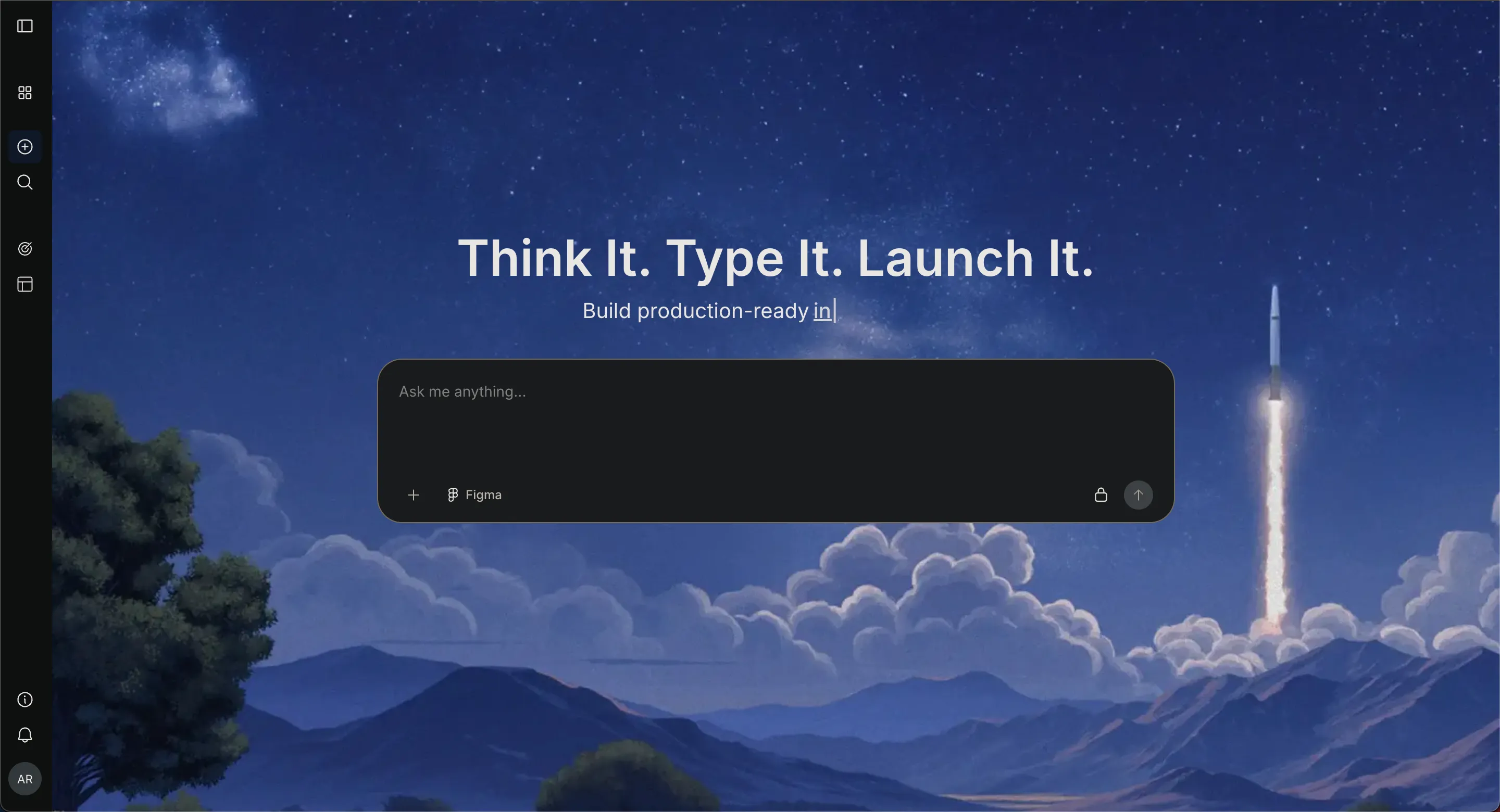
You do not need to manually configure a backend server or complex cloud infrastructure at this stage. The environment is ready for development.
Step 3: Describe the Offline First App Using a Prompt
Now, describe your app idea clearly.
Example prompt:
“Create a productivity first app that allows users to write notes offline using local storage, sync notes when network connectivity returns, and store records on a network data source.”
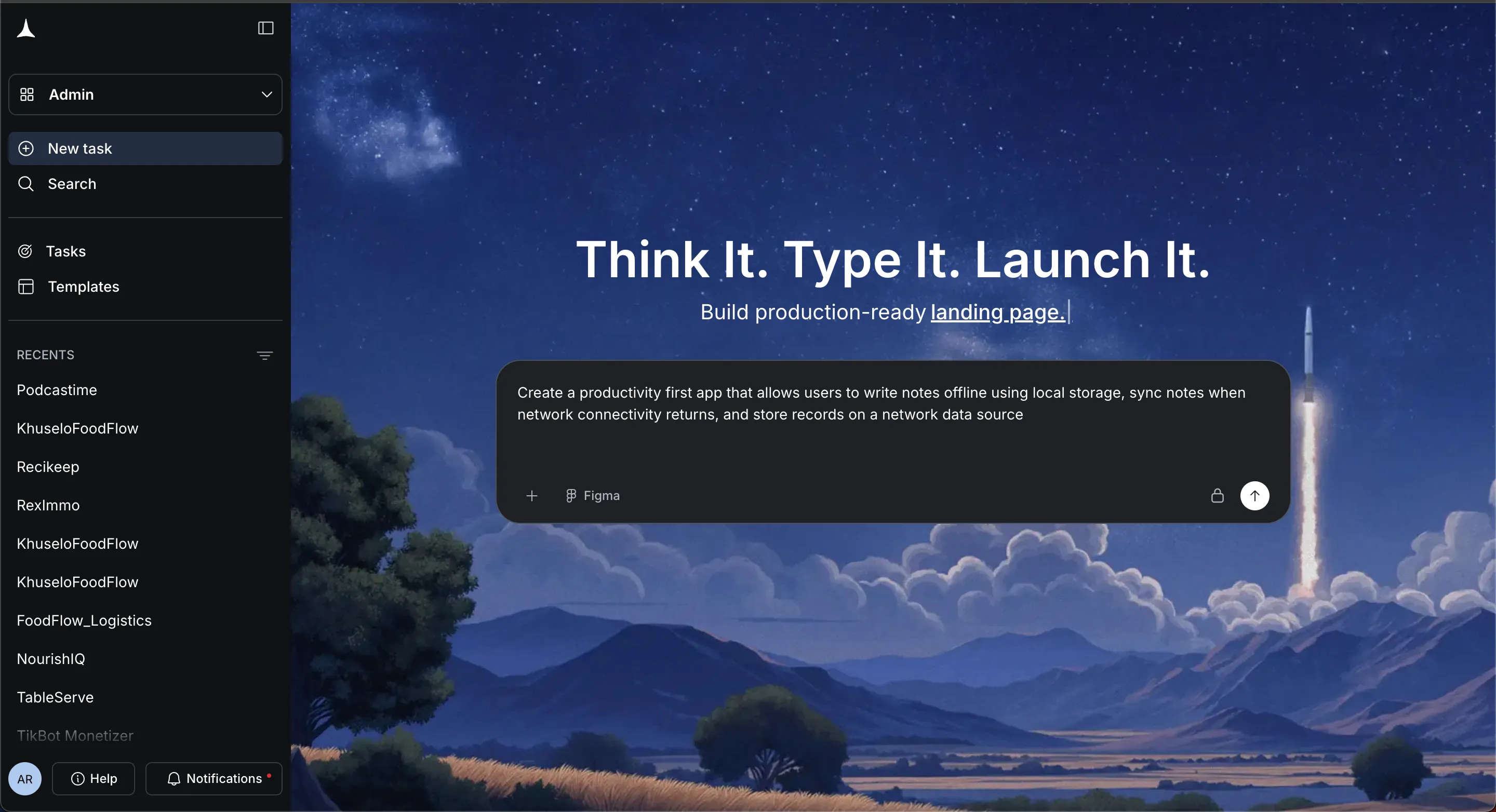
Rocket.new generates the base structure for the app. This includes the UI layout and database models needed for your first app.
Clear prompts help the system produce better results.
Step 4: Select the Screens and App Structure
Next, define the screens needed for your first app.
Typical screens for offline first apps may include:
- login and signup
- dashboard
- content creation page
- history or activity page
- settings and profile
This structure helps organize how users interact with the local data source and network data source.
Step 5: Set Up the Local Data Source
Now focus on the offline-first architecture. Configure the local database so the app stores local data on the device. Many apps use SQLite or a Room database for this purpose.
This local data source handles:
- reading data
- storing cached data
- saving updates during offline mode
Because the information is stored locally, the app can continue working even without an internet connection.
Step 6: Connect the Network Data Source
After the local system is ready, connect the network data source. This allows the app to communicate with a remote server and fetch fresh data.
The network data source manages:
- user accounts
- shared data
- long-term storage
During normal conditions, the app can perform network operations to update records. When the connection drops, the system returns to the local data source.
Step 7: Add Sync Logic
Now build the sync layer that manages data synchronization.
The sync logic should:
- Send write data updates to the network data source
- Fetch updates from the server
- Update the local database
This process runs through sync operations whenever network status changes. A reliable synchronization mechanism keeps the local data aligned with the server.
Step 8: Add Conflict Resolution
Next, handle conflict resolution. Conflicts arise when two devices update the same record while offline.
Common approaches include:
- Last write wins rule
- Write wins logic based on timestamps
- Merging updates from different data sources
These conflict-resolution strategies maintain data consistency and prevent data loss.
Step 9: Test Offline Scenarios
Before launch, test your first app under different network reliability conditions.
Check what happens when:
- Network access drops suddenly
- The app runs during extended offline periods
- Multiple updates occur in local data
Also, verify that reading data, write operations, and sync operations behave correctly. Testing confirms that offline-first systems behave as expected.
Step 10: Launch the First App
After testing, review the app structure and prepare it for release.
Check:
- user interface flow
- login and authentication
- data sources configuration
- sync behavior
Then publish the first app to Netlify.
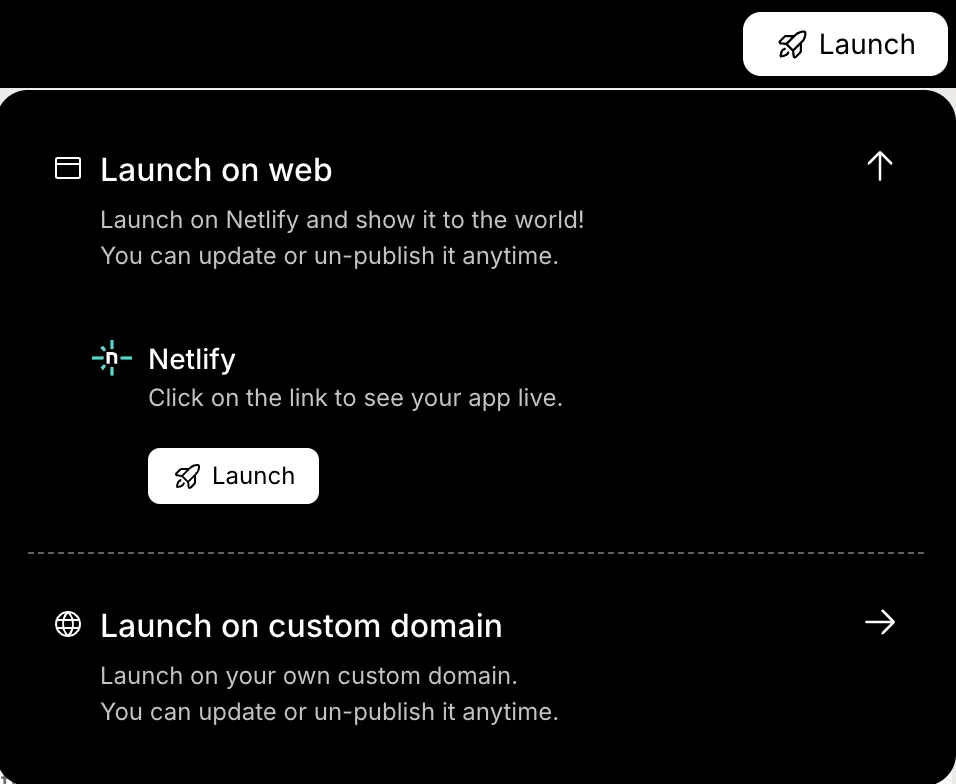
At this stage, the app can work offline, sync later, and deliver a reliable experience even when internet connection quality is poor.
Why Offline First Apps Matter for Modern Development
Many apps stop working the moment the internet connection drops. This breaks workflows, interrupts user interactions, and blocks access to structured data stored in cloud systems. Apps that rely solely on network data sources struggle when connectivity is weak. An offline-first approach solves this problem by prioritizing local data. The app reads from a local data source, stores updates locally, and runs sync operations later with the network data source when connectivity returns.
Understanding how to build offline-first app systems helps developers create apps that remain usable under any network condition. Users can read, edit, and save content without waiting for the network. With a strong offline-first architecture, smart data sources, and reliable sync logic, apps continue to work smoothly even when the network disappears.
Table of contents
- -What are Offline First Apps?
- -Core Principles of Offline First Architecture
- -Local Data Comes First
- -The Role of Network Data Sources
- -Designing the Data Layer
- -Managing Local Storage and Data Sources
- -Local Data Source
- -Network Data Source
- -Data Synchronization and Sync Logic
- -Handling Conflict Resolution
- -Handling Network Status and Offline Mode
- -Designing the User Experience
- -Building an Offline First App: Key Steps
- -Step 1: Design Offline First Architecture
- -Step 2: Store Local Data
- -Step 3: Add Cached Data
- -Step 4: Create Sync Logic
- -Step 5: Handle Conflict Resolution
- -Step 6: Monitor Network Status
- -Community Insight
- -How to Build an Offline First App With Rocket.new?
- -Step 1: Define the Offline First App Idea
- -Step 2: Create a Project on Rocket.new
- -Step 3: Describe the Offline First App Using a Prompt
- -Step 4: Select the Screens and App Structure
- -Step 5: Set Up the Local Data Source
- -Step 6: Connect the Network Data Source
- -Step 7: Add Sync Logic
- -Step 8: Add Conflict Resolution
- -Step 9: Test Offline Scenarios
- -Step 10: Launch the First App
- -Why Offline First Apps Matter for Modern Development