
Learning how to create an app starts with validating your idea, picking the right tools, and following a clear build process. Costs range from $5K to $100K+ depending on complexity. AI platforms like Rocket.new cut that dramatically.
Learning how to create an app is more accessible than ever. This guide covers real development costs, the best tools for every skill level, and a step-by-step process to take your idea from concept to a live app on the App Store or Google Play.
What Does It Really Mean to Create an App?
Often, people imagine creating an app as a mystical coding ritual guarded by developers.
The truth? It's closer to building a complex system. There's planning, design, building, testing, refining, and launching.
Think of it like building a house:
- An app idea is your blueprint
- User interface is the design and feel
- Programming languages or no-code tools are your construction crew
- Testing and launch are moving in
Getting from an idea to a working mobile app isn't instantaneous. But with the right approach, it becomes far clearer and doable.
What Is Rocket.new? The Vibe Solutioning Platform
Before diving into tools and costs, it's worth understanding one platform that changes the entire equation for modern app creation.
Rocket.new is a vibe solutioning platform that combines strategic research, AI app building, and competitive intelligence into a single product. It is built around three pillars that work independently or together.
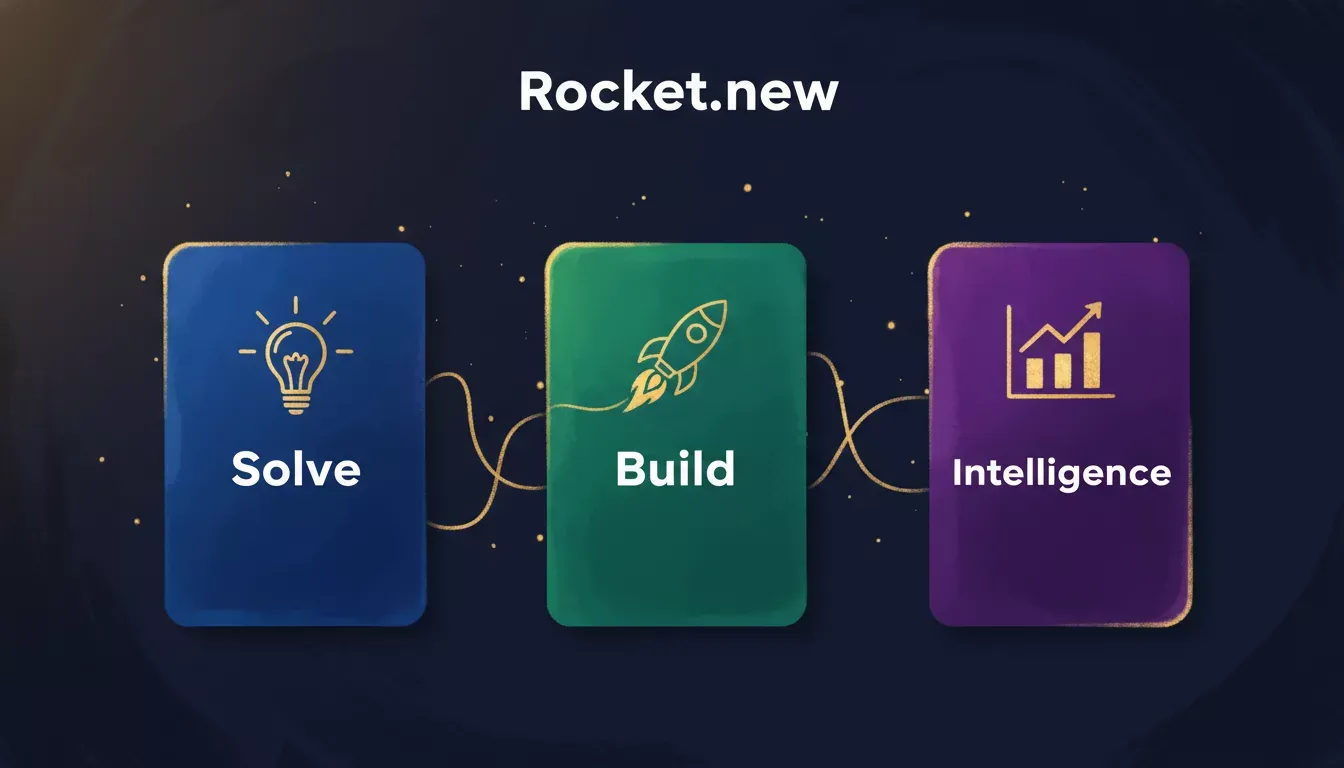
Rocket.new's three-pillar platform: Solve for research, Build for app generation, Intelligence for competitor monitoring.
| Pillar | What It Does | Output |
|---|---|---|
| Solve | Validate ideas, run market research, create PRDs, competitive teardowns | Structured reports exportable as PDF, HTML, or PowerPoint |
| Build | Generate production-ready apps from natural language prompts | Next.js web apps and Flutter mobile apps (iOS + Android) |
| Intelligence | Monitor competitors continuously across nine signal pillars | Live dashboard with daily briefs, pricing alerts, and trend signals |
What makes this different from every other AI app builder? Most tools only cover Build. Rocket.new adds strategic research that validates your idea before you build, and competitive intelligence that monitors your market after you launch, all sharing context in one platform.
You do not need to write code or use a terminal. Describe what you want in plain language, and Rocket.new generates production-ready Next.js web apps or Flutter mobile apps. Sign up in about 30 seconds with Google, Apple, or email. No credit card required.
How Much Does It Cost to Create an App?
App development costs range from $5,000 for a simple app to $100,000+ for a complex one, depending on features, platform, and whether you build manually or with AI tools.
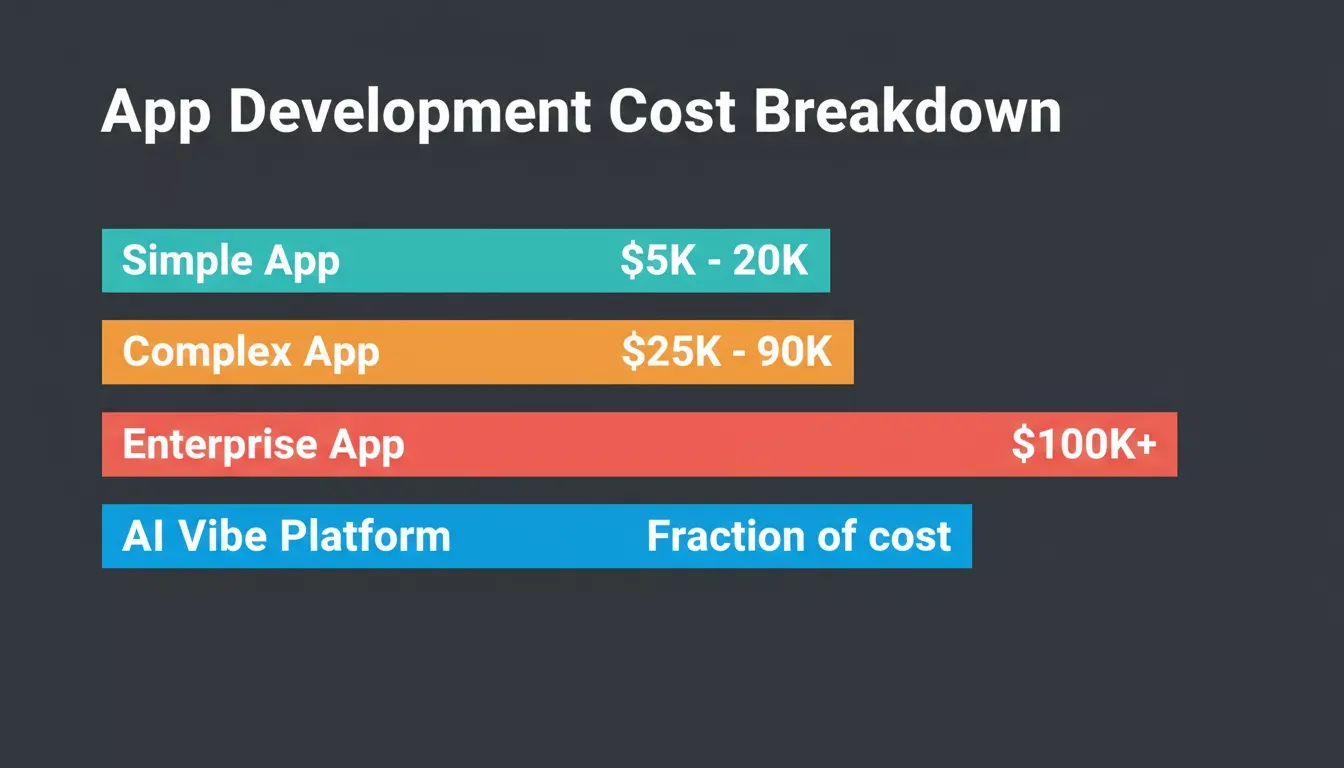
App development costs vary significantly based on complexity, features, and the build method you choose.
| App Type | Typical Cost Range | Key Cost Drivers |
|---|---|---|
| Simple app (few screens) | $5,000 to $20,000 | Basic screens, minimal logic |
| Moderately complex app | $25,000 to $90,000 | Backend, APIs, authentication |
| Complex apps | $100,000+ | Advanced features, heavy server work |
| AI vibe platform (Rocket.new) | Fraction of above | AI handles backend, UI, auth, and deployment |
Costs include developer fees, design, backend servers, deployment, testing, and updates. Understanding the cost of hiring a developer versus using an AI builder is one of the most important decisions you'll make early on.
Features such as push notifications, real-time chat, and payments drive prices up quickly:
- Push notifications: adds backend infrastructure and device registration logic
- Real-time chat: requires WebSocket connections and message persistence
- Payments: Stripe or Razorpay integration adds authentication, webhook, and compliance overhead
Each of these can add $5,000 to $15,000 to a manual build. AI-assisted platforms handle much of this wiring automatically.
Tools You Can Use to Create an App
Traditional Development Tools
- Android Studio: Standard IDE for building Android apps in Kotlin or Java.
- Xcode: Apple's IDE for iOS apps in Swift.
- React Native or Flutter: Build cross-platform apps from a single codebase. Flutter compiles to native iOS and Android. It is the same framework Rocket.new uses under the hood for mobile generation.
No-Code and Low-Code Platforms
No-code app builders let you drag components, connect logic, and publish without deep knowledge of programming languages. Some let you build a web app and mobile apps at once. For a deeper look at the low-code landscape, the complete beginner's guide to low-code and no-code development is a solid starting point.
AI-Assisted App Development (Vibe Platforms)
AI-assisted platforms go further than no-code tools. Instead of dragging components, you describe what you want and the platform generates production-ready code, backend logic, database structure, authentication, and deployment workflows automatically.
Rocket.new is the leading example: it generates Next.js and Flutter apps from a single natural-language prompt. "Backend logic" here means real things: auth routes, Postgres database tables via Supabase, API endpoints, and edge functions, not a visual mock. You can even build an app with AI in minutes using just a plain-language description.
How to Choose the Right Approach
Choosing how to create apps isn't one-size-fits-all. Your skills, timeline, and goals will shape the best path.
If you know coding: Leverage traditional environments like Android Studio or Xcode, or write in Swift, Dart, or JavaScript.
If you want speed and less code: No-code platforms and AI-assisted tools like Rocket.new let you create apps much faster without deep technical knowledge.
If you want full control: Coding by hand gives you more customization and performance tuning.
If you want to publish in app stores: You must comply with both Google Play Store and Apple App Store requirements. Apps built with Rocket.new can be submitted directly to both stores. The platform handles Flutter packaging and generates the required build artifacts.
Select an approach that aligns with your skills, timeline, and goals. Whether it's traditional coding, no-code tools, or a hybrid approach, the right method makes app creation smoother and less stressful.
The App Development Process: Step by Step
Building a mobile app can feel like a maze if you don't know where to start. Breaking it down into clear steps makes the journey easier, faster, and less painful.
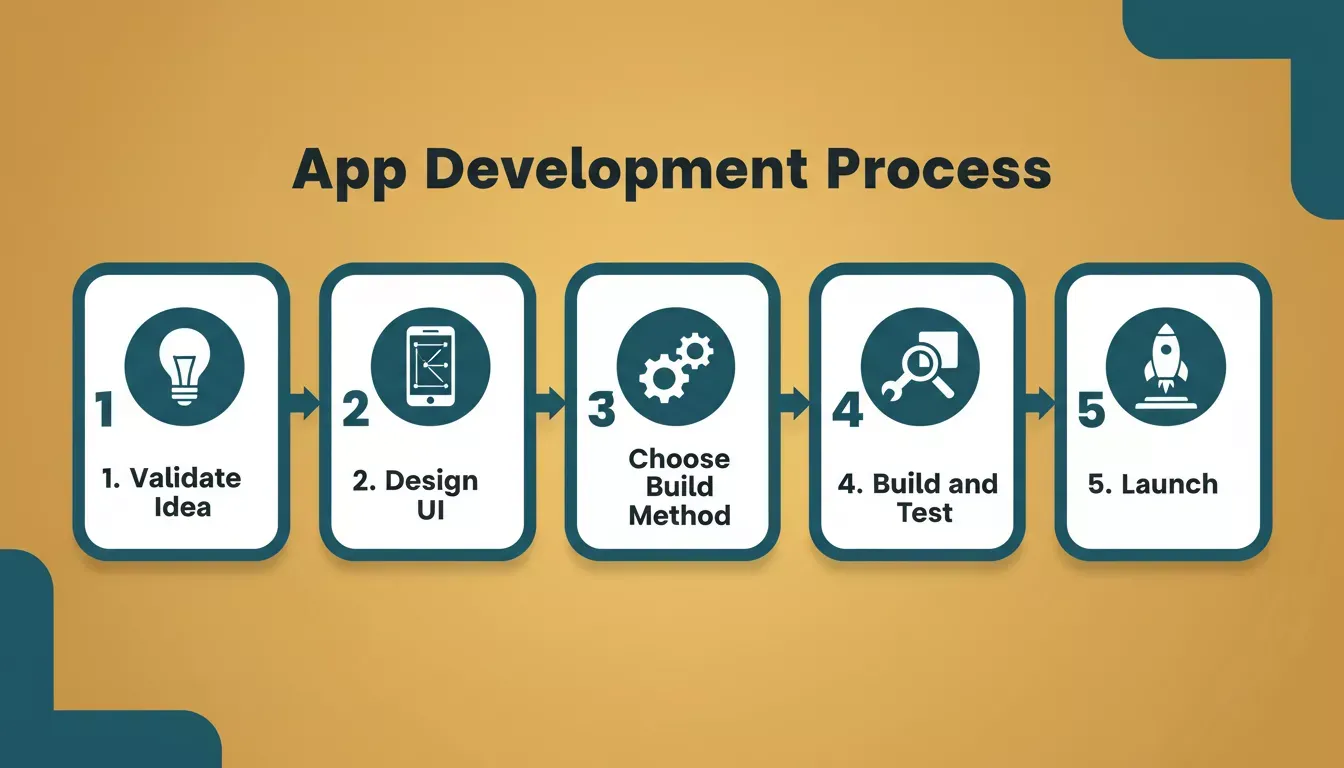
The five-stage app development process: validate, design, build, test, and launch.
1. Nail Down the App Idea
A clear app idea is the foundation for everything. Before writing a line of code, validate it.
Ask: Who will use this? What problem does it solve? What are the core features? This is exactly where Rocket.new's Solve pillar earns its place. You can run a structured market research report, competitive teardown, or PRD in minutes. Solve outputs are exportable as PDF, HTML, or PowerPoint, ready to share with stakeholders before a single screen is designed. Learning how to validate your business idea before building saves weeks of wasted effort.
2. Sketch or Design the User Interface
This is the stage at which your app begins to look and feel real.
Before writing a single line of code, visualize how users will interact with your app. A clear interface helps users understand what to do instantly. The easier it feels, the longer they'll stay.
You can start simple with paper sketches, mapping out screens and user flows. For greater precision, switch to digital mockups with tools like Figma. Rocket.new can also import Figma files directly and convert them into production-ready React, Next.js, or Flutter code with matching layouts and styling. Rapid prototyping at this stage dramatically reduces rework later.
3. Pick Your Build Method
Once the interface is clear, decide how you'll build the app. You have several paths, depending on your skills, timeline, and goals.
4. Build and Test
Start building. After the screens are set up, test on different devices, especially if you're targeting both Android and iPhone. Real people testing provides user feedback you can't predict on your own. Even small issues, such as layout inconsistencies across screen sizes, can annoy users and drive uninstalls.
5. Prepare for Launch
You'll create accounts in the Apple App Store and the Google Play Store. Provide screenshots, store descriptions, and follow the submission guidelines.
Important distinction: apps built with Rocket.new are submitted to the App Store and Google Play as standard Flutter builds. This is separate from Rocket.new's own companion mobile app (available on iOS and Android), which lets you manage your Solve, Build, and Intelligence tasks on the go.
Taking it step by step keeps things manageable. Even a little thoughtful progress on your app idea can turn into a working app that users can enjoy and provide feedback on.
The five-stage app development process: validate, design, build, test, and launch:
Five-step app development flow from idea validation to launch.
Real Talk: Community Insight
Here's what professionals who have tried app creation tools are actually saying:
"Rocket isn't just another AI code generator. It listens to natural-language prompts and delivers production-ready apps. You can test product ideas and campaigns faster with shorter feedback loops. It reduces miscommunication and lets non-technical contributors shape features and flows directly." — LinkedIn post from a developer discussing the platform.
Push Notifications, Testing, and More
Great apps keep users coming back. Features like push notifications alert users about updates, but adding them isn't free in time or cost.
Testing on real devices (both Android and iOS) helps prevent embarrassing bugs. Even small issues, such as layout inconsistencies across screen sizes, can annoy users.
SEO and App Store Presence
If you make a mobile app, people need to find it. That's where app store optimization comes in. Using clear titles, descriptions, and keywords in your Apple App Store or Google Play Store listing helps your new app appear in search results.
Screenshots and visuals also matter. A glance should tell users what your app does and why it's useful. Good visuals can make someone pause, click, and download your mobile app instead of scrolling past.
Don't forget reviews and updates. Encouraging users to leave ratings and keeping your app fresh with new features help improve visibility. Over 5 million apps are listed across the major app stores, making discoverability a critical part of any mobile app strategy. More than 6.3 billion smartphone users worldwide spend hours inside mobile apps every day, which means the opportunity is enormous for apps that are easy to find and use.
Quick Comparison: No-Code vs. Code
Before deciding how to create apps, it helps to see how different approaches stack up.
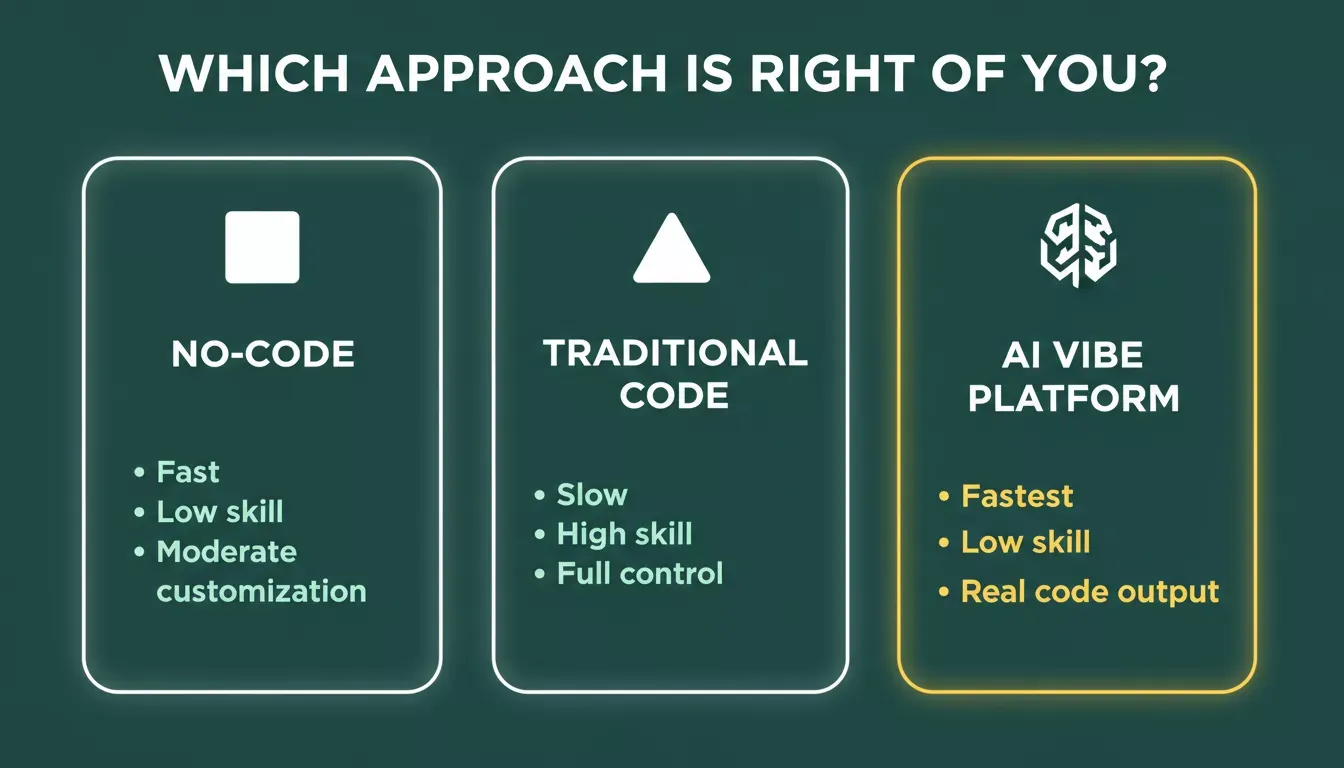
Comparing no-code, traditional coding, and AI vibe platforms across skill level, speed, and output quality.
| Approach | Skill Level | Speed | Customization | Research + Intelligence |
|---|---|---|---|---|
| No-code / drag-and-drop | Low | Fast | Moderate | None |
| Traditional hand-coding | High | Slow | High | None |
| Hybrid (React Native, Flutter) | Medium | Medium | High | None |
| AI vibe platform (Rocket.new) | Low | Very fast | High (real code) | Built-in (Solve + Intelligence) |
The key differentiator for AI vibe platforms isn't just speed. They produce real, exportable, deployable code (Next.js and Flutter) rather than locked-in visual builders, and they integrate research and monitoring that no other category offers.
Tips Most People Forget
Building a mobile app isn't just about coding or dragging components. Here are some practical tips many beginners overlook:
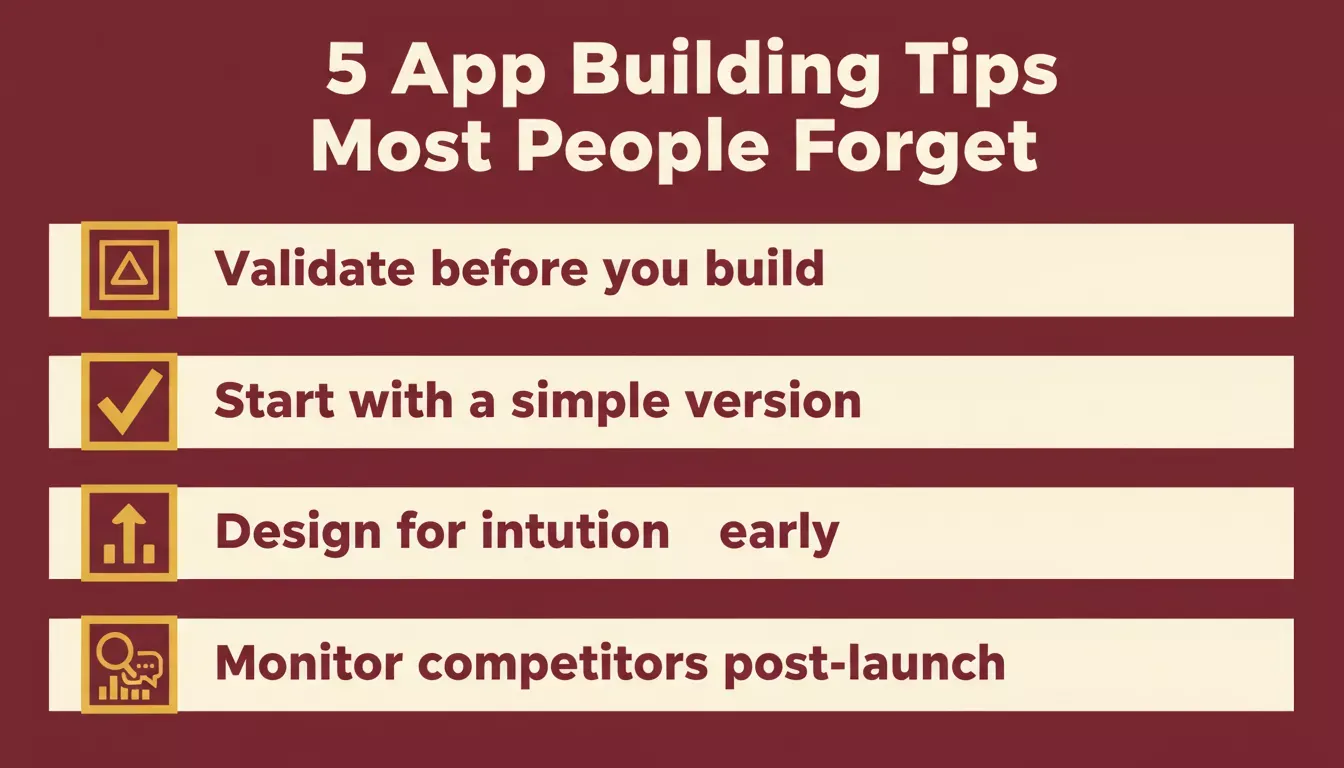
Five practical tips that separate successful app launches from abandoned projects.
- Validate before you build. Use a structured research tool or Solve to confirm there's real demand before investing weeks in development. Most failed apps skip this step.
- Start with a simple app version first. Focus on the core problem your users want solved. You can always add premium features or extra capabilities later.
- Ensure your app design is intuitive. A clean user interface keeps users happy. Confusing apps get deleted fast, no matter how fancy the features are.
- Gather user feedback early and often. Let real users try your new app and listen carefully. User feedback shapes the app better than any guesswork or internal brainstorm.
- Monitor competitors post-launch. Most founders stop watching the market after shipping. Rocket.new's Intelligence pillar watches pricing changes, feature launches, and hiring signals from competitors automatically, so you always know when to respond.
Even if your first try doesn't set the app world on fire, you'll gain valuable insights that save time and headaches down the road.
How to Create an App Without Hitting Your Head
Ultimately, the journey from an app idea to a live presence in app stores doesn't have to be painful. The old path of validating manually, hiring developers, building in isolation, and launching blind has been replaced by a faster loop: Solve validates the idea, Build ships the product in Next.js or Flutter, and Intelligence monitors what happens next.
The key is to stay clear on your goals, pick the right tools, and focus on shipping something real. Even a simple app with core features works. You can refine it with user feedback and add more app features later.
Ready to go from idea to working app without writing hundreds of lines of code? Rocket.new is the fastest way to create an app. Validate your idea with Solve, generate production-ready Next.js or Flutter code with Build, and monitor competitors with Intelligence.
Start building for free on Rocket.new, sign up in 30 seconds; no credit card required.
Table of contents
- -What Does It Really Mean to Create an App?
- -What Is Rocket.new? The Vibe Solutioning Platform
- -How Much Does It Cost to Create an App?
- -Tools You Can Use to Create an App
- -Traditional Development Tools
- -No-Code and Low-Code Platforms
- -AI-Assisted App Development (Vibe Platforms)
- -How to Choose the Right Approach
- -The App Development Process: Step by Step
- -1. Nail Down the App Idea
- -2. Sketch or Design the User Interface
- -3. Pick Your Build Method
- -4. Build and Test
- -5. Prepare for Launch
- -Real Talk: Community Insight
- -Push Notifications, Testing, and More
- -SEO and App Store Presence
- -Quick Comparison: No-Code vs. Code
- -Tips Most People Forget
- -How to Create an App Without Hitting Your Head