
Ready to launch an app without long timelines or technical hurdles? Discover how Rocket.new streamlines mobile and web app creation, turning ideas into live products quickly within today’s fast-growing global app market.
How can you build an app without complex code or delays?
The answer is simple. Use a modern platform like Rocket.new to easily create and deploy mobile and web apps. No heavy custom coding. No messy setup. Just a clear process.
The global app market continues to grow rapidly. According to Statista, global mobile app revenue is projected to reach over $613 billion in 2025.
That number says one thing. Creating apps is not slowing down.
So let’s talk about how this whole app development process works with Rocket.new, and how ideas turn into a working app in record time.
Understanding the Basics of App Development
App development is not just about writing code. It is about turning ideas into usable software that works on mobile and web platforms, including Android.
A good app has a clear structure, logical design, well-organized data, and a smooth user interface. Most importantly, it solves a real problem for users or improves a workflow in a simple way.
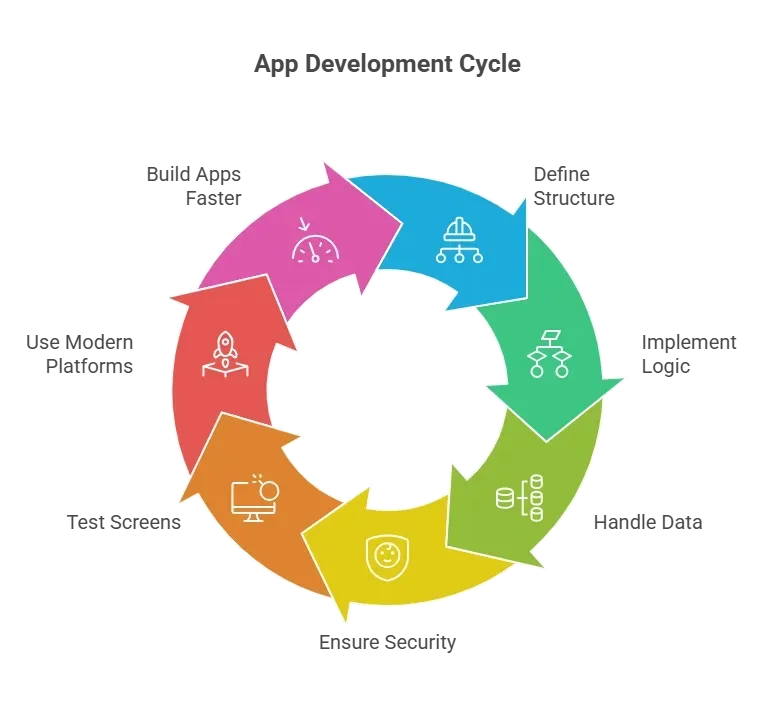
In simple terms, app development is shifting from long hours of manual coding to smarter app creation with modern tools. The focus is no longer just on code. It is on solving problems, shaping workflows, and delivering functionality that users actually need.
The Step-by-Step Process to Build Your App with Rocket
So, how does this all come together?
App development can feel big when looking at the entire app at once. But the process becomes simple when broken into clear steps.
Each step builds on the previous one. Each step adds structure, logic, and functionality to the project.
Instead of jumping from scratch into writing code, follow a structured workflow:
- Start with a clear app idea.
- Create a new project in Rocket.
- Design the user interface.
- Connect data sources.
- Add logic and define workflow.
- Test the app before launch.
That is it. No magic. No complicated setup. Just a clean process that helps developers build, customize, test, and deploy a mobile app or web app with steady progress.
Now let’s go through each step properly.
Step 1: Start with a Clear App Idea
Every project begins with ideas. Not ten random ideas. One strong app idea.
Ask simple questions:
- What problem does the app solve?
- Who are the users?
- Is it a mobile app or web app?
- What features matter most?
Keep it small at first. Many developers try to build the entire app at once. That leads to slow progress.
Define the core workflow.
For example:
- User signs up.
- User fills a form.
- Data gets stored.
- Results show on a screen.
That is your base structure. Additional features can be added later.
Creating apps becomes easier when the app idea is clear. Without clarity, even the best platform cannot save the project.
Step 2: Create a New Project in Rocket
Now comes the fun part.
Open Rocket and create a new project. The platform gives starting points using a template library. Each template already has structure, screens, and basic workflow logic.
Instead of building from scratch, select a template that matches the app idea.
| Use Case | Suggested Template | Main Features Included |
|---|---|---|
| Task Manager | Productivity Template | Forms, data list, dashboard screen |
| Booking App | Service Template | Calendar, user login, data storage |
| Internal Tool | Admin Template | Role access, reporting screen |
This template system saves time and keeps the process clean.
From there, start building by adjusting the layout, editing screens, and defining logic.
Step 3: Design the User Interface
Now shape the user interface.
Rocket uses visual interfaces. No need to write code for basic layout. Change background colors. Modify buttons.
Each screen has its own purpose. A login screen collects data. A dashboard screen shows progress. A form screen captures inputs.
The platform supports responsive design. That means the app works across devices. Mobile phones, tablets, and web browsers. This is key in mobile app development today.
Want to customize deeper? Add rules. Define logic. Describe what happens when users click a button. This is where app creation becomes interesting.
Yes, custom coding is available for advanced functionality. But for many projects, minimal coding is required.
Step 4: Connect Data Sources
No app works without data.
Rocket allows developers to connect multiple data sources. This includes internal databases, APIs, and tools like Google Sheets.
For example:
- Connect Google Sheets to store user entries.
- Connect an API for payment.
- Connect internal storage for user profiles.
Data flows through the workflow. Users submit information. The app processes it. The screen updates.
This part defines how powerful the app becomes. A clean data structure leads to smooth functionality.
Rocket keeps the process visual while still letting developers define data logic clearly.
Step 5: Add Logic and Workflow
Now, define what actually happens inside the app.
Logic controls the flow.
For example:
- If the user submits a form, then store the data.
- If payment succeeds, then show confirmation screen.
- If user role equals admin, then show extra features.
Rocket uses simple logic builders. No heavy code writing required. Developers describe actions in plain language. The platform generates the needed code behind the scenes.
This is where AI assistance helps. It can generate workflows, suggest logic, and accelerate app development.
Creating apps becomes less about typing code and more about describing behavior.
Step 6: Test the App
Before launch, test everything.
Test each screen. Test data flow. Test logic conditions. Test mobile and web versions.
Rocket provides a preview mode. This allows developers to simulate mobile or web apps in real time.
Fix errors. Adjust workflow. Refine the structure.
Testing helps catch small issues early. That keeps the deployment smooth later.
Once these steps are completed, the app moves from idea to working app. The structure is set. The logic is defined. The data flows correctly. Each screen has been tested.
From here, it is about deployment, feedback, and steady progress. Keep improving features, refining workflow, and building on the foundation already created.
Rocket.new: The Engine Behind Fast App Creation
Rocket is built to simplify app development without removing flexibility.
The platform focuses on speed, structure, and clear workflow control. It supports both mobile and web projects from one place.
Top Features
- Prompt to App Creation: Builds apps directly from single prompts
- Figma Import: Converts design files into live, editable layouts
- AI-Powered Backend: Automatically handles logic, data, and workflows
- Custom Domain Support: Publishes projects with a branded domain
- Code Export: Allows developers to extend or customize later
- Live Preview: Shows instant updates while editing
Rocket helps developers create, customize, test, and deploy projects in record time.
Community Insight
One Reddit user shared this about modern app creation:
"Low code platforms are great for getting an MVP out quickly. You still need logic and planning, but you skip writing repetitive boilerplate code."
Publishing and Deployment
After testing, the project is ready to proceed to the next stage. This is where the app moves from development mode to real users. Deployment is not just a final click. It is the step that turns a finished build into a live web app or mobile app.
Key Points
- Deploy the project after completing testing.
- Rocket supports web deployment and mobile publishing.
- The same structure can be used for both web app and mobile app versions.
- Choose hosting based on the project needs.
- Configure security settings before going live.
- Publish the project so users can access it.
- Some advanced features may require paid plans depending on the project scale.
When handled properly, deployment becomes part of the normal workflow instead of a stressful final step. Once the app is published, developers can focus on improving features, monitoring data, and continuing steady progress..
From Scratch vs Using Rocket
There are two main ways to approach app development. Build from scratch with full manual code, or use a platform like Rocket to simplify the process.
Building from scratch:
- Full control over code
- Longer development time
- More technical knowledge required
Using Rocket platform:
- Faster progress
- Visual interfaces
- Reduced coding required
- AI assistance for logic
Both paths work. But for many teams, especially citizen developers, Rocket makes app creation practical.
How to Develop an App Without Getting Stuck
Many people struggle to develop an app because traditional development feels cumbersome. Writing code from scratch takes time. Managing data, workflow, and deployment adds complexity. Use a structured platform like Rocket. Define the app idea. Select a template. Connect data sources. Set logic. Test. Deploy. The process becomes manageable and clear.
App development does not need to feel like climbing a mountain. With the right tools, ideas move faster from concept to working app.
Table of contents
- -Understanding the Basics of App Development
- -The Step-by-Step Process to Build Your App with Rocket
- -Step 1: Start with a Clear App Idea
- -Step 2: Create a New Project in Rocket
- -Step 3: Design the User Interface
- -Step 4: Connect Data Sources
- -Step 5: Add Logic and Workflow
- -Step 6: Test the App
- -Rocket.new: The Engine Behind Fast App Creation
- -Top Features
- -Community Insight
- -Publishing and Deployment
- -From Scratch vs Using Rocket
- -How to Develop an App Without Getting Stuck