
Rocket generates Flutter mobile apps for Android and iOS from a plain-language prompt or Figma import. Use Solve to validate, Build to create, and Intelligence to monitor. No coding needed. Sign up free in 30 seconds.
Rocket is the AI-powered vibe solutioning platform that lets you generate mobile app projects for Android and iOS using Flutter, without writing a single line of code.
From validating your idea with Solve to building with AI and monitoring competitors with Intelligence, Rocket handles the full product cycle while delivering production-ready Flutter apps you can submit directly to Google Play and the Apple App Store.
What Is Rocket and How Does It Generate Mobile Apps?
Rocket is a vibe solutioning platform that combines strategic research, AI app building, and competitive intelligence in one product. To generate a mobile app, you describe your idea in plain language inside the Build pillar. Rocket's AI generates production-ready Flutter code for iOS and Android, complete with screens, navigation, state management, and backend scaffolding, all from a single prompt.
The three pillars work together:
- Solve: Validate your idea, run market research, and get structured reports before you build
- Build: Generate production-ready Flutter mobile apps and Next.js web apps from natural language or Figma designs
- Intelligence: Monitor competitors continuously with automated daily briefs and pricing change alerts
Each pillar works independently. Use one, two, or all three depending on what you need.
The Rise of No Code Mobile Development
No code platforms allow non-technical users to build apps without writing code. Instead of opening Android Studio and setting up complex configurations, users work in a browser-based platform with visual tools and AI chat.
Global mobile app revenue is projected to surpass $600 billion in the coming years. At the same time, Gartner predicts that over 70% of new applications will be built using low-code or no-code tools. According to McKinsey, AI-powered app builders can reduce development time by 30-40%.
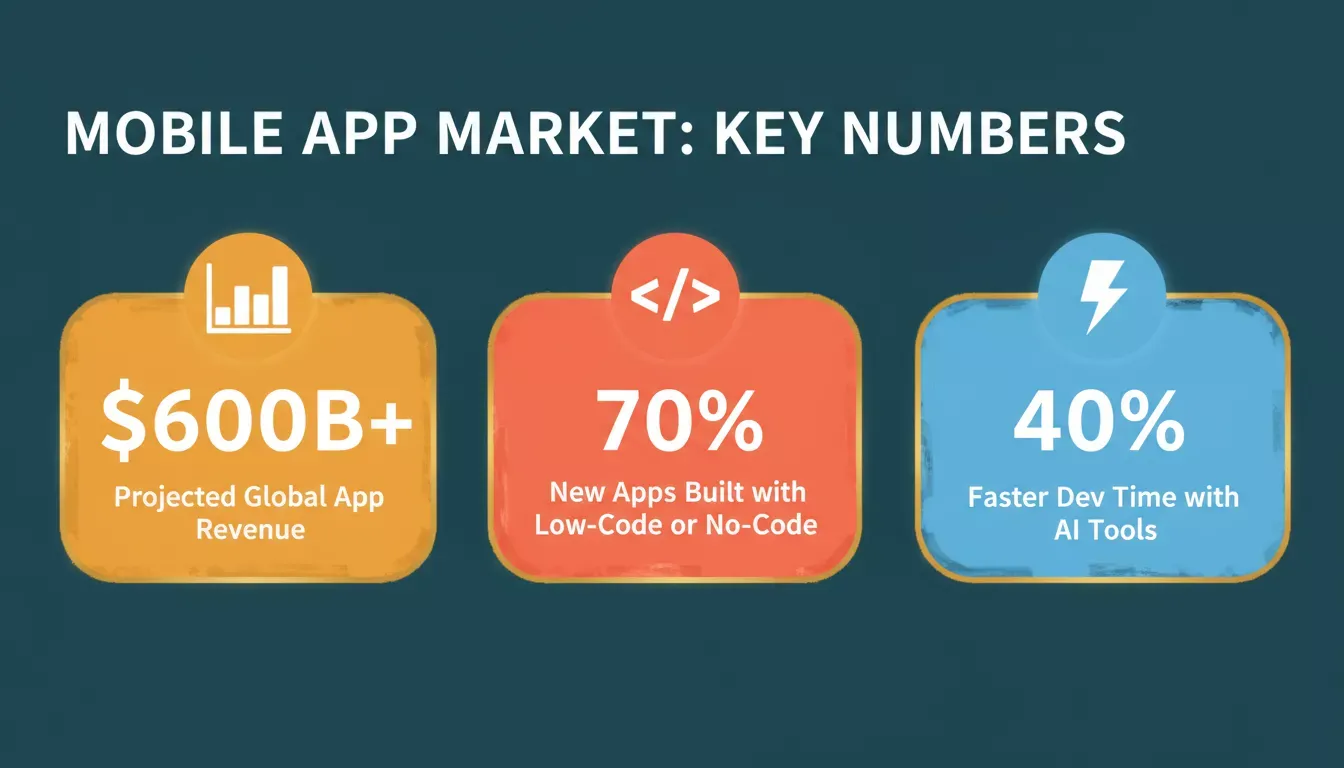
Three key numbers shaping mobile app development today: market size, no-code adoption, and AI speed gains.
Rocket operates as a no-code vibe solutioning platform powered by AI. Users describe their app ideas in plain language, and the platform handles design, backend, and deployment, producing real Flutter code that compiles to native performance on both Android and iOS.
Traditional Development vs No Code with Rocket
Traditional Android and iOS Development
In traditional app development, developers write Java or Kotlin code in Android Studio for Android, and Swift in Xcode for iOS. Backend services must be built and configured separately, and publishing requires manual APK signing and store submission. This method gives full control but requires deep technical knowledge and significant time investment.
No Code Development with Rocket
With Rocket's Build pillar, no expert coding knowledge is required. You describe your app in plain language and AI generates the entire Flutter project structure, including screens, navigation, backend schema, and authentication, automatically. You then iterate in chat, integrate payment gateways, add push notifications, and connect third-party APIs without writing code.
How AI Powers Rocket Build for Mobile App Generation
Rocket's Build pillar uses AI to convert plain language prompts into working Flutter screens and navigation. It auto-generates backend database schemas, configures authentication, and supports 25+ third-party integrations including Supabase, Stripe, Firebase, and more. The framework is assigned automatically: Flutter for mobile apps, Next.js for web apps.
Traditional vs No Code: Feature Comparison
| Feature | Traditional Development | No Code with Rocket |
|---|---|---|
| Coding required | Yes (Java/Kotlin, Swift) | No |
| Mobile framework | Native Swift / Kotlin | Flutter (cross-platform) |
| Web framework | Varies | Next.js |
| Backend setup | Manual | Auto-generated |
| APK / iOS build | Manual signing | Automatic |
| Time to MVP | Weeks to months | Hours to days |
| Figma import | Not applicable | Up to 40 screens |
| Source code access | Full | Full |
| SEO, WCAG, GDPR | Manual | Built-in by default |
Comparison: Rocket vs Other No Code App Builders
| Platform | Mobile framework | Figma import | App store submission | AI generation | Web support |
|---|---|---|---|---|---|
| Rocket | Flutter | Yes (up to 40 screens) | Direct | Full AI Build | Next.js |
| FlutterFlow | Flutter | Yes | Yes | Partial | Web preview only |
| Thunkable | Proprietary cross-platform | No | Yes | Limited | No |
| Adalo | React Native | No | Yes | No | Yes |
| Bubble | None | No | Via wrapper | No | Web only |
Rocket is the only platform in this table that combines full AI generation, Figma-to-Flutter import, Next.js web output, and direct app store submission in a single product. If you are evaluating no code mobile app builders, this distinction matters for long-term scalability.
Step-by-Step: Generate Your Mobile App Using Rocket
Step 1: Validate Your Idea with Solve
Before building, use Rocket's Solve pillar to validate your idea. Describe your business question and Solve returns a structured report with market data, competitive analysis, and recommendations. This research context carries forward into your Build task automatically, so your app starts with real market insight, not guesswork.
Step 2: Sign Up and Start a Project
Sign up at Rocket.new in about 30 seconds with Google, Apple, or email. No credit card required. Once logged in, click "New Task," select Build, and enter your app name and description.
Step 3: Describe Your App in Plain Language
Instead of writing code, describe what you want. For example:
"Create a habit tracking mobile app with login, a daily dashboard showing streaks, and an activity history screen. Use Supabase for authentication and data."
The AI generates Flutter screens with navigation, a backend structure and database schema, authentication logic, and your chosen state management approach. Most apps generate in one to three minutes.
Step 4: Build from a Figma Design
If you already have a Figma design, Rocket can convert it directly into a deployable Flutter app. This is a fully documented, production-supported workflow that eliminates the traditional developer handoff entirely.
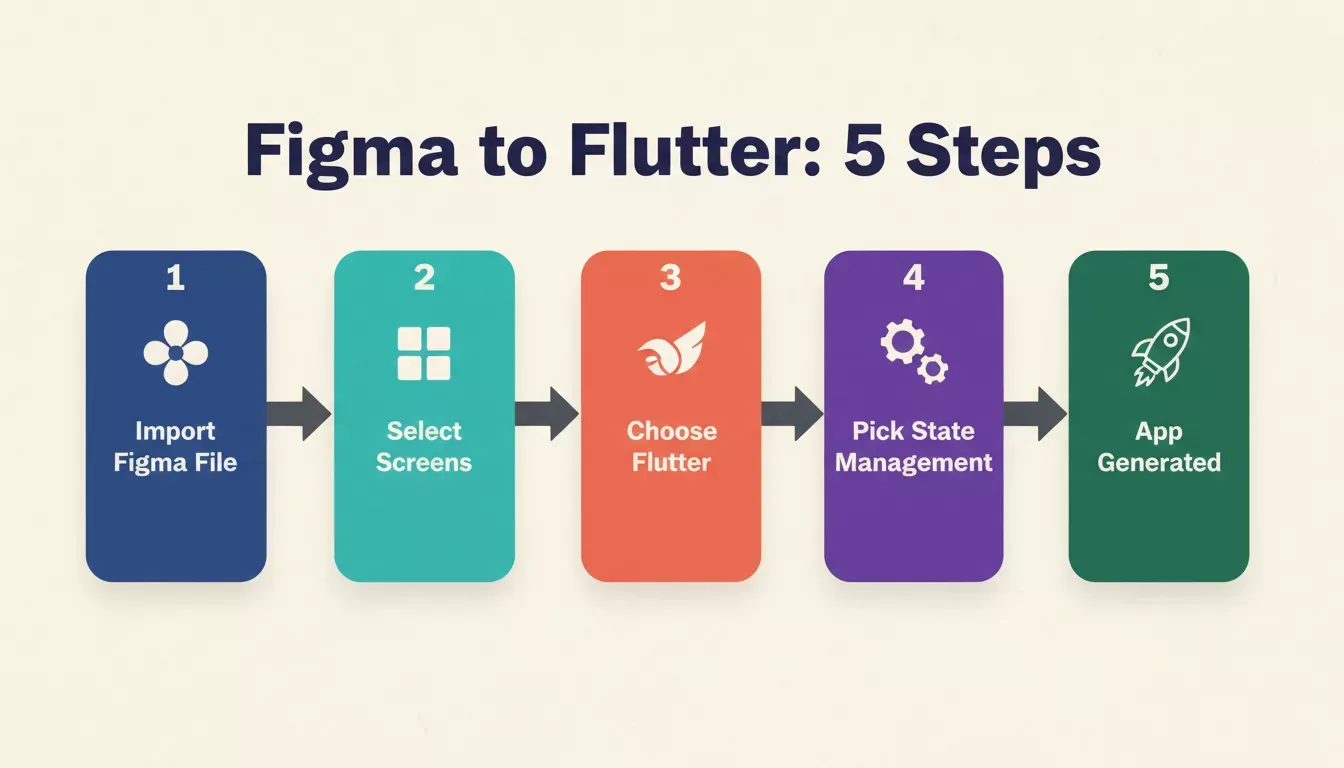
Rocket converts Figma designs into production-ready Flutter apps in five steps, no developer handoff needed.
To use Figma import, click the + button in the chat input and select Add from Figma. Paste your Figma frame or file URL, select up to 40 mobile screens, choose Flutter as your framework, and pick your state management approach: BLoC (complex logic), GetX (fast builds), Provider (most apps), Riverpod (scaling), or none (prototypes). Rocket then parses your Figma file and generates clean Flutter code. The full workflow is covered in the Figma-to-Flutter guide.
Step 5: Customize the UI and Components
Rocket provides visual editing alongside chat iteration. Use Visual Edit to click any element and update it directly, including text, spacing, colors, and layout, without writing code. The Theme panel lets you change fonts, colors, and design tokens across the entire app at once. All changes reflect instantly in the live preview.
Step 6: Configure Backend and Data
The backend handles user authentication (email/password, Google, Apple, and other OAuth providers via Supabase), database management (Postgres via Supabase), and API connections. You can connect external data sources such as Airtable, Google Sheets, Notion, and more. No manual coding is required to set up database relationships or row-level security.
Step 7: Add Advanced Features
Common features you can add from chat include push notifications via Firebase, payment integration via Stripe or Razorpay, media upload via Supabase Storage, social login (Google, GitHub, Apple), and offline support. Every Rocket build ships with SEO-ready structure, WCAG accessibility compliance, GDPR coverage, and performance optimization by default; these are the baseline, not optional extras.
Step 8: Test and Publish Your App
For Android, click Launch in the top-right corner, select the APK tab, and click Build to generate a signed APK (requires a paid plan). Install it on any Android device running 8.0 or later for full native testing. For iOS, package your Flutter project and submit through App Store Connect or TestFlight. You can also share your app as a web preview link for instant browser-based testing before committing to a full build.
App Generation Workflow
Rocket's mobile app generation workflow: from idea validation to published app store listing.
Publishing to Google Play and Apple App Store
Publishing your app opens it to millions of users worldwide. On Google Play, there is a one-time developer fee of $25. On Apple, there is an annual developer fee of $99. These are third-party platform fees charged by Google and Apple, not Rocket fees.
Rocket generates production-ready Flutter code that you can publish directly to the Google Play Store. You export your project as a .zip file from the Code tab, build the Android App Bundle using Flutter's command-line tools, and upload it to the Play Console. For Apple, you package the build and submit through App Store Connect.
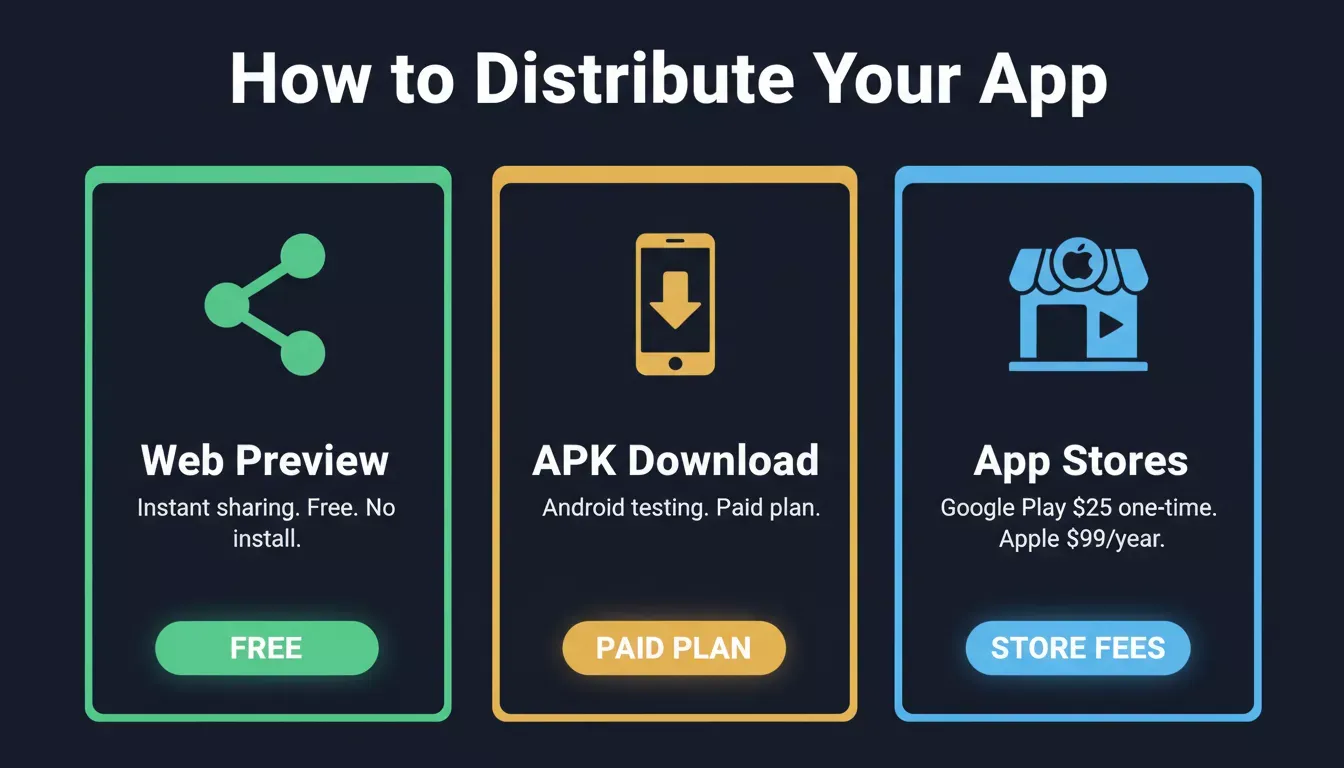
Choose the right distribution path: web preview for demos, APK for device testing, app stores for public launch.
How to Monetize Your App
Several strategies exist to generate revenue from your app: advertisements (connect Google AdSense directly from Rocket's connector library), in-app purchases, subscription models (Stripe integration available from chat), and one-time paid downloads. To build an app that earns significant revenue, you need a clear niche, strong marketing, retention-focused features, and monetization planning from the MVP stage.
For a deeper look at revenue strategies, see Rocket's guide to monetization for apps. If you are building a subscription-based product, the AI app builder with Stripe payment integration guide covers the full payment setup workflow.
Building an MVP Before Full Launch
A Minimum Viable Product (MVP) focuses on launching with only essential features. Rocket enables fast MVP creation in a few clicks, compiling Flutter apps into production-ready builds compatible with both Android and iOS. The mobile app development process includes ideation and market validation with Solve, planning and design via Figma or prompt, development in Rocket Build, testing via APK or TestFlight, deployment to app stores, and ongoing maintenance.
The Rocket.new Platform: Three Pillars Working Together
Rocket is not just an app builder. It is the world's first vibe solutioning platform, combining strategic research, AI app generation, and competitive intelligence in a single shared-context workspace. 1.5 million people across 180 countries have used Rocket, from solopreneurs to enterprise teams.
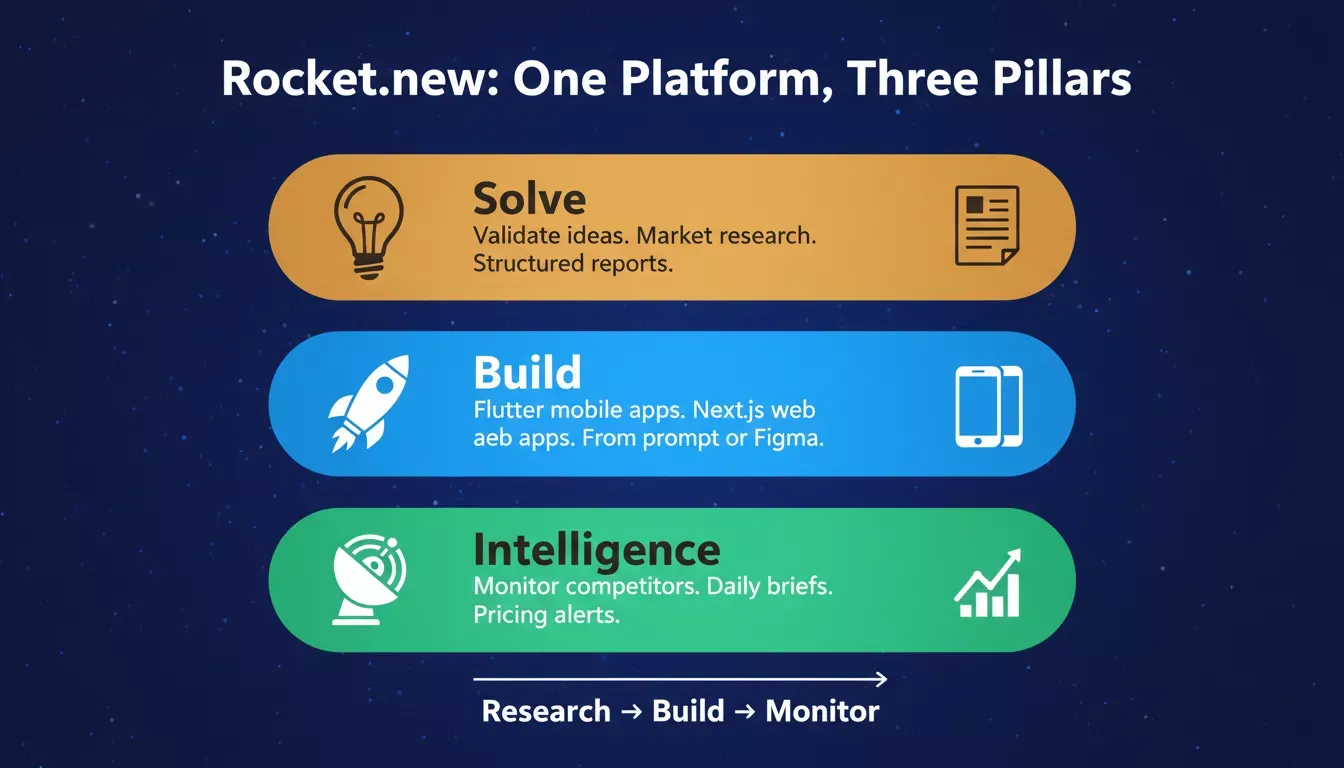
Rocket.new's three pillars, Solve, Build, and Intelligence, work together as one continuous platform.
The three pillars share context and feed into each other. Research from Solve informs your Build task. Intelligence surfaces a competitor change, and you use that signal to start a Solve analysis or update your product in Build. Nothing is re-explained; everything compounds. Rocket is backed by Salesforce Ventures and Accel, and is headquartered in Surat, India with operations in Palo Alto.
After Launch: Monitor Competitors with Intelligence
Once your app is live, Rocket's Intelligence pillar monitors your competitors continuously. It watches across nine signal pillars including product changes, pricing shifts, hiring velocity, GTM moves, and more, and delivers structured Intel cards to your sidebar daily.
Use Intelligence to spot when a competitor launches a similar feature, detect pricing changes before they affect your market position, and identify hiring spikes that signal a competitor's next strategic move.
If you want to understand how Rocket compares to other AI builders in the market, the vibe coding for mobile app development guide covers the broader landscape. For teams evaluating full-stack options, building a mobile native app builder explains the technical architecture behind Flutter-based generation.
What Rocket Cannot Do Yet
Understanding current limitations helps you plan accurately. APK builds require a paid plan, as free plan users can share apps as web previews but cannot download a signed APK. Figma import is web-only, meaning the workflow is not available in the Rocket mobile app. Complex custom animations may require manual Dart code edits after generation. Figma prototype links do not work for import; use file or frame URLs only. Larger apps with more than 40 screens should be imported in batches.
These are real constraints worth knowing before you start, and Rocket's own docs document them clearly. For teams hitting these limits, the how to build a mobile app with AI step-by-step guide covers advanced iteration patterns.
Ready to generate mobile app projects for Android and iOS without writing a single line of code? Rocket is the AI-powered vibe solutioning platform that takes you from idea validation in Solve to a published Flutter app in hours. Start building for free on Rocket and launch your app today.
Table of contents
- -What Is Rocket and How Does It Generate Mobile Apps?
- -The Rise of No Code Mobile Development
- -Traditional Development vs No Code with Rocket
- -Traditional Android and iOS Development
- -No Code Development with Rocket
- -How AI Powers Rocket Build for Mobile App Generation
- -Traditional vs No Code: Feature Comparison
- -Comparison: Rocket vs Other No Code App Builders
- -Step-by-Step: Generate Your Mobile App Using Rocket
- -Step 1: Validate Your Idea with Solve
- -Step 2: Sign Up and Start a Project
- -Step 3: Describe Your App in Plain Language
- -Step 4: Build from a Figma Design
- -Step 5: Customize the UI and Components
- -Step 6: Configure Backend and Data
- -Step 7: Add Advanced Features
- -Step 8: Test and Publish Your App
- -App Generation Workflow
- -Publishing to Google Play and Apple App Store
- -How to Monetize Your App
- -Building an MVP Before Full Launch
- -The Rocket.new Platform: Three Pillars Working Together
- -After Launch: Monitor Competitors with Intelligence
- -What Rocket Cannot Do Yet