

Want a quicker way to create a real mobile app? Rocket.new lets creators describe ideas and generate apps quickly, skipping complex setups and accelerating launches in the booming mobile market.
Can I build a real mobile app fast?
Yes, you can, especially with a platform like Rocket.new. Instead of spending weeks setting up Android Studio or learning Swift, you can describe what you want and get an app ready in hours, not months.
In fact, global mobile app revenue is expected to surpass $600 billion, which shows how big the mobile space is getting and why learning how to make a mobile app matters.
So let’s walk through the process together in a relaxed way. We’ll cover what Rocket.new is, how to start building, how the app goes live, and why this is a big deal for creators today.
What is Rocket.new?
Rocket.new is a vibe solutioning platform. You simply describe your idea in plain language. The platform then turns it into a fully functional app for both mobile and web, without writing any code.
This means you can build native apps for both Android and iOS, even if you’ve never opened Android Studio or Xcode. You describe your app idea once, and Rocket handles the screens, backend, user interface (UI), logic, and deployment.
Here’s what it does for you:
- Converts your app idea into production‑ready code
- Builds mobile apps that run on Android devices and iOS
- Generates backend setup like database and auth
- Lets you publish to Apple App Store and Google Play
- Gives you full access to the app’s source code when you want to customize it later.
So yes, making a mobile app doesn’t have to start with a blank code editor anymore.
How Rocket.new Fits in the Modern App World
Before we start building, let’s put things in perspective:
| Development Method | Coding Skills Needed | Time to Initial App | Best For |
|---|---|---|---|
| Android Studio / Xcode | High | Weeks to months | Professional developers & large projects |
| Cross‑platform code (Flutter/React Native) | Medium | Weeks | Startups & scalable apps |
| No Code Platforms (like Rocket.new) | Very low | Hours to days | MVPs, prototypes, early launches |
Here you see how traditional app development stacks up against no‑code solutions. When your goal is to go from idea to working app fast Rocket.new keeps things simple and quick.
Let’s Start Building: Step by Step
Before diving in, remember that clarity is your best friend. Even a simple idea described in one sentence can save hours later.
Don’t worry about perfect features yet, just focus on what your app does and who it’s for. Rocket.new will handle the technical setup.
1. Clarify Your App Idea First
Before you even open Rocket.new, think about your app idea. Don’t overcomplicate it.
Ask:
- What problem does it solve?
- Who will use it?
- What core features do I need first?
- Will it work on multiple devices?
You don’t need a full specification a single sentence is enough.
Having a clear idea helps Rocket.new generate the screens, flow, and functionality accurately.
2. Sign Up and Start a New Project
Next, head over to Rocket.new and create an account. Once logged in:
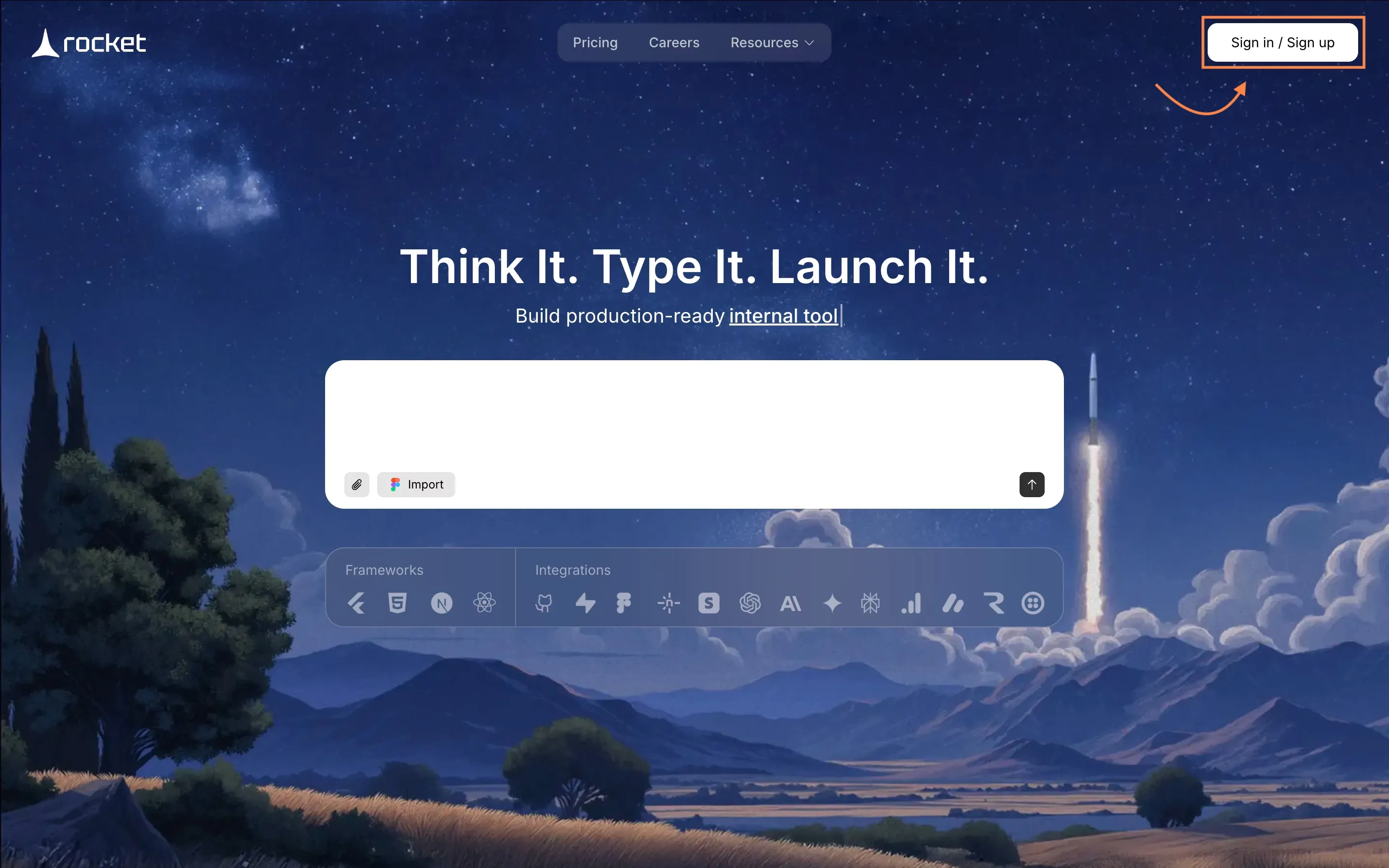
- Click Create New Project
- Give your app a name
- Choose whether it’s for mobile, web, or both
Here you decide your target platform: Android, iOS, or both. The whole setup happens in the browser no Android Studio or Xcode needed.
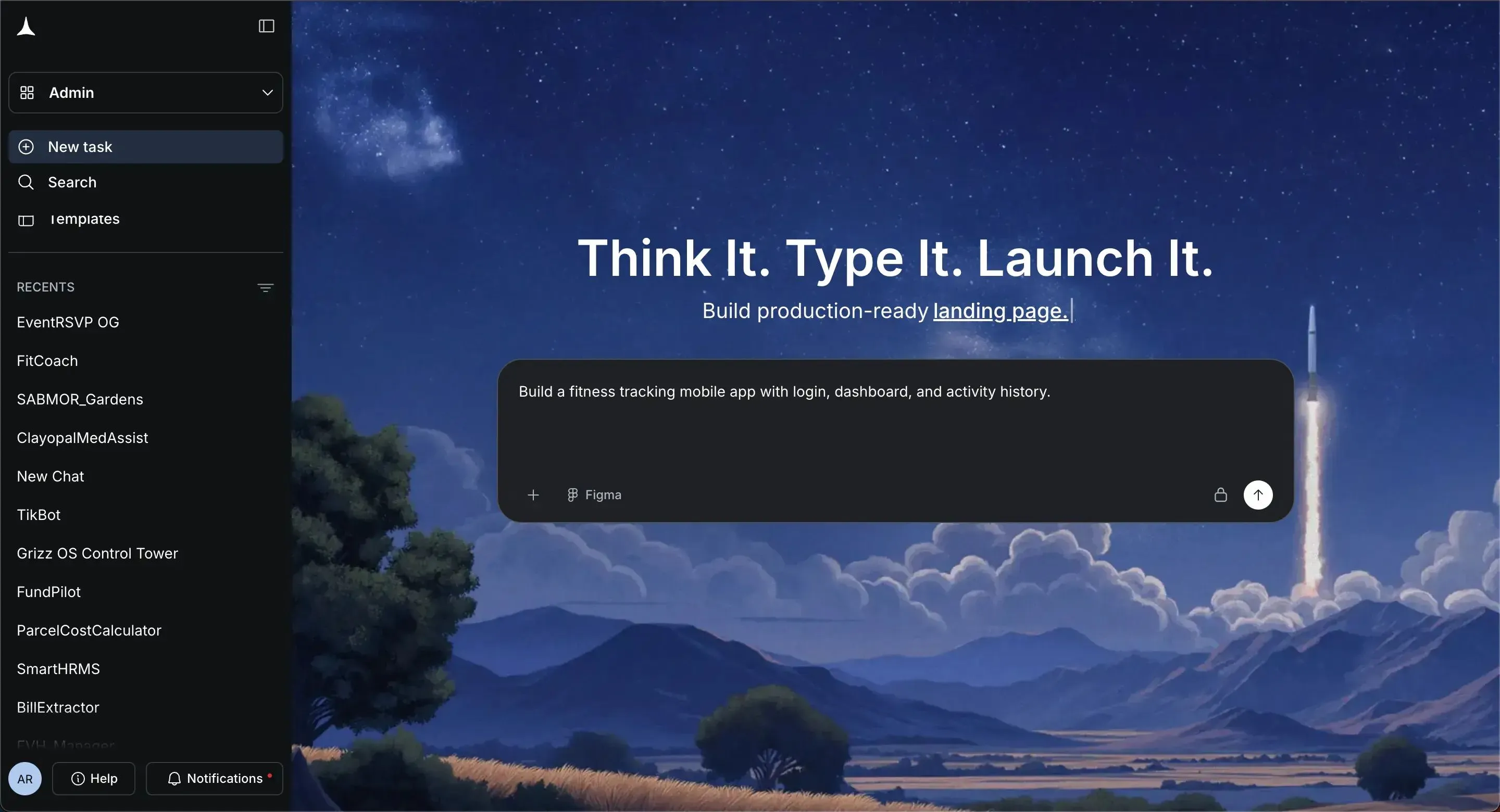
3. Describe the App in Plain Language
Here’s the magic. Rocket.new doesn’t make you write code. Just type a simple sentence or short paragraph describing what you want. The AI will:
For example:
“Build a fitness tracking mobile app with login, dashboard, and activity history.”
- Generate native app structure using Flutter
- Set up backend features like login, database, and authentication
- Create screens based on your description
- Add common app features automatically if needed
Think of it as talking to a teammate who can code everything for you.
4. Review and Tweak the App
Once the app is generated, preview it:
- Test the user interface
- Navigate through screens
- Check how features behave
- Adjust layout, color, and styling
- Add extra screens if needed
All of this happens inside Rocket.new’s browser workspace. You don’t need a development environment like Android Studio.
5. Prepare for App Store or Google Play
Rocket.new produces a full Flutter codebase, which you can compile into:
- A real Android app (.apk)
- A real iOS app ready for the Apple App Store
You’ll still need developer accounts for the stores, but Rocket.new handles most of the setup. Having a working app ready cuts down a lot of time before your app goes live.
6. Add Features, Notifications, and User Flow
After your first build, you can extend the app by:
- Adding push notifications
- Customizing user flow
- Integrating device features like GPS, camera, or sensors
Rocket.new keeps it easy you can use plain-language commands like:
- “Add auth”
- “Change app logo”
You get a working app fast and can iterate without manually touching code.
7. Test and Get Feedback
Even though Rocket.new builds the app fast, you still need to test it. Share the app with friends or a small group of users:
- Observe user interactions
- Collect user feedback
- Fix small issues in UI or features
This step ensures your app is polished before launching to a wider audience.
8. Launch Your Mobile App
Finally, it’s time to go live. Compile the app for Android and iOS, submit to Google Play and Apple App Store, and share it with your target audience.
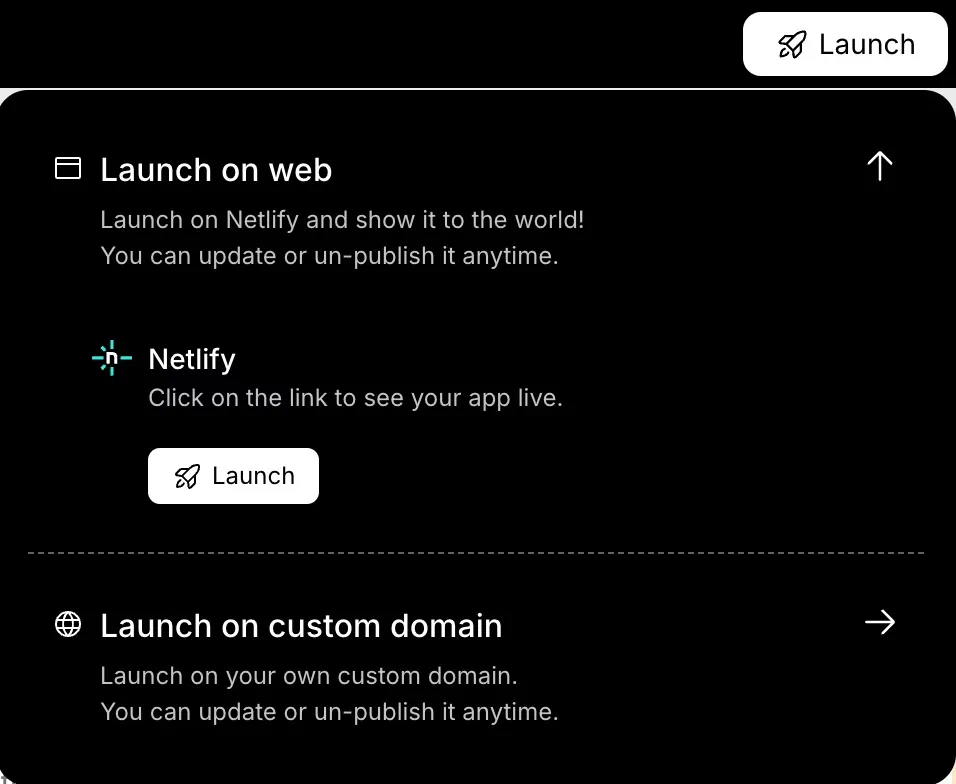
After launch, keep monitoring user feedback to make updates and improvements. This iterative approach keeps your app relevant and user-friendly..
Community Insights
Here’s what a LinkedIn creator shared after using Rocket.new to build several apps from a single sentence prompt:
“I gave an AI builder just one sentence and it built a complete, working app. No setup. No coding. It just worked. Rocket asked a few smart questions… then delivered a full app with swipeable profiles, filters, chat, and a mobile‑ready UI.”
That reflects what many folks in the community are thinking: no code platforms like Rocket.new let you focus on ideas and outcomes, not boilerplate or lengthy setup, while still producing cross-platform apps that run on both iOS and Android.
What to Expect With Your First App
Before you get too excited, remember that your first app doesn’t need to be perfect. Think of it as a starting point a simple version that actually works and lets you learn what your users want
- You launch a very simple version of the app quickly
- You refine features with feedback
- You tweak UI after you see how users interact
- You use data to plan new releases
Don’t worry if it feels basic at first. This initial version is just the foundation. With user feedback and small tweaks, your app will grow, get polished, and start engaging real users in no time.
Your Path to a Working App
Traditional app building can feel slow and technical. Setting up Android Studio, writing code, and managing backend services often takes weeks before your app even runs. This makes making a mobile app seem more daunting than it needs to be.
Rocket.new changes that. You just describe your idea, and in minutes it becomes a real app complete with screens, backend logic, previews, and build files ready for store submission. It’s a fast way for beginners and founders to launch apps without deep programming knowledge.
Table of contents
- -What is Rocket.new?
- -How Rocket.new Fits in the Modern App World
- -Let’s Start Building: Step by Step
- -1. Clarify Your App Idea First
- -2. Sign Up and Start a New Project
- -3. Describe the App in Plain Language
- -4. Review and Tweak the App
- -5. Prepare for App Store or Google Play
- -6. Add Features, Notifications, and User Flow
- -7. Test and Get Feedback
- -8. Launch Your Mobile App
- -Community Insights
- -What to Expect With Your First App
- -Your Path to a Working App

