
Which features define a reliable no-code app builder? Leading platforms use visual builders, ready components, and simple workflows so teams create tools, dashboards, and mobile apps without advanced coding easily.
What makes a great no-code app builder?
A good no-code app builder lets people build and deploy no-code apps without deep coding skills. It replaces long development cycles with visual tools, ready components, and simple workflows.
By 2025, 70% of new applications developed by enterprises will use low-code or no-code technologies, up from less than 25% in 2020.
So, companies are turning to no**-**code platforms to quickly create internal tools, dashboards, and mobile app solutions.
Let’s talk about the features that make the best no-code app worth using.
Why No-Code Platforms Are Becoming So Popular?
Before looking at features, it helps to understand why no-code development is gaining attention.
Traditional app development usually depends on traditional programming, large teams, and months of work. You normally need professional developers who can write code, manage databases, and deploy infrastructure.
With no code platforms, things change.
A no-code app builder provides visual tools that let business users design no-code apps using drag-and-drop interfaces, connect to databases such as Google Sheets, and deploy them quickly.
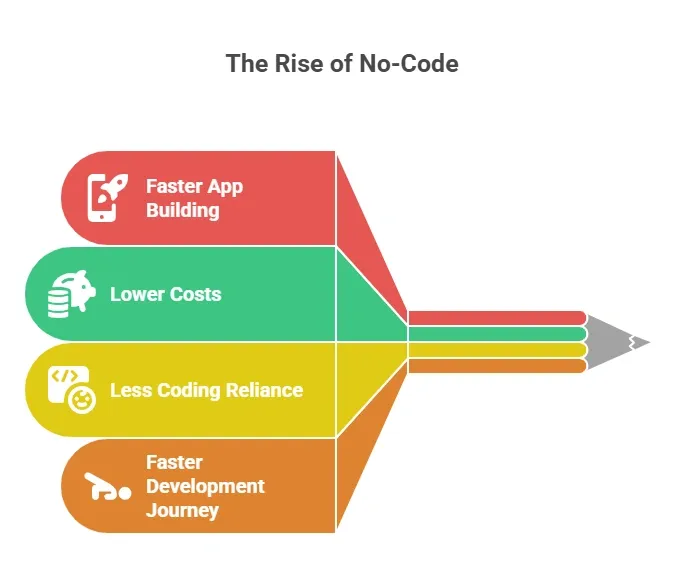 Many teams now combine low-code and no-code development platform tools. Low code helps when advanced logic is needed, while no-code apps handle most of the structure.
Main Features of a Great No-Code App Builder
The features below show how a modern no-code app builder helps people quickly move from an idea to working apps. With the right tools, teams can design layouts, connect data, and deploy functional apps without needing deep coding knowledge.
Let’s look at the main features of a great no-code app builder that separate average tools from the best no-code app solutions.
1. Prompt to Working App
A modern no-code app builder can turn a simple prompt into a working app.
Instead of starting from a blank screen, users describe what they want to build. The system then automatically generates the structure, screens, and basic workflows.
This approach helps teams:
- Create applications much faster
- Turn ideas into working apps quickly
- Reduce the need to write code manually
Many new no-code platforms use AI to convert prompts into layouts, forms, and logic. This speeds up the entire app development journey.
For founders, creators, and business users, this means a simple mobile app or internal tool can be built in minutes instead of weeks.
2. Pre Built Components for Faster Development
The next feature is pre built components.
Good no code platforms provide ready elements such as:
- Login systems
- Form builders
- Dashboards
- Notifications
Instead of starting from scratch, the no-code app builder offers templates that speed up app development.
These components make it easy to build apps like:
- Customer relationship management tools
- Internal dashboards
- Task tracking tools
- Customer portals
With these blocks, users can create apps without deep technical expertise.
3. Data Management and Google Sheets Integration
Most no code apps rely on data. A great no code development platform allows users to manage data through simple dashboards.
Many tools connect directly with Google Sheets, which works as a database.
This makes it simple to:
- Store records
- Track users
- Update dashboards
Small teams often run business apps entirely using Google Sheets as their data source. This feature enables no-code app building without knowledge of databases.
4. Visual Logic and Workflow Automation
Another big feature is visual logic. Traditional software development requires developers to write code for every workflow.
With no code platforms, logic is created visually.
Users connect actions like:
- Form submission
- Email triggers
- Approval workflows
This visual system allows teams to create custom apps and automate tasks.
Many no-code apps also support machine learning tools and workflow automation. These tools make no-code development useful for complex apps, not just simple apps.
5. Customization Options
A great code app builder should offer strong customization options. While no code platforms simplify development, users still need flexibility.
Customization may include:
- Layout adjustments
- Advanced functionality
- Custom code support
- Theme control
Some platforms allow developers to write code for deeper control. This blend of low-code and no-code development enables the handling of complex projects.
6. Security and User Authentication
Security matters when building business apps. A good no-code development platform includes enterprise-grade security.
Typical security features include:
- Encrypted databases
- User authentication
- Role permissions
- Data security protection
Companies deploying no-code apps need protection for internal data. Enterprise teams rely on enterprise-grade security before launching mobile applications.
7. Multi Platform Deployment
Modern no-code app builder tools allow teams to deploy apps across multiple devices.
That includes:
- Web app versions
- Mobile app versions
- Progressive web app builds
Some platforms allow publishing to the Apple App Store. This allows teams to build simple mobile apps and distribute them without deep coding expertise.
8. Scalability for Business Growth
Many early no-code apps focused on prototypes. Today, no code platforms support scalable apps.
This means the system can handle:
- Larger databases
- More users
- Advanced features
Growing companies can turn prototypes into real business apps.
Key Features Comparison
The table below summarizes the key features of a strong no-code app builder. These features help users create, manage, and deploy apps quickly without relying heavily on traditional development methods.
| Feature | Why It Matters |
|---|---|
| Drag and drop interfaces | Makes app building visual |
| Pre built components | Faster development |
| Google Sheets connection | Easy data management |
| Visual logic | Automation without coding |
| Security features | Protects user data |
| Multi platform deployment | Web and mobile access |
| Customization options | Flexibility for complex apps |
These features help teams move from ideas to functional apps faster. A strong no-code app builder combines visual tools, data management, and automation so users can build apps and deploy them with less effort and fewer development barriers.
Community Insight
Here’s a perspective shared by a professional on LinkedIn about using no-code app builders:
“From idea to app in minutes, not months. Just describe what you want and watch a functional app appear, with UI, logic, and deployment ready.”
This insight reflects how many founders and creators approach no-code app development today. Instead of spending months learning to program or hiring large development teams, people describe their idea and quickly generate a working prototype.
Rocket.new: A Modern No Code App Builder
Among the many no-code platforms today, Rocket.new stands out for making the app development journey faster and simpler. It helps founders, startups, and business users turn ideas into working no-code apps without relying on traditional coding. At the same time, it provides low-code options for more advanced customization when needed.
Rocket.new aligns perfectly with the features we’ve discussed earlier in this blog, offering visual tools, easy data management, and automation to streamline app building.
Top Features
- Prompt to App Creation: Builds apps directly from single prompts
- Figma Import: Converts design files into live, editable layouts
- AI-Powered Backend: Automatically handles logic, data, and workflows
- Custom Domain Support: Publishes projects with a branded domain
- Code Export: Allows developers to extend or customize later
- Live Preview: Shows instant updates while editing
Rocket.new brings together the speed of no-code app development with the flexibility of low-code, making it a strong choice for teams that want to build functional apps quickly without compromising control or scalability.
Key Takeaways: No Code App Builders
Traditional app development requires professional developers, long timelines, and complex programming. Small teams often struggle to launch apps quickly, making it hard to efficiently turn ideas into working no-code apps.
Modern no-code platforms solve this by providing visual tools, automation, and ready templates. With the right no-code app builder, teams can build custom apps, deploy mobile app solutions, and automate workflows without deep coding skills, making the app development journey faster and more accessible.
Table of contents
- -Why No-Code Platforms Are Becoming So Popular?
- -Main Features of a Great No-Code App Builder
- -1. Prompt to Working App
- -2. Pre Built Components for Faster Development
- -3. Data Management and Google Sheets Integration
- -4. Visual Logic and Workflow Automation
- -5. Customization Options
- -6. Security and User Authentication
- -7. Multi Platform Deployment
- -8. Scalability for Business Growth
- -Key Features Comparison
- -Community Insight
- -Rocket.new: A Modern No Code App Builder
- -Top Features
- -Key Takeaways: No Code App Builders