
An online flight ticket booking system lets travel agencies search live inventory, compare fares, and issue e-tickets automatically. This guide covers core features, a step-by-step build flow, GDS vs API options, common mistakes, and how Rocket.new accelerates development.
An online flight ticket booking system helps travel agencies streamline flight search, pricing, payments, and ticketing, boosting efficiency, improving customer experience, and supporting scalable operations. This guide walks through every step agencies need to build one that works and covers how modern platforms can dramatically cut the time to launch.
Who this guide is for: Travel agency operators, product managers, and technical leads evaluating whether to build a custom flight booking platform, buy off-the-shelf ticket booking software, or start from an AI-generated template. No deep coding background required to follow along.
What Is an Online Flight Ticket Booking System?
An online flight ticket booking system
An online flight ticket booking system is a software platform that lets travel agencies search live flight inventory, compare fares, and issue tickets electronically, replacing manual processes with a single automated booking flow.
In simple terms, it's software that lets your agency search, find, and book flights right from a website or app. This kind of system can save time and money for agents and customers alike. Well-made booking systems help agencies get real-time flights, show deals, let users pick dates and seats, collect payments, and deliver tickets fast.
The global online travel market is expected to grow by over 10% annually, with in-demand tools becoming a huge part of travel services.
Let's walk through the key steps to build such a system, understand must-have features, and avoid common pitfalls while keeping user experience smooth and agency operations stress-free.
Why Agencies Need an Online Flight Ticket Booking System
So many agencies still use outdated methods like manual entry or separate suppliers. That means more fees, longer wait times for replies, and a higher risk of errors. An online system changes this. It brings flight search, pricing, and ticket creation into one place.
Travelers expect fast results. They want the best price and quick booking options. Agencies that don't offer a smooth flight booking experience can lose customers to sites that give immediate answers. With easy comparison of flights, deals, prices, and dates, a modern site makes your agency look professional and trustworthy.
The travel industry is shifting fast. Digital distribution continues to reshape how agencies access and sell airline inventory, making a robust online booking system no longer optional but essential for competitive survival.
Online Travel Market: Key Numbers
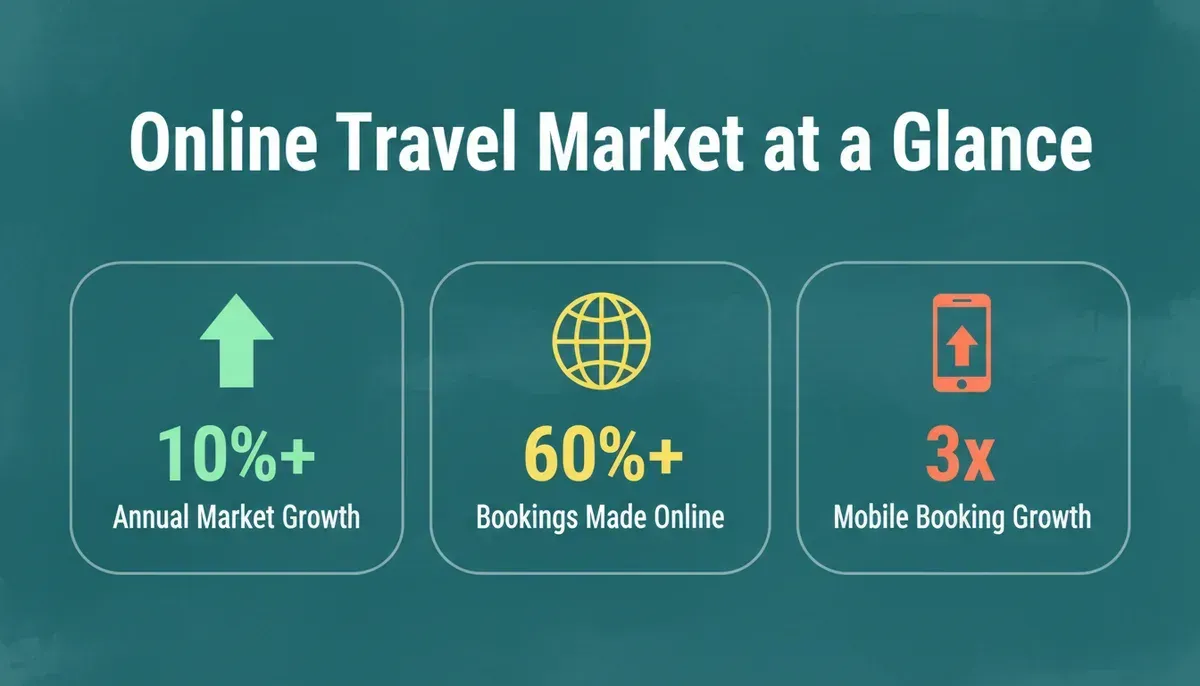
Data-driven infographic showing online travel market statistics
The global online travel market is growing at over 10% annually. More than 60% of flight bookings now happen through digital channels, and mobile booking has grown three times faster than desktop in recent years. These numbers make a strong case for investing in a well-built online flight ticket booking system now rather than later.
Understanding API integration strategies is critical for agencies that want to connect reliably to airline data at this scale.
Core Building Blocks of the System
Before diving into development, it's important to understand the heart of your online flight ticket booking system. These are the main building blocks that make the system functional, user-friendly, and reliable.
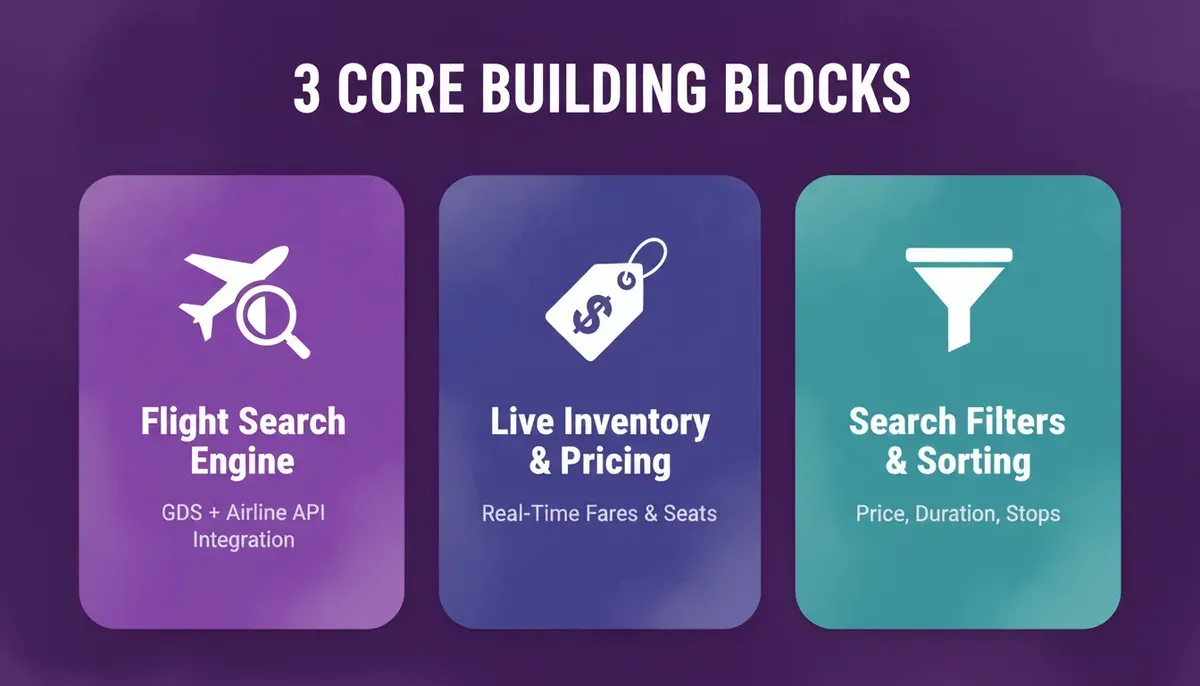
Three core building blocks of a flight booking system
Flight Search Engine
The flight search engine is the backbone of the system. It connects to Global Distribution Systems (GDS) or airline APIs to pull live flight data from around the world. When a user enters the origin, destination, and travel dates, the engine displays all available flights, including prices, seats, and departure times.
Live Inventory and Pricing
Users need real-time information on flight times, available seats, offers, baggage costs, and total price. This feature allows agencies to compare flights and pick the best options for their clients. Accurate live pricing keeps your ticket booking software competitive and trustworthy.
Search Filters and Sorting
Good systems let users filter and sort results to match their preferences. Filters can include:
- Price range
- Airlines
- Flight duration
- Number of stops
Sorting options can include earliest departure, shortest duration, or lowest price. These tools don't just save time; they make the booking experience feel effortless and in control.
Together, these core components ensure that an online flight ticket booking system runs efficiently. From finding flights and checking live prices to filtering options, these building blocks create a smooth, reliable, and enjoyable experience for both agencies and travelers.
Key Functional Features
Every great online flight ticket booking system isn't just about showing flights. It's about giving users tools to make the process simple, transparent, and even a little fun.
| Feature | Why It Matters |
|---|---|
| Multi-city and round-trip search | Lets users book complex trips easily |
| Seat and fare class selection | Provides full control over preferences |
| Secure online payments | Makes bookings trustworthy |
| Deal highlights | Shows discounted flights or packages |
| Tickets and PNR generation | Automates delivery of travel documents |
| Currency and language options | Attracts global users |
| Agent markup control | Lets agencies manage prices |
These functional features turn a simple flight search into a full-service booking experience. From multi-city trips to automatic ticket generation and live notifications, each feature ensures the system is not just useful, but also reliable and enjoyable for both agents and travelers.
Build vs. Buy vs. Template: Choosing Your Path
Before committing to a development approach, agencies should weigh three routes against their budget, timeline, and technical capacity.
| Approach | Time to Launch | Estimated Cost Range | Technical Skill Required | Best For |
|---|---|---|---|---|
| Build from scratch | 6 to 18 months | $50,000 to $300,000+ | High (dev team) | Large agencies with custom GDS contracts |
| Buy off-the-shelf software | 1 to 4 weeks | $500 to $5,000/year | Low | Small agencies needing standard features fast |
| AI-generated template + customization | Days to weeks | Low (platform subscription) | Low to medium | Agencies wanting custom UI with fast time-to-market |
The right choice depends on whether your agency needs proprietary fare logic, custom branding, or deep GDS integration. For those considering car rental app development alongside flights, a template-first approach is especially efficient since both share similar booking UI patterns.
Development Flow: Step-by-Step
Building a flight booking platform is not magic. It's a process. When broken into clear steps, it becomes manageable and practical.
Six-step development flow from business requirements to a live flight booking platform
Step 1: Gather Business Requirements
Before writing a single line of code, pause and define the purpose of your system. This step shapes everything that follows.
Focus on:
- Who will use the platform: customers, agents, or both
- Types of flights: domestic, international, or both
- Supported currencies and languages
- Commission models and markup control
- Whether hotels or packages will be included
- Reporting and admin dashboard needs
Clear answers prevent scope changes later. When business goals are defined early, development becomes smoother. Fewer surprises. Less rework. Better outcomes.
Step 2: Setup Supplier Connections
Next comes the backbone of your booking power. Your system must connect to reliable flight data sources.
| Supplier Type | Examples | Best For |
|---|---|---|
| GDS systems | Amadeus, Sabre, Travelport | Full global inventory, complex fare rules |
| Direct airline APIs | Carrier-specific REST APIs | Lower cost, limited to one airline |
| Low-cost carrier feeds | Ryanair, EasyJet APIs | Budget travel focus |
| Third-party aggregators | Duffel, Kiwi.com API | Fast integration, broad coverage |
These connections provide real-time flights, pricing, seat availability, and fare rules. Without strong supplier connections, your system cannot display accurate flight information or competitive pricing options. For teams evaluating GDS connectivity standards, the Amadeus for Developers portal provides comprehensive documentation on airline API integration and fare data access.
Step 3: Build Front-End Pages and App
Now it's time to create what users actually see. Design matters more than most agencies expect.
Key pages to design:
- Flight search page
- Results listing page
- Booking details page
- Checkout page
- Confirmation page
- User dashboard or trip management page
Users should be able to enter dates, find flights, compare price options, and book without confusion. Keep layouts simple. Avoid clutter. Make the mobile app experience smooth.
Step 4: Integrate Secure Payments
Money handling is serious business. This part must work perfectly.
Payment setup includes:
- PCI-compliant payment gateways
- Multiple payment options like cards, wallets, or bank transfers
- Currency conversion support
- Clear display of total fees before payment
- Instant confirmation messages
Secure and transparent payment handling increases trust. Trust increases bookings. Setting up a payment gateway with Stripe is one of the fastest ways to add PCI-compliant checkout to a booking platform without building from scratch.
Step 5: Create Booking and Ticket Management
This is where search becomes revenue. Once payment is successful, your system must act instantly.
Core booking functions:
- Generate PNR automatically
- Issue e-tickets
- Send confirmation emails or SMS
- Store trip details in user accounts
- Allow booking modifications or cancellations
- Show applied fees clearly
Customers should receive their tickets within seconds. No waiting. No manual follow-up. Automated ticket handling reduces agents' workload and improves customer satisfaction.
Step 6: Test and Launch
Before going live, test everything carefully. Then test again.
Testing checklist:
- Different trip types such as one-way and round-trip
- Multiple dates and fare classes
- Payment success and failure scenarios
- Ticket generation accuracy
- Mobile app performance
- Edge cases like partial payments or booking timeouts
After testing, launch gradually and keep support ready to answer user questions. A careful launch protects your brand reputation. Small errors caught early save money and stress later.
User Experience Matters
So, what does travel agency staff or a customer expect? A clean, simple interface. The layout should feel organized, not cluttered. Users should instantly know where to search flights and how to move forward.
Flight results must clearly show price, flight times, layovers, baggage details, and fees. No hidden surprises near checkout. When users see the full cost upfront, they trust the platform more.
Keep the layout mobile-friendly too. Many people book flights on phones or through an app. Buttons should be easy to tap. Text should be readable. Pages should load quickly. When the experience feels effortless, users are far more likely to complete their trip without hesitation.
SEO and Discoverability for Your Booking Platform
To make your flight booking site rank well for terms like online flight ticket booking system, flights, tickets, deals, and trip, include them naturally throughout the site.
Here's how to use them without stuffing:
- Show flight results on search pages.
- Mention deals and low price options.
- Let users filter by dates or trip type.
- Have pages on how to save money on tickets.
A well-structured ticket booking software platform that answers user questions clearly will rank better and convert more visitors into paying customers. Contact form fields can include next trip details, travel dates, and questions about member rewards.
Common Mistakes Agencies Make
Even a well-built booking platform can struggle if small details are ignored. Many agencies invest in technology but overlook simple, practical issues that affect bookings.
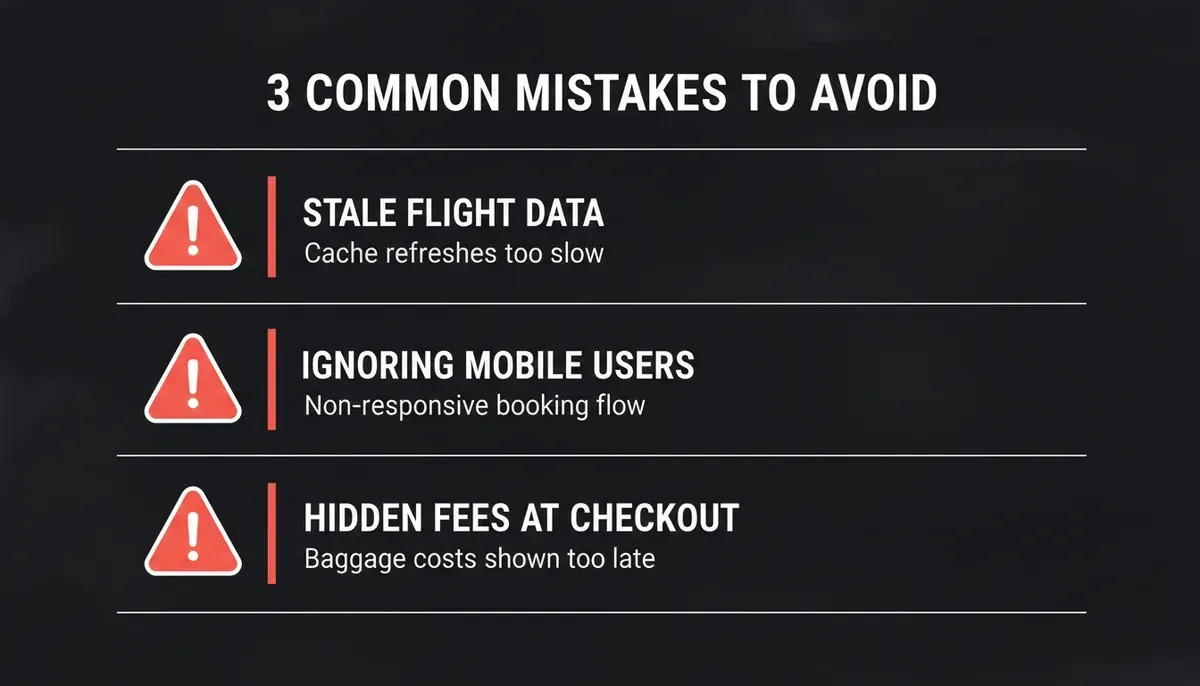
Mistakes to avoid in flight booking platforms
Waiting Too Long to Update Flights
If your system caches flight data for too long, users may see outdated price or seat availability. Nothing frustrates customers more than selecting a flight only to find out it is no longer available.
Fix: Set frequent data refresh intervals. Sync regularly with airline APIs or GDS providers to keep flights and deals accurate and up to date.
Ignoring Mobile Users
If pages are not responsive, users leave quickly. A large portion of bookings now happen through phones or an app. Small buttons, slow loading, or broken layouts push customers away.
Fix: Design mobile-first. Test on different screen sizes. Make sure search, booking, and payment flows work smoothly on both desktop and mobile devices.
Overlooking Baggage and Fees
Flights are not just about base price. Hidden baggage costs, service fees, or last-minute charges damage trust. Customers feel misled when the final amount jumps at checkout.
Fix: Display baggage fees, convenience charges, and total price clearly from the start. Transparency increases confidence and reduces cancellations.
Avoiding these common mistakes keeps your booking system reliable and professional. Small improvements in data accuracy, mobile usability, and price transparency can significantly improve user satisfaction and booking completion rates.
Industry Perspective
Here's a real voice from the travel tech space, from a discussion thread about B2B booking systems:
"Our professional group develops Flight Booking Engine with B2B and B2C model to enable travel agencies and travel companies to sell flight tickets to B2B/B2C consumers with real-time flight fares and availability. This flight booking software is integrated with single or multiple GDS systems, LCCs and third-party flight APIs."
This reflects how travel businesses approach the problem: they want real-time inventory and a system that they can rely on for accurate flights and ticketing data.
How Rocket.new Accelerates Flight Booking Platform Development
Rocket.new is the vibe solutioning platform that combines strategic research, AI app building, and competitive intelligence into a single product. For travel agencies evaluating whether to build a booking platform, Rocket.new addresses the problem at three levels.
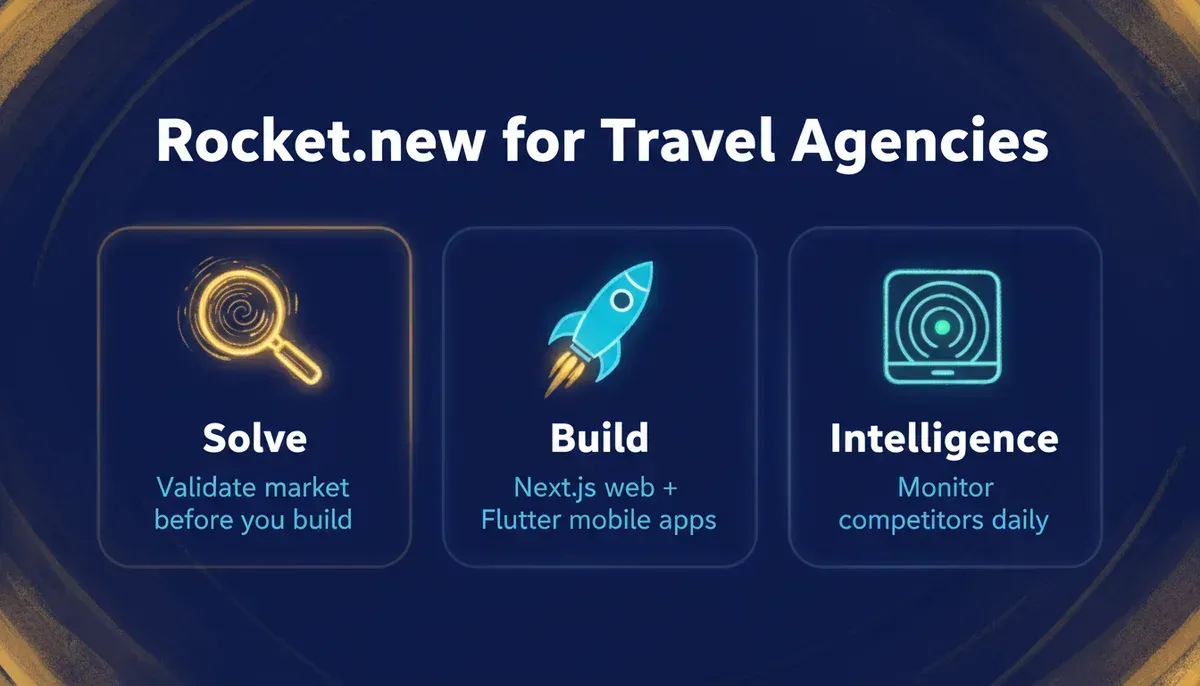
Rocket.new showing three pillars: Solve, Build and Intelligence
Three Pillars That Work Together
Solve: Research and validate before you build. Before writing a line of code, use Solve to validate your market idea, run competitive analysis on existing booking platforms, create a PRD, and get structured reports with data, insights, and actionable recommendations.
Build: Generate the app from natural language. Rocket.new's Build pillar generates production-ready Next.js web apps and Flutter mobile apps for iOS and Android. Describe your booking platform in plain language and Rocket.new generates the UI, navigation, backend logic, and production-ready code. To understand why Rocket.new generates Next.js and Flutter specifically, the reasoning comes down to production-readiness and cross-platform coverage from a single build.
Intelligence: Monitor competitors continuously. Once your platform is live, Rocket.new's Intelligence pillar monitors competitor booking platforms automatically. You receive automated daily briefs, pricing change alerts, and trend signals.
Build Features That Matter for Booking Platforms
When building a flight booking platform with Rocket.new's Build pillar, the following capabilities are directly relevant:
| Feature | What It Does |
|---|---|
| Prompt-to-app generation | Describe your booking flow in plain language; Rocket.new builds the UI, routes, and logic |
| Figma import | Convert pixel-perfect Figma designs into production React/Next.js or Flutter code |
| 25+ connectors | Connect payments, databases, email, and more via API key or OAuth; Rocket.new generates UI, backend logic, API calls, and error handling |
| GitHub two-way sync | Sync your Next.js/TypeScript codebase to GitHub with full commit history and branch collaboration |
| Templates | Start from a pre-built template (browsing is free, zero credits) and customize through chat |
| Remix | Share a remix link so collaborators can clone your project into their own workspace |
| Visual edit | Click any element in the live preview to update text, spacing, images, or styling |
| Code access | Browse and edit source files directly, inject custom code, or download the full project as a .zip (paid plan required) |
| Live preview | See instant updates as you edit, with responsive previews across screen sizes |
| Custom domains | Connect a branded domain with automatic HTTPS (paid plan required) |
Recommended Connector Stack for a Booking Platform
For a flight booking platform specifically, the connector stack that maps most directly to booking requirements is:
- Supabase: Postgres database for storing bookings, user accounts, and trip history; user authentication; file storage for e-tickets
- Stripe or Razorpay: PCI-compliant payment processing for flight purchases
- Resend or Twilio: Transactional email and SMS for booking confirmations and ticket delivery
- Calendly: If the platform includes agent consultation scheduling alongside booking
Connect each service once via API key or OAuth. Rocket.new then generates the complete feature, including UI, backend logic, API calls, and error handling, from a single prompt.
What the Tech Stack Produces
Rocket.new builds production-ready code on two stacks:
- Web: Next.js (TypeScript), deployable to Netlify or your own infrastructure, with full GitHub sync
- Mobile: Flutter, single codebase for iOS and Android, ready for App Store and Google Play submission
For a travel agency building a booking platform, this means the same prompt-driven workflow produces both a responsive web booking interface and a native mobile app without maintaining two separate codebases. You can also explore how building an ecommerce app with AI follows the same architecture pattern, since travel booking and ecommerce share checkout, inventory, and user account structures.
Building a Flight Booking System That Works
Travel agencies face a common problem: outdated booking flows and tools that don't meet customer needs. This leads to lost sales and unhappy travelers.
The solution is a solid online flight ticket booking system that brings flight search, price comparisons, real-time deals, seat selection, booking, and payments under one roof.
The main takeaway is simple: build a system that feels fast, clear, and trustworthy for anyone who wants tickets, deals, or trip options. Good systems show live flights, display prices clearly, handle dates well, and deliver tickets without fuss.
Ready to launch your own online flight ticket booking system without starting from scratch? Rocket.new gives travel agencies a powerful head start: validate your market with Solve, generate your booking platform with Build using Next.js and Flutter, and track competitor booking tools with Intelligence, all in one product.
Sign up on Rocket.new and start building your flight booking platform today.
Table of contents
- -What Is an Online Flight Ticket Booking System?
- -Why Agencies Need an Online Flight Ticket Booking System
- -Online Travel Market: Key Numbers
- -Core Building Blocks of the System
- -Flight Search Engine
- -Live Inventory and Pricing
- -Search Filters and Sorting
- -Key Functional Features
- -Build vs. Buy vs. Template: Choosing Your Path
- -Development Flow: Step-by-Step
- -Step 1: Gather Business Requirements
- -Step 2: Setup Supplier Connections
- -Step 3: Build Front-End Pages and App
- -Step 4: Integrate Secure Payments
- -Step 5: Create Booking and Ticket Management
- -Step 6: Test and Launch
- -User Experience Matters
- -SEO and Discoverability for Your Booking Platform
- -Common Mistakes Agencies Make
- -Waiting Too Long to Update Flights
- -Ignoring Mobile Users
- -Overlooking Baggage and Fees
- -Industry Perspective
- -How Rocket.new Accelerates Flight Booking Platform Development
- -Three Pillars That Work Together
- -Build Features That Matter for Booking Platforms
- -Recommended Connector Stack for a Booking Platform
- -What the Tech Stack Produces
- -Building a Flight Booking System That Works