

Internal tool delays are costing companies millions in lost productivity and developer time. In 2026, teams are using AI-assisted platforms like Rocket.new to build secure internal apps in hours instead of months. Rocket.new combines full-context AI, role-based security, and real data integrations to help teams ship production-ready internal tools faster.
What if the tool your team needs most is one no vendor will ever build for you?
That question comes up a lot in 2026. And the answer is almost always the same: it is sitting in someone's backlog, waiting for a developer with free time that never arrives.
Internal tools, the dashboards, admin panels, workflow apps, and data views that keep a company running, have long been treated as second-class projects. Product work gets prioritized. Customer-facing features ship first. The internal stuff waits.
That wait is getting expensive. According to a 2025 survey of 300 IT professionals, tool sprawl is costing companies $1 million annually per development team, with 75% of developers losing 6-15 hours every week just navigating disconnected tools. That is not a workflow problem. That is a revenue leak.
This playbook breaks down how teams are building internal tools faster in 2026, where most tools fail, and why Rocket.new is changing what is possible.
Why Internal Tools Keep Getting Deprioritized
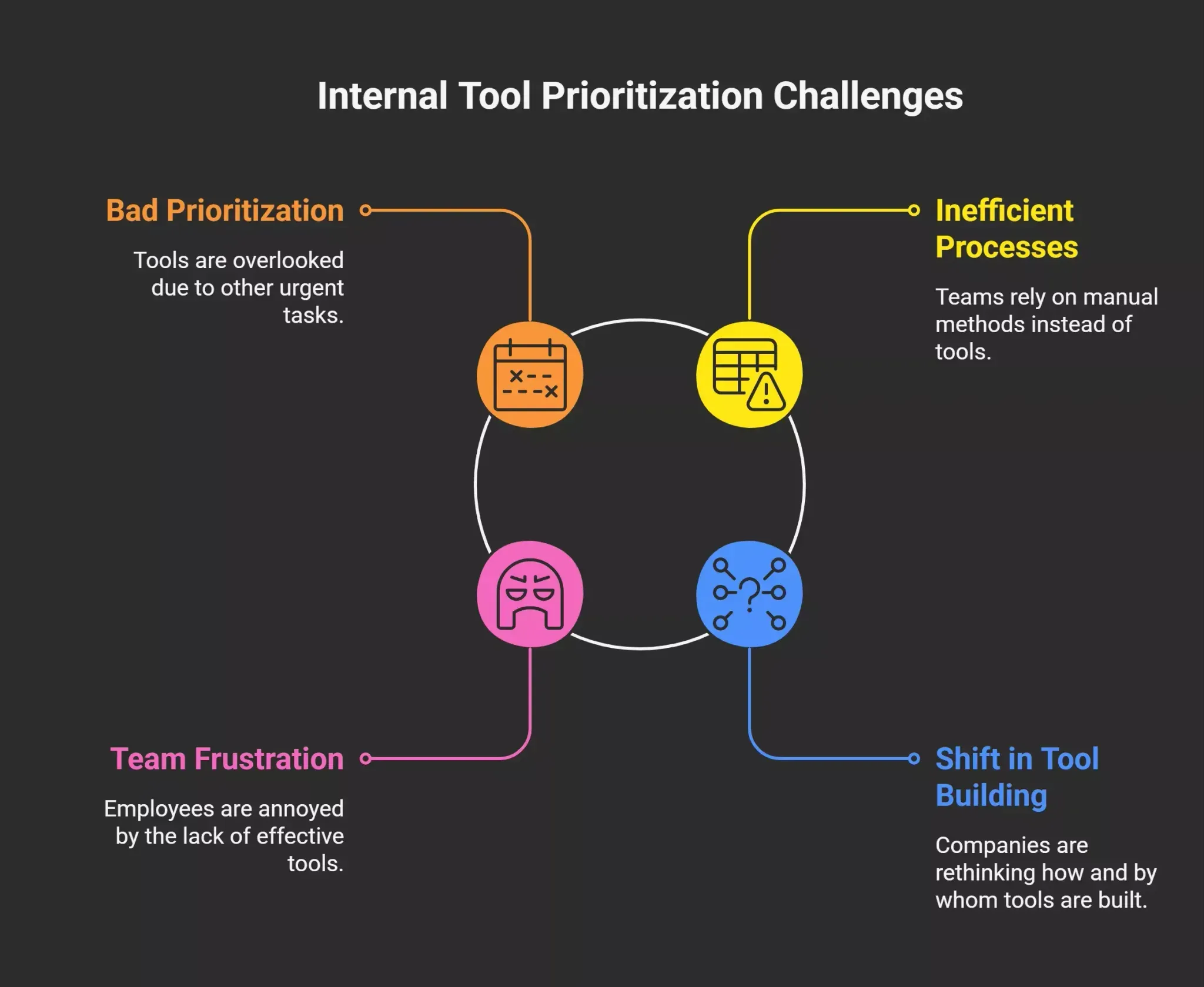 Here is the honest reality: Most internal tools fail not because of bad ideas, but because of bad prioritization.
A company needs a custom admin panel to manage customer accounts. The engineering team agrees it is a good idea. Then a product sprint starts, a customer escalation happens, and six months later, the ops team is still using spreadsheets and Slack messages to do what a simple app could handle in seconds.
This pattern plays out across startups and enterprises alike. The result is a fundamental shift in how companies are starting to think about who builds these tools and how fast they can ship.
The frustration is real, and it is very common across teams of all sizes.
The True Cost of Waiting
Before we get into the playbook, it is worth looking at what delayed internal tools actually cost.
Research shows that context switching alone consumes up to 40% of productive time. When teams rely on a patchwork of disconnected tools, a CRM here, a spreadsheet there, a Notion doc somewhere, every handoff between systems adds friction. Decisions slow down.
Data gets stale. People spend time maintaining workarounds instead of doing the actual work.
The scale of the problem is bigger than most companies admit (Source):
| Pain Point | Stat |
|---|---|
| Devs losing 6-15 hours/week to tool sprawl | 75% of teams |
| Developers are dissatisfied with the current toolsets | 94% |
| Teams that don't trust data across fragmented systems | 55% |
| Avg annual productivity loss per dev team | ~$1M |
| Orgs using AI in at least one business function (2025) | 88% |
What Good Internal Tools Look Like in 2026
Not all internal tools are created equal. The ones that actually get used share a few things in common.
They Are Built Around Specific Workflows
Generic tools get ignored. The admin panel that makes a difference is the one built exactly for how a specific team operates, not a general-purpose dashboard with dozens of features nobody uses.
Good internal tools connect to the data your team relies on daily. They surface what matters, hide what doesn't, and let users take action without leaving the app.
-
A billing team needs fast access to payment records and dispute management.
-
A support team needs customer history and ticket context in one place.
-
A sales team needs pipeline visibility tied to real CRM data.
The specificity is the point.
They Are Fast to Ship and Faster to Update
One reason internal tools stay in backlogs is the assumption that building them takes months. In reality, the problem is the toolchain - not the complexity. Most internal tools are relatively straightforward in what they need to do. The friction comes from setup, infrastructure, and the overhead of writing production-ready code from scratch.
In 2026, the teams winning on internal tools are the ones treating them like rapid experiments. Ship something minimal, get it in front of the team, iterate quickly. A tool that works at 70% of the ideal design and ships this week beats a perfect tool that ships in six months.
They Have Role-Based Access and Real Security
This is where a lot of AI-generated tools and quick vibe coding experiments fall short. An internal admin panel often touches sensitive data, customer records, financial information, and user accounts. Without proper role-based access control and data security, a tool that was built to help the team can become a liability.
In 2026, security is not optional for internal tools. It is table stakes.
Vibe Coding and the Rise of AI-Assisted Product Building
The term "vibe coding" gets used a lot now. It refers to the practice of describing what you want in plain language and letting an AI model generate working code. It is less about technical precision and more about speed, moving from idea to something functional in hours rather than weeks.
For internal tools specifically, vibe coding has become one of the most practical applications of AI adoption across teams.
A developer at a small startup can describe a customer lookup tool, a data export dashboard, or an onboarding flow tracker in a prompt and get a working prototype back in minutes. A product manager with no coding background can spec out an operations dashboard and ship it without writing a single line of code.
The catch: As the community has learned, vibe coding on general-purpose coding tools often hits a wall once complexity grows.
"I'm about to start building a small internal tracking tool and trying to decide between Rocket.new and bolt. My main requirement is around auth, a lot of data-related logic, and room to grow if the idea works." - r/nocode, February 2026 (source)
That question captures the exact tension most teams face right now. The idea is clear. The complexity - auth, data logic, scalability, is where most vibe coding tools start to struggle.
Where Most Tools Fail (And Why It Matters)
Vibe coding tools built on top of large language models are genuinely useful for getting to a working demo fast. But there are real gaps that show up when internal tools need to grow.
The Context Problem
Most coding tools work within a narrow context window. As a project gets bigger, the AI loses track of earlier decisions, creates inconsistencies, and generates code that works in isolation but breaks when connected to the rest of the app. This is a fundamental limitation of models that do not retain full project context across sessions.
The Security Gap
An admin panel with no row-level security, no authentication layer, or no data validation is not just incomplete - it is dangerous. Many AI coding tools will build what you ask for without flagging what is missing. If you do not know how to ask for security features, they may not appear.
The Scalability Wall
Tools built for a team of 10 often break when the company reaches 100 users. The architecture assumptions made in a quick vibe coding session are not always the right ones for production scale. Refactoring later is painful, especially when the original code was generated without clear ownership.
These are not reasons to avoid AI-assisted product building. There are reasons to be thoughtful about which platform you rely on.
Launching Rocket.new: Built for Internal Tools That Actually Last
Here is where the playbook gets specific.
Rocket.new is an AI-powered platform built for product building at speed, with the architecture, security, and scalability that most vibe coding tools skip. It is designed for founders, developers, and teams who want to describe what they need and ship something real, not just a demo.
Full-Context AI That Remembers Your Whole Project
Unlike most coding tools that work on a file-by-file basis, Rocket.new maintains the full context of your entire project. That means the AI understands how each piece connects to the rest, your data models, your auth logic, your UI patterns, and builds consistently across the whole codebase.
This matters enormously for internal tools, where a customer lookup needs to talk to the same data layer as the admin dashboard and the reporting module.
Auth and Role-Based Access Out of the Box
Building a secure admin panel means controlling who can see what. Rocket.new generates authentication flows and role-based access controls as part of the build, not as an afterthought. You can define user roles, restrict data access by team, and ship tools that are safe to put in front of real users from day one.
Connect to the Data Your Team Actually Uses
Internal tools without real data are prototypes. Rocket.new connects to your existing databases, APIs, and third-party services, so the tool you build works with the systems your team already relies on. No need to rebuild data pipelines or manually sync spreadsheets.
Ship Fast, Iterate Faster
The whole point of a playbook is repeatability. Rocket.new is built to let teams go from idea to working app in hours - and then update and expand that app as requirements change. The platform handles the infrastructure, deployment, and updates so teams can focus on what the tool needs to do, not how to keep it running.
The Competitor Gap: What Other Tools Are Missing
Let's be direct about what teams lose when they rely on general-purpose coding tools or low-code platforms for internal tool development.
General-purpose vibe coding tools (Bolt, Lovable, etc.):
-
Limited context retention across large projects
-
Security features require explicit prompting and are often missed
-
No built-in deployment or hosting for production apps
-
Breakdown at scale, architecture choices made in early prompts become bottlenecks
Traditional low-code platforms (Retool, Appsmith, etc.):
-
Requires significant setup time before building starts
-
Rigid UI component systems that limit what you can actually build
-
Expensive per-seat pricing that penalizes growth
-
Not designed for full-stack product building - strong on dashboards, weak on logic-heavy apps
Rocket.new sits in a different category. It gives teams the speed of vibe coding with the reliability of a production-ready platform. You describe what you want, you get real code, and that code is architected to last.
A Practical Playbook: How to Build Internal Tools in 2026
Here is a simple framework for getting internal tools shipped this year.
The 5-Step Internal Tools Playbook
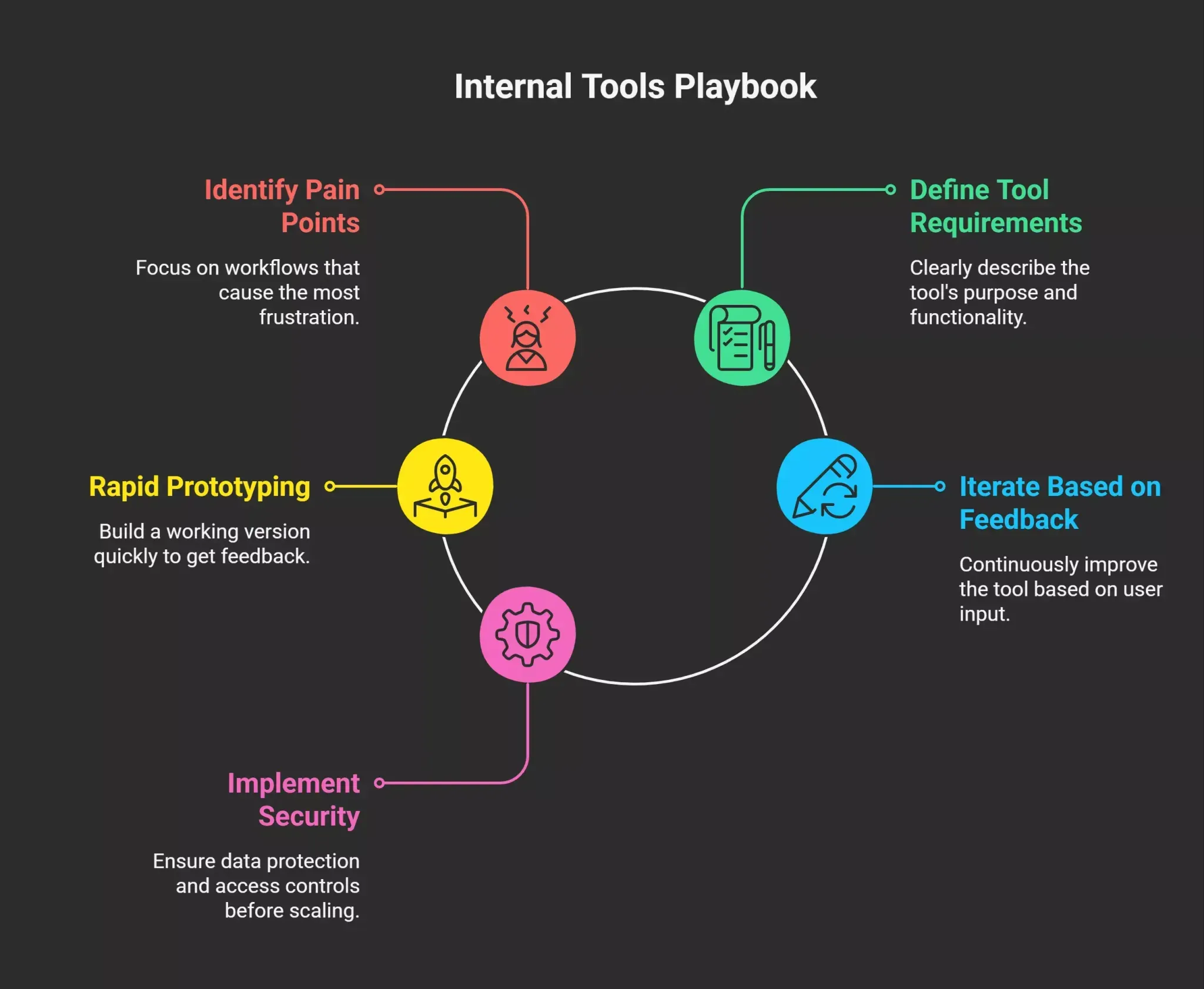
Step 1: Start with the Highest-Pain Workflow
Don't start with the most ambitious tool. Start with the one your team complains about most. That is the one with the clearest problem definition, the most immediate value, and the lowest bar for success.
Step 2: Define What the Tool Needs to Do in Plain Language
Write a short description of the tool as if you were explaining it to a new hire. What data does it show? What actions does it let users take? Who uses it, and what do they need to do their job?
This is your prompt. Rocket.new is built to take this kind of description and turn it into a working app.
Step 3: Build the First Version in Hours, Not Weeks
The goal is to have something in front of the team as fast as possible. A working app at 70% of the vision is infinitely more useful than a perfect spec that ships in three months. Use Rocket.new to build quickly, connect it to real data, and get it into daily workflows.
Step 4: Collect Feedback and Iterate
Once the tool is live, the team will tell you what is missing, what is confusing, and what they actually use. Those signals are more valuable than any design document. Update quickly. Rocket.new makes iteration fast.
Step 5: Add Security and Access Controls Before Scaling
Before the tool goes beyond the initial small team, make sure authentication, role-based access, and data permissions are properly configured. Rocket.new handles this at the platform level, but it is worth a quick review before expanding access.
Wrapping Up: Internal Tools Are a Competitive Advantage
Teams that build good internal tools move faster. They make better decisions because the data they need is always accessible. They spend less time on workarounds and more time on the work that actually drives revenue and outcomes.
The Rocket.new internal tools playbook for 2026 is not about building more tools for the sake of it. It is about closing the gap between what your team needs and what they have. That gap is costing companies a million dollars a year in lost productivity, and the solution is no longer out of reach.
Sign up, describe what your team needs. Build it with Rocket.new. Ship it this week.
Table of contents
- -Why Internal Tools Keep Getting Deprioritized
- -The True Cost of Waiting
- -What Good Internal Tools Look Like in 2026
- -They Are Built Around Specific Workflows
- -They Are Fast to Ship and Faster to Update
- -They Have Role-Based Access and Real Security
- -Vibe Coding and the Rise of AI-Assisted Product Building
- -Where Most Tools Fail (And Why It Matters)
- -The Context Problem
- -The Security Gap
- -The Scalability Wall
- -Launching Rocket.new: Built for Internal Tools That Actually Last
- -Full-Context AI That Remembers Your Whole Project
- -Auth and Role-Based Access Out of the Box
- -Connect to the Data Your Team Actually Uses
- -Ship Fast, Iterate Faster
- -The Competitor Gap: What Other Tools Are Missing
- -A Practical Playbook: How to Build Internal Tools in 2026
- -Step 1: Start with the Highest-Pain Workflow
- -Step 2: Define What the Tool Needs to Do in Plain Language
- -Step 3: Build the First Version in Hours, Not Weeks
- -Step 4: Collect Feedback and Iterate
- -Step 5: Add Security and Access Controls Before Scaling
- -Wrapping Up: Internal Tools Are a Competitive Advantage

