
Rocket.new connects LinkedIn, Meta, and Google ad libraries into one continuous intelligence stream. It tracks competitor campaigns, scores key moves, and delivers daily insights automatically. Marketers get a full cross-channel view instead of fragmented data and missed opportunities.
What does it take to watch competitors across three platforms at once without burning a full week?
Rocket.new connects to Meta's Ads Library, Google's Ads Transparency Center, and LinkedIn's Ads Library through Rocket Intelligence. The platform scans continuously, scores every meaningful move, and ships the result as a daily brief.
With LinkedIn alone reaching over 1 billion users across 200 countries and ad spend climbing, manual tracking does not scale. Marketers need one stream instead of three.
Why Tracking One Channel is Never Enough
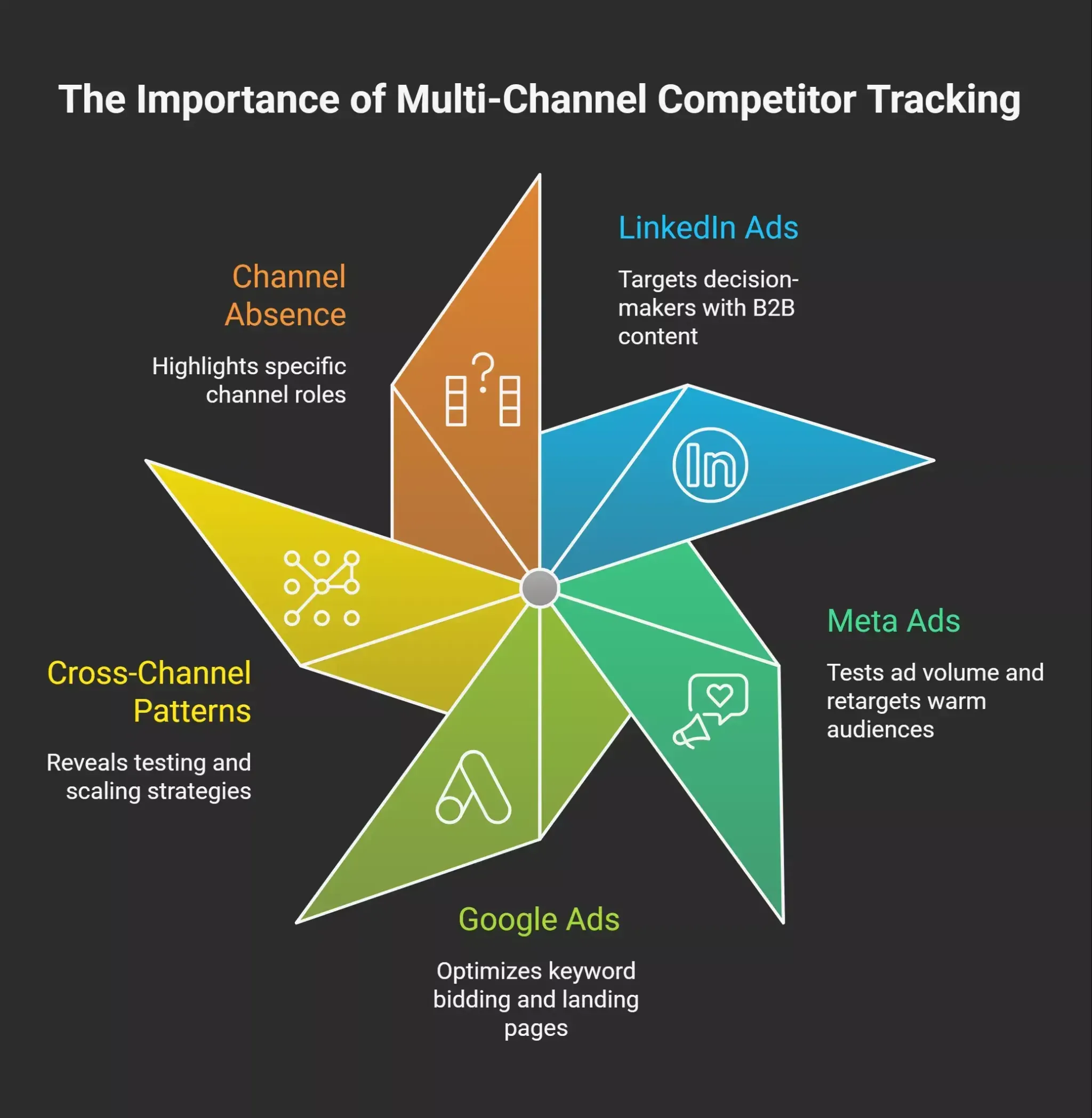
Competitors rarely run campaigns on a single platform. They split spend across Meta, Google, and LinkedIn to reach buyers at different points in their funnel, and each library tells a different story. So a single-channel view is incomplete, and most of the time it sends teams in the wrong direction. Here is what gets missed:
-
LinkedIn ads carry positioning aimed at decision-makers, often shipped as sponsored content with B2B hooks
-
Meta ads test ad volume, hook variations, and warm audiences with retargeting
-
Google ads expose keyword bidding, headlines, and the landing page experience at the moment of purchase intent
-
Cross-channel patterns reveal whether competitors are testing or scaling
-
An ad set running on one platform but absent on another shows what each channel is being used to do
 Tracking competitors on a single platform gives you only a third of the picture. The other channels tell you why and how, and that gap is where most teams waste money.
Inside the Three Library Surfaces
Each library exposes a different slice of competitors' strategy. Knowing what to look at is half the work for tracking creative across multiple companies. The libraries have a few things in common:
-
A free public window into ads created by any active brand
-
Different filters across the three libraries
-
Different rules on how long a creative stays visible after it pauses
-
Different details on copy, format, and targeting that competitors expose
Inside the Meta Ads Library
The meta ad library shows every active ad across Facebook and Instagram. Useful signals to pull on competitors:
-
The same hook in the first line of copy, repeated across creatives
-
The offer structure and any discount, free trials, or promo mention
-
Visual format: video, carousel, single image, story
-
Active days for each ad set, which proxies for results
-
Two creatives running at once with one variable changed, signaling an A/B test
-
The description for this image field on Facebook, which doubles as alt text and tells you how the brand thinks about accessibility
The meta ads library will not show performance numbers. Ad longevity reads as a clean signal, though. Anything live for 30 or more days without changes is almost certainly profitable, since ad accounts pull losers fast.
Inside Google's Transparency Center
The Google Ads Transparency Center covers Search, Display, and YouTube. What it surfaces on competitors:
-
Headline copy bidding on category and rival keywords
-
Display banners and the landing page they push toward
-
Video ads and the offer details
-
Coverage by region and date
The platform exposes purchase intent. If competitors run heavy campaigns around "alternatives," "reviews," or comparison terms, that is where buyers are looking at the bottom of the funnel. The platform also separates competitors with a real paid program from those dabbling.
Inside the LinkedIn Ads Library
The LinkedIn ads library opens up B2B campaigns in detail. Core elements to read for tracking competitors:
-
Sponsored posts and video creatives are currently active
-
The ad copy and CTA, signal targeting, and funnel stage choice
-
The "view or add a comment" line under each post tells you whether the audience has reacted
-
The "add a comment" prompt with visible likes that works as social proof when an audience has reacted
-
A second "view or add a comment" trail under longer posts, where competitors reply to extend reach
-
The "add a comment" replies competitors leave on their own ads to surface a customer story
-
Where a brand uses the alternative text description as accessibility input and a small SEO surface
-
Targeting details for ads aimed at the European Union
Every comment trail under a sponsored post is a tiny data point. A high comment count tells users the audience felt something. A flat comment trail means the message did not land. Reading comment behavior over time gives a sharper read on what a brand thinks is working. Because LinkedIn costs more per click than Facebook, the presence of a campaign alone signals confidence in the pipeline.
A Quick Comparison of the Three Libraries
Here is how the libraries stack up at a glance:
| Library | What You See | What You Don't | Best Used For |
|---|---|---|---|
| Meta Ads Library | Active creative, ad set variations, run dates, and platform placement | Performance numbers, exact targeting | Reading ad longevity and creative variety |
| Google Transparency Center | Search and Display ads; regional coverage | Keyword data, click rates, conversion data | Mapping purchase intent and buyer stage |
| LinkedIn Ads Library | Sponsored content; EU targeting; comment trails on each post | Targeting outside EU, full performance numbers | B2B positioning and audience strategy |
Reading the Signals That Actually Matter
Once you have access to the libraries, the work shifts to interpretation. Not every active campaign is a winner. Patterns matter more than any single example, and tracking those patterns over time is where the real ideas come from for your own creative strategy.
Run Time as a Performance Proxy
Marketers consistently use run time as the cleanest free signal. Things to watch for when tracking competitors:
-
Campaigns that live past 30 days usually pass profitability checks inside ad accounts
-
Multiple variations of the same idea signal a budget shift toward a winner
-
Ads pulled within a week were tests that did not convert
-
Track monthly to spot when the message shifts, and catch positioning changes early
-
Long-running ads on LinkedIn signal more confidence than on Facebook because CPCs are higher
Creative Diversity and Testing Tempo
How many fresh creatives competitors push tells marketers how their team thinks. Useful patterns:
-
Heavy ad volume on meta tracks quick A/B testing tempo
-
A small set of campaigns with long runtimes points to a tight creative strategy and locked offers
-
Repeated testimonial formats across new creative suggest the format is working
-
A new ad launching alongside a landing page change usually means an offer pivot
-
Diverse creatives across LinkedIn and Meta in the same launch window often means a coordinated push
Targeting and Buyer Stage Clues
Placement and copy reveal who competitors want to reach.
-
LinkedIn document ads usually target decision-makers and senior buyers
-
Facebook video creative with broad copy aims at retargeting users
-
Search ads bidding on competitor names target buyers at peak purchase intent
-
Display banners across YouTube and partner sites usually serve the awareness funnel stage
-
Sponsored content on LinkedIn with educational copy points to a top-of-funnel audience
A competitor's position becomes legible when you read all three libraries together. Read one, and you guess. Read three, and the pattern is hard to miss.
Where Manual Tracking Breaks Down
Three platforms, three search syntaxes, three sets of filters. Here are the pain points teams hit when tracking competitor ads by hand:
-
Each library uses its own date and country filter, with zero connection between them
-
Saved creative in one library does not sync with the others
-
Fresh creative on LinkedIn shows up 24 to 48 hours after launch, with no alert
-
Spend ranges and performance metrics are only public for political campaigns on meta, leaving regular campaigns opaque
-
Comparing the same brand across different platforms means rebuilding context every time
-
Tracking 10 competitors' weekly costs takes a small team several hours, which is the wrong place to spend that time
-
Getting it wrong on which creative is the winner sends your whole creative direction in the wrong direction
Most marketers check competitors once a cycle at best, miss the timing window, and only catch a move after the brand has already shifted its landing page or website. The tools they reach for are screenshots, spreadsheets, and Slack threads. None of those tools scale, and the tracking process eats hours and money that should go to fresh creative ideas.
What People Are Saying
Ryan Allis, founder of SaaSrise (a B2B SaaS CEO community), has written about why ad libraries are worth a regular habit:
"Ads that don't work get turned off quickly. Ads that stay live for weeks or months usually hit acceptable CTRs, CPLs, or downstream conversion metrics. In other words, competitor ads are signals." - Source: SaaSrise
That framing matches what every paid media team knows. The category is voting with money, and reading those votes across Meta, Google, and LinkedIn gives marketers a lot of free competitive intelligence. The friction is doing it consistently across all three.
How Rocket Closes the Cross-Platform Gap
Rocket.new fills exactly the gap above. Rocket Intelligence connects to ad libraries from Meta, Google, and LinkedIn and runs the kind of cross-platform tracking that manual workflows cannot keep up with. Tracking competitors is a continuous process, not a one-time check.
Once you add competitors to your account, Rocket scans all three libraries continuously, links the patterns, and ships the result as a daily brief. The product was created to remove the toggling and screenshots that eat your week.
What Rocket does:
-
Continuously scans Meta's Ads Library, Google's Ads Transparency Center, and the LinkedIn Ads Library
-
Combines web crawlers and data scanners pulling data from over 1,000 public surfaces, including changelogs, press releases, and partnership announcements
-
Tracks community feeds and comment trails to gauge audience response to competitor campaigns
-
Applies a scoring formula: Impact times Urgency times Differentiation Gap equals Final Score
-
Triggers alerts on high scores so significant moves do not get buried
-
Aggregates competitor insights into a structured daily brief, delivered inside Rocket, by email, or to WhatsApp
-
Feeds detected moves into Solve, which generates a brief on positioning or unit economics
-
Pushes those insights into Build so product teams can update features in response
Here is the flow inside Rocket Intelligence:
The rest of the Rocket platform brings:
-
Vibe-solutioning platform that ties research, build, and tracking into one system
-
25k+ templates library, free to use
-
Saves up to 80% tokens
-
Supports Flutter (mobile) and Next.js (web)
-
Collaboration features built in
Specific use cases for tracking competitors with Rocket:
-
Competitors launch a new ad set on all three platforms with the same message. Rocket flags the cross-platform launch, Solve produces positioning research, and Build ships product changes in response.
-
Competitors update a landing page and run ads to it. Rocket catches the change, scores it, and surfaces the shift before it hits your pipeline.
-
A new entrant runs heavy creative across all three libraries. Rocket picks them up the moment they launch and pulls in changelog signals so you understand what these companies are building.
-
Your team needs a regular read on competitors. Rocket compiles competitor moves, ranks them by score, and the daily brief becomes a single feed teams read for fresh ideas.
Rocket is the recommended way to do this work for any team taking competitive intelligence seriously. The companies and businesses that win their category read competitor moves the same week, not the same quarter.
Putting Intelligence by Rocket.new Into Practice
A simple process for using Rocket Intelligence well:
-
Add 5 to 10 competitors at setup, including direct rivals and adjacent companies
-
Let the system pull baseline data so the scoring engine learns your category
-
Read the daily brief first thing each morning, scanning for high-score events
-
When a high-score event hits, open Solve for a brief on what competitors just did
-
When the brief points to a product change, push it to Build and ship
-
Store and tag interesting creative to turn into testing ideas
The whole process collapses into one workflow instead of three.
What This Changes for Marketers
The practical shift is speed. Teams stop reacting to three-month-old plays and start reading current competitor ads in the same cycle.
More money lands on the creative that matches where buyers are. The wrong move is to treat the meta ad library as the whole picture. Read all three libraries together, score the changes, and ship ideas while the message is fresh.
Start tracking competitor ads across all platforms in one feed with Rocket.new today.
Table of contents
- -Why Tracking One Channel is Never Enough
- -Inside the Three Library Surfaces
- -Inside the Meta Ads Library
- -Inside Google's Transparency Center
- -Inside the LinkedIn Ads Library
- -A Quick Comparison of the Three Libraries
- -Reading the Signals That Actually Matter
- -Run Time as a Performance Proxy
- -Creative Diversity and Testing Tempo
- -Targeting and Buyer Stage Clues
- -Where Manual Tracking Breaks Down
- -What People Are Saying
- -How Rocket Closes the Cross-Platform Gap
- -Putting Intelligence by Rocket.new Into Practice
- -What This Changes for Marketers