

No-code vibe solutions help teams research, build, and ship digital products faster using AI. This blog covers what they are, how they work, key features to compare, and how to choose the right platform for your goals.
What makes some ideas launch quickly while others stall for months?
A key part of the answer lies in the tools behind the build process.
Low-code and no-code development is growing rapidly. Gartner reports that 70% of new business apps will use low-code or no-code by 2025. This shift shortens delays, lowers friction, and gives ideas a real path into working apps.
Teams want speed without giving up structure. They need modern app workflows, fewer repeated steps, and smarter AI support. More than 1.5 million people have tried Rocket across 180 countries, signaling that demand for smarter building has never been stronger.
What are No-Code Vibe Solutions?
No-code vibe solutions are AI-powered platforms that let teams describe, build, and ship software without writing traditional code. They combine natural language prompts, visual editors, and automated backend generation. Together, these tools compress the distance between idea and working product.
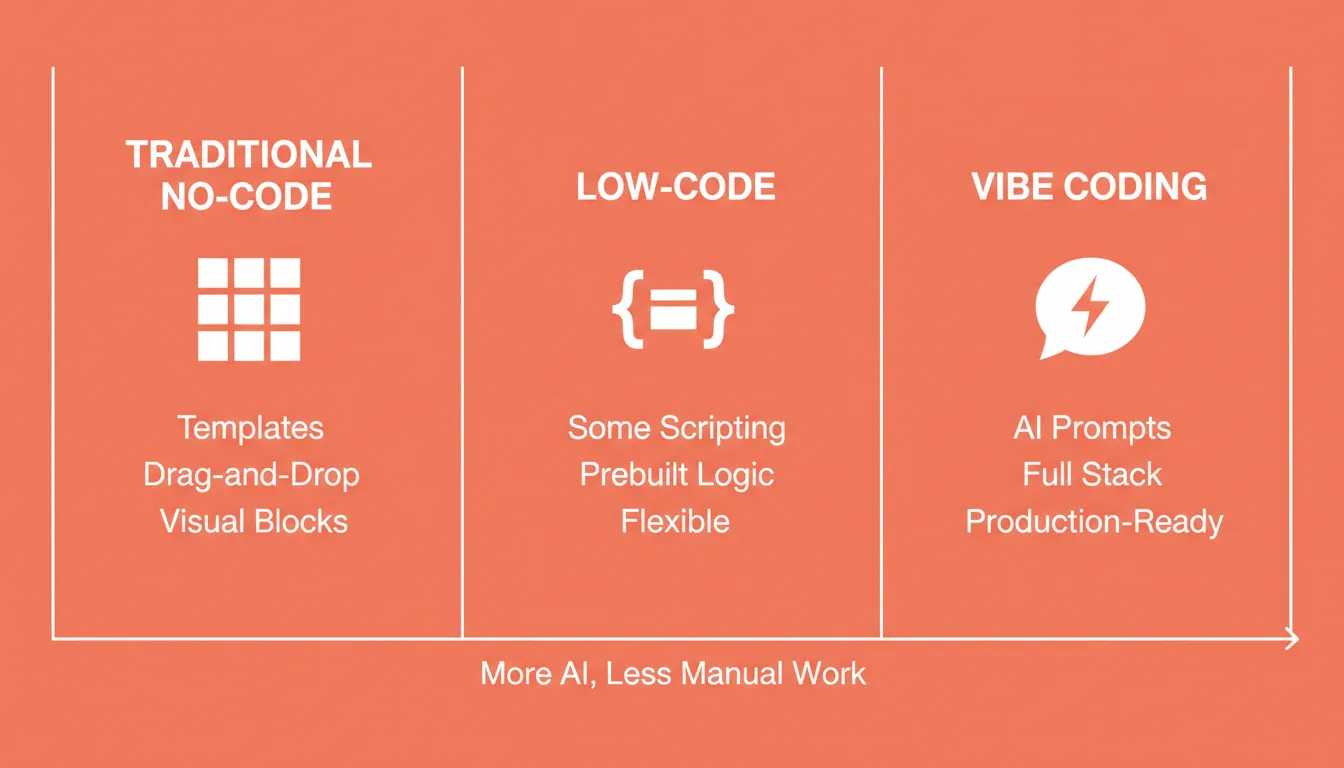
The term "vibe" reflects an intent-driven approach. You describe what you want in plain language, and the platform interprets, generates, and structures the output. Unlike older drag-and-drop builders, modern no-code vibe solutions produce production-ready code, not just mockups. They support the full stack, from frontend UI to database logic, authentication, and deployment.
This approach differs from vibe coding, which starts at execution. The most advanced platforms now practice Vibe Solutioning. This means addressing the complete arc from strategic research through the build itself and into ongoing monitoring. Vibe Solutioning starts before the first prompt. It validates the idea, builds from that foundation, and continues monitoring after launch.
Why Vibe Coding Works for Fast Launches
Teams keep asking for shorter loops. They need rapid prototyping that feels smooth, not stressful. Vibe coding tools blend text prompts, UI blocks, and AI generation to build flows that feel natural to adjust.
With this approach, the system generates code behind the scenes or reuses existing code when needed. That balance gives professional developers enough depth while still welcoming non-technical users into the build process. As the push for internal tools increases, teams need reliable routing, data handling, and backend logic. These requirements grow as projects scale.
The Rise of No-Code and Low-Code Builders
Gartner reports that 70 percent of new business apps will use low-code or no-code by 2025. This shift shapes how teams move and how quickly ideas reach users.
Today's teams often jump between no-code flows, low-code tweaks, and code written in the same environment. That shift shortens the learning curve and lightens friction for crews with limited programming knowledge. It also makes it easier to build apps by switching between visual edits and direct adjustments.
Many no-code platforms now support table-style views, database links, file storage, and user data management. They aim to support rapid prototyping without slowing teams down. You will often see drag-and-drop layouts, automated routing, connectors to external APIs, and built-in user authentication.
Some platforms offer automated code generation triggered by plain language prompts. A quick phrase can set logic, draft screens, or define conditions. The AI capabilities behind these systems make content generation and workflow automation far easier. According to Forrester Research, organizations that adopt low-code platforms report up to 50 percent faster application delivery compared to traditional development approaches.
That said, every platform has limitations. Some handle workflow logic well but break down at scale. Others support code generation but feel tight when teams need high flexibility.
Key Features to Compare in No-Code Vibe Solutions
Before choosing a platform, product groups study key features that shape long-term comfort. The mix of control, speed, and clarity matters more than flashy tools.
| Feature | Impact on Development | Notes |
|---|---|---|
| Visual editor | Faster layout building | Helpful for beginner-friendly teams |
| Backend logic | Supports real workflows | Important for internal tools |
| Code generation | Blended development style | Good for teams with mixed coding experience |
| Security and compliance | Protects sensitive information | WCAG and GDPR coverage matters |
| External integrations | Links to third-party tools | Important for automation |
| Testing and deployment | Shorter test cycles | Staging and production environments |
| Pre-build research | Validates direction before building | Prevents building the wrong thing |
Community Insight
One Reddit user captured the balance well:
"Teams get stuck when they try to replace every workflow with no-code. Keep no-code for experiments and pair it with small bits of scripting when things get messy."
This matches what many teams report. Progress comes faster when the tool handles logic. Custom code appears only when the use case asks for it.
How Teams Apply Vibe Coding in Real Projects
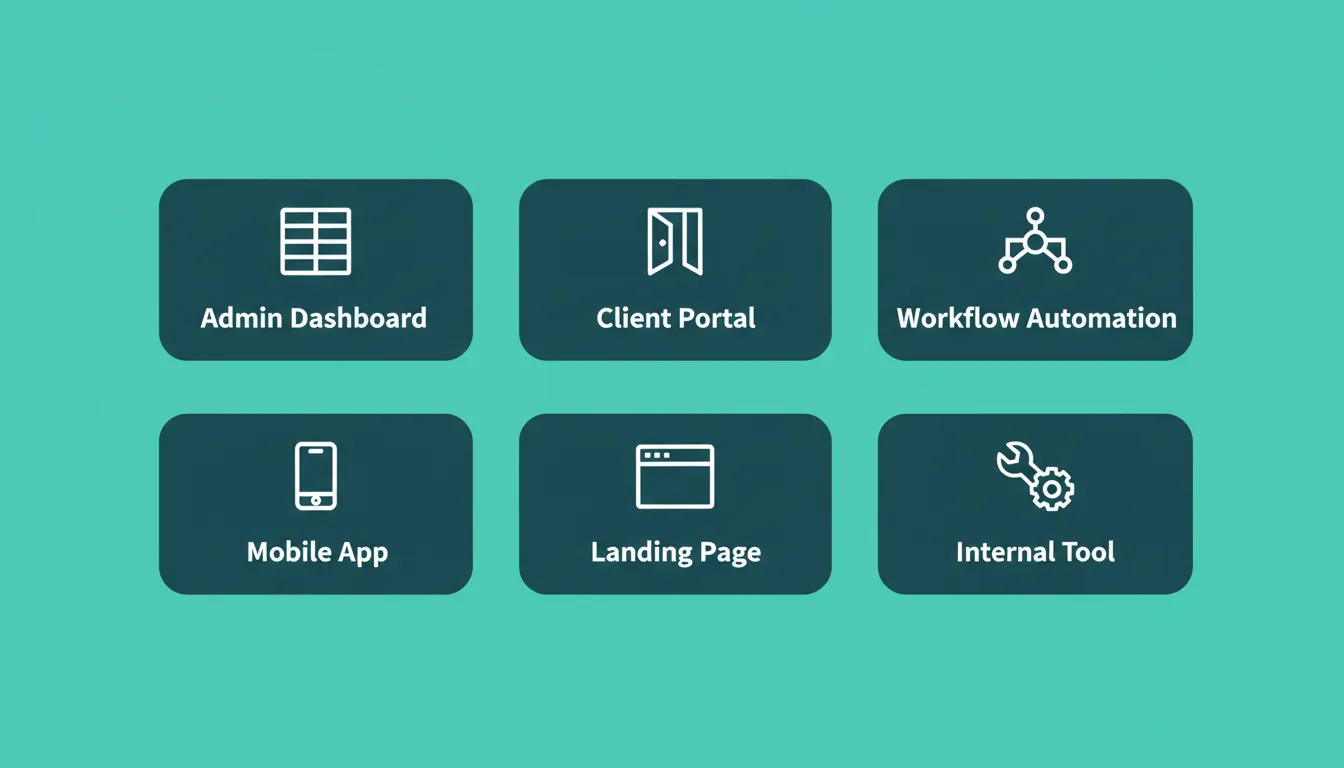
Teams use vibe coding for admin dashboards, workflow automation, client portals, and internal tools when timelines stay tight. For example, a sales dashboard with routing, real-time data, and approval steps can ship in a single session. Another common use case is a quick app that handles lead forms, user permissions, and stored records.
People notice gains because they create drafts quickly, test flows, and ship more often. The line between draft and production becomes softer. With single-click publishing, ideas reach users more quickly than before.
This process gives teams room to take on more projects and reduce dependency on developers for every small detail. Because many tools mirror familiar programming languages, shifting into deeper code development is straightforward.
The complete no-code vibe solutions workflow: from idea validation through build, deployment, and continuous intelligence, all in one platform.
Rocket: A Vibe Solutioning Platform for Teams
Rocket is the world's first Vibe Solutioning platform. It is where businesses research what to build, build it, and monitor what matters, all in one place. 1.5 million people have tried Rocket across 180 countries, from solopreneurs to enterprise teams.
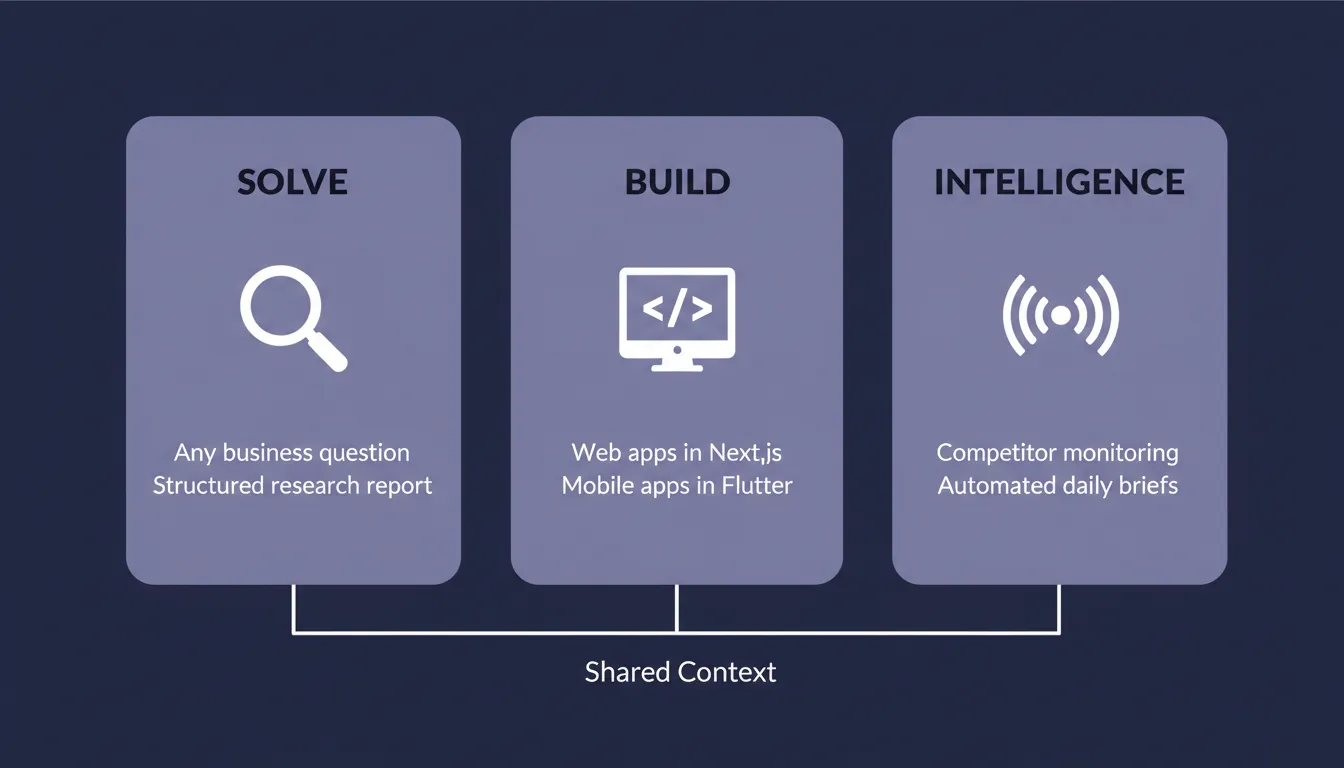
What sets Rocket apart from other no-code vibe solutions is its three-pillar architecture. Each pillar works independently, but they share context and compound across every task. The research you did last week is available when your team starts building today.
The Three Pillars
Solve turns any business question into a structured, evidence-backed research report. Ask about market sizing, competitive landscapes, pricing strategy, or product direction. Rocket decomposes the question into parallel research streams and delivers a versioned report. The output includes findings, a risk matrix, and actionable recommendations, all exportable as PDF or PowerPoint.
Build generates production-ready web apps and mobile apps from natural language descriptions, Figma files, or existing GitHub repositories. Web applications use Next.js. Mobile applications use Flutter with real design systems, dark and light theming, fluid navigation, and staggered animations. Every build ships with SEO-ready structure, WCAG accessibility compliance, GDPR coverage, and performance optimization by default. These are the baseline, not optional extras.
Intelligence monitors competitors continuously across every public platform they operate on. This includes websites, social media, review platforms, job postings, and advertising. It delivers daily, weekly, or monthly briefs with signals, interpretations, and recommended actions. A pricing change, a new feature, a hiring spike: Intelligence surfaces it and tells you what it means for your business.
What You Can Build
| Product Type | Examples |
|---|---|
| Web apps | SaaS dashboards, internal tools, marketplaces, customer portals |
| Mobile apps | iOS and Android apps submitted directly to App Store and Google Play |
| Landing pages | Marketing sites, product launch pages, conversion pages |
| E-commerce stores | Product catalogs, checkout flows, payment integrations |
| Internal tools | OKR trackers, compliance systems, investor data rooms |
Top Build Features
- Prompt-based full-stack generation: Describe the idea in plain language. Rocket generates a working frontend, backend, and connected integrations. Most apps generate in one to three minutes.
- Figma-to-code conversion: Import a Figma design and Rocket converts it to clean, responsive code. It preserves typography, spacing, visual hierarchy, and color system.
- GitHub integration: Connect an existing Next.js TypeScript codebase. Rocket picks up exactly where it left off, with two-way sync.
- 25+ integrations: Stripe, Google Analytics, Supabase, Notion, Linear, Airtable, Mailchimp, Mixpanel, Typeform, and more. Authenticate once and they flow into every build.
- One-click deployment: Push changes live instantly with staging and production environments, full version history, and one-click rollback.
- Full code export: Download the generated code at any time. Edit it manually, extend it, or move it into another system.
- Built-in analytics: Tracks visitors, conversions, accessibility, and Core Web Vitals after launch. Zero setup required.
Compound Context Architecture
Every task in a Rocket project inherits the full context of every prior task. The Solve report that validated the direction is present when the Build task opens. The competitive brief is present when the landing page is written. Nothing is re-explained. Everything compounds. This shared memory architecture separates Rocket from tools that start from zero every session.
Balancing Logic and Control in No-Code Workflows
Some teams expect no code development to remove all code entirely. That rarely plays out in practice.
Experienced teams keep control where it matters. They manage roles, set security rules, monitor user activity, and track long-term stability. Good workflows pair logic blocks with selective custom code. Teams use AI assistance to describe flows, screens, or automation, then verify the structure behind the scenes.
Teams typically cycle through development, testing, refinement, release, and repeat. Because the overhead stays lower, they can cover almost anything from idea to deployment with less pressure. This iterative approach is what makes no code vibe solutions so effective for modern product teams.
Who No-Code Vibe Solutions Are Built For
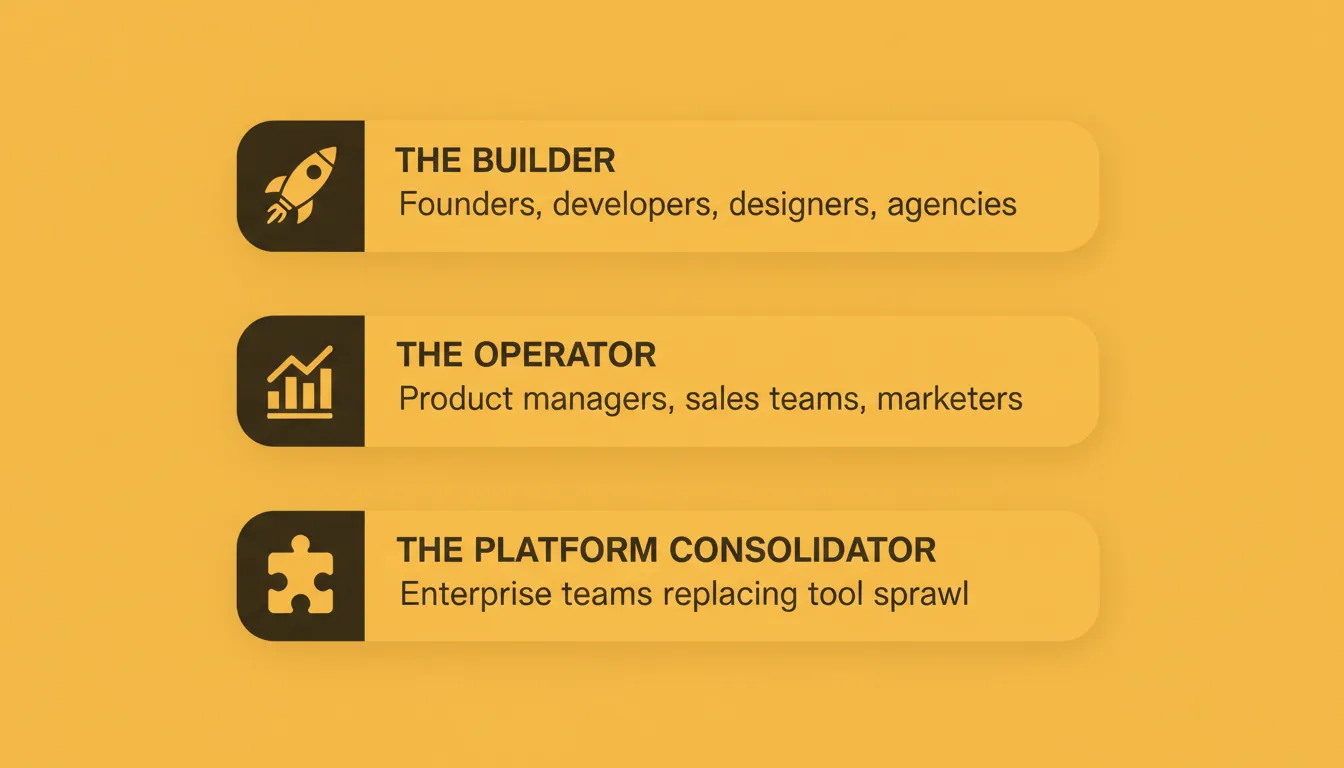
No code vibe solutions serve three distinct user types. Each has different needs and uses the platform differently.
The Builder includes founders, developers, designers, and agencies who need to ship products fast. They use Build to generate web apps, mobile apps, and landing pages. They use Solve to validate direction before committing to a build.
The Operator includes product managers, sales teams, marketers, consultants, and investors. They need research and intelligence without necessarily building a customer-facing product. They use Solve for strategic analysis and Intelligence to track competitor moves.
The Platform Consolidator includes enterprise and scaled-stage teams. They replace fragmented tool stacks with one platform where strategy and execution happen in the same place. The coordination overhead of carrying context between tools is eliminated.
Pricing: Getting Started with No-Code Vibe Solutions
Rocket runs on a credit-based system. Paid plans include a monthly credit allocation that powers Build, Solve, and Intelligence. All paid plans include unlimited team members. Annual billing saves 20 percent. No credit card is required to start.
| Plan | Price | Credits/Month | Best For |
|---|---|---|---|
| Free | USD 0 | 20 (one-time) | Testing the platform |
| Pro | USD 25/month | 100 | Personal projects and side projects |
| Rocket | USD 50/month | 250 | Individuals and teams needing research and intelligence |
| Booster | USD 250/month | 1,500 | Power users and fast-moving teams |
See the full Rocket pricing page for plan details and the add-credits guide.
When No-Code Works Best
Some companies require deeper logic for payments, compliance, or specialized workflows. Others handle customer-facing apps with strong security demands. In these cases, no code fits the early stages for creating MVPs. However, later stages often shift toward hybrid building.
For admin tools, prototypes, experiments, and early app development, these builders make sense. They help validate a use case, assess real behavior, and refine the idea before full-scale development. Modern systems also handle database structure, permissions, and security better than older generations, so teams trust them more.
Even so, teams carefully review limitations. They measure system performance, platform reliability, and the level of control they retain over the code. Testing early is critical. Security gaps often show up where people least expect them.
How to Choose a No-Code Vibe Solution That Fits
When choosing a platform, teams study long-term development goals. They try AI flows, build small apps as a test, and check how the platform handles logic, scaling, permissions, and day-to-day tasks. For teams exploring no-code app builders for startups, the right starting point is matching the platform's depth to the project's actual complexity.
The critical differentiator in the current market is whether the platform also addresses the pre-build layer. This is the research and validation that determines whether what you are building is worth building at all. Tools that cover only the build step leave the hardest decision entirely to you.
Choosing the Best No-Code Vibe Solutions
Teams gain the most when visual building, AI support, and balanced logic converge in a single flow. They ship ideas faster by bringing in code only where needed. They let AI tools speed up routine steps and keep security practices steady. As options keep expanding, the tools that reliably manage data, automate, and meet user needs stand out. The best no-code vibe solutions give teams a direct path from idea to working product, and the intelligence to make sure that product is worth building.
The Future of No-Code Vibe Solutions
No code vibe solutions are no longer a shortcut. They are the standard path for teams that want to move fast without sacrificing quality. As AI capabilities compound, platforms that connect research, building, and monitoring in one shared context will define how products get made. The teams that adopt this approach now will ship faster, decide smarter, and operate with less overhead than those still stitching tools together. Start building for free on Rocket.new and experience what it means to go from idea to working product, with the thinking already done.
Table of contents
- -What are No-Code Vibe Solutions?
- -Why Vibe Coding Works for Fast Launches
- -The Rise of No-Code and Low-Code Builders
- -Key Features to Compare in No-Code Vibe Solutions
- -Community Insight
- -How Teams Apply Vibe Coding in Real Projects
- -Rocket: A Vibe Solutioning Platform for Teams
- -The Three Pillars
- -What You Can Build
- -Top Build Features
- -Compound Context Architecture
- -Balancing Logic and Control in No-Code Workflows
- -Who No-Code Vibe Solutions Are Built For
- -Pricing: Getting Started with No-Code Vibe Solutions
- -When No-Code Works Best
- -How to Choose a No-Code Vibe Solution That Fits
- -Choosing the Best No-Code Vibe Solutions
- -The Future of No-Code Vibe Solutions

