
The right app development tools cut build time, reduce cost, and determine whether your product ships this quarter or next year. This guide covers native IDEs, cross-platform frameworks, no-code builders, and AI-driven platforms for Android, iOS, and beyond.
Choosing the right app development tools can cut your build time in half and determine whether your product ships this quarter or next year. This guide covers native IDEs, cross-platform frameworks, no-code builders, and AI-driven platforms for Android, iOS, and beyond, so you can match the right tool to your skill level and project goals.
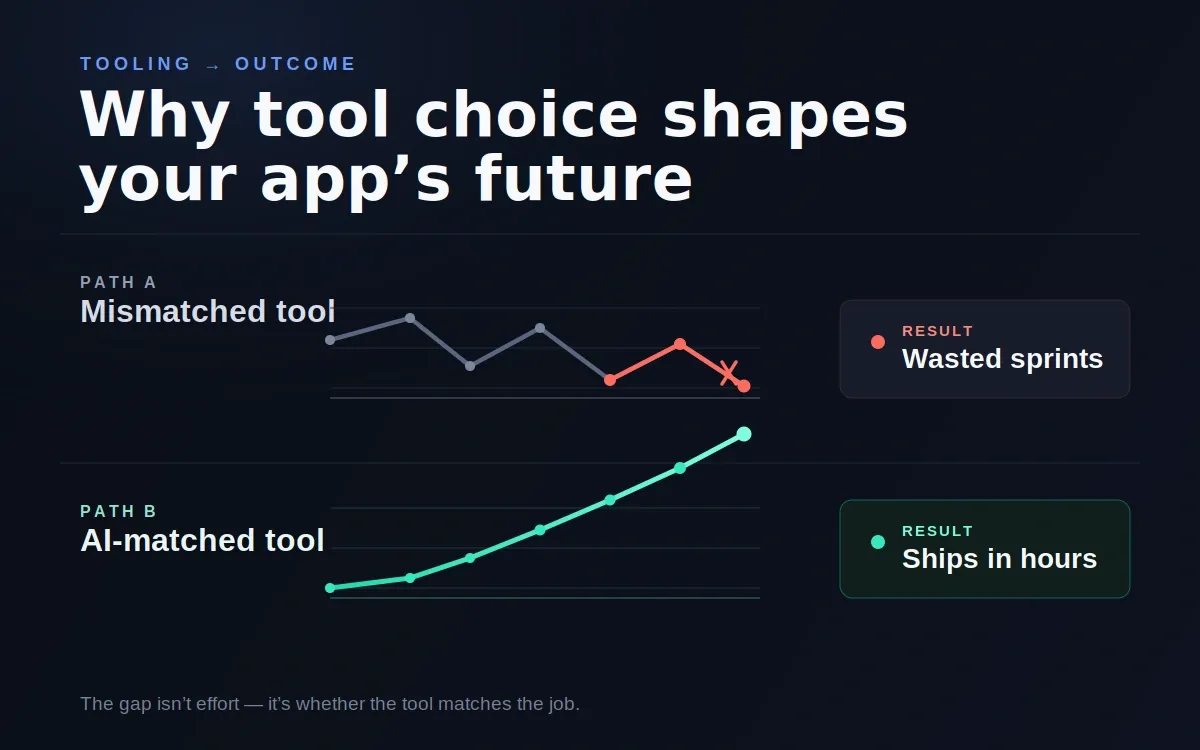
The right app development tool determines how fast you ship and how much you waste.
Why Choosing the Right App Development Tools Matters
The right app development tools shape every downstream decision: how fast you ship, how much you spend, and whether your app survives contact with real users. A beginner may want builders that work without code. A business team might need cross-platform frameworks that run on both Android and iOS.
Good tools help with:
- Writing and managing code across platforms
- Designing app screens and user flows
- Building for Android and iOS simultaneously
- Testing with real users before launch
- Publishing to Google Play Store or Apple App Store
Some tools let you build apps visually without writing code. Others mix visual editors with traditional development. Others still use AI to automatically build apps from natural language prompts. All aim to make shipping products less time-consuming and more predictable.
Top Mobile App Development Tools You Should Know
Here is a practical breakdown of the most widely used tools in production today. These tools shape how modern teams plan, design, code, and ship a mobile app without turning the process into a headache.
Native App Development Tools
Native tools help you build Android or iOS apps optimized for their respective platforms. They give you the deepest access to device APIs, hardware features, and platform-specific UI conventions.
| Tool | Best For | Platform |
|---|---|---|
| Android Studio | Full Android app development | Android |
| Xcode | iOS and Apple device apps | iOS |
| Visual Studio + .NET | Cross-platform with C# | Android + iOS |
| IntelliJ IDEA | Java/Kotlin Android projects | Android |
Android Studio is Google's official IDE for Android apps. It provides a complete environment for building, testing, and debugging code for mobile devices, a must if your focus is on Android or deep Google services integration.
Visual Studio combined with .NET lets developers target both Android and iOS from one codebase using C# and rich debugging tools. This suits teams building large commercial applications where a single language team handles both platforms.
These tools require coding skills but offer maximum control and flexibility. They are developer favorites when building performance-critical mobile applications.
Cross-Platform Frameworks
Cross-platform frameworks let you write code once and deploy across both Android and iOS. This is a strong choice for business teams that need consistent results without maintaining two separate codebases.
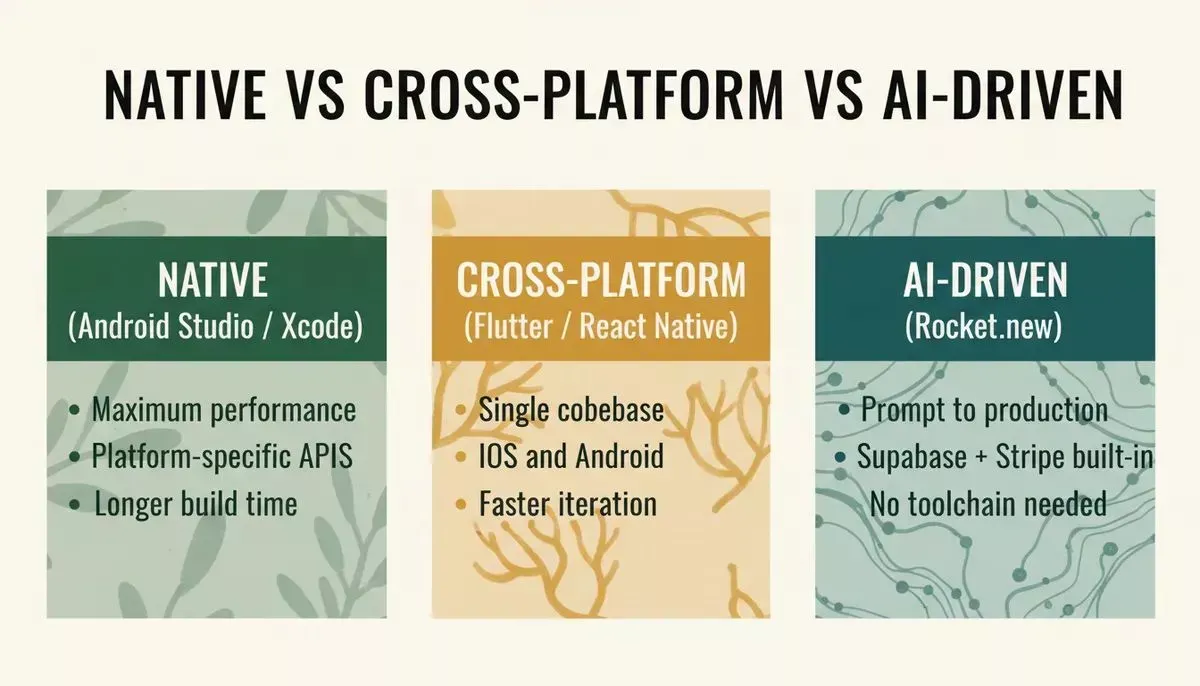
Three paths to shipping a mobile app, each suited to a different skill level and project type.
- Flutter: Developed by Google, Flutter lets developers write apps with a single Dart codebase that runs on Android, iOS, and the web. Its rich widget library and hot-reload cycle make iteration fast. You can explore how Flutter powers production mobile apps and why it has become the framework of choice for AI-generated mobile builds.
- React Native: Uses JavaScript and a large ecosystem of libraries. It is popular because web developers can transfer existing skills directly to mobile development without learning a new language.
Ionic and Kotlin Multiplatform offer additional options depending on whether your team prefers web-based skills or shared business logic across platforms.
No-Code and Low-Code App Builders
Not every app project needs heavy coding. App builders let non-technical users create apps quickly with minimal or no code, which is especially useful for rapid prototyping. For a full comparison of the landscape, the guide on low-code and no-code development covers the complete range of tools for app development across skill levels.
Mobile app adoption continues to accelerate. Over 3.5 billion people use mobile apps daily, and demand continues to rise as phones become the center of digital life. Bubble, Glide, and Softr are common low-code/no-code choices for teams testing ideas fast.
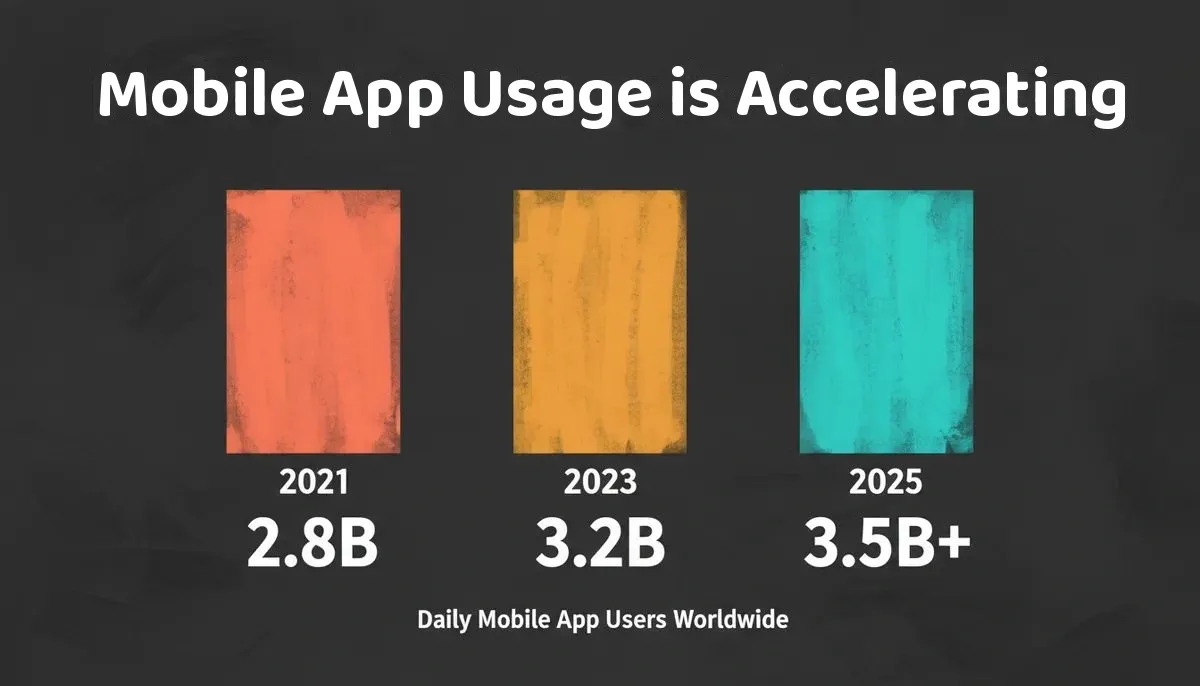
Daily mobile app users worldwide are increasing
Daily mobile app users have grown steadily and show no signs of slowing down. Low-code tools can launch an MVP in 5-8 weeks, though they may introduce technical debt at scale. Open-source software can be cost-effective because it is free, but it often comes with a steeper learning curve than paid tools.
Drag and Drop Platforms
- Bubble: best for full-stack web applications with built-in databases, using a visual logic builder for complex web apps
- Glide: turns Google Sheets into mobile apps
- Adalo: drag-and-drop native mobile app builder
- AppSheet (Google): spreadsheet-driven app creation
These platforms offer a visual editor or drag-and-drop editor that lets you place screens, buttons, lists, and forms without writing traditional code. Many come with free plans. They are popular with business teams and internal projects, including client portals for internal users, where speed matters more than custom performance.
Glide and AppSheet work particularly well when your app data already lives in spreadsheets. They connect to data sources like sheets and tables to quickly gather data for operational mobile or web apps without a single line of code. For teams evaluating whether to build or buy, understanding how AI app builders save development costs is a useful starting point.
Rocket: Build Web Apps, Mobile Apps, and More with AI
Rocket is a Vibe Solutioning platform, the first platform where business research, app building, and competitive intelligence happen in the same place. Unlike traditional app builders that start from a blank prompt, Rocket starts from validated thinking, with the ability to build applications from validated inputs instead of starting from scratch: Solve researches your market and validates your idea, Build generates the production-grade app, and Intelligence monitors competitors continuously so you know when the landscape shifts.
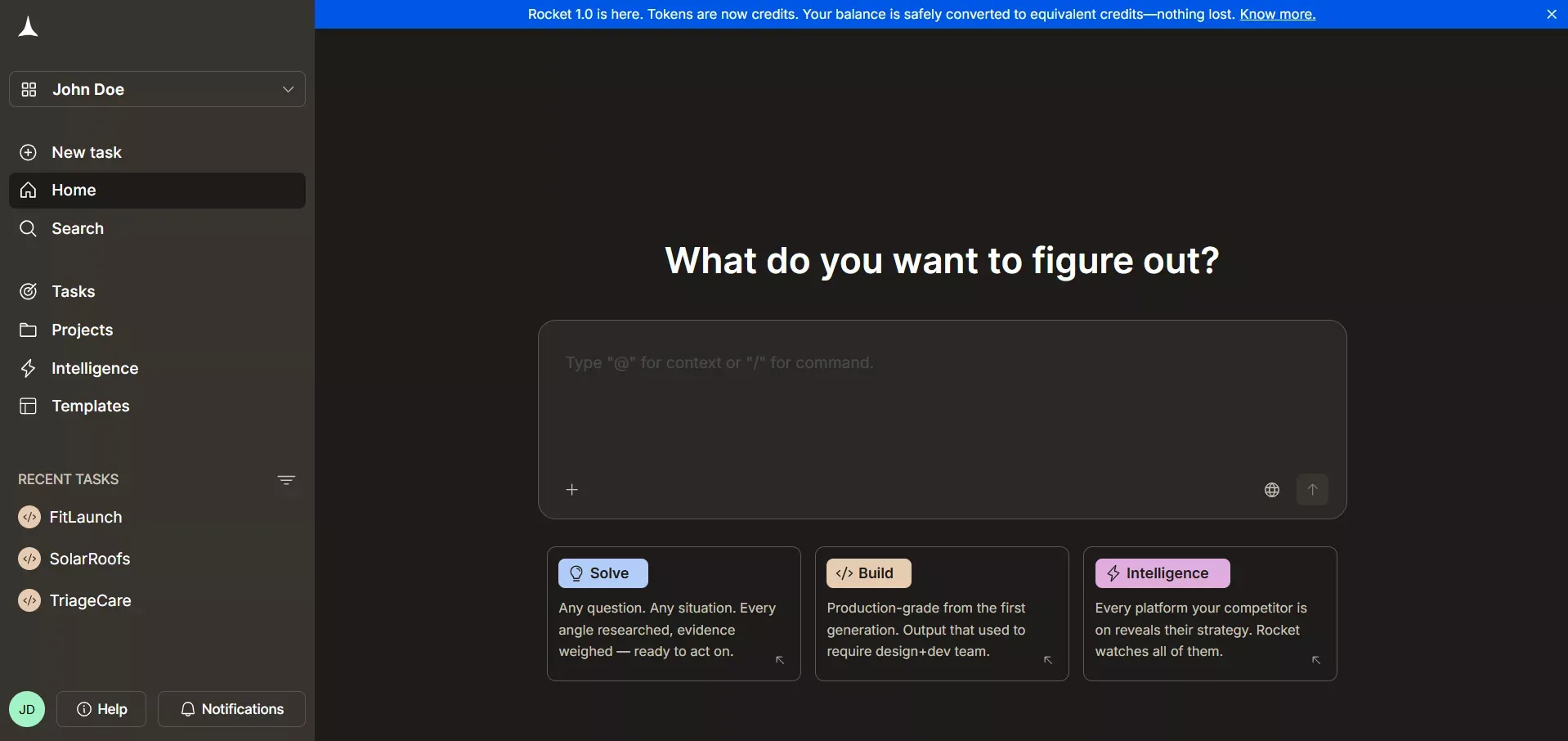
Rocket.new dashboard: prompt box above three feature cards for Solve, Build, and Intelligence.
1.5 million people have tried Rocket across 180 countries. Rocket generates web apps in Next.js and mobile apps in Flutter, two distinct, production-grade pipelines, not a single universal output. Organizations also use platforms like this to reduce dependence on external vendors and large development teams while maintaining quality and security standards.
What Rocket Builds
| Output Type | Framework | Key Defaults |
|---|---|---|
| Web apps | Next.js | SEO-ready, WCAG, GDPR |
| Mobile apps | Flutter | iOS + Android, App Store ready |
| Landing pages | Next.js | Conversion-focused, fast load |
| E-commerce stores | Next.js | Checkout + payment integrations |
| Internal tools | Next.js | Dashboards, portals, client portals, trackers |
Every product ships with SEO-ready structure, WCAG accessibility compliance, and GDPR coverage by default to help address baseline compliance requirements. These are the baseline, not optional extras.
Key Features
- Build from a natural language prompt: Describe the app in plain words and get a working, deployable product, not a wireframe.
- Backend wired automatically: Supabase handles authentication, database, and storage; Stripe handles payments. Both integrate directly into generation, authenticate once, and flow into every build. AI assistance can also streamline setup with smart form field mapping or auto-layout suggestions.
- Native iOS and Android via Flutter: One Flutter codebase produces separate, submission-ready builds for both app stores.
- Next.js for web: Production-grade web apps with performance optimization, SEO, and accessibility built in.
- 25+ integrations: Stripe, Supabase, Google Analytics, Notion, Linear, Airtable, Mailchimp, Mixpanel, and more, all connected at the platform level with support for seamless integration across cloud APIs and multiple data sources, including ERP and CRM connectors in enterprise setups; teams can also extend workflows with AI agents and services like Zapier.
- Enterprise-ready controls: For teams with stricter requirements, security matters just as much as speed, so look for enterprise-grade functionality such as secure access, single sign-on, role-based access, and comprehensive audit trails to protect sensitive business data.
- Governance across delivery: Enterprise app work also needs version control, environment management, testing, and deployment automation, plus compliance checks for stricter regulatory requirements, including whether the platform supports GDPR and HIPAA.
- Solve before you build: Research your market, validate your idea, and generate a PRD before a single line of code is written.
- Intelligence after you ship: Monitor competitors continuously across every public platform they operate on.
Rocket keeps the focus on the idea instead of the setup, helping teams move faster from validated concept to deployed product without unnecessary friction. This functionality also helps the IT team focus on harder integrations while business teams move faster. Teams that want to understand how this compares to traditional approaches can read more about how AI is changing product development.
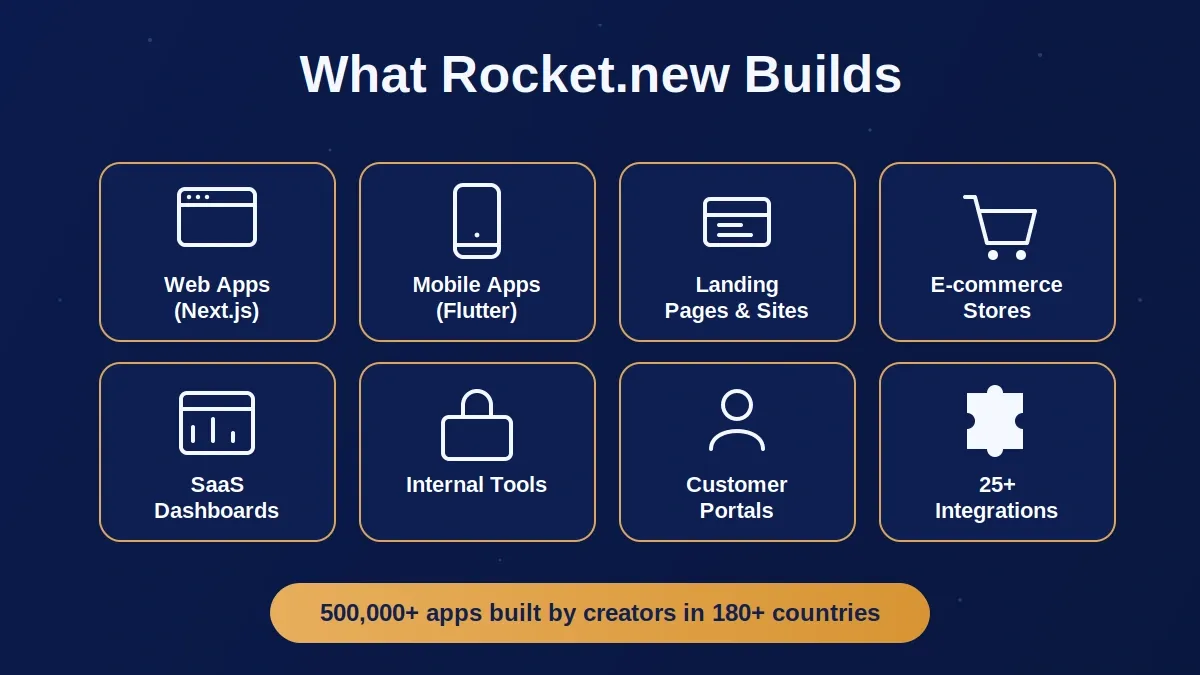
Rocket.new generates web apps, mobile apps, landing pages, e-commerce stores, and internal tools, all from a single platform.
Which App Development Tool Is Right for You?
Choosing the right app development tool starts with understanding your skill level, project scope, and deployment target, along with the key factors that shape long-term fit. The best fit ensures faster delivery, fewer headaches, and a smoother path from idea to launch. Leveraging existing skills of the team also reduces training costs and hiring friction.
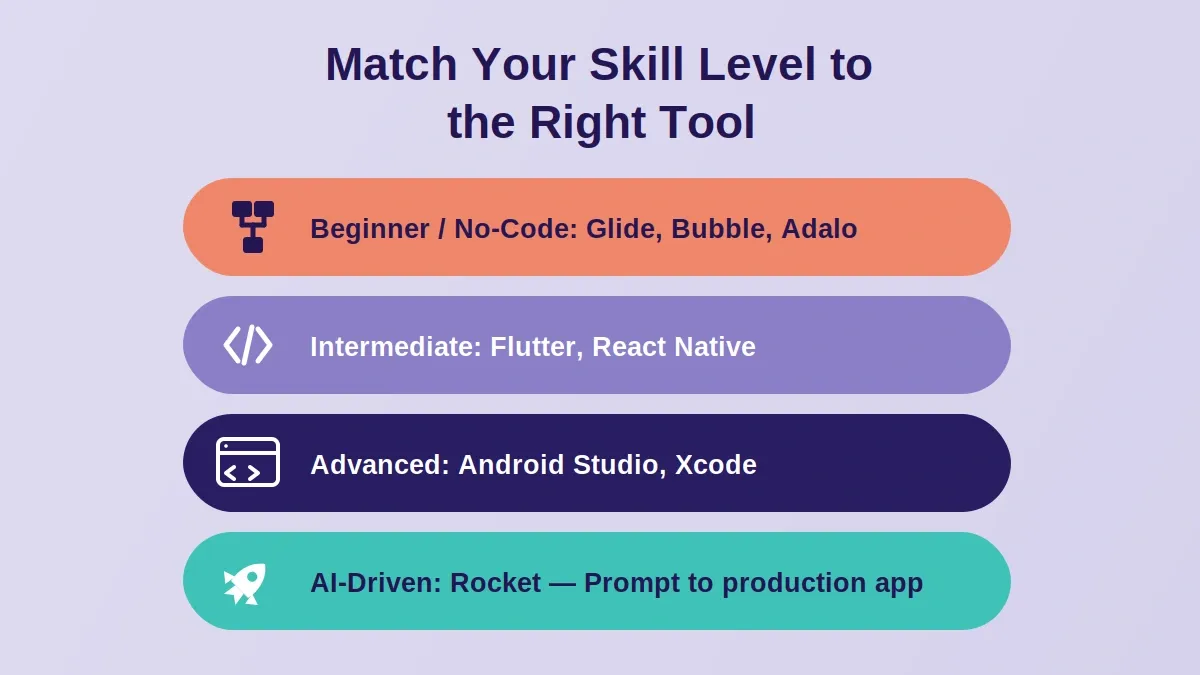
Matching your tool to your skill level and project type is the single biggest factor in how fast you ship.
Compare App Development Tools by Skill Level
| Skill Level | Tool | Best For | Notes |
|---|---|---|---|
| Beginner / No-Code | Glide, Bubble | Quick internal apps | Visual editors, low cost; some include a free plan or free version with limited features |
| Intermediate | Flutter, React Native | Cross-platform mobile | Single codebase, code reuse |
| Advanced | Android Studio, Xcode | Native performance | Deep customization, full API access |
| AI-Driven | Rocket | Full-stack from prompts | Web + mobile, Supabase + Stripe wired in |
FlutterFlow is an excellent tool for teams that want a visual builder that outputs clean Flutter code.
Matching your skill level with the right app development tool saves time, reduces frustration, and ensures your ideas turn into working apps efficiently. Whether you are coding from scratch or letting AI handle the heavy lifting, there is a path that fits your situation. Developers exploring the AI-driven path can also look at how to build a mobile app with AI step by step for a practical walkthrough.
Leveraging familiar frameworks can also be more cost-effective because it lowers training and staffing overhead.
"I gave an AI builder just one sentence, and it built a complete, working app. No setup. No coding. It just worked." — LinkedIn
This reflects a broader shift: the latest tools for app development are moving toward natural language and AI code generation, making mobile development approachable even for non-developers.
How App Development Tools Fit Together
Understanding how different tools for app development connect in a typical workflow helps teams choose the right combination for their situation.
App development tool selection mapped by skill level and deployment target.
App Development Tools Wrap-Up
Great tools make it easier to turn an app idea into a working product in users' hands. Whether you are exploring drag-and-drop builders, writing native code in Android Studio, building cross-platform with Flutter, or generating full-stack apps with AI, there is a path that fits your skill level and timeline.
Pick tools that fit your project scope, and try free tiers before committing. Modern mobile development is about choices, and the tools you choose determine how fast and how well you ship.
Ready to go from idea to deployed app without the usual setup headaches? Rocket.new is the AI platform that takes you from a validated business idea to a production-grade web or mobile app, with Supabase, Stripe, and 25+ integrations wired in from the start. No complex toolchains. No wasted sprints. Start building with Rocket now!
Table of contents
- -Why Choosing the Right App Development Tools Matters
- -Top Mobile App Development Tools You Should Know
- -Native App Development Tools
- -Cross-Platform Frameworks
- -No-Code and Low-Code App Builders
- -Drag and Drop Platforms
- -Rocket: Build Web Apps, Mobile Apps, and More with AI
- -What Rocket Builds
- -Key Features
- -Which App Development Tool Is Right for You?
- -Compare App Development Tools by Skill Level
- -How App Development Tools Fit Together
- -App Development Tools Wrap-Up