
An app builder with AI converts plain-language prompts into full-stack apps. This guide covers how they work, key features, top platforms, and how to choose the right one for your project.
An app builder with AI turns a plain-language idea into a working, full-stack application without deep coding. This guide covers how these platforms work, what features matter, the top tools, and how to choose the right one for your project, skill level, and growth stage.
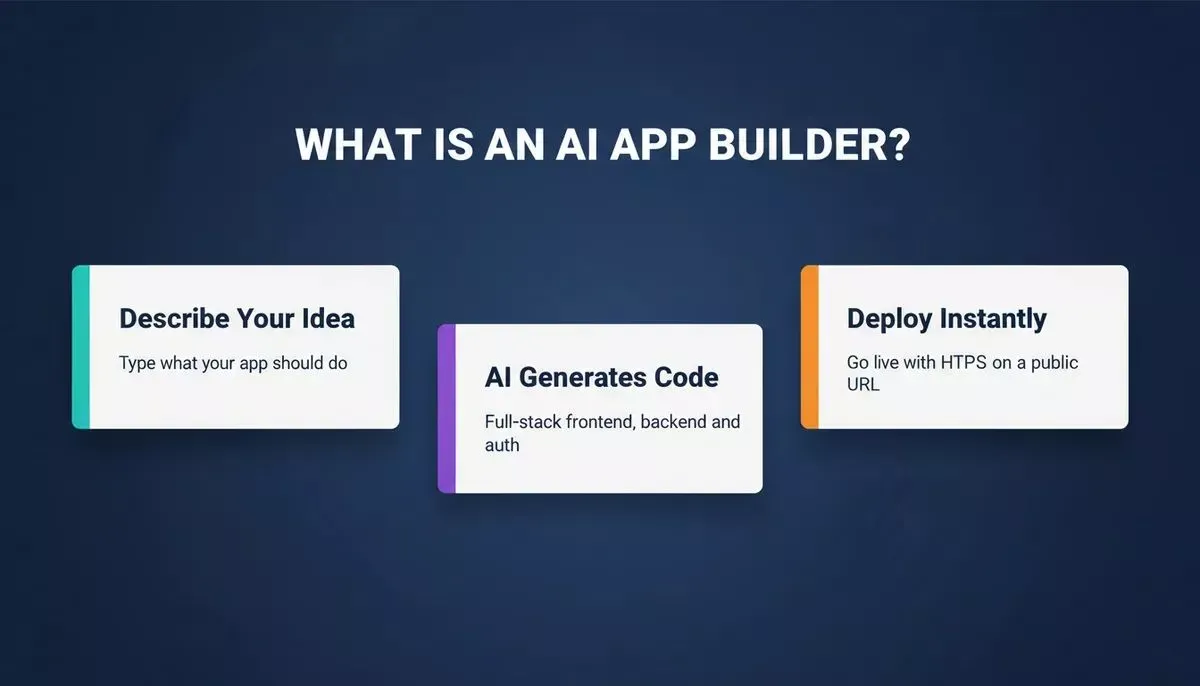
An AI app builder takes a plain-language description and outputs a deployable, full-stack application.
What Is an AI App Builder?
An AI app builder is a platform that helps create apps using artificial intelligence.
Instead of writing code manually, users describe the app idea or functionality. The platform generates screens, backend logic, data models, and authentication systems.
Most AI app builders support full-stack workflows, meaning they handle frontend interfaces, backend logic, database integration, and APIs. The result is a functional app ready to test or deploy.
Why Use an AI App Builder?
Speed is the main advantage of using AI app builders. Developing manually may take weeks or months, but an AI app generator can produce an app in hours.
Cost is another factor. Hiring developers or agencies can be expensive, especially for early-stage projects. AI builders reduce the need for large teams and automate tasks like testing, deployment, and backend setup.
These tools are ideal for MVPs, startups, and internal tools. They allow rapid validation of app ideas before heavy investment. Non-technical users benefit greatly because AI builders remove the need to write complex code.
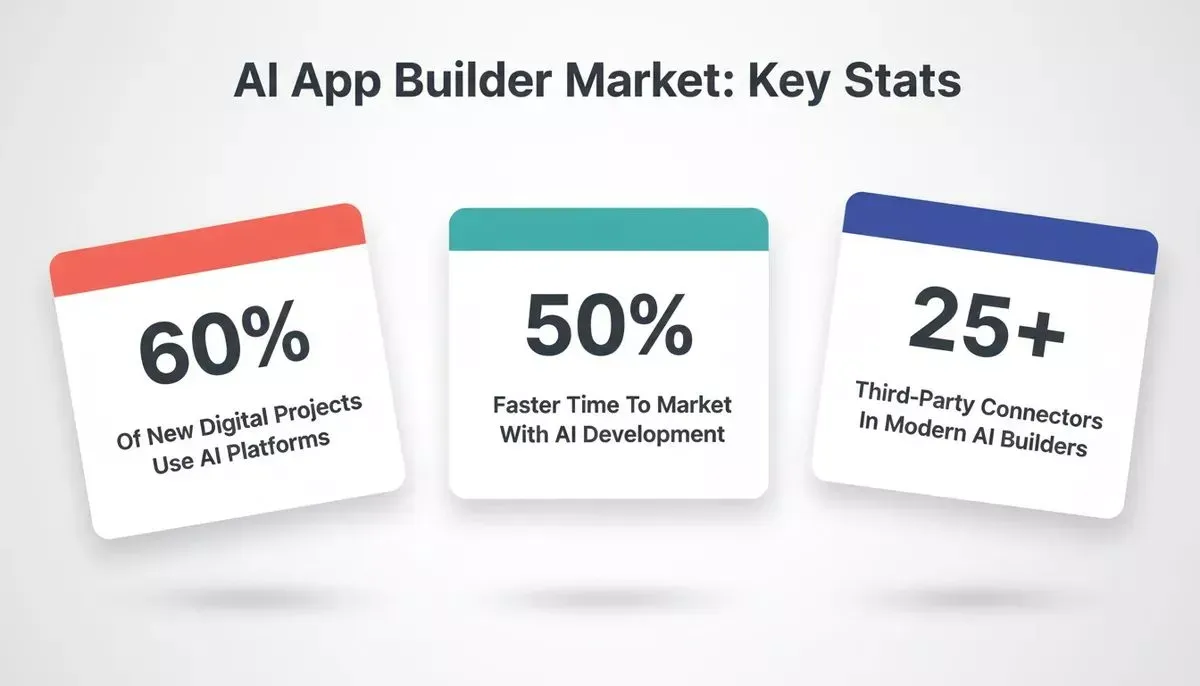
Key numbers that define the AI app builder landscape today.
According to industry research, more than 60% of new digital projects now rely on low-code or AI-powered platforms. McKinsey's analysis identifies software engineering as one of the highest-impact areas for AI automation. The shift from manual development to AI-assisted building is no longer a trend. It is the new default for fast-moving teams.
Key Features to Look for in an AI App Builder
Choosing the right AI app builder makes a big difference in workflow and results. The features below separate tools that produce prototypes from tools that produce production-ready apps.
- Natural language app generation: turn a plain-language description into screens, flows, and backend logic
- Multiple starting points: start from a prompt, a Figma import, a URL redesign, a screenshot or wireframe, a template, or an existing repo
- Full-stack output: frontend UI, backend logic, database schema, and authentication generated together
- Named tech stack: production-grade frameworks so the code is portable and not locked in
- Third-party integrations: payments, databases, AI models, email, analytics, and CRM connected via API key or OAuth
- GitHub integration: push code to a repository for version control and team collaboration
- Code export: download the full project for local development (check whether this requires a paid plan)
- Deployment: one-click publish to a live URL with HTTPS
- Live preview and testing: catch issues before deploying
- AI agents: suggest improvements, fix bugs, or generate follow-up features
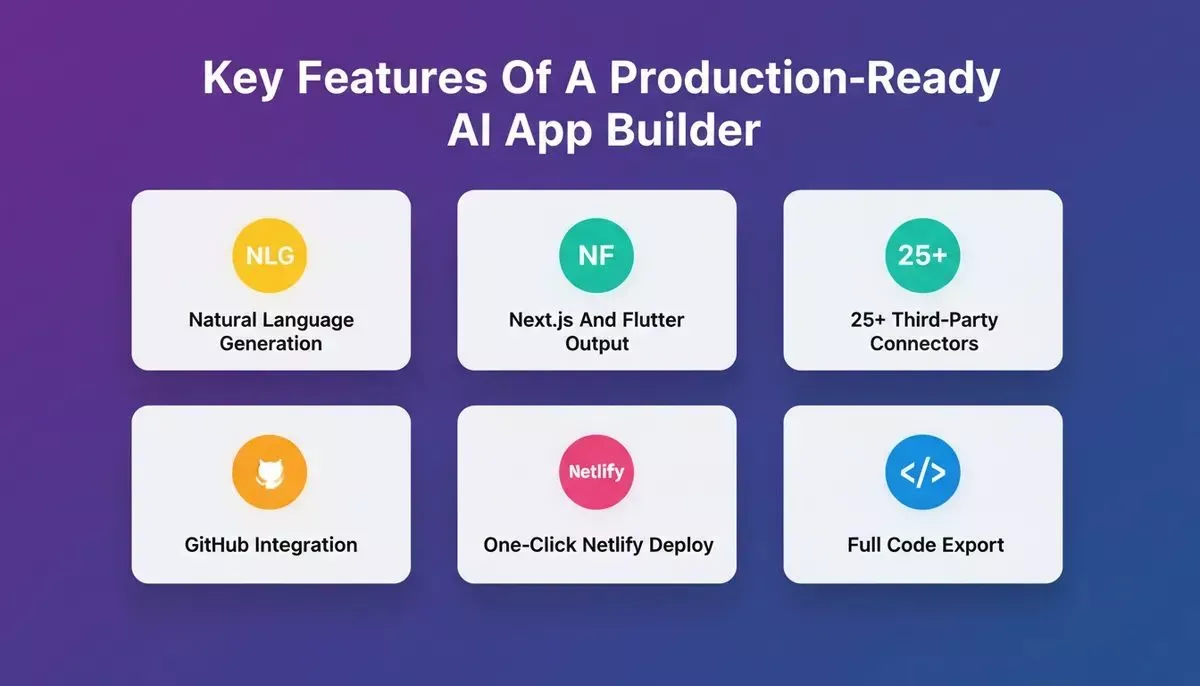
The six capabilities that define a production-ready AI app builder versus a basic prototyping tool.
Top App Builders With AI
AI app builders make creating apps faster and easier than ever. Some focus on rapid prototyping, while others give full control for complex apps. Together, they cover a wide range of projects and skill levels.
Rocket.new
Rocket is a vibe solutioning platform that combines three capabilities: Solve for AI-powered market research and PRD generation, Build for production-ready app generation, and Intelligence for continuous competitive monitoring. Each pillar works independently or in sequence. Research an idea with Solve, build it with Build, then monitor the market with Intelligence.
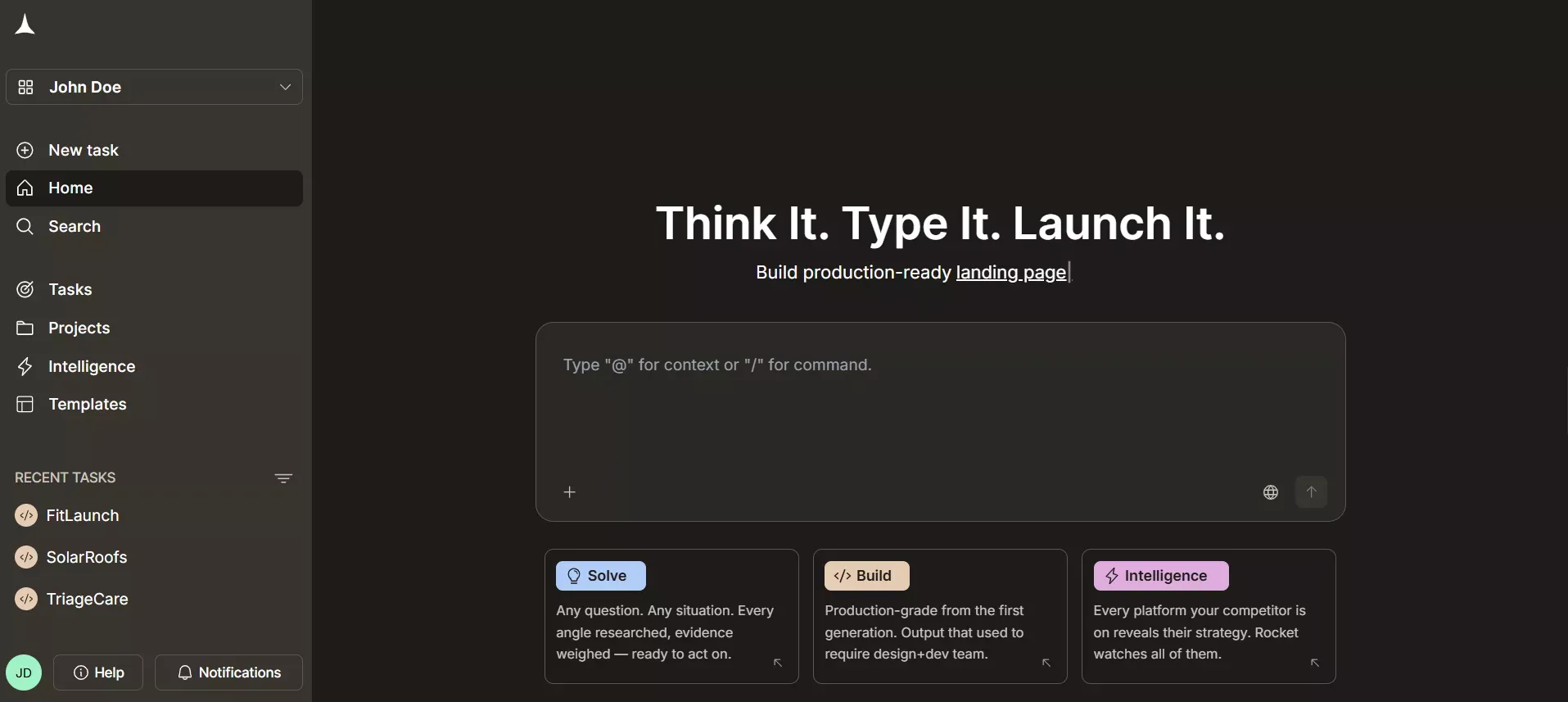
Rocket.new AI App Builder
Build generates production-ready Next.js TypeScript web apps and Flutter mobile apps from natural language prompts. Users describe the app, and Rocket generates frontend UI, backend logic, authentication, and integrations.
Web apps are deployed to Netlify with a public URL by default. Mobile apps get a mobile-optimized web link for instant sharing; Android APK downloads are available, but iOS IPA downloads are not yet available.
Solve turns a business question into a structured, evidence-backed research report covering market sizing, competitive teardowns, pricing strategy, and PRD generation before a single line of code is written. This is the capability that separates Rocket from tools that start from a blank prompt.
Intelligence monitors competitors continuously, tracking pricing changes, feature launches, job postings, and ad spend shifts, and delivers weekly digests and real-time alerts.
Features:
- Natural language app generation for Next.js web apps and Flutter mobile apps
- Multiple starting points: prompt, Figma import, URL redesign, screenshot/wireframe, template, or existing repo
- Full-stack support including backend logic and authentication
- 25+ third-party connectors (Stripe, Supabase, OpenAI, Resend, and more) connected via API key or OAuth, with keys encrypted at rest
- GitHub integration with two-way sync (auto PR to main via rocket-update branch) for Next.js TypeScript; one-way manual push for other frameworks
- Full project download as .zip for local development (paid plan required)
- Netlify deployment with a public URL by default; custom domains available as an added step
- Solve for pre-build market research and PRD generation
- Intelligence for post-launch competitive monitoring
Use cases:
- Validate a market opportunity with Solve before committing to a build
- Launch MVPs quickly for testing and investor demos
- Convert Figma designs into live Next.js apps without coding
- Build internal dashboards to manage data and workflows
- Monitor competitor pricing and feature launches after launch
Replit
Replit is an online coding environment with AI assistance. It helps generate code, debug apps, and deploy them. While coding is still involved, AI reduces effort and accelerates development.
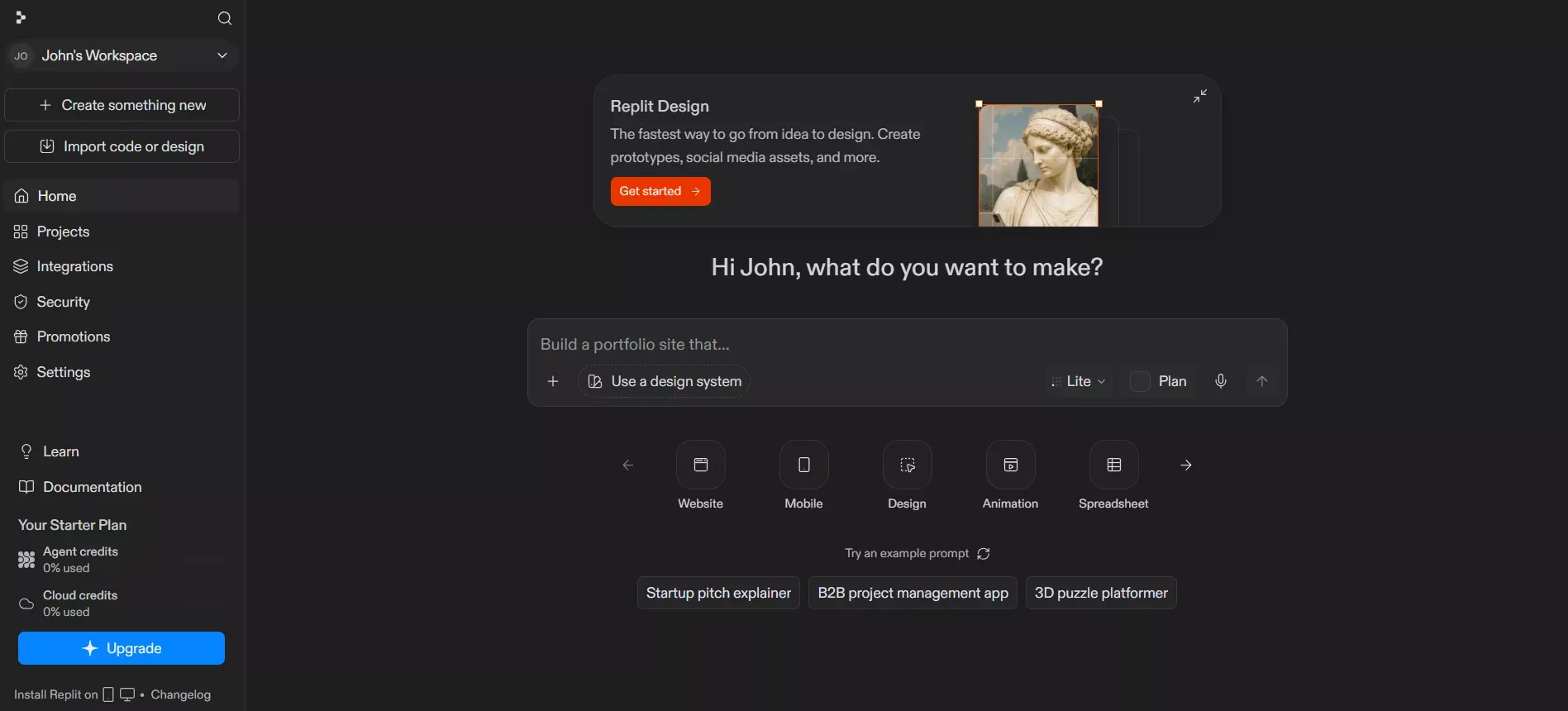
Replit Online Coding Environment
Features:
- AI-assisted coding and debugging
- In-browser development environment
- Live previews and deployment tools
- Support for multiple languages and frameworks
- Team collaboration features
Ideal for solo builders and small teams who want greater control over code and prefer a coding-first workflow. Rocket offers a direct comparison for teams evaluating both platforms.
Bubble
Bubble combines no-code development with AI features. It focuses on visual app building, workflows, and database handling.
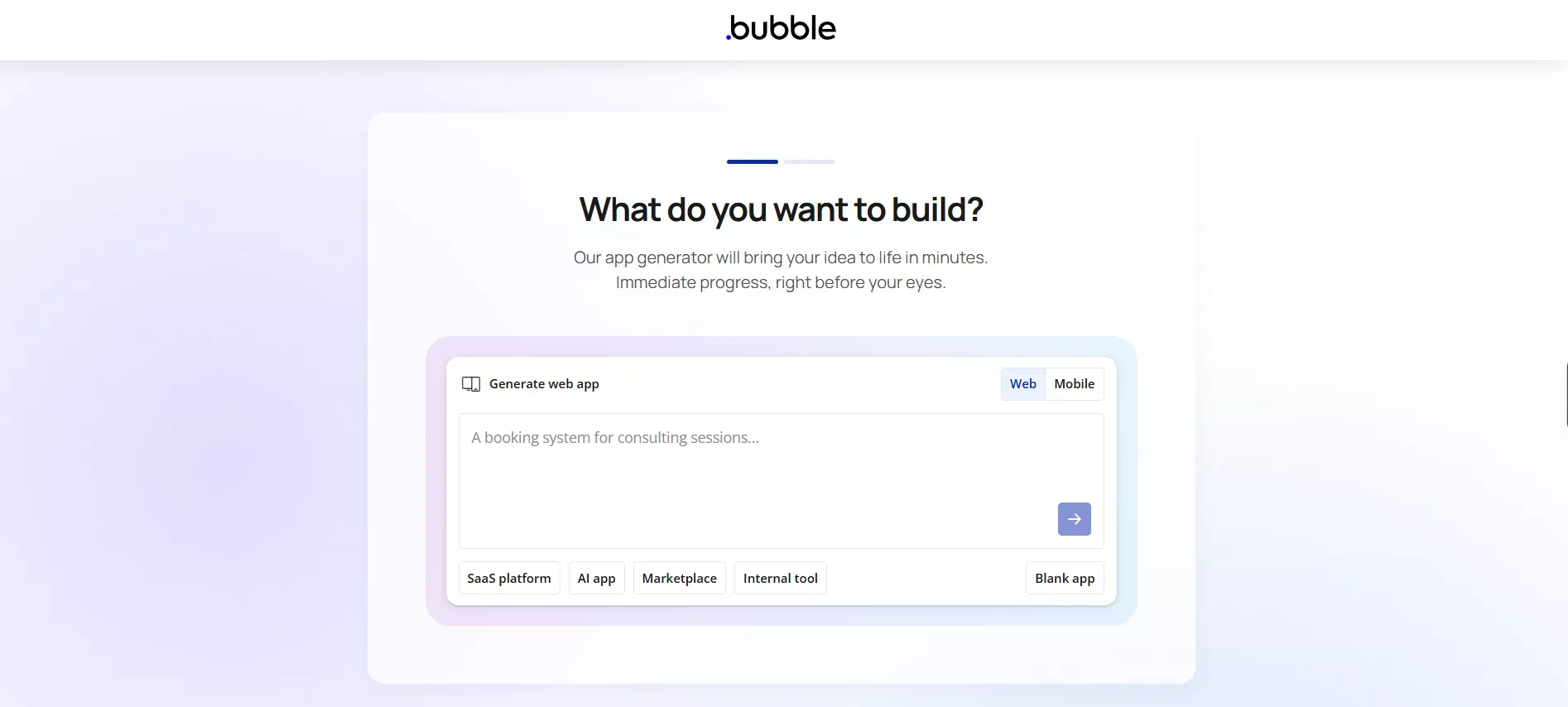
Bubble No-code Development
Features:
- Visual editor for app creation
- AI-assisted workflow setup
- Built-in database and form handling
- Custom domains and authentication
- Plugin marketplace for extended features
Best for non-technical founders building web apps or internal tools who do not need mobile output or code export. See how Rocket compares to Bubble for teams weighing both options.
FlutterFlow
FlutterFlow is designed for mobile app creation. AI assistance speeds up UI design and backend setup. The platform outputs Flutter code for cross-platform iOS and Android apps.
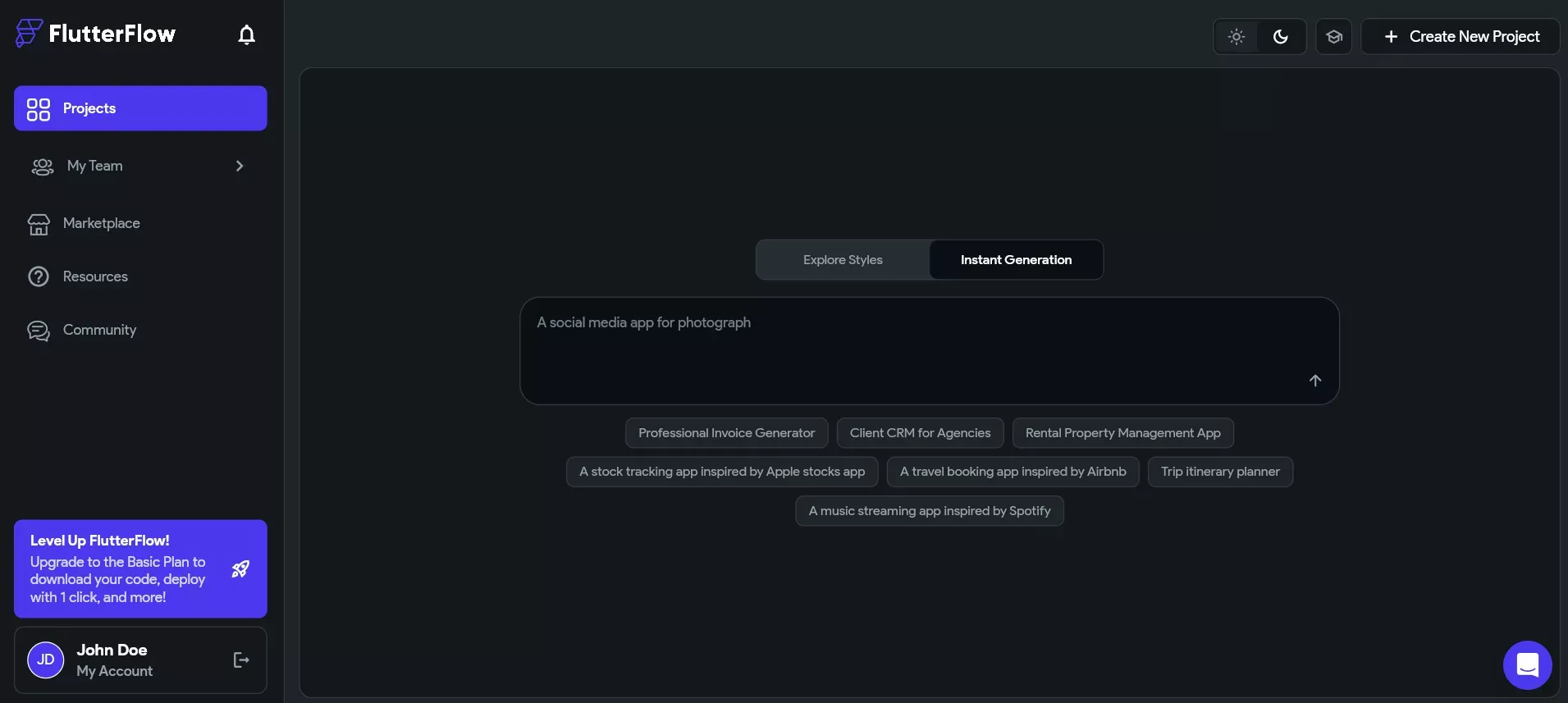
FlutterFlow for Mobile App Creation
Features:
- AI-assisted Flutter UI generation
- Mobile app support for iOS and Android
- Backend connections and APIs
- Authentication systems and file storage
- Code export for further development
Best for creators focusing on mobile experiences who need real Flutter output and are comfortable with a moderate learning curve.
OutSystems
OutSystems targets enterprise-grade app development. It supports complex apps, role-based access, and large-scale data handling. AI features assist with workflow and logic generation.
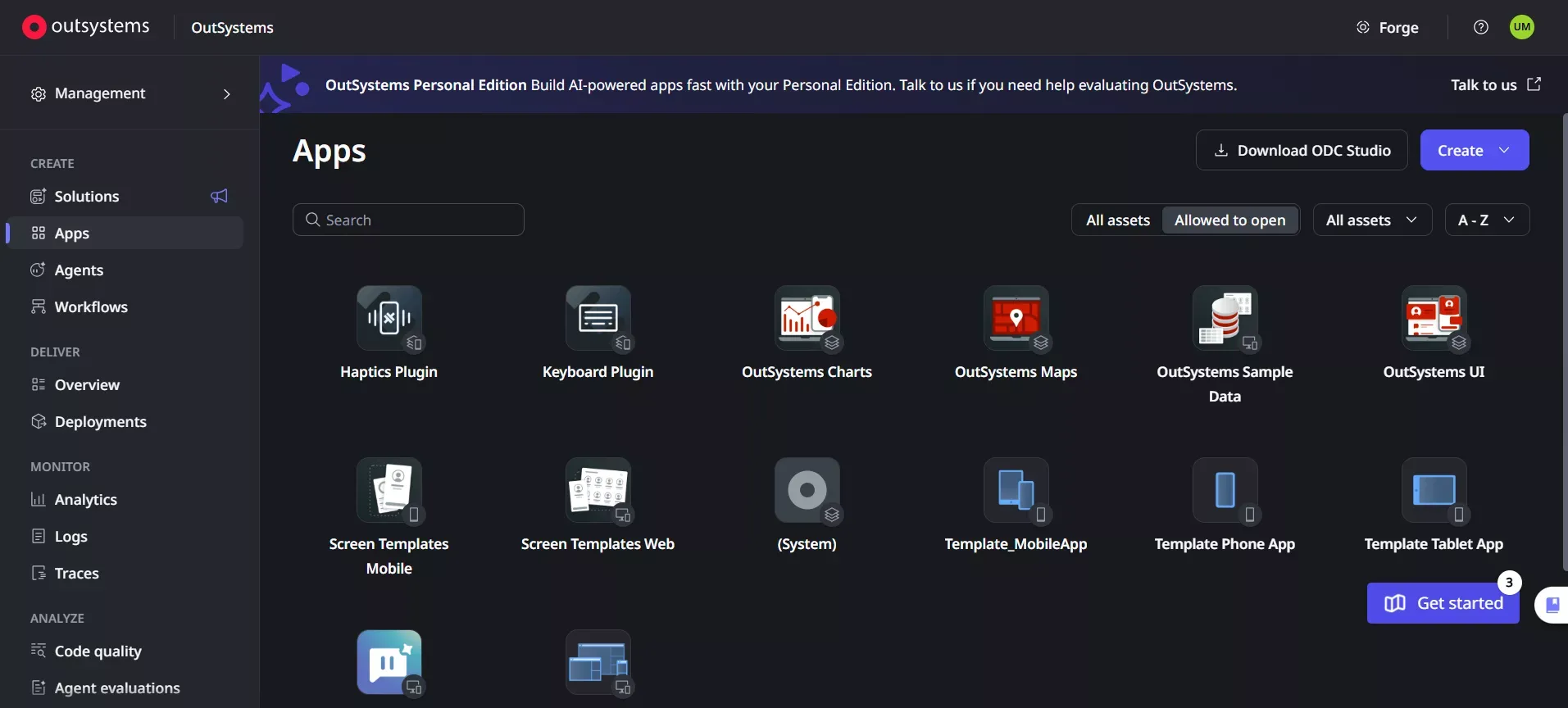
OutSystem - Enterprise Grade App Developemnt
Features:
- Enterprise-grade app building tools with AI-assisted workflow and logic generation
- Role-based access control
- Scalable backend infrastructure
- Strong security and compliance features
Ideal for large organizations with dedicated IT teams needing complex, secure, auditable applications.
Comparison of AI App Builders
| Platform | Ease of Use | Web Apps | Mobile App | Free Tier | Best Use Case |
|---|---|---|---|---|---|
| Rocket | High | Yes (Next.js) | Yes (Flutter) | Yes | Research, build, and monitor in one platform |
| Replit | Medium | Yes | Limited | Yes | Code-first projects with AI assistance |
| Bubble | High | Yes | Limited | Yes | No-code web apps for non-technical founders |
| FlutterFlow | Medium | No | Yes (Flutter) | Yes | Mobile-focused apps with real Flutter output |
| OutSystems | Low | Yes | Yes | No | Enterprise apps with dedicated IT teams |
How an AI App Builder Works: From Prompt to Deployment
The workflow below reflects how Rocket's Build pillar takes a prompt to a live app. Understanding this flow helps you get the most out of any app builder with AI platform.
Rocket's Build pillar takes a plain-language prompt, or a Figma file, URL, or existing repo, to a deployed Next.js or Flutter application.
Benefits of AI App Builders for Different Users
AI app builders offer distinct advantages depending on the audience and use case.
Benefits for startups and founders:
- Faster validation of app ideas; use Solve to research the market before building
- Lower development costs; build without hiring a full engineering team
- Rapid iteration based on real user feedback
- Monitor competitors after launch with Intelligence
Benefits for developers and product teams:
- Less time on boilerplate code and backend scaffolding
- Faster setup for authentication, database, and third-party integrations
- Focus on advanced logic and UX rather than repetitive setup
- Full-stack workflow with code export for teams that want to own the codebase
Benefits for enterprises and internal teams:
- Quick creation of internal tools and dashboards
- Reduced dependency on external vendors for routine tooling
- Easier maintenance with generated, readable code
- Improved collaboration between business and tech teams
Best Practices for Building Apps With AI
Six steps that separate apps users trust from prototypes that never ship.
These steps help transform prototypes into real apps that users trust.
1. Research before you build. Use a Solve-style research step to validate the market, size the opportunity, and identify competitors before writing the first prompt. Apps built on validated ideas iterate faster.
2. Start with a clear, specific prompt. Describe the app's purpose, target user, and core screens upfront. Vague instructions produce vague results.
3. Use the right starting point. If you have a Figma file, import it. If you have an existing repo, clone it. Starting from a concrete artifact produces more accurate output than starting from a blank prompt.
4. Validate data models early. Confirm the database schema matches your business logic before building out the UI. Schema changes late in the process are expensive.
5. Test authentication flows thoroughly. Login, roles, and permissions are the most common failure points in AI-generated apps.
6. Monitor the market after launch. Set up competitive intelligence to track competitor pricing, feature launches, and positioning changes so you can respond quickly.
Future of AI App Builders
AI app builders are expected to become more autonomous. AI agents may handle everything from planning to deployment. Natural language prompts will become more sophisticated for complex apps and workflows.
McKinsey's research identifies software engineering as one of the highest-impact areas for AI automation, with significant productivity gains already measurable in enterprise development teams.
The most significant shift is not that AI writes code. It is that the research, validation, and monitoring layers around the build are now automated too. Platforms that combine all three (research, build, intelligence) into a single workflow are compressing the time from idea to market-ready product in ways that pure code-generation tools cannot.
Community Insight
A Reddit user in r/vibecoding shared a detailed breakdown of their experience with Rocket, noting the platform's approach of starting from research context rather than a blank prompt as a meaningful workflow difference compared to other AI builders they had tested.
"Solve been experimenting with Rocket.new recently, and I think it's worth sharing how it works and my experience with it."
Choosing the Right App Builder With AI
AI-powered tools have changed app creation. The right AI-powered app builder can turn an idea into a functional app without deep coding.
Choosing a platform that matches project goals, skill level, and future growth ensures a smooth building experience. For founders and product teams who want a single platform that handles research, build, and competitive intelligence, Rocket's three-pillar approach offers something the pure code-generation tools do not: strategic context that informs what gets built, not just how fast it gets built.
OutSystems reports that organizations using low-code and AI-assisted development reduce time-to-market by up to 50%, reinforcing why the shift toward app builder with AI platforms is accelerating across industries.
Ready to go from idea to production-ready app without writing a single line of code? Rocket.new is the fastest way to go from prompt to production-ready full-stack application. Start building for free on Rocket and launch your next project today.
Table of contents
- -What Is an AI App Builder?
- -Why Use an AI App Builder?
- -Key Features to Look for in an AI App Builder
- -Top App Builders With AI
- -Rocket.new
- -Replit
- -Bubble
- -FlutterFlow
- -OutSystems
- -Comparison of AI App Builders
- -How an AI App Builder Works: From Prompt to Deployment
- -Benefits of AI App Builders for Different Users
- -Best Practices for Building Apps With AI
- -Future of AI App Builders
- -Community Insight
- -Choosing the Right App Builder With AI