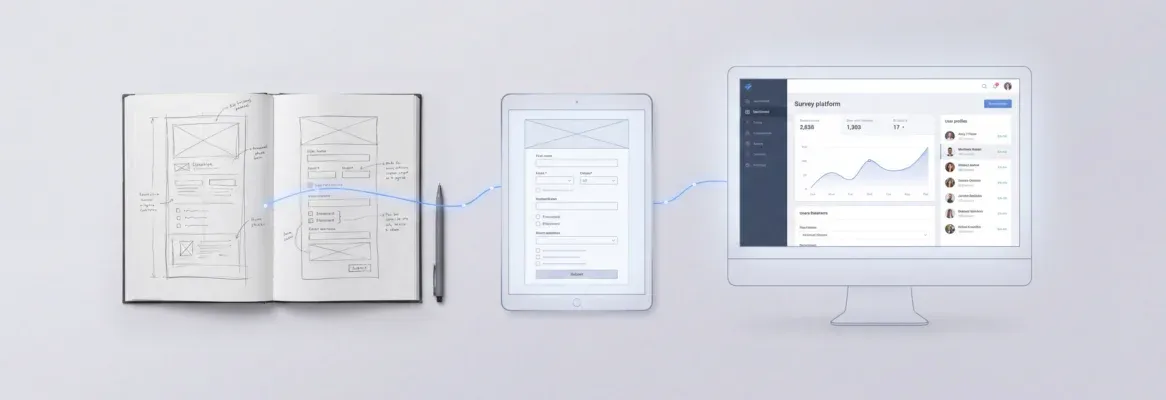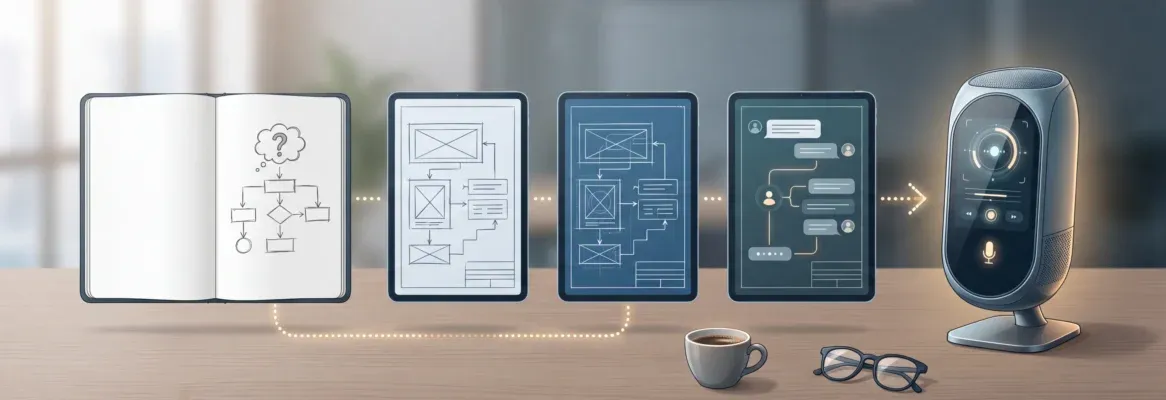
Interested in building mobile apps without deep coding skills? Vibe coding lets you describe features in plain language while AI generates code, helping speed up development and support growing user demand.
Can vibe coding help you build better mobile apps without deep coding skills?
Yes. Vibe coding for mobile app development lets you describe what you want in plain language and have AI generate code for you. This approach is growing fast.
According to Statista's mobile app usage overview**,** global consumer spending on mobile apps reached over $36 billion in a single quarter in 2024, and user engagement continues to rise, with activities like video streaming leading mobile usage.
Let’s break this down simply so you can actually use it in your next app project.
What is Vibe Coding and Why Everyone Talks About It
If you’ve been hearing about vibe coding but aren’t exactly sure what it means, don’t worry.
At its core, vibe coding makes app development faster, more intuitive, and accessible even for people without a technical background.
Key Points:
-
Natural Language Approach: You describe your app idea in plain English, and AI coding tools generate the working code—no need to manually write every line.
-
Guided Workflow: Instead of wrestling with code, you guide the “vibe” of your app. Your prompts and instructions shape the output.
-
Powered by Large Language Models: Modern AI understands intent, logic, and context, not just syntax, making it possible to create real apps quickly.
-
Accessible for Non-Technical Users: Even non-coders can now bring app ideas to life, thanks to AI handling much of the heavy lifting.
-
Helpful for Professional Developers: Experienced developers use vibe coding to speed up routine tasks, experiment with ideas, and prototype apps faster.
In short, vibe coding isn’t replacing developers—it’s giving everyone a faster, more intuitive way to create apps. Whether you’re new to coding or a professional developer, this approach makes building apps feel more like guiding a creative process than writing endless lines of code.
How Vibe Coding Fits into App Development?
Well, traditional app development involves planning, designing, writing code, testing, and deployment. It’s a long process. Now with vibe coding, things shift a bit.
You still have the same steps, but the tools do a lot of the heavy lifting. The AI handles repetitive tasks and helps generate code faster.
Here’s a quick comparison:
| Aspect | Traditional Coding | Vibe Coding |
|---|---|---|
| Writing code | Fully manual | AI-assisted |
| Speed | Slow to medium | Fast |
| Skill needed | High | Low to medium |
| Testing | Manual heavy | Assisted testing |
| Idea to prototype | Time consuming | Rapid prototyping |
So yeah, vibe coding becomes the fastest path from idea to prototype.
Starting Your First App with Vibe Coding
Have an app idea but not sure how to get started? Don’t worry. With vibe coding, creating your first app is simpler than you think. Even if you’ve never written a single line of code, AI can help bring your idea to life.
-
Define Your App Idea Clearly
- Example: A fitness tracker or a guitar practice app. Keep it simple and focused.
-
Choose a Vibe Coding Platform
- Pick a coding app or vibe coding platform that fits your style, like Rocket.new, Replit Agent, or Claude Code.
-
Describe What You Want in Plain English
- Example prompt:
“Create a mobile app with a text box to track workouts and save data to a database.”
-
Generate the Code
- The AI tool turns your description into generated code automatically.
-
Review and Refine
- Check the code, test the app, and use follow-up prompts to add features or fix issues.
That’s it. With this approach, you can go from idea to a working prototype in no time. Most first-time app builders today start exactly like this, simple, guided, and AI-assisted..
Best Tools You Can Use for Vibe Coding
Now let’s talk tools. There are many coding tools and AI tools out there.
Some popular ones include:
-
Replit Agent
-
Claude Code
-
GitHub Copilot
-
Other AI agents are built into coding platforms
The best tool depends on your style. Some tools focus on backend logic. Others help with UI and design.
For example, the Replit agent is great for quick app creation and one-click deployment. It helps build apps and even deploy a working application fast.
How to Describe Your App the Right Way?
This is the part where vibe coding really clicks. The way you describe your app decides how good the output will be. Clear thinking leads to better code.
-
Clarity Over Vagueness: Don’t say “Make a good app,” say “Create a mobile app with login, user profile, and a dashboard showing daily stats.”
-
Natural Language: Write in simple, plain English and explain your idea like you’re talking to someone
-
Start Simple: Begin with basic functionality and add more features step by step
-
Break Down the Idea: Focus on one feature at a time so the AI can generate cleaner code
-
Follow Up Prompts: Improve results with prompts like “Add a new feature for notifications”, “Improve the UI design”, or “Fix bugs in the code block.”
Vibe coding works like a conversation. You describe, the AI responds, and you refine. Keep your instructions simple and clear, and you’ll get better results with every step.
Working With Generated Code
So now you have generated code. What next? Don’t just trust it blindly. You need to review, test, and refine it.
Even if you have low coding experience, you can still:
-
Check structure
-
Run testing
-
Look for errors
-
Improve functionality
Generated code is powerful, but it still needs human input. This is where your development experience grows over time.
Testing Your App Like a Pro
Testing is a big part of vibe coding. You can’t skip it. Run testing after every change. Do basic testing first, then deeper testing.
Check:
-
Core functionality
-
Core features
-
Backend logic
-
Database connections
-
UI behavior
Use AI agents to help with testing. Some tools even suggest test cases. Testing helps improve output quality and prevents issues in your deployed application.
Using Existing Code and Projects
Starting from zero isn’t always the smartest move. If something already exists, you can build on it and move faster.
-
Reuse parts from your existing projects instead of rewriting everything
-
Paste your existing code and ask AI to improve or convert it into a mobile app
-
Save time by avoiding repetitive work
-
Keep your app structure and logic consistent
Using existing code with vibe coding helps you move more quickly and stay focused on your idea instead of repeating work.
Vibe Coding for Non-Technical Users
This is where vibe coding really stands out. You don’t need a deep technical background to start building.
-
Anyone can create apps without strong coding skills
-
You don’t need to learn complex programming languages
-
Clear thinking and simple descriptions give better results
-
Great option for non-coders starting their first app
-
Basic coding knowledge can still improve your results
Vibe coding makes app building simple. With clear ideas and simple instructions, even beginners can start creating real apps.
Common Mistakes to Avoid
Let’s keep it real. People make mistakes.
Here are some common ones:
-
Vague instructions
-
Skipping testing
-
Trusting generated code blindly
-
Ignoring backend logic
-
Not refining prompts
Fix these, and your app quality improves fast.
Build Smarter with Rocket.new
Rocket.new is a vibe solutioning platform that helps you create apps by simply describing your idea. It uses AI coding tools to generate code, handle structure, and speed up your app development process.
It allows you to describe what you want in natural language and turns that into a working app, making it easier for both developers and non-technical users to build apps faster.
Top Features
-
Prompt to App Creation: Builds apps directly from single prompts
-
Figma Import: Converts design files into live, editable layouts
-
AI-Powered Backend: Automatically handles logic, data, and workflows
-
Reusable Components: Speeds up building with ready-to-use elements
-
Custom Domain Support: Publishes projects with a branded domain
-
Command-based actions: Use / and @ to run actions and quickly scope edits.
-
Code Export: Allows developers to extend or customize later
-
Live Preview: Shows instant updates while editing
These features make it a strong vibe solutioning platform for modern app creation.
How Rocket.new Fits into Vibe Coding
Say you have an idea for a fitness tracking app. Instead of manually writing code, you go to Rocket.new and describe your concept: a mobile app with login, workout tracking, and progress stats. The platform generates code, sets up the database, and builds the core functionality for you.
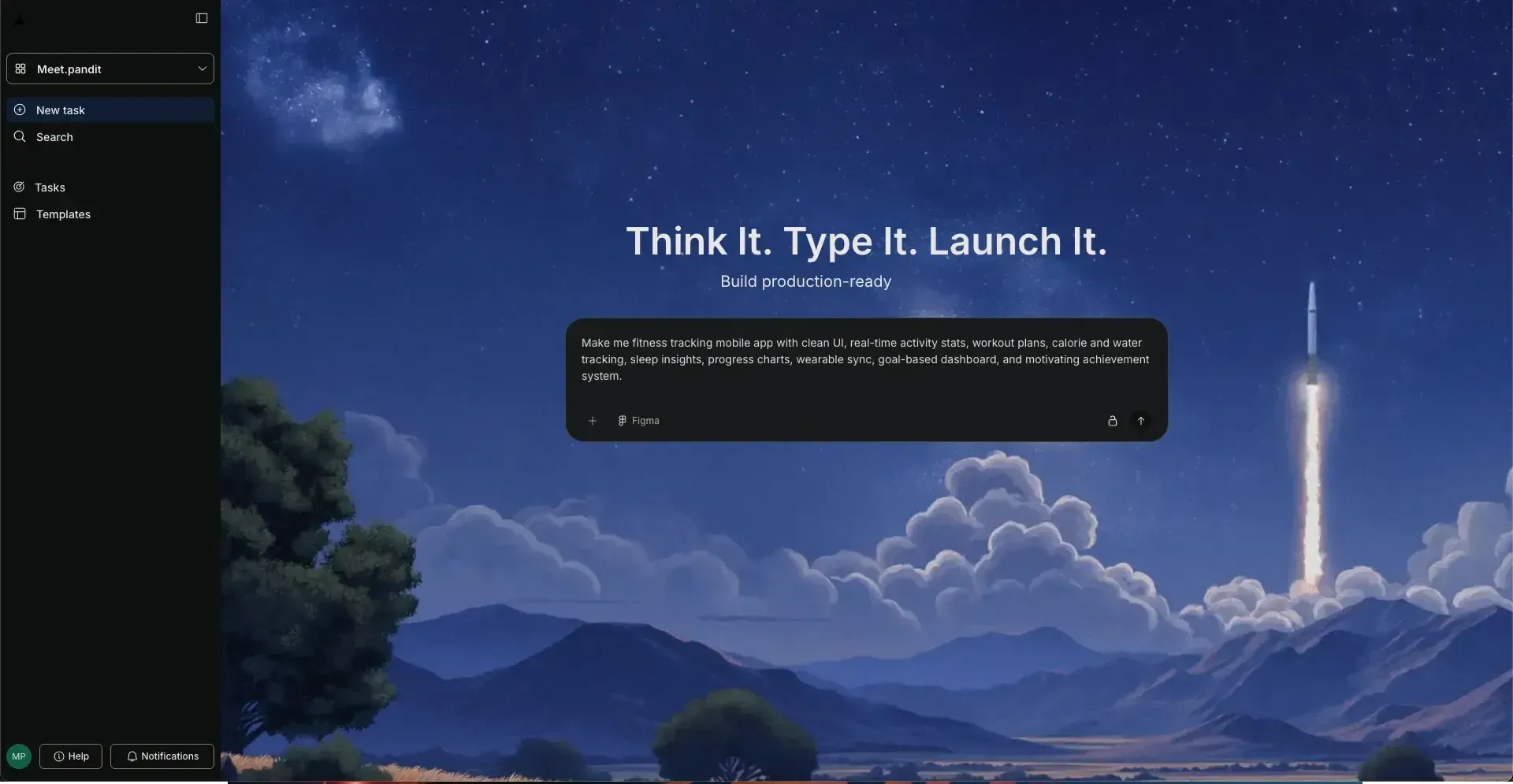
You can then test the app, refine features using follow up prompts, and improve the overall functionality step by step. This shows how Rocket.new simplifies the process and helps you move from idea to working app without getting stuck in technical complexity.
How to Improve Your Vibe Coding Skills
Getting better at vibe coding is simple. You don’t need complex strategies. You just need consistent practice and a clear approach.
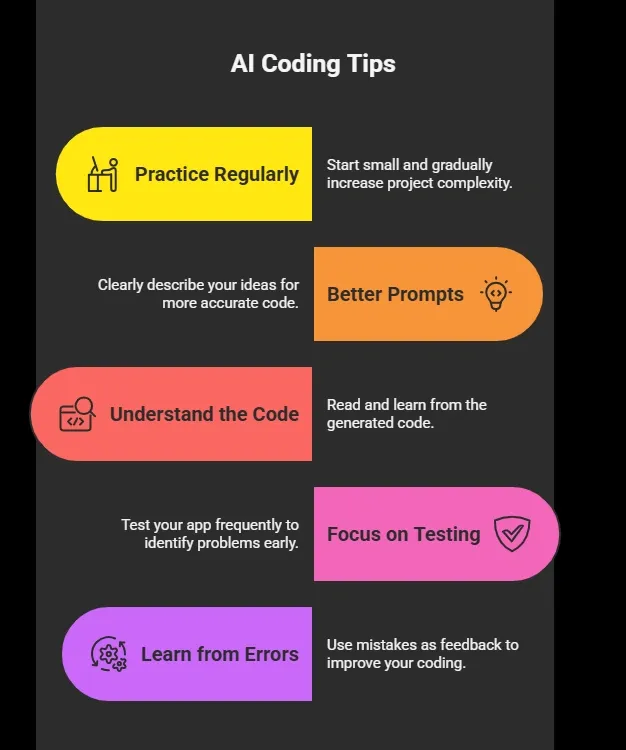
Watch how AI handles different tasks and learn from it. Over time, your coding experience improves naturally as you build more projects.
From Idea to App: Powered by Rocket.new
App development used to feel slow and complicated, especially for people without a technical background. Many ideas never became real products because coding required time, effort, and expertise.
Rocket.new changes this by acting as a vibe solutioning platform, where you can describe your idea in simple terms and get structured output, code, and app logic instantly. It also supports backend setup and deployment, making the process smoother. You can start small, refine your prompts, and improve your app step by step. Instead of focusing on code, you focus on your idea while the platform handles the heavy lifting, making app creation more accessible.
Table of contents
- -What is Vibe Coding and Why Everyone Talks About It
- -How Vibe Coding Fits into App Development?
- -Starting Your First App with Vibe Coding
- -Best Tools You Can Use for Vibe Coding
- -How to Describe Your App the Right Way?
- -Working With Generated Code
- -Testing Your App Like a Pro
- -Using Existing Code and Projects
- -Vibe Coding for Non-Technical Users
- -Common Mistakes to Avoid
- -Build Smarter with Rocket.new
- -How Rocket.new Fits into Vibe Coding
- -How to Improve Your Vibe Coding Skills
- -From Idea to App: Powered by Rocket.new