
What makes certain startup websites stand out instantly? Learn how a strong website wireframe organizes layout, structure, and user flow to improve the user experience and boost engagement from the start.
Why do some startup websites take off instantly while others barely get noticed?
A key factor lies in a strong website wireframe.
A website wireframe acts as the blueprint of your site, organizing layout, structure, and functionality before any real design or coding begins. It ensures that every screen, button, and user flow has a purpose, making the user experience smooth from the start.
Poor user experience can be costly. According to UX industry data from Gitnux, 88% of online consumers are less likely to return to a website after a bad experience. This shows that investing time in wireframes is not optional; it can make or break your launch.
What is a Website Wireframe and Why Do Startups Need One?
A website wireframe is a low-detail visual representation of a web page or app screen that defines layout, content placement, and user flow. It contains no colors, fonts, or final visuals. It is the first concrete artifact in the design process, created before any high-fidelity design or development work begins.
Startups often have big ideas but small windows to impress users. This is exactly where a website wireframe proves its worth.
It provides a clear blueprint for the interface, keeping designers, developers, and stakeholders aligned from day one. Rather than focusing on visual polish, wireframes zero in on structure, layout, and functionality. As a result, mistakes get caught early, before coding or design work starts, saving both time and money.
Wireframes also help teams to:
- Communicate ideas clearly across disciplines.
- Test user flow before a single line of code is written.
- Visualize content hierarchy at a glance.
- Spot gaps in functionality before they become expensive problems.
In short, a well-thought-out wireframe acts like a roadmap for your startup's website. It keeps everyone aligned, reduces costly errors, and ensures your ideas work in practice before development begins.
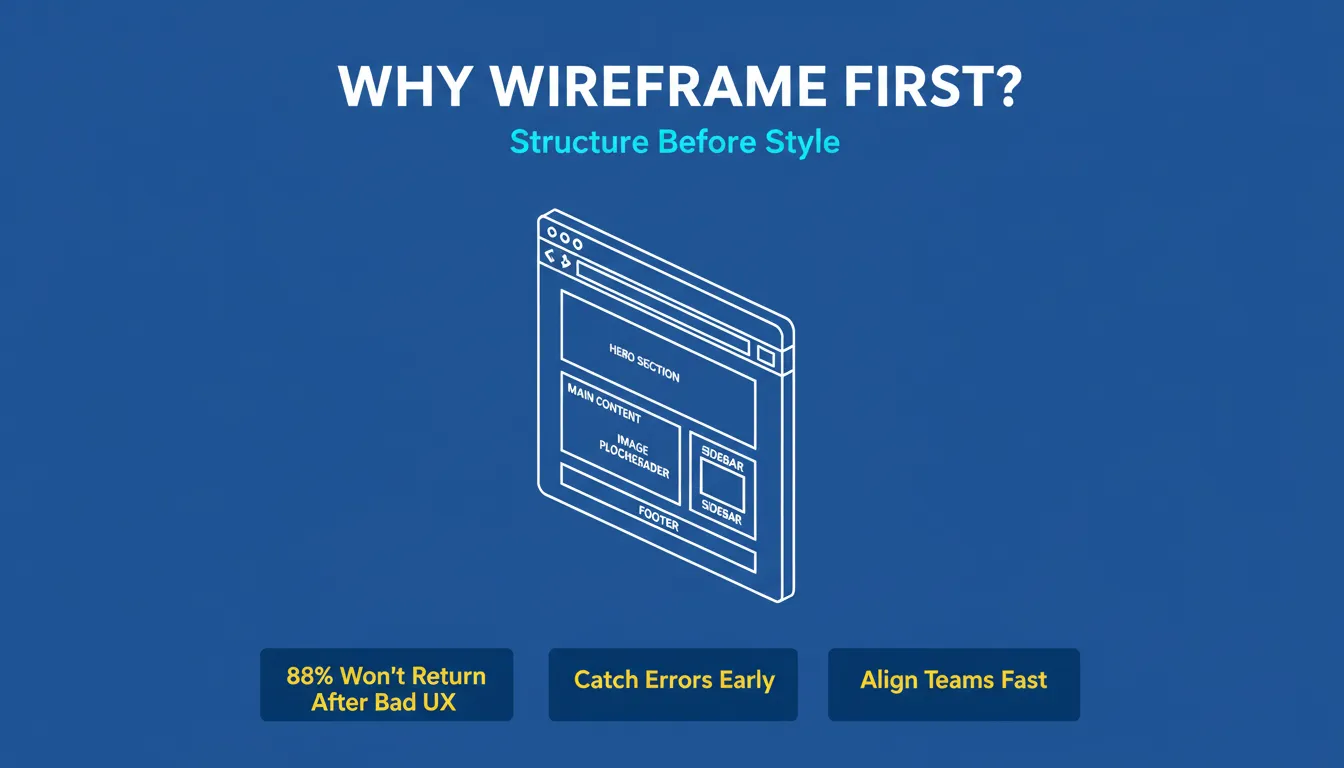
A website wireframe defines structure, layout, and user flow before a single line of design or code is written, saving teams significant rework time downstream.
Wireframe vs Prototype vs Mockup: Key Differences Explained
These three terms are frequently confused, even by experienced product teams. In reality, each represents a different stage of fidelity and serves a distinct purpose in the design process.
A wireframe is a structural skeleton made up of boxes, lines, and placeholder text. It defines layout and navigation without any visual styling. It answers one question: Where does everything go?
A mockup is a static, high-fidelity visual that looks like the finished product but is not interactive. It answers: What will it look like?
A prototype is a clickable, interactive simulation of the final product. It can be low or high fidelity, but it always allows user interaction. It answers: How will it feel to use?
| Deliverable | Fidelity | Interactive? | Primary Purpose |
|---|---|---|---|
| Wireframe | Low | No | Define layout and user flow |
| Mockup | High | No | Communicate visual design |
| Prototype | Low or High | Yes | Test usability with real users |
Understanding which deliverable you need at each stage prevents teams from over-investing in visual polish before the underlying structure is validated.
Low-Fidelity vs High-Fidelity Wireframes: Key Differences Explained
Not all wireframes are created equal. Knowing the difference between low-fidelity and high-fidelity wireframes can save time, clarify ideas, and prevent costly missteps. Each type serves a distinct purpose in the design process.
Low-Fidelity Wireframes
A low-fidelity wireframe is a rough, fast sketch used for early-stage brainstorming. These simple, stripped-down layouts focus on structure rather than visuals. They are quick to create and ideal for the earliest stages of a project.
Use them to:
- Brainstorm ideas and test multiple concepts quickly.
- Visualize content hierarchy without the distraction of colors or fonts.
- Iterate layouts rapidly during initial design discussions.
- Save resources when exploring multiple app ideas or screens.
High-Fidelity Wireframes
A high-fidelity wireframe is a detailed, polished representation that closely resembles the final product. It incorporates visual elements and interactivity, making it ideal for stakeholder presentations and developer handoffs.
Use them to:
- Show colors, fonts, and visual design elements.
- Include UI components and interactive elements for realistic previews.
- Demonstrate layouts across mobile devices and web screens.
- Communicate design decisions clearly to graphic designers and developers.
Both types are essential in their own right. Here is a quick comparison:
| Wireframe Type | Purpose | Detail Level | Best Use Case |
|---|---|---|---|
| Low-fidelity | Brainstorming | Basic layout, rough sketch | Quick idea validation |
| High-fidelity | Pre-development | Polished design, interactive elements | Stakeholder approval and developer handoff |
Low fidelity is best for rapid iteration and early exploration. High fidelity is best for refining designs and securing approval before development begins. Using both strategically keeps your startup launch on track.
How to Create a Website Wireframe: Step-by-Step Process
Having a great idea is only the first step. Turning it into a functional website or app requires careful planning. That is where wireframes come in. They keep your design organized and your team aligned throughout the process.
The wireframe creation process typically follows these stages:
The wireframe design process: from rough sketch to launch-ready product.
Step 1: Start with a Rough Sketch
Draw a rough outline of your website or app. Quick pencil sketches or simple digital doodles work perfectly at this stage. Focus on structure, layout, and main elements rather than colors or visuals.
Step 2: Choose Wireframe Tools or Software
Popular tools include Figma, Sketch, Adobe XD, and Balsamiq. These tools let you create wireframes faster, edit them easily, and collaborate with your team in real time. Many also offer templates for both low-fidelity and high-fidelity wireframes.
Step 3: Place Design Elements
Add buttons, navigation bars, and other UI components. At this stage, concentrate on user flow and interface structure rather than visual design. Low-fidelity wireframes are ideal for rapid iteration and brainstorming.
Step 4: Upgrade to High-Fidelity Wireframes
Once your concepts are validated, add more detail. Include interactive elements to test usability and user experience before actual development begins.
Step 5: Share with Stakeholders and Developers
Present the wireframe for feedback before any code is written. Annotate key decisions clearly so developers understand the intent behind the layout, not just the layout itself.
Step 6: Iterate Until the Flow Is Solid
Revise based on feedback from stakeholders, product managers, and ideally real users. Only move to high-fidelity design once the structure has been approved.
Creating wireframes does not have to be stressful. Start simple, use the right tools, and build up gradually. By following these steps, your team stays aligned and your product gets a solid foundation before development begins.
What Every Website Wireframe Should Include
A strong wireframe is not just a rough sketch. It is a complete structural specification. Before handing off any wireframe to a designer or developer, check it against this list.
Essential Wireframe Checklist:
- Header with primary navigation structure
- Hero section with primary CTA placement clearly marked
- Content hierarchy zones (H1, H2, body text, supporting copy)
- Image and media placeholder positions with dimensions noted
- Footer with secondary navigation and legal links
- Mobile breakpoint version (at minimum 375px and 768px widths)
- User flow arrows showing navigation between pages
- Annotation notes explaining interactive states and developer decisions
- Form fields, input states, and validation messages
- Error states and empty states for data-driven screens
Missing any of these elements, particularly mobile breakpoints and error states, is one of the most common causes of expensive post-development rework.
Mobile Devices and Responsive Design
In today's digital landscape, ignoring mobile devices can cost your startup dearly. Wireframes help plan the interface for both web and mobile platforms, ensuring your design works smoothly across every screen size.
Why mobile wireframes matter:
- They ensure the layout is responsive and user-friendly on smartphones and tablets.
- They reveal how UI components like buttons, menus, and interactive elements behave on smaller screens.
- They surface design and flow issues early, saving time and money before development begins.
- They align web and mobile versions for a consistent user experience across devices.
Designing for mobile from the start keeps your product flexible and efficient. A well-planned wireframe prevents last-minute fixes and ensures users have a smooth experience regardless of how they access your site.
Wireframe Templates: Your Shortcut to Faster Design
For startups with small design teams, wireframe templates can be a genuine lifesaver. They provide a ready-made structure that speeds up the design process and helps everyone stay aligned from the start.
Rather than building every screen from scratch, templates let your team focus on refining user flow and interface decisions. The structural thinking is already done. You simply adapt it to your product.
Community Insight
Many UX professionals on LinkedIn highlight how early planning keeps teams aligned and avoids late-stage fixes that cost time and money. As one practitioner puts it:
"Wireframing maintains all stakeholders on the same page, avoiding miscommunication and expensive design mistakes down the line."
Design Process and Workflow
Wireframes fit naturally into the broader design workflow. When used correctly, they act as the connective tissue between an idea and a finished product.
The typical process looks like this:
- Brainstorm ideas and sketch rough layouts.
- Create low-fidelity wireframes to validate concepts.
- Progress to high-fidelity wireframes with more detail and interactive elements.
- Share with stakeholders and developers for feedback.
- Iterate until the user flow and interface are solid.
Following this process keeps projects on track. Designers, product managers, and business analysts can collaborate in real time, reducing back-and-forth and keeping decisions moving forward.
Best Wireframing Tools in 2026
Choosing the right tool makes creating wireframes faster, smoother, and less stressful. The right wireframe software helps designers, developers, and product managers stay aligned while building for both web and mobile.
| Tool | Best For | Fidelity | Collaboration | Free Tier |
|---|---|---|---|---|
| Figma | All teams, industry standard | Low and High | Real-time | Yes |
| Balsamiq | Rapid low-fidelity sketching | Low only | Limited | Trial only |
| Adobe XD | Adobe Creative Cloud users | Low and High | Real-time | Limited |
| Sketch | Mac-based design teams | Low and High | Via plugins | No |
| Whimsical | Quick diagrams and wireframes | Low | Real-time | Yes |
| Miro | Collaborative ideation boards | Low | Real-time | Yes |
Figma is the industry standard, used by millions of designers worldwide for collaborative wireframing. Balsamiq is a strong choice for rapid low-fidelity sketching, thanks to its intentionally rough aesthetic that discourages premature focus on visual polish.
Wireframe tools are more than just software. They are your team's digital sketchbook. Picking the right one lets you experiment, co-design, and refine ideas efficiently. For a deeper look at wireframing best practices, Figma's wireframing resource library is an excellent reference for teams at any stage.
Common Wireframing Mistakes Startups Make
Even experienced teams fall into predictable wireframing traps. Recognizing these patterns early can save weeks of rework.
1. Wireframing too late
Starting wireframes after visual design decisions have already been made defeats the purpose. Wireframes should come before all design and development work, not after.
2. Skipping mobile wireframes
Building only a desktop wireframe and assuming mobile will adapt leads to broken navigation, oversized tap targets, and content that does not fit smaller screens. Always wireframe for mobile first or in parallel with desktop.
3. Over-designing the wireframe
When a wireframe starts to look like a finished design, with real colors, polished typography, and pixel-perfect spacing, it stops functioning as a wireframe. Stakeholders shift their attention to aesthetics instead of structure. Keep low-fidelity wireframes intentionally rough.
4. Not testing wireframes with real users
Even a five-person usability test on a paper wireframe reveals navigation assumptions the team would never catch internally. User testing at the wireframe stage is the most affordable form of research available.
5. Treating the wireframe as final
A wireframe is a hypothesis, not a specification. It should actively invite challenge and revision. Teams that lock wireframes too early skip the most valuable part of the process: discovering what is wrong before it gets built.
6. Ignoring error and empty states
Most wireframes show the happy path, what the screen looks like when everything works. Failing to wireframe error states, empty data states, and loading states leaves developers guessing and creates inconsistent user experiences.
AI and the Future of Wireframing
Artificial intelligence is reshaping how wireframes are created and how quickly teams can move from concept to production.
AI-assisted wireframing tools can now generate layout suggestions from a text description, identify usability issues in existing wireframes, and convert uploaded screenshots or sketches into editable digital wireframes. This compresses the time from idea to first draft from hours to minutes.
More significantly, the most advanced AI platforms are beginning to blur the boundary between wireframing and building entirely. The traditional workflow looks like this:
Traditional path: Wireframe, Mockup, Design handoff, Development, QA, Launch. This process typically takes 8 to 16 weeks.
AI-powered platforms now enable a compressed alternative:
AI-accelerated path: Figma design or text prompt, Production-ready app, Launch. This can happen in hours to days.
This shift does not eliminate the value of wireframing. If anything, it makes the thinking that wireframes represent more important than ever. The structure, user flow, and content hierarchy decisions captured in a wireframe are precisely what AI needs as input to generate something useful.
Rocket: From Wireframe to Production-Ready App
Once your wireframe is validated and your design is finalized in Figma, the traditional path to a live product still involves a developer handoff, a development sprint, QA cycles, and deployment. That process often takes weeks.
Rocket changes that equation entirely.
Rocket is a vibe solutioning platform that takes your Figma designs or text descriptions and generates production-ready web and mobile apps. The output is not a wireframe or mockup. It is a fully deployable product. Web applications are built in Next.js. Mobile applications are built in Flutter, complete with real design systems, dark and light theming, fluid navigation, and staggered animations.
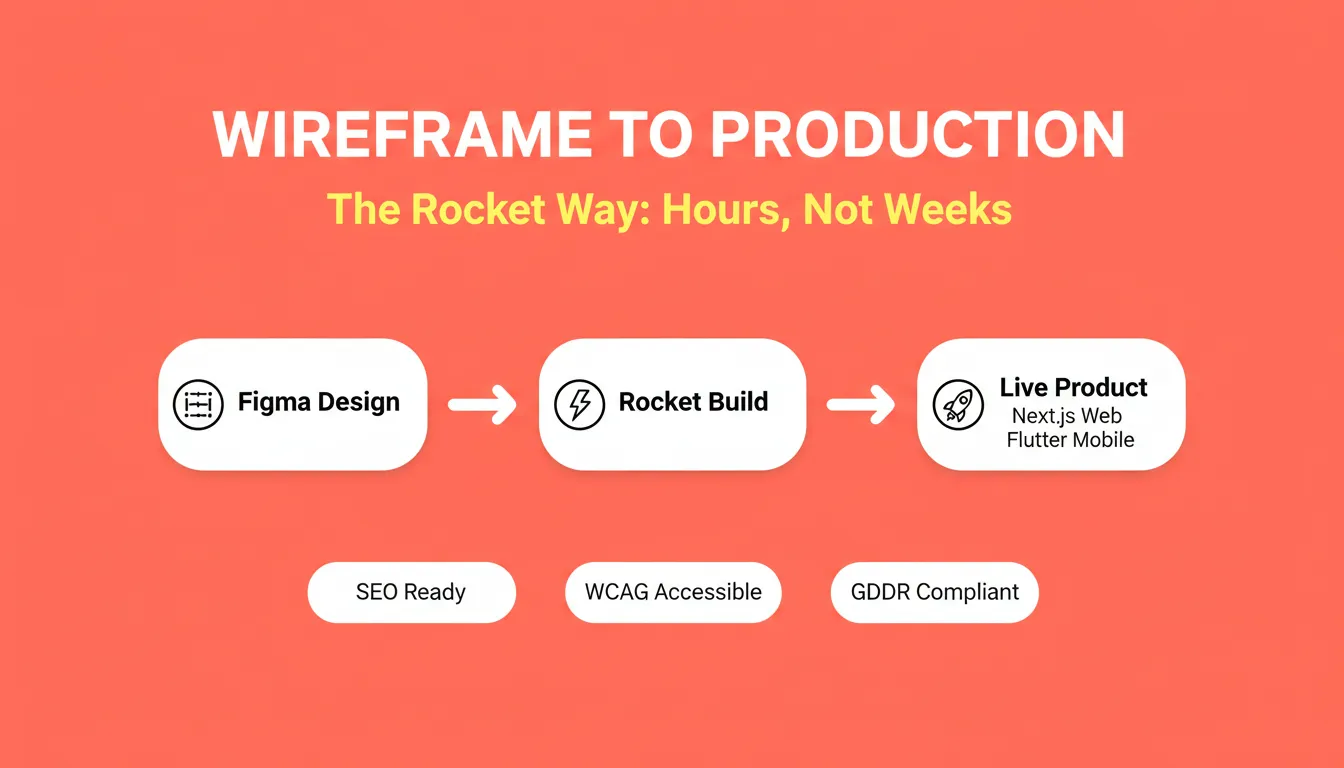
Rocket converts your validated Figma designs or text prompts directly into production-ready Next.js web apps and Flutter mobile apps, with SEO, accessibility, and GDPR compliance built in by default.
How Rocket Connects to Your Wireframe Workflow
After validating your wireframe and finalizing your design in Figma, connect your Figma account to Rocket and import your designs directly into the platform. Rocket preserves your typography, spacing, visual hierarchy, and color system, then converts the entire design into working, deployable code. The developer handoff becomes unnecessary. Designers ship directly.
If you are starting from a text description rather than a Figma file, Rocket generates the same production-grade output from a plain language prompt. Most apps are ready in one to three minutes.
What Rocket Produces
Every product Rocket builds ships with the following by default:
- SEO-ready structure
- WCAG accessibility compliance
- GDPR coverage
- Performance optimization
- Full version history and one-click rollback
- Staging and production environments
- Built-in analytics for visitors, conversions, and Core Web Vitals
- 25-plus integrations including Stripe, Supabase, Google Analytics, and Mailchimp
What You Can Build
- Web apps: SaaS dashboards, internal tools, marketplaces, AI-powered tools, and customer portals
- Mobile apps: iOS and Android apps built with Flutter, ready for the App Store and Google Play
- Landing pages and marketing sites with custom domains
- E-commerce stores with product listings, cart, checkout, and payment integrations
An Important Distinction
Rocket is not a wireframing tool. It does not create or store wireframe files. Its role in the startup workflow begins after wireframing is complete. It is the bridge from validated design to live product. The output is always a working, deployable application.
Use Cases
- Startup launch: Take a validated Figma design and generate a production-ready web or mobile app without a development team.
- Team collaboration: Designers, developers, and product managers work in shared projects with role-based access, inline comments, and shared context across every task.
- Post-launch iteration: After shipping, refine through Chat, Visual Edit, or direct Code access. All changes apply in context, with no need to re-explain what already exists.
Rocket compresses the wireframe-to-launch timeline from weeks to hours. It does not replace the thinking that wireframes represent. It executes on that thinking faster than any traditional development workflow.
Website Wireframe as Startup Lifesaver
Startups that skip wireframing often rush into development with ideas but no structure. The result is a poor user experience, costly rework, and missed launch windows.
A website wireframe provides structure, tests user flow, and aligns designers, developers, and product managers around a shared vision. Starting with low-fidelity wireframes, progressing to high-fidelity designs, and using wireframe templates makes the entire process smoother.
The three core elements every website wireframe must include are page layout structure, navigation hierarchy, and user flow between screens. Get these right in wireframe form, and everything that follows, including design, development, and launch, becomes faster and more predictable.
Ready to move from wireframe to live product without a developer handoff? Start building with Rocket today and ship your startup faster than you thought possible.
Table of contents
- -What is a Website Wireframe and Why Do Startups Need One?
- -Wireframe vs Prototype vs Mockup: Key Differences Explained
- -Low-Fidelity vs High-Fidelity Wireframes: Key Differences Explained
- -Low-Fidelity Wireframes
- -High-Fidelity Wireframes
- -How to Create a Website Wireframe: Step-by-Step Process
- -What Every Website Wireframe Should Include
- -Mobile Devices and Responsive Design
- -Wireframe Templates: Your Shortcut to Faster Design
- -Community Insight
- -Design Process and Workflow
- -Best Wireframing Tools in 2026
- -Common Wireframing Mistakes Startups Make
- -AI and the Future of Wireframing
- -Rocket: From Wireframe to Production-Ready App
- -Website Wireframe as Startup Lifesaver