
AI coding tools fail because they lack context and respond only to what you give them. Use structured prompts with role, task, requirements, and context to get working code fast. Start at Rocket.new, describe what you want to build, and go live without the usual friction.
Ever typed out a perfectly reasonable request to your AI coding tool and got back something completely off the mark?
AI coding tools are genuinely powerful, but they don't always behave the way you expect. According to a 2024 GitHub survey, 92% of developers use AI coding tools, yet many still struggle to get consistent, useful results.
So let's talk about why that happens and what you can actually do about it.
Your AI Isn't a Mind Reader
Here's the thing. AI tools are not sitting on the other side of your screen thinking, "What does this person really need?" They're large language models working on statistical predictions. They generate the next most likely token based on your input. That's it.
So when you type something vague like "fix this" or "make it better," the AI has almost nothing to work with. It guesses. Sometimes it guesses right. Often it doesn't.
Think of it like asking a new intern to "clean up the office." Without knowing where things go, what stays, and what gets tossed, they'll just move stuff around and hope for the best. Your AI coding tool works the same way.
And here's something worth knowing before we get into the fixes.
Most people assume the solution is a better AI tool. But the real gap isn't about smarter code generation. It's about whether your tool can take you from idea to live product without leaving you to figure out the rest yourself.
That's the difference between vibe coding, which generates code, and vibe solutioning, which solves the complete journey. We'll come back to this. First, let's look at why your current tool keeps missing the mark.
The Real Reasons AI-Generated Code Misses the Mark
Let's break down the actual reasons your vibe coding session goes sideways.
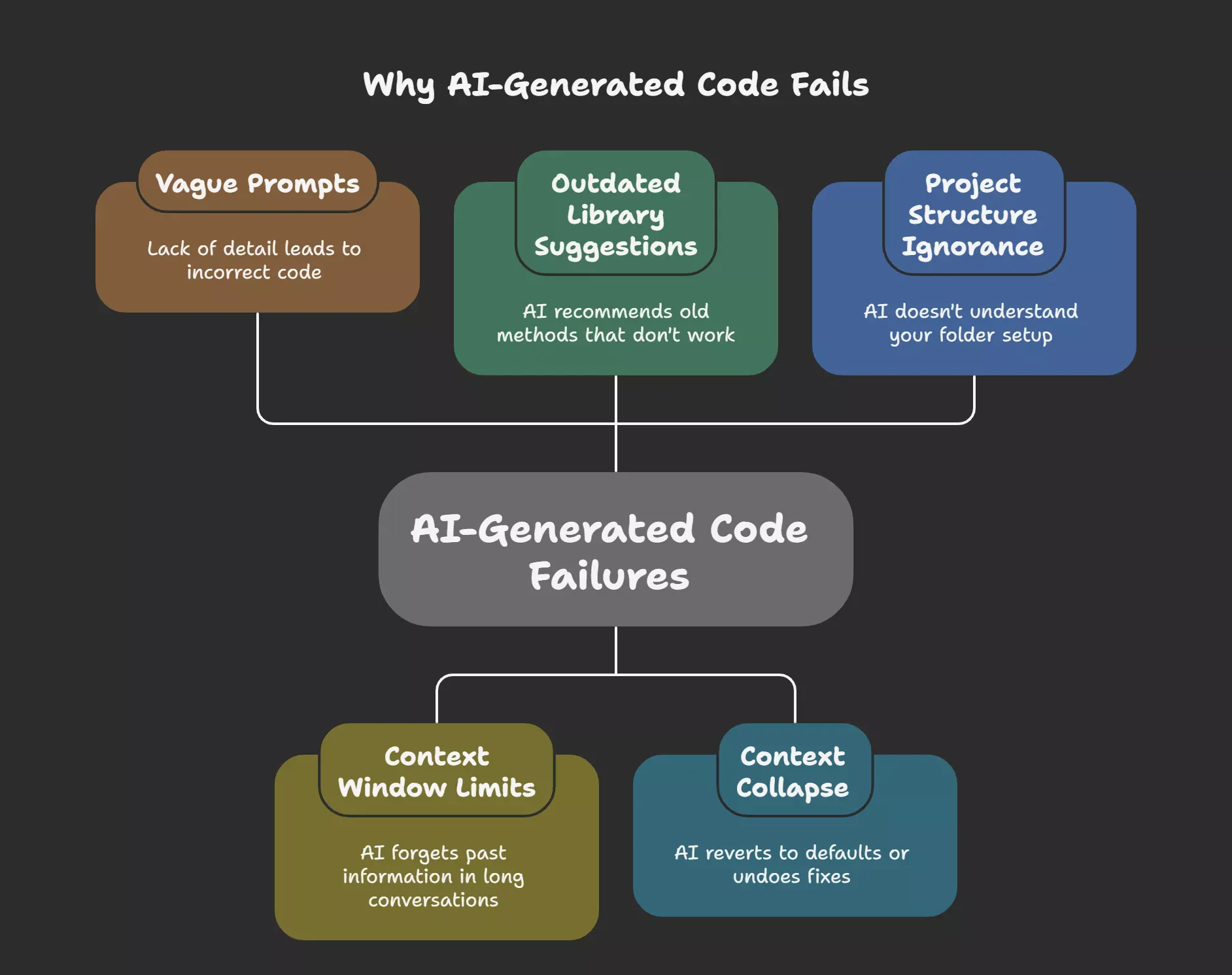
1. Your Prompt Is Too Vague
AI tools respond to what you give them. Broad commands produce broad results. Telling the AI to "add a login page" without specifying the framework, styling approach, or expected behavior means you're rolling the dice.
A better structure for natural language prompts:
- Role: "Act as a senior React developer."
- Task: "Create a login form with email and password fields."
- Requirements: "Use Tailwind CSS, include form validation, and show error messages inline."
- Context: "This is a Next.js 14 app using App Router and Supabase for auth."
That level of detail changes everything.
2. Context Window Limits Cause the AI to Forget Your Project
Once an AI tool hits its context window limit, it loses track of earlier decisions, constraints, and code from the same session.
- Long conversations cause the AI to contradict its own earlier output
- Working across multiple files makes context loss worse
- Starting a fresh session with a detailed prompt resets the AI's memory
3. Outdated Library Suggestions Break Your Code Silently
AI models are trained on a fixed data cutoff and may suggest library versions or methods that no longer work in your current setup.
- Generated code can look clean but fail the moment you run it
- Your AI pair programmer has no awareness of your current environment
- Run linters and unit tests immediately after receiving any generated code
4. Context Collapse Makes the AI Undo Your Own Fixes
Too many back-and-forth messages cause the AI to forget earlier constraints and revert to default behaviors.
- The AI may undo fixes you already made earlier in the session
- Long conversations cause it to drift away from your original requirements
- One focused request at a time beats one giant prompt every single time
5. The AI Codes Blind Without Your Project Structure
Your AI coding tool has zero visibility into your folder structure, naming conventions, or preferred libraries unless you explicitly provide them.
- AI generated code may clash with your existing code bases and conventions
- Without context, the AI defaults to generic patterns that may not fit your project
- A short rules file or project overview at the start of each session fixes this
Common Vibe Coding Problems and Fixes
| Problem | Why It Happens | Quick Fix |
|---|---|---|
| AI ignores your instructions | Vague or incomplete prompt | Use Role, Task, Requirements, Context format |
| Generated code breaks existing code | AI can't see your full codebase | Share relevant file snippets with your prompt |
| AI suggests libraries that don't exist | Hallucination from training data gaps | Specify exact library names and versions |
| AI loops on the same wrong answer | Context collapse or stuck pattern | Start a new session with a rewritten question |
| Code works but does the wrong thing | Misunderstood intent | Provide expected input and output examples |
| Security vulnerabilities in output | Lack of human oversight | Review all AI generated code for auth and input handling |
How to Get What You Actually Want from Vibe Coding Tools
Better prompts solve most of the problems above. Here's the short version:
- Start specific. Describe your stack, goal, user flow, and constraints before the AI writes a single line.
- Iterate in small loops. Build one feature at a time. Review it. Then move to the next.
- Read before you paste. AI-generated code can look correct but hide security vulnerabilities like SQL injection or cross-site scripting.
- Use error-specific follow-up prompts. Don't say "that's wrong." Paste the exact error and explain what you expected instead.
- Test immediately. Never stack unverified code changes on top of each other.
Need ready-made prompt templates that follow this structure?
Rocket.new's prompt library has examples you can use straight away across different project types.
The Bigger Problem: Writing Code Isn't the Same as Building a Product
Here's where most people hit a wall, even after fixing their prompts.
Most vibe coding tools help you generate code. But getting from that code to a live, working product is still entirely on you. You stitch the pieces together, manage deployment, debug edge cases, and figure out the architecture. The tool wrote some code. The rest is your problem.
This is the gap between two things that sound similar but work very differently.
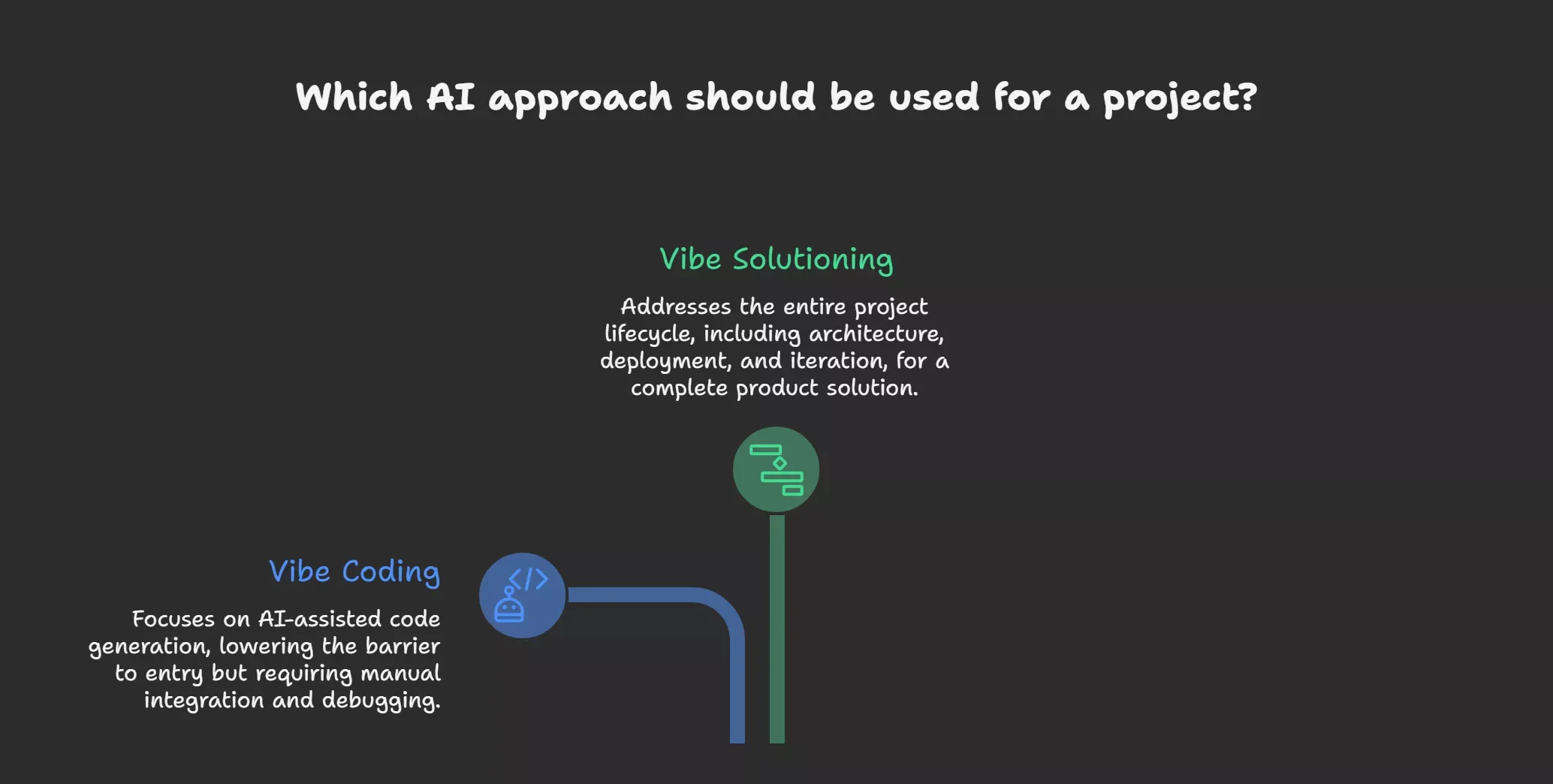
- Vibe coding covers AI-assisted code generation, autocomplete, scaffolding, and basic deployment hooks. It lowers the barrier to writing code, but you still carry the app from prototype to production yourself.
- Vibe solutioning is the bigger picture. It takes anyone, developer or not, from a raw idea to a live, fully-featured product. Architecture, data handling, deployment, iteration, everything in between. Not just generating code, but solving the complete journey.
| Vibe Coding | Vibe Solutioning | |
|---|---|---|
| What it covers | Code generation, autocomplete, scaffolding | Full product lifecycle, idea to deployment |
| Who handles the rest | You do | The platform does |
| Best for | Writing code faster | Building a complete product |
| Output | Code snippets and generated code | Production-ready application |
Most AI coding tools offer vibe coding. Only one platform offers vibe solutioning.
Ready for Lift-Off: How Rocket.new Closes the Gap
Rocket is the only vibe solutioning platform. Unlike standard AI coding tools that hand you generated code and walk away, Rocket keeps you in control of the full build, from the initial prompt to a production-ready application.
It runs on large language models from Anthropic, OpenAI, and Google Gemini, combined with deep learning systems trained on DhiWise data. No other vibe coding tool is built the same way under the hood.
| Feature | What It Does | Why It Matters |
|---|---|---|
| Production-ready output | Builds full-stack web and mobile apps | 80% of users are building real apps, not just mockups |
| Context memory | Remembers your brand, flows, and past decisions | No more context collapse mid-build |
| Natural language prompts | Handles logic, database, routing, UI, and deployment | You describe it, Rocket builds it |
| One-click deployment | Takes your app live from a single action | No config files, no manual steps |
| Agentic system with scope awareness | Stays on track across the full product lifecycle | Doesn't go rogue or overstep what you asked |
| Free credits | Start building right away | No card required to get started |
Why Doesn't My AI Coding Tool Do What I Ask?
Honestly, it's rarely the tool's fault.
When your AI coding tool gets it wrong, the instinct is to blame the tool. But ask yourself: what did you actually type? Vague input produces vague output, every single time.
Most frustration comes down to two things: prompts lacking sufficient context and long sessions that cause the AI to forget earlier decisions. Fix those, and most problems go away.
The deeper issue is that most vibe coding tools help you write code, but not build a product. That gap, between generated code and a live application, is where most people get stuck.
Rocket.new is built for that gap. From your first natural language prompt to a deployed, production-ready application, it keeps the full build on track so you don't have to stitch everything together yourself.
Start now with Rocket.new
Table of contents
- -Your AI Isn't a Mind Reader
- -The Real Reasons AI-Generated Code Misses the Mark
- -1. Your Prompt Is Too Vague
- -2. Context Window Limits Cause the AI to Forget Your Project
- -3. Outdated Library Suggestions Break Your Code Silently
- -4. Context Collapse Makes the AI Undo Your Own Fixes
- -5. The AI Codes Blind Without Your Project Structure
- -Common Vibe Coding Problems and Fixes
- -How to Get What You Actually Want from Vibe Coding Tools
- -The Bigger Problem: Writing Code Isn't the Same as Building a Product
- -Ready for Lift-Off: How Rocket.new Closes the Gap
- -Why Doesn't My AI Coding Tool Do What I Ask?