Academy - Powerful School Landing Page Template
Academy is a split-screen school landing page template built on a Dashboard Pro theme with a Monochrome Steel color system. It combines live-data panel previews, an interactive module explorer, and a freemium sign-up flow to give school founders, headmasters, and department heads a compelling first online presence that doubles as a working product demo.
by Rocket studio
Quick summary
Academy is a single-page school and academy landing page template that blends a dark glass panel header with an interactive scroll explorer. Visitors see enrollment dashboards, timetable grids, and module previews before they ever sign up. The freemium call-to-action flow removes friction and earns the click by letting prospects touch the product first.
Who this template is for
This template is built for the people closest to the operational heart of a school. It speaks directly to leaders who need a professional web presence without a long development process.
- Headmasters and school principals who want live admissions data presented cleanly on a public homepage
- Academy founders setting up their first online presence and needing a credible, fully structured starting point
- Department heads and administrators who need parent-facing portals that actually get regular use
What problem this template solves
Most school websites feel static and disconnected from the tools staff rely on daily. They show brochure content while the real data lives elsewhere. This template bridges that gap by making the homepage itself feel like a working control room.
- Prospective families leave generic school sites quickly because they find no real information about how the school operates
- Founders waste time building separate admin dashboards and public-facing pages that never feel unified
- Staff portals go unused because parents encounter them as afterthoughts rather than central destinations
What you get with this template
You get a fully structured, single-page school landing page that combines visual depth with interactive module exploration. Every section is designed to demonstrate capability, not just describe it.
- A split-screen layout with a persistent left navigation sidebar showing six school modules and a right panel that swaps content on scroll or click
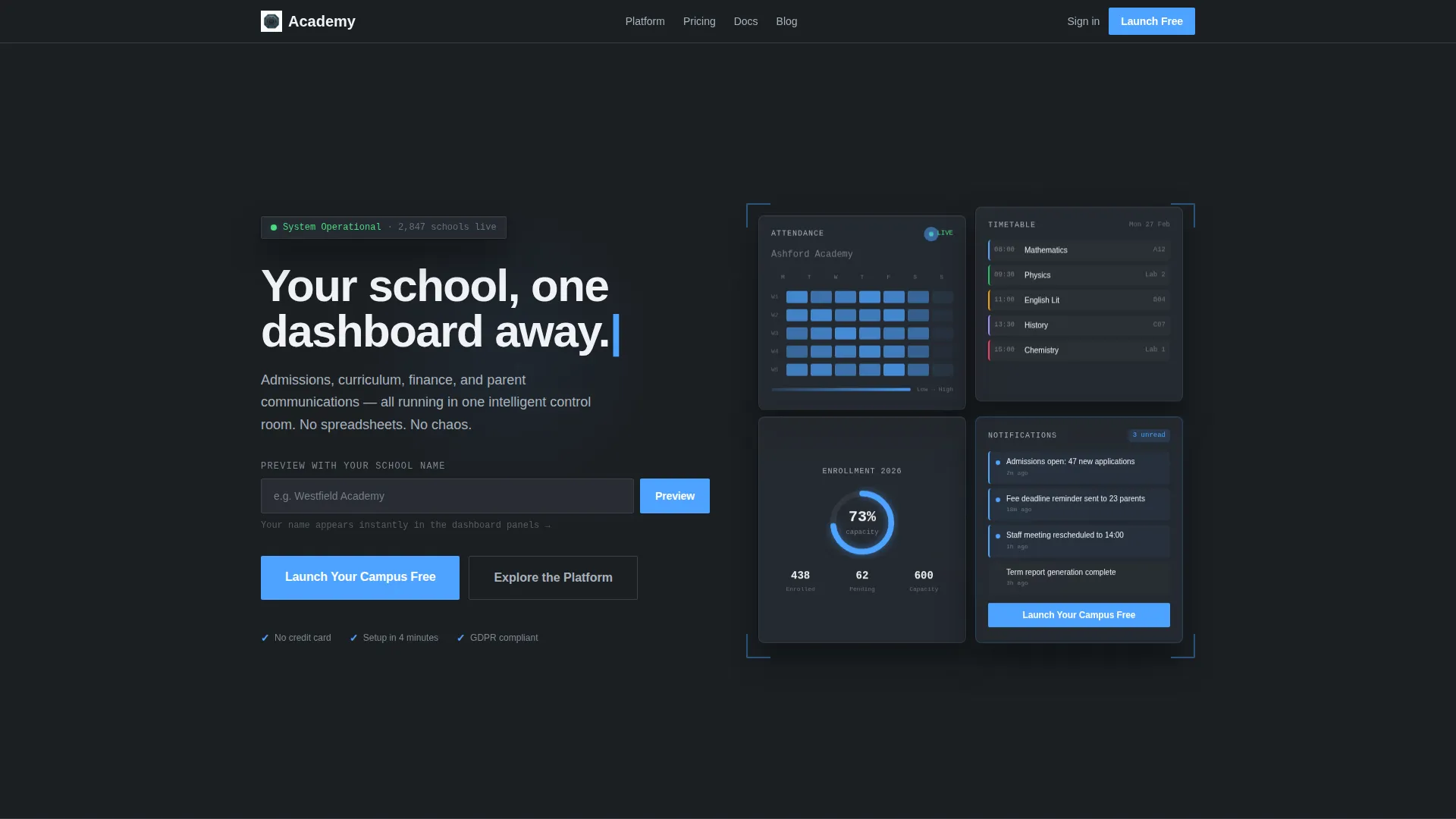
- A dark glass panel header featuring a student attendance heatmap, weekly timetable grid, enrollment progress ring, and live notification feed
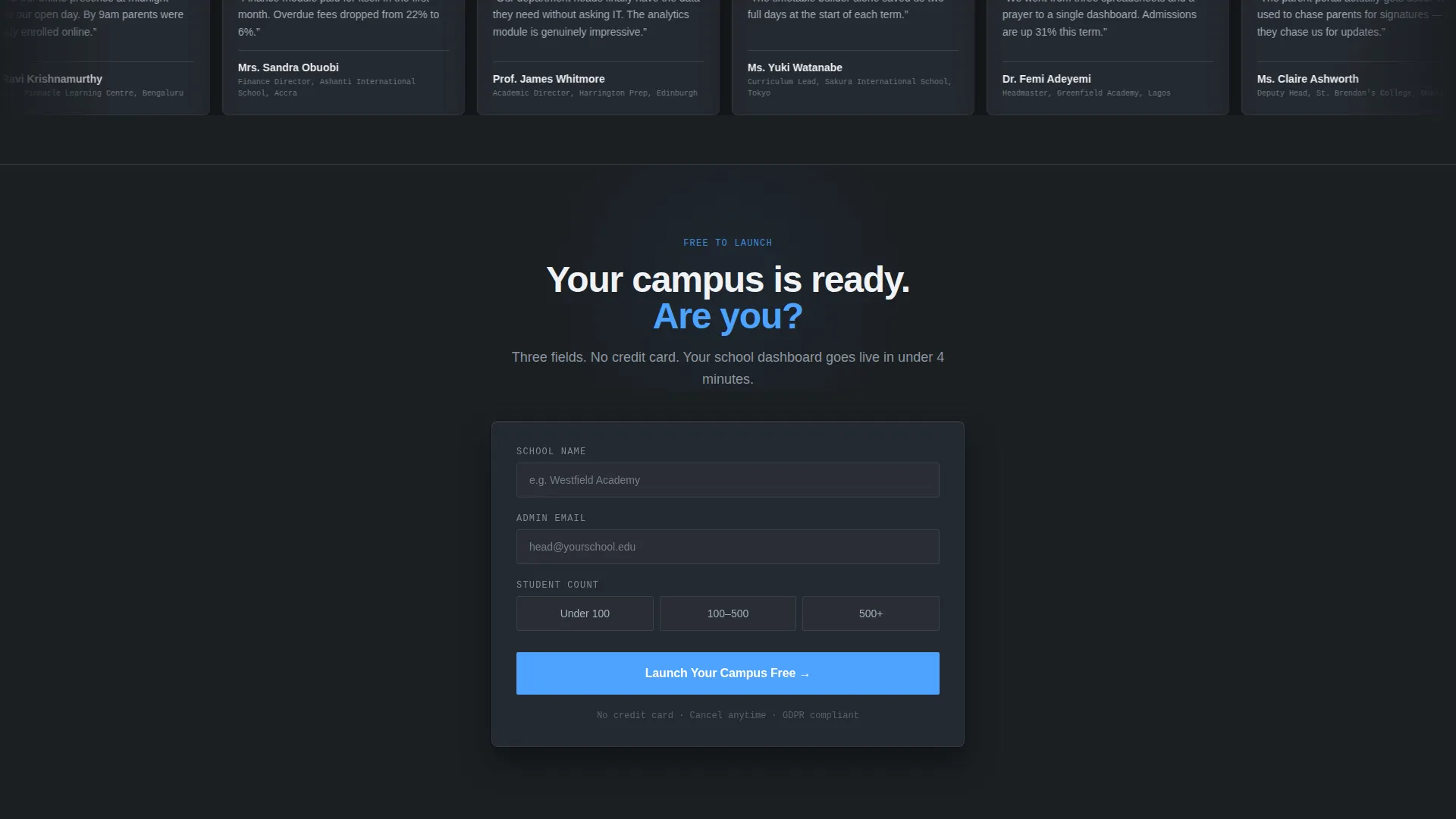
- A freemium sign-up form collecting only school name, admin email, and student count range, with no credit card required
Feature list
This template ships with a tightly defined set of interactive and visual features derived directly from the Dashboard Pro design system and Interactive Explorer creative direction.
Dark Glass Panel Header
Four translucent panel cards float over a near-black gunmetal background. Each panel displays a different live-data preview: an attendance heatmap, a timetable grid, a circular enrollment progress ring shown at 73 percent, and a notification feed with unread message indicators. A frosted-glass blur effect with subtle inner edge glow gives the header a backlit, data-driven atmosphere.
Interactive Module Explorer
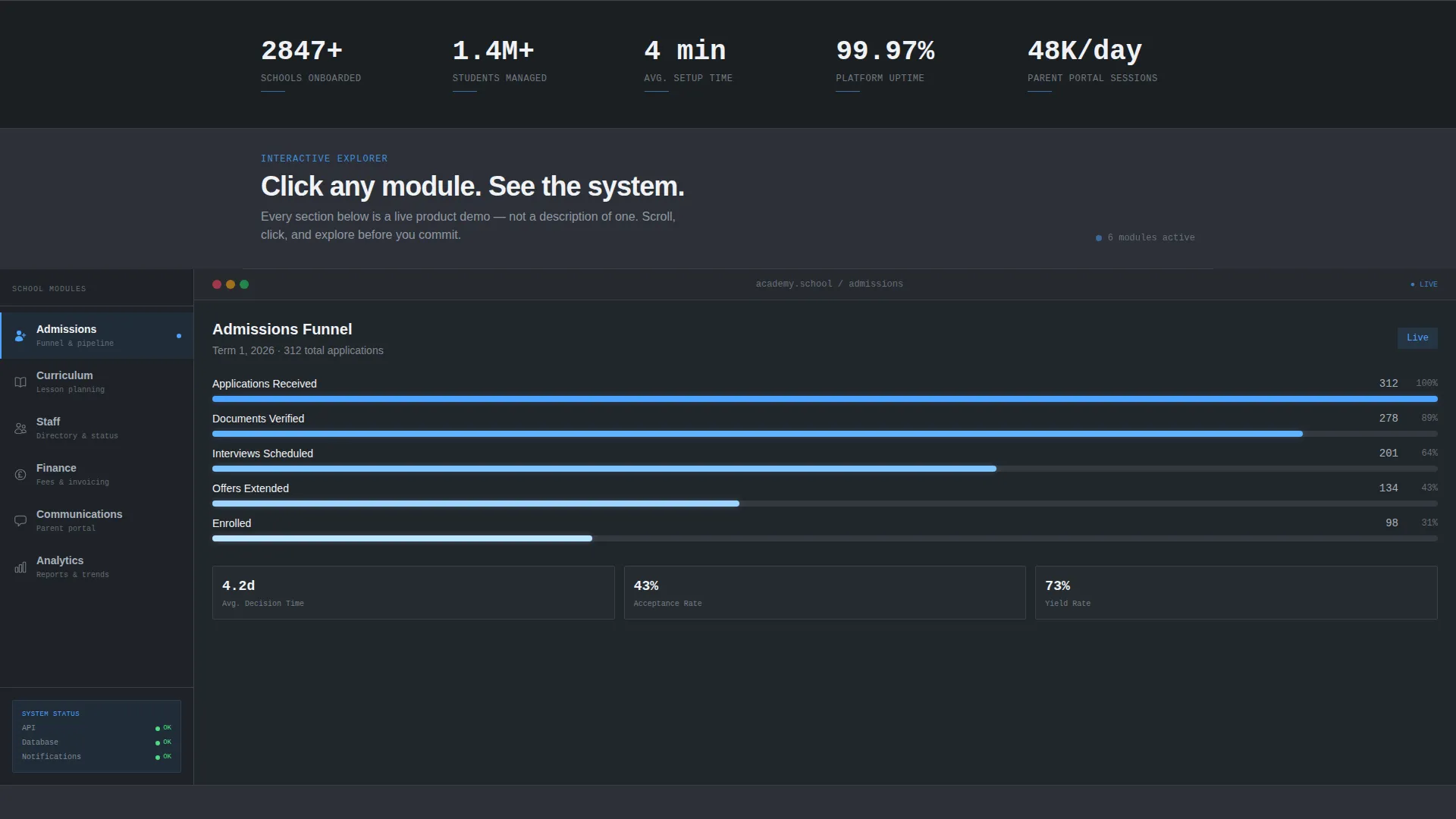
A persistent left sidebar locks in place as the visitor scrolls, listing six school modules: Admissions, Curriculum, Staff, Finance, Communications, and Analytics. Clicking or scrolling swaps the right panel content, revealing a different template screen for each module. The Admissions view shows a funnel visualization, Curriculum shows a drag-and-drop lesson planner, and Finance shows a fee-collection tracker with overdue flags.
Scroll-Activated Micro-Interactions
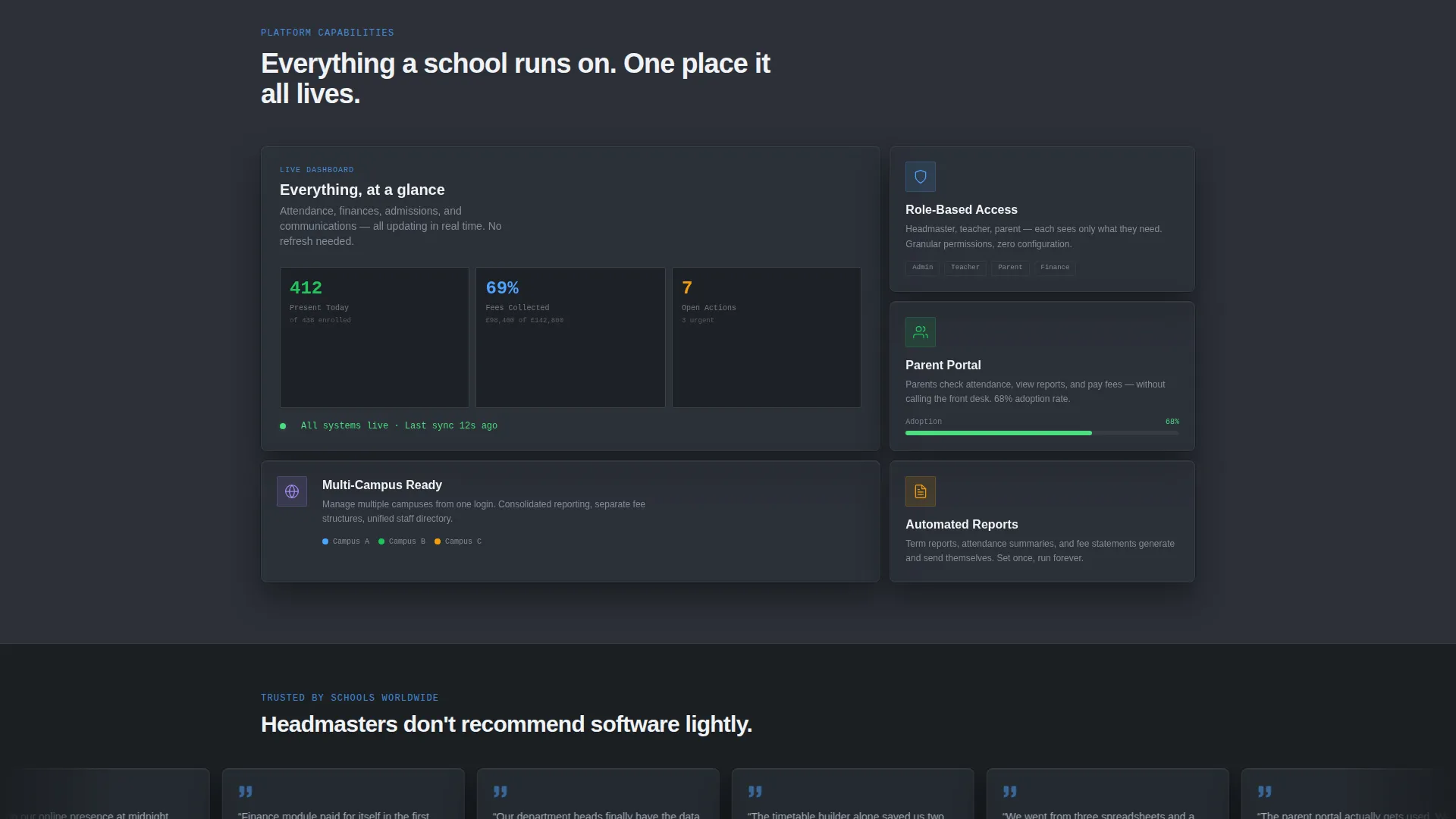
Scrolling activates content rather than simply revealing it. Progress bars fill on entry, toggles switch the interface between dark and light themes, and calendar dates highlight on hover. By the time a visitor reaches the bottom, they have mentally built their school inside the template through hands-on exploration.
Personalization Input Field
A secondary conversion path prompts visitors to type their school name into a single text field. The header panels instantly regenerate to display that name embedded inside the user interface, creating an immediate sense of ownership before any sign-up step is completed.
Freemium Call-to-Action System
The primary call-to-action, "Launch Your Campus Free," appears first inside the header notification panel as a system prompt. It then persists as a floating button fixed to the bottom-right corner throughout the interactive explorer scroll, keeping conversion available at every point without interrupting the experience.
Monochrome Steel Branding System
The entire template is built around a four-tone Monochrome Steel palette. Deep gunmetal and panel-glass charcoal alternate as background layers to create depth. Signal-blue is reserved exclusively for interactive states, live indicators, and primary buttons, making every actionable element immediately recognizable.
Page sections overview
| Section | Purpose |
|---|---|
| Dark Glass Header | Presents live-data panel previews and primary call-to-action |
| Module Sidebar Nav | Locks in place for persistent six-module school navigation |
| Admissions Explorer | Displays a funnel visualization for the Admissions module |
| Curriculum Planner | Shows a drag-and-drop lesson planner view |
| Finance Tracker | Reveals a fee-collection screen with overdue flags |
| Personalization Input | Lets visitors embed their school name into the live user interface |
| Freemium Sign-Up Form | Collects school name, admin email, and student count range |
| Floating call to action Button | Keeps the primary conversion action visible during scroll |
Design & branding system
The visual identity is built entirely around the Monochrome Steel color system, giving the template the feel of a precision control room rather than a conventional school website.
- The four core tones are deep gunmetal (#1B1F23), brushed chromium (#A8B2BD), panel-glass charcoal (#2C3038), and pure near-white (#F0F2F5), with alternating backgrounds creating layered panel depth
- Signal-blue (#4DA3FF) appears exclusively on interactive states, live status indicators, and primary buttons, so every clickable element is instantly distinct from static content
- Dividers are a near-invisible 1px line in #3A3F47, suggesting structure without visual noise, while typography lives in chromium and near-white for clear legibility on dark backgrounds
Mobile & speed optimization
The template is structured with a responsive split-screen layout designed to reflow cleanly across screen sizes. The interactive explorer adapts its panel-swap behavior for touch-based navigation.
- The persistent sidebar collapses into a top navigation on smaller screens, keeping all six modules accessible without occupying horizontal space
- Panel-depth layering and frosted-glass blur effects are applied through CSS-level styling, reducing reliance on heavy image assets in the header
How this template helps you convert
The conversion architecture is built around a freemium model that lets visitors experience the product before committing. Every design decision reduces hesitation and increases intent.
- The personalization input field creates instant ownership: typing a school name regenerates the header user interface in real time, turning a passive viewer into an active participant before the form even appears.
- The floating "Launch Your Campus Free" button remains visible throughout the entire interactive explorer scroll, so the primary conversion action is always one click away regardless of scroll position.
- The sign-up form asks only for three fields: school name, admin email, and student count range. No credit card is required, which removes the single most common reason prospects abandon a freemium flow.
Other information about this template
This template sits inside the School and Academy Website Templates subcategory under the broader Technology category. It is a strong fit for the school and academy homepage niche where decision-makers evaluate tools quickly and need to see real functionality rather than static screenshots.
- The template style is Split Screen (50/50), a layout format that naturally separates persistent navigation from dynamic content in a single viewport
- The Dashboard Pro theme and Interactive Explorer creative direction work together to position the homepage as a working demo, not just a marketing page
- The header concept, Dark Glass Panels, is deliberately free of stock photography, relying instead on data visualizations to communicate professionalism and operational readiness
Theme
Dashboard Pro
Creative direction
Interactive Explorer
Color system
Monochrome Steel
Style
Split Screen (50/50)
Direction
Freemium/Trial
Page Sections
Dark Glass Panel Header
Interactive Module Explorer
Scroll-activated Micro-interactions
Real-time Personalization Input
Freemium Call-to-action System
Monochrome Steel Color System
Related questions
Does this template require any coding knowledge to set up?
Can I rename the six school modules shown in the sidebar?
Is there a cost to launch using this template?
Does the template support both dark and light visual modes?
Who is this landing page template best suited for?



