The Backlog Precision Back-Office Operations Landing Page Template is a single-column, conversion-focused layout built for back-office operations firms. It leads with trust badges, walks visitors through a transparent four-step process, and closes with a low-friction booking form. The design uses a Corporate Precision visual identity to project authority, clarity, and operational discipline from the first scroll.
by Rocket studio
Loading preview…
Quick Summary
This template gives back-office operations firms a professional landing page that converts. It opens with industry credentials, builds trust through a numbered process walkthrough, captures early leads with a checklist download, and closes with an embedded booking form. Every section earns its place, and every word moves the visitor one step closer to booking a call.
Who This Template Is For
This template is designed for small and growing operations firms that handle payroll, accounts payable and receivable, compliance filings, and bookkeeping on behalf of clients. It suits teams that want to project the same level of precision on their website that they deliver in their work. The layout speaks directly to the kinds of buyers who need reassurance before they hand over financial tasks to an outside firm.
Founders and chief executive officers at companies with 1 to 50 employees who are drowning in reconciliations and filings
Office managers juggling vendor invoices across multiple spreadsheets and tools
Chief financial officers at mid-market firms who need controller-level support without the headcount
What Problem This Template Solves
Back-office service firms often struggle to communicate trust and process clarity to prospects who are naturally cautious. A generic website fails to answer the questions buyers actually have: What exactly do you do? How does onboarding work? What are my deliverables and when? This template solves that problem by showing the full scope of work upfront, which is exactly what serious buyers want to see.
Prospects do not convert because they cannot see the process behind the service offer
Founders and office managers skip contact forms when they feel like they are about to be sold to rather than informed
Operations firms lose leads to competitors who provide more detailed information about their engagement model
What You Get With This Template
You get a fully structured single-column landing page layout built to reflect operational discipline. Every section is pre-designed with a clear purpose, so your team does not have to create a new structure from scratch. The template gives you a fast path from design to live page without sacrificing the authority the audience expects.
Theme
Corporate Precision
Creative direction
Transparent Process
Color system
Navy Authority
Direction
Booking/Scheduling
Page Sections
Award Badge Hero Section
Four-step Process Walkthrough
Pain Points Scenario Block
Mid-page Email Capture
Embedded Booking Form
Corporate Precision Visual System
Related questions
Who is this landing page template designed for?
Can I customize the sections and colors to match my brand?
What is the primary conversion goal of this template?
Does the template include an email capture section?
How many pages does this template include?
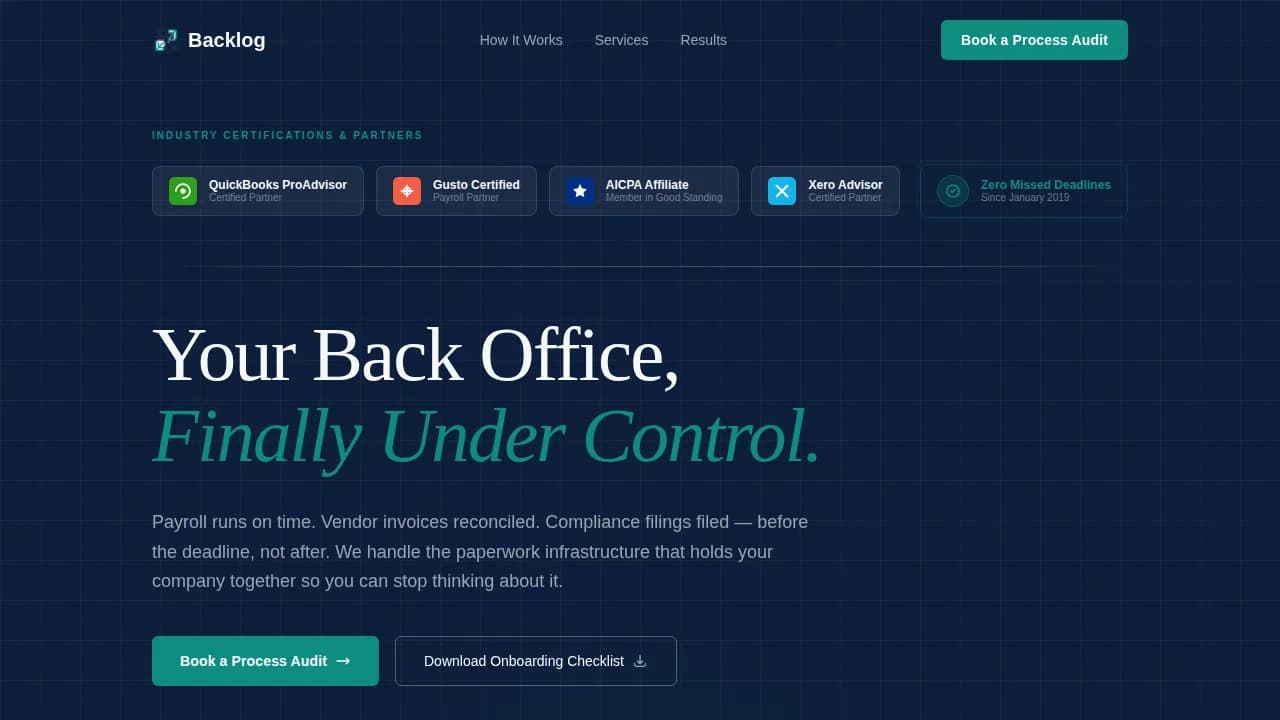
A hero section with an award badge row, headline block, and trust seal display
A four-step numbered process walkthrough with named deliverables and stated turnaround stages
A mid-page email capture section and an embedded booking form with a company-size dropdown and pain-point selector
Feature List
This template includes a set of purposefully built components. Each one contributes directly to the goal of moving a qualified visitor from first impression to booked call.
Award Badge Hero with Trust Signals
The hero opens with a horizontal row of industry credentials and partner certifications arranged against a deep navy background. A single bold headline sits below the badges. This section builds immediate credibility without relying on stock photography or generic imagery. Visible trust markers like this can help reduce the perceived risk for users filling out lead forms.
Transparent Four-Step Process Section
The process walkthrough is the backbone of the page. Each step is numbered, each deliverable is named, and each turnaround window is stated clearly. Visitors can navigate efficiently through the engagement model before they ever speak to anyone. This approach mirrors how product backlogs present planned work in agile development: structured, sequenced, and transparent.
Mid-Page Email Capture Block
A secondary call-to-action labeled "Download Our Onboarding Checklist" appears before the booking section. It captures email addresses from visitors who are not yet ready to commit to a call. This gives the firm a way to collect feedback, stay in contact, and provide information to prospects across different stages of the buying cycle.
Embedded Booking Form with Segmentation Fields
The primary conversion section features an embedded scheduling block paired with a short lead form. The form asks for company size, primary pain point, and preferred meeting window. Keeping the form fields focused ensures users complete it without friction. Simplified lead forms that ask only for essential information are proven to maximize completion rates.
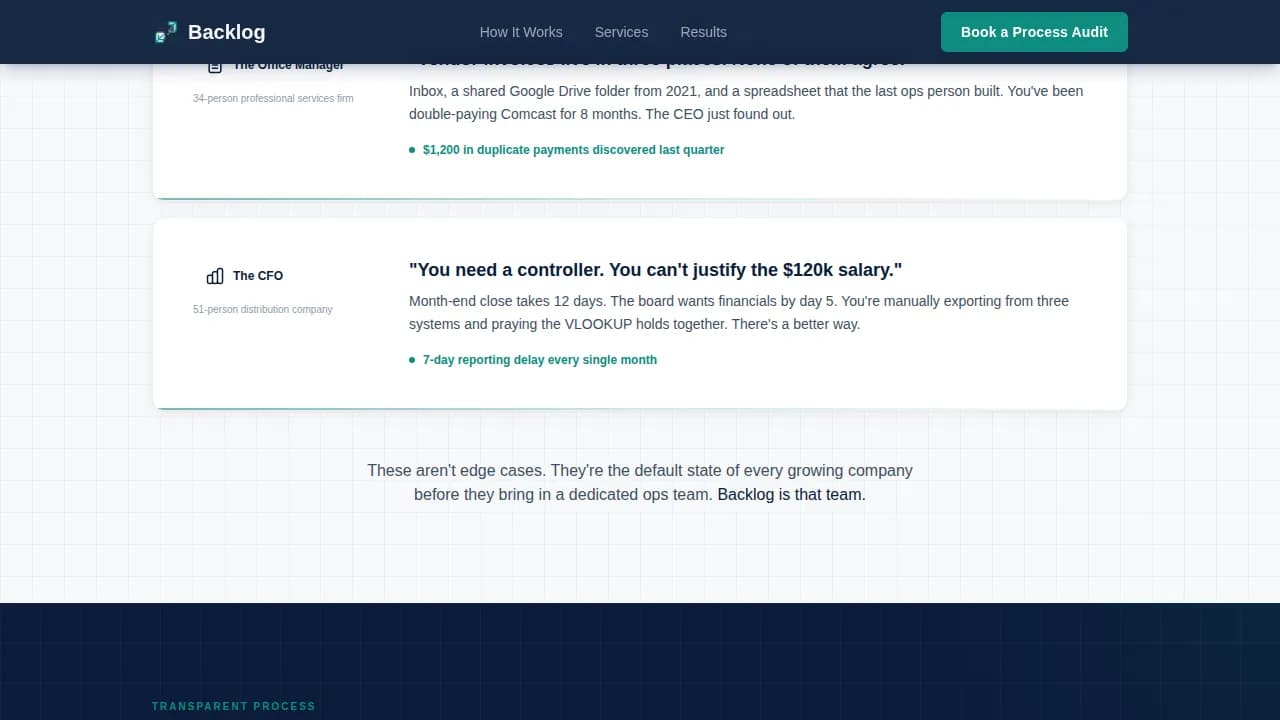
Pain Points Section with Scenario Specificity
Three concrete scenarios illustrate the real cost of back-office chaos. Each scenario is written to reflect what the target buyer is actually experiencing, not generic claims. This section helps stakeholders self-identify and builds the emotional case that the process walkthrough then resolves with logic and structure.
Single-Row Linear Footer
The footer follows a clean linear single-row pattern. It keeps the page focused without adding navigation clutter. Removing navigation menus from a landing page keeps users focused on the conversion goal and can increase conversions by 16 to 28 percent.
Page Sections Overview
Section
Purpose
Hero Badges
Display trust credentials and headline
Pain Points
Surface three buyer pain scenarios
Process Walkthrough
Show four named engagement steps
Email Capture
Collect leads with checklist offer
Booking Form
Convert visitors to scheduled calls
Linear Footer
Close page with minimal distraction
Design & Branding System
The template uses a Corporate Precision visual identity. The palette is built for authority: every color has a defined role, and nothing is decorative without purpose. The typographic pairing reinforces that balance between structure and readability.
Color system: deep command navy (#0B1D3A) as the primary background, polished gunmetal (#3D4F5F) for secondary surfaces, clean ledger white (#F7F8FA) for body text and headlines, and a decisive teal accent (#0E8C7F) reserved for buttons, progress indicators, and trust markers
Typography: Fraunces serif for display headlines and DM Sans for body copy and interface labels, creating a pairing that feels authoritative without being cold
Mobile & Speed Optimization
The template is built as a single-column flow, which naturally adapts to smaller screens without complex layout shifts. The design prioritizes desktop users such as chief financial officers and office managers, while remaining fully responsive for mobile access. Keeping the bounce rate low depends on a layout that loads and reads cleanly on every device.
Single-column structure scales from desktop to mobile without reordering content or breaking visual hierarchy
Static sections use server-side rendering to minimize JavaScript load, keeping the page fast and the experience stable for all users
How This Template Helps You Convert
The template is designed around a single conversion path. Every section builds confidence before asking for commitment, which is how high-trust professional services pages should operate.
The hero establishes credibility instantly with badges, certifications, and a zero-missed-deadlines trust seal, giving visitors a reason to keep scrolling before reading a single word of body copy
The process walkthrough converts skeptical browsers into engaged prospects by showing exactly how an engagement works, including deliverable names and turnaround times, before any form appears
The booking form arrives after the case has been fully made, with low-friction field labels and a clear call-to-action, so the visitor feels informed rather than sold to
Other Information About This Template
This template is a purpose-built example of how a backlog precision back office operations landing page template should be structured for a professional services firm. The design ideas behind it draw from established best practices in product backlog management and agile development workflows. Understanding these ideas helps explain why the layout is structured the way it is.
A product backlog template is a predefined format to document and prioritize the work that a product team has planned, serving as a single source of truth for all planned work. This template applies the same logic to a services page: every section has a defined role, every backlog item of information is sequenced by priority, and nothing is left unordered.
Product backlogs are living tools where ideas evolve from rough concepts to fully developed features. Good product backlogs prioritize opportunities with the highest impact, and effective product backlog prioritization removes bias from decision-making. The RICE framework, for example, helps product managers prioritize backlog items based on reach, impact, confidence, and effort.
Development teams benefit when product backlogs act as a single source of truth linking to all relevant documentation. Similarly, stakeholders evaluating a back-office firm benefit when the landing page presents the same clarity: a prioritized list of services, named deliverables, and clear next steps.
A backlog template improves efficiency by eliminating the need to create a new structure from scratch. A free product backlog template offers teams a starting point for tracking tasks across projects without building a system from zero.
Many organizations use dedicated software like Jira, Linear, or Notion for backlog management. Others track product backlogs in Excel or Google Sheets using a structured backlog template. A kanban board is another common tool teams use to visualize tasks and project progress across development stages.
Real examples from companies like Virgin Media O2 and Delivery Hero show how structured product backlogs help teams prioritize across multiple projects and merge planned work from different groups. PayPal used a similar framework to assess risk before building new product backlog items in regulated fintech categories.
Page-level tracking tools such as Google Analytics help website owners understand traffic source data, user behavior patterns, and how visitors interact with different pages. Google Analytics uses a randomly generated number to calculate visitor sessions and measure bounce rate without storing personally identifiable data. Analytics analytical cookies fall under a specific consent category and require preferences accept settings to function. These are always active necessary cookies for website measurement.
Operators who use Google Analytics to run ad campaigns can review campaign data to understand which traffic source drives the most bookings. Providing secure log in access to analytics dashboards, along with consent preferences management for social media platforms, ensures that users who visited previously can control how their data is handled. Third party features and other third party features such as embedded scheduling tools may require certain functionalities and certain functions to be enabled. Users can navigate efficiently through consent category settings to enable or disable the tools they need, and website owners can provide visitors with clear consent preference controls that let them preferences accept or decline as needed.
A product backlog template is essential for organizing, prioritizing, and tracking work items across teams. Using a product backlog template ensures teams stay focused, organized, and aligned with goals. A product backlog template helps teams track tasks, new features, and bug fixes while keeping development efforts aligned with business objectives. Product backlog items should focus on planned work and exclude unplanned work such as ad hoc bug fixes or requests from other teams. Product backlog prioritization should be backed up by quantitative and qualitative insights. Key performance indexes tied to backlog health give product managers and stakeholders a clear view of project progress. Collecting feedback from development teams and stakeholders regularly keeps product backlogs refined and aligned with what users actually need. Backlogs should provide visitors, users, and stakeholders with detailed information about planned work so they can access resources and make informed decisions. Good backlog management creates better user experience for the teams and stakeholders who depend on it.