Hobby & Passion Content Portfolio & Case Study Website Template
Bit is a horizontal-scroll landing page template built for sketch comedy blogs and creative writing communities. It pairs an editorial magazine aesthetic with a Xeroxed-zine energy, bold serif headlines, a split-hero layout, and a gallery-walk scroll that moves through featured scripts, video embeds, community prompts, and photo essays. The result is a page that earns every click by being genuinely funny before the call to action arrives.
by Rocket studio
Quick summary
Bit is a single-panel horizontal-scroll landing page for a sketch comedy blog and community. It blends an indie editorial magazine look with raw zine texture, guiding visitors through a gallery of comedy writing content before nudging them to read more or join the writer's room. The design is desktop-first with a mobile vertical fallback.
Who this template is for
This template is built for comedy writers and creative communities who want a home that matches their energy. It takes half-finished ideas as seriously as fully produced work, and it looks the part.
- Improv troupe members who workshop material between shows and need a shareable, link-worthy destination
- Comedy writing partners and sketch creators who want a space that presents their weird ideas with editorial confidence
- Solo creators who built their craft through self-study and are ready for a community platform that reflects that voice
What problem this template solves
Most blog templates are built for lifestyle content or professional portfolios. They flatten comedy writing into something tidy and forgettable. Bit solves the problem of mismatched presentation, the page feels like the work, not like a form letter about the work.
- Generic templates strip away personality before visitors reach the first punchline
- Comedy communities lack a single page that can hold scripts, video, member prompts, and photo essays in one cohesive scroll
- Writers lose potential collaborators because their landing page undersells the energy of their actual material
What you get with this template
You get a fully structured horizontal-scroll landing page with distinct gallery panels, a split-hero header, and two strategically placed calls to action. Every section is designed to carry comedy content without diluting it.
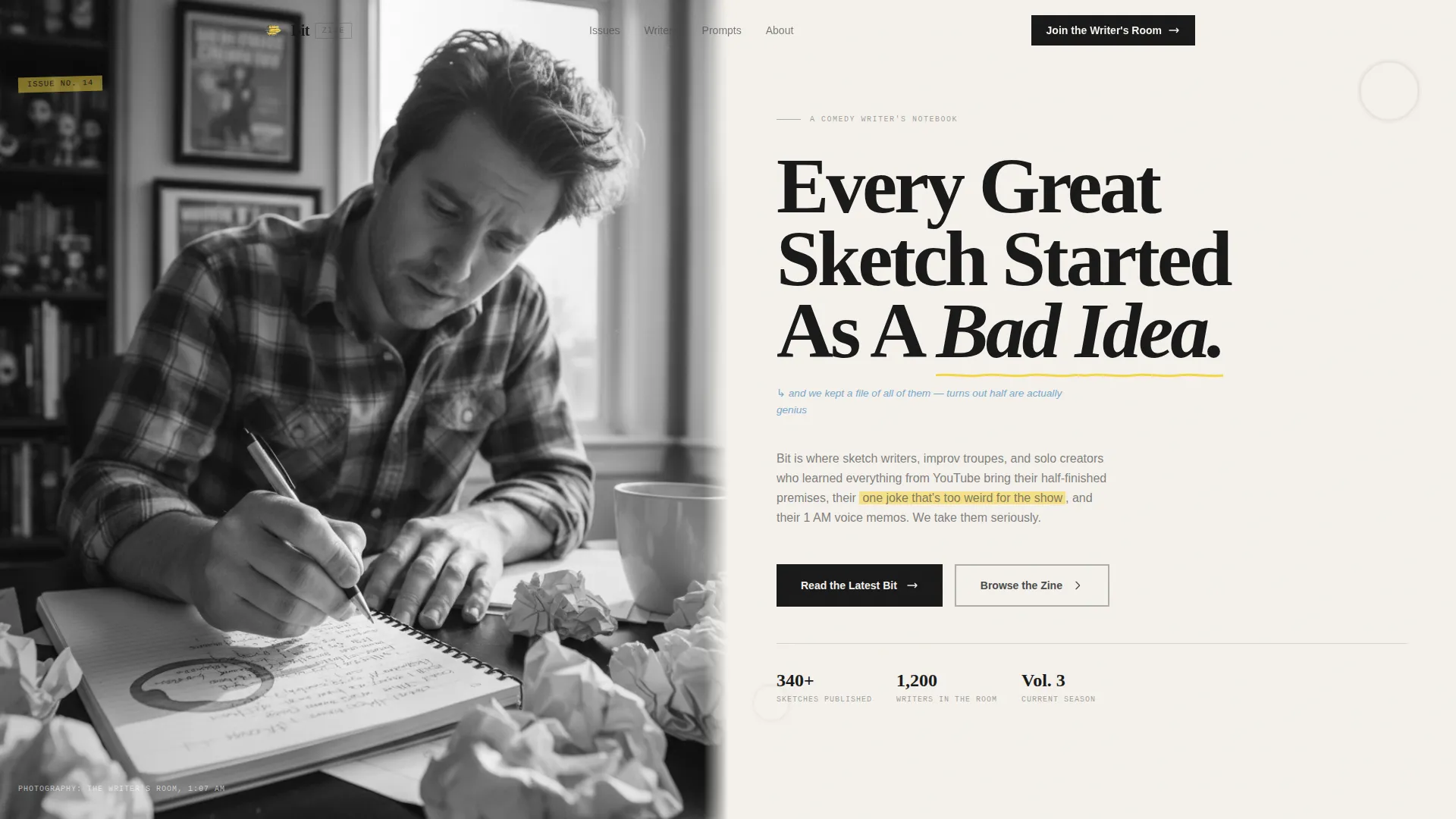
- A half-page editorial hero with a bold serif headline area and a handwritten-style subhead zone
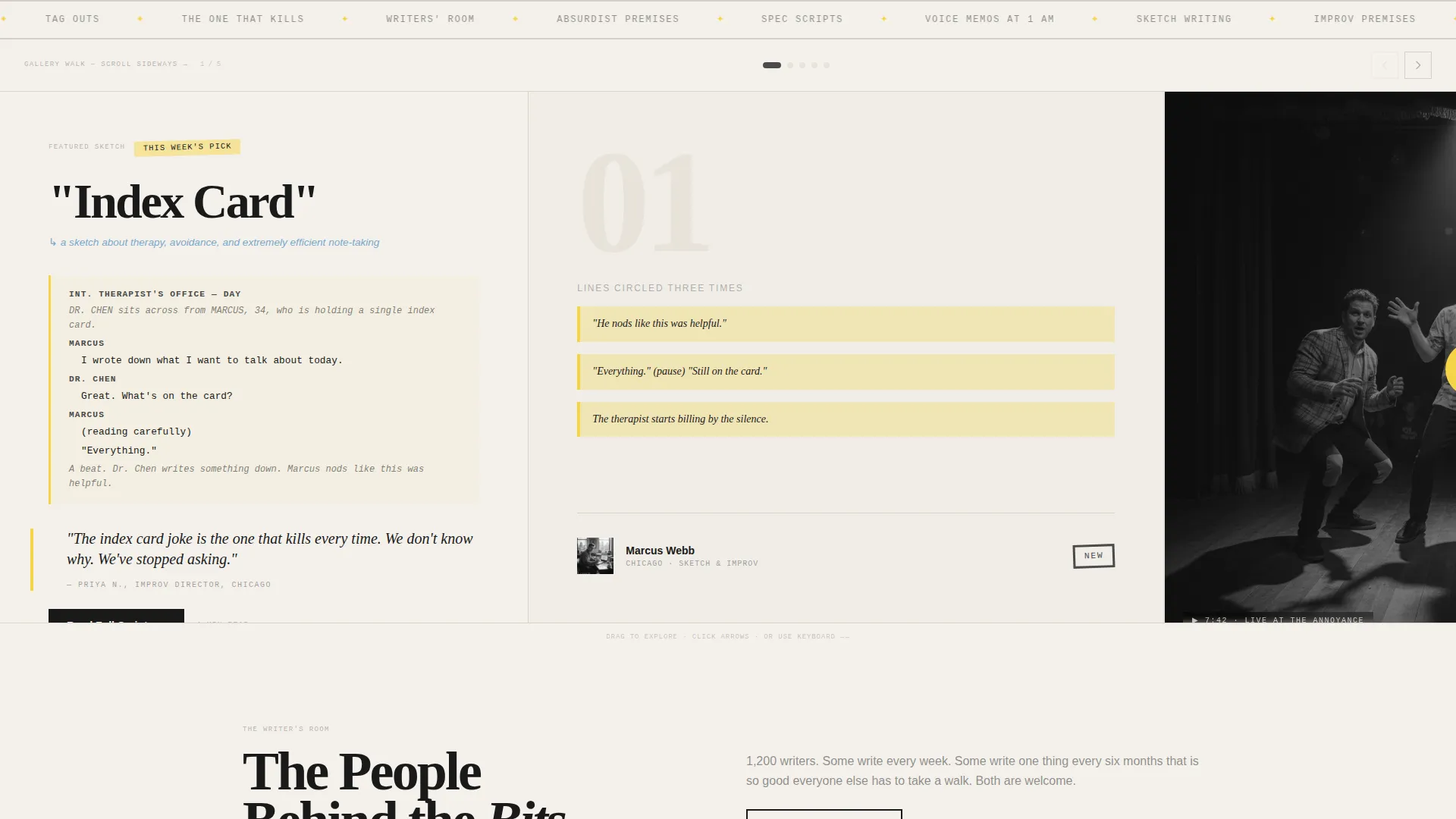
- Five horizontal gallery panels covering a featured sketch, a video embed, a community prompt board, a behind-the-scenes photo essay, and a closing call to action
- A sticky secondary button in the top-right corner for community sign-up, active throughout the entire scroll
Feature list
This template ships with a focused set of components built specifically for the sketch comedy blog and community use case.
Horizontal Scroll Gallery with Snap Points
Five distinct panels scroll sideways with CSS scroll-snap, giving each exhibit its own moment. The pacing alternates between dense text panels and open image panels so the rhythm never flattens.
Split-Hero Header Layout
The hero divides into two halves. The left side holds a black-and-white editorial photograph of a writer at a cluttered desk. The right side anchors an oversized serif headline and a handwritten-style subhead that reads like a margin note.
Pull-Quote Sketch Script Panel
The featured sketch panel highlights key lines in marker yellow, presenting script content in a format that looks intentional and readable. IBM Plex Mono typeface gives script excerpts a typewritten, backstage feel.
Video Embed Panel
A dedicated gallery panel holds a video embed of a performed piece. It sits inside the horizontal scroll flow so visitors encounter it naturally as they move through the gallery.
Community Prompt Board Panel
This panel surfaces real member responses to a shared prompt. It creates visible social proof through the content itself rather than through testimonial widgets.
Sticky Call-to-Action Button
A persistent "Join The Writer's Room" button sits in the top-right corner throughout the entire scroll. It stays available without interrupting the gallery experience, letting visitors act the moment they are ready.
Page sections overview
| Section | Purpose |
|---|---|
| Split Hero Header | Introduces the zine's voice with a bold editorial photograph and oversized headline |
| Featured Sketch Panel | Displays a script excerpt with marker-yellow pull-quotes |
| Video Embed Panel | Embeds a performed piece directly inside the gallery scroll |
| Community Prompt Board | Shows real member responses to a shared writing prompt |
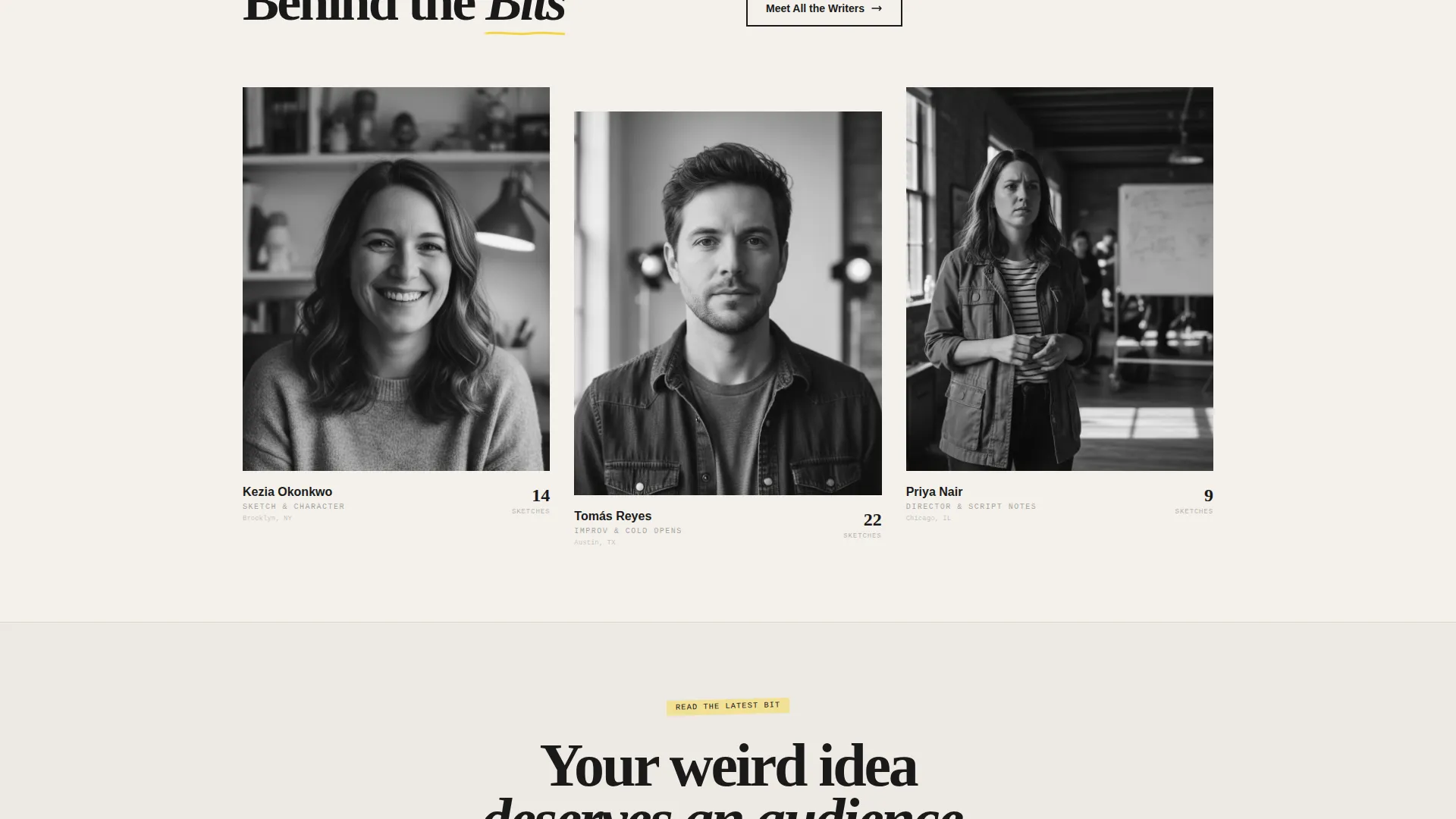
| Writers' Room Essay | Photo essay panel giving a behind-the-scenes look at the community |
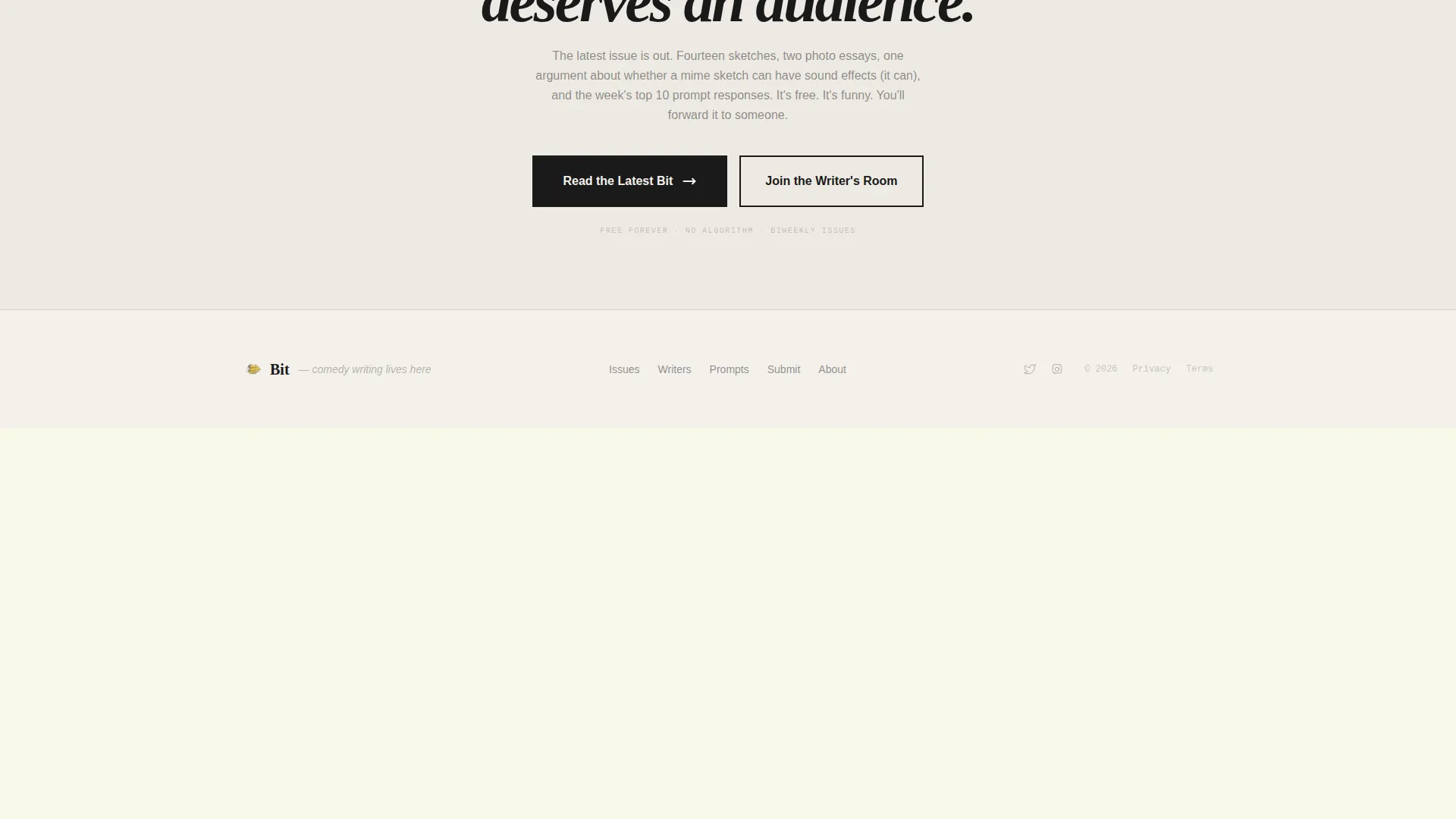
| Closing call to action Panel | Final gallery frame with the primary "Read The Latest Bit" call to action |
Design & branding system
The visual identity borrows from indie literary magazines and photocopied festival zines. Typography and color work together to feel handmade and deliberate at the same time.
- Color palette uses newsprint white (#F4F1EC) as the base, pencil-graphite gray (#4A4A4A) for primary text, highlight-marker yellow (#F5D547) for hover states and accents, and margin-note blue (#7BA7C9) as a secondary tone
- Typography layers Fraunces for bold serif headlines, DM Sans for readable body copy, and IBM Plex Mono for script excerpts and typewritten moments
- Hover states and interactive accents light up in marker yellow, giving the page a felt-tip energy that rewards exploration
Mobile & speed optimization
The template is built desktop-first around the horizontal gallery experience, with a thoughtful vertical fallback for smaller screens. Scroll performance is handled through native CSS rather than heavy JavaScript libraries.
- CSS scroll-snap drives the horizontal gallery, keeping the scroll crisp without loading external scroll frameworks
- On mobile, panels reflow into a vertical stack so the full content hierarchy remains readable on any screen size
- Staggered reveal animations and marquee elements are layered in CSS, keeping the motion feeling alive without adding significant load overhead
How this template helps you convert
Bit earns its calls to action by delivering real, funny content before asking for anything. By the time a visitor reaches the primary button, the page has already done the persuasion work.
- The gallery scroll gives away genuine content, script excerpts, video, and community prompts, so visitors arrive at the midpoint call to action already engaged and wanting more
- The primary "Read The Latest Bit" button appears at the scroll's midpoint and again in the final panel, catching visitors at two natural decision moments without feeling pushy
- The sticky "Join The Writer's Room" button stays visible throughout, so community sign-up is always one tap away for anyone who decides mid-scroll they want in
Other information about this template
This template is part of a Blog and Editorial category, specifically matched to the Hobby and Passion Content subcategory for a Sketch Comedy Blog and Community niche. A few additional details worth knowing before you build with it.
- The template style is Horizontal Scroll with an Editorial Magazine theme and a Cloud Canvas color system
- The creative direction follows a Gallery Walk structure, meaning each panel functions as a standalone exhibit in a larger narrative
- The header concept is a Half-Page Photo and Text split, designed to carry editorial photography alongside typographic impact
- The landing page direction is Click-Through, with all layout decisions oriented toward guiding visitors toward reading content and joining the community
- Animation intensity is set to high, including scroll-linked reveals, a marquee element, and hover states throughout
- Interactivity includes scroll-linked gallery behavior, the sticky call-to-action button, and tab interactions within panels
Theme
Editorial Magazine
Creative direction
Gallery Walk
Color system
Cloud Canvas
Style
Horizontal Scroll
Direction
Click-Through
Page Sections
Horizontal Scroll Gallery with Snap Points
Split-hero Header Layout
Pull-quote Script Panel
Video Embed Panel
Community Prompt Board
Sticky Sign-up Button
Related questions
Can I change the headline text and subhead in the hero?
How does the horizontal scroll work on mobile devices?
Can I swap out the featured sketch content and video embed?
Is this template suitable for a brand-new comedy community with no existing members?
How many calls to action does the template include?



