Editorial LEGO Creator Landing Page Template
Brick is an editorial landing page template built for LEGO and building brick creators. It follows a studio journal format, guiding visitors through six creative chapters from sorting to publishing. The warm stone color palette, serif typography, and book-spread header give it a magazine-quality feel that resonates with craft-driven audiences and brand collaborators alike.
by Rocket studio
Quick summary
Brick is a single-page editorial template designed for adult brick-building creators. It frames an Instagram account as a craft brand, using a chapter-by-chapter studio journal to move visitors from curiosity to conversion. The lookbook download and newsletter sign-up form sit naturally within the flow, so the call to action never feels forced.
Who this template is for
This template suits creators and professionals who want to present their building brick content as a serious, editorial-quality brand rather than a casual hobby feed.
- Adult fans of LEGO (often called AFOLs) who want a polished home for their process-driven content
- Homeschool parents looking to share creative brick-building prompts with a wider audience
- Brand managers at toy and lifestyle companies scouting craft-focused micro-influencers for collaboration
What problem this template solves
Most social media creators lack a dedicated landing page that communicates the depth behind their content. A grid of Instagram posts rarely conveys the craft, patience, and visual skill involved in a well-executed brick build. Brick solves that gap.
- It gives a 500,000-plus follower account a home that matches the editorial quality of its photography
- It shows brand partners and collaborators the full creative process, not just the finished image
- It converts casual visitors into newsletter subscribers and lookbook downloaders without a hard sales pitch
What you get with this template
You get a fully structured, desktop-first editorial landing page with five named content sections and a footer. Every section is a designed chapter in a visual studio journal, and two conversion paths are built directly into the page flow.
- A book-spread hero section, a scrolling image marquee, a lookbook call-to-action block, a newsletter form section, and a horizontal-flow footer
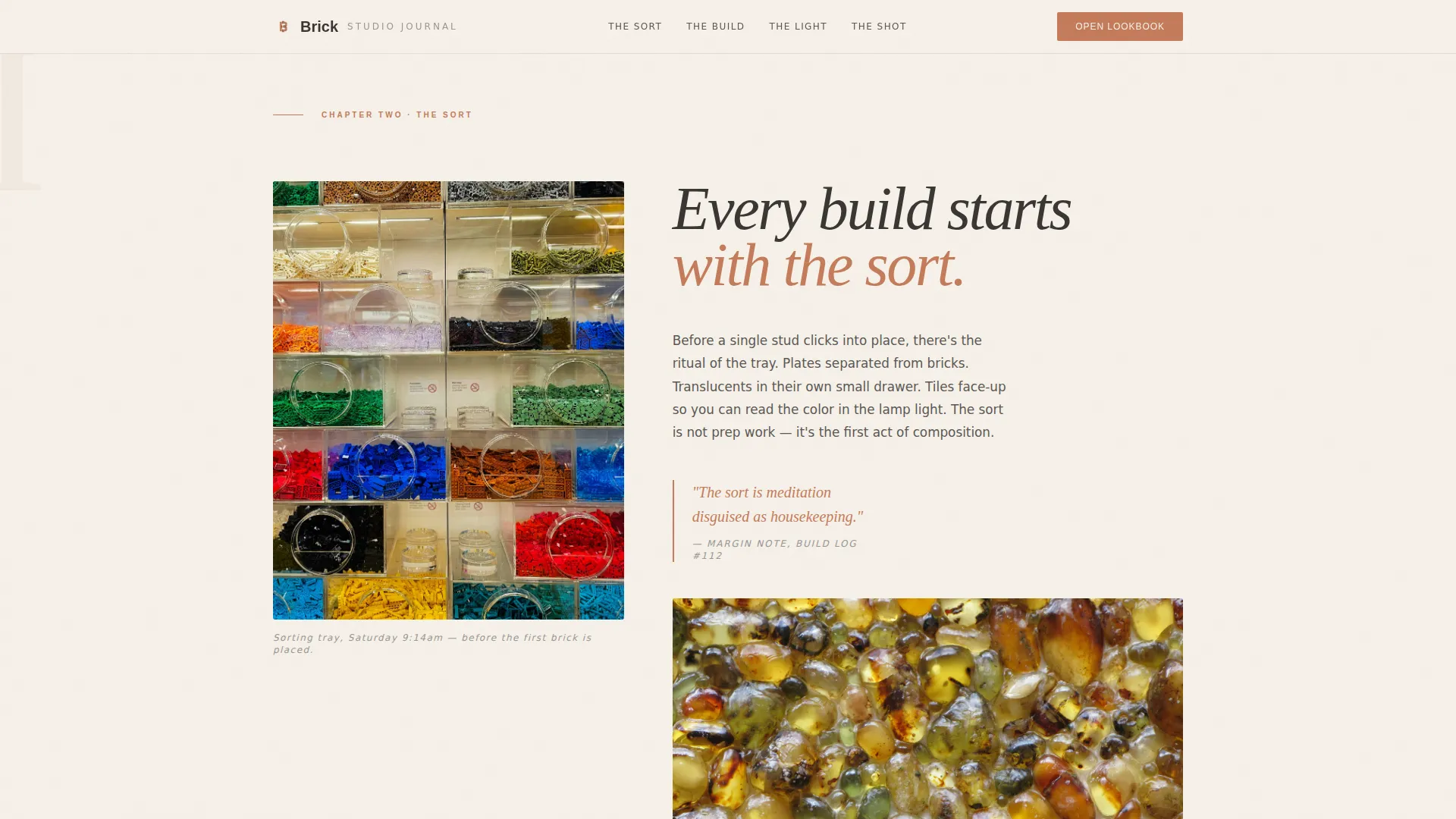
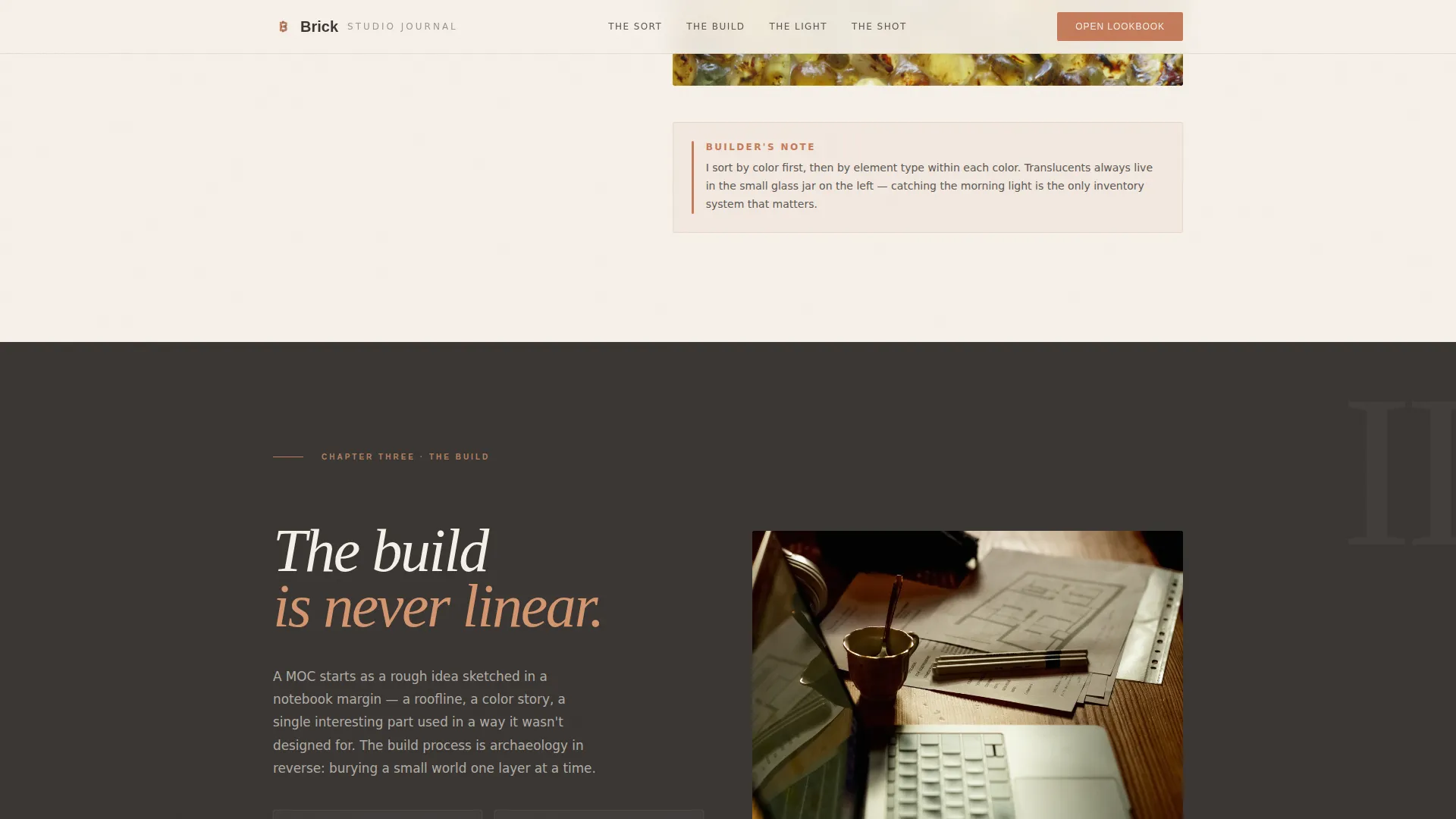
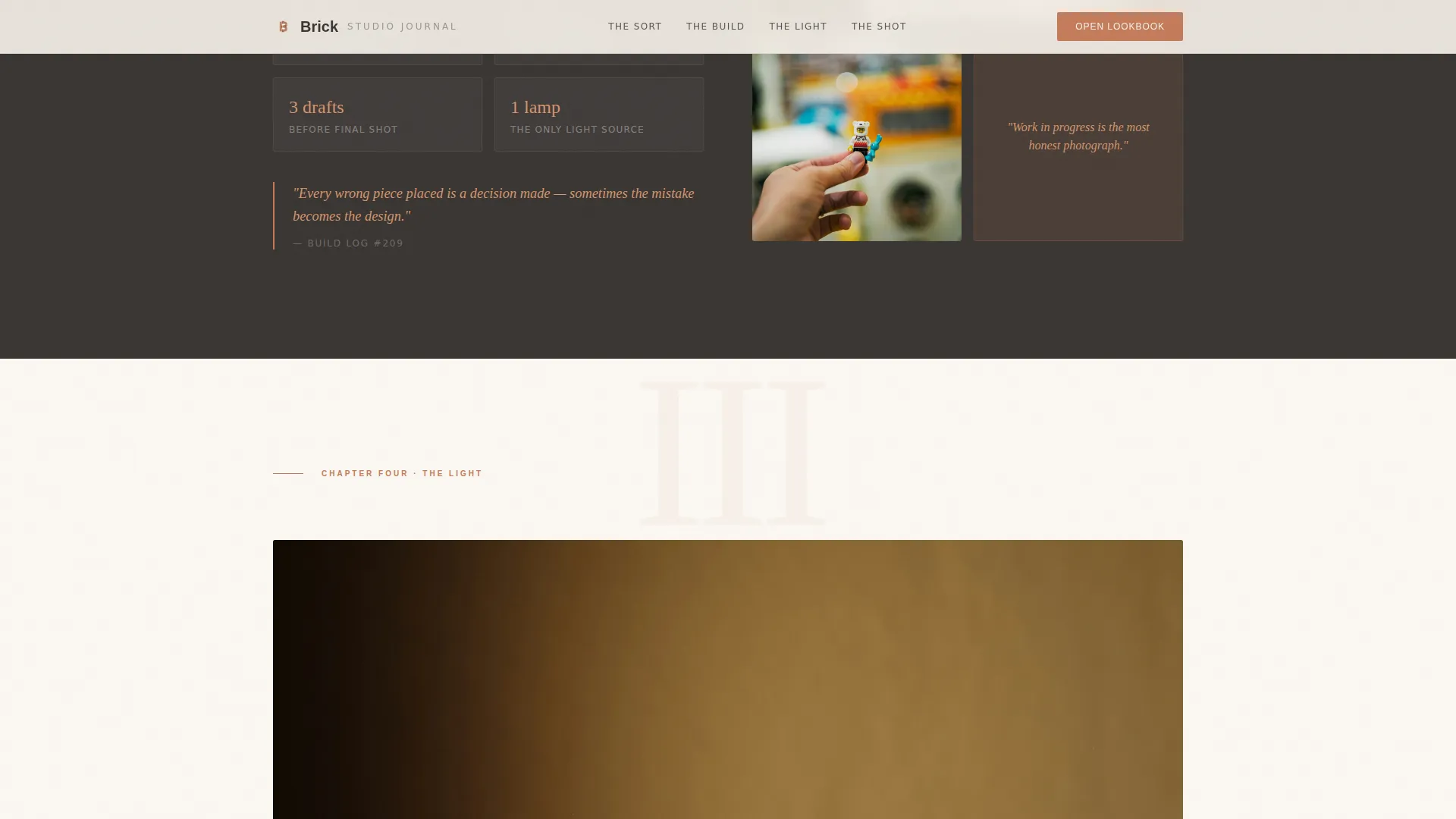
- A four-chapter Day-in-the-Life editorial sequence covering The Sort, The Build, The Light, and The Shot
- Two conversion components: the "Open the Lookbook" primary call to action and the "Join the Sorting Tray" newsletter form
Feature list
This template packages several focused features that work together to present a creator's work as a craft-led editorial brand.
Book-Spread Hero Header
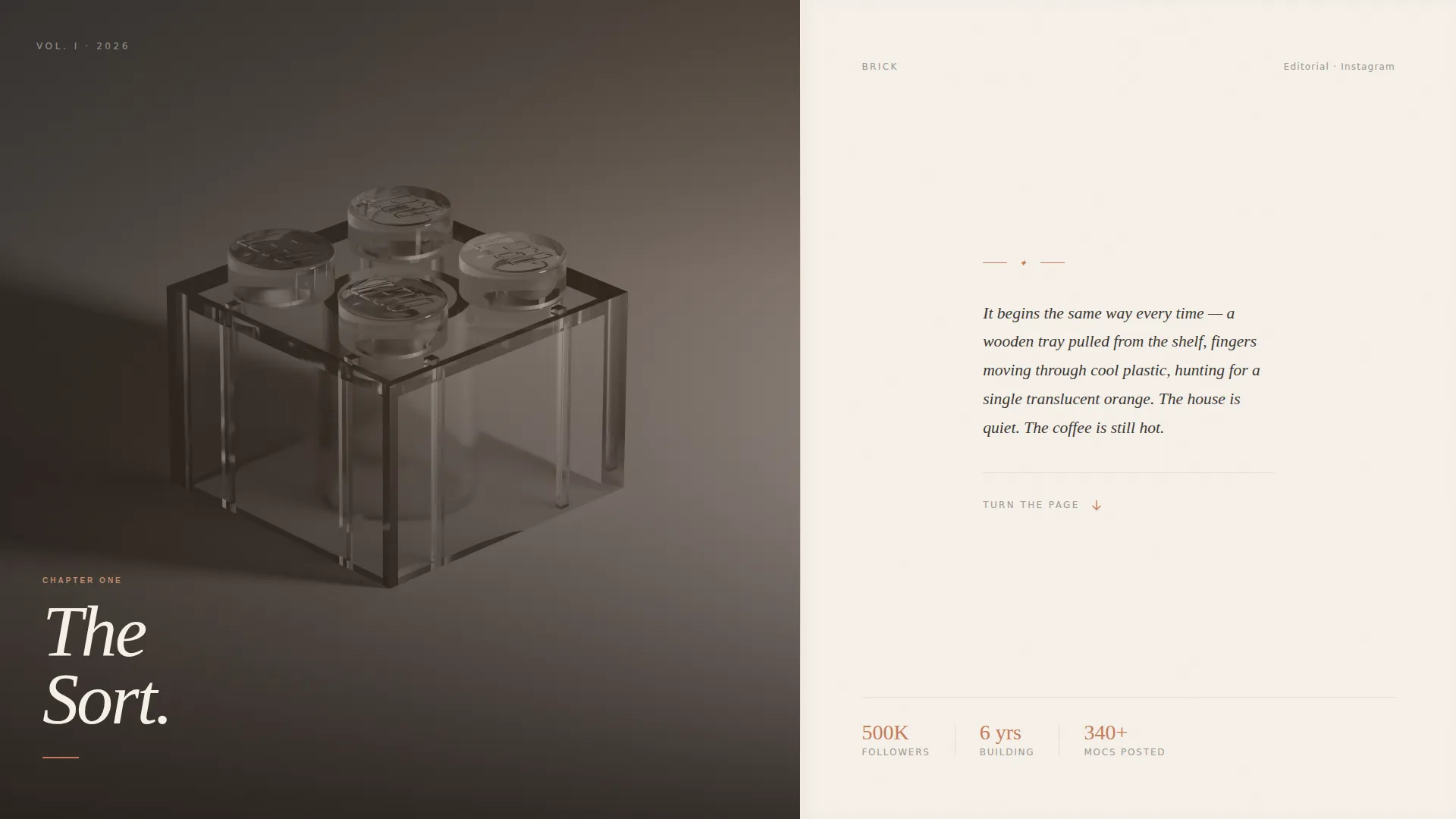
The header opens as a tall narrow frame mimicking a hardcover book spine. It unfolds into a full spread with a hand-lettered chapter title in serif type on the left and a short memoir-style opening paragraph on the right. There are no logos or buttons above the fold, only an invitation to read.
Six-Chapter Studio Journal
The Day-in-the-Life sequence structures the scroll like turning pages through a studio diary. Six named chapters, The Sort, The Build, The Light, The Shot, The Edit, and The Post, follow a single build from loose bricks to a published Instagram carousel, with alternating editorial layouts and pull-quote marginalia between chapters.
Scrolling Image Marquee
A continuous horizontal marquee displays finished builds in a flowing gallery format. This section, titled "The Work," lets visitors absorb the creative output quickly before committing to the conversion sections below.
Lookbook Download Block
The primary conversion section invites visitors to "Open the Lookbook," a free downloadable PDF featuring the account's ten most-liked builds with behind-the-scenes lighting diagrams and parts lists. The block appears after the editorial chapters, when visitor engagement is at its peak.
Newsletter Subscription Form
The "Join the Sorting Tray" form collects only a first name and email address. It appears after the fourth chapter, positioned at the point where the visitor has followed a build from start to finish and feels invested in the process.
GSAP Scroll Animations and Page-Turn Transitions
The template uses GSAP-powered scroll reveals, page-turn transition effects between chapters, parallax image layers, and hover states throughout. A tab switcher allows navigation between chapters without a full page reload.
Page sections overview
| Section | Purpose |
|---|---|
| Book-Spread Hero | Opens the narrative with a cinematic chapter-one layout |
| Studio Journal Chapters | Walks visitors through six creative process stages |
| The Work Marquee | Displays finished builds in a continuous scroll |
| Lookbook Call to Action | Drives the primary download conversion |
| Newsletter Form Block | Captures email subscribers after chapter four |
| Horizontal Flow Footer | Closes the page with clean navigational structure |
Design & branding system
The Atelier Studio theme positions this template as a ceramicist's workshop made digital. The warm stone color system creates a tactile, handcrafted atmosphere that complements close-up brick photography without competing with it.
- Four-color palette: plastered wall cream (#F5F0E8) for backgrounds, kiln-fired terracotta (#C47B5A) for pull-quotes and section dividers, aged oak (#6B5340) for navigation and image borders, and soft charcoal ink (#3A3633) for body text
- Typography pairing of Fraunces as the serif display face and DM Sans as the body typeface, creating a clear editorial hierarchy
- Cream dominates large surface areas like unbleached paper stock, while terracotta acts as a wax-seal accent on key moments throughout the page
Mobile & speed optimization
The template is built desktop-first to preserve its magazine editorial character, but it adapts gracefully to smaller screens so the studio journal experience remains readable on any device.
- Server Components handle all static layout sections to keep initial load fast, while Client Components manage GSAP animations and interactive elements separately
- The chapter tab switcher, newsletter form, and marquee are each built as self-contained interactive blocks that scale cleanly to mobile viewports
- Photography transitions from wide studio shots to macro lens details as the build progresses, and this progression remains visually coherent on both desktop and mobile layouts
How this template helps you convert
The conversion strategy is baked into the narrative structure. Visitors earn the call to action by experiencing the creative process first, which means the ask feels natural rather than interruptive.
- The lookbook download appears after five sections of editorial content, when the visitor has already seen a complete build journey and wants to learn more about the craft behind it.
- The newsletter form is placed after chapter four specifically, once the visitor has watched a build come to life, making the "Join the Sorting Tray" invite feel like a logical next step rather than a pop-up interruption.
Other information about this template
This template was designed with the creator economy in mind, specifically for accounts operating at a micro-influencer scale where brand partnership potential is high and a professional web presence makes a measurable difference.
- The template style is Editorial/Magazine, categorized under Blog and Editorial with a subcategory of LEGO and Building Brick Content
- The header concept follows a Chapter/Book format, and the creative direction is a Day-in-the-Life narrative, making it well suited to any process-driven content creator beyond the brick-building niche
- The landing page direction is Content and Resource focused, meaning the primary goal is depth and trust rather than a direct transactional sale
- Animation level is high, with GSAP scroll reveals, parallax layers, and page-turn effects, while interactivity is set at medium with form handling and tab switching
Theme
Atelier Studio
Creative direction
Day-in-the-Life
Color system
Warm Stone
Style
Editorial/Magazine
Direction
Content/Resource
Page Sections
Book-spread Hero Header
Six-chapter Studio Journal
Scrolling Image Marquee
Lookbook Download Section
Newsletter Subscription Form
GSAP Animations and Interactive Navigation
Related questions
Who is this landing page template designed for?
Can I adapt the six chapters to a different creative process?
What conversion actions does this template support?
Does the template include the lookbook PDF or newsletter platform connection?
Is this template suitable for desktop and mobile visitors?



