Hobby & Passion Content Pre-Launch & Coming Soon Website Template
Brine is a horizontal scroll landing page template built for a pickling and canning community. It guides visitors through a warm, day-in-the-life narrative, from the morning farmers market to the evening shelf, while capturing waitlist signups with a sticky "Save Me a Jar" call to action. The design feels like a well-loved kitchen: unhurried, handcrafted, and deeply inviting.
by Rocket studio
Quick summary
Brine is a single-page waitlist landing page for a pickling and canning community. It uses a horizontal scroll layout to move visitors through a canning day, revealing community features panel by panel. The warm artisan design and story-driven structure build trust before the signup form ever appears.
Who this template is for
This template suits food bloggers, hobby community builders, and passionate home canners who want to launch a waitlist before their full community goes live. It works best when the goal is email capture wrapped inside a compelling story.
- First-time community founders building around a food hobby or seasonal craft
- Bloggers in the food and preservation space launching a pre-launch or coming-soon page
- Anyone wanting a landing page that feels handmade, warm, and specific rather than generic
What problem this template solves
Most coming-soon pages feel cold and transactional. They ask for your email before telling you why the thing is worth waiting for. Brine solves that by leading with narrative, atmosphere, and community proof before the form appears.
- Visitors scroll through a story first, so signup feels earned rather than forced
- The "I'm brand new to canning" checkbox lowers the barrier for nervous beginners
- A confirmation screen with a personalized jar label and place-in-line number gives immediate, satisfying feedback
What you get with this template
You get a fully structured horizontal scroll landing page with five narrative panels, a sticky call to action, and a form submission confirmation screen. Every section serves a specific purpose in moving a visitor from curious to committed.
- Five distinct scroll panels, each tied to a moment in a canning day
- A sticky "Save Me a Jar" call to action that grows in prominence as the visitor scrolls
- A post-submission confirmation screen showing a hand-drawn jar with the visitor's name and queue position
Feature list
This template ships with a focused set of built-in components. Each one earns its place in the page flow.
Horizontal Scroll Narrative Layout
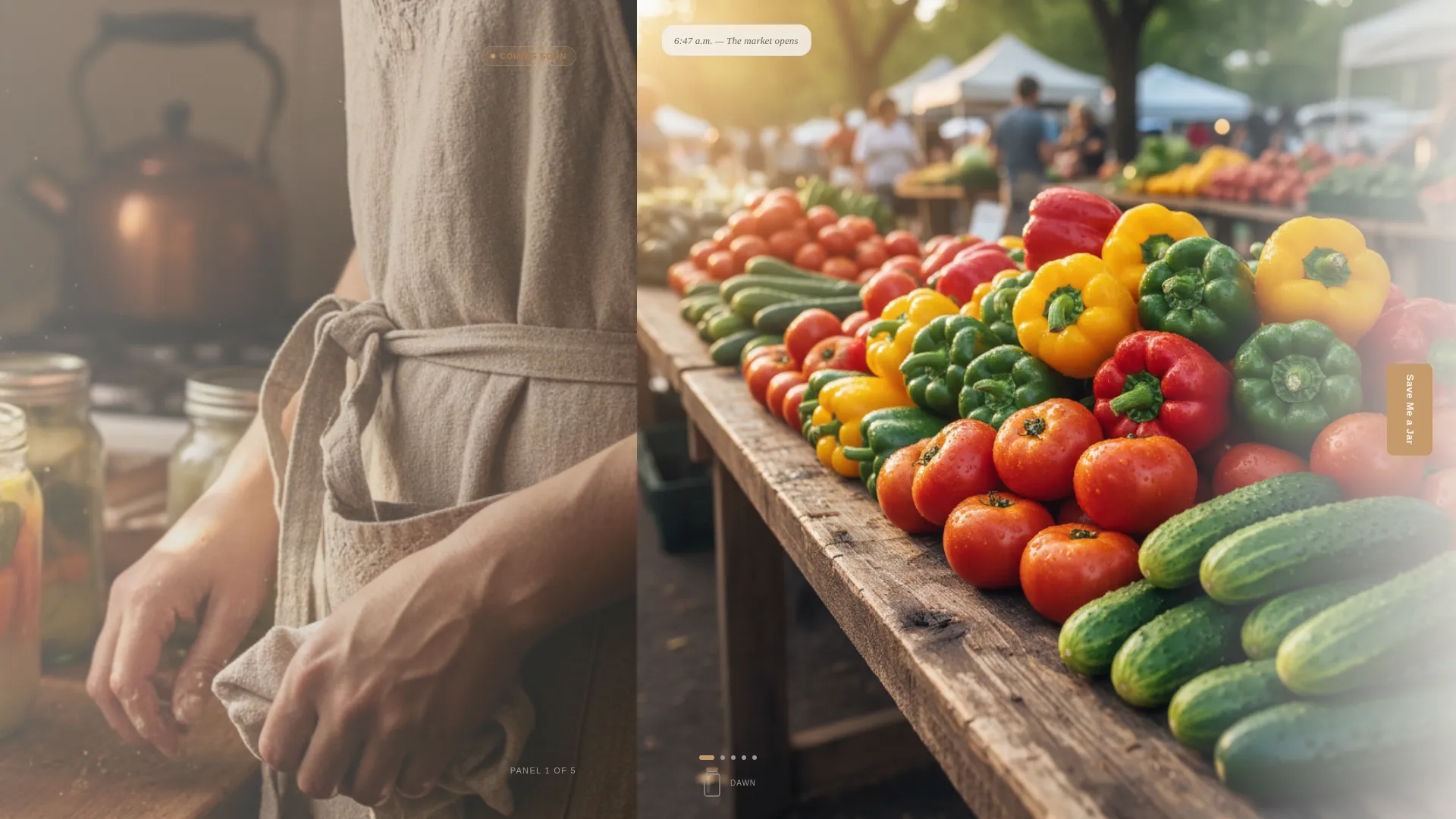
The page moves left to right through five panels representing a single canning day. Each panel pairs a photograph with a short handwritten-style caption. The scroll feels less like navigation and more like time passing.
Sticky Waitlist Call to Action
A "Save Me a Jar" button travels with the visitor across every panel. It becomes slightly more prominent by the final panel, reinforcing urgency without pressure. The form asks only for a first name and an email address.
Beginner-Friendly Form Checkbox
An optional checkbox reading "I'm brand new to canning" sits inside the signup form. It humanizes the experience and signals that the community welcomes all skill levels, from first-time fermenters to experienced water-bath canners.
Personalized Confirmation Screen
After submitting, visitors see a hand-drawn jar illustration with their name written on the label and their place in the waitlist queue. No launch date is promised. The copy reads: "We'll ping you when the lids seal."
Type Over Image Hero Panel
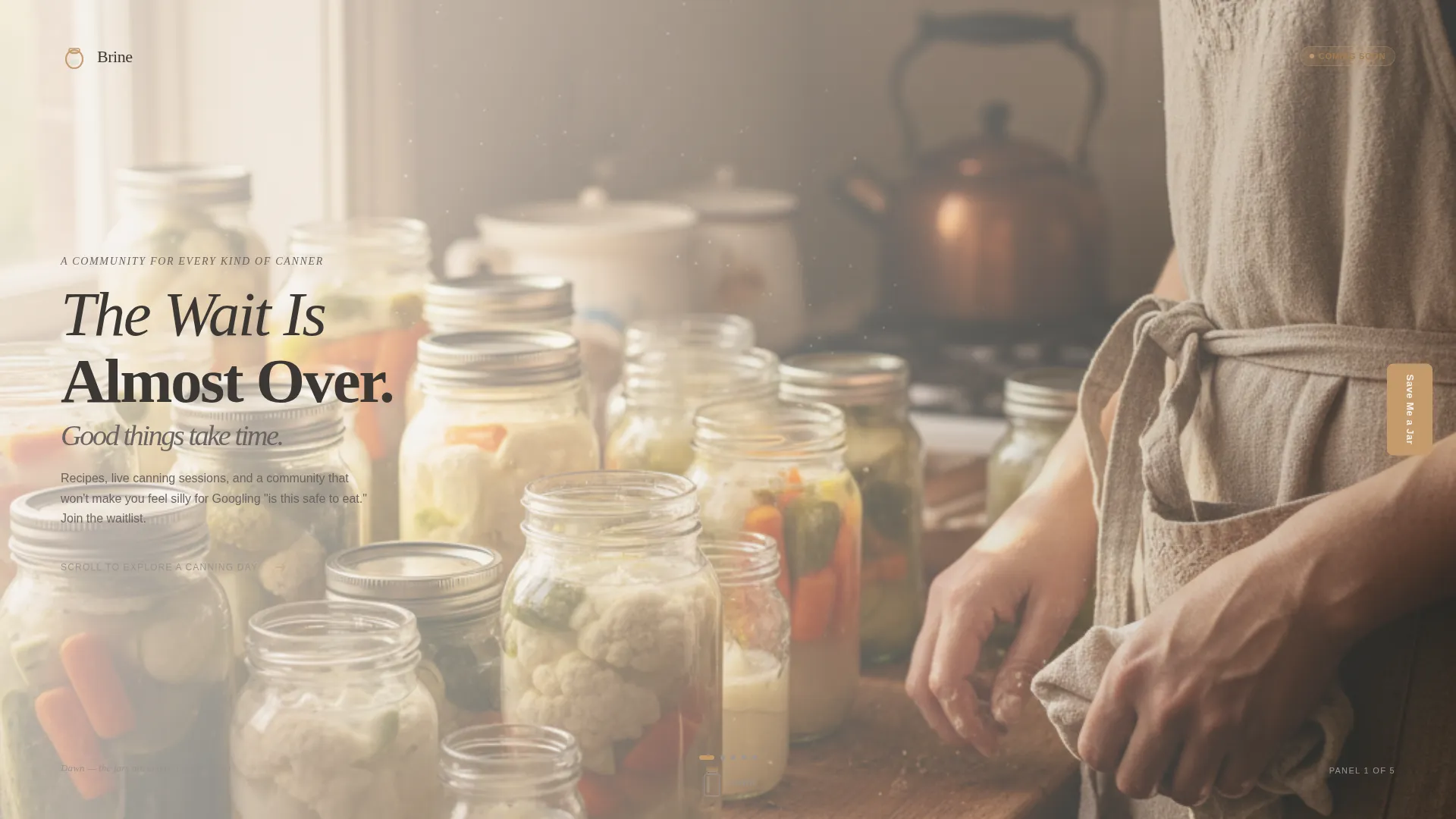
The hero section layers a loose, hand-set serif headline over a sun-drenched farmhouse counter photograph. The headline reads: "The Wait Is Almost Over. Good Things Take Time." It sets tone and expectation in a single frame.
Day-in-the-Life Panel Structure
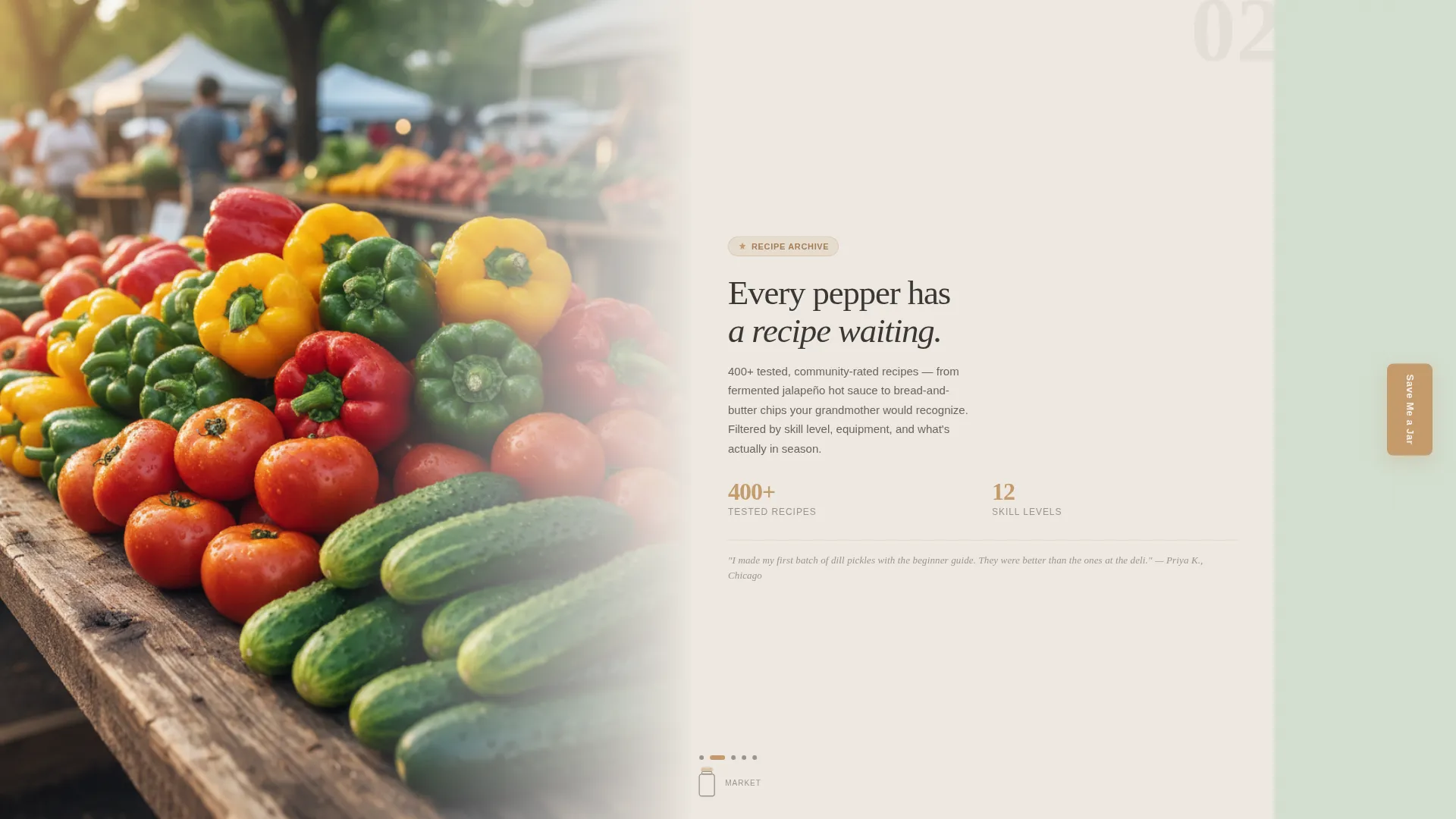
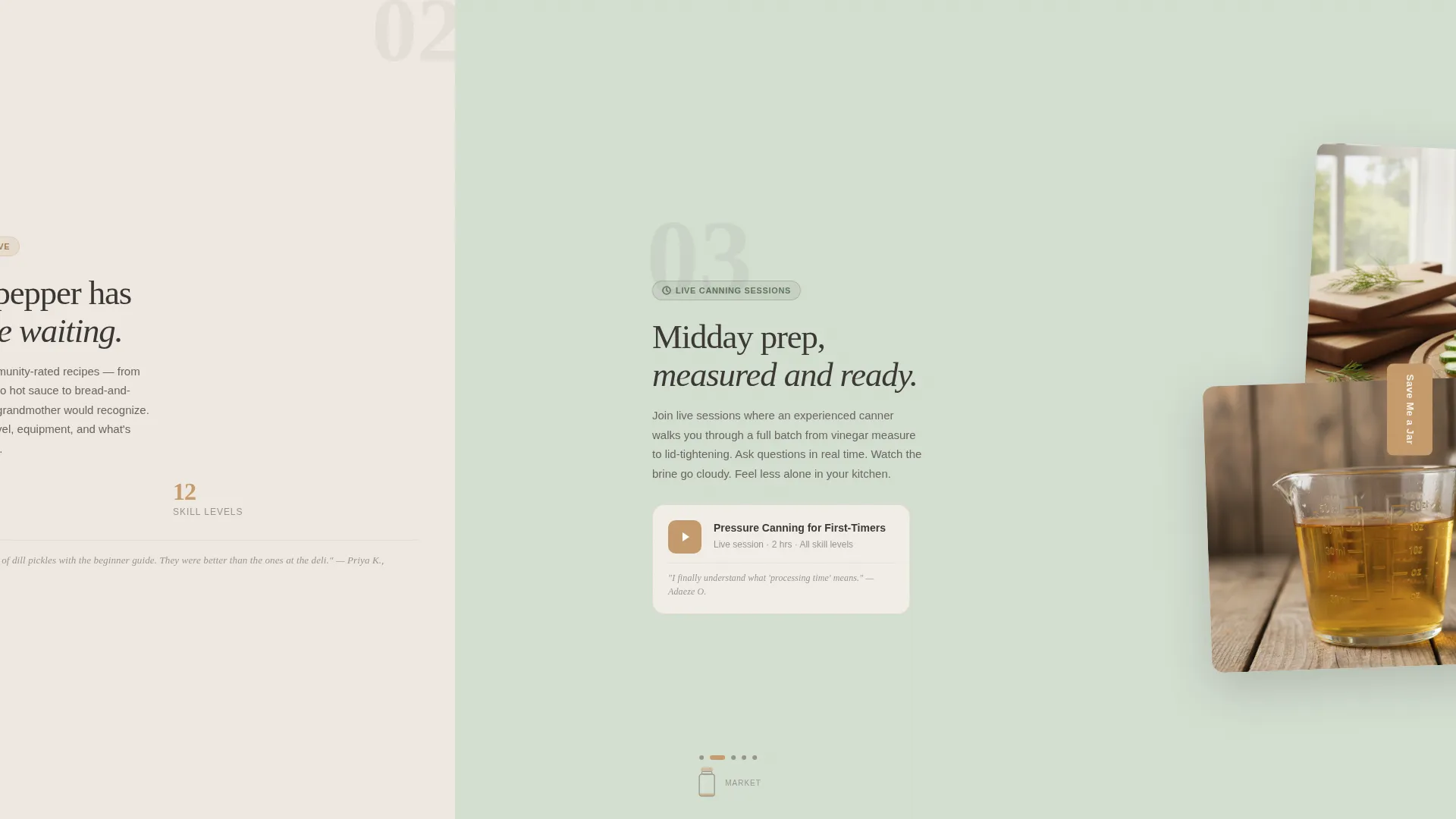
Each of the four feature panels after the hero reveals one community element: the recipe archive, live canning sessions, a troubleshooting forum, and the seasonal challenge calendar. The reveals feel organic because they are tied to a visual moment in the day.
Page sections overview
| Section | Purpose |
|---|---|
| Hero Panel | Introduces headline, tone, and sticky call to action |
| Morning Market Panel | Reveals the recipe archive feature |
| Midday Prep Panel | Introduces live canning sessions |
| Afternoon Bath Panel | Highlights the troubleshooting forum |
| Evening Shelf Panel | Presents seasonal challenge calendar and full waitlist form |
| Minimal Footer | Closes page with clean, low-distraction flow |
Design & branding system
The visual identity follows a Warm Artisan theme. Every color and type choice references a real object from a working kitchen, keeping the page grounded and tactile.
- Colors: flour white (#F5F0EB) for backgrounds, mason jar glass green (#D4DFD1) for accents, worn butcher-block amber (#C49A6C) for buttons and progress indicators, and hand-written label charcoal (#3B3735) for body text
- Typography: Fraunces serif for headlines giving a hand-set, editorial feel; DM Sans for body copy keeping readability clean; handwritten-style captions applied through CSS for panel reveals
- Textures and mood reference linen tea towels, flour-dusted counters, and warm kitchen-bulb light at early morning
Mobile & speed optimization
The template is built desktop-first, reflecting the immersive nature of a horizontal scroll experience. A graceful vertical fallback ensures the content reads clearly on smaller screens without breaking the story.
- Desktop layout uses GPU-accelerated transforms and CSS variables for smooth horizontal panel transitions
- Mobile fallback stacks panels vertically so the narrative flow remains intact on phones and tablets
- Optimized image handling and lean CSS keep the page responsive without sacrificing the visual warmth
How this template helps you convert
Brine earns the signup by building desire before asking for anything. The structure is designed to reduce hesitation at every stage.
- The horizontal scroll delays the form intentionally, so visitors absorb the community's value across five panels before they reach the signup field.
- The sticky call to action stays present throughout, so visitors who are ready early never have to search for where to sign up.
- The personalized confirmation screen turns a routine email submission into a small, satisfying moment that reinforces the community's warmth and makes the wait feel real.
Other information about this template
This template is part of a broader artisan lifestyle content direction. It is built for single-topic hobby communities where emotional resonance matters as much as information.
- The horizontal scroll layout is powered by GSAP, with stagger reveals and a jar-fill progress indicator tied to scroll position
- The page uses the Cloud Canvas color system, a palette built around soft, natural tones that feel handmade rather than digital
- Animation level is high by design: smooth panel transitions, form confirmation animation, and scroll-linked progress all contribute to the immersive feel
- The template follows a coming-soon and waitlist landing page direction, meaning it is optimized for anticipation-building rather than immediate product delivery
- No launch date language is baked into the copy, keeping the page evergreen until the community is ready to open
Theme
Warm Artisan
Creative direction
Day-in-the-Life
Color system
Cloud Canvas
Style
Horizontal Scroll
Direction
Waitlist/Coming Soon
Page Sections
Horizontal Scroll Narrative Layout
Sticky Save Me a Jar Call to Action
Beginner-friendly Signup Form
Personalized Confirmation Screen
Type Over Image Hero Section
Day-in-the-life Panel Structure
Related questions
Can I change the community features shown in each scroll panel?
Does the horizontal scroll experience work on mobile devices?
How does the waitlist confirmation screen work?
Can this template work for a food or hobby niche outside of canning?
Is a specific launch date required in the template copy?



