Interactive Education Technology Landing Page Template
Tinker is a hub-and-spoke landing page template built for a hands-on STEM education blog. It captures waitlist signups from homeschool parents, science teachers, and curious students using a role-toggle call to action. The design feels like a well-loved lab notebook, warm, tactile, and deliberately imperfect, with scrapbook collage headers, sketched icons, and a hand-drawn launch progress bar.
by Rocket studio
Quick summary
Tinker is a coming-soon landing page template for a workshop-style STEM education blog. It speaks directly to homeschool parents, middle-school science teachers, and students who learn by doing. Visitors can join a personalized waitlist, preview upcoming content categories, and even submit their own experiment ideas before the blog goes live.
Who this template is for
This template is built for creators launching a STEM education blog who want to build an audience before their first post goes live. It fits makers, educators, and curriculum designers who want to turn passive visitors into early contributors.
- Homeschool parents assembling hands-on science curricula from scratch
- Middle-school science teachers who want creative, experiment-led content
- Curious student makers aged 10 to 14 who learn best by taking things apart
What problem this template solves
Most coming-soon pages are blank promises. They collect an email address and offer nothing back. This template solves that by giving visitors a real sense of the blog's personality and content direction, before a single post is published.
- Visitors leave without joining because the page feels generic and impersonal
- Educators and parents cannot tell whether the blog is meant for them
- The blog creator misses a chance to learn what their audience actually wants
What you get with this template
You get a fully structured single-page layout with five distinct content sections, a role-aware waitlist form, and a hand-crafted visual identity ready to personalize. Every section serves a specific purpose in moving visitors from curious to committed.
- A scrapbook-style hero with a primary waitlist call to action and role-toggle
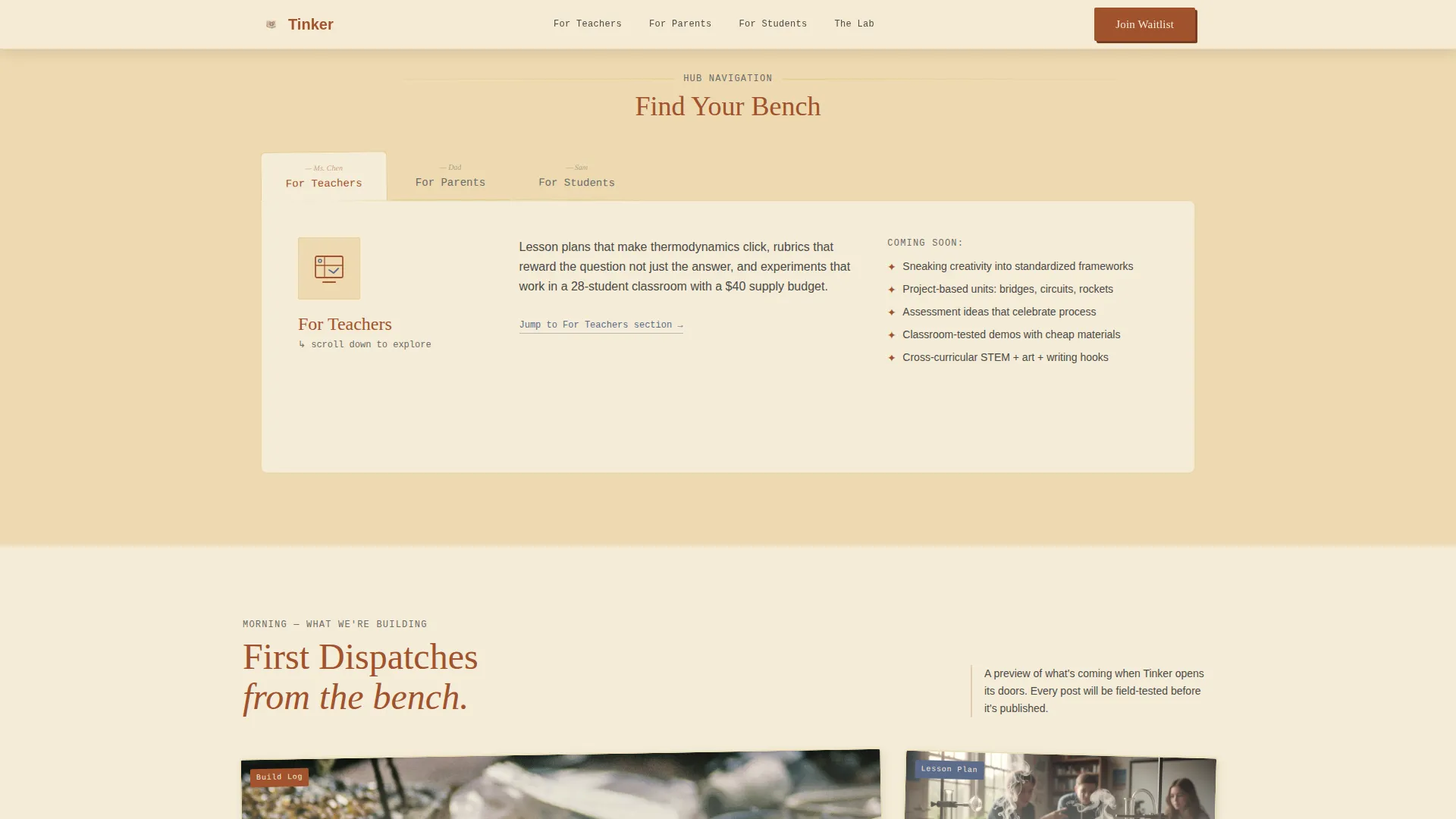
- Hub navigation styled as tabbed binder dividers for Teachers, Parents, and Students
- A contributor submission form so early visitors become part of the blog from day one
Feature list
This template is built around interactivity, warmth, and clarity. Each feature below comes directly from the template's design and functional brief.
Role-Toggle Waitlist Form
The primary call to action includes a single email field paired with a three-way toggle: "I'm a teacher / I'm a parent / I'm a student." This lets the blog creator personalize launch content based on who signed up, making the first email feel relevant rather than generic.
SVG Draw-On Sketched Icons
Each hub section is anchored by a sketched icon that animates as if being drawn in real time when the visitor scrolls or navigates to that section. The effect reinforces the lab-notebook aesthetic and rewards exploration.
Hand-Drawn Launch Progress Bar
Below the fold, a hand-illustrated progress bar shows how close the blog is to launching. The label reads "Soldering the last connections…", a small detail that builds communal anticipation and gives visitors a reason to check back.
Experiment Submission Form
A secondary call to action invites visitors to submit their own experiment idea via a freeform text box. This turns waitlist signups into contributors and gives the creator real content ideas before launch day.
Collage Scrapbook Hero Header
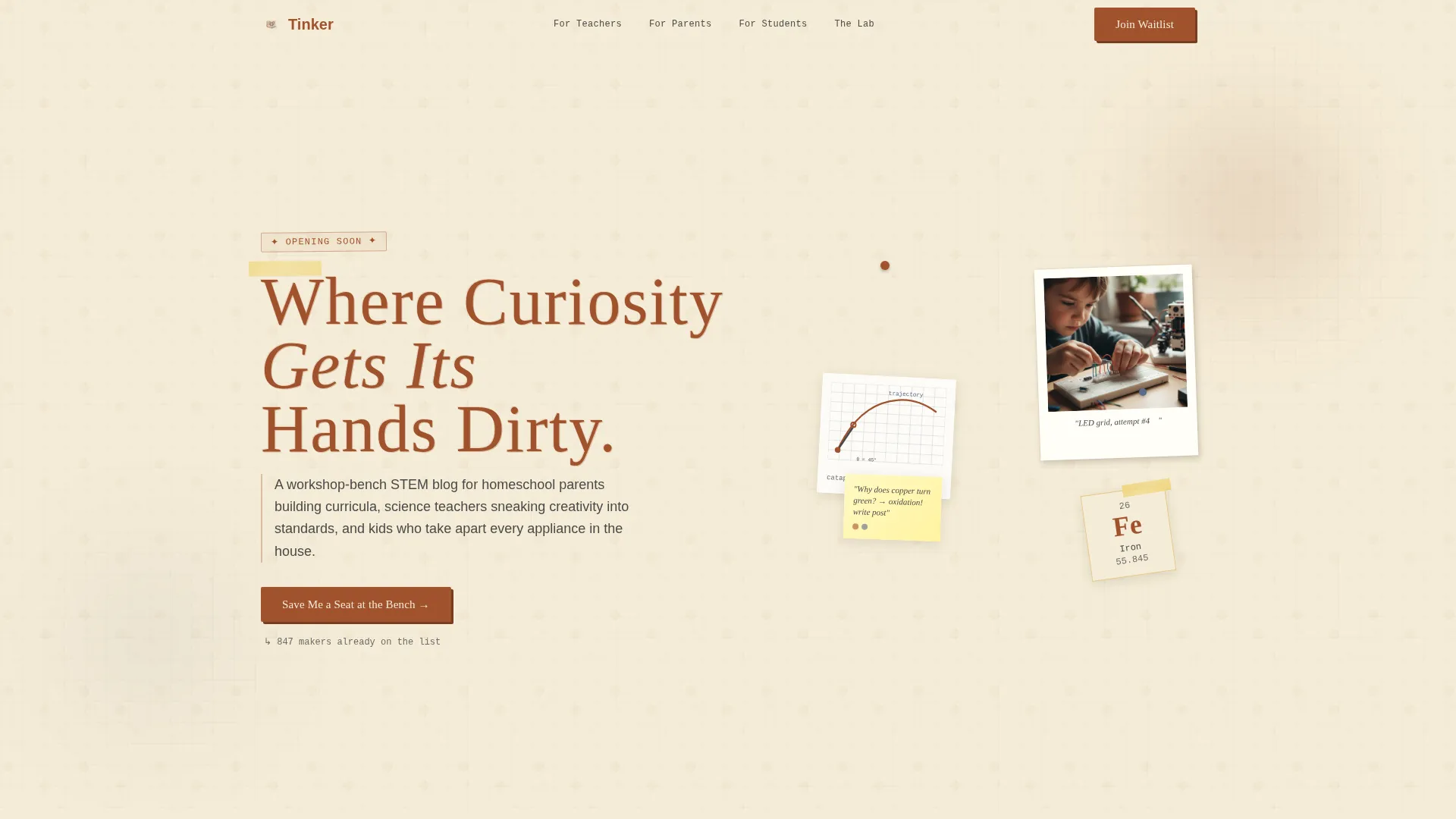
The hero is a layered composition with hand-torn paper textures, a Polaroid-style photo, a graph-paper catapult sketch, washi tape, a periodic-table flash card, and a rubber-stamped blog title. Nothing is perfectly aligned, and that is the point.
Staggered Scroll Reveals and Parallax
Sections animate in with staggered reveals as the visitor scrolls. Scroll-linked parallax adds depth to the collage elements, making the page feel alive without being distracting.
Page sections overview
| Section | Purpose |
|---|---|
| Hero Collage Header | Introduce the blog and capture waitlist signups with role toggle |
| Hub Anchor Navigation | Guide visitors to content streams via tabbed binder-style dividers |
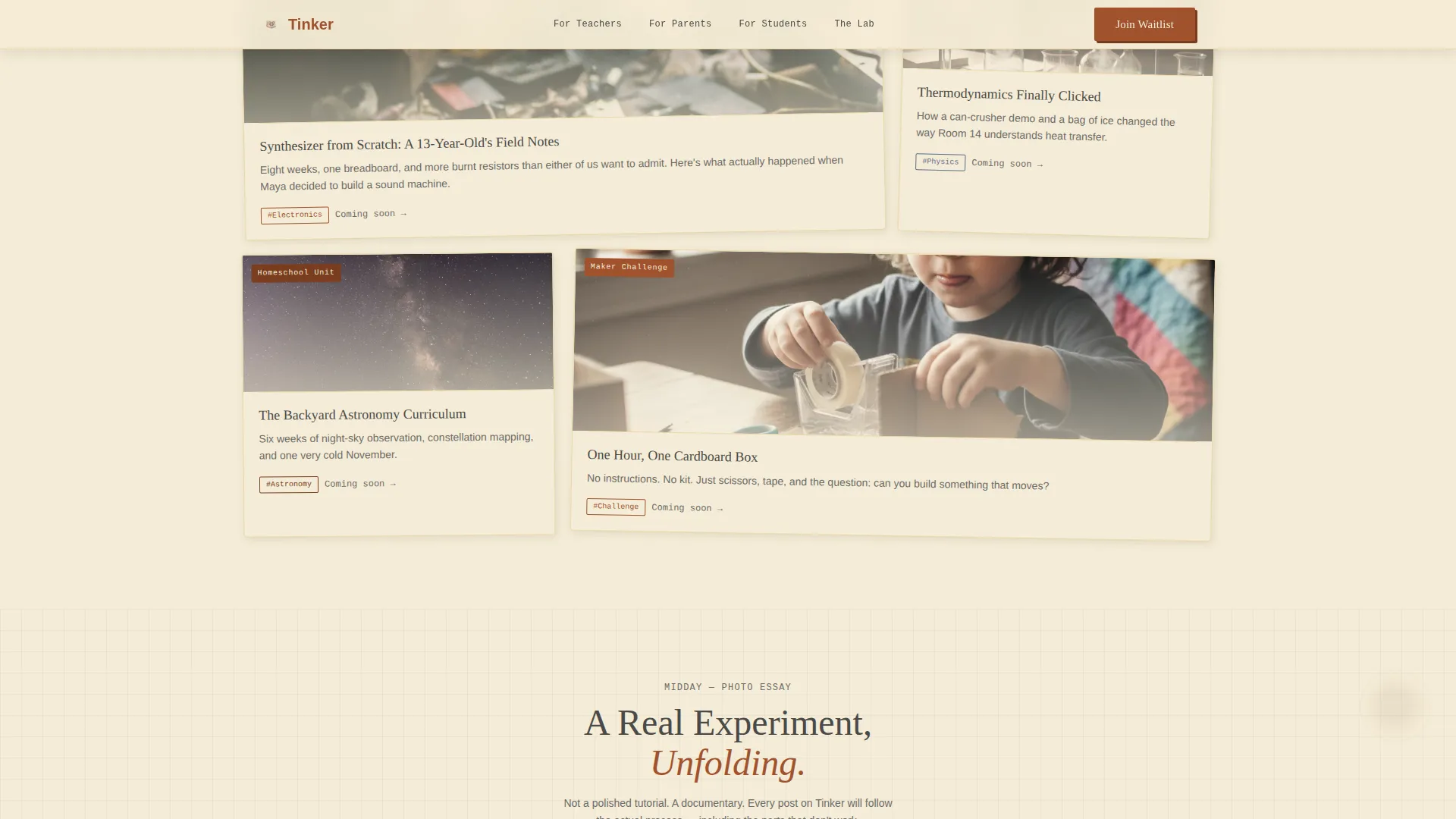
| What We're Building | Preview upcoming content categories with asymmetric cards |
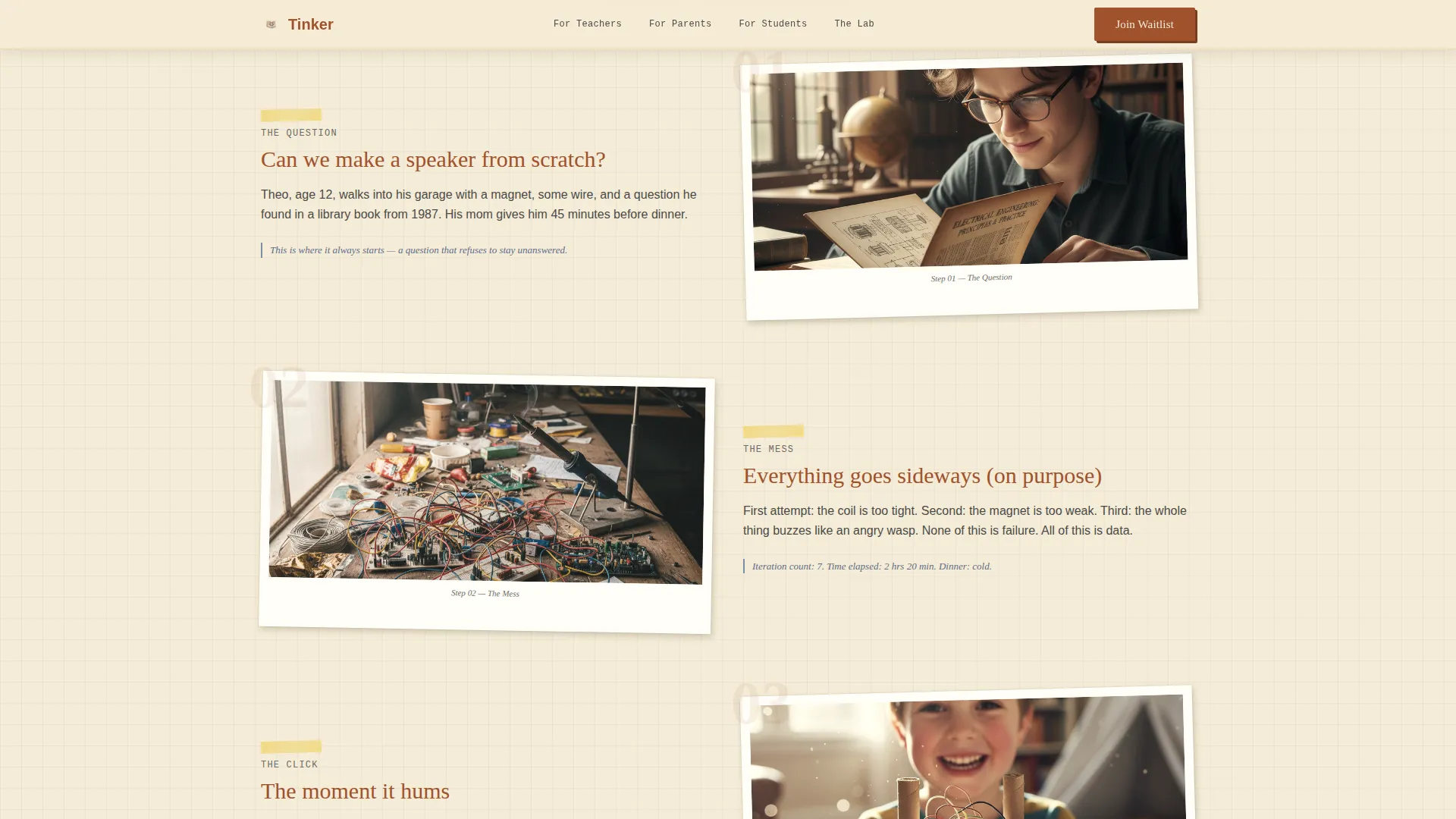
| The Experiment | Show a real step-by-step experiment unfolding in a photo essay layout |
| The Makers and Progress | Introduce authors, display launch progress bar, and collect experiment ideas |
| Footer | Provide horizontal flow links and basic site orientation |
Design & branding system
The visual identity follows an Atelier Studio direction built around the Parchment and Rust color system. Every design choice reinforces the feeling of a well-used maker's workbench: warm, textured, and intentionally imperfect.
- Colors: aged parchment cream (#F5ECD7) for backgrounds, iron-oxide rust (#A0522D) for headlines and active nav, graphite sketch gray (#4A4A48) for body text, and faded indigo (#5C6B8A) for links and hover states
- Typography: Fraunces serif for headlines, DM Sans for body copy, and JetBrains Mono for labels and annotations
- Textures and details: hand-torn paper overlays, washi tape accents, Polaroid photo framing, and slightly uneven hand-lettered type throughout
Mobile & speed optimization
The template is built desktop-first with a strong mobile experience layered in. Animation choices are designed to stay smooth across devices without overloading the browser.
- CSS animations are GPU-accelerated to keep scroll-linked effects running cleanly
- Images are optimized and the page follows a static-first build approach
- The layout adapts from a rich collage desktop view to a clean, readable single-column mobile experience
How this template helps you convert
The entire page is built around a single conversion goal: collecting personalized waitlist signups before launch. Every section either builds trust, creates anticipation, or reduces the friction of signing up.
- The role toggle makes the email form feel personal rather than generic, which lowers resistance and sets up better launch-day engagement.
- The experiment submission form gives visitors a reason to invest in the blog early, turning one-time readers into co-creators before the first post is published.
- The hand-drawn progress bar and "Soldering the last connections…" label create a sense of shared momentum that encourages visitors to join before it is too late.
Other information about this template
This template is part of the Blog and Editorial category, specifically designed for the Education and Career Blog subcategory with a focus on the STEM education blog niche. It uses the Hub and Spoke with anchor navigation template style.
- The Day-in-the-Life creative direction structures the scroll like turning pages in a maker's journal, from a morning "What We're Building" card through a midday photo essay to afternoon author portraits
- Social proof elements include a contributor count display, experiment submission previews, and author portraits with handwritten-margin annotations
- The footer follows a horizontal flow pattern suited for editorial blogs with multiple content streams
- The template is localized for English (US) with no currency or e-commerce elements required
- This landing page is well suited for STEM content creators, science educators, and maker-community bloggers who want a distinctive pre-launch presence
Theme
Atelier Studio
Creative direction
Day-in-the-Life
Color system
Parchment & Rust
Style
Hub & Spoke (Anchor Nav)
Direction
Waitlist/Coming Soon
Page Sections
Role-toggle Personalized Waitlist
Collage Scrapbook Hero Header
SVG Draw-on Animated Icons
Hand-drawn Launch Progress Bar
Experiment Idea Submission Form
Staggered Scroll Reveals and Parallax
Related questions
Can I change the role-toggle options in the waitlist form?
Does this template work if I am not launching a blog right away?
How many sections does this landing page template include?
Can the sketched icon animations be turned off?
Is this template suitable for a homeschool curriculum blog specifically?



