Cinematic Survival Creator Landing Page Template
Bunker is a cinematic, masonry-style landing page built for survival and prepper content creators on Instagram. It showcases skill clusters, studio-lit creator portraits, and a lead-generation form around a 72-hour bag checklist download. The dark, field-tested aesthetic builds trust before asking for anything, turning casual browsers into committed subscribers.
by Rocket studio
Quick summary
Bunker is a masonry landing page template designed for prepper and survival Instagram creators. It organizes content into survival skill clusters, pairs a cinematic dark visual identity with studio-lit creator photography, and drives email sign-ups through a free 72-hour bag checklist. Every section earns trust before presenting a call to action.
Who this template is for
This template suits creators who teach practical survival and preparedness skills through short-form video and visual content. It works especially well when your audience already trusts you and needs a central hub to go deeper.
- Survival and prepper Instagram creators building an email list
- Off-grid educators and field-skills coaches who want a content resource hub
- First-responder preparedness advocates sharing family-readiness guides
What problem this template solves
Most Instagram creators have no owned destination for their audience. Followers scroll past valuable content, never save it, and never hear from you again. This template gives your knowledge a permanent home and gives your audience a reason to hand over their email address.
- No central hub for organized survival skill content across topics like water, fire, and shelter
- No clear lead-generation path beyond a generic link-in-bio page
- No visual identity that communicates field-tested authority without resorting to fear-based messaging
What you get with this template
You get a single-page content hub built around a masonry grid layout, a creator spotlight flow, and a focused email capture form. The design language speaks the same visual dialect as cinematic short-form content, so visitors feel at home from the first scroll.
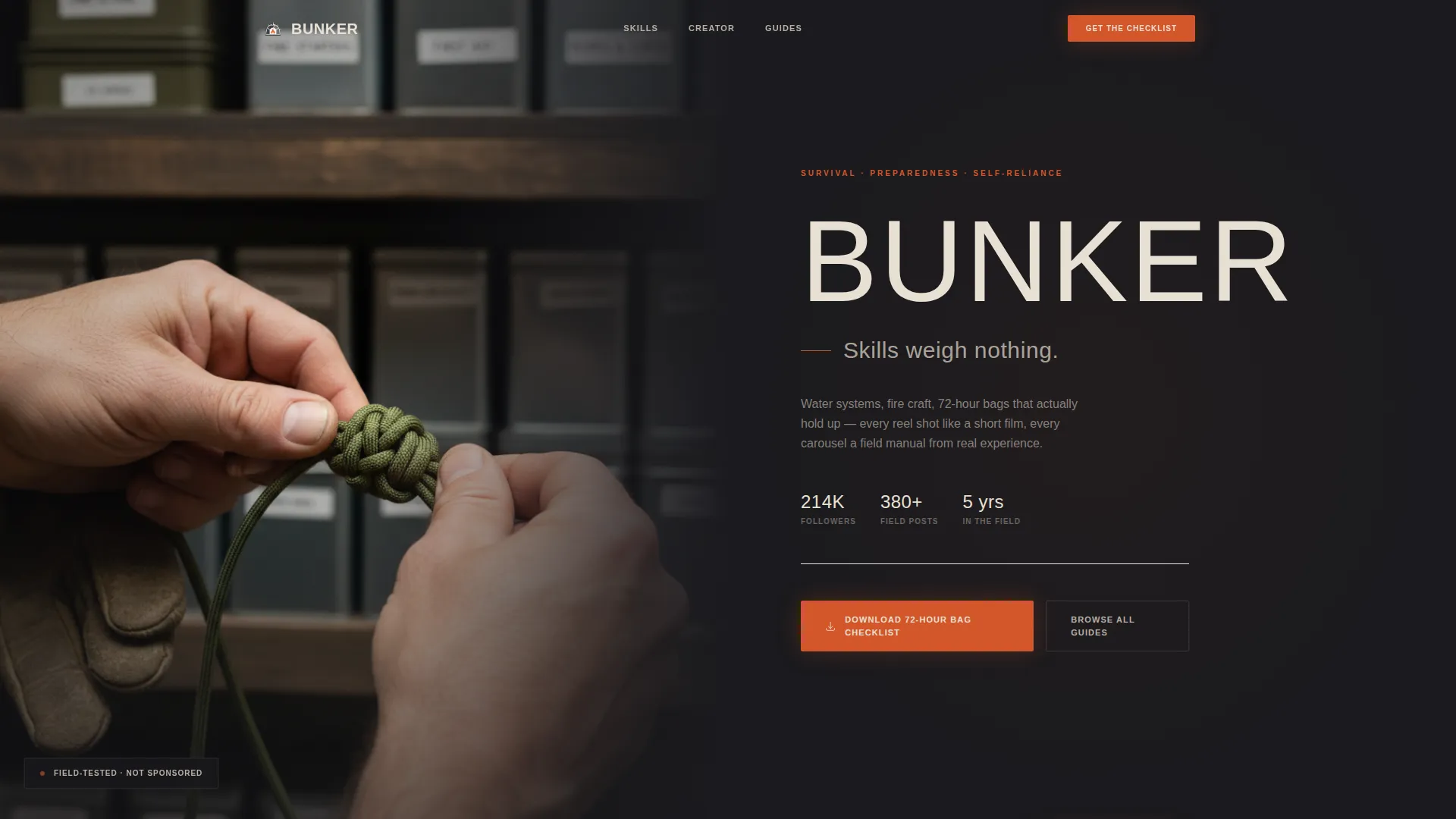
- A hero split section with a studio-portrait layout and condensed slab-serif headline treatment
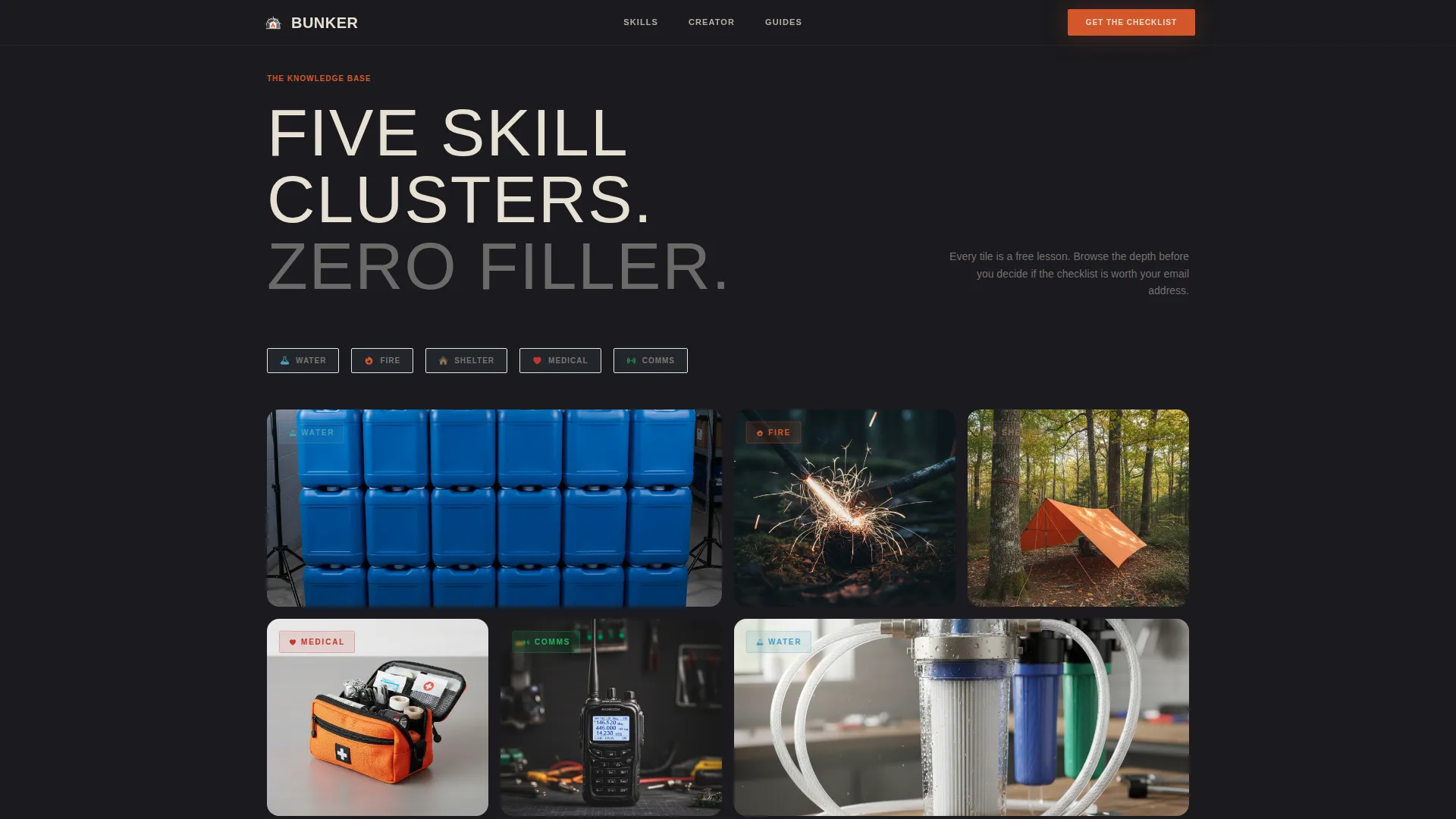
- A bento-style skill cluster grid with category tags covering Water, Fire, Shelter, Medical, and Comms
- An email capture section with a first-name and email form, a newsletter toggle, and a persistent bottom call-to-action bar
Feature list
This template is built from a tightly scoped set of components. Each one is grounded in the brief and serves a specific purpose in the visitor journey.
Hero Split Header
The header divides into two halves. The left side holds a studio-style creator photograph with visible hands and shallow-focus gear shelving behind. The right side carries the account name in condensed slab-serif type, a one-line manifesto, and a subdued follower count.
Skill Cluster Masonry Grid
The masonry grid arranges reel-quality frames into five survival skill categories: Water, Fire, Shelter, Medical, and Comms. Each tile displays a single skill tag on hover, turning the grid into a browsable knowledge index rather than a static image gallery.
Creator Spotlight Interstitials
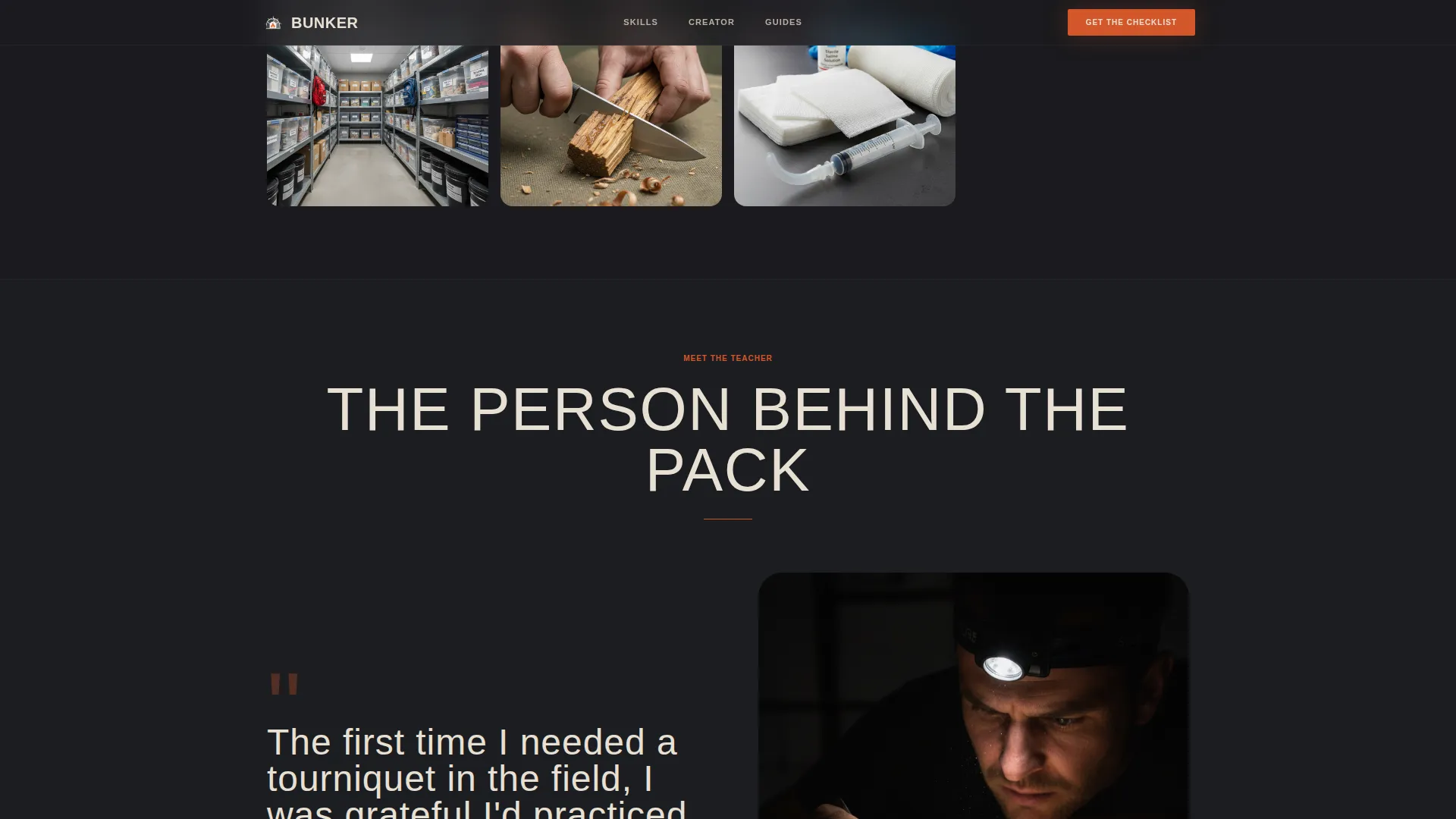
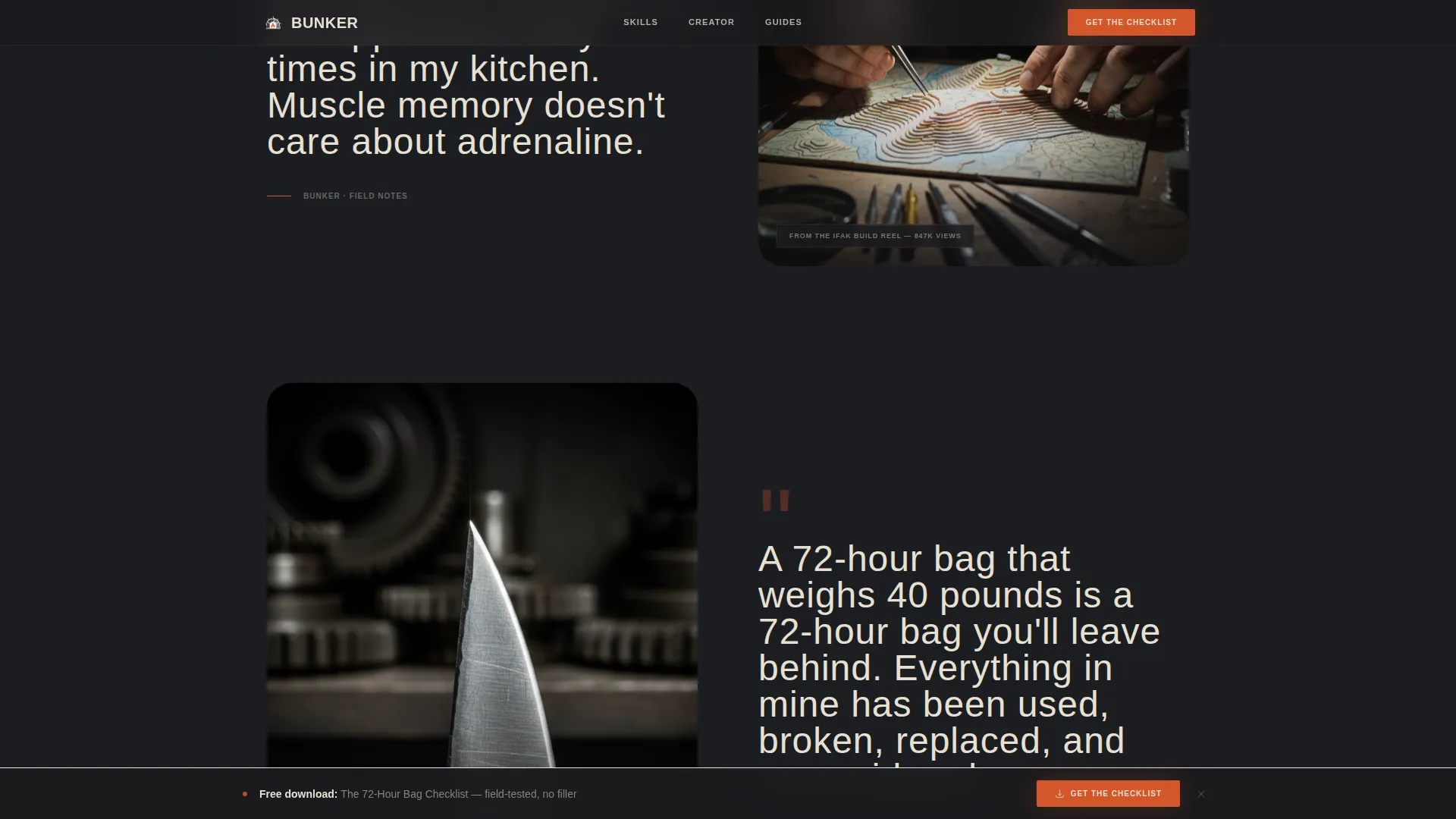
Interstitial sections break the grid rhythm with full studio-lit portraits of the creator testing gear. Each interstitial pairs a portrait with a pull-quote drawn from real content captions, alternating between "browse the knowledge" and "meet the teacher" moments.
Resource Hub Preview
Three featured guides appear with category tags and a clear secondary call to action linking to a full resource library. This section gives visitors a structured next step beyond the grid and supports deeper content discovery.
Persistent Bottom Call-to-Action Bar
A fixed bottom bar appears after the visitor reaches the second scroll depth. It presents the checklist download offer without interrupting the browsing experience, keeping the primary conversion path visible at all times.
72-Hour Checklist Lead Capture Form
The email capture section uses a minimal two-field form asking only for a first name and an email address. A toggle lets visitors opt into the weekly field note newsletter at the same time, expanding the subscriber relationship beyond a single download.
Page sections overview
| Section | Purpose |
|---|---|
| Hero Split Header | Establish creator authority and present the primary checklist call to action |
| Skill Cluster Grid | Organize reel content into five survival categories for browsable discovery |
| Creator Spotlight Interstitial | Build personal trust through studio portraits and real caption pull-quotes |
| Resource Hub Preview | Surface three featured guides and link to the full categorized library |
| Email Capture Section | Convert visitors with the 72-hour bag checklist form and newsletter toggle |
| Linear Single-Row Footer | Close the page with a clean, minimal footer row |
Design & branding system
The visual identity follows a Cinematic Dark palette drawn from a blacksmith-workshop reference: forge glow cooling against soot-dark walls, warm light across oiled steel. Every color choice reinforces calm authority rather than urgency or alarm.
- Charcoal (#1A1A1E) and gunmetal (#3B3F45) hold all backgrounds and structural surfaces
- Parchment cream (#E8E0D4) carries all body text and headings for warm, readable contrast
- Signal orange (#D4572A) appears only on call-to-action buttons and icon highlights, used sparingly as a directional flare
Mobile & speed optimization
The template is built mobile-first, reflecting the reality that most Instagram audiences arrive on a phone. Desktop layouts expand on the same structure rather than replacing it.
- The masonry grid reflows gracefully across phone, tablet, and desktop breakpoints
- GSAP ScrollTrigger powers staggered grid reveals, parallax portrait sections, and hover scale effects on desktop
- Static structural sections use server-side rendering while animation-dependent components load client-side
How this template helps you convert
The conversion strategy is built on proof before ask. Visitors encounter free, organized expertise before they ever see a form. By the time the checklist offer appears, it feels like the obvious next step.
- The masonry grid functions as a free lesson library, demonstrating depth and credibility before any form appears
- The persistent bottom call-to-action bar keeps the checklist download visible without interrupting the browsing flow
- The minimal two-field form with an optional newsletter toggle reduces friction and increases the chance of a completed sign-up
Other information about this template
This template is part of the Atelier Studio theme family and uses the Cinematic Dark color system. It is designed for the Masonry/Pinterest layout style with a Content/Resource landing-page direction and a Creator Spotlight creative direction. Typography combines Bebas Neue for condensed slab-serif headlines with Manrope for body text. Animation is handled through GSAP ScrollTrigger for scroll-driven reveals and parallax effects. The template targets a North American, English-language audience in the prepper and survival content niche.
- Fits the Blog & Editorial category with a Prepper & Survival Content subcategory focus
- Designed for single-page deployment as a link-in-bio destination or standalone creator hub
- The footer uses Pattern 1, a linear single-row layout, keeping the close of the page clean and uncluttered
Theme
Atelier Studio
Creative direction
Creator Spotlight
Color system
Cinematic Dark
Style
Masonry/Pinterest
Direction
Content/Resource
Page Sections
Hero Split with Creator Portrait
Skill Cluster Masonry Grid
Creator Spotlight Interstitials
Resource Hub Preview with Guide Cards
Hour Checklist Capture Form
Persistent Bottom Call-to-action Bar
Related questions
Can I use this template without a large following?
Does the email form connect to a newsletter or email platform?
Can I change the skill cluster categories in the masonry grid?
Is this template suited for mobile visitors arriving from Instagram?
What is the persistent bottom bar and when does it appear?



