Editorial News Landing Page Template for Publications
Byline is a hub-and-spoke landing page built for digital newsrooms and online publications. It introduces your journalists through portrait-led spoke sections, earns reader trust with pull quotes and curated article stacks, then converts attention into subscribers via a slim Morning Brief sign-up bar and a personalized "Follow a Writer" toggle at the page's base.
by Rocket studio
Quick summary
Byline is a single-page editorial landing page designed for online news publications. It uses an anchor-nav hub-and-spoke structure to profile individual journalists, showcase their best work, and capture leads through a sticky Morning Brief sign-up bar and a writer-follow toggle at the footer.
Who this template is for
This template is built for editorial teams that lead with voice, not volume. It suits publications where the journalist is the brand and the writing is the pitch.
- Digital newsrooms publishing long-form investigations, cultural commentary, or daily briefings
- Independent editors and publication founders converting first-time readers into loyal subscribers
- Online news publications targeting informed readers who left legacy outlets for quality alternatives
What problem this template solves
Most editorial landing pages ask for an email before earning the click. Readers bounce because there is no proof of value on the page before the form appears. Byline solves this by structuring the page so journalism speaks first and the conversion ask comes only after trust is established.
- No way to showcase individual journalist voices within a single cohesive page layout
- Generic homepage designs that bury editorial range behind category grids and sidebar widgets
- Lead-generation forms that appear too early, before any credibility signal has been delivered
What you get with this template
You get a fully structured editorial landing page with a complete visual system and interactive components ready to receive your content. Every section is purpose-built for a news publication's specific conversion goals.
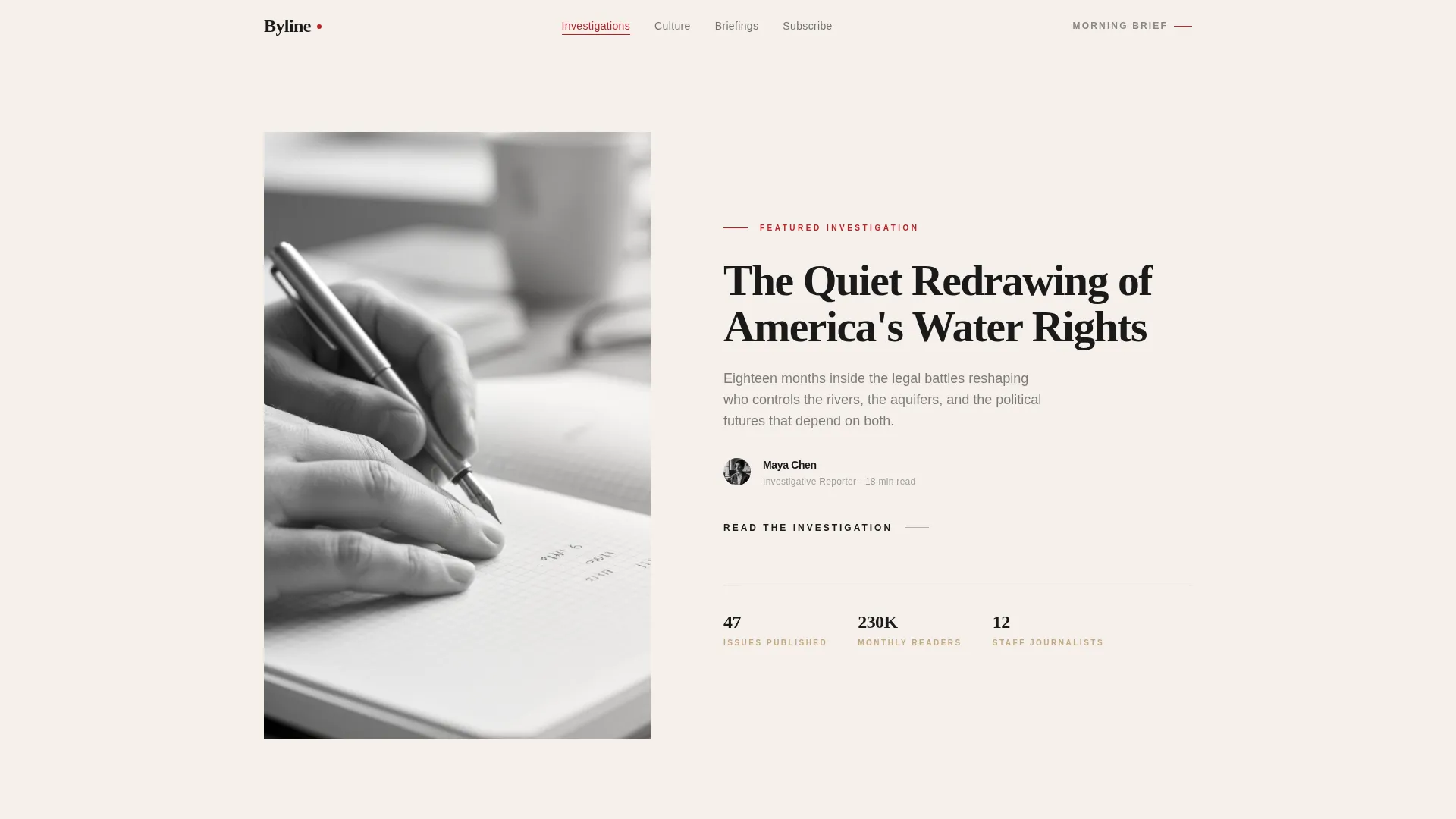
- A hero section with a half-page black-and-white portrait composition and a 56-pixel editorial serif headline
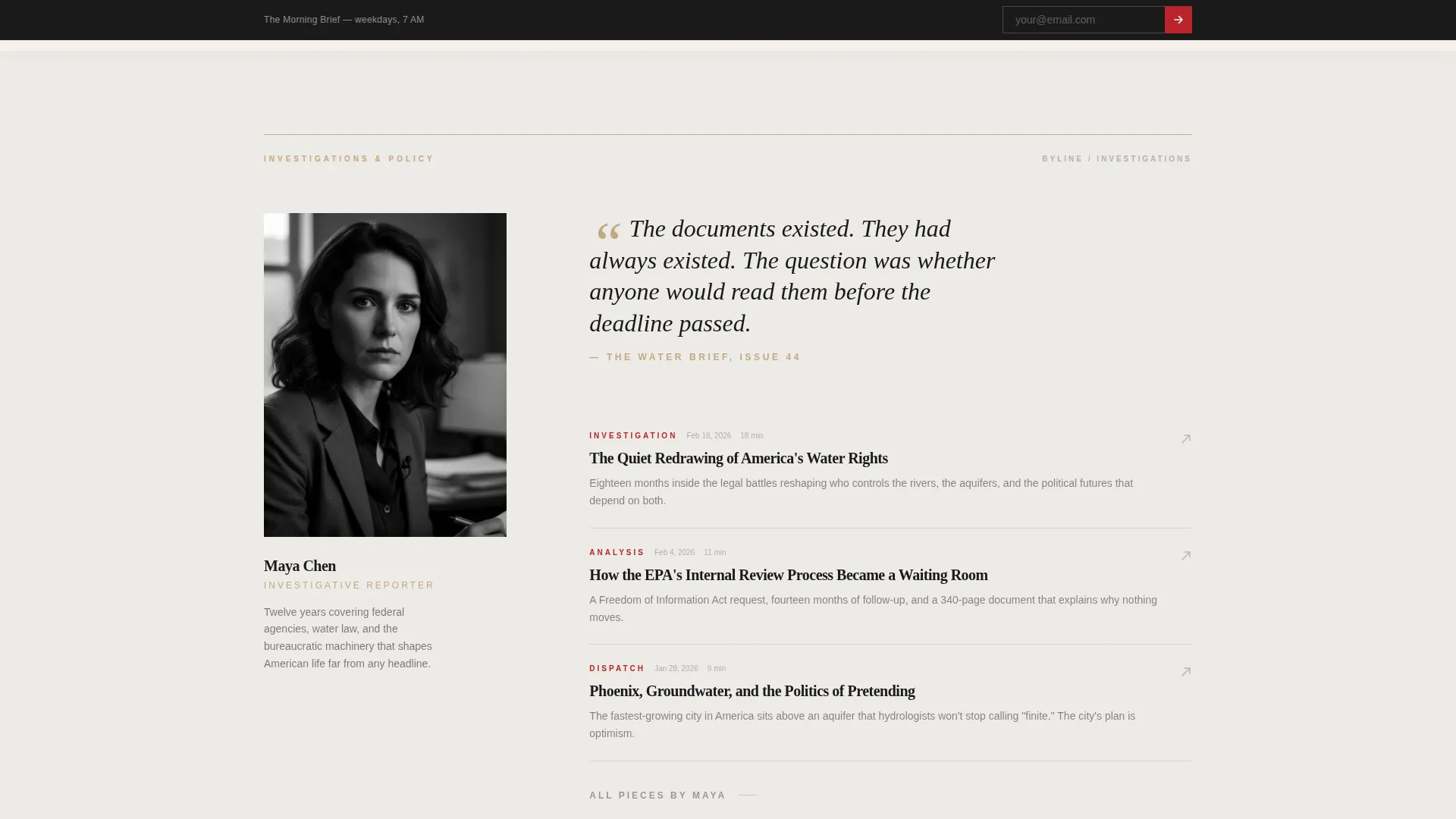
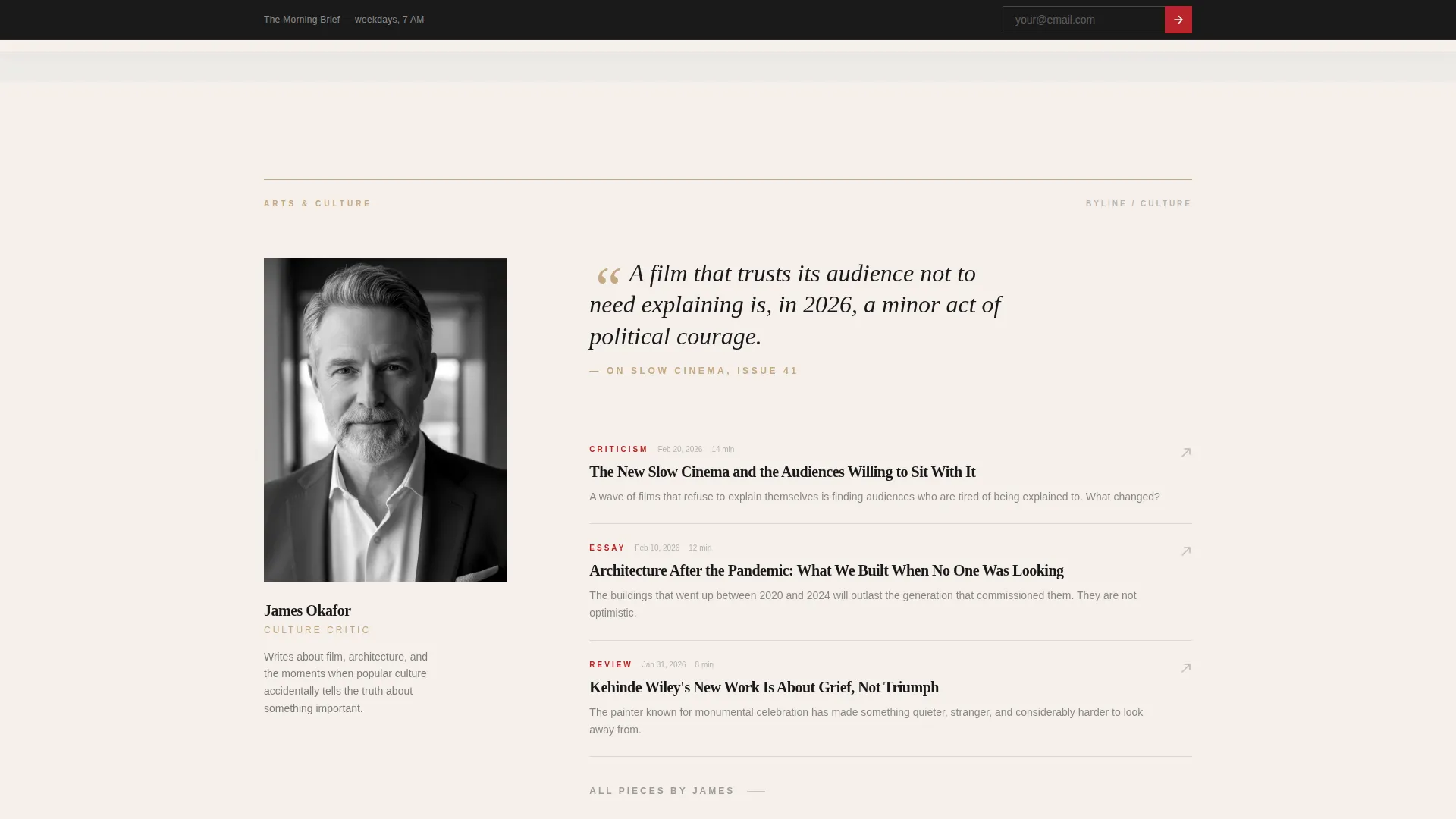
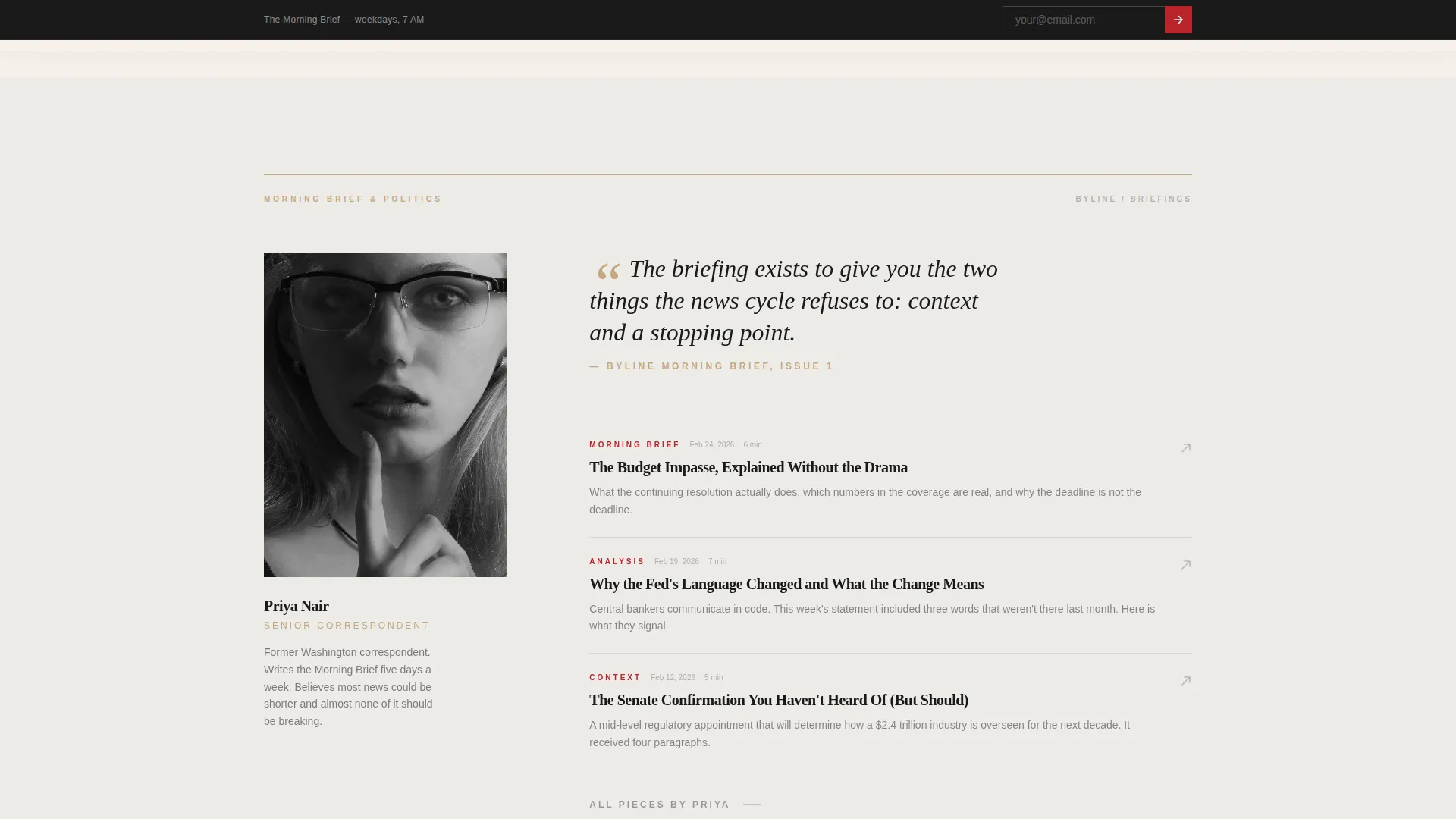
- Three journalist-focused spoke sections, each with a portrait, a pull quote, and a curated three-article stack
- A sticky Morning Brief sign-up bar plus a "Follow a Writer" toggle chip module at the page base
Feature list
This template ships with the following built-in features, each grounded in the brief's editorial and conversion requirements.
Anchor Navigation Hub-and-Spoke Layout
The persistent top navigation links directly to each journalist spoke section. Readers can jump to the voice they want without losing their place. The structure makes editorial range scannable at a glance.
Sticky Morning Brief Sign-Up Bar
A slim sign-up bar appears after the reader scrolls past the first spoke section. It requests only an email address, with a sumi-ink bordered field and a lacquer-red send arrow. The timing ensures the ask follows a proof-of-value moment, not a blank page.
Follow a Writer Toggle Chips
At the base of the page, visitors can select individual journalist newsletters using toggle chips before submitting. This turns a single conversion event into a personalized content relationship from the first interaction.
Editorial Hero with Clip-Path Reveal
The hero uses a half-page composition: a black-and-white journalist portrait on the left and a large serif headline with a three-line deck on the right. A clip-path reveal animation introduces the layout on load, giving the opening spread a print-quality entrance.
Pull Quote and Article Stack Credibility System
Each spoke section opens with a pull quote from the journalist's most-read piece, followed by a curated stack of three articles with read-time badges, byline counts, and publication dates. These signals build trust before the conversion ask.
Scroll-Linked Interactivity and Stagger Fades
The template includes scroll-linked sticky bar behavior, stagger fade transitions between spoke sections, image hover grain effects, and a marquee element. These interactive details give the page the texture of a live editorial product.
Page sections overview
| Section | Purpose |
|---|---|
| Hero header | Introduces a featured journalist with a half-page portrait and a 56px editorial headline |
| Spoke 1: Investigations | Profiles the investigations journalist with portrait, pull quote, and three-article stack |
| Spoke 2: Culture & Arts | Profiles the culture columnist with portrait, pull quote, and three-article stack |
| Spoke 3: Morning Brief | Profiles the briefings journalist with portrait, pull quote, and three-article stack |
| Lead generation module | Captures emails via the Morning Brief slim form and the Follow a Writer toggle chips |
| Footer row | Single-row linear footer with publication-level links |
Design & branding system
The visual identity follows an Editorial Magazine theme using a Japanese Zen color system. Every color decision is deliberate, with restraint as the organizing principle.
- Four-color palette: stone white (#F5F0EB) for backgrounds, sumi ink (#1A1A1A) for all body text, tatami warm (#C4A882) reserved for divider lines and byline metadata, and lacquer red (#B8242A) used exclusively for navigation highlights and call-to-action states
- Typography pairing: Fraunces serif for headlines at large display sizes with generous leading, and DM Sans for body copy and user interface elements
- Backgrounds alternate between stone white and a faint warm gray (#EDEBE8), creating vertical rhythm that breathes like a printed magazine spread
Mobile & speed optimization
The template is built desktop-first with graceful mobile adaptation across all sections. Interactive components degrade cleanly on smaller screens without losing editorial character.
- Client-side interactions such as the sticky bar, toggle chips, and image hover grain are isolated so they do not block content rendering
- Static-first architecture uses Server Components for content delivery and Client Components only for interactive elements, keeping the page lean
- Spoke sections reflow from side-by-side compositions to stacked portrait-and-text layouts on mobile viewports
How this template helps you convert
The conversion strategy is sequenced deliberately. The page earns attention before asking for anything, and offers two distinct paths to subscription.
- The sticky Morning Brief bar appears only after the reader has scrolled past the first journalist spoke, ensuring at least one proof-of-value moment precedes the sign-up ask.
- The "Follow a Writer" toggle chips at the page base let visitors choose which journalist newsletters they want, making the subscription feel personal rather than generic and increasing the likelihood of a completed sign-up.
Other information about this template
This template is suited to a range of editorial publishing contexts beyond its primary news publication use case. A few additional details worth noting:
- The template style is Hub and Spoke with Anchor Navigation, a format well suited to publications with three or more distinct editorial verticals or recurring columnist voices
- The creative direction is Creator Spotlight, meaning the template is structured to foreground individual journalist identity rather than category taxonomy
- Section stakes build progressively from daily reporting to investigative work to opinion, giving a first-time reader a complete picture of editorial range without a mission-statement section
- The lacquer-red accent (#B8242A) appears only on navigation highlights and call-to-action states, keeping the palette disciplined across all sections
- The header concept is Half-Page Photo+Text, designed for a close-cropped black-and-white portrait alongside a display headline, not a full-bleed stock image banner
- Social proof in this template takes the form of byline counts, read-time badges, and publication dates rather than testimonial blocks or star ratings
Theme
Editorial Magazine
Creative direction
Creator Spotlight
Color system
Japanese Zen
Style
Hub & Spoke (Anchor Nav)
Direction
Lead Generation
Page Sections
Hub-and-spoke Anchor Navigation
Sticky Morning Brief Sign-up Bar
Follow a Writer Toggle Chips
Creator Spotlight Spoke Sections
Editorial Hero with Clip-path Reveal
Scroll-linked Animations and Hover Effects
Related questions
Can I use this template with fewer than three journalist sections?
Is this template a good fit for a publication building its audience from scratch?
How does the Follow a Writer module work for visitors?
Can the four-color palette be updated to match a different publication's brand?
What content format works best in each journalist's article stack?



