Local Hobby & Passion Content Portfolio & Case Study Website Template
Cache is an editorial landing page template built for geocaching blogs and communities. It pairs a hand-drawn map aesthetic with a Gallery Walk layout, guiding visitors through field log entries, photo essays, and community routes. The warm parchment palette and refined serif typography make every section feel like a page from a well-loved field notebook.
by Rocket studio
Quick summary
Cache is a single-page editorial template for geocaching blogs and community hubs. It opens with a giant centered headline, then paces visitors through curated gallery sections that feel like rooms in an exhibition. The warm Cloud Canvas palette, Atelier Studio design language, and a click-through structure work together to turn casual readers into engaged community members.
Who this template is for
This template is built for people who want to present a geocaching community or blog as something worth belonging to. It suits content-first projects where story and atmosphere matter as much as information.
- Weekend hikers and traveling families who want to share discovery-led adventures
- Puzzle-solvers and retired engineers who want a community that matches their depth
- Editorial bloggers who need a polished, magazine-quality presence for a hobby niche
What problem this template solves
Most hobby blog templates feel generic. They do not communicate personality, they rush visitors toward a signup button before earning the click, and they fail to make a community feel like it already exists. Cache solves all three problems at once.
- Visitors arrive and immediately feel the warmth and character of a real, living community
- The Gallery Walk pacing earns trust before presenting any call to action
- Story-driven layout keeps readers moving through the page rather than bouncing early
What you get with this template
You get a complete single-page editorial layout with seven distinct content sections, each designed to carry a specific storytelling role. The template ships with a defined visual system, typography pairing, animation behavior, and a two-path conversion structure.
- A hero section, five gallery-style content sections, and a footer built on the Arc Browser Split pattern
- Scroll-linked animations, staggered entry effects, and a testimonial carousel for social proof
- Two conversion paths: a quiet amber text link near the header and a full-width button after the third gallery section
Feature list
A paragraph of context before the feature breakdowns: Cache is designed around deliberate editorial pacing. Every feature below serves that goal, from how type is set to how calls to action are timed.
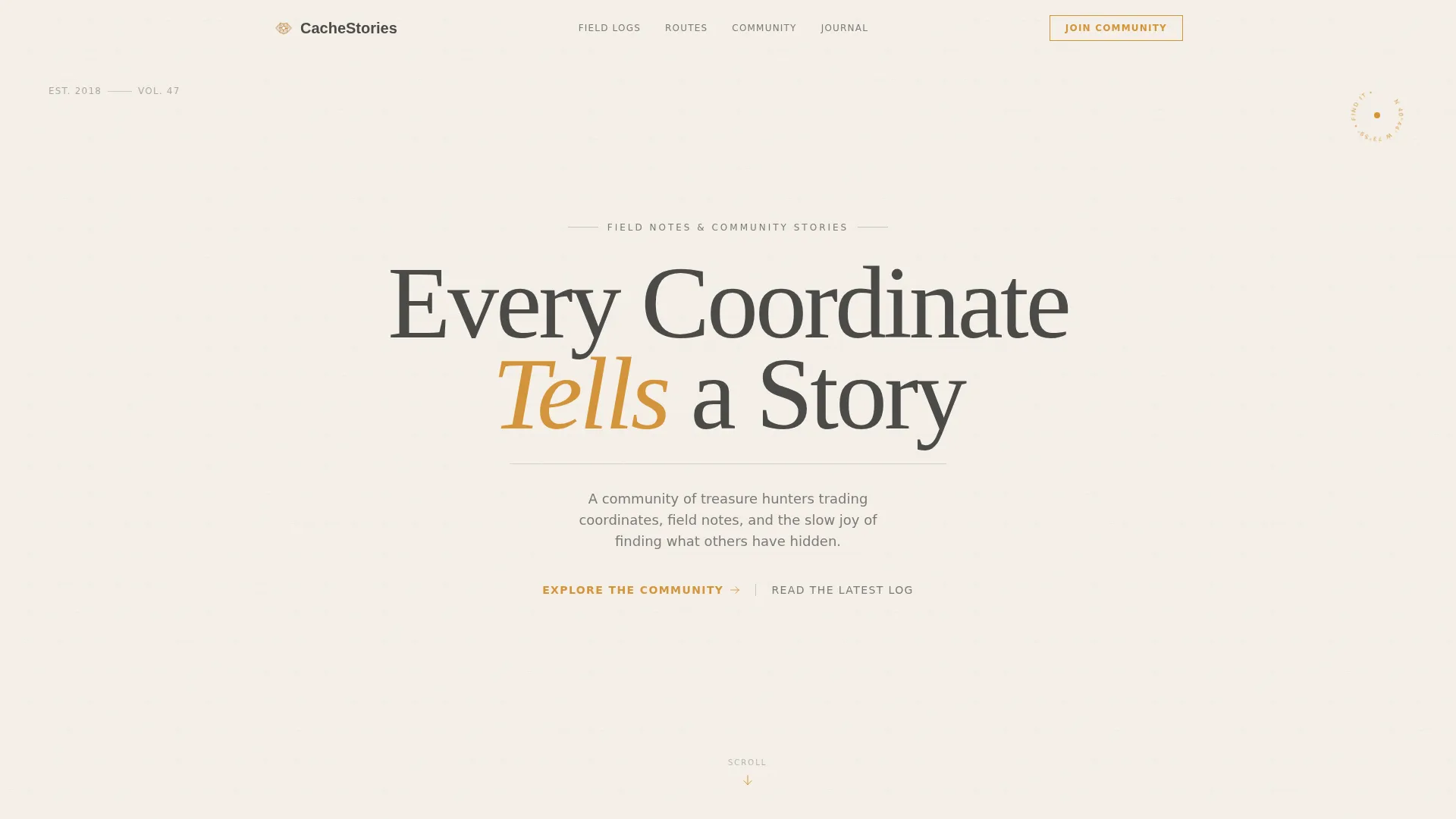
Giant Centered Headline Hero
The hero section uses a single oversized serif headline at a scale that feels carved rather than typed. A thin graphite rule sits beneath it, and a single amber arrow invites the first scroll. No image competes with the type, so the opening moment lands with quiet authority.
Gallery Walk Section Structure
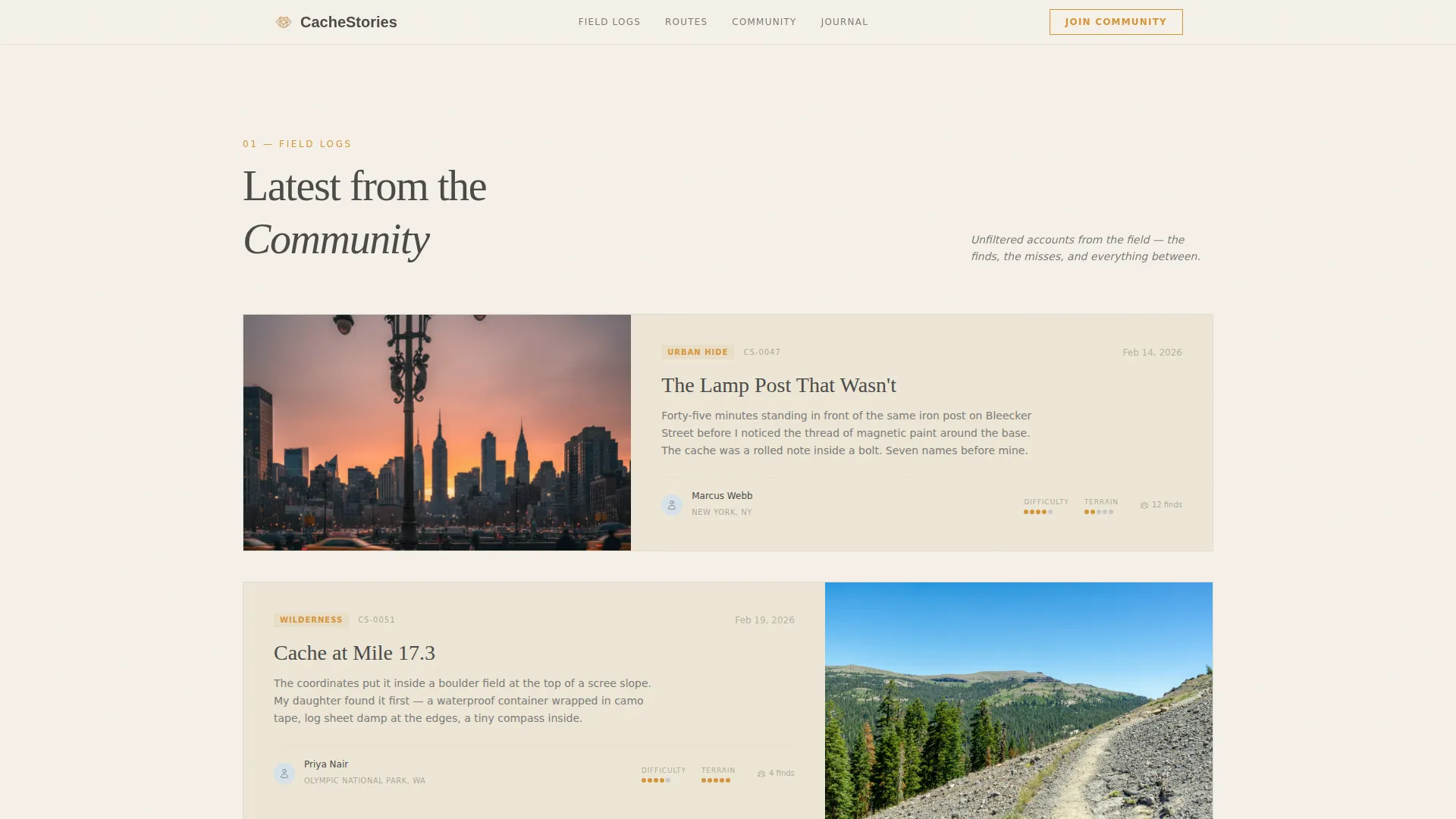
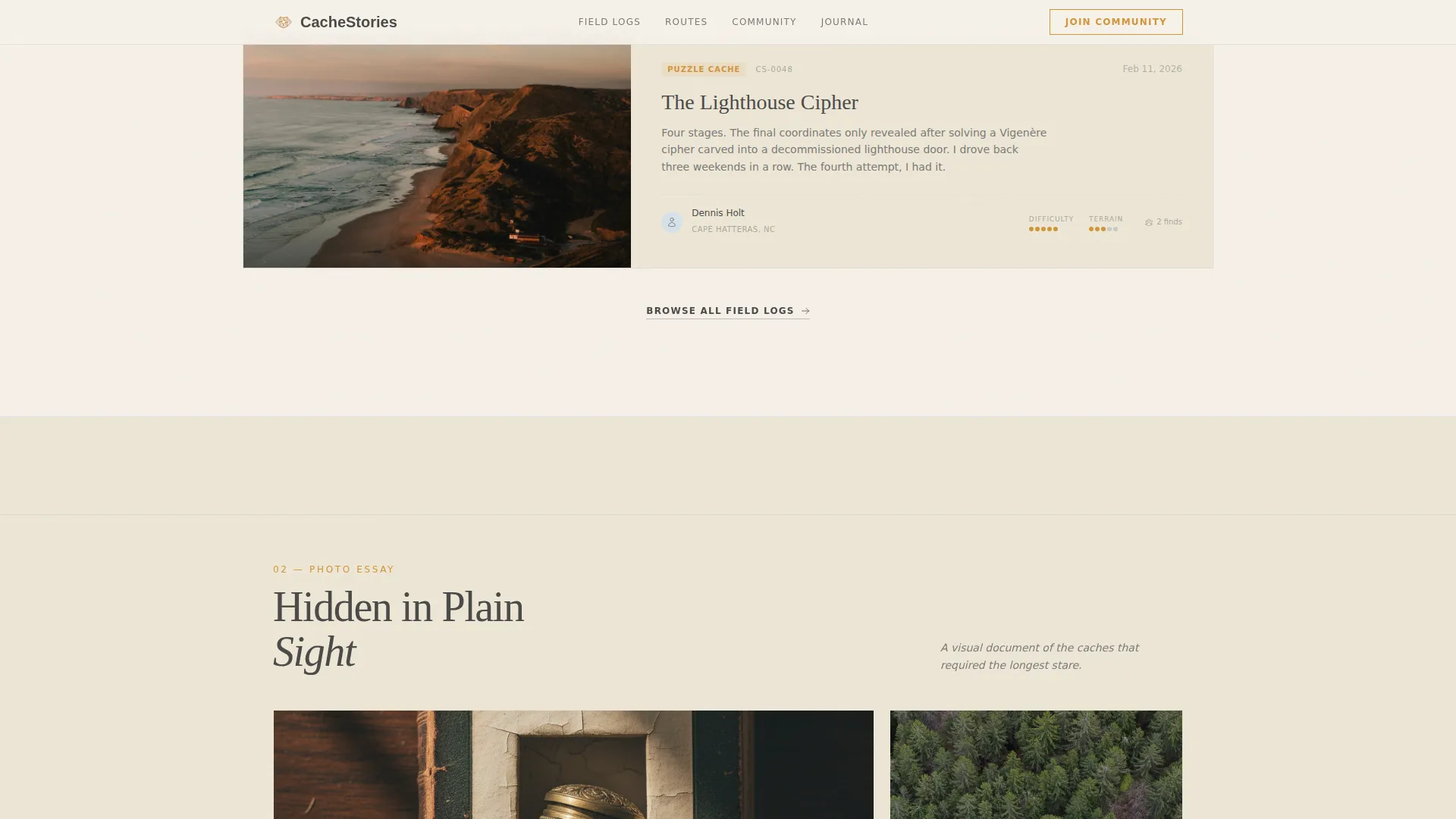
Each scroll brings the visitor to a new framed piece: a field log entry, a photo essay, a topographic route map, and a gear still-life shot. Sections alternate between full-bleed imagery and tight editorial columns, pacing the reader like rooms in an exhibition.
Pull Quote Typography System
Oversized italic pull quotes from community members hang between gallery pieces. These quotes act as social proof without a formal testimonial block, keeping the editorial feel intact while communicating real community voice.
Two-Path Click-Through Conversion
The primary call to action, "Explore the Community," appears first as a quiet amber text link beneath the header, then resurfaces as a full-width button after the third gallery section. A secondary path, "Read the Latest Log," threads through individual story cards for visitors who need more time.
Scroll-Linked Animation System
The template uses scroll-linked opacity reveals, staggered entry animations, and a marquee element to create medium-level motion. These animations guide attention without distracting from the editorial content.
Testimonial Carousel with Member Routes
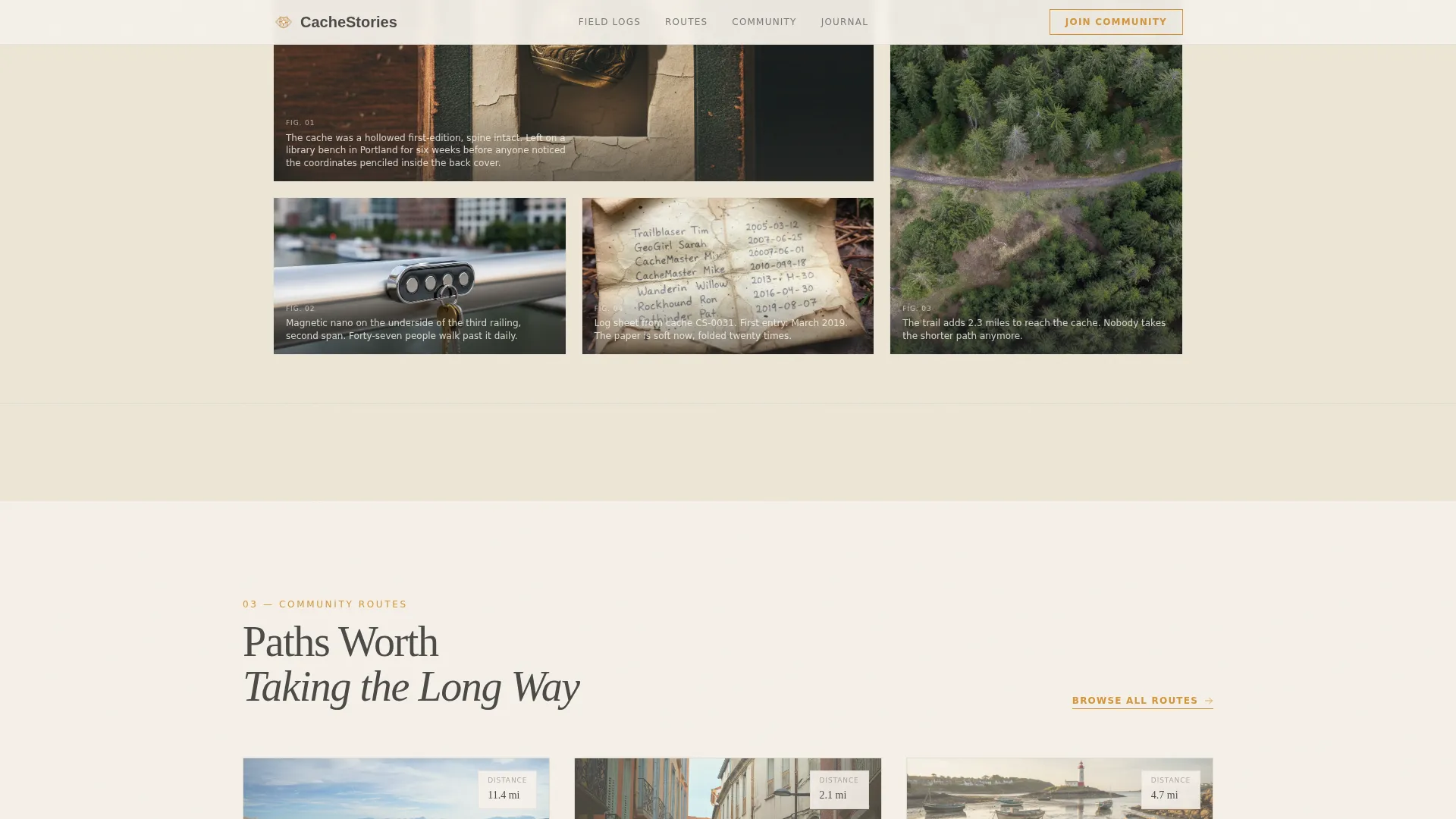
Community routes are traced on a topographic map aesthetic with member names and cache discovery counts. A testimonial carousel surfaces member pull quotes as rotating social proof, grounding the community feel in real voices.
Page sections overview
| Section | Purpose |
|---|---|
| Hero Headline | Opens with giant serif type and a quiet amber call to action link |
| Field Log Entry | Editorial column with hand-style illustration aesthetic and a story card |
| Photo Essay Gallery | Full-bleed section featuring a cache hidden inside a hollowed book |
| Community Routes Map | Topographic map aesthetic with member route traces and discovery counts |
| Pull Quotes and Gear | Oversized italic quotes paired with a curated overhead gear still-life shot |
| Full-Width Call to Action | Amber "Explore the Community" button that appears after the third gallery section |
| Footer Arc Split | Logo and tagline on the left, navigation links on the right |
Design & branding system
The visual identity follows an Atelier Studio theme with a Cloud Canvas color system. The palette evokes a field notebook left open on a wooden desk, with sun-bleached pages and the warm glow of a brass compass needle.
- Colors: warm parchment (#F5F0E8), pencil graphite (#4A4A48), soft fog blue (#B8C6D4), and wayfinding amber (#D4943A) reserved for links, buttons, and interactive map pins
- Typography: Fraunces for serif display headings, DM Sans for body text and interface elements
- Fog blue dividers signal each new gallery section, and negative space is used with intention throughout
Mobile & speed optimization
The template is desktop-first with an elegant mobile adaptation that preserves editorial pacing on smaller screens. The build approach keeps the experience lean and readable across devices.
- Static-first build with lazy-loaded images to keep page weight controlled
- No heavy JavaScript dependencies; animations use scroll-linked opacity and CSS-based staggered entry
- Editorial column layouts reflow cleanly for mobile reading without losing the gallery rhythm
How this template helps you convert
Cache earns the click before it asks for it. The conversion structure is built around a simple principle: show the community first, then open the door.
- The quiet amber text link beneath the hero lets curious visitors act early without pressure, capturing readers who are already sold on the concept.
- The Gallery Walk sections build emotional investment through stories, routes, and community voices before the full-width call to action button appears after section three.
- The secondary "Read the Latest Log" path keeps less-decided visitors engaged through individual story cards, extending their time on the page and deepening their connection to the community.
Other information about this template
Cache sits at the intersection of editorial design and hobby community building. A few additional details that may help you decide if it fits your project:
- The template style is Editorial/Magazine, categorized under Blog and Editorial with a Hobby and Passion Content subcategory
- The footer follows the Arc Browser Split pattern: logo and tagline on the left, navigation links on the right
- Trail distances and measurements use imperial units, and all copy defaults to English (US) localization
- The Atelier Studio theme and Cloud Canvas color system are the named design frameworks this template is built on
- The Intersection Match Score for this template's category, subcategory, and niche alignment is 13, indicating a strong fit for geocaching community editorial projects
Theme
Atelier Studio
Creative direction
Gallery Walk
Color system
Cloud Canvas
Style
Editorial/Magazine
Direction
Click-Through
Page Sections
Giant Centered Headline Hero Section
Gallery Walk Editorial Layout
Two-path Click-through Conversion
Scroll-linked Animation System
Testimonial Carousel and Pull Quote System
Arc Browser Split Footer Pattern
Related questions
Can I use this template for a general outdoor hobby blog, not just geocaching?
Does this template support multiple pages or is it a single landing page?
How does the two-path conversion structure work in practice?
Can I customize the color palette and typography?
Is the testimonial carousel pre-built or do I need to add it separately?



