EdTech Startup Accelerator Readiness Calculator Website Template
Catalyst is a dark-themed, dashboard-style edtech accelerator landing page built for early-stage education startups. It opens with an animated terminal header, hands founders an interactive Accelerator Fit Score tool before asking for anything, and guides them toward a cohort application through data grid panels, mentor maps, and contextual lead capture.
by Rocket studio
Quick summary
Catalyst is a single-page edtech accelerator template designed to convert founder curiosity into cohort applications. It combines an animated code-snippet header, an interactive Fit Score calculator, and deep-scroll data grid panels to create a mission-control experience. The template is built for lead generation, earning trust through proof before it ever asks for a form submission.
Who this template is for
This template is built for edtech accelerator programs that need to attract serious early-stage founders. It speaks directly to builders who are already in motion and need a clear next step.
- Former educators and classroom practitioners who have built a working product and need structured go-to-market support
- PhD researchers and algorithm developers commercializing adaptive learning tools who need investor and district connections
- Two-person teams with a minimum viable product and no established path into school procurement or Learning Management System networks
What problem this template solves
Early-stage edtech founders often struggle to communicate readiness to accelerators, and accelerator programs struggle to pre-qualify applicants efficiently. Generic landing pages give no signal to either side.
- Founders arrive without context and leave without applying because the value is not made concrete quickly enough
- Accelerator teams receive low-quality applications from founders who are misaligned with the program stage or focus
- No standard template exists that filters and converts the right audience through self-qualification before a form appears
What you get with this template
This template delivers a full single-page layout designed around the edtech accelerator journey, from first impression to application submission. Every section serves a conversion purpose rooted in proof and self-discovery.
- A full-viewport animated terminal header that displays live cohort metrics as resolving code lines
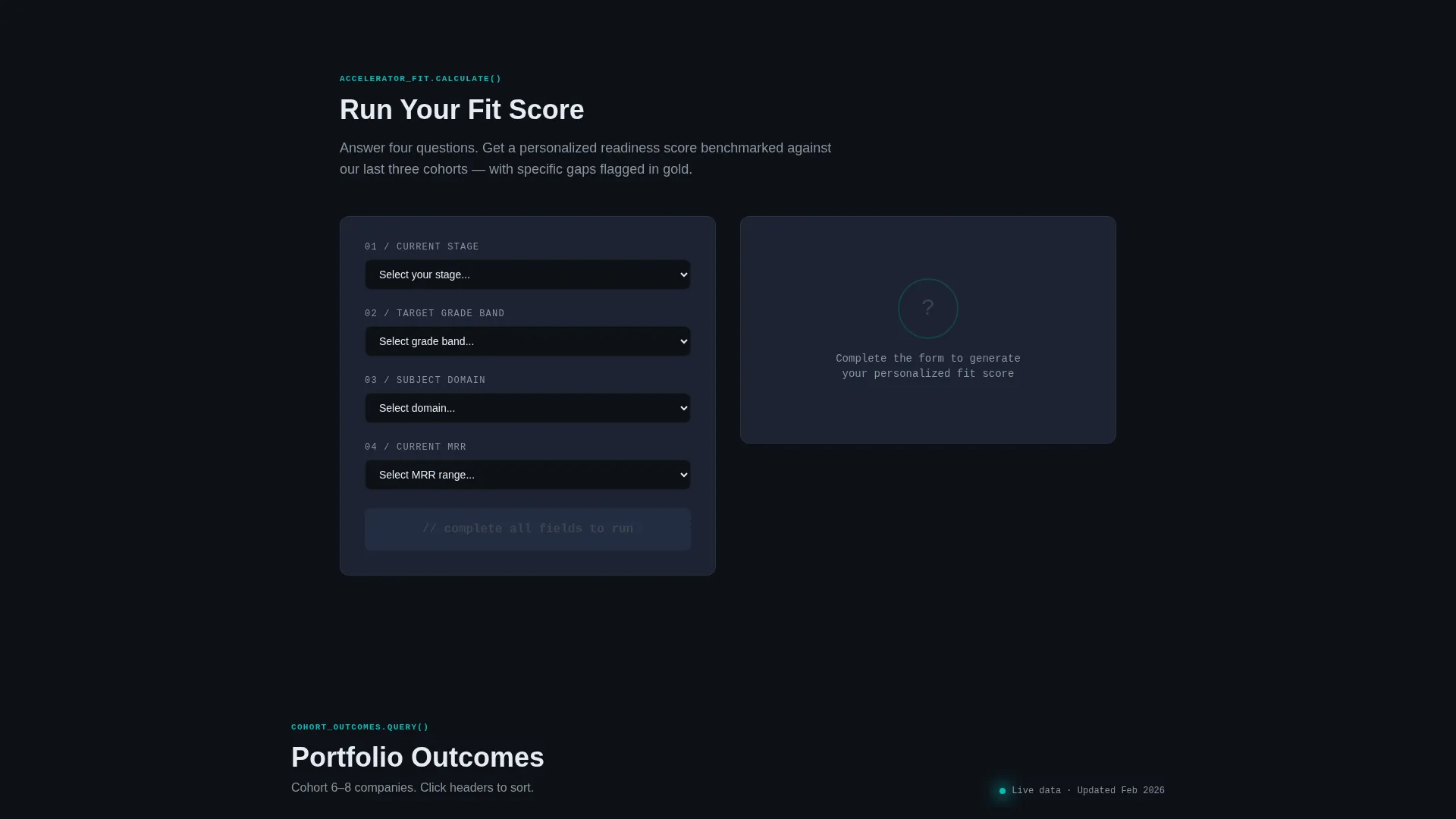
- An interactive Accelerator Fit Score calculator that personalizes the experience before any form is shown
- Data grid panels covering cohort outcomes, mentor expertise nodes, and funding timelines rendered as Gantt-style bars
Feature list
This template packages five core interactive and visual components, each designed to reduce friction and build credibility across the scroll journey.
Animated Terminal Header
The header occupies the full viewport as a dark IDE frame. Lines of code resolve into real accelerator outcomes, such as active district pilots and total funding raised, animating line by line like a live build log. A blinking cursor and monospaced type in catalyst teal give it the feel of a deployment going green in real time.
Interactive Accelerator Fit Score Tool
Before any form appears, founders input their current stage, target grade band, subject domain, and monthly recurring revenue. The tool returns a personalized readiness score on a teal radial gauge, benchmarked against the last three cohorts, with specific gaps flagged in gold. This calculator earns the click and makes the application feel like a natural next step.
Cohort Outcomes Data Grid
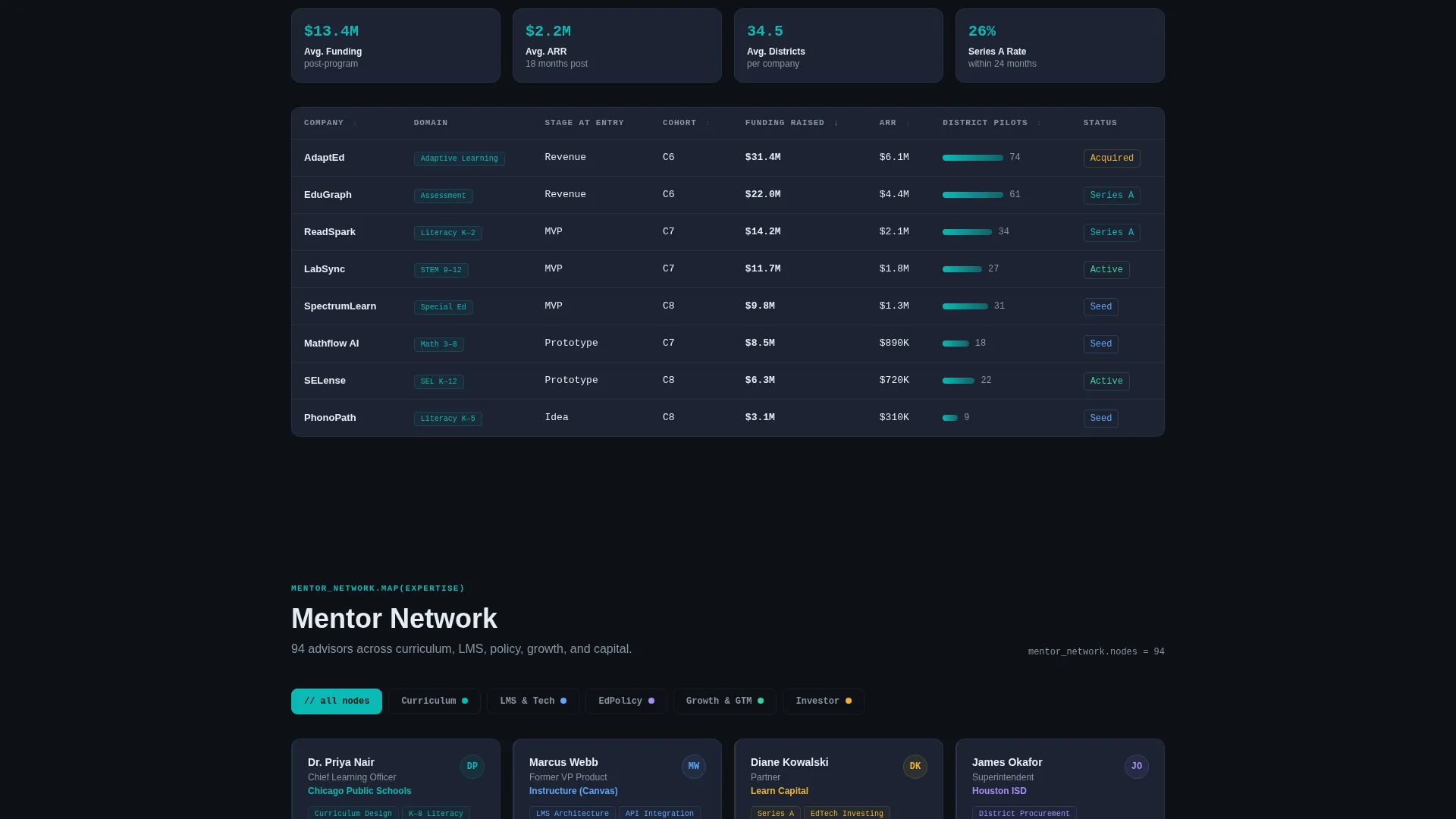
A sortable table displays outcomes from previous cohorts, giving prospective founders concrete, comparable proof of program performance. The grid format lets visitors drill into the data that matters most to their stage and focus area.
Mentor Network Node Map
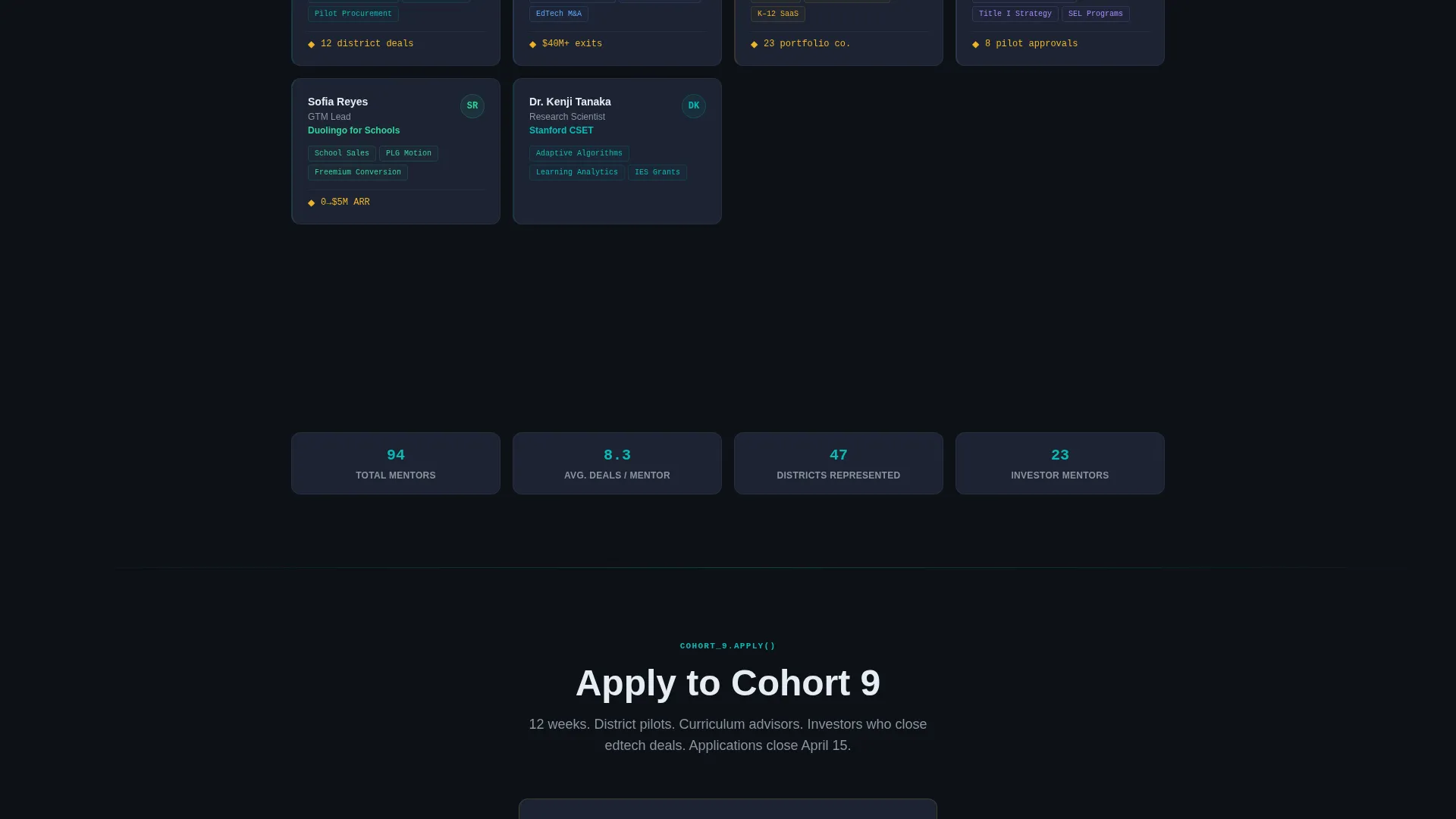
The mentor section visualizes the advisor network as an expertise node map. Founders can see at a glance which curriculum advisors, district partners, and investor contacts are active in the network, mapped by their domain specialty.
Contextual Lead Capture Form
After the Fit Score renders, a contextual slide-in form collects founder name, startup name, a one-line product description, and an optional pitch deck upload. The form appears only after the calculator delivers value, so the conversion moment feels earned rather than forced.
Cohort Deadline Countdown
A secondary call to action at the page bottom reads "Apply to Cohort 9" and displays a live countdown timer styled in accelerator gold. The deadline creates urgency without disrupting the data-driven tone of the page.
Page sections overview
| Section | Purpose |
|---|---|
| Terminal Header Block | Displays live cohort metrics via animated code lines |
| Fit Score Calculator | Lets founders self-qualify before any form appears |
| Score Results Panel | Shows personalized readiness score on a radial gauge |
| Cohort Outcomes Grid | Presents sortable historical cohort performance data |
| Mentor Network Map | Maps advisors and partners by expertise domain |
| Funding Timeline Bars | Renders funding progression as Gantt-style visual bars |
| Contextual Lead Form | Slides in after score renders to capture founder details |
| Cohort Apply call to action | Anchors page bottom with deadline countdown in gold |
Design & branding system
The visual identity follows a Data Command theme. The palette is inspired by mission control dashboards, where every element signals active status and quiet confidence.
- Core colors are deep terminal black (#0D1117) for the base, catalyst teal (#0ABAB5) for primary interactive elements and text highlights, slate panel gray (#1C2333) for card surfaces, and signal white (#E6EDF3) for body text
- Accelerator gold (#F0B429) is reserved for milestone markers, gap indicators in the calculator results, and the cohort deadline countdown
- Typography uses monospaced type in the terminal header and clean sans-serif elsewhere, creating a clear hierarchy between data display and narrative copy
Mobile & speed optimization
The layout is structured so that the data-heavy dashboard panels stack naturally on smaller screens without losing the core conversion flow. The calculator and lead form remain fully usable across device sizes.
- The terminal header animation and radial gauge are contained within viewport-safe blocks that adapt to narrower breakpoints
- Data grid panels reformat from wide sortable tables into scrollable card stacks on mobile, keeping cohort proof accessible without horizontal overflow
How this template helps you convert
The conversion strategy is built on the principle that founders who see their score want to close the gaps. Every layout decision moves visitors from curiosity to commitment through progressive disclosure of proof.
- The animated terminal header opens with concrete program metrics, establishing credibility before any copy is read, so visitors stay and scroll
- The Fit Score calculator converts passive browsing into active self-investment, and the contextual form captures leads only after the tool has already delivered personal value
- The cohort deadline countdown at the page bottom creates a time-bound reason to act, turning interest into a submitted application
Other information about this template
This template sits within the Startup and Launch category, specifically designed for the edtech accelerator and incubator niche. It is built for programs targeting early-stage founders across the idea, minimum viable product, and early revenue stages.
- The template style is a dashboard and data grid layout, making it well suited for programs that want to lead with outcomes and data rather than testimonials and hero imagery
- The creative direction is calculator-first, a deliberate choice for a niche where founders are analytical and respond to personalized, benchmarked feedback
- The Teal Catalyst color system and Data Command theme make this template visually distinctive in a category where most programs use generic startup aesthetics
- This template is a strong fit for accelerators running structured cohort cycles with defined application windows and measurable alumni outcomes

Theme
Data Command
Creative direction
Calculator/Tool First
Color system
Teal Catalyst
Style
Dashboard/Data Grid
Direction
Lead Generation
Page Sections
Animated Terminal Code Header
Interactive Accelerator Fit Score
Sortable Cohort Outcomes Grid
Mentor Network Node Map
Contextual Slide-in Lead Form
Cohort Deadline Countdown Call to Action
Related questions
Can I update the cohort metrics shown in the terminal header?
Does the Fit Score calculator connect to a backend or scoring system?
Can I change the cohort name and deadline in the apply section?
Is this template suitable for a newer accelerator without historical cohort data?
Can the contextual lead form connect to my existing application platform?