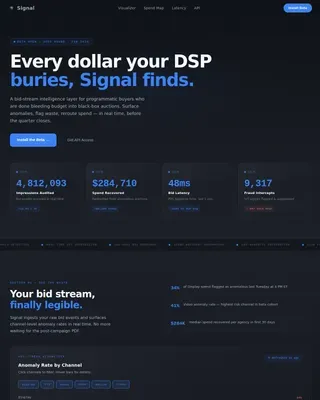
RegTech Startup Pre-Launch Website Template
Comply is a hub-and-spoke RegTech waitlist landing page built for compliance-driven fintech teams. It tracks 2,847 regulatory changes per quarter across 40 jurisdictions and delivers alerts in 14 minutes. The template converts high-intent compliance professionals into waitlist leads using a stats-first layout, anchor navigation, and a progressive email capture form.
by Rocket studio
Quick summary
Comply is a single-page RegTech waitlist template built around one idea: proof before explanation. It opens with a live regulatory change count, moves through three stat-led spokes covering speed, coverage, and efficiency, and closes every scroll with a clear reason to join the waitlist. The result is a landing page that earns trust before it asks for an email.
Who this template is for
This template is built for compliance-focused teams at financial technology companies who need to communicate the urgency and precision of real-time regulatory intelligence. It speaks directly to the people who feel the daily weight of keeping pace with shifting rules across multiple markets.
- Chief Compliance Officers at mid-market fintechs managing Digital Operational Resilience Act (DORA) deadlines and cross-border obligations
- In-house legal counsel at crypto exchanges tracking enforcement pattern shifts on a weekly basis
- RegOps analysts currently maintaining sprawling multi-tab browser setups to follow comment periods and policy updates
What problem this template solves
Compliance teams across financial services are drowning in regulatory noise. Filings, enforcement actions, and policy updates arrive from dozens of regulators simultaneously. No single person or small team can monitor 40 jurisdictions in real time without a structured system. This template gives RegTech founders a landing page that speaks directly to that pain and positions their platform as the solution.
- Manual regulatory monitoring across 40 jurisdictions creates a fragmented, error-prone workflow that slows legal teams down
- Without a centralized alert system, compliance professionals miss critical updates until it is already too late to act
- Existing workflows rely on browser tab overload and manual aggregation, which the Comply template frames as the exact problem it solves
What you get with this template
The template delivers a fully structured, single-page hub-and-spoke layout with an anchor navigation system, stat-first spoke sections, and two conversion paths for waitlist lead capture. Every section is designed to build confidence before asking for a commitment.
- A sticky bottom bar carrying the "Join the Waitlist" call to action, triggered after the first spoke scroll
- A progressive email form that expands from work email to company name, team size, and primary regulatory focus via dropdown
- A secondary conversion path offering a gated "Download the Q2 Regulatory Velocity Report" to capture undecided visitors
Feature list
This template includes a focused set of components that work together to move compliance professionals from curious scroll to committed sign-up.
Stats-First Hero Section
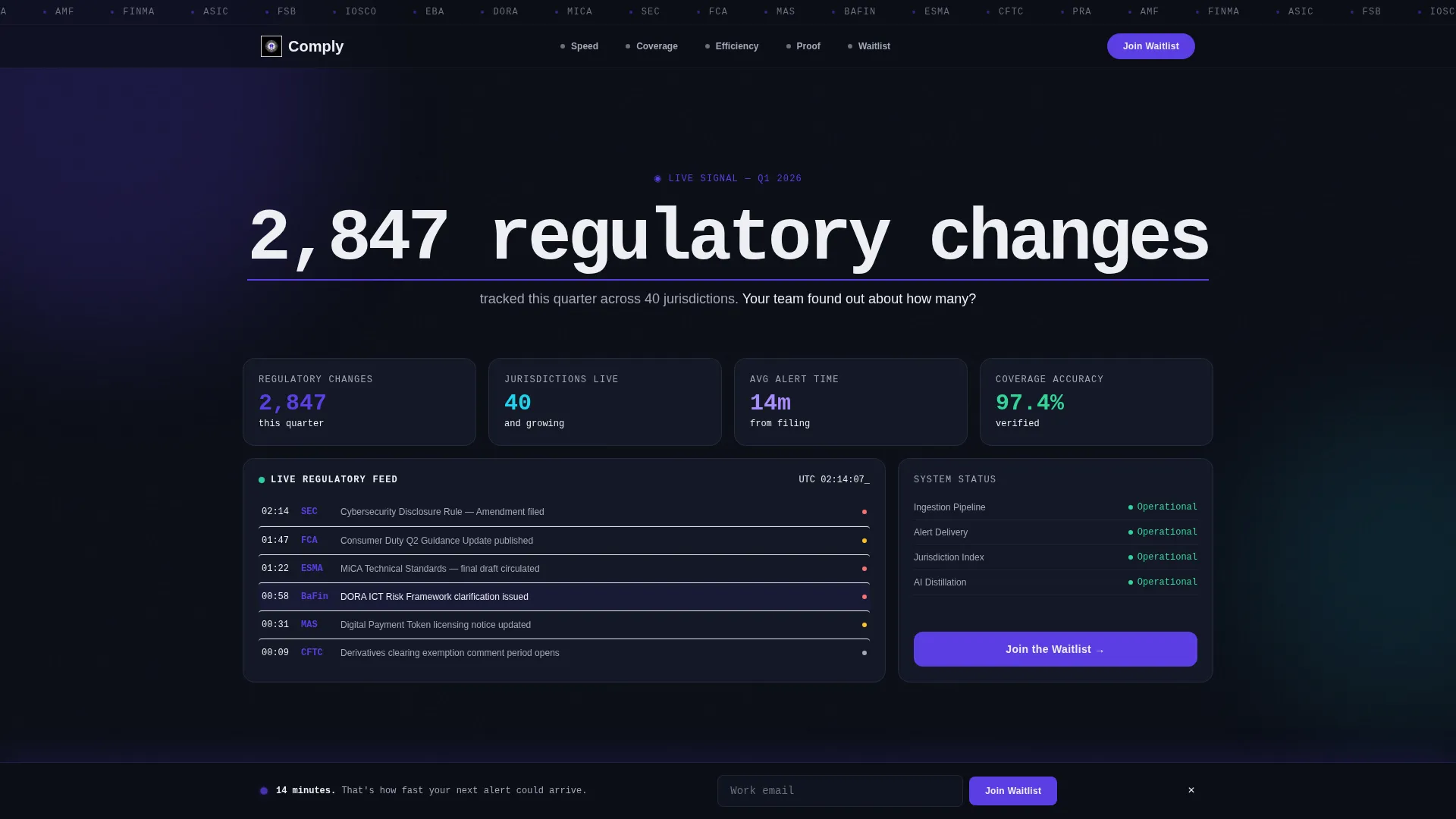
The hero opens with a single oversized stat: "2,847 regulatory changes tracked this quarter." No competing subheadline interrupts it. A thin indigo underline animates beneath the number, pulling the eye directly into the anchor navigation spokes below.
Hub-and-Spoke Anchor Navigation
A persistent top navigation bar links to each spoke section with an active indigo pip that updates as the visitor scrolls. The structure covers speed, coverage, and efficiency in a deliberate escalation sequence that builds a data-backed case for the platform.
Three Stat-Led Spoke Sections
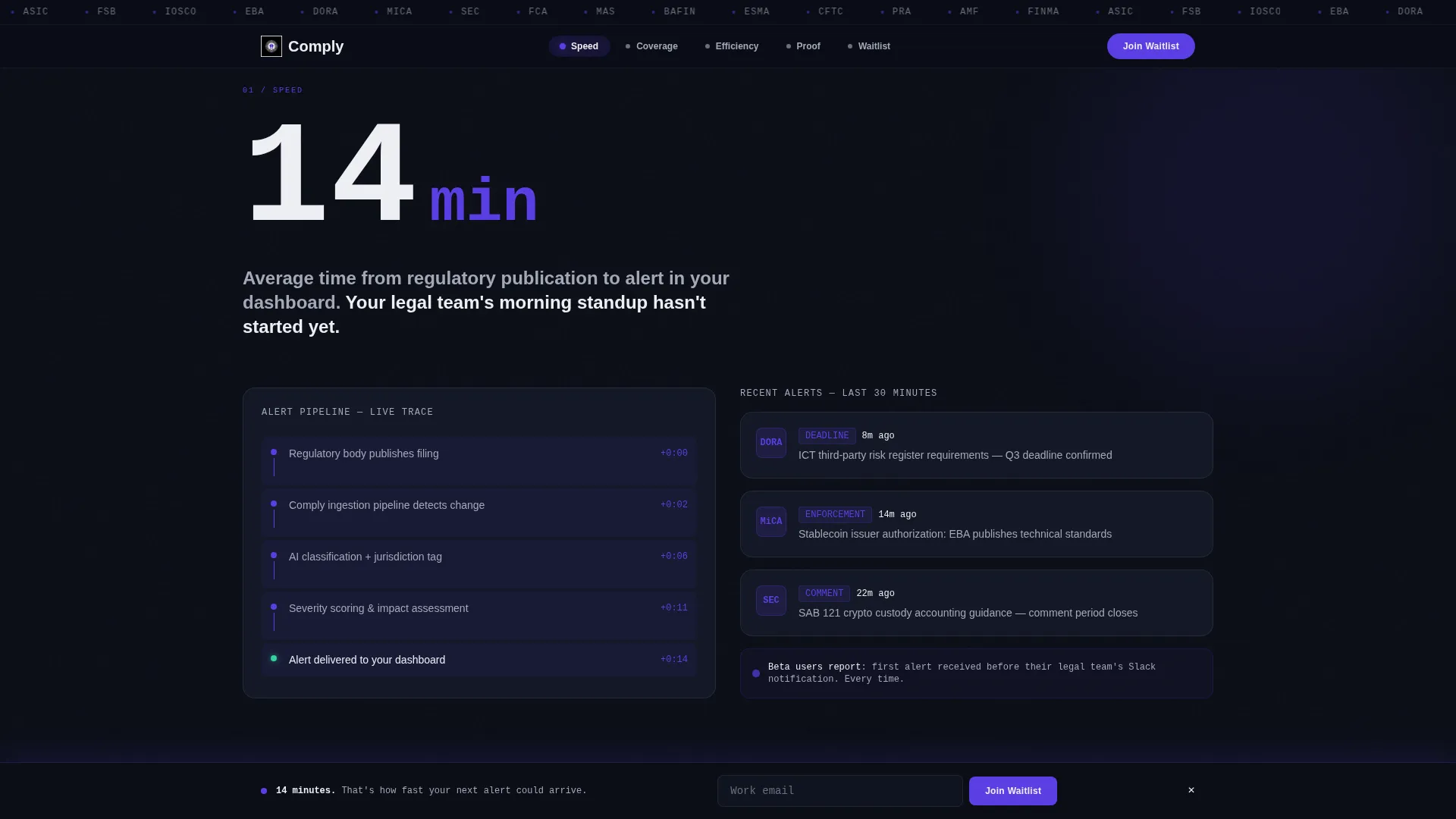
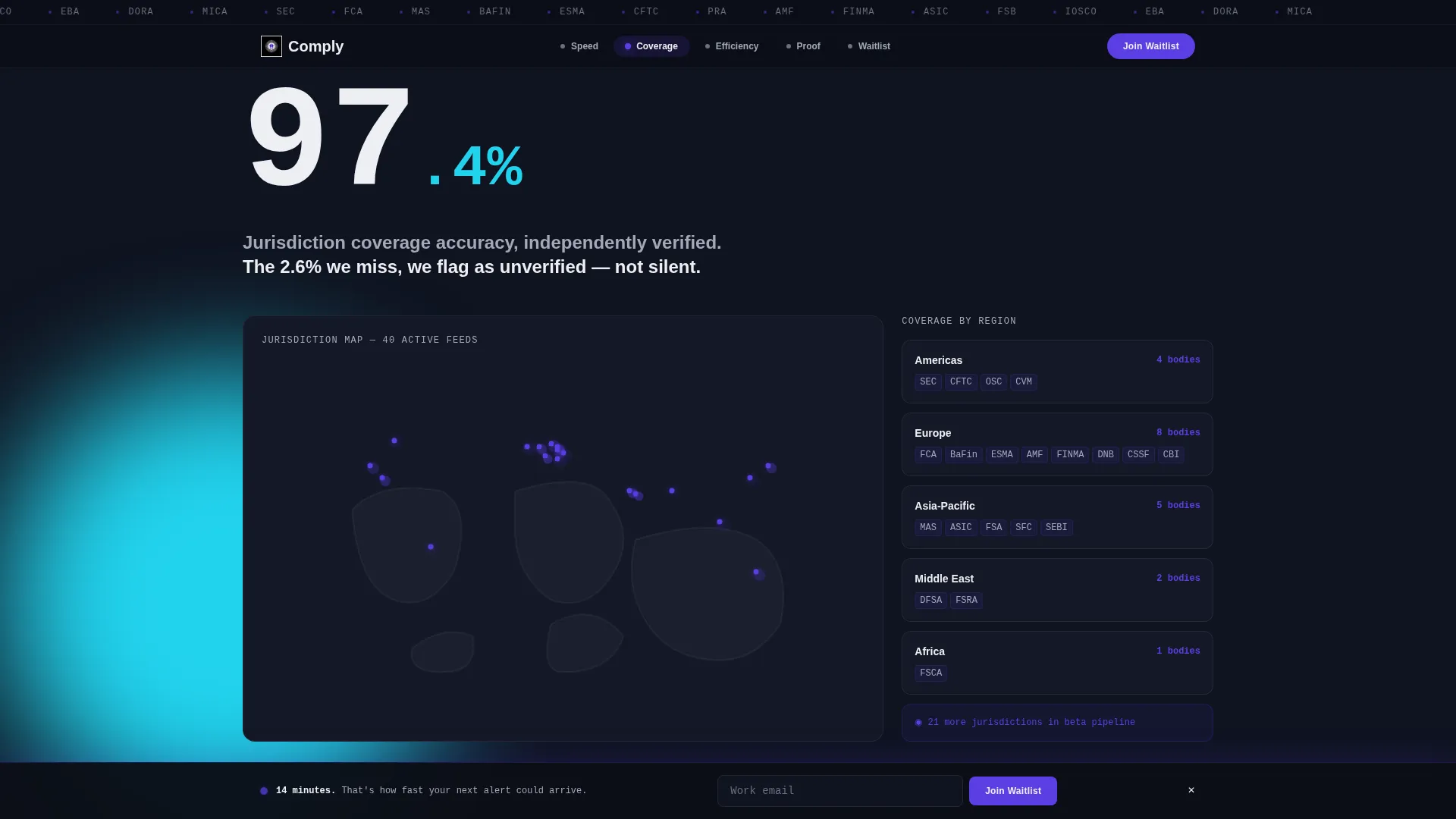
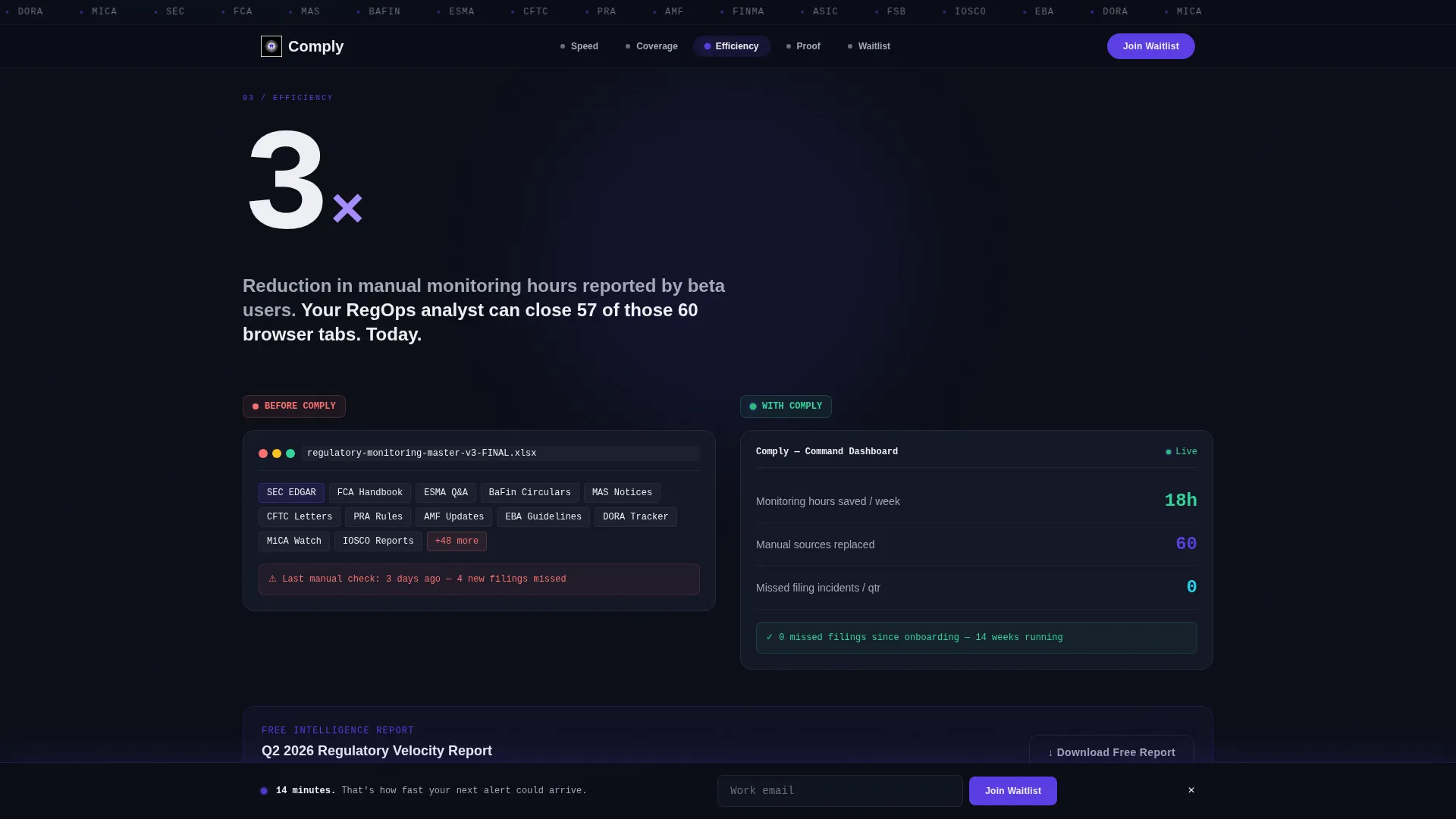
Each spoke opens with a brutally specific number before any supporting copy appears. "14 minutes" anchors the speed spoke. "97.4%" anchors the jurisdiction coverage spoke. "3x" anchors the efficiency spoke. The layout proves first, then explains.
Progressive Waitlist Form
The lead capture form starts with a single work email field, then expands inline to collect company name, team size, and a regulatory focus dropdown. This reduces friction at the point of entry while gathering meaningful profiling data from committed visitors.
Logo Ticker Header Bar
A slow mechanical scroll of compliance framework and regulatory body insignia runs across the top of the page in monochrome gray. The ticker sets authoritative context before a visitor reads a single word of copy.
Social Proof Testimonials Section
Beta user testimonials from a Chief Compliance Officer, in-house counsel, and a RegOps analyst appear with specific company types and verbatim-style quotes. Each testimonial reinforces one of the three core value spokes.
Page sections overview
| Section | Purpose |
|---|---|
| Logo Ticker Bar | Establishes regulatory authority with scrolling framework insignia |
| Hero Stat Block | Delivers the primary impact number before any supporting copy |
| Anchor Nav Hub | Orients visitors and tracks active position across spokes |
| Speed Spoke | Communicates the 14-minute alert delivery proof point |
| Coverage Spoke | Visualizes 97.4% jurisdiction accuracy with a pulsing map |
| Efficiency Spoke | Shows a 3x reduction in manual monitoring hours |
| Social Proof Section | Builds trust through role-specific beta user testimonials |
| Waitlist Form | Captures leads via progressive email profiling |
| Footer Bar | Delivers a clean single-row close with minimal distraction |
Design & branding system
The visual identity follows a Data Command theme that feels like a Bloomberg terminal running at full capacity. Every color decision reinforces authority, precision, and focus. The typographic pairing separates interface copy from data callouts clearly.
- Color palette: deep terminal black (#0B0E17) for backgrounds, electric indigo (#5B3FE4) for interactive elements and hover states, cool data-mist gray (#A4A8B8) for secondary text and dividers, and signal white (#EDEEF2) for headlines and stat callouts
- Typography: Plus Jakarta Sans for body and interface text, JetBrains Mono for all stat displays and data-layer elements
- Animation layer: ticker scroll, stat count-up animations, indigo underline draw effect, pulsing jurisdiction map dots, and a sticky call-to-action bar that appears after the first spoke scroll
Mobile & speed optimization
The template is designed desktop-first, reflecting the dual-monitor workflow common among compliance and legal professionals. A mobile fallback layout ensures the page remains functional and readable on smaller screens without losing the visual hierarchy.
- Desktop-priority layout respects the data-dense command-station aesthetic that the primary audience expects on large monitors
- Static HTML sections are used for all content blocks, with client-side components isolated to animations and the interactive form only
- The sticky call-to-action bar and progressive form both adapt to narrower viewports while preserving the core conversion flow
How this template helps you convert
The page is structured to eliminate doubt before the form ever appears. Every scroll interaction earns the next one, and the two conversion paths ensure that visitors at different commitment levels both have a reason to exchange their email address.
- The stats-first spoke sequence (speed, coverage, efficiency) builds an accumulating, data-backed case that makes manual monitoring feel unacceptable by the time the visitor reaches the waitlist form
- The progressive form design reduces entry friction by starting with a single email field, which lowers the psychological cost of the first step while still enabling meaningful lead profiling
- The secondary conversion path, the gated Q2 Regulatory Velocity Report, gives undecided visitors immediate value in exchange for their email, creating a second route to capture leads who are not yet ready to commit to the waitlist
Other information about this template
This template is categorized under Startup and Launch, specifically for RegTech startup use cases and RegTech waitlist landing pages. It is built for English-language audiences using United States financial regulatory terminology, with pricing references implied in USD.
- The hub-and-spoke template style with anchor navigation supports a guided scroll experience that is well suited to information-dense B2B compliance audiences
- The creative direction, Stats-First Impact, is a deliberate structural choice for audiences who are trained to evaluate evidence before committing to a new tool
- The intersection match score of 13 reflects a precise alignment between the template style, the target niche, and the lead generation objective
- The accordion FAQ component referenced in the technical brief supports additional interactivity within the page layout
Theme
Data Command
Creative direction
Stats-First Impact
Color system
Electric Indigo
Style
Hub & Spoke (Anchor Nav)
Direction
Lead Generation
Page Sections
Stats-first Hero with Animated Underline
Hub-and-spoke Anchor Navigation
Three Stat-led Spoke Sections
Progressive Lead Capture Form
Mechanical Logo Ticker Bar
Dual Conversion Path Layout
Related questions
What kind of business is this template built for?
Can the template support two different conversion goals at once?
How does the anchor navigation work across spoke sections?
Is this template suitable for both desktop and mobile audiences?
What information does the progressive waitlist form collect?