Cannabis Blog & Media Specialist Blog Website Template
Cultivar is a masonry-layout landing page built for cannabis how-to blogs. It pairs a hand-drawn botanical illustration header with a journal-entry card grid, a manifesto philosophy section, and two conversion paths: a primary "Open the Field Journal" call to action and a weekly email digest signup styled as a handwritten note card.
by Rocket studio
Quick summary
Cultivar is a single-page content hub designed for cannabis education blogs. It opens with a full-width ink-line botanical diagram, moves into a philosophy manifesto, then fans out into a masonry grid of tutorial cards styled as field journal entries. Two clear conversion paths guide visitors toward the full guide library or a weekly email digest.
Who this template is for
This template is built for creators who treat cannabis knowledge as a craft, not a cliché. It suits writers, educators, and community builders who want their readers to feel like trusted collaborators rather than passive scrollers.
- First-time home growers documenting their first germination attempts
- Home cooks and medical patients seeking measured, practical dosage guidance
- Experienced cultivators publishing advanced guides on cloning, rosin pressing, or cannabinoid ratios
What problem this template solves
Most blog templates treat content as a flat list. Cultivar solves the problem of making a deep library feel approachable and earned. Visitors land on a page that shows real knowledge upfront, so they trust the source before they ever click a call to action.
- Generic blog layouts bury valuable guides behind uninspiring grids with no hierarchy
- First-time readers have no clear sense of depth, so they leave before exploring
- Two-step conversion (library plus email digest) is hard to design cleanly without a purpose-built layout
What you get with this template
You get a fully designed, single-page landing template with a strong editorial identity baked in. Every section is crafted to feel cohesive, from the illustrated header to the handwritten-style email signup card at the bottom.
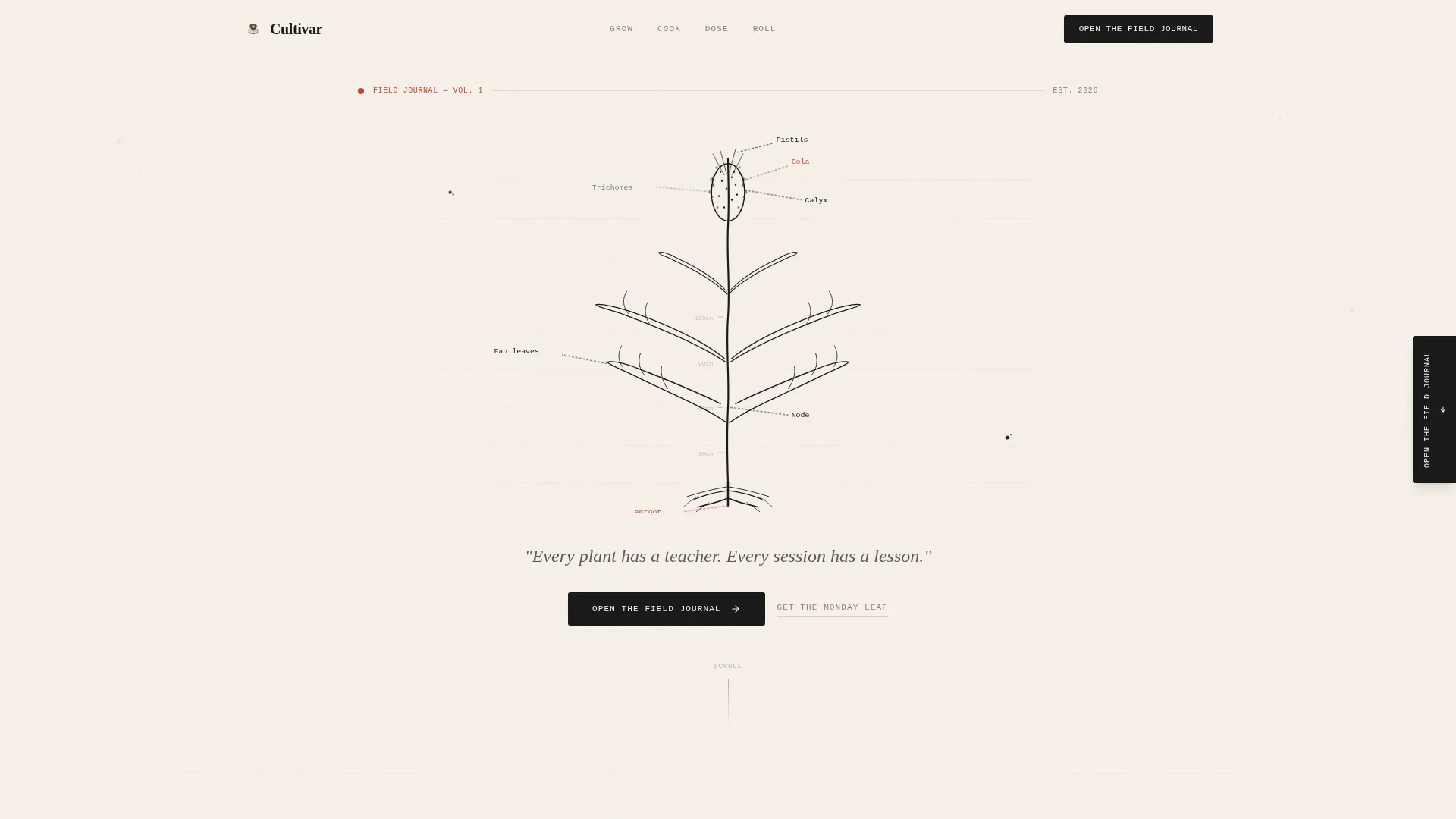
- A full-width SVG botanical illustration header with manifesto text and a primary call to action
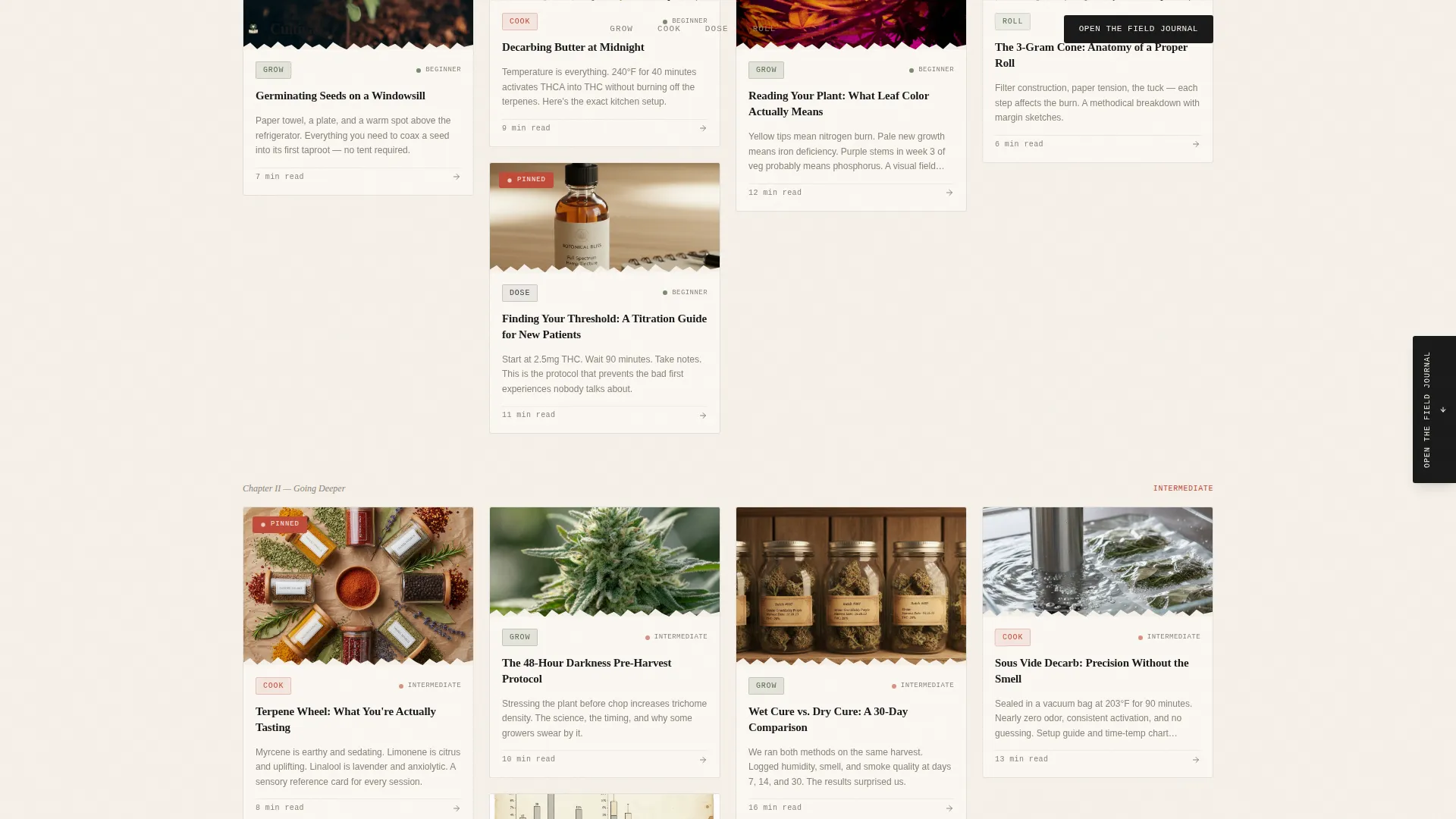
- A masonry card grid with torn-edge thumbnails, hand-lettered category tags, and estimated read times
- A floating call to action tab, an advanced guides row, and a "Get the Monday Leaf" email digest section
Feature list
This template ships with a focused set of purpose-built components. Each one serves the journal-style editorial experience the design is built around.
Full-Width Botanical Illustration Header
A hand-drawn, ink-line cross-section diagram spans the full header width. It labels plant anatomy from taproot to cola with handwritten annotations. A serif manifesto line sits beneath it, anchoring the page's tone immediately.
Masonry Card Grid with Journal Entry Styling
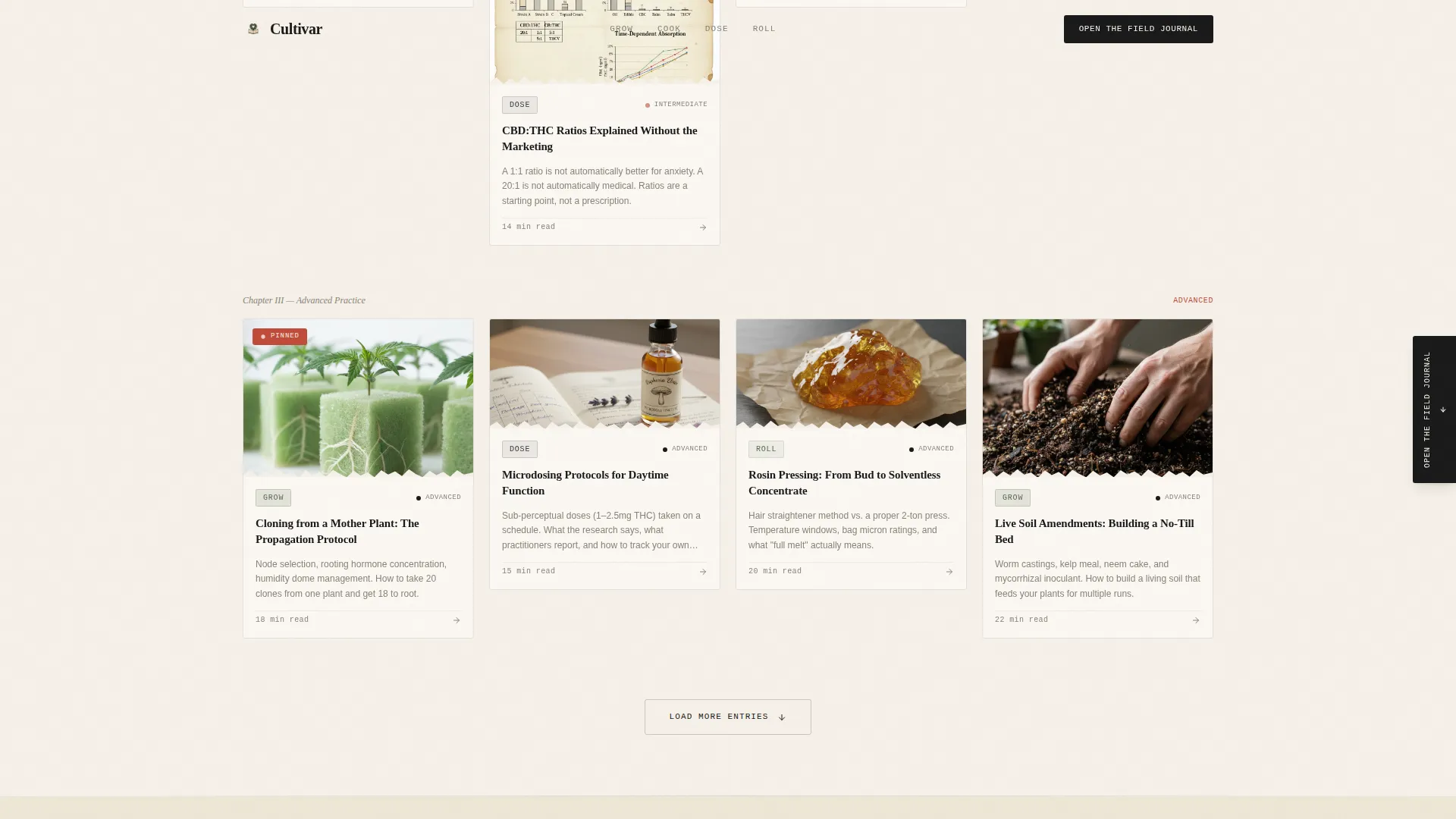
Cards are styled as field journal entries with torn-edge thumbnails and hand-lettered category tags: Grow, Cook, Dose, and Roll. Each card shows an estimated read time. The grid is organized so simpler guides appear first and complexity builds as the visitor scrolls deeper.
Floating Call to Action Tab
A persistent "Open the Field Journal" tab floats along the right edge of the page. It stays visible during scroll without blocking content, offering a low-friction path to the full guide library at any point in the reading journey.
Manifesto Philosophy Section
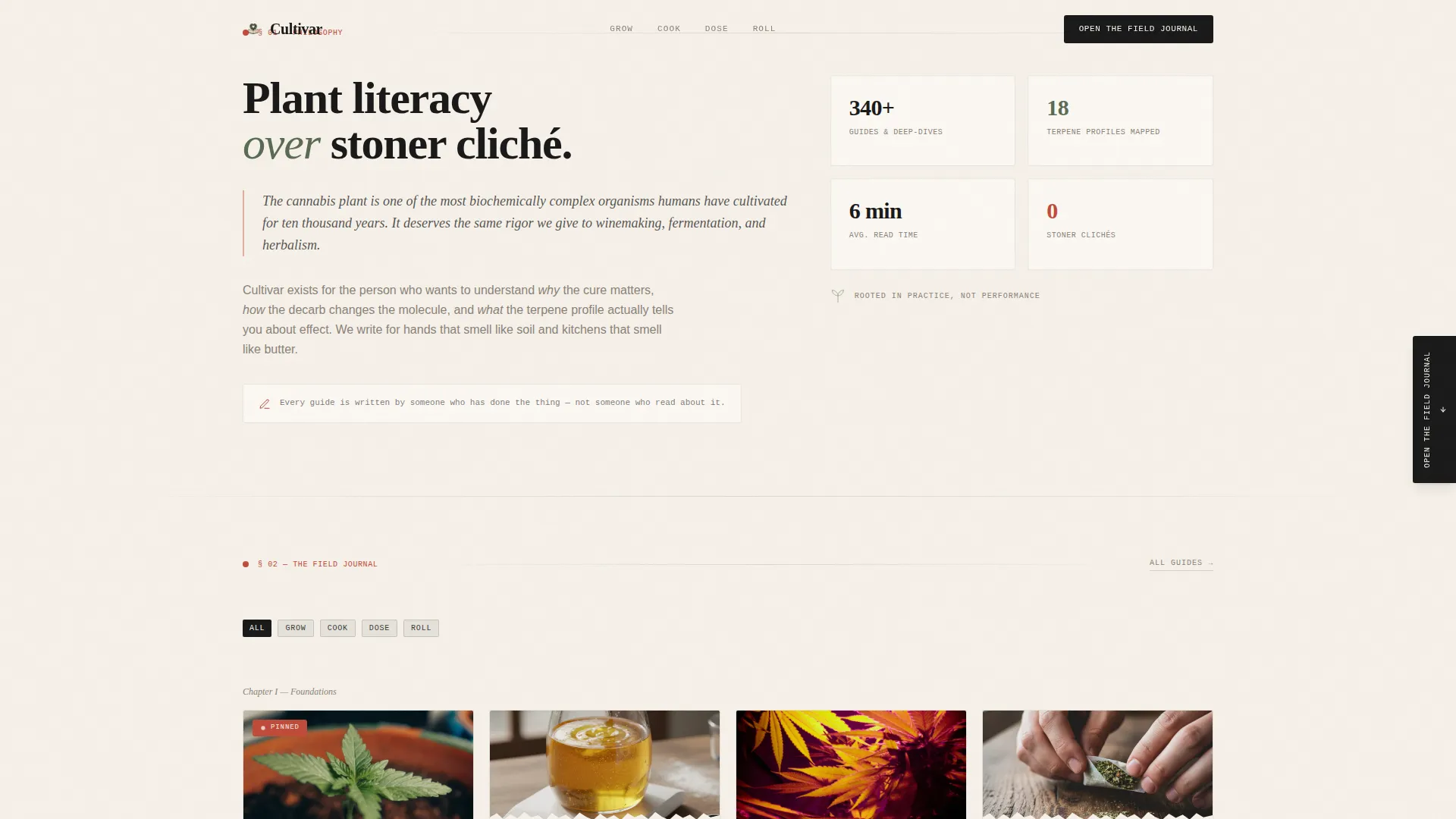
A dedicated section states the blog's core belief: plant literacy over stoner cliché. This section grounds the page's editorial voice and builds reader trust before the content grid begins.
"Get the Monday Leaf" Email Digest Block
A secondary conversion section near the footer is styled as a handwritten note card. It contains a single email input field and a clear call to action for a weekly digest, keeping the signup feel consistent with the journal aesthetic.
Scroll-Driven Animation System
Cards and sections use fade-in-up animations triggered by scroll position, float animations on selected elements, and hover micro-interactions on card states. Animations are medium intensity and do not interfere with readability.
Page sections overview
| Section | Purpose |
|---|---|
| Hero botanical header | Opens with full-width ink illustration, manifesto line, and primary call to action |
| Philosophy manifesto | States editorial values and plant literacy stance to build immediate reader trust |
| Masonry guide grid | Displays journal-entry cards with tags, read times, and progressive content depth |
| Advanced guides row | Surfaces complex topics like cloning and rosin pressing for experienced readers |
| Monday Leaf signup | Captures email addresses via a handwritten note card styled digest subscription block |
| Minimal footer | Closes the page with a clean horizontal footer pattern |
Design & branding system
The visual identity follows an Atelier Studio theme with an Ink and Paper color system. Every color choice references a physical object from a botanical illustrator's worktable, making the palette feel grounded rather than decorative.
- Colors: unbleached parchment (#F5F0E8) for backgrounds, fountain-pen black (#1A1A1A) for body text, pressed-herb sage (#7A8B6F) for supporting elements, and annotation red (#C04B3A) reserved for callouts, pinned labels, and hover states
- Typography: Fraunces serif for headings, DM Sans for body copy, and IBM Plex Mono for category labels and card tags
- Illustration style: 19th-century scientific illustration meets modern zine energy, with stippled shading, intentional ink splatters, and slightly imperfect hand-lettering throughout
Mobile & speed optimization
The template is designed desktop-first with a responsive masonry collapse built in for smaller screens. Scroll reveal behavior is handled through intersection observer logic so animations only trigger when elements enter the viewport.
- Masonry grid collapses gracefully to a single-column layout on mobile devices
- Static content structure keeps the page lightweight without relying on external data fetches
- Scroll-triggered fade animations use intersection observer to avoid unnecessary rendering on off-screen elements
How this template helps you convert
Cultivar earns the conversion before it asks for it. Visible knowledge in every card, dosage charts, curing timelines, and terpene wheels, signals depth and credibility while the visitor is still browsing.
- The primary call to action, "Open the Field Journal," appears beneath the manifesto and as a floating tab, giving readers two natural moments to commit without feeling pressured.
- The email digest block, "Get the Monday Leaf," offers a lower-commitment entry point for visitors who want a sample before diving into the full library.
Other information about this template
Cultivar fits naturally into the broader cannabis blog and media space where editorial credibility is the primary differentiator. The template's manifesto-first layout is particularly well suited to creators who want their content philosophy visible before any guide is clicked.
- Template style: Masonry and Pinterest-style grid layout
- Creative direction: Manifesto, the scroll reads as a declaration of intent from the first section
- Header concept: Custom illustration, SVG botanical diagram built into the template design
- Landing page direction: Content and resource hub with two distinct conversion paths
- Localization: English (USA), no currency display
- Animation intensity: Medium, using fade-in-up on scroll, float animations, and hover states
Theme
Atelier Studio
Creative direction
Manifesto
Color system
Ink & Paper
Style
Masonry/Pinterest
Direction
Content/Resource
Page Sections
Full-width Botanical Illustration Header
Masonry Grid with Journal Card Styling
Floating Call to Action Tab
Manifesto Philosophy Section
Email Digest Signup Block
Scroll-driven Animation System
Related questions
Who is this landing page template built for?
Can I customize the card categories and content in the masonry grid?
Does this template include the botanical illustration, or do I need to supply my own?
How does the floating call to action tab work?
Is this template suitable for medical cannabis content?



