Agency & Freelance Newsletter Pre-Launch Website Template
Dispatch is a hub and spoke landing page template built for an agency and freelance data newsletter launching on a waitlist model. It pairs a full-width newspaper masthead with curated editorial sections, a segmented email capture form, and a live waitlist counter. The design follows a Japanese Zen color system for a quiet, confident first impression.
by Rocket studio
Quick summary
Dispatch is a single-page, anchor-nav landing page template designed for an opinionated freelance economy newsletter. It opens with a newspaper-style masthead, moves through four curated content sections, and closes each spoke with a low-friction waitlist form. The design feels like a handcrafted editorial studio, not a generic SaaS signup page.
Who this template is for
This template is built for newsletter creators who lead with data and editorial voice, not promotions. It suits anyone launching a paid or free briefing in the agency and freelance intelligence space.
- Solo consultants who want to position themselves as market-aware authorities
- Agency founders building a thought-leadership channel alongside their core business
- Career-switchers or independent writers launching a data-driven newsletter before a full audience exists
What problem this template solves
Most newsletter landing pages look identical. A generic hero, a bullet list of benefits, and a plain email field. That approach asks readers to trust you before you have shown them anything worth trusting.
- No way to prove editorial voice without a live issue to link to
- No mechanism to segment a cold audience from day one without adding form friction
- No visual identity that signals the newsletter is curated, considered, and worth waiting for
What you get with this template
You get a complete, ready-to-adapt landing page that leads with proof. The three preview headlines in the masthead do the selling before any body copy runs. Every section that follows deepens credibility in a different register.
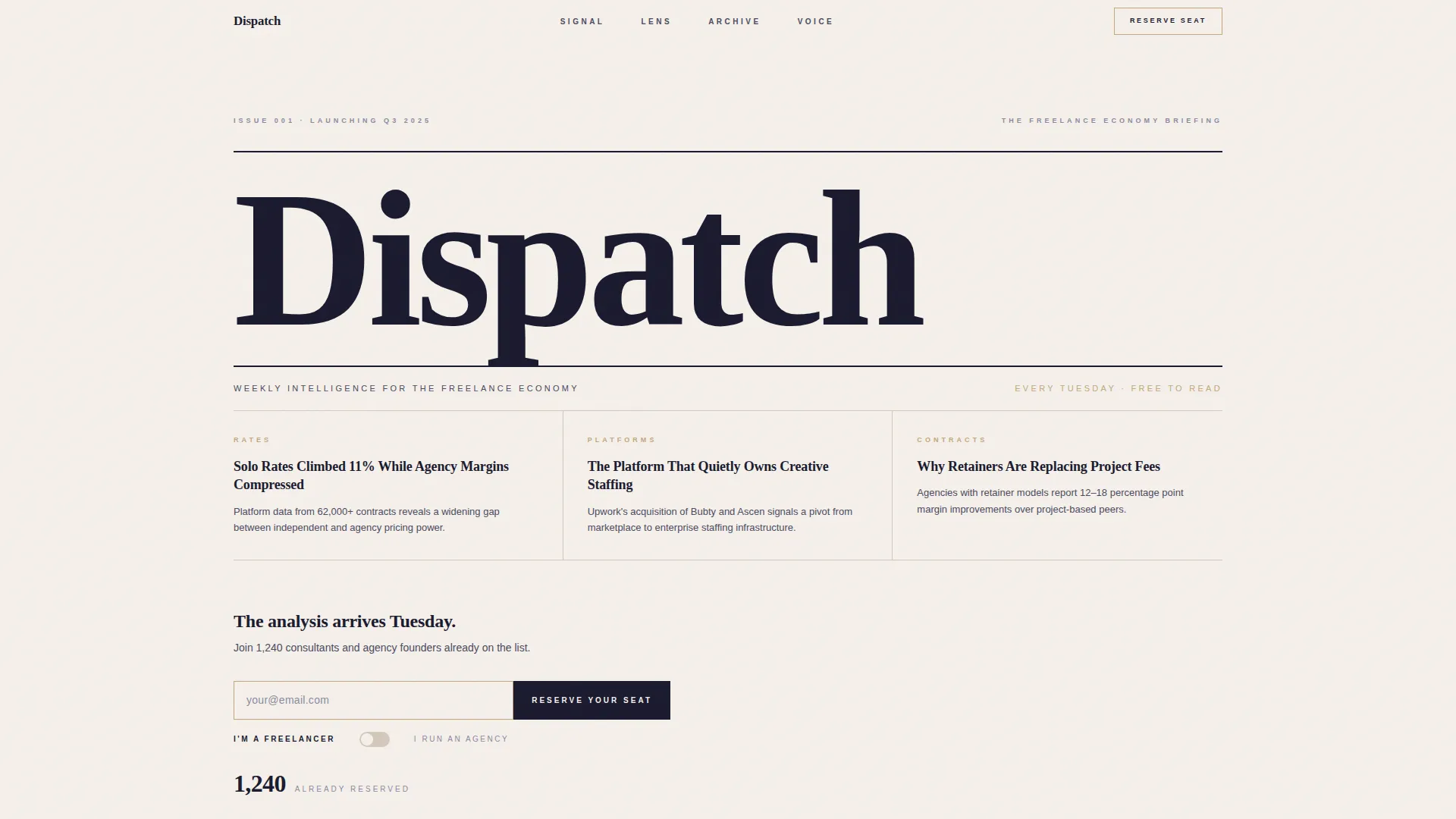
- A full-width newspaper masthead with oversized serif type, a dateline, and three real preview headlines
- Four anchor-navigable spoke sections covering data signals, a long-form excerpt, an issue archive, and an editor introduction
- A waitlist form with a single email field, a freelancer or agency segmentation toggle, and a live waitlist counter
Feature list
This template packages editorial design and conversion mechanics into one cohesive layout.
Newspaper Masthead Header
The header spans the full page width and is set in oversized Fraunces serif type. Beneath a thin rule, a dateline reads the issue number and launch quarter. Three real preview headlines sit in a three-column grid below, proving the editorial voice before the visitor reads any promotional copy.
Anchor Navigation Bar
A sticky horizontal nav row pins to the top of the page on scroll. Four minimal labels, Signal, Lens, Archive, and Voice, let visitors jump directly to any spoke section without losing their place. The nav stays unobtrusive, using bamboo-toned markers that feel like editorial section tabs.
Signal Data Cards
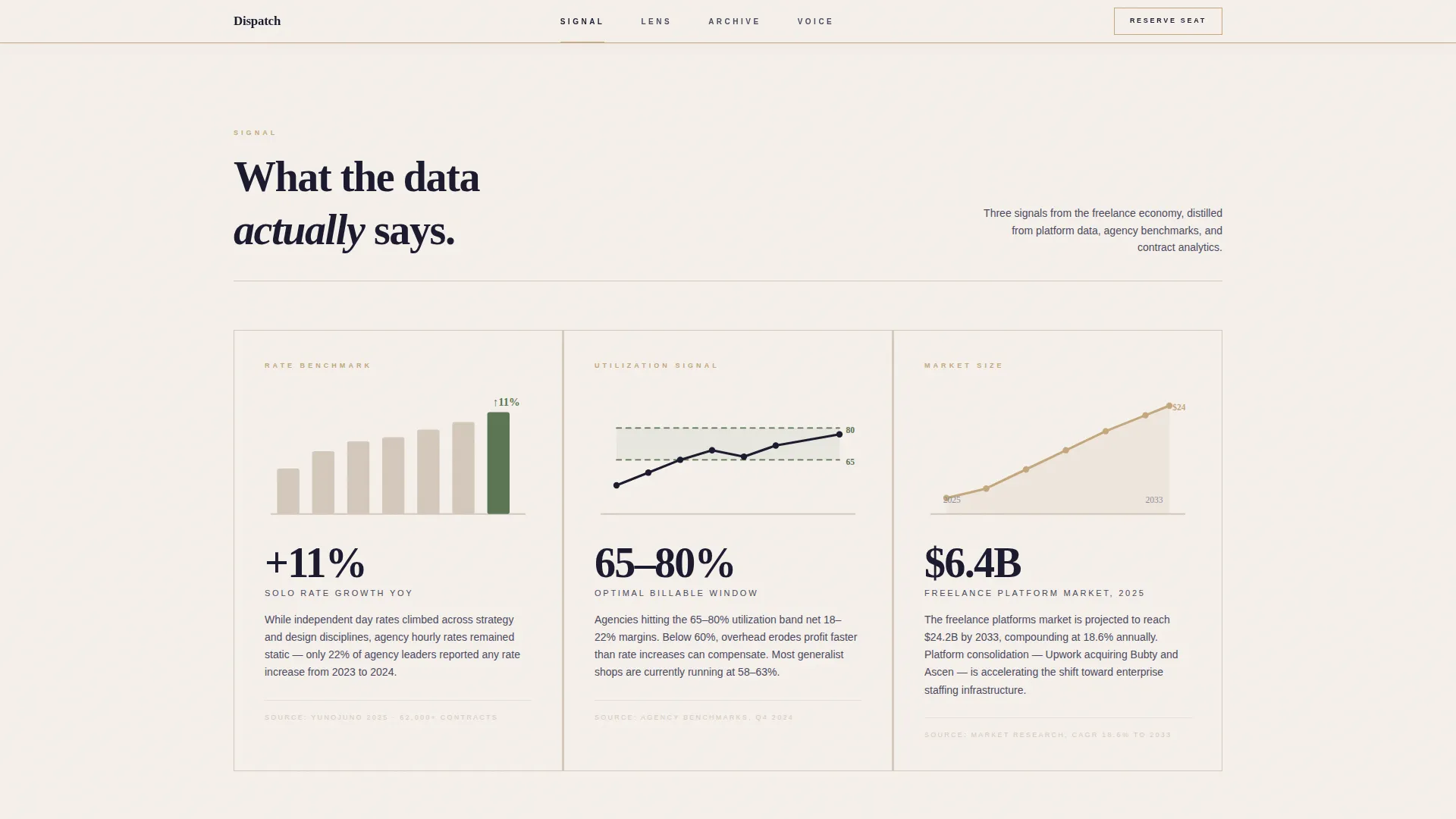
The Signal section presents three data intelligence cards, each paired with a hand-drawn-style chart illustration. Cards surface real statistics from the freelance economy, giving the reader a concrete taste of what every weekly issue delivers.
Lens Pull Quote Section
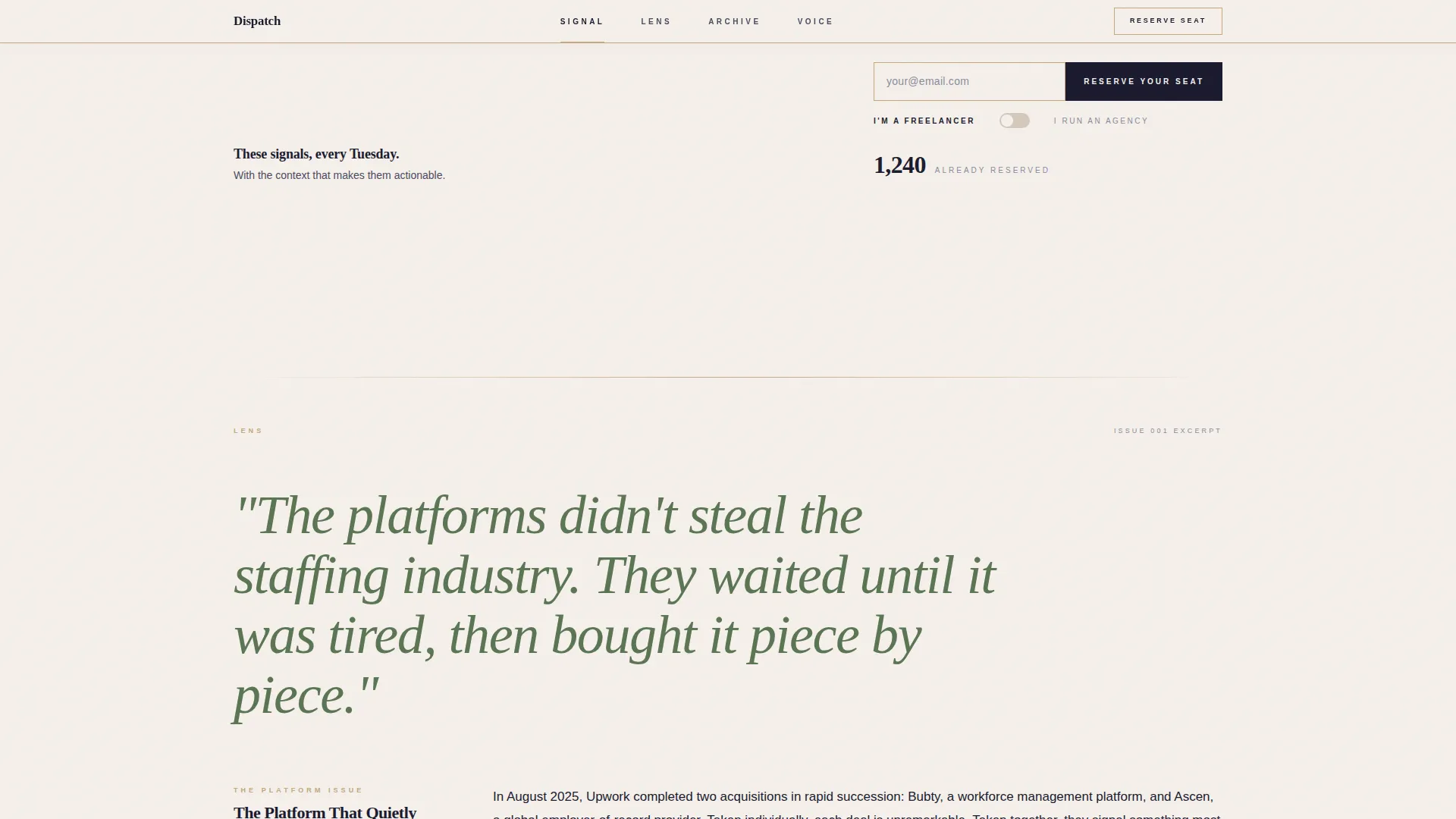
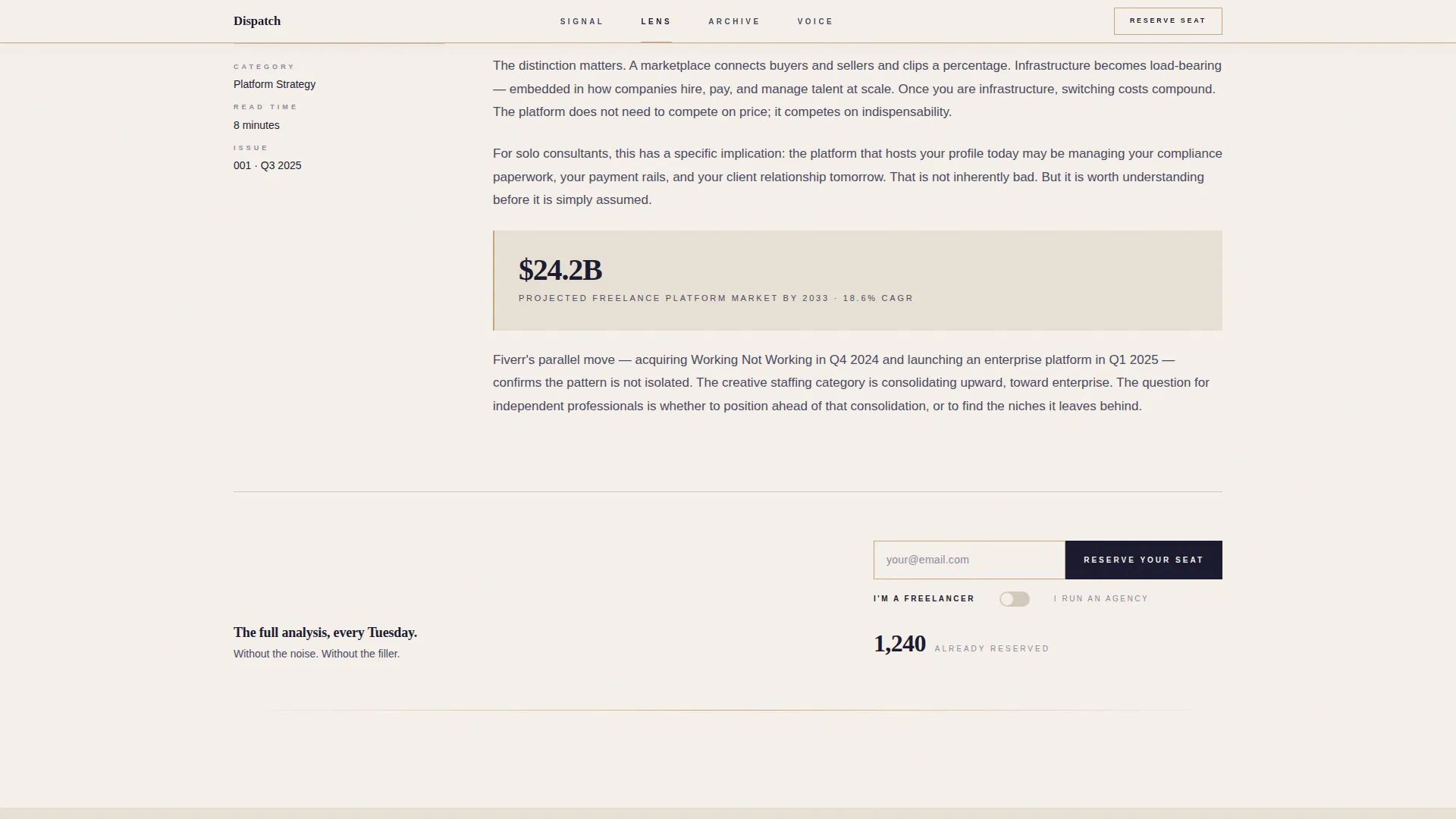
The Lens section features a single long-form excerpt from the newsletter. A pull quote is set at a large scale in moss green, making the editorial perspective impossible to miss. This section demonstrates writing quality and analytical depth in a single scroll.
Archive Issue Grid
The Archive section renders past issue covers as minimal typographic cards arranged in a grid. Each card communicates the newsletter's consistency and output, building quiet trust through visible history rather than testimonials.
Segmented Waitlist Form
The waitlist form asks only for an email address inside a single bamboo-bordered field. A secondary toggle below the field lets subscribers self-identify as a freelancer or an agency founder, segmenting the list from the first signup without adding any extra steps or visible complexity.
Page sections overview
| Section | Purpose |
|---|---|
| Masthead Hero | Establishes editorial voice with oversized type, a dateline, and three preview headlines alongside the primary waitlist call to action |
| Signal Data Cards | Displays three data intelligence cards with chart illustrations to prove the newsletter's analytical depth |
| Lens Excerpt | Presents a long-form passage and a large pull quote in moss green to demonstrate writing quality |
| Archive Issue Grid | Shows past issue covers as typographic cards to build credibility through visible publishing history |
| Voice Editor Bio | Introduces the editor through a first-person paragraph and a small monochrome portrait |
| Floating Waitlist call to action | Repeats the email capture form at the base of each spoke section to reduce drop-off |
Design & branding system
The visual identity follows an Atelier Studio approach rooted in a Japanese Zen color palette. Generous whitespace carries more visual weight than any graphic element, and every typographic choice is made to feel considered rather than decorative.
- Stone white (#F5F0EB) backgrounds, sumi ink (#1A1A2E) editorial type, dried bamboo (#C4A77D) accent borders and navigation markers, and moss after rain (#5B7553) reserved for one interactive element per section
- Fraunces serif handles the masthead and display headings; DM Sans handles body copy and labels, creating a clear editorial hierarchy
- Low-to-medium animation using CSS scroll reveals and hover transitions keeps the experience refined without feeling heavy
Mobile & speed optimization
The template is built desktop-first to honor the editorial reading experience, with a layout that adapts cleanly to narrower screens. The anchor nav and spoke structure make it easy to navigate the page on any device.
- Responsive reflow collapses the three-column masthead headline grid and the archive card grid for smaller viewports
- Minimal JavaScript dependency relies on server components for static content, keeping interactive elements like the live counter and segmentation toggle lightweight
How this template helps you convert
The page is structured so that every element earns the signup before asking for it. Nothing asks for attention without first giving something back.
- The masthead leads with three real editorial headlines that prove the newsletter's voice and data focus, so visitors understand the value before encountering any call to action
- The Signal, Lens, and Archive sections each deepen trust in a distinct way, covering data quality, writing depth, and publishing history, before a secondary waitlist form appears at the base of each spoke
- The segmentation toggle on the form collects audience intent data quietly, letting the newsletter owner personalize future communications without adding friction to the signup moment
Other information about this template
This template sits at the intersection of editorial design and conversion strategy for the agency and freelance data space. It is designed for a Tuesday morning publishing cadence but adapts to any newsletter schedule.
- The hub and spoke layout with anchor navigation is well-suited to newsletter landing pages that need to communicate multiple content dimensions on a single page
- The live waitlist counter component supports quiet social proof without requiring third-party widgets, as the count is surfaced in understated type below the form
- The page is localized for English-language audiences using United States dollar references and the United States date format
- The template style follows the Gallery Walk creative direction, where each section feels like a separate room in a curated exhibition connected by open stone-white corridors
Theme
Atelier Studio
Creative direction
Gallery Walk
Color system
Japanese Zen
Style
Hub & Spoke (Anchor Nav)
Direction
Waitlist/Coming Soon
Page Sections
Newspaper Masthead with Preview Headlines
Sticky Anchor Navigation
Segmented Waitlist Form
Live Waitlist Counter
Signal Data Intelligence Cards
Lens Pull Quote Display
Related questions
Can I use this template before I have a published issue?
How does the freelancer or agency segmentation toggle work?
Is the live waitlist counter connected to a backend system?
Can I rename the anchor navigation labels?
Does this template suit newsletters outside the freelance economy space?



